Devoured - August 26, 2026
OpenAI and Anthropic are moving toward vertical integration and infrastructure dominance, while developers are increasingly adopting local-first AI tools and ephemeral, sandboxed credentials to mitigate security risks and infrastructure sprawl. Simultaneously, the industry is grappling with the shift from technical execution to creative judgment, as AI automation threatens to erode the traditional talent pipeline for junior engineers and designers.

OpenAI's Jalapeño inference accelerator moves toward deployment
OpenAI plans to deploy its custom Jalapeño inference accelerator by the end of 2026 to optimize latency and token generation for agentic workloads.
Decoder
- Inference accelerator: Specialized hardware designed to execute mathematical operations for AI models, prioritizing high throughput and low latency for prediction tasks rather than model training.
Original article
OpenAI reported first results from Jalapeño, an inference accelerator designed around low-latency agent workloads, and plans to deploy it in its own infrastructure by year-end. A large connected system keeps prompt processing and token generation close together, while AI helped design circuits and program kernels.

OpenAI and Anthropic Could Dominate Global AI Compute
Anthropic and OpenAI are on track to control most global usable compute by 2028, potentially triggering massive shifts in sovereign debt and interest rates.
Deep dive
- Compute centralization: AI labs are expected to capture 70-80% of incremental global compute by 2028.
- Economic re-allocation: The return on capital for AI compute is so high that it is forcing up the cost of borrowing for the entire economy.
- Sovereign risk: High-debt nations not involved in the AI supply chain face significant default risks if interest rates rise to match AI-driven capital demands.
- Training vs. Inference: Labs are increasingly shifting compute budget toward R&D and training rather than inference to accelerate toward AGI.
Decoder
- FLOPs: Floating point operations per second; the fundamental unit for measuring AI compute performance.
- RSI: Recursive self-improvement; the point at which an AI model can autonomously improve its own architecture or training processes.
- Capex: Capital expenditure; money spent to acquire or maintain physical assets like chips, power plants, and data centers.
Original article
Full article content is not available for inline reading.

Short-Lived Credentials for AI Agents
Vercel Connect eliminates long-lived API tokens by issuing short-lived, task-scoped credentials for AI agents at runtime.
Deep dive
- Replaces long-lived environment variables with runtime tokens generated via OIDC identity.
- Supports over 100 preset connectors including Shopify, Snowflake, and Linear.
- Governance features include RBAC, audit logging, and token observability.
- Event triggers (webhooks) are handled server-side, removing the need for signing secrets in the application code.
- Pricing model is based on token request volume and triggers.
Decoder
- OIDC (OpenID Connect): An identity layer on top of the OAuth 2.0 protocol that allows applications to verify the identity of the end user or machine.
- Credential Sprawl: The security risk associated with having too many static, unmanaged, or long-lived API keys stored across various infrastructure environments.
- Blast Radius: The potential impact or damage that a security breach can cause if a single component (like an API key) is compromised.
Original article
Every useful agent reaches beyond your codebase. It posts to Slack, opens pull requests, queries Snowflake, or calls an internal API. That reach is what makes it valuable, and it's also where the risk lives, because for years, granting it meant provisioning a long-lived token and hoping it never leaked.
Vercel Connect replaces long-lived tokens with ones your code requests at runtime, scoped to the task and expiring on their own.
During the public beta, we've grown the ecosystem past 100 connectors, unified how they work, and added the governance capabilities teams need in production.
Today, Vercel Connect is generally available.
Vaults don't fix long-lived tokens
Managing credentials has become its own workload. Teams write rotation scripts, copy secrets across environments, and share tokens between users. Putting a token in a vault made it harder to steal, but no less dangerous once stolen. It never expires, and no vault limits what a leaked credential can do.
Agents compounded the problem by touching more systems with greater autonomy, more often. Yet the tools to contain a secret haven't changed.
With Vercel Connect, your app never stores credentials. It requests one:
- You register a connector once for a provider like Slack, GitHub, Snowflake, Shopify, or your own OAuth service
- You attach it to the projects and environments that need it
- Your code requests a token at runtime, and it refreshes automatically
- Your app has no provider secret to commit by accident
vercel connect create slack --name acme-slackCreate a Slack connector named acme-slack
import { getToken } from '@vercel/connect';
const token = await getToken('slack/acme-slack', {  subject: { type: 'app' },});
Request an app-level Slack token
Requesting a token doesn't require another secret. Every deployment on Vercel carries an OIDC identity, and the SDK uses it to prove who's asking.
What changes when access becomes a request
The difference shows up in the properties of the credential:
| Property | Stored token | Vercel Connect |
|---|---|---|
| Lifetime | Never expires | Short-lived, refreshed automatically |
| Reach | Everything the agent could need | Scoped to the task in the request |
| Identity | One shared bot for every user | App or a specific named user |
| Rotation | Mint, update copies, redeploy | None to perform |
| Revocation | Rotate and redeploy | One command, per user or all tokens |
Credentials that used to sit in environments long after the work finished now expire on their own. Nothing lingers for an attacker to find.
“Minting short-lived tokens instead of keeping provider credentials in paused sandboxes has removed a whole class of security risk for us.” — Fraser Brown, BuildPass
Scoping happens per request. One step of an agent might read a repository, the next opens an issue, and each asks for only that.
How fine-grained a token can be depends on the service, and GitHub is the clearest example. Requests can restrict a token to a single repository with read-only permissions, rather than trusting a standing grant organization-wide.
The open-source GitHub Tools SDK puts this into practice. Choose a preset like code-review, and it mints tokens with only the required scopes.
Identity is per request as well. Tokens act as the app by default, but pass a named user as the subject and the token acts on their behalf, scoped to what they authorized during a one-time consent flow.
Connectors for the services you already use
Vercel Connect now ships with 100+ preset connectors for developer tools and SaaS providers like Notion, Shopify, and Workday, as well as managed connectors for Slack, GitHub, Linear, Salesforce, and more.
Your own services follow the same model via custom OAuth and API Key authentication, and any OAuth-capable MCP server can serve as a connector.
Finding and creating them is faster, too. Browse the full catalog on the Vercel website, create a connector in fewer steps, and manage everything from the dashboard, CLI, or API.
“Vercel Connect allowed us to quickly deploy new AI agents and channel integrations to our teams, while saving us the time and headache of rolling our own secure token management.” — Pat Dunn, EF World Journeys USA
Governance that scales with your team
Teams adopting Vercel Connect need more than scoped tokens. They need to control who manages connectors and to track how access is used.
GA adds three capabilities:
- Fine-grained RBAC controls who can create and manage connectors
- Audit logs record authorization and connector activity
- Token and trigger observability shows usage across projects
Together with per-environment attachment and one-command revocation, access becomes something you can inspect and prove.
When an auditor asks who had access to a system and when, the answer is a query against the audit log, not an investigation across projects and Slack threads.
Wherever your agents run
Vercel Connect is available wherever you and your users are:
- Custom Environments are supported, so a
qaenvironment gets its own connector alongside production, preview, and development - eve supports Connect out of the box, with connections declared per agent
- Chat SDK support brings the same model to conversational apps
Build connected apps in v0
Apps and agents built in v0 use the same model.
Tell v0 which service your app needs, and it sets up the connector during the build. Slack, GitHub, and other managed connectors need nothing on the provider's side, and since tokens are minted at runtime, the generated app has no secret to keep.
The KERNEL team shipped a voice-driven browser agent this way:
“v0 handles all the auth wiring with Connect, so instead of getting stuck managing API keys, I could just let anyone bring their own AI Gateway and KERNEL access via OAuth and start playing.” — Danny Prevoznik, KERNEL
Events flow in, without a secret either
Requesting tokens is half the picture. Your agent also needs to hear about events.
Triggers handle this without putting a secret back in your app. When a user posts in Slack, the provider sends the event to Vercel Connect. It verifies the signature server-side, re-attests the event with an OIDC identity, and forwards it to your project. Forwarded events arrive even with Deployment Protection enabled.
Your app has no bot token to act with and no signing secret to verify webhooks, yet the full loop still runs.
Moonpig Group runs its internal legal agent on this loop in production:
“We're using Connect in production today. Our internal legal agent handles Slack, Jira, and Google Drive through Connect, so we don't manage tokens, secrets, or event subscriptions ourselves.” — Jorian Kalse, Moonpig Group
Built around a single call
Underneath everything is getToken from the Vercel Connect SDK.
Whether your agent is built on eve or the AI SDK, runs as a background job in Vercel Workflows, or is a loop you wrote yourself, it asks for a credential the same way.
Around that call, adapters handle the wiring:
@vercel/connect/evesupplies the credentials behind an agent's connections@vercel/connect/chathooks Connect into Chat SDK adapters@vercel/connect/betterauthand@vercel/connect/authjsproduce provider configs for Better Auth and Auth.js@vercel/connect/ai-sdkand@vercel/connect/mcpdo the same for AI SDK tools and MCP clients, whether your agent calls tools directly or through a server
For eve agents and Chat SDK applications, the two secrets a Slack integration usually keeps in your environment, SLACK_BOT_TOKEN and SLACK_SIGNING_SECRET, are gone from your app entirely.
Pricing and availability
Vercel Connect is available on all plans, with pricing based on token requests and trigger events. The Hobby plan includes 500 token requests and 1,000 triggers per month at no additional cost. Pro plans are billed at $3 per 1,000 token requests and $0.95 per 1,000 triggers, with custom pricing on Enterprise.
If you used Vercel Connect during the beta, your current billing terms stay unchanged until September 25, 2026, when the updated pricing takes effect.
Get started
- Deploy a software factory template with Vercel Connect or browse the source
- Follow the complete guide in the knowledge base or read the changelog
- Hand the prompt below to your coding agent to set up Vercel Connect:
Help me set up Vercel Connect in this application. Install the Vercel Connect skill first with npx skills add vercel/vercel-plugin --skill vercel-connect and follow it. Read vercel.com/docs/connect.md for anything the skill does not cover. Link the project (vercel link) and pull a local OIDC token (vercel env pull). Ask me which provider to connect, create a connector for it, and attach it to this project. Then install @vercel/connect and request a token at runtime with getToken. Make a test call against the provider to confirm it works. If you have any questions or get stuck, don't assume the answer, just ask me.

Apple introduces M6 and M5 Ultra for local AI compute
Apple is doubling down on local AI with its new M6 and M5 Ultra chips, built on a 2nm process.
Deep dive
- M6 chip is manufactured on a 2nm process with a 12-core CPU and 12-core GPU.
- M6 introduces a Dual 16-core Neural Engine for accelerated on-device AI.
- M5 Ultra uses UltraFusion technology to link four dies, providing 1.2TB/s memory bandwidth.
- M5 Ultra supports up to 512GB of unified memory to handle models with hundreds of billions of parameters.
- Both chips incorporate Neural Accelerators directly into the GPU cores.
- Apple's developer stack (Core ML, Metal, Xcode) is updated to leverage the new hardware for model fine-tuning.
- M6 improves single-threaded performance by 1.25x and multi-threaded by 1.2x compared to the M5 series.
Decoder
- Neural Engine: Apple's custom hardware block designed specifically to accelerate machine learning inference tasks.
- UltraFusion: Apple's proprietary silicon interconnect technology that allows multiple chip dies to function as one by providing high-bandwidth, low-latency communication.
- Unified Memory: A memory architecture where the CPU, GPU, and other components share the same memory pool, eliminating the need to copy data between separate pools.
Original article
Apple introduces M6 and M5 Ultra for a big leap in performance and AI compute
M6, Apple’s first 2 nm chip, features a larger, more powerful 12-core CPU, 12-core GPU, and Dual 16-core Neural Engine, while M5 Ultra is Apple’s first quad-die architecture and its most powerful chip ever.
CUPERTINO, CALIFORNIA Apple today debuted M6 in the new Mac mini and M5 Ultra in the new Mac Studio, providing an extraordinary leap in performance and AI capabilities. M6, Apple’s first state-of-the-art 2-nanometer chip, advances every compute block, delivering gains across every dimension of performance. The chip features a larger 12-core CPU complex with the world’s fastest CPU core, a larger 12-core GPU with Neural Accelerators, a Dual 16-core Neural Engine, and up to 170GB/s of unified memory bandwidth. M5 Ultra, the ultimate powerhouse for pro and AI workloads, uses next-generation UltraFusion technology to form a quad-die architecture for the first time in an M-series system on a chip (SoC). The chip includes an up-to-36-core CPU and up-to-80-core GPU with a massive 1.2TB/s of unified memory bandwidth, 50 percent more than M3 Ultra. With their advanced technologies, these SoCs deliver extraordinary compute with industry-leading power efficiency, empowering users to do even more on a desktop.
“Today, we’re debuting the next giant leap in performance and AI compute for Apple silicon with the incredibly advanced M6 and the most powerful M-series chip yet, M5 Ultra,” said Sri Santhanam, Apple’s vice president of Silicon Engineering Group. “Built using the cutting-edge 2 nm process, M6 combines a new CPU complex, two additional CPU and GPU cores, a Dual 16-core Neural Engine, and more unified memory bandwidth to power through workloads with amazing energy efficiency. And for the ultimate desktop performance and the ability to run massive AI models, M5 Ultra features a massive GPU, now with Neural Accelerators, and more unified memory bandwidth, pushing the boundaries of what a desktop can do.”
M6: Optimized Design and Enhanced Performance
Designed to power the workflows of everyday users, students, developers, AI hobbyists, and enterprises, M6 offers the ideal balance of performance, power efficiency, and on-device AI to effortlessly fly through daily tasks, coding, and creative projects.
M6 is built using cutting-edge 2 nm process technology, packing greater transistor density into a smaller die for a major leap in performance and power efficiency. M6 also introduces a Dual 16-core Neural Engine, providing up to 2x the peak compute over previous generations to make on-device AI workflows run even faster. System frameworks can automatically utilize both engines simultaneously, enabling applications to see faster model execution.
M6 has a brand-new 12-core CPU complex — two more cores than M5 — that consists of 2 super cores, 4 performance cores, and 6 efficiency cores. It delivers the world’s fastest single-threaded performance and up to 1.2x faster multithreaded performance as compared to M5, and up to 2.4x faster than M1. The super cores blaze through single-threaded workloads, the performance cores use less power and join the super cores to run demanding multithreaded workloads, and the efficiency cores handle everyday background tasks — all with industry-leading performance per watt. As a result, demanding CPU tasks such as editing images, compiling code, indexing new files, and running agentic AI workloads are faster than ever.
Accelerated GPU and Faster Memory Bandwidth
M6 features a 12-core GPU — two more cores than M5 — with a Neural Accelerator in each core. This design delivers a nearly 30 percent increase in peak GPU compute for AI compared to M5, and more than 8x compared to M1, enabling significantly faster prompt processing when interacting with on-device LLMs.
In addition, M6 offers Apple’s latest advanced graphics capabilities, including updates to the shader core architecture, Dynamic Caching, and hardware-accelerated ray tracing. These technologies combine to deliver stunning visual realism, faster rendering, and higher frame rates for gaming. M6 also has 50 percent increased geometry rates for complex graphics.
M6 supports up to 32GB of unified memory to multitask across demanding apps and run LLMs on device for secure and private agentic tasks. It also provides up to 170GB/s of unified memory bandwidth — a 10 percent increase over M5 and a 2.5x increase over M1.
M5 Ultra: The Ultimate Powerhouse for Pro Workflows
M5 Ultra, Apple’s most powerful chip ever, is built for pros who need to speed through workloads that demand maximum CPU and GPU performance and unified memory bandwidth, such as complex 3D rendering, visual effects, scientific analysis, and running compute-intensive frontier AI models on device.
M5 Ultra uses UltraFusion to connect two dual-die M5 Max chips to form the quad-die architecture — a first for Apple silicon. UltraFusion increases the inter-die bandwidth to over 4.4TB/s and the connection density by over 6x. Together, these ultra-low-latency, high-bandwidth interconnects allow the four dies to behave as a single unified processor. M5 Ultra also features a large up-to-36-core CPU consisting of 12 super cores and 24 performance cores, delivering up to 1.25x higher single-threaded performance and up to 1.3x higher multithreaded performance than M3 Ultra.
Unprecedented AI and Graphics, Massive Memory Capacity
M5 Ultra features a next-generation GPU with up to 80 cores, incorporating a Neural Accelerator in each core to offer up to 4.5x the peak GPU compute for AI compared to M3 Ultra and over 6x more than M1 Ultra. The GPU includes Apple’s latest shader core with second-generation Dynamic Caching, as well as hardware-accelerated mesh shading and third-generation ray tracing, delivering up to 40 percent faster graphics performance than M3 Ultra.
M5 Ultra incorporates a more capable Media Engine. Dedicated hardware-enabled H.264, HEVC, four ProRes encode and decode engines, and hardware-accelerated AV1 decode make it the ultimate solution for high-resolution video editing. M5 Ultra also includes a 32-core Neural Engine, driving complex AI tasks and Apple Intelligence features securely on device with industry-leading energy efficiency.
Additionally, M5 Ultra features a massive amount of high-bandwidth unified memory, up to 512GB, and delivers a staggering 1.2TB/s of unified memory bandwidth that is 50 percent higher than M3 Ultra. This lets users store huge datasets entirely in local memory, increase the tokens-per-second speed, and run huge LLMs with hundreds of billions of parameters entirely on device.
Unleashing Power for Developers
Apple’s developer frameworks and tools — including Core AI, Core ML, Metal, and Xcode — tap directly into the advanced hardware of both chips. Developers can leverage the Dual 16-core Neural Engine in M6, and the Neural Accelerators in the GPU with the massive 512GB unified memory pool and faster 1.2TB/s of unified memory bandwidth in M5 Ultra, to provide incredible AI compute capabilities.
With these frameworks and new chips, developers can run and fine-tune large AI models locally on their Mac. Apple’s developer tools and frameworks automatically optimize performance across the CPU, GPU, and Neural Engine, and give developers the ability to use Apple Foundation Models, App Intents to tap into Apple Intelligence features, or their own proprietary AI models to build and run powerful AI workloads entirely on device.

Introducing Run SDK: secure eval for your agents
Vercel's new Run SDK allows developers to execute untrusted JavaScript code in a sandboxed, agent-driven environment.
Deep dive
- Sandbox environment uses QuickJS inside a worker thread to isolate untrusted code.
- No direct access to Node.js APIs or network from within the sandbox.
- Communication between the sandbox and host is managed via serialized hostFunctions.
- Allows for 'interrupts' to pause execution while awaiting human approval or MFA.
- Supports setting hard resource limits (memory, execution time) for each task.
- Designed to replace less secure
evalpatterns in AI agent architectures.
Decoder
- QuickJS: A small, embeddable JavaScript engine that supports the ES2020 specification.
- Host functions: Exposes only specific, authorized functions to the sandboxed code, acting as a gateway between untrusted scripts and the application backend.
Original article
Agents increasingly write TypeScript programs to coordinate tools and process their results. Once those programs touch real applications, some steps require authentication, while others need human approval.
Executing that code with eval gives it the same access as the application around it, including its secrets and internal services, and leaves no durable way to pause at those boundaries.
Today, we're releasing the Run SDK, a package for executing untrusted JavaScript and TypeScript without giving it direct access to your application or system. Applications expose narrow host functions and can interrupt execution for authentication or human-in-the-loop approval. The program resumes after a decision without repeating completed work.
pnpm add runA small interface to the host
The Run SDK evaluates JavaScript or type-stripped TypeScript in a fresh QuickJS context inside a worker thread, with no direct route to Node.js or the network.
The application exposes selected operations through hostFunctions. These are regular functions that become callable globals inside the sandbox:
import { run } from 'run';

const result = await run({
  source: `
    const orders = await store.listOrders("customer_123");
    const total = orders.reduce((sum, order) => sum + order.amount, 0);
    return { count: orders.length, total };
  `,
  hostFunctions: {
    store: {
      listOrders: async (customerId: string) => {
        return database.orders.findMany({ customerId });
      },
    },
  },
});

if (result.status === 'completed') {
  console.log(result.value);
}
Here, the generated program knows about store.listOrders(). The database client and its credentials remain in the application.
Calls cross the sandbox boundary through serialization. A host function may return a promise, so existing service clients can sit behind this interface without being passed into the sandbox.
You can try this in the playground. Code you run there can only reach the host functions on the page.
Code mode in practice
The Run SDK is the internal module powering code mode tool execution in the AI SDK. Giving an agent a program changes the unit of work. One model response can describe the calls and the logic connecting them:
const result = await run({
  source: `
    const accountId = "account_123";
    const [account, invoices] = await Promise.all([
      crm.getAccount(accountId),
      billing.listInvoices(accountId),
    ]);
    const overdue = invoices.filter(invoice => invoice.status === "overdue");
    return { account: account.name, overdue };
  `,
  hostFunctions: {
    crm: { getAccount },
    billing: { listInvoices },
  },
});
The two requests happen concurrently, and invoice filtering stays local to the program. Only the useful result returns to the application.
This is a good fit for agents that work across several internal services. A research agent can combine search results before answering. A support agent can inspect an account without putting an entire billing response back into its context.
The same package can power a code interpreter or a product feature that accepts customer-defined transformations. In both cases, the application chooses the available data and operations.
Host functions work best when they map to actions in your product, like refunding an order. Exposing orders.refund(id) gives the application a clear place to check the user and the order. A generic request function would make that authority much harder to reason about.
Native support for human-in-the-loop and auth
Reading invoices is different from issuing a refund. When generated code reaches a sensitive operation, the host function can interrupt execution:
import { getHostFunctionContext } from 'run';

const hostFunctions = {
  documents: {
    publish: async (draftId: string) => {
      const context = getHostFunctionContext();
      if (context.resume === undefined) {
        context.interrupt({
          kind: 'approval',
          message: `Publish ${draftId}?`,
        });
      }
      if (context.resume.resolution !== true) {
        return { published: false };
      }
      return publishDraft(draftId);
    },
  },
};
When the run is interrupted, the result includes a signed token the application can save with an approval request and use to resume the run when a decision arrives.
Resuming replays the program, but settled host function calls use their recorded results. Host function work completed before the interruption does not run again. The interrupted function receives the approval and continues from there.
This mechanism also works when a workflow must wait for authentication. The application owns the waiting period; the worker does not need to remain alive.
Running within limits
A sandbox still needs to account for code that loops forever or produces an oversized result. createRunner() sets shared limits:
import { createRunner } from 'run';

const runner = createRunner({
  limits: {
    timeoutMs: 10_000,
    memoryLimitBytes: 32 * 1024 * 1024,
  },
});
Limits can also be set per run. The defaults cover the QuickJS heap and the values crossing the host boundary; applications can tighten them for their workload.
Each invocation receives a new QuickJS context. Dynamic evaluation is disabled and built-in prototypes are hardened. This boundary applies to the generated program, while host functions remain trusted application code and must perform their normal authorization checks.
The Run SDK is intended for JavaScript computation inside an application. Workloads that require an operating system, package installation, or process-level isolation should use Vercel Sandbox instead.
Extracting the execution layer
The first version of this runtime lived inside just-bash as js-exec, backed by QuickJS. It let agents write TypeScript against the shell's virtual filesystem and command set.
We extracted that layer into the Run SDK and replaced the Node-shaped environment with application-defined host functions. We tested the underlying mechanism in eve, using it to run agent-generated TypeScript against real tools. It now powers code mode in the AI SDK where existing AI SDK tools are mapped to host functions, while the Run SDK handles their sandboxed execution.
Getting started
The Run SDK supports Node.js 22.13+ and Bun. You will need pnpm or another package manager installed on your local development machine.
pnpm add run
Patching at Fleet Scale, Twice: How DigitalOcean Closed Januscape and the AMD Safe RET Issue Without Customer Impact
DigitalOcean patched two high-severity guest-to-host vulnerabilities across its entire hypervisor fleet in less than a month with zero customer-facing downtime.
Decoder
- Guest-to-host escape: A critical class of security flaw where a malicious program inside a virtual machine breaks the isolation boundary to gain control of the underlying physical host hypervisor.
Original article
Patching at Fleet Scale, Twice: How DigitalOcean Closed Januscape and the AMD Safe RET Issue Without Customer Impact
In early July, security researcher Hyunwoo Kim discovered Januscape (CVE-2026-53359), a flaw in KVM’s handling of nested virtualization that could allow a malicious guest to escape into the host hypervisor. It was disclosed publicly on July 6 via the Linux oss-security mailing list. For a cloud provider, a guest-to-host escape is the most serious class of vulnerability there is: the hypervisor is the boundary that keeps each customer’s workloads isolated from each other, and from our infrastructure itself.
We responded, patched the entire fleet in eight days with zero confirmed customer-facing impact, and drafted a post about how we did it. Then, before we could hit publish, it happened again. In late July we learned of a second and unrelated vulnerability affecting our entire AMD hypervisor fleet, that could not be livepatched. Roughly 1,600 hypervisors needed a kernel update and a reboot.
So now this story is about two responses, three weeks apart. The first built the muscle. The second proved it was repeatable, at a larger scale, and on a harder constraint. Here’s how both played out, and why two of the most serious vulnerability classes in cloud computing ended up feeling like just another couple of weeks for us.
Act one: Januscape
The fast path: fleet-wide livepatching
Our response kicked off the same night the vulnerability was disclosed. When public exploit code surfaced late in the evening of July 6, the Kernel Engineering team was paged and dug in immediately. Engineers reproduced the exploit in an isolated environment, confirmed which kernel lines were affected, and built the first working livepatch before 1 AM, roughly 45 minutes after answering the page. Livepatching lets us fix a running kernel in place, with no reboot, no migration, and no observed disruption to the customer. A few hours later, patches for the kernel versions (6.1 and 6.12) that run the majority of our hypervisor fleet were ready to ship. For the remainder, we had to follow a different approach; more on that below.
The rollout followed the discipline we apply to any change that touches every host we operate: patches were built, validated in our staging environment, and promoted through a gradual production ramp with health checks and commitment to pause at any sign of regression. Within roughly 48 hours of the patches being built, thousands of hypervisors were protected and the 6.x fleet reached full coverage shortly after.
For most of the fleet, the story was that the vulnerability was quietly closed before most customers had finished reading the CVE announcement. The exception is where the harder work began.
The long tail: hosts with no upstream fix
Every large fleet has a long tail, and how you handle the long tail under pressure says more about your engineering culture than how you handle the easy 95%.
A few hundred dedicated hypervisors were running a 5.10-series kernel that the upstream fix didn’t cover. As there was no upstream patch to cherry-pick for that kernel line, the Kernel Engineering team wrote an entirely new livepatch implementation from scratch. It passed initial testing, but as it didn’t correspond to an upstream-reviewed fix, there was a level of risk above what we normally accept for a change to a running production kernel.
Faced with a working-but-unproven patch on one side and a slower-but-durable path on the other, our team made the call to evacuate and upgrade the affected hosts entirely. This meant live-migrating customer workloads off each machine, repaving with a new OS and modern kernel, and returning it to service fully patched. This is the heaviest maintenance operation we can perform on a host: a full repave with each machine out of service for the duration of the rebuild. The custom livepatch was held in reserve and hardened in parallel rather than rushed to production.
Our customers choose our dedicated fleet because they have the highest expectations for isolation and availability, and the least tolerance for unanticipated downtime. Shipping an unproven kernel patch to the customer segment least able to absorb a destabilizing event would have traded our security risk for their availability risk. The solution was clear: take the path that is slower for us, addresses the security risk, and is designed to be invisible to customers.
Turning a kernel problem into a capacity problem
Evacuating hosts means live migrating running workloads, and in a hot, heavily utilized dedicated fleet, spare capacity is scarce by design. At the maintenance pace the fleet’s capacity could support, full remediation was projected to take an unacceptable amount of time at three and a half weeks. To move faster, without sacrificing any quality of work, the Security, Capacity, Product, and Fleet Management teams got creative:
- Temporary refleeting: Servers were moved from an adjacent premium pool into the constrained fleet to serve as evacuation targets, with a plan to return them after the burn-down.
- Reclaiming stranded capacity: Teams audited the region for hosts sitting idle (machines held for completed projects, stale reservations, hosts stranded in standby after prior maintenance), validated their health, and released them back into production as landing space.
- Raising maintenance concurrency: With real evacuation targets in place, the number of hosts that could be safely drained in parallel nearly tripled.
As a result, the projected remediation time dropped to less than 1.5 weeks, and the actual burn-down ran faster still. All of it moved through our standard live-migration machinery, with no customer-visible interruption observed and capacity buffers preserved throughout.
In order to keep the accelerated remediation running smoothly, an incident was formally declared. This creates a single coordination point, clear ownership, structured status reporting, and an auditable record for every capacity and fleet decision made under pressure. Additionally, our CloudOps team watched the evacuation pipeline 24/7. Automated fleet maintenance at elevated concurrency inevitably hits snags, and every stalled host is a host still exposed. By clearing workflow failures around the clock, the team kept the pipeline saturated and the burn-down rate steady.
While remediation ran, our Security and Virtualization teams tested the public proof-of-concept exploit in a controlled environment, characterized the signals an exploitation attempt would leave behind, and built fleet-wide detection and alerting around those indicators. Detection did not replace patching. It meant that even on the not-yet-remediated tail, an exploitation attempt would not have gone unnoticed.
Finishing the job: proving out the 5.10 livepatch
Choosing evacuation as the primary path did not mean shelving the livepatch. From the moment the incident was declared, the Kernel Engineering team kept hardening it in parallel: extending test coverage, exercising it against the proof-of-concept exploit, and letting it soak in staging while the evacuation burn-down shrank the exposed fleet hour by hour. By July 13, the 5.10 patch earned the confidence it initially lacked and was promoted through the same staged discipline as the 6.x patches. On July 14, the rollout reached 100%. Eight days after disclosure, the entire fleet was protected.
Act two: the AMD Safe RET issue
A different starting gun
Vulnerabilities do not always announce themselves on a public mailing list. The security industry runs on coordinated vulnerability disclosure (CVD): when a researcher reports a flaw to a vendor, the vendor privately notifies affected parties under strict confidentiality before the public announcement, so that fixes can be built, tested, and deployed before attackers learn the details. These pre-disclosure programs are one of the quiet mechanisms that keep the internet safe, and participating in them is part of our job as a cloud provider.
In late July, we were notified of a new vulnerability affecting AMD “Zen” architecture processors ahead of its public announcement. Researchers had demonstrated that a precisely timed interrupt could disrupt “Safe RET,” the default Linux mitigation for Speculative Return Stack Overflow, potentially weakening that protection and allowing information disclosure across privilege boundaries. The details are now public in AMD’s security bulletin and the researchers’ TONTOU paper presented at this year’s Black Hat conference. This was not an AMD-specific weakness, but rather an instance of a problem the whole industry shares. The same research detailed similar interrupt-timing attacks against Intel processors, and mitigations for speculative-execution issues across all vendors remain an active area of hardening. AMD’s coordinated disclosure gave us the time to fix this before it was public - exactly how the process is supposed to work. Our response centered on our AMD fleet simply because Safe RET is the mitigation deployed on those hosts. For us, the risk read the same way Januscape did: a guest-to-host information disclosure concern on shared infrastructure, in this case covering our entire AMD hypervisor fleet of roughly 1,600 hypervisors across twelve regions.
This time, there was no fast path. The fix could not be livepatched; the affected code had been inlined by the compiler, leaving no function boundary for a livepatch to replace. Every one of those ~1,600 hosts needed a new kernel and a reboot.
The encore is easier when you just rehearsed
Three weeks earlier, the Januscape long tail forced us to evacuate and fully rebuild hosts, and undergo the heaviest per-host operation in our maintenance toolbox. In hindsight, that effort was a full-dress rehearsal. The AMD response needed the same choreography (evacuate live workloads, take the host down, bring it back patched), but with a much lighter per-host step: no rebuild, just a reboot into a kernel that was already staged on the machine. Pre-staging the kernel package on every affected host ahead of its maintenance window meant each host’s downtime was minutes, not the hours a repave would require, and the same automation could push far more hosts through the pipeline per day.
Everything we had exercised came straight back into relevance here:
- The capacity playbook: The same unlock formula from Januscape was applied across every affected region, with servers refleeted on short notice to regions that needed extra landing space.
- The automation: A single workflow handled each host end to end: evacuate workloads via live migration, reboot into the new kernel, run health verification, and return the host to service. When a couple of constrained fleets hit failed migrations, the capacity and fleet teams refleeted servers within hours to unblock them.
- The operational rigor: A formal incident was declared on day one, and CloudOps monitored the pipeline 24/7 across shifts, clearing stalled migrations and hardware snags so the burn-down never sat idle.
- The prioritization: Fleets serving customers with the highest availability expectations were patched first, the same customer-centric ordering logic we applied to the Januscape long tail.
The kernel team also banked a dividend from the first act: the new kernel build folded in the upstream Januscape fix alongside the AMD patch, closing multiple items with a single reboot and eliminating the need to re-livepatch the new kernel afterward.
What two responses in one month taught us
Individually, each response is a story about speed and safety. Together, they are a story about repeatability.
The Januscape response was improvised in the best sense: teams inventing capacity where none existed, weighing an unproven patch against a slow rebuild, and choosing the path that protected customers. The AMD response, three weeks later, was that same system running as designed. The capacity formula was applied, not invented. The automation was tuned, not built. The incident structure, the 24/7 monitoring, the customer-first prioritization: all of it was muscle memory. A harder constraint (mandatory reboots, four times as many hosts) produced a smoother operation, because the per-host work was lighter and the machinery was already warm.
No single fix or team got us here. Kernel engineers built and qualified patches at remarkable speed and had the judgment to know when not to ship one. Capacity planners found headroom in fleets that had none to spare, twice. Operations engineers watched pipelines around the clock for the better part of a month. Security engineers built detection for both vulnerabilities so that exposure windows were monitored, not merely tolerated. Support teams were ready with answers to customers before they were asked, both times.
Speed and safety are usually framed as a tradeoff. Two fleet-wide remediations in a single month, with zero confirmed customer-facing impact between them, is our evidence that with enough coordination they don’t have to be.
OK. What’s next?
A fleet-wide remediation in eight days, followed by a 1,600-host reboot campaign completed ahead of public disclosure, is a result we’re proud of. It is also a pace we expect to beat. The window between vulnerability disclosure and working exploit code keeps shrinking, and AI-assisted vulnerability discovery and exploit development are compressing it further. The Zero Day Clock tracks time-to-exploit across tens of thousands of CVEs, and the trend is blunt: the gap between disclosure and exploitation is collapsing toward zero, if not already past. Our planning assumption follows directly. Next time, we expect less warning, and we are investing in the ability to roll the entire fleet at a moment’s notice.
Every incident at DigitalOcean closes with a post-incident review, and both of these are no exception. We are examining every stage of both responses for time to claw back: how we detect and alert faster, decide faster, and start moving the fleet sooner.
Eight days was fast. Six days, at four times the scale, was faster. The next one needs to be faster still, and we intend to be ready.
Building an AI-Powered Incident Bot with Octopus Deploy
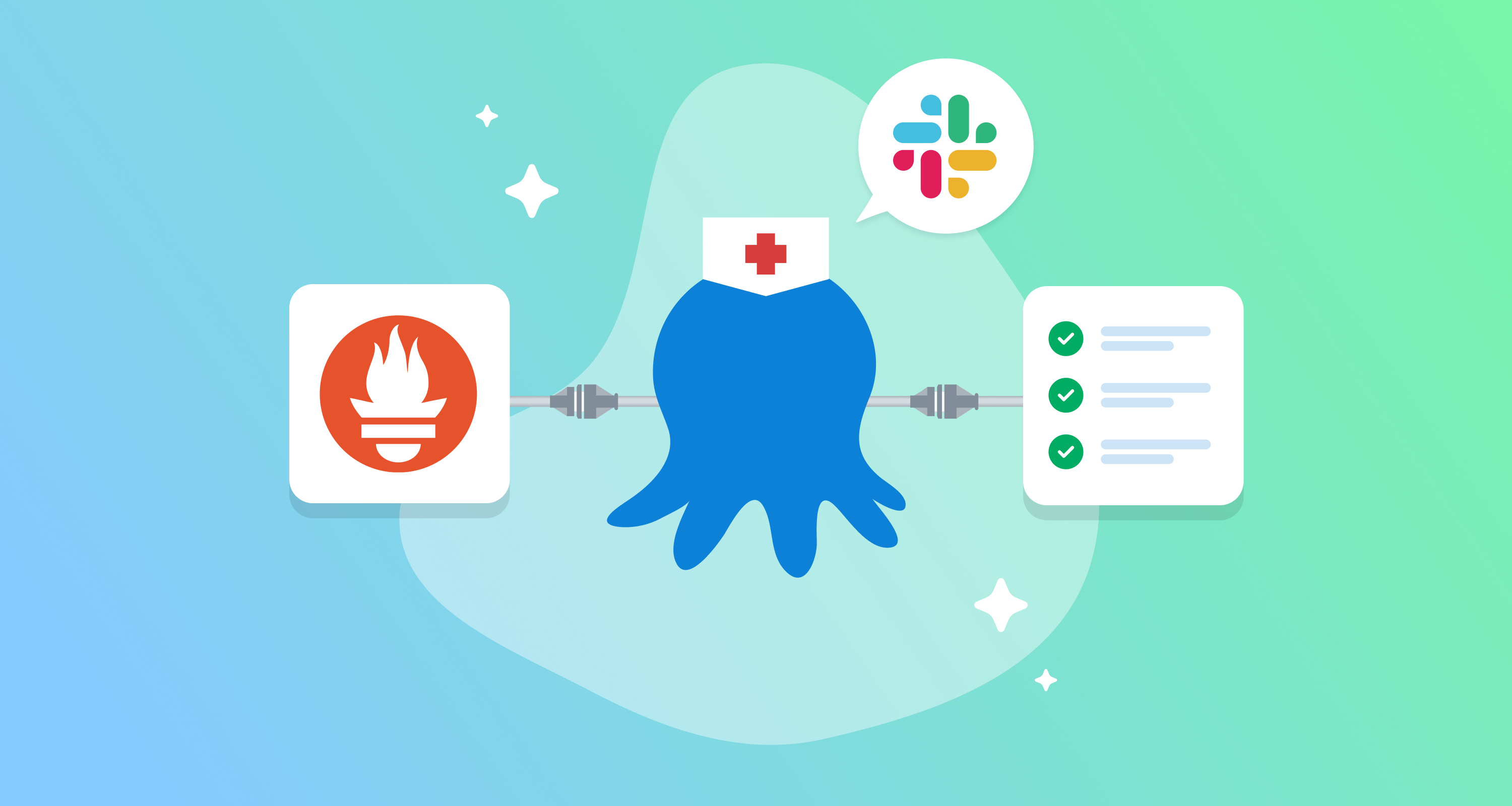
Octopus Healer automates incident remediation by using AI to suggest runbooks, requiring human approval before execution to ensure safety.
Deep dive
- Diagnostic Loop: Prometheus alerts trigger a webhook to a stateless service.
- AI Role: The model provides structured JSON with remediation types, confidence scores, and runbook parameters, not executable code.
- Remediation Types: Supports five specific patterns:
pod_restart,resource_increase,config_update,image_fix, anddeployment_rollback. - Human-in-the-Loop: Approval is required in Slack; the system generates and executes an Octopus Runbook after operator confirmation.
- Security: Limits context to 4KB of logs to prevent prompt injection or excessive cost; plans for HMAC signature validation are in progress.
Decoder
- CrashLoopBackOff: A Kubernetes state indicating a pod is repeatedly crashing and restarting.
- Runbook: A codified set of operational steps used to resolve common incidents.
- Blast Radius: The potential extent of a system failure or configuration change impact.
Original article
Lately, I caught myself doing the same sequence of actions several times: Prometheus fires an alert (let’s say about a pod being in CrashLoopBackOff), I search in the deployment/pod logs, realize that the service has run out of memory, then I open Octopus Deploy, find the right project, then select the environment, bump the resource limit, and finally wait for the rollout to finish and check that the alert has cleared.
The actual fix looks (and it is) pretty straightforward. Most of my time was actually spent context-switching between terminal windows, Kubernetes configs, and Octopus UI tabs. Most routine on-call alerts aren’t complex engineering problems. They often involve repeating the same remediation steps from an existing playbook. We usually know what needs to happen, but we end up viewing and manually copying data between monitoring tools, logs, and deployment systems.
This is what made me build a PoC incident bot, which I call Octopus Healer. It’s a service that listens for Kubernetes alerts, passes the pod context to an AI model to suggest a remediation, and maps the output to a predefined Octopus Deploy runbook. Nothing reaches production until an operator reviews and approves the proposed runbook in Slack.
Why Octopus Deploy is the right execution layer
The first design decision was how to handle execution once my preferred AI model suggests a fix. My initial approach while playing with the AI model was to have it generate kubectl commands—or, even better, execute them without manual intervention.
In a real production environment, though, running raw shell commands directly can quickly make things even worse. It can bypass existing approval flows, use overly broad permissions, and target the wrong environment. Instead of playing with fire, I decided to route all execution through Octopus Deploy.
The bot still handles the initial analysis: receiving the alert, collecting the relevant context, and sending the right prompt to the AI model. Octopus then acts as the execution engine, using the permissions, environments, and approval workflows that are already in place. For teams like ours that follow GitOps principles and keep deployment configuration as code, this approach also provides a clean audit trail. Runbook creation, environment selection, approvals, and execution history all remain traceable alongside the rest of the deployment changes.
The full pipeline
Here’s how everything connects, from Prometheus alert to Slack notification:
The flow has three phases:
- Prometheus fires an alert; Alertmanager sends a webhook to the bot, which then fetches the affected pod’s logs and any other useful live metrics from the Kubernetes metrics-server (CPU/memory for a
CrashLoopBackOff). - Once the bot has everything it needs, it sends that context to my favorite AI model, which returns a structured JSON analysis with a remediation type, confidence level, blast-radius classification, and the variable values needed to execute the fix.
- The bot posts a Slack notification including the root cause and the available action type. The operator reviews the suggested fix, selects the environment, and approves the creation and execution of the runbook in Octopus Deploy. The bot then posts the result back to Slack.
The whole tool is a single stateless service — no database, no message queue. Approvals live in an in-memory store with a 30-minute TTL. If the operator doesn’t respond within that window, the approval expires, and the on-call engineer handles it manually.
Giving an AI model the right context
I initially sent far too much context to the model. Most of it was unnecessary, so I reduced the payload to the alert metadata, recent logs, resource configuration, and current resource metrics. The goal was to provide enough information for a useful diagnosis without allowing large log payloads to dominate the prompt and increase the cost.
For each analysis, the bot collects a small but sufficient set of data to share with the AI model:
- Basic alert information, including the alert name, namespace, pod, and container.
- For the PoC, I limited the payload to the most recent 4 KB. This worked well for the failure cases I tested and prevented large log payloads from dominating the prompt.
- Depending on the alert and supported remediation type, the bot may collect additional information. For a pod in
CrashLoopBackOff, this includes the configured CPU and memory requests and limits. When available, it also retrieves the pod’s current resource usage through the Kubernetes Metrics API.
The response also needs to be predictable so the service can process it programmatically. The prompt asks the model to return the response in valid JSON only, without an introduction or a Markdown code block, and to use the predefined schema below.
{
  "root_cause": "Clear explanation of the problem",
  "confidence": "HIGH|MEDIUM|LOW",
  "remediation_type": "one of the above types",
  "runbook_params": {
    "namespace": "{{.Namespace}}",
    "deployment": "deployment name",
    "key": "env var name — config_update only",
    "value": "new env var value — config_update only",
    "type": "env or secret — config_update only",
    "container": "container name — image_fix only",
    "registry": "registry URL — image_fix only",
    "image": "image name — image_fix only",
    "tag": "image tag — image_fix only",
    "cpu": "recommended CPU request e.g. 500m — resource_increase only",
    "memory": "recommended memory request e.g. 512Mi — resource_increase only",
    "cpu_limit": "recommended CPU limit e.g. 1000m — resource_increase only",
    "memory_limit": "recommended memory limit e.g. 1Gi — resource_increase only",
    "target_revision": "revision number, 0 for previous — deployment_rollback only"
  },
  "manual_steps": ["any manual verification steps needed"],
  "suggested_blast_radius": "single_pod|single_deployment|multiple_deployments|cluster"
}
The five remediation types the model can choose from and the suggested fix are shown below:
| Type | What it does |
|---|---|
pod_restart |
Rolling restart of the affected deployment |
resource_increase |
Scale CPU/memory — For the PoC, the bot uses a simple heuristic based on the currently available resource metrics: 1.5× usage for requests and 2× for limits |
config_update |
Patch a misconfigured environment variable or config map entry |
image_fix |
Roll forward to a corrected image tag |
deployment_rollback |
Roll back to the previous revision with a target-revision override |
For the proof of concept, I’ve hardcoded the remediation types and suggested fixes to make the development easier. A production version could support a larger catalog of reviewed remediation templates. The model would still select from an allowlisted set rather than generating arbitrary execution logic.
Turning the model’s analysis into a runbook
After validating the model’s JSON response, the bot maps the selected remediation type to an Octopus runbook template. The implementation in this proof of concept is limited but clean: each supported remediation type maps to a predefined template whose script bodies use $(variable) placeholders that are filled with values from two sources — the alert itself (namespace, deployment name) and AI’s model runbook_params. In the example below, the PoC supports only one Octopus runbook step type: kubernetes-script. Future versions could support additional step types provided by Octopus Deploy.
func resourceIncreaseTemplate() *RemediationTemplate {
    return &RemediationTemplate{
        Steps: []RunbookStep{
            {
                Name:     "Update Resource Limits",
                StepType: "kubernetes-script",
                Properties: map[string]string{
                    "scriptBody": "kubectl set resources deployment/$(deployment) -n $(namespace)" +
                        " --requests=cpu=$(cpu),memory=$(memory)" +
                        " --limits=cpu=$(cpu_limit),memory=$(memory_limit)",
                },
            },
            {
                Name:     "Trigger Rollout",
                StepType: "kubernetes-script",
                Properties: map[string]string{
                    "scriptBody": "kubectl rollout restart deployment/$(deployment) -n $(namespace)",
                },
            },
            {
                Name:     "Wait for Rollout",
                StepType: "kubernetes-script",
                Properties: map[string]string{
                    "scriptBody": "kubectl rollout status deployment/$(deployment) -n $(namespace) --timeout=5m",
                },
            },
        },
    }
}
The $(deployment) and $(namespace) placeholders come from the alert. The resource values — $(cpu), $(memory), $(cpu_limit), $(memory_limit) — come straight from the AI model’s response runbook_params. The runbook generator then merges both sources and applies the model’s values to the runbook template, returning a ready-to-use runbook. The last part is to talk to the Octopus API to create the live runbook, publish a snapshot and finally execute it in the environment selected by the operator. Each runbook gets a unique, generated name that includes the remediation type, the incident resource, and a timestamp suffix (resource_increase-api-pod-1722687423), so every incident is traceable by type, workload, and time.
A couple of integration details that are worth highlighting are:
- Octopus Deploy supports two types of projects, standard and git-backed. This introduces some minor differences at the API level, but the bot handles both project types transparently.
- The alert coming from Prometheus and the Octopus Deploy app know nothing about each other, so we need to create a link between the Kubernetes workload and its Octopus project. This can be easily done by adding an annotation on the Deployment as shown below:
metadata:
  annotations:
    octopus.com/project-id: Projects-42
If the annotation is absent, the bot asks the operator to pick a project in Slack rather than failing silently.
Fully automated or operator-driven?
While building the bot, I kept wondering how far I could take the automation. For local testing, I added an AUTO_APPROVE=true option that skips the Slack interaction and executes the generated runbook directly.
I would not enable that option in production based only on the confidence value returned by the AI model. A model reporting HIGH confidence does not guarantee that its diagnosis is correct or that the proposed action is safe.
For now, the production-oriented workflow keeps the operator involved at three points:
- The operator selects the target Octopus environment.
- The bot generates the runbook and posts a preview of its steps in Slack.
- The operator reviews the proposed actions and either approves or rejects the execution.
Choosing the environment is a separate step because the bot cannot always determine the intended target from the Prometheus alert alone. After the environment is selected, the operator sees the actual runbook steps before anything is executed. This makes the approval more meaningful than simply asking someone to approve a short AI-generated description.
The blast radius is also shown in the approval flow. Instead of relying only on the model to classify it, the bot can derive most of the scope from the selected remediation template and its target. Restarting a single deployment, for example, is clearly different from applying a change across multiple workloads or at the cluster level.
A future version could allow some remediations to run automatically, but only when they pass a deterministic policy. That policy could require:
- an allowlisted remediation type;
- a valid annotation linking the workload to a known Octopus project;
- an environment that can be derived without operator input;
- a limited blast radius;
- validated parameters within predefined bounds;
- and a successful dry run or policy check.
The model’s confidence could still be included as an additional signal, but it should not be the control that authorizes execution.
There is another limitation to the current analysis. The model sees the alert, the pod configuration, recent logs, and current resource metrics, but it does not know everything that happened before the incident.
For example, a pod may start crashing immediately after a configuration change. Based only on the current symptoms, increasing its memory limit might appear reasonable. In reality, the correct action could be to roll back the most recent deployment. The suggestion may appear valid in the context provided to the model, yet be wrong because the important historical context is missing.
This is one of the areas I want to improve next. Adding recent Octopus deployments, configuration changes, image updates, and previous revisions to the diagnostic context would help the model distinguish between a resource problem and an incident caused by a recent change.
Until that context and the deterministic safety checks are in place, keeping an operator in the loop is not just an approval mechanism. It is part of the incident diagnosis.
After execution begins, the bot continues posting status updates in Slack until the runbook succeeds or fails
What I learned — and what’s next
Wiring an LLM into an automated deployment pipeline highlighted a few messy edge cases early on:
In the first version, I let the model generate the full kubectl command. That proved unreliable because in some cases, it returned kubectl flags that did not exist. In other cases, it added Markdown or explanatory text even though the prompt requested only the command.
So I decided to change the design so the model no longer generates executable commands. It now selects one of the supported remediation types and provides only the required parameter values in a predefined JSON format. The bot validates that response and uses those values to fill an existing runbook template. This keeps the model involved in the diagnosis without allowing it to decide exactly which command will run.
Config as Code required more special handling than I expected. Config as Code required more special handling than I expected. Supporting Git-backed projects meant maintaining separate code paths for many API operations. Compound runbook process IDs and Git-reference URL encoding were particularly tedious to debug. The additional complexity is worthwhile for the Git audit trail, but it increased the integration surface considerably.
The in-memory approval store is suitable only for the current PoC. Active approvals currently live in a Go map with a 30-minute TTL. This avoids adding an external dependency in a single-instance deployment, but restarting the pod during an incident removes all pending approvals. This is intentional technical debt for now. A production, highly available version would need shared storage such as Redis or PostgreSQL.
What’s next
My immediate priority is finishing HMAC signature validation for incoming Slack webhooks. The signing secret is already parsed, but the request validation itself is not yet implemented, so the current PoC should not be exposed as a production Slack endpoint. After that, I plan to create a Helm chart, add support for more alert types, and include recent deployment history in the diagnostic context. The main lesson from the PoC is that the model should help interpret the incident, not control execution. Keeping the remediation logic in reviewed Octopus runbooks makes the system easier to audit, validate, and operate safely.
Automating root cause analysis at scale: Multi-signal correlation for cloud native incident response
Atlassian has built an automated root cause analysis system that correlates metrics, traces, and logs across service dependency graphs to generate ranked fault hypotheses.
Deep dive
- Topology-First: The system scopes analysis by identifying only services in the call path of a degraded user experience.
- Signal Normalization: All detectors (metrics, logs, traces) emit events in a unified schema to facilitate downstream correlation.
- Temporal Correlation: Uses sliding windows and sequence fingerprinting to collapse repeating failure patterns into single bundles.
- Causal Inference: Performs BFS traversal upstream to find nodes where anomalies appeared earliest relative to the service dependency graph.
- Narrative Generation: Templates translate complex correlation data into human-readable explanations including evidence references for responder verification.
Decoder
- RED Metrics: A monitoring framework covering Rate, Error rate, and Duration.
- Span: A single unit of work in a distributed trace, representing a specific operation.
- Median Absolute Deviation (MAD): A robust measure of statistical dispersion used here for anomaly detection.
Original article
The problem: Humans shouldn’t be correlation engines
At Atlassian’s scale, hundreds of interconnected microservices distributed across multiple regions mean a production incident generates an overwhelming volume of telemetry. The problem is that finding the causal factor in the vast amount of telemetry still relies heavily on human expertise, intuition, and manual cross-referencing.
A typical root cause analysis workflow today looks something like this: an on-call engineer gets paged, opens a metrics dashboard, spots an anomaly in error rate or latency, pivots to a logging tool to search for exceptions within that time window, then opens a tracing UI to inspect individual request paths. They visually correlate patterns across these three separate views, form a mental hypothesis about where the fault lies, and then work backward through the service dependency graph to validate it.
This is a serial, cognitively expensive process. It depends on the responder already knowing which dashboards to check, which log queries to run, and which services are upstream of the one that’s failing. Senior engineers with years of domain knowledge can do this in minutes. Everyone else takes significantly longer, and during a user-impacting incident, every minute matters.
We asked a simple question: what if we automated the hypothesis generation step entirely, so responders could skip straight to validation and resolution?
Our approach: Treat RCA as a multi-signal correlation problem
The insight behind our automated RCA system is that root cause analysis is fundamentally a correlation problem across three dimensions:
- Signal type (metrics, logs, traces)
- Time (anomalies that co-occur are likely related)
- Topology (faults propagate along service dependency edges)
If we can detect anomalies independently in each signal, align them on a shared timeline, and then trace them through the known service dependency graph, we can generate ranked hypotheses about where a fault originated and how it propagated to produce the user-visible symptoms.
The system is explicitly designed to be modular. Each anomaly detection method is a pluggable component, and the correlation engine operates on normalised anomaly events regardless of which detector produced them. This means we can iteratively improve individual components, swap a statistical model for an ML model, add a new signal type, without rebuilding the pipeline.
Architecture: From raw telemetry to ranked hypotheses
Step 1: Scope the search using service topology
When an incident is detected, the first thing we do is narrow the blast radius. Rather than analyzing every service in the platform, we query our service dependency graph to identify the set of services in the call path of the degraded user experience. This gives us a focused subgraph, typically tens of services rather than hundreds, where the fault is most likely to exist.
We use OpenTelemetry-derived service maps for this. The dependency graph is built from span-level parent-child relationships observed in production traffic, giving us a real-time picture of how services actually communicate rather than how they’re supposed to communicate according to documentation.
Step 2: Detect anomalies independently per signal
With the relevant services identified, we run specialised anomaly detection modules for each telemetry signal:
Metrics (RED signals): For each service endpoint, we monitor rate, error rate, and duration (RED) using a combination of statistical methods. Median absolute deviation handles spike detection, while percentile bands catch sustained deviations. When a metric crosses its dynamic threshold, we emit a normalised anomaly event with a severity score, the observed value, and the baseline it deviated from.
Distributed traces: We analyse traces flowing through the affected services for structural anomalies, including unexpected exceptions, novel error propagation patterns, and latency spikes at specific spans. The trace-based detector uses both statistical methods (latency percentile violations) and pattern analysis to identify exception types that correlate with the incident window. Each anomalous trace produces an event tied to the service and timestamp where the anomaly was observed.
Logs: We apply clustering techniques to log streams from affected services, surfacing new or rare error clusters that appeared during the incident window. The key challenge here is log volume. At scale, you cannot naively scan every line. We use embedding-based clustering to group semantically similar log entries and flag clusters that are statistically novel relative to the service’s normal error distribution.
Every detector produces events conforming to a common schema:
{
 "timestamp": "2025-07-24T15:24:00Z",
 "service": "payment-service",
 "signal_type": "metric",
 "severity_score": 0.85,
 "details": { ... }
}
This normalisation is critical. It allows the downstream correlation engine to reason across signal types without caring which detector produced the event.
Step 3: Temporal correlation: find anomalies that co-occur
The correlation engine’s first job is to identify clusters of anomalies that happened close together in time. The intuition: if a database starts throwing errors at 15:24, the service that calls it starts timing out at 15:24:30, and the frontend that calls that service starts returning 500s at 15:25, these are almost certainly related.
We use a sliding window approach (configurable, typically plus or minus 5 minutes) to group co-occurring anomalies into correlation bundles. Each bundle receives a temporal cohesion score:
S_temporal = (1 / N(N-1)) × Σ exp(-|ti - tj| / τ)Where N is the number of events, ti and tj are event timestamps, and τ is a tunable decay constant. Tightly clustered anomalies score higher than dispersed ones.
A critical refinement we discovered in practice: the same causal chain often replays multiple times during an incident (the same upstream timeout propagates the same downstream failure every few seconds). Without deduplication, this produces redundant bundles that obscure the signal. We solve this with sequence fingerprinting, computing a fingerprint from the ordered list of services in each anomaly path and collapsing repeated sequences into a single bundle with a replay count. This lets us say “this failure pattern repeated 47 times in 5 minutes” rather than generating 47 identical hypotheses.
Step 4: Graph-based impact analysis: find the causal direction
Temporal correlation tells us which anomalies happened together. Graph-based analysis tells us which service is the cause and which are effects.
For each correlation bundle, we identify the sink node, the service with the highest anomaly severity, which typically represents the most impacted point visible to users. We then traverse upstream in the dependency graph (BFS, bounded to a configurable depth) looking for anomalous neighbours.
The key insight: if Service A calls Service B, and both are anomalous in the same time window, but Service B’s anomaly preceded Service A’s, then Service B is more likely to be the fault origin and Service A is experiencing a downstream effect.
We score each candidate causal path:
S_path = (1/m) × Σ S_anomaly(Ui) × w_edge(Ui → Ui+1) × exp(-α × Δt)Where m is the path length, S_anomaly is the anomaly severity at each node, w_edge captures the strength of the dependency relationship, and the exponential decay penalises anomalies that are temporally distant from the sink. The path with the highest score represents our best guess at the fault propagation chain.
Step 5: Hypothesis generation and narrative
The final step combines the temporal cohesion score and path score into an overall confidence score for each correlation bundle:
S_overall = w1 × S_temporal + w2 × S_pathWe rank bundles by this score and emit the top N as root cause hypotheses. Each hypothesis includes:
- The suspected root cause service (the upstream origin of the fault)
- The propagation path showing how the fault spread to produce user-visible symptoms
- Evidence at each node (which metrics breached thresholds, which exceptions appeared, which trace IDs exhibit the failure)
- A confidence score and breakdown of how it was calculated
- A human-readable narrative explaining the hypothesis in plain language
This last point matters more than it might seem. A ranked list of services with scores is useful for machines, but responders need to quickly assess whether a hypothesis is worth pursuing. Our narrative templates produce explanations like:
“Between 15:24 and 15:28, the payment-service endpoint /charge exhibited a 4x increase in error rate (baseline: 0.2%, observed: 0.8%). This preceded a latency spike in checkout-service /complete (p99: 340ms to 2100ms), which propagated to the frontend as HTTP 500 errors. The fault likely originated in payment-service based on temporal precedence and graph position. Confidence: 0.87.”
Fitting into a broader reliability platform
Automated RCA does not exist in isolation. At Atlassian, we are building a cohesive incident response platform that integrates automated user-impact detection, faulty service identification, causal diagnosis, and an AI-powered incident copilot into a single responder experience.
Our RCA engine serves as the diagnostic brain of this platform. When a user-impacting incident is detected, whether automatically via real-time user experience signals or manually by support teams observing ticket surges, the RCA engine is triggered. It publishes its hypotheses into a shared incident context that other components consume:
- Faulty service identification uses early-stage RCA results to page the right team, reducing time to engage.
- An incident copilot uses the hypotheses and their evidence to explain what is happening to responders and recommend mitigation actions (rollbacks, feature flag disablement) grounded in the actual diagnosis rather than generic runbooks.
- A feedback loop captures whether responders accepted, rejected, or refined each hypothesis, allowing us to tune weights and improve accuracy over time.
The shared incident context is the critical integration point. By anchoring all signals, hypotheses, and actions to a single per-incident context, regardless of which system produced them, we ensure responders see one consistent view rather than reconciling outputs from multiple disconnected tools.
Lessons learned and design trade-offs
Start with the simplest anomaly detection that is useful, not the most sophisticated. Our initial impulse was to build complex ML models for every signal. In practice, statistical methods (MAD, percentile bands) work surprisingly well for metrics anomaly detection and are far easier to debug when they produce false positives. We reserve ML approaches for signals where statistical methods genuinely struggle, such as log clustering and trace structural analysis.
Modularity pays compound interest. Because each anomaly detector is a pluggable module behind a normalised interface, we could ship a useful system with just metrics-based detection, then incrementally add trace and log detectors without touching the correlation engine. Each new module immediately improved hypothesis quality because the correlation engine had more evidence to work with.
Deduplication is not optional at scale. Without sequence fingerprinting and replay collapsing, a single fault pattern that replays 100 times during an incident produces 100 bundles. This overwhelms both the scoring pipeline and the human reading the results.
The dependency graph is your most powerful prior. Temporal correlation alone produces too many hypotheses. Many services are anomalous during an incident because they are affected, not because they are faulty. The graph provides causal direction and dramatically reduces the hypothesis space.
Narratives build trust. Engineers will not act on a confidence score alone. They need to see the evidence and the reasoning that connects it. Our templated narratives with embedded telemetry references (specific trace IDs, specific metric values) let responders validate a hypothesis in seconds rather than re-deriving it from scratch.
What’s next
We are actively exploring how LLM-based orchestration can make this system iterative rather than one-shot. Today, the RCA engine runs once per incident trigger. The next step is an agent that can request additional telemetry, refine its hypotheses based on what it finds, and adapt its investigation strategy based on what signals are available, much like an experienced human responder would. The challenge is doing this safely: with appropriate rate limits, sandboxed execution, and clear provenance so responders always know what evidence supports each conclusion.
We are also expanding the signal types the system can reason about, including infrastructure metrics, deployment events, feature flag changes, and synthetic check results, to move from “which service is broken” toward “what change caused it to break.”
Key takeaways
- Automated RCA is a correlation problem across three dimensions: signal type, time, and service topology. Solving it requires normalised anomaly events, temporal alignment, and graph-based causal inference.
- Modular, incrementally useful design beats big-bang delivery. Ship the simplest version that provides value, then layer in additional signal types and more sophisticated detection methods.
- OpenTelemetry provides the foundation. Standardised traces give you the dependency graph for free and provide the structural data needed for trace-based anomaly detection. Without consistent, correlated telemetry, multi-signal RCA is impossible.
- Invest in explainability from day one. Confidence scores are necessary but not sufficient. Human-readable narratives with evidence provenance are what build the trust needed for responders to actually act on automated diagnosis.
- Build feedback loops early. The system improves only if you capture whether hypotheses were correct. Simple thumbs-up/thumbs-down on each hypothesis is enough to start tuning weights and identifying systematic blind spots.
Perplexity partners with Nvidia to launch Portable Computer, a fully local AI agent with zero token costs
Perplexity’s new Portable Computer runs local AI agents on user-owned RTX GPUs, eliminating token costs while keeping data on-device.
Decoder
- Agentic platform: Software architecture that allows AI models to autonomously navigate user interfaces and execute multi-step tasks across various applications.
Original article
Perplexity's Portable Computer is a version of its agentic Computer platform that runs entirely on hardware users already own. The model, user data, and work can all stay on local machines with no billing credits. Every task starts on device by default, and the system asks for permission before sending any individual step to a more powerful model in the cloud. Portable Computer is now available for Pro, Max, Enterprise Pro, and Enterprise Max subscribers on Linux, with Windows support coming in September. Users will need an RTX GPU with at least 24GB of VRAM to run the agent.

Vocab Break
Anthropic has slashed Claude’s vocabulary size to roughly 15,000 tokens, likely to mitigate the 'gradient bottleneck' caused by large output projections.
Decoder
- Softmax bottleneck: An information-theoretic limit where projecting high-dimensional latent vectors into a massive, sparse output vocabulary restricts the learning signal during training.
- Tokenization: The process of breaking down text into small, numerical units that a model processes; a smaller vocab forces more subword splits but yields more consistent training.
Original article
Vocab Break
Tokenizer enthusiast Sander Land recently reproduced something very like Claude’s current tokenizer, and it appears to only have about 15,000 entries. That is surprising! Qwen 3.8, a very strong release, has about 250k tokens in its vocab. In general the trend had seemed to be more is better in this space.
One theory is that Anthropic have been working around a bottleneck caused by the final softmax layer. There is a recent(ish) paper about this: “Lost in Backpropagation: The LM Head is a Gradient Bottleneck“, but, if this is the reason, then the folks at Throppy have known this for way longer.
The basic idea is that you have to project at the end of the forward pass from the model’s latent space, dimension D, to a much bigger vocabulary space, dimension V, to select a token. Sticking with Qwen, their 2.4T parameter flagship model has a hidden size, D, of 8,192, and a V of that 250k vocab size.
When training, you compare the distribution the model gets to the actual right token. If the model was correct and confident its small, if the model was confidently wrong the loss is large. That loss is then propagated through all 250k entries, and from there down to the 8k entries of the hidden dimension. This compression bottlenecks how much information can be fed back into the network. Specifically, the authors show the change in logits has rank at most 2D. So if V is a lot larger than D, we are losing information:
We show both empirically and theoretically that the softmax bottleneck induces lossy compression during backpropagation
The fact this happens is not totally obvious. The correct distribution is just one entry wide (the actual next token), and the hidden dimension can represent that. Over a wide batch, though, you get all kinds of different next tokens. The signals are sparse, but not low rank: if you go over enough examples nearly every token is, at some point, “the next token”.
This means the learning signal coming in is as wide as the vocab, and so the model is sampling a random D-sized subset of it. That isn’t a problem per-se: you can learn to map between them, but there isn’t anything in the process that particularly encourages it to learn that mapping.
Whether this is the reason for the small vocab or not, there is a question of how they can get away with it! Every other model has been increasing, but as far as Land can estimate the folks at Anthropic have been cutting: from ~50k vocab entries in Claude 3 to ~16k today.
So, whatever the gradient bottleneck costs, Anthropic (mostly) aren’t paying it!
This also has a number of other benefits. You don’t need to do funky chunked CE kernels since you don’t have to project to a big, memory eating, space, and you don’t get any solidgoldmagikarp style glitch tokens, because every token gets trained.
They aren’t ignoring the rare tokens and other languages, they’re just using subword tokens and, in the worst cast, fallbacks to UTF-8. That means more tokens per piece of input text, and more attention cost. That said, it only seems to be 1.2-2x more tokens in Land’s testing. It’s not free: decreasing the tokenizer really is costing more execution and more money, but the tradeoff is presumably more than worth it!
- After which I presume Land username’d himself. Sorry regular magikarp.

Moats in the age of floods
Value in the AI era is shifting toward companies that build critical infrastructure to convert raw model intelligence into tangible business outcomes.
Deep dive
- Coordination gravity: The advantage gained by building systems where agents and humans interact, making the product a central nervous system for firms.
- Workflow data: Capturing proprietary internal process data that models never see in pre-training.
- Abstraction climbing: Moving from simple productivity tools to 'command centers' for entire organizational departments.
- Economic alignment: Pricing products against actual P&L outcomes (e.g., claims resolved) rather than just seat count.
Original article
Moats in the age of floods
As the labs break revenue records and absorb more capabilities, there's a growing narrative that the great flood of intelligence they bring will drown the whole economy. That the app layer is dead and that there’s no moats to build as we march towards AGI.
I see it differently.
Moats are useless to defend against a flood. But dams & waterways that direct the water & power to crops, reservoirs, and homes that otherwise wouldn’t have it are critical infrastructure.
Intelligence is a utility with unbounded demand. And similar to critical utilities like water and electricity, we need to build the systems to maximally disperse it.
The world doesn’t just want raw models and agents; it wants problems resolved and outcomes achieved. The premium will sit with the companies that can diffuse this intelligence through every aspect of civilization, converting raw tokens into real world outcomes, transforming industries, and creating economies in the process. That work has barely started.
The inertia of human realities
Imagine if any of us saw GPT 5.5+ / Opus 4.5+ back in 2019. Not only would we say that it's AGI, but we would’ve expected the economy to be completely transformed by now. That simply hasn’t happened.
Why? Because reality is very complex, and jagged intelligence isn't the bottleneck for most work at human levels.
Some of it is a context problem. Real work carries more state, more exceptions, and more history than fits in any prompt. It’s really hard to know how a job actually works because it’s really hard for the people doing it to describe it out loud.
A lot of it is that the real world is stubbornly very human. Simply put, a country of geniuses alone in a data center couldn't run the country. The real world is tangled up in incentives, approvals, accountability, edge cases, legacy systems, and humans coordinating with other humans. Even as automation improves dramatically, people enjoy hearing from, seeing, and working with other humans. No one watches Deep Blue play chess.
Through history, adoption and true economic change have always been de-coupled in time. Electricity was wired into factories by the 1880s, but didn't show up in productivity statistics until the 1920s once the factories were transformed around it.
With the internet and AI, adoption speed keeps compressing by an order of magnitude, but institutional change continues to lag.
This gap is the largest arbitrage in the world right now, BUT it’s only open for a short window.
The roadmap for diffusing intelligence
Taking advantage of the gap involves making the right bets and then executing relentlessly on the tactics to ride the capability curve of the models. You have to transform your domain through product, services, and narrative all together, and with the customer at the center of all three.
Whether you’re an AI-native new entrant or an AI-pilled incumbent, the road is far from clear, but here are the things you can do to maximize your chances:
- Orchestrate a multiplayer network
- Accumulate workflow gravity
- Let customers own their transformation
- Tell your version of the future
- Keep climbing the abstraction
- Sell what wasn’t possible
- Make yourself a structural necessity
Note: it’s likely not enough to only do one of these given how competitive the world is. You must do most of these over time.
(1) Orchestrate a multiplayer network
The labs will be primarily incentivized to tokenmaxx individual productivity because it’s the easiest to diffuse maximally using a limited set of products. While that's useful, it caps the productivity improvements because a firm is worth more than the sum of its people. It’s why a smaller, better-run company can beat a larger one. The advantage isn't always the headcount but the coordination, allocation, and review built into how the org is structured.
Target markets where human coordination cost is highest. Then build products and services that allow those humans and agents to collaborate to get these workflows done end-to-end. Over time, you’ll accumulate a coordination graph of individuals, agents, data, and organizations that are all transacting and collaborating through your product; a position that’s very hard to unseat by any one AI itself.
(2) Accumulate workflow gravity
Be the trusted source for accumulating your customers' data. There are internal documents, communications, institutional knowledge, proprietary sources, all the stuff general-purpose models will never see in pre-training. And then there's the process data: every correction, every decision, every past scar, and every exception your product and the ecosystem around it generates as people use it.
Can’t the labs just do this? Yes, of course. But the key is going to be using your understanding of the domain and the unique data you’re capturing to improve value to the customer. With the model ecosystem fragmenting and enterprises’ perennial need to hedge risk against single providers, it’s likely that a continual learning layer is going to be divorced from the models. This presents a wedge to build memory and personalization in ways that benefit both the user and the whole organization.
Over time you’ll know more about how a specific slice of the economy operates than anyone else, including the people running it. Like gravity, the more knowledge you accumulate, the harder it is for anything to escape your orbit.
(3) Let customers own their transformation
This one is non-obvious and only just starting to be in vogue. I’ll posit that intelligence becomes an allocated and managed resource next year: tokens budgeted like headcount and ROI measured against top level metrics. Just like any other managed resource, customers will want fine grained control over it. The challenge is calibrating that control. Give them too little and they never own it. Give them too much and they're vibe-coding their own version internally instead of getting the full value of yours.
Agent builders, configurable workflows, model neutrality/choice (incl post-trained open models), cost visibility, permissions, and many more features will give organizations control over their own change. To implement, you’ll need to forward deploy with their teams, but make sure they can still manage deployments themselves when you leave. At the end of the day, ICs to C-level value what they helped build even more than if it was handed on a silver platter (see Ikea Effect).
(4) Tell your version of the future
As we head towards superintelligence, rapid model releases, multiple global conflicts, new fundraises, and M&As, add tremendous uncertainty to an already uncertain world. Everyone from ordinary people to the C-suite of the largest companies in the world is confused about what the future looks like. The most important thing you can do is offer a specific and credible account of what their industry will look like in five years. Being known as the company that can help guide into the future is critical. This is worth way more to them than a list of features.
And then pair that with an identity that proposes your role in that future. Stand for something. Have an opinion. Think differently and weave it into a visual & cultural brand that permeates through new hires, customers, partners, investors, and the general public. When every company has access to the same models, the unique choices you made in your product, relationships, website, and story create a brand affinity that can’t be easily exchanged.
(5) Keep climbing the abstraction
In code, we’ve transitioned from writing assembly, to compiled languages, to agents, and soon to orchestrating teams and orgs of agents. The same will happen in non-coding domains but will be slower depending on how verifiable they are. The bottom of the capability stack gets eaten by model improvements, and whatever you built for the current bottom gets eaten with it.
Over time, evolve your product to cater to the line manager, then the VP, then eventually the C-suite, instead of only the user you started with. In practice this means getting more verticalized in the UX, not less. For example, building the command center where a manager oversees a fleet of agents the way they'd run a human team in their function today.
The companies that survive will be the ones that predict where the abstraction is heading and start building there before the current layer gets commoditized underneath them. Be ruthless about tearing up your own infra and product to climb the next layer - no sacred cows here.
(6) Sell what wasn’t possible before
So far, most ways to value and understand the P&L impact of AI have been tied to the human work of a lawyer, engineer, analyst, scientist, etc. This is why many AI native companies are still pricing on seats. But the real unlock is what’s bottlenecked on human labor, attention, or brains. These are when you see the 2nd and 3rd order effects of intelligence too cheap to meter, and where the unbounded ROI lives.
In 2027, I predict that the defining C-suite conversation will be AI’s impact on the P&L of every business, as companies are forced to justify a new line item for token and AI spend. That spend will need to either drive revenue or reduce opex, and the companies that win will be the ones already reshaping their products and customer relationships to capture the value.
As capabilities increase, price against something the customer already forecast or goal on like tickets closed, contracts processed, drugs into trial, claims resolved, cases cleared, and the holy grail, new revenue. This will take a while to fully materialize as AI and product capabilities catch up. But the companies that start now will be the ones that own the economics when it does.
(7) Make yourself a structural necessity
This is the hardest to do and is really the accumulation of all of the above. Every company ever has been under-resourced because there’s always more to do. AI doesn’t change that. Ultimately the labs will have to focus on general-purpose products that offer the largest TAMs: model APIs, enterprise coworkers, and eventually mega-markets like pharma.
Your job is to position yourself to do things labs can’t do and make something that institutions, regulators, and networks of people genuinely need to exist. This could include offering neutrality between competing options, a trusted layer between AI and regulated industries, or a counterparty that can be held accountable in ways a model API can't. Capitalism pushes these companies into existence because the system can't function without them. Make yourself one of those.
The biggest companies in the world
Don’t get me wrong. The models are going to get genuinely and breathtakingly capable. The labs and chip companies will make an extraordinary amount of money and will likely be the biggest companies in the world. Ultimately someone has to collect money for the pareto optimal token cost to return all the capex investment.
But this is not the debate. Platforms get enormous and value still accrues above them. Cloud didn't stop Stripe, Uber, Doordash, Salesforce, Workday, ServiceNow, or Shopify from becoming generational businesses. Abundant intelligence is the mother of all platforms.
An entire ecosystem forms around the economically useful diffusion of intelligence: the companies doing it, the infrastructure serving them, the standards they set for their verticals, and the stories they tell.
The main debate worth having is who wins in this ecosystem. And that’s the war that gets fought vertical by vertical, institution by institution, by companies that mostly don't look like labs at all.
OpenAI's Jalapeño Optimizes Inference Throughput and Token Latency
OpenAI's Jalapeño chip is outperforming existing commercial silicon in peak throughput and token latency on internal GPT-OSS 120B model workloads.
Original article
OpenAI's Jalapeño inference chip was designed around its own model workloads, with early benchmarks showing higher peak throughput per kilowatt and lower token latency than the commercial systems tested on GPT-OSS 120B.
Open Omnimodal World Models (GitHub Repo)
EchoWM introduces an omnimodal world model capable of synchronized 720p video, audio, and speech generation following continuous 6-DoF camera trajectories.
Deep dive
- Features two distinct pipelines: Echo-LongVideo for persistent story generation and Echo-WM for interactive world simulation.
- Uses 6-degree-of-freedom camera trajectories to maintain spatial consistency during generation.
- Employs progressive and autoregressive training to ensure long-horizon synchronization.
- Current backbone is LTX-2.3 with plans to integrate LTX-2.5 weights.
- Future roadmap includes optimizing rollout costs using sparse attention, Paged KV-cache, and FP8 precision.
Decoder
- 6-DoF (Degrees of Freedom): The ability of a camera to move in three-dimensional space (x, y, z) and rotate around three axes (pitch, yaw, roll).
- World Model: An AI system that builds an internal representation of the environment's physics and dynamics to predict future states from actions.
- Autoregressive: A method where the model generates the next element of a sequence based on the previous elements.
Original article
JoyAI-Echo
🎬 Long-Horizon Audio-Visual Generation for Persistent Stories and Interactive Worlds
This repository holds two independent projects. Each has its own environment, checkpoints, and entrypoint — pick the one you need and follow its README.
| Project | What it does |
|---|---|
| Echo-LongVideo (long video) | Long-horizon, multi-shot audio-visual generation. Up to ~5 minutes, with a paired audio-video memory bank carrying continuity across shots. |
| Echo-WM (world model) | Omnimodal world model for generative media that responds to continuous navigation while video, environmental sound, music, and speech evolve together. |
JoyAI-Echo/
├── echo_longvideo/   # long-video generation: inference.py, configs/, prompts/, ltx-*
└── echo_wm/          # world model: inference_wm.py, Gradio demo, bundled ltx-*
The two do not share a Python environment or a checkpoint directory. echo_wm/ bundles its own copy of ltx-core and ltx-pipelines, so installing one project never affects the other.
Quickstart
Long video:
cd echo_longvideo
conda env create -f environment.yml && conda activate echo-long
World model:
cd echo_wm
conda create -n echo-wm python=3.11 -y && conda activate echo-wm
pip install -r requirements.txt
Checkpoints are downloaded separately in both cases. See each README for the exact files and paths.
For academic research and non-commercial use only.
Echo-WM Roadmap
Echo-WM is on LTX-2.3 today. Next we move Base and Causal onto LTX-2.5, then cut long-rollout cost with sparse attention and a tighter cache / runtime stack.
Backbone
- LTX-2.3 · Base — bidirectional audio-visual DiT used by Echo-WM Base (~10 s).
- LTX-2.3 · Flash Preview / Causal — current public preview with chunk-causal attention, KV-cache rollout, and 4-step inference.
- LTX-2.5 · Base — load official LTX-2.5 weights (Gemma 4 TE, 2.5 VAE / DiT) into the existing bidirectional path.
- LTX-2.5 · Causal — the same Flash recipe on 2.5: block-causal masks, sink+FIFO cache, few-step student.
Accel
- Sparse attention — SageAttention and similar sparse / low-bit kernels on video, audio, and UCPE branches.
- FlashAttention / FlashInfer — fused attention for long causal windows without blowing up HBM.
- Paged KV-cache — variable-length cache so rollouts stay bounded; rebase RoPE and UCPE when tokens evict.
- FP8 / TensorRT — compile the DiT forward at lower precision for decode-time throughput.
Citation
If JoyAI-Echo helps your research or products, please cite:
@article{duan2026joyaiecho15,
  title         = {Long-Horizon Audio-Visual Generation for Persistent Stories and Interactive Worlds},
  author        = {Duan, Nan and Huang, Haoyang and Jin, Weiyang and Li, Haoran and Li, Yaowei and Li, Yuming and Liu, Yijun and Lu, Xin and Ma, Xiaoxiao and Ma, Yanwen and Su, Yaofeng and Sun, Yilang and Wang, Haoyu and Xue, Zeyue and Zhang, Songchun and Zhuang, Junhao},
  journal       = {arXiv preprint arXiv:2608.23383},
  year          = {2026},
  eprint        = {2608.23383},
  archivePrefix = {arXiv},
  primaryClass  = {cs.CV},
  url           = {https://arxiv.org/abs/2608.23383}
}

@article{zhang2026echowm,
  title         = {EchoWM: Open and Enterable Omnimodal World Models},
  author        = {Zhang, Songchun and Li, Yaowei and Zhuang, Junhao and Jin, Weiyang and Wang, Haoyu and Lu, Xin and Sun, Yilang and Zhang, Shiyi and Li, Haoran and Ma, Xiaoxiao and Li, Yuming and Liu, Yijun and Su, Yaofeng and Ma, Yanwen and Wu, Haoyu and Su, Zihan and Ma, Yue and Zhang, Lvmin and Huang, Haoyang and Xue, Zeyue and Rao, Anyi and Duan, Nan},
  journal       = {arXiv preprint arXiv:2608.23189},
  year          = {2026},
  eprint        = {2608.23189},
  archivePrefix = {arXiv},
  primaryClass  = {cs.CV},
  url           = {https://arxiv.org/abs/2608.23189}
}

@article{li2026joyai,
  title  = {JoyAI-Echo: Pushing the Frontier of Long Audio-Visual Generation},
  author = {Li, Haoran and Li, Fredreic and Ma, Shichen and Huang, Jie and Liu, Yijun and Shi, Jiaqi and Ma, Yanwen},
  year   = {2026}
}
License
This project is based on LTX-2 by Lightricks Ltd.
Portions of the original LTX-2 codebase have been modified by JD.com for academic and research purposes only. This project is not intended for commercial use. For commercial use of LTX-2 or its derivatives, please contact Lightricks Ltd.
All original copyright, license, patent, trademark, and attribution notices from LTX-2 are retained. This project remains subject to the LTX-2 Community License Agreement.
Granite 4.2 LLMs: How They're Built
IBM's Granite 4.2 models introduce a native THINKING/NON-THINKING switch to optimize reasoning and agentic workflows across 3B, 8B, and 30B parameter sizes.
Deep dive
- Uses a five-phase training strategy, including multi-stage reinforcement learning (RL).
- Available in 3B, 8B, and 30B dense model variants.
- Features a built-in switch for 'Thinking' mode to trigger internal reasoning steps before generating final output.
- Optimized for agentic tasks like code editing and web searching via specialized RL training.
Decoder
- Dense Model: A neural network where all parameters are used for every inference step, as opposed to Mixture-of-Experts (MoE) where only a subset of parameters is active.
- Decoder-only: A model architecture (like GPT) designed primarily for autoregressive text generation.
Original article
Granite 4.2 models by IBM are dense, decoder-only reasoning LLMs available in 3B, 8B, and 30B sizes. Trained on 15T tokens, they use a five-phase strategy that includes a multi-stage RL pipeline and support native tool calling with a THINKING/NON-THINKING switch. The 8B and 30B models learn agentic behavior through RL stages in real environments, enhancing capabilities such as code editing and web searching.
Anthropic merges Claude chat and Cowork memory, on by default
Anthropic has merged memory systems between Claude chat and Claude Cowork, allowing the assistant to maintain persistent context across all platforms by default.
Deep dive
- Shared memory now works bidirectionally between standard chat and the Cowork agent.
- Memory updates occur in real-time during conversations rather than waiting for completion summaries.
- Provides a clear 'Topics' list under Settings for transparency into what the model retains.
- Includes a 'sensitive-topics' toggle which remains off by default.
- Excludes specific categories like social security numbers or criminal records by default regardless of user settings.
Original article
Anything you tell Claude in a chat window is now available to Claude Cowork. Anything Cowork learns comes back the other way.
Anthropic merged the two memory systems on Tuesday. Wherever you work with Claude, it starts from what it already knows about you, the company said in its announcement.
The feature is on by default for consumers, on the Free, Pro and Max plans, across web, desktop and mobile.
The second change is the one to notice
Claude now adds topics to memory while you are still talking. It used to wait until a conversation ended and summarise it.
Mention that a deadline moved to September, and the next conversation knows. You do not have to say “remember this”.
That changes when the system captures data. It also removes the pause at the end of a conversation, which is the point at which a user might have decided the exchange was not worth keeping.
What it looks like in use
Ask Cowork to draft an update for your manager and it knows who that is, and how she likes updates written. That is Anthropic’s own example.
Brainstorm a conference agenda in chat. Cowork then has the headcount, the city and the speakers when it builds the budget document.
Sarah Perez put it plainly for TechCrunch. The update makes Claude feel like one continuous assistant rather than two products under one roof.
You can read what it has kept
Everything Claude remembers sits as a list of files under Topics in the memory settings. Users can read, edit or delete each one, and a correction applies everywhere afterwards.
Users can pause or reset memory at any point. Two toggles control it, one for generating memory from chats and one for sensitive topics.
The sensitive-topics switch
By default, Claude stores nothing on health, race, ethnicity, religious beliefs, politics or gender identity. The company lists those categories and adds other similar areas.
Users can turn those on. What some people consider sensitive, others consider useful, Anthropic argues, and its example is a gluten allergy that should inform recipe suggestions.
The switch stays off unless someone moves it, and it does not work retroactively. Claude shows a notice each time it saves something in one of those categories.
David Gewirtz raised the obvious objection at ZDNET. If someone is struggling with something and wants help, a warning every time they discuss it may not be reassuring.
What it will not keep at all
Some categories stay out even with the sensitive switch on. Social security and government identification numbers, criminal history, immigration status, and anything breaching Anthropic’s acceptable use policy.
Claude tells the user when it cannot update memory with one of those.
Claude Code is not part of this
The announcement does not mention Claude Code at all. Gewirtz asked and was told the update is focused on Cowork and chat.
That leaves the coding tool as a separate memory island. It is also the clearest sign that this consolidation is not finished.
The surface is wider than two products
Cowork is the agent Anthropic released at the start of the year, and it has spread since. It moved onto phones in July.
Igor Bonifacic noted the timing for Engadget. A recent change put Cowork inside the Claude for Chrome extension. Conversations held in the browser side panel now form part of a user’s usage history.
Browsers are a sensitive place to add retention. Chrome has already drawn criticism for installing things silently that users never agreed to.
Claude has had memory since last summer, Bonifacic wrote. Those memories stayed fragmented, partly by design and partly because of the architecture.
Why the reach matters
Cowork is not a chatbot. It runs tasks, including in the cloud, and it operates on a user’s machine.
In July, researchers found that Claude Cowork could read credentials on a Mac after escaping its local virtual machine.
That is the reason the memory question is not the same as it would be for a chat window. A system that can act, and that now also carries months of accumulated context about its user, is a larger object than either half was.
Where the defaults change
Consumers get memory switched on. Team and Enterprise customers do not. Admins control availability for the organisation, and memory stays off for individual users until they turn it on.
Gewirtz reported the enterprise position slightly differently, as off for organisations by default and subject to eligibility. Either way, the split is deliberate, and it puts the burden of the decision on a compliance team rather than an employee.
That distinction lands hardest in Europe. Companies here have to document what personal data their tools retain, and a European regulator this month fined Uber 825 million euros over automated decision-making, which is a reminder of the climate rather than a comment on this feature.
The competitive picture
Memory is where assistants stop being interchangeable. The context a system holds is the thing that makes switching expensive.
Cursor is already building a Cowork rival. Both OpenAI and Anthropic have been folding separate desktop apps into single ones, Gewirtz noted, and shared memory is what makes that consolidation mean something.
Varun Mirchandani framed the intent for Digital Trends. Anthropic is trying to make memory feel less like a hidden trick and more like a workspace the user controls.
What users should actually do
The controls are in Settings, under Memory. Two toggles, a list of topic files, and a reset.
Anyone on iOS or Android needs the latest app version to see any of it. Anyone who wants sensitive topics remembered has to go and switch that on, and anyone who does not has nothing to do.
The one thing worth checking is the list itself. It is the first time Claude users can see, in plain files, exactly what the system has decided is worth keeping about them.

Keenable builds a web index and query layer for AI agents
Keenable emerged from stealth with $26 million to build a web search index specifically designed for AI agents rather than human browsers.
Deep dive
- Built to optimize retrieval for agent-based queries rather than traditional keyword search for humans.
- Currently features an index of over 100 billion documents.
- Developing a 'Web Query Language' to cross-reference multiple sources for synthesis.
- Partners include AI labs and inference providers; recently integrated with voice AI firm Gradium.
- Focuses on reducing the high compute cost of serving web-scale search for AI applications.
Decoder
- Inference Provider: A service or platform that hosts large language models and runs them to generate predictions or answers (e.g., Anyscale, Groq).
- Retrieval: The process of searching through a database or index to find relevant documents to provide context to an AI model.
Original article
Search engines were built and optimized for people, who can’t spare the time or attention required to scan entire web pages. But as people increasingly use AI chatbots to search the web and do tasks, there’s a line of thinking that the internet’s current infrastructure needs to be updated to cater to AI instead, as these bots can read and process much larger portions of information.
Andrey Styskin, who previously led Russian search giant Yandex’s search, AI, and cloud division, and German AI scientist Matthias Petri are working to solve that problem with their new startup, Keenable. The company recently came out of stealth with $26 million in seed funding. Accel led the funding round, which also saw participation from Conviction Partners and some business angels.
From Styskin’s perspective, AI chatbots tend to do much better if they can ground their responses with source documents. “This actually creates a new flywheel that is different from what Google learned from human behavior,” he told TechCrunch.
Keenable says it has been building a web search index of more than 100 billion documents, and its API is already used in production at several AI labs and inference providers during both training and runtime. The startup wouldn’t disclose who its customers are, but it recently struck a partnership with voice AI company Gradium to support live information retrieval.
Drawing from his experience of 20 years building search at Yandex and Amazon, Styskin explained how Keenable’s product is different from enterprise search solutions that can break down and prove very costly at web scale. “If you do not fine-tune your index structures for a specific task, the cost of serving and scanning the whole internet is enormous because of the volume. That’s why you need to innovate on how you can narrow the search space based on your query very fast. This is what we are bringing to the table,” he said.
According to Accel partner Zhenya Loginov, who led the investment, AI players have very few options when it comes to web-scale search infrastructure, especially with Google and Microsoft taking steps to shut down their existing search APIs to avoid cannibalization. Instead, the tech giants are opting for a more bundled approach, and being selective about their partners.
To Styskin, these decisions confirmed the opportunity he saw when he was at Amazon, working with Petri on web search infrastructure for AI applications such as Alexa. He’d seen Cloudflare data that AI crawlers were responsible for a growing share of search volume, and started realizing that there was an opportunity to develop web search infrastructure that is built with AI in mind.
Armed with that experience, Styskin tapped into his network to hire a handful of former colleagues for his new startup, which is also building proprietary retrieval capabilities. This includes an upcoming product, Web Query Language, which would help AI systems answer questions by combining information from various web sources, even when none contain the full answer.
Costs will be an important part of the equation. Styskin says while it is “extremely hard” to convince people to move away from Google for search, the innovators’ dilemma means that the U.S. giant is potentially “beatable” on agentic queries, and a smaller company like Keenable can innovate and offer a more cost-efficient solution to AI companies.
Still, the costs of building a giant search index are real. “Don’t ask — it is painfully expensive,” he said. But, he says the startup is doing its best to keep costs in check and pace itself. With a team of 15 engineering staff across the U.S. and Europe, the company plans to use the fresh cash to double its headcount by the end of the year to build its go-to-market motion.
There are many more steps before the startup can achieve its dream of becoming “the next Google for AI agents.” Other players have entered the space, such as Brave and Exa; and Google itself is overhauling its search experience for the AI era. But this broader motion indicates that Keenable’s conviction is also shared at the Googleplex: Whether it’s for humans or for agents, the era of the “ten blue links” may be coming to a close.
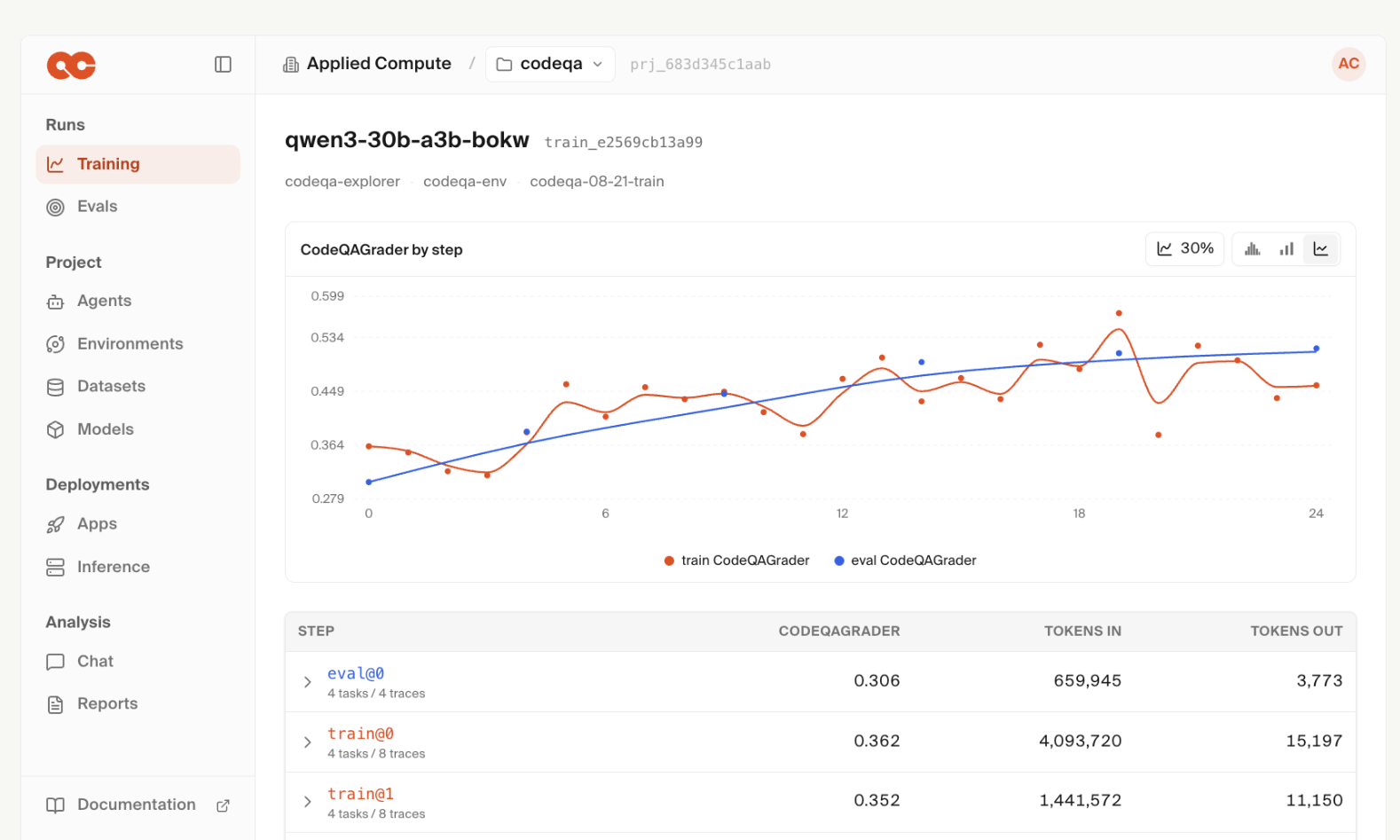
Applied Compute Agent Cloud
Applied Compute is positioning itself as the 'model factory' for enterprises with the launch of its Agent Cloud (AC2).
Deep dive
- AC2 allows teams to switch between various open-source models without changing the underlying training or serving infrastructure.
- Provides a 'researcher cockpit' to visualize model rollouts and debug reinforcement learning (RL) agents.
- Built-in 'Ari' research agent monitors model health and suggests improvements based on failure modes.
- Inference engine supports speculative decoding and autoscaling to manage cost and latency.
- Closes the feedback loop by using production traffic to generate learning signals for future model iterations.
Decoder
- Speculative Decoding: A technique to speed up model inference by using a smaller, faster model to draft predictions, which the larger, accurate model then verifies in parallel.
- On-policy self-distillation: A training method where an AI model uses its own past outputs or production successes to generate training data for its future versions.
- RL (Reinforcement Learning): A training paradigm where models learn by receiving rewards for specific actions in an environment to optimize behavior over time.
Original article
To put the next frontier within reach of every team, we’re launching AC2: the Applied Compute Agent Cloud. AC2 is the internal platform our own researchers use to build custom state-of-the-art models for customers like Microsoft, NVIDIA, Cognition, Mercor, DoorDash, Harvey, and others.
AC2 gives every AI team one platform to train open models, serve them at scale, and bring everything they encounter in production into the next run. Every company should build intelligence powered by its own data and designed for its own work.
Here’s what you should know about AC2.
Build your model factory
Open models are improving at an extraordinary pace. More capable weights ship every month, expanding what teams can build while making any single model less durable as an advantage.
Your company won’t win by choosing the best model, but by building a model factory: a repeatable process to turn your data into model improvements. With AC2, companies can now go beyond customizing at the prompt level to customizing models themselves, each suited to a company’s unique workflows and specific needs.
Choose what’s right for your team
AC2 supports all the latest open models, allowing teams to choose the right starting point for each workload based on capability, speed, and cost. As new weights are released, teams can evaluate them quickly and move to a better foundation without rebuilding their stack.
AC2 also allows you to bring your own harness for training. You can start training with a few dozen lines of code, empowering your researchers to focus on experiments and data instead of infrastructure.
Turn experimentation into a repeatable, engineered process
Training RL models is as much of an art as it is a science. Accordingly, researchers often need to take a look at what a model is trying to do to debug issues in the environment, graders, and the agent’s behavior. The AC2 console is a researcher cockpit to examine rollouts, compare runs, and iterate on graders.
Our frontier-grade post-training stack was written to maximize GPU performance without sacrificing ML stability. Our RL control plane adapts the workload to scale ups in training compute and context length, allowing you to add compute and immediately achieve high utilization.
Ari, our applied research agent, works alongside your team throughout the training loop to analyze results, uncover failure modes, and turn each finding into better data for the next experiment. Ari monitors run health, reads through rollouts, and takes action even when you’re offline.
Deploy on dedicated inference capacity
Our serving stack can be optimized end-to-end for your workload, balancing latency, throughput, and cost while autoscaling replicas as traffic changes.
Because training and serving happen on the same platform, production endpoints use the same sampling configuration, numerical precision, and kernels used during training. Each deployment is also tuned to the latency and throughput requirements of your workload. From a completed run, you can deploy your checkpoint in minutes with 99.9% uptime, autoscaling, and low latency inference using speculative decoding.
New checkpoints can be deployed behind the same endpoint within minutes, without changing your API, routing, access controls, or observability.
Models that continuously improve
The most valuable data often arrives after deployment: real user interactions, corrections, and feedback. Once serving is live, you can capture this data for continued training and improvement. Production traces can help you identify failure modes, build new data points, generate hints for self-distillation, and guide the next training run.
On-policy self-distillation in AC2 lets you learn from production traffic even when the original environment cannot be replayed. You can use traces and user interactions to generate learning signals for the next model.
The result is intelligence that grows more capable, more efficient, and more specific with every interaction. AC2 gives AI teams the infrastructure to train, serve, and improve their own intelligence.
AC2 is now available in private beta. Reach out to learn more or join us if you’d like to help build the platform to train and serve open weights.
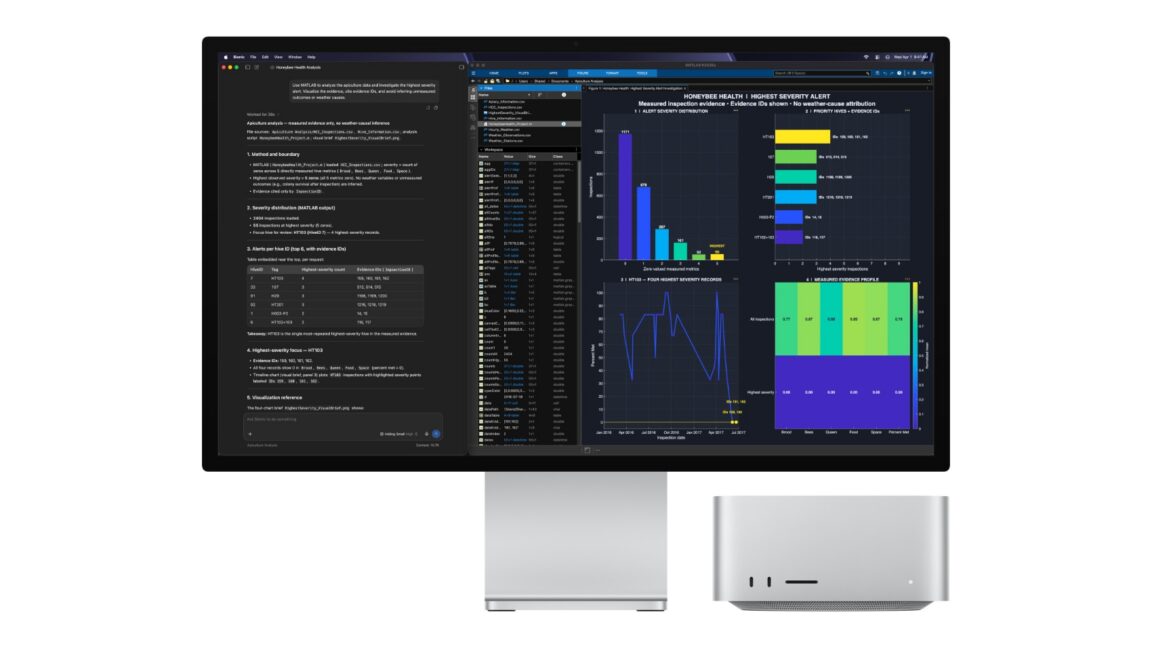
Apple's new desktop computers are designed specifically for local AI development
Apple's latest Mac mini and Mac Studio refreshes lean into local AI inference by featuring the 2nm M6 chip and the M5 Ultra.
Decoder
- Unified Memory Architecture: A system design where the CPU, GPU, and other components share a single pool of memory, allowing for higher data throughput and lower latency compared to discrete systems with separate VRAM.
- Inference: The process of running a pre-trained machine learning model on new data to generate predictions or content.
- MLX: An open-source framework by Apple optimized for efficient machine learning performance on Apple Silicon.
Original article
The Mac mini and Mac Studio occupy two distinct points in Apple’s lineup of desktops, but lately, they’ve had something in common: They’re popular for local AI inference and software development thanks to the advantages of their unified memory architecture and the fast CPUs and GPUs on their systems-on-a-chip.
Today, Apple announced new iterations of both desktops, along with two new chips: the M6, the first 2nm chip in Apple’s M-series lineup for Macs, and the M5 Ultra, now the most powerful chip in the lineup for most things—especially AI workloads.
There aren’t any major new features for either machine. This is just a specs bump. But based on how Apple is presenting these refreshes, they’re leaning hard into those use cases, which weren’t even a thought when earlier iterations were first engineered.
The devices’ popularity for production inference took off after macOS 26.2 shipped last December. According to Apple’s release notes, 26.2 enabled “low-latency communication between Thunderbolt 5 hosts for use cases including distributed AI inference using MLX.” Thunderbolt 5 is a very fast wired data connection, and MLX is an open source array framework designed to help machine learning workflows take full advantage of the M-series chips’ unified memory.
Since then, both hobbyists and professional developers and researchers have been essentially daisy-chaining Mac minis or Mac Studios to run inference on local large language models that are much bigger than anything that could run a single mass-market device—providing an alternative to ultra-beefy specialized hardware featuring specialized Nvidia GPUs.
The story here is the chips themselves. The M6 is, as expected, a next-generation SoC (system-on-a-chip) meant for a wide range of consumer applications. It has a 12-core CPU, which includes two of what Apple calls “super cores,” alongside four performance cores and six efficiency cores. It’s the first Apple SoC to use all three core types. There aren’t any verifiable benchmarks to work from yet, but Apple claims it’s up to 40 percent faster at multi-threaded CPU performance compared to the M4 two generations ago.
It also has a 12-core GPU, which is two cores more than its immediate predecessors, and faster unified memory with up to 160GB per second of bandwidth. Memory capacity is limited to 32GB, though.
That’s where the new M5 Ultra—which will be available in the updated Mac Studio—comes in. Its maximum capacity is a whopping 512GB (for the fortunate few who can afford it). In many respects, it’s literally two M5 Maxes running side by side on one SoC, for 36 CPU cores (12 super, 24 performance) and 80 GPU cores. Apple claims it can achieve up to 1.2TB per second in terms of unified memory bandwidth.
Most people would never, ever need that, but that’s what we mean when we say that the AI inference use case is really what Apple is optimizing for here. That kind of memory and bandwidth is of course useful for other things, like gaming and other 3D graphics applications, but local inference is a growing use case, particularly for software developers.
Many developers have been changing their workflows to incorporate AI coding agents more heavily, thanks to powerful frontier large language models and increasingly sophisticated harnesses like Claude Code or Codex, but the cost of running those cloud models is steep, and many are questioning whether it will remain practical.
Open-weight models that can be run locally, like some of the latest Qwen and DeepSeek models, can accomplish many of the same tasks but without charging a fortune for tokens, as they’re smaller and driven by the user’s own local energy and compute.
Still, most standard consumer hardware, like an average-spec MacBook Pro, is just far behind enough in terms of the size of models they can run that we’re not fully living in a “just run it all locally on your regular dev workstation” future just yet. That’s why some are tapping these chains of Mac minis or Mac Studios.
As noted, that’s the main story with these refreshes, but in other respects they’re standard upgrades for consumers who aren’t interested in all that. Both have Apple’s N1 chip, which supports Wi-Fi 7 and Bluetooth 6. Apple claims the storage is up to twice as fast, at 15GB/s. And this Mac mini ships with 2.5Gb Ethernet as standard, with the option to upgrade to 10Gb.
The Mac mini with M6 starts at $899 with 16GB of memory, and configurations with M5 Pro start at $1,699, while the Mac Studio with M5 Max starts at $2,499, and the M5 Ultra configurations start at $5,499. They can, of course, get a lot more expensive than that, depending on how you configure them.
Preorders for both start today, and they’re shipping on September 22 (though the 512GB memory config for the Studio won’t ship until late October). Apple also says they’ll ship with macOS 27 Golden Gate, suggesting that the annual OS update may arrive by then for other Mac users, too.
OpenAI Claims Its New Chips Can Outperform Nvidia Processors in Tests
OpenAI claims its new 'Jalapeno' chips, developed with Broadcom, outperform Nvidia hardware in internal testing.
Original article
OpenAI's new 'Jalapeno' chips performed better than Nvidia's current lineup during testing. The company plans to use the new chips to support its AI models later this year. The chip should significantly reduce costs for OpenAI as it rolls out more widely. OpenAI created the chip in a partnership with Broadcom.

Knowledge Compressor
Technical documentation can be compressed by 50% without losing utility for LLMs, according to research from GitHub Next.
Deep dive
- The system uses an LLM agent to compress source articles while maintaining factual fidelity.
- Fidelity is verified by ensuring a set of extracted test questions can still be answered correctly by an LLM.
- Typical technical documentation can reach a 50% reduction in token count without performance loss.
- Iterative agentic compression can be costly; the team estimates a 2,000-use break-even point before the compression pays for itself in saved tokens.
- Garbage collection, redundancy, and verbosity are the primary targets for compression.
- The process avoids Least Recently Used (LRU) patterns in favor of projected rebuild costs.
Decoder
- Context window: The range of tokens an LLM can process at once.
- Rendezvous hashing: A method for mapping keys to storage nodes in a distributed system, ensuring consistency and minimizing data movement during membership changes.
- Non-hermetic: Build rules that are non-deterministic, meaning they might produce different outputs given the same inputs due to environment factors like timestamps.
Original article
Full article content is not available for inline reading.

Introducing Index: Building The World's Largest and Most Diverse Physical Dataset
Figure AI launched Index, a global data-collection app that has paid out $15 million to users for 16 million videos of real-world physical tasks.
Deep dive
- Figure AI uses a five-stage pipeline: filtering, fraud review, deduplication, rebalancing, and annotation.
- Over 44,000 weekly active users are currently contributing data.
- The dataset includes 373 unique tasks, 1,146 manipulated objects, and 116 unique environments.
- The company plans to spend over $1 billion on compute and data acquisition in the next year.
- The goal is to facilitate 'robots as a service' by building a massive, proprietary physical training corpus.
Decoder
- Helix: Figure AI's proprietary AI stack designed for robot reasoning and control.
- Generalization: The ability of a machine learning model to perform tasks or recognize objects it has not seen in its training data.
Original article
Introducing Index: Building The World’s Largest and Most Diverse Physical Dataset
Today we're coming out of stealth with the most diverse robot training dataset ever built. The data needed to scale a truly general purpose robot doesn't exist on the internet - it has to come from the real world: a global sampling of physics captured across every environment on earth.
For the last 4 months, we’ve been building a Figure-exclusive pipeline to scale data collection at higher throughputs, with broad diversity and strict quality standards.
- While in stealth, we've crossed 264,000 app downloads across 100+ countries with over 44,000 weekly active users
- Our Creators, the network of individuals building this data, have uploaded over 16M videos to our app
- The app is processing 30 minutes of video uploads every second; 4.9 years of human work every day uploaded
- We’ve paid out $15M to Creators to date that have contributed to our data
- We are now on a path to 100x, and are committed to spend over $1B the next 12 months on data and compute
Generalization is a Data Problem
Our AI stack, Helix, gets more capable the same way every learned system does: with data. That's not a new idea in machine learning, it's the central finding of the last decade of AI research, and one worth restating plainly for robotics.
The generalization results we're seeing internally are already validating this thesis, and we will be sharing more in detail on this soon.
Index
Index is our answer to the data problem: the largest useful robot training dataset in the world. Four months ago, we launched an app in stealth to test the idea: could we collect the physical data Helix needs directly from humans, at scale? Today we’re rebranding this as Index and launching on Google Play and the App Store.
Prior to this we tried buying data. Vendors couldn't hit the throughput, diversity, or quality bar Helix requires, so we built the pipeline ourselves: a Figure-exclusive system for sourcing real-world physical data at scale.
Our efforts have crossed 264,000 downloads across 108 countries, with over 44,000 weekly active users contributing data. The app is processing 30 minutes of video uploads every second. Per 1,000 hours collected, Index contains 373 unique tasks, 1,146 unique manipulated objects, and 116 unique environments. The data inherits its diversity directly from the people generating it. Every new Creator brings an unseen environment, unfamiliar objects, and their own idiosyncratic way of completing a task, the kind of long-tail variation that's nearly impossible to define upfront.
To date, Creators have earned $15M. We're collecting across the full diversity of human tasks: cooking, cleaning, laundry, and other household chores at home, as well as inside businesses such as logistics centers, restaurants, factories, and offices. We’ve seen tasks as obscure as cleaning kitty litter, changing oil, busing restaurant tables, and we welcome the diversity
Anyone can become a Creator and start recording real tasks in their own home or workplace: making beds, folding laundry, serving guests at a local cafe, stocking retail shelves. Or, you can book a Creator through the app who comes to you to help with daily tasks and chores. We'll even send one to your business.
Using Human Data for Helix Training
Ingesting 30 minutes of video every second from Creators around the world required rebuilding our data infrastructure around constraints more typical of a consumer app: 24/7 availability, continuous large-scale compute for processing, and real-time feedback to users that helps improve future collections.
The pipeline has five stages: filtering, fraud review, deduplication, rebalancing, and annotation. Automated filters first screen for technical, visual, and semantic quality. Human analysts then audit samples at the user level for deliberate attempts to evade them. To maintain diversity, we embed each video segment and discard those above a similarity threshold with previously accepted data. We rebalance the remainder using task quotas—based on how well each submission matches its selected task—and embedding-based clusters that capture variation beyond task labels. Finally, we generate hierarchical text captions associated with every episode.
Next Steps
Index is laying the groundwork for ordering robots as a service. Today, you have people coming to help clean your house; eventually, a robot will do everything for you.
Engineering Theatre
Engineering theatre occurs when AI-generated code is cluttered with superficial tests and comments that satisfy automated patterns but provide no genuine value.
Deep dive
- Engineering theatre mirrors 'innovation theatre'—corporate activities designed to look like progress without delivering results.
- Coding agents have a strong bias toward repeating common but often useless patterns found in their training corpora.
- Excessive readme length, emojis, and one-line functions are common artifacts of unguided AI development.
- Engineering standards should scale with the project—throwaway scripts don't require the same rigor as commercial software.
- Human developers must define strict, readable guidelines to override default LLM verbosity.
Original article
There's a term I like: 'innovation theatre'. It's used to describe when a business does things that look like innovation but really aren't. Hackathons with no real meaning, giving someone a title like Head of Innovation. It's usually big corporate companies trying to look cutting edge and impress people who don't know the difference.
There's a pattern I've noticed recently that's similar: ‘engineering theatre’. I’ve noticed this pattern is in projects built mostly by AI, driven by someone who’s offloading the engineering.
Some examples of the theatrics I see are:
- tests that don’t test anything meaningful but exist because 'good engineers test'.
- comments that don’t tell you anything but exist because 'code should be documented'.
- functions that do little to aid maintainability, one line functions that look like structure but add nothing.
- 500 line readme files littered with prose and emojis.
All these things look like engineering and are probably found in plenty of teaching material for engineers. What makes them theatre is the fact they’re being dished out to tick a box.
Coding agents really like to repeat patterns. In the vast amount of training material that makes up their corpus there are a lot of tests, comments and idioms. Without guidance, these agents will repeat these patterns liberally.
Agents aren’t copying verbatim from other sources (hopefully), that would be too obvious. Instead they apply patterns adapted to your project but with a strong bias to create. Every prompt adds comments, tests and more lines and emojis to the readme.
Much of this is an artefact of how LLMs are trained and rewarded. It is much easier to add training examples where the desired and rewarded outcome is 'add a comment and test alongside your change'. These lessons are not inherently bad, its the poor application of them that causes issues.
Much like innovation theatre, engineering theatre can be corrected when managed by someone who can call out theatrics. After all, both are an attempt to do something that can be valuable, just poorly applied.
Innovation theatre should be replaced with a proper strategy, one you'd happily execute if you were forced to keep it a secret.
Engineering theatre can be offset in much the same way, by putting the rules and frameworks in place to add tests or comments when it helps and remove them when it doesn't.
I alluded to it before but most of this behaviour is default LLM behaviour. It’s what shows up when there’s nothing else in place to guide the models. There’s probably information in the system prompt about comments and tests but because they need to be universally applicable they’re going to be high level. "Add comments and tests to code" is correct high level advice after all.
Your job as a user of these tools is to refine the guidelines. Agents are, for the most part, pretty good at following instructions. I’ve been slowly building a few hand written guidelines around comments and tests. They’re nothing special and the exact wording is mostly my personal preference but some simple things like:
- Default to no comments. New comments have a high bar.
- Assume the reader is a competent developer, don’t say things that the code tells us.
- Tests should be judged with the bar of ‘if we had zero tests today, would we add this one’.
- Consolidating several tests into fewer, more robust test is a good outcome.
- Tests and comments should be evergreen, they’re not there to justify choices or paint the narrative.
You’re welcome to copy these but what I think is more important is the process that led to them.
Real engineering, the nontheatrical kind, is about refining a process. You might not read every line of code but you observe the patterns, observe the system. If something seems off, question it. If something seems excessive, ask if it can be simpler. Write down what you observe and build on it.
The other side of this is matching your level of engineering to the project.
If you’re writing a silly throwaway website you are allowed to care less about how well it is engineered. That is also engineering. You can be accepting the theatrics and let agents write useless tests and comments in those scenarios because the additional effort isn't going to pay off.
If you're building something you want to be used by others, possibly even in exchange for money, then your engineering standards should be higher. The work to craft good software still exists even in scenarios where most of the code is written by AI.

Let me Click
User interfaces should prioritize letting users click freely rather than forcing specific workflows or disabling inputs to prevent invalid states.
Deep dive
- Avoid disabling checkboxes or inputs to prevent invalid states.
- If a user unchecks all items in a required group, automatically check a default option instead of locking the UI.
- If a form field relies on a checkbox, allow input entry regardless of the checkbox state; check it automatically once input is provided.
- Never delete user-entered data when disabling associated fields.
- For date pickers, clear incompatible values rather than hiding options or throwing errors after the fact.
Original article
Let me Click
There is a principle in user interface design that I call “Let me click”.
I’ll give you three examples.
A group of checkboxes with one required
A tip from 2018 features an example where the user has several independent checkboxes. At least one of then must be selected for the form to be valid:
In other words, the person has to choose at least one way to receive notifications, but may select several, if they like.
One design idea was to prevent an empty set by disabling unchecking of the last checked option remaining:
This is a bad solution: I may want to turn off the option I don’t like first, and then turn on the ones I do like. The restriction forces me to perform actions in a particular order. It also makes things confusing: if “by chat” is the only checked option and it becomes disabled, it looks as though chat notifications are mandatory, when they are actually not. I want to turn them off, but the interface will not let me click where I want.
A better approach is this: when the user turns off the last checkbox, immediately turn on some default option, such as “by email”. And if they turned that one off last, turn on the second-preferred option, such as “by phone”. This way, the interface does not get in the way of the user clicking where they want, while still preventing an invalid state.
A checkbox and a field
In Aegea’s comment settings, there is a “send by email” checkbox with an email-address field associated with it:
If the checkbox is unchecked, there is no point filling in the field: the address is not needed for anything else. If the checkbox is checked while the address is blank, the system cannot send anything as it does not know the address. In short, these controls are interconnected.
Logically you could disable the input altogether if the checkbox is unchecked — there is no point filling it in anyway. But that is irritating. What if I want to enter the address and then turn on the checkbox? It would be even worse not to let me turn off the checkbox when the address is filled in. I want to turn it off — let me click!
A better approach is to let the user fill in the field even when the checkbox is off, and automatically turn the checkbox on as soon as they enter something. In the other direction, be more careful: if the checkbox is cleared, do not erase the address from the field. You never know. User data is infinitely valuable.
Choosing a date
Here is one possible way to implement a date-of-birth picker:
As you know, some dates do not exist: there is no June 31, for example. And February 29 exists in some years but not others.
To prevent the user from entering a nonexistent date, some developers remove invalid days from the day field. That is, if 31 is selected, “June” simply will not appear in the dropdown. But what if my birthday is June 10? I may want to select June first, and then choose 10. Let me click!
There is an opposite problem: developers sometimes let the user choose a nonexistent date, then show an error message once it has been chosen. That is bad too: a good form does not bombard the user with error messages. It gently helps the user avoid errors in the first place.
A better approach is this. When the user selects a month that is incompatible with the currently selected day, clear the day selection. When the user selects a day that is incompatible with the currently selected month, clear the month selection:
If I choose February 29 and the selected year does not have one, clear the year selection.
A partly similar idea is that the “Buy” button should always work.
A Cautionary Tale About Data Breach Claims, Verification, and Carhartt
Troy Hunt warns that high-profile data breach claims often lack rigorous verification, as demonstrated by an investigation into claims against Carhartt.
Deep dive
- Many 'breach' claims on forums are attempts at extortion or scams using public-domain data.
- Verification requires checking if the data is actually contained in your database or if it is a rehash of older, separate leaks.
- Extortionists often bluff about having more sensitive information than they can prove.
- Blindly reacting to unverified claims causes unnecessary public panic and administrative overhead.
- Use trusted, vetted sources like Have I Been Pwned for cross-referencing breach data.
Decoder
- Breach claim: An assertion made by a third party that a system has been compromised and user data has been exfiltrated.
- Exfiltrated: The unauthorized transfer or theft of data from a computer system.
Original article
Take headline numbers with a grain of salt unless you're confident in the processes of those making the claims.
The August 17 Outage, and the Work Ahead
A record traffic spike caused an 8-hour GitHub outage, exposing failures in infrastructure scaling and overly aggressive client-side retry loops.
Decoder
- Retry loop: A mechanism where a client automatically resends a failed request, which can cause severe instability if not protected by exponential backoff or circuit breakers.
Original article
Full article content is not available for inline reading.
Solving the 1+N Query Problem
Acadia eliminates the 'N+1' database query problem by restricting its query language to set-based operations, preventing recursive or loop-based data access.
Decoder
- N+1 query problem: A common performance antipattern where an application executes one database query to fetch a list of items, followed by an additional query for each item to fetch its related data, resulting in N+1 total queries.
Original article
Acadia eliminates the N+1 query problem by design: its query language has no general-purpose loops or recursion, so developers cannot accidentally turn a relationship lookup into one query followed by N additional database calls. Inspired by Datalog, Acadia instead expresses relationships through operations like intersect that compile into set-based SQL, while also guaranteeing that queries terminate in polynomial time relative to the size of the data.

On-Call Is Now Theatre
Current on-call rotations are unsustainable, and we should replace human first-responders with AI agents that triage, investigate, and fix production incidents automatically.
Decoder
- MCP (Model Context Protocol): An open standard for connecting AI assistants to data sources and development tools, allowing agents to securely interact with external systems like databases and logs.
Original article
Your on-call rotation has always been an admission of defeat. Every alert threshold, every escalation policy, every runbook is the same admission written in YAML: software cannot be trusted to run in production, so somebody must be strapped to it at all times.
But today agents write most of the code. Engineers spend their time designing, prompting, reviewing, and creating loops to continuously produce more and more software.
Building software has been transformed beyond recognition in under three years. Operating it hasn’t moved an inch. The rotation, the pager, the dashboards, the rituals: all exactly where we left them, guarding a world that no longer exists.
We’ve all lived through terrible on-call rotations
You get paged when you’re having dinner on a beautiful Saturday. You log in, ask your agent what’s up, open four dashboards, cross-reference a deploy timeline, and six “what the heck is this?” later, you conclude it’s probably not that big of a deal. You ack the alert and go back to your now-cold meal.
Nothing about that page actually needed you. It needed someone who could pull up telemetry, reason about it, and decide nothing was on fire. For the entire history of software, that someone had to be a person. Everything about how we run production is downstream of that one fact.
The core issue: everything was calibrated to human attention
Everything about on-call and observability is built around one core principle: human attention is a scarce resource.
Every alert threshold is tuned around the cost of waking up an engineer. We have always treated alert fatigue as if it was a bug in the system we could fix with better alert thresholds or SLOs. But alert fatigue is the system: a rationing mechanism for eyeballs.
Metrics exist to compress millions of datapoints into something a human can absorb in a glance. Runbooks exist to digest the knowledge of an expert in the system into a document anyone can follow. The on-call rotation itself exists to distribute suffering across a team.
When the only thing that can investigate an incident is an engineer, you design everything (thresholds, tooling, org charts, etc.) around protecting and rationing human attention.
That fundamental constraint is now obsolete.
And yet, we’re still doing it
You already let agents write the vast majority of your code. Your team probably ships dozens of PRs a day; I’ve seen teams where a single engineer ships 10+ PRs a day. We’ve industrialised the production of software with “software factories”.
But we’re still responsible for ensuring all this software runs in production, equipped with dozens of MCPs and poorly written skills. We automated the cause and kept the cure handmade.
The teams sprinting ahead with coding agents are quietly discovering that their velocity is capped not by how fast they can build, but by how fast a human can figure out what broke.
graph TD
    A[Agents ship at machine speed] --> B[Production changes constantly]
    B --> C[Something breaks]
    C --> D[Page a human]
    D --> E[Human greps, correlates, guesses]
    E --> F[Hours of attention per incident]
    F --> G[Velocity capped by incident response]
    style D fill:#fee2e2,stroke:#fca5a5,color:#991b1b
    style G fill:#fee2e2,stroke:#fca5a5,color:#991b1b
Every gain in build velocity converts directly into operational debt, until PagerDuty wins and the shipping stops.
Self-operating software is the next frontier for software engineering.
Self-operating software
We need software that watches itself, triages its own alerts, investigates its own incidents, fixes what it can, and escalates to a human only when it hits something genuinely novel, with the evidence already assembled.
Put your AI agents in the worst on-call rotation imaginable, then give them a tool to page a human. Developers stop being the first responder, and step in only when an agent genuinely cannot figure something out.
This flips the economics of what to monitor. Your thresholds are conservative because paging an engineer is expensive. If paging has near-zero marginal cost, you don’t want fewer alerts, you want dramatically more. You borderline want your agent to read every single log line and figure out all errors and unexpected paths in real-time, as requests are flowing through your systems. Monitor the p99 that crept up 3%, the queue depth that’s slightly off its weekly pattern, the error rate that’s fine but different. All the weak signals you convinced yourself are not worth monitoring usually turn into pages when it’s too late.
A friend at a lab put it extremely clearly to me recently:
“It feels like it’s going to become a non-negotiable to have harnesses programmatically access cell data, alerts, metrics, traces and logs with full support. Investigations and operations are night and day when these things are exposed.”
The same shift that happened to code generation is happening to incident response: engineers move from doing the work to judging the work.
The loop looks like this:
graph TD
    A[Telemetry, deploys, infra state] --> B[Detection: thousands of cheap checks]
    B --> C[Issue raised]
    C --> D[Agent triages]
    D -->|False alarm| E[Closed, with reasoning attached]
    D -->|Real| F[Agent investigates: parallel hypotheses]
    F --> G{Can it fix it?}
    G -->|Yes| H[Automation or pull request]
    G -->|No| I[Page an engineer, evidence assembled]
    H --> A
    style H fill:#d1fae5,stroke:#6ee7b7,color:#065f46
    style I fill:#ede9fe,stroke:#c4b5fd,color:#5b21b6
However, none of this works if the agent can’t see. Self-operating software needs programmatic access to everything a senior engineer would look at during an incident: metrics, logs, traces, alerts, SLOs, deploy history, infra state, service ownership, the code itself, and, critically, how all of it connects in a single operations graph. Without it, every investigation dead-ends in a Slack message that reads “something looks off”, forcing an engineer to start digging again.
The loop closes with a pull request
A triage that ends in a Slack summary is merely a nicely formatted prompt to an engineer. Agents should not prompt us.
The only valid output of an investigation is a diff. When the system traces an incident to its cause, it should write the fix and open the pull request itself, with the entire causal chain attached, receipts included, so every claim can be audited.
The agent should tell you: here’s what broke, here’s the evidence, here’s the fix, here’s why it’s safe. Your job is to say yes or no. Judgement, not archaeology.
The first line of defense moves to the pull request
And the loop must run backwards too. The cheapest incident is the one that never ships. The system must interrogate every change before it merges.
Every pull request should trigger the same machinery as an incident, pointed forwards instead of backwards. The agent reads the diff and forms multiple hypotheses about how the change could hurt production. Does this migration lock a table with live writes? Does this touch a delivery path that’s serving traffic right now? Does deploy ordering matter here? What did that dependency bump actually change, and how old is the release? Then it tries to confirm or refute each hypothesis against the real system: live telemetry, actual deploy topology, the current shape of traffic.
An agent can test every hypothesis, on every change, every time, and never gets tired of it. The best investigation is the one that ends before the incident begins.
Most teams won’t do this
What’s preventing most teams from fully embracing this way of working is trust. Letting an agent triage production incidents feels reckless the same way agents pushing PRs felt reckless twelve months ago. This trust requires admitting that the rotation, the thresholds, the dashboards, things we have built our identities around, were just rationing mechanisms for scarce attention. That attention is now abundant, and we have intelligence sometimes too cheap to meter. That’s an uncomfortable thing to admit about an expertise built over years. It was just as uncomfortable when it was writing code not too long ago.
Most teams will take the easy route: an AI summary at the top of the PagerDuty incident, a chatbot in the incident channel, MCPs on engineers’ laptops, and call it “transformation”. The ritual survives, an engineer still wakes up, still triages, still wrangles MCPs. The theatre gets slightly better lighting.
The teams that actually invert the rotation will look reckless right up until they look inevitable. They’ll run thousands of checks where you run fifty. They’ll catch the 3% regression you’d have noticed in next quarter’s cloud bill. Their engineers will sleep, and spend their attention on problems a machine genuinely cannot crack yet.
Start this week
You don’t need to buy anything or rearchitect anything to start.
- Pick your noisiest alert, the one everyone acks without reading.
- Point it at a cloud agent.
- Give the agent read access to your observability tool. Logs, metrics, the deploy timeline.
- Every time it fires, have the agent post its triage to Slack before any engineer looks at it.
- For two weeks, compare. Count how many times you concluded anything the agent didn’t.
Now imagine an agent coming up with alerts, analysing the hidden paths in your codebase, continuously updating its understanding of production with specialised tools, and fixing issues before they become problems.
Software that writes itself was the first half. Software that operates itself is what’s ahead of us. And most of the industry is still arguing about whether we should read code or not.
I'm also building polylane, because nobody should be on-call in 2026.
Apache Maka (GitHub Repo)
Apache Maka is an incubating local-first AI workspace that maintains durable execution logs and runs tools within sandboxed boundaries on the user's machine.
Decoder
- TUI (Terminal User Interface): A command-line based interface that uses text-based elements to provide interactive visuals within a terminal window.
Original article
Apache Maka (Incubating)
Incubating at The Apache Software Foundation
A local-first Agent workspace built for real work.
Maka inspects projects, runs tools under a sandbox boundary, and records model messages and tool calls as recoverable execution facts — on your machine, through one Runtime Host.
Apache Maka (Incubating) is an effort undergoing incubation at The Apache Software Foundation (ASF), sponsored by the Apache Incubator PMC. Incubation is required of all newly accepted projects until a further review indicates that the infrastructure, communications, and decision-making process have stabilized in a manner consistent with other successful ASF projects. While incubation status is not necessarily a reflection of the completeness or stability of the code, it does indicate that the project has yet to be fully endorsed by the ASF.
Maka is under active development. The macOS Apple Silicon desktop build is an early public release; data formats, CLI commands, and experimental capabilities may still change.
Why Maka
- Your machine, your data. Sessions, settings, and run records stay local by default. You bring the model: a cloud API, a local model, or a compatible gateway.
- The record is kept. Model messages, tool calls, tool results, and how a turn ended are written down. The UI and the next model call are views of that record, not the only copy.
- Shorter context is not deleted history. Maka can omit old tool output from the next prompt without throwing away the saved evidence.
- One place runs the agent. Desktop, the terminal, and Maka evaluation all go through Runtime Host. Eval only owns the experiment and its scores.
Surfaces
| Entry point | Best for | Current capability |
|---|---|---|
| Desktop | Daily interaction, file and Artifact workflows, model and permission setup | Electron + React with streaming sessions, tool timelines, branching, search, and recovery |
| TUI / CLI | Using Maka in the current project directory or running one non-interactive Turn | maka, maka run; shares workspace and model connections with Desktop |
| Eval | Reproducible benchmark experiments across Maka and external subjects | maka eval run <spec> --out <directory> |
Current capabilities
Agent Runtime
- Multiple model connections, streaming output, thinking, usage, and clearer provider errors;
- Built-in tools:
Read,Write,Edit,Bash,Glob,Grep. Computer Use and catalog skills are optional and not on by default; - Tools that leave the sandbox must be approved; runs can be aborted; failures are classified;
- A durable execution record, crash recovery, and optional resume of an interrupted turn.
Desktop workspace
- Create, archive, search, rename, retry, regenerate, and branch sessions from a Turn;
- Artifact lists and previews, workspace instructions, model settings, and sandbox settings;
- Local memory and web search when configured;
- Chat apps (IM bots) are experimental.
Evaluation
- Declarative multi-arm experiments expanded into task × repetition × subject cells;
- Immutable per-cell attempts with targeted infrastructure replacement and earliest-valid selection;
- A small result kernel for score, normalized usage, attributable cost, duration, status, failure reason, and artifacts;
- Maka subjects execute only through Runtime Host; external subjects use generic external subject adapters.
Quick start
Releases and downloads
Apache Maka has not made an Apache release yet. Everything currently published from this repository or from a package registry was produced before or during incubation, is not an Apache Software Foundation release, and has not been reviewed or voted on by the Incubator PMC.
Requirements
- Node.js 22.19 or newer;
- npm;
- Git;
ripgrep, used by Runtime'sGreptool.
Start Desktop
git clone https://github.com/apache/maka.git
cd maka
npm ci
npm run dev
Terminal entry points
npm run build
npm run cli:dev
npm run cli:dev -- run "Summarize this repository and identify its most important risk"
Architecture
Desktop / TUI / CLI → Runtime Host → SessionManager → AgentRun
                                             ↓
                         Model + Tool Runtime → Runtime Event Log
                                             ↓
                              Context / Session / UI projections

Experiment → Cells → Attempts → Results
                    ↓
       Runtime Host executes Maka subjects
Repository layout
apps/desktop/          Electron main / preload / React renderer

packages/core/         Pure contracts for Sessions, Events, Permissions, and Connections
packages/storage/      SQLite operational state, configuration, and payload stores
packages/mcp/          Provider-neutral Model Context Protocol client integration
packages/runtime/      AgentRun, model adapters, tools, context, and recovery
packages/runtime-host/ Single-owner Runtime Host lifecycle, protocol, and client bootstrap
packages/eval/         Experiment cells, attempts, results, and executor/subject adapters
packages/computer-use/ Computer-use backend selection, host lifecycle, and protocol adapters
packages/cli/          TUI and non-interactive CLI
packages/ui/           Shared conversation, Markdown, Artifact, and UI primitives

docs/                  Architecture, product, security, privacy, and test contracts
scripts/               Build hygiene, visual checks, smoke tests, and release helpers
Local data and recovery
Workspace data lives under Electron userData by default.
- API keys and similar secrets are a local plaintext file, readable only by your OS account. The renderer never sees them.
- Tools that write files or run a shell must pass the sandbox boundary first.
runtime.sqliteis the live record.
License
Maka is licensed under the Apache License 2.0. See NOTICE for attribution information. Third-party components remain subject to their respective licenses and notices.
Apache Maka, Maka, Apache, the Apache feather, and the Apache Maka project logo are either registered trademarks or trademarks of The Apache Software Foundation.
Hister (GitHub Repo)
Hister is a private, local-first search engine that indexes your browser history and local files for retrieval via CLI, web, or AI agents.
Decoder
- MCP (Model Context Protocol): An open standard for connecting AI assistants to external data sources and tools.
- CGO: A feature in the Go programming language that allows Go packages to call C code.
- Embeddings: Numerical representations of data (like text) in a high-dimensional vector space, used to calculate semantic similarity.
Original article
Hister
Your own search engine
Hister is a private search engine for the pages you visit and the files you keep. It indexes their full contents so you can find information again from the web interface, terminal, or an AI assistant connected through MCP.
Quickstart
- Download the binary for your platform from the latest release, then rename it to
hister(hister.exeon Windows). - On Linux or macOS, make it executable:
chmod +x hister - Start Hister on Linux or macOS:
./hister listenOn Windows, run
.\hister.exe listenin PowerShell. - Open http://127.0.0.1:4433 and install the browser extension for Firefox or Chrome.
No configuration is required for a local personal setup. See the complete quickstart to import existing browser history and choose what Hister indexes.
Features
- Privacy focused: No telemetry or mandatory cloud service. Run Hister locally or on infrastructure you control.
- Full text indexing: Search the actual contents of visited pages and local files, not only titles and URLs.
- Automatic browser indexing: Save newly visited pages with the Firefox or Chrome extension.
- Powerful queries: Use field filters, phrases, wildcards, negation, aliases, and result priorities.
- Optional semantic search: Find documents by meaning through an embeddings endpoint you configure.
- Crawler and browser import: Index websites or bring in existing browser history.
- Web, terminal, and MCP clients: Search from the browser, TUI, command line, or an AI assistant.
- Multi user support: Keep each user's documents and search results separate on a shared server.
Privacy
By default, Hister has no telemetry and no cloud sync. The browser extension sends indexed page content only to the Hister server you configure, apart from downloading page favicons. The server stores documents and search indexes on that server.
Optional semantic search sends document text to the embeddings endpoint you choose. Review the privacy overview and semantic search configuration before enabling remote integrations.
Development
Requirements are Go 1.26, npm, and a C compiler for CGO dependencies.
git clone https://github.com/asciimoo/hister.git
cd hister
./manage.sh build
To work on the web app with hot reload and automatic Go rebuilds:
npm run serve:appThis starts a Vite development server and the Go backend with automatic rebuilds through air.
Community and contributing
Join us on IRCNet in #hister or on Discord.
Read CONTRIBUTING.md before submitting a change. Bugs and suggestions belong in the issue tracker. For security reports, see SECURITY.md.
License
AGPLv3 or any later version
AI Coding Will Prevent Expertise
Heavily relying on AI code generation risks creating an 'expert novice' class of developers who lack the fundamental judgment to verify the code they ship.
Deep dive
- The Expert Novice Problem: Novices gain an illusion of competence but skip the planning and debugging stages that build actual intuition.
- Negative Expertise: The ability to identify and reject incorrect AI suggestions is a critical skill that requires foundational knowledge.
- Friction as Feature: Programming errors and obscure bugs are essential pedagogical experiences that build 'good taste' and deep system understanding.
- Inverted Learning: Junior developers often struggle to steer AI models because they do not yet know the right questions to ask.
- Checklist: Before using AI, developers should assess if they could complete the task without help and if they could explain the resulting code to a peer.
Decoder
- Socratic Partner: A method of teaching or exploration where the AI guides the user through questions rather than providing immediate answers.
- Fingerspitzengefühl: German term for 'fingertip feeling'; intuitive grasp of complex problems.
Original article
AI Coding will Prevent Expertise
The need for ongoing friction in long-term skill formation.
"We see a future where intelligence is a utility like electricity or water and people buy it from us on a meter and use it for whatever they want to use it for" - Sam Altman of OpenAI
In my previous article, Agentic Coding is a Trap, I discussed the "skilled orchestrator paradox", where the skills required to manage AI agents for coding are the same ones that can be diminished through the continued use of said AI agents. Expertise was largely the differentiator; the more experienced a developer is, the less likely it is that they might experience skill atrophy, as the knowledge has had a chance to ossify after years of experience.
If you look around right now, you'll find the vast majority of those that are seeing the most benefits from these models are those that have had years, if not decades, of experience in the field (which predates AI tooling, of course). And any industry veteran will tell you the same: the bedrock of this knowledge comes from doing the work.
Developers who've entered the field around the time of LLMs are placed in a position where they don't have the benefit of longevity, but they are being guided (and sometimes mandated) to accelerate their efforts using coding assistants that require a history of expertise to wield effectively and responsibly.
It's an awkward place to be for that demographic, as it creates a scenario where a novice needs expert-level skills to leverage the tools and keep pace in the industry.
The "Expert Novice"
We're currently sending very mixed signals to people across the industry. We're hammering in that if you're not using AI tools, you will be "left behind" by your peers who are using them. "AI won't replace you, someone using AI will" has been on repeat since 2023.
And in the same breath, it's also said that the way to get the best results from these models is to apply higher-order thinking; "vibe coding" is a dead end; you need to "move up the stack" and create robust specs, architect with good design patterns, and always review the outputs diligently so you never ship something you don't understand.
The skills to do so, however, are a function of someone who has experienced the friction and challenges over time that culminate in "good taste".
This leads to another situational paradox: If these tools demand expertise, yet the tools can actively circumvent the friction that cultivates expertise, then what is the path for one to become an expert so they can effectively use these tools?
Confidence without Comprehension
One hope is that these models will end up accelerating learning as they are used for code generation. Junior developers can work with the same gravitas and confidence as industry veterans with their "personal AI tutor". Knowing syntax is increasingly less important, and any knowledge or ambiguity gaps are filled by the AI tool. The deeper mechanics of the code stay abstracted away, since the developer sits higher in the stack.
JetBrains, a major player in developer tools, recently cited a study titled "The Widening Gap: The Benefits and Harms of Generative AI for Novice Programmers", which painstakingly analyzed individual behaviors in live coding sessions, and tested their ability to learn coding with varying degrees of AI assistance. Their main takeaway was stark and counterintuitive:
"Participants thought it was like having a personal tutor. From the data in our study ... we observed that they did not, in fact, use GenAI tools like a personal tutor. In fact, it was quite the opposite."
The participants that leaned into heavier AI assistance:
- "Often skipped crucial planning stages, finding that because they hadn’t reasoned themselves into this position, Copilot had."
- "Finished with an 'illusion of competence' rather than true understanding."
Counter to that, the participants that mitigated their usage of AI:
- "Succeeded because they had developed 'negative expertise'—which is 'the ability to ignore incorrect or unhelpful GenAI suggestions'—allowing them to focus on writing their own solutions rather than being led astray."
- "Were able to use GenAI to accelerate, creating code they already intended to make."
The novice developers who were the most unrestricted and confident in their AI usage "had skipped crucial steps in the programming problem-solving process, and were now lost."
Perhaps unsurprisingly, the novice developers who performed the best were the ones that greatly mitigated or outright ignored the AI coding assistance.
Inverted Learning
Due to the self-directed nature of LLMs, the more experience you have, the more benefit they provide since you can accurately steer, audit, and verify the outputs. The less knowledge you have, the more they can mislead you. Interacting with LLMs for learning new skills takes the shape of an "inverted learning" model, a role reversal where the student is initially guiding the mentor, the mentor responds, and then the student, again, steers the mentor.
The process is precarious; LLMs are incredibly sensitive to the shape of the prompt. When you're exploring new domains, you don't know what you don't know, and the malleable and accommodating design of an LLM can lead you to believe you know more than you actually do.
If you're exploring territory that is even somewhat unfamiliar, you often don't even know the questions that you need to ask that could properly guide the model to providing the best answers. It begins to feel like a compass that always points north, wherever you suggest north might be.
From the same study that JetBrains highlights, even the most prepared students were derailed by the AI assistance due to this type of learning model: One participant demonstrated good fundamental planning and habits, but suddenly "skipped crucial problem-solving planning stages, jumping directly to coding and was enticed by Copilot into quickly producing code" and had to rely on the LLM to fix the error that the LLM introduced in the first place.
AI models lack judgment, empathy, and pedagogical intent, and the solutions provided are not rooted in experience but rather in patterns in the training data (LLMs are, at their core, incredibly complex pattern interpolators).
The infinite answer machine is tempting, and known to be addictive. It can unwind rather quickly, especially for inexperienced developers. Once you get deep enough into a generated solution, you are often beholden to the AI tool to also finish the job, circumventing the problem-solving friction that is required for the formation of a mental model (and to be fair, senior developers are prone to this phenomenon, as well).
The Friction is a Feature
Expertise and mastery don't happen purely through observation and dialogue, but through experience, repetition, and trial and error; you have to fail to succeed. If I wanted to learn how to cook, I could watch a Master Chef work and make endless inquiries. After a month, I would be able to describe the perfectly medium-rare ribeye but never know what it's like to cook one, and I'd almost certainly overcook it on my first attempt.
Coding has endless moments of tracing obscure errors with no log file to help, experiencing the subtle performance differences of certain methods, or having to rewrite an approach when it's clear it won't going to scale.
This applied friction is directly what builds "developer intuition" (or "taste"). The Germans have a great word for this: Fingerspitzengefühl (fingertip feeling). It’s the muscle memory that triggers when a developer looks at something and thinks, “yeah...this is probably going to cause problems.” By avoiding the mechanics of the struggle, this intuition is never built.
In UPenn's large-scale 2025 study Generative AI without guardrails can harm learning, they followed 1,000 students using an LLM to learn mathematics and found students used AI as a crutch and ended up performing 17% worse than students with just a textbook (and just as with the previous study, the students using the AI assistance thought they were excelling).
LLMs don't just have to generate code, though.
If leveraged as Socratic sparring partners instead of answer generators, studies have shown that "dialogic AI systems can meaningfully stimulate reflective, critical and independent thinking".
In that same UPenn study, they also tested a "Tutor" version by having students ask for help and then independently solve the problem. The GPT Tutor group performed an astonishing 127% better in the AI-assisted practice session (although, interestingly, they scored about the same on the test as the textbook group).
This is effective because the model is no longer being utilized as a means of production, and it shifts the cognitive work back onto the individual. It's when the friction is still present that it creates a lasting imprint that leads to expertise.
Anthropic's 2026 study "How AI assistance impacts the formation of coding skills" came to similar conclusions:
For novice workers in software engineering or any other industry, our study can be viewed as a small piece of evidence toward the value of intentional skill development with AI tools. Cognitive effort—and even getting painfully stuck—is likely important for fostering mastery.
There's a certain sense of irony here: the most productive learning that can happen with an AI coding tool is when it isn't used to generate much of any code at all.
Pipeline Collapse
If LLMs can write code and debug code, and agentic workflows can perform system design from the abundance of patterns in the training data, then what is the purpose of this knowledge in the first place? Programming will be done entirely in natural language, and we can dispense with the need to engage with the code because the models continue to improve and fill in any knowledge or ambiguity gaps. They will debug any issues that arise and manage any complexity that they introduce.
The trillion-dollar bet that is being made is: this knowledge won't matter, because LLMs will take up the slack and effectively become the new generation of "developers". It starts give off an aire of hubris that drove past no-code movements, and the fever dreams of CEOs, rather than the reality on the ground.
Coding/programming/software is a unique intersection of logic, math, problem-solving, critical thinking, planning, communication, and creativity. LLMs can detect patterns at a scale that no human ever could, but patterns only get you so far.
David Cramer, co-founder at Sentry (a performance and error tracking platform), put it succinctly in a recent interview:
I think there's a type of person ... that inherently believes that LLM will get better enough that they will go back and fix this stuff, that it will be able to clean up all the junk that's been stacked up along the way. I don't think that's true. I think it's a science experiment.
You want to flex that you can generate all of your code and have hundreds of things going in parallel, I will flex and show you how broken the code is 100% of the time.
Will the pipeline collapse, or just change?
It really depends on whether we make the needed shift to a more pedagogical usage of these systems.
By continuing to focus on and promote AI coding workflows that prioritize code generation above deep understanding, we are not cultivating the next generation of expertise who will inherit the code that is being created today.
My Approach: Friction First
Joel Spolsky presciently writes (in 2002, no less) in his Law of Leaky Abstractions:
Code generation tools which pretend to abstract out something, like all abstractions, leak. And the only way to deal with the leaks competently is to learn about how the abstractions work ... the abstractions save us time working, but they don’t save us time learning.
If a developer wants to learn Java, they should probably not start with Spring Boot. If they want to learn JavaScript fundamentals, they should not start with React. If they want to become highly adept at CSS, they should not start with Tailwind. LLMs could be considered the ultimate leaky abstraction.
My advice here is very similar to my previous prescription.
If a developer wants to become an expert in programming, they should largely disregard the pure code generation capabilities of these models, and instead use them for interactive documentation, dynamic tutorial generators, and Socratic exercises.
It's not a panacea, of course: Using an AI tool as a tutor carries its own risks since it is susceptible to the same hallucinations as any other interactions, and it cannot be relied upon solely as a learning source. If you can't properly audit the accuracy of the generated code, they you can't audit the accuracy of the generated concept. If you use AI as a mentor, you must still verify its outputs against official documentation, human peers, and actual trial and error.
"Coding's actually a great way to cement understanding. The more you program, the more you understand the domain that you're working in."
— Kent Beck, creator of Test-Driven Development
Choosing this slower, more deliberate path is the best way to grow expertise, but I'm aware of how hard that is when the surrounding ecosystem is actively working against it. AI is being mandated (often recklessly) across companies, and baked into most software development tools and IDEs as they cater largely to senior engineers. Some companies are even forcing developers to only use AI for all coding tasks, regardless of experience level, and these companies will have to learn their own lessons.
However, for everyone else who is looking to strike a balance between deep learning (no pun) and productivity, there are qualifying questions you can ask to ensure your usage of these tools yields long-term benefits.
My AI-assistance checklist:
- If I did not have access to an AI tool, could I still accomplish this task?
- Am I using the model to deepen my understanding, or expedite the answer?
- If I had to audit and verify the generated output, could I adequately explain what was happening?
- If I'm learning a new concept, have I done proper research to know the right questions to ask?
- Have I cross-referenced and verified the approach through other methods (reading documentation, standard search tools, StackOverflow, Reddit)?
- Is this a truly rote task that's been done 100 times before, or a task that requires executive decision-making somewhere in the process?
Even as a developer with decades of experience under my belt, I am still constantly referring to them throughout my daily work, especially when I am attempting to learn something new (which in this field, is neverending).
The key is to detect the difference between cognitive debt and cognitive offloading: Cognitive debt is abdicating your judgment and decisions, whereas cognitive offloading is delegating the mechanical or tedious.
As the Anthropic study mentioned, getting "painfully stuck" is a good thing. It takes discipline and effort to not drift back towards just generating answers, which might not even be accurate in the first place. LLMs didn't suddenly rewrite the fundamentals of how we learn, but they did give us a new way to do so.
Intelligence isn't a Commodity
The realignment I hope to see over the years is the understanding that skills don't develop without active participation. You must engage directly and continuously to experience the essential friction that culminates in expertise (even if it means moving more slowly).
If we stay fixated on lines of code and tokens burned while the expertise pipeline dries up over the years, Sam Altman's vision of selling intelligence back to us on a meter could become reality. Domain knowledge could become very hard to come by, and when one sits down to do any type of development work, there will be a pang of paralysis if that person does not have an active AI tool subscription at their side.
LLMs are a static database of skills. They are interpolation engines. Software engineering, however, is an exercise in adaptation and novel problem-solving. You cannot interpolate your way through a completely unique system failure.
— François Chollet, creator of ARC-AGI Benchmark
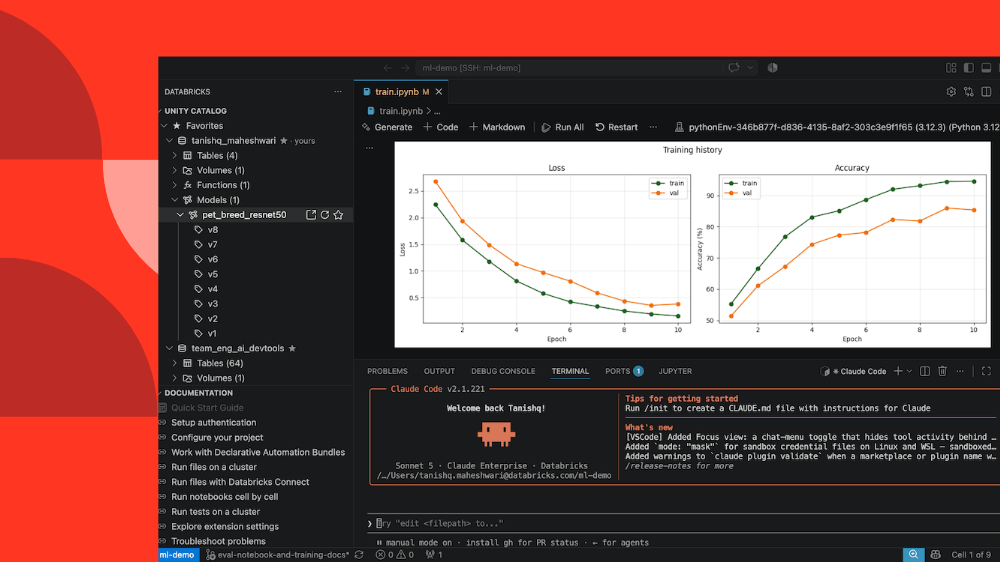
Run, debug, and scale Databricks workloads from your local IDE
Databricks now allows developers to connect local IDEs like VS Code and Cursor directly to remote clusters via a secure SSH tunnel.
Original article
- Interactively run and debug Databricks workloads from your IDE: connect to Serverless, AI Runtime, and dedicated clusters.
- Minimize switches to the workspace: browse Unity Catalog and edit your workspace files directly from the IDE.
- Manage a single environment between the IDE and workspace: your files and project dependencies are always in sync.
The Databricks workspace is purposefully built for data analysis and data engineering. However, you might prefer using local IDEs and the CLI to take advantage of your own tooling and coding agents like Cursor, Copilot, and Claude Code. This is especially true when developing complex, large-scale pipelines or machine learning models.
Until now, the Databricks extension for Visual Studio and Cursor and Databricks Connect enabled local Spark development using Databricks compute. But running non-Spark workloads remotely and keeping dependencies in sync with Databricks Runtime remained common pain points.
We’re now closing these gaps. With our latest updates to the IDE experience, you can now connect VS Code, Cursor, or your terminal directly to Databricks compute. Run, debug, and scale Python and SQL workloads on real cluster infrastructure while maintaining all of your IDE ergonomics.
Remote execution without compromise
Using our new SSH tunnel (see docs), you can connect your local editor or CLI to Serverless, AI Runtime, and dedicated clusters:
- Interactively run and debug workspace files and notebooks from VS Code, Cursor, or the CLI.
- Use the same environment across the IDE and workspace, your dependencies and files are always in sync with Databricks Runtime and the workspace.
- Leverage coding agents in the SSH tunnel so they have full workspace context and work with Databricks more effectively. Cursor and Copilot work out of the box, while other agents like Claude Code can be installed when the SSH tunnel is running.
Getting started is simple. You can connect to the SSH tunnel with a single command using the Databricks CLI:
databricks ssh connectto connect to serverless.databricks ssh connect --accelerator <GPU_type>to connect to AI Runtime where GPU type can be (GPU_1xA10 or GPU_8xH100).databricks ssh connect --cluster <cluster_id>to connect to a dedicated cluster.
You can also start the SSH tunnel in an IDE by including --ide vscode or --ide cursor as an additional flag.
Alternatively, you can start the SSH tunnel directly from the most recent version of the IDE extension.
We’ve also included other features that make it easier to use the CLI and IDE as your main place of work:
- Manage project dependencies (docs): Specify a workspace base environment with the
--base-environmentflag to start your SSH tunnel with Python dependencies pre-installed. - Monitor usage and costs (docs): Attach a serverless usage policy with the
--usage-policy-idflag to track SSH tunnel costs by user, team, or project. - Explore your data assets using Unity Catalog from the IDE (docs): Browse Catalogs, Schemas, and all your data assets without having to switch to the workspace in the midst of your development flow.
For full details on connecting to the SSH tunnel, check out the docs here.
What’s next
- Unity AI Gateway will be automatically configured for SSH tunnel users, so you can govern access and spend on every agent, tool, model, and MCP.
- The existing IDE Extension will be integrated into the SSH tunnel, so you can deploy and manage Declarative Automation Bundles from a user interface in the IDE.
- Non-Python dependencies and custom Docker images will be configurable at SSH tunnel startup, so you can take full control of your environment.
Conclusion
With these features you can develop from whatever environment you prefer while operating at the frontier of data and ML engineering. Point your IDE and agents at Databricks, run and debug against real compute, and maintain a fast dev loop.
Learn more + Next Steps
To get started with the development tools showcased in the blog, check out the following documentation:
- ’SSH tunnel’ (AWS | Azure | GCP)
Connect to Databricks compute to interactively run Python and SQL workloads from the IDE or CLI while keeping all code and data secure within your Databricks workspace. - ‘IDE extension’ (AWS | Azure | GCP)
Work with local files and define, deploy, and run Declarative Automation Bundles using a user interface in the IDE. - ‘Databricks Connect’ (AWS | Azure | GCP)
Connect your local development environment to Databricks compute to remotely run Spark workloads. - ‘Unity AI Gateway’ (AWS | Azure | GCP)
Control which AI services teams can use, route and manage AI traffic, set guardrails, and monitor usage from one control plane.
To understand which tools best fit your needs, see Connect from your IDE.
Webflow is Now Available in Codex and ChatGPT
Webflow has integrated its platform into ChatGPT and Codex, allowing users to build and manage websites using natural language prompts.
Deep dive
- MCP 2.0: The Model Context Protocol, allowing AI to interact securely with Webflow sites.
- Built-in Skills: Pre-configured sets of tools and best practices for common tasks like SEO audits or CMS updates.
- Workflow: The integration skips prompt sequencing by automatically selecting relevant tools based on user intent.
- Access: Currently free with no AI credit consumption, though some future actions may eventually require credits.
Decoder
- MCP (Model Context Protocol): An open standard that enables AI models to connect securely to external data sources and internal business tools to retrieve context and take actions.
Original article
The starting point for getting work done is changing. Increasingly, instead of building something from scratch, we start by describing what we want to make. That shift requires a new kind of connection between agents and the tools we use to build.
That’s why, earlier this summer, we launched Webflow MCP 2.0, giving users in ChatGPT secure, structured access to their Webflow sites with full control over your design system, CMS collections, pages, components, and site structure.
OpenAI recently named Webflow as an early partner in its Sites ecosystem, helping joint customers turn their ideas and work into interactive, hosted websites and apps. Today, we’re expanding our partnership: Webflow is now available in Codex, alongside a new set of built-in Skills for both ChatGPT and Codex that make common Webflow workflows even easier to automate.
Built-in skills for common Webflow workflows
Skills package together the right tools, context, and best practices for common Webflow workflows, so instead of figuring out which APIs to call or which sequence of prompts to use, you simply describe what you want to accomplish.
ChatGPT or Codex will automatically select the right Webflow Skill on your behalf.
Here are a few examples:
- Audit your site: Review your site for SEO and AEO opportunities, accessibility issues, broken links, performance bottlenecks, and optimization opportunities, then receive actionable recommendations or implement improvements directly.
- Manage CMS content: Create new collections, update existing items, reorganize content, and publish changes confidently without navigating through your workspace.
- Validate pre-publish changes: Review custom code to reduce the risk of production issues.
- Accelerate developer workflows: Scaffold new projects, generate reusable components, build extensions, and deploy applications to Webflow faster.
Because these Skills have access to tools in Webflow’s MCP, they can work with the context of your actual Webflow site—not just the information you provide in a prompt.
“The next generation of software won't just answer questions—it will help people get work done across the tools they already use. Bringing Webflow to ChatGPT and Codex gives users another way to move from intent to execution through natural language, whether they're creating content, building experiences, or managing websites. We're excited to see what's possible as more of the tools people rely on become accessible through AI.” - Mollie Javerbaum, Account Director, OpenAI
Get started
Getting started takes just a few minutes.
Open the Webflow integration from ChatGPT or Codex, connect your Webflow workspace, and grant access to the sites you'd like to manage.
From there, simply prompt what you'd like to accomplish. Whether you're optimizing SEO, updating CMS content, deploying code, or building something new, ChatGPT and Codex can retrieve the context they need and help you get the job done.
Webflow for ChatGPT is currently available at no additional cost and does not consume AI credits. As we expand capabilities over time, certain AI-powered actions may require AI credits in the future.
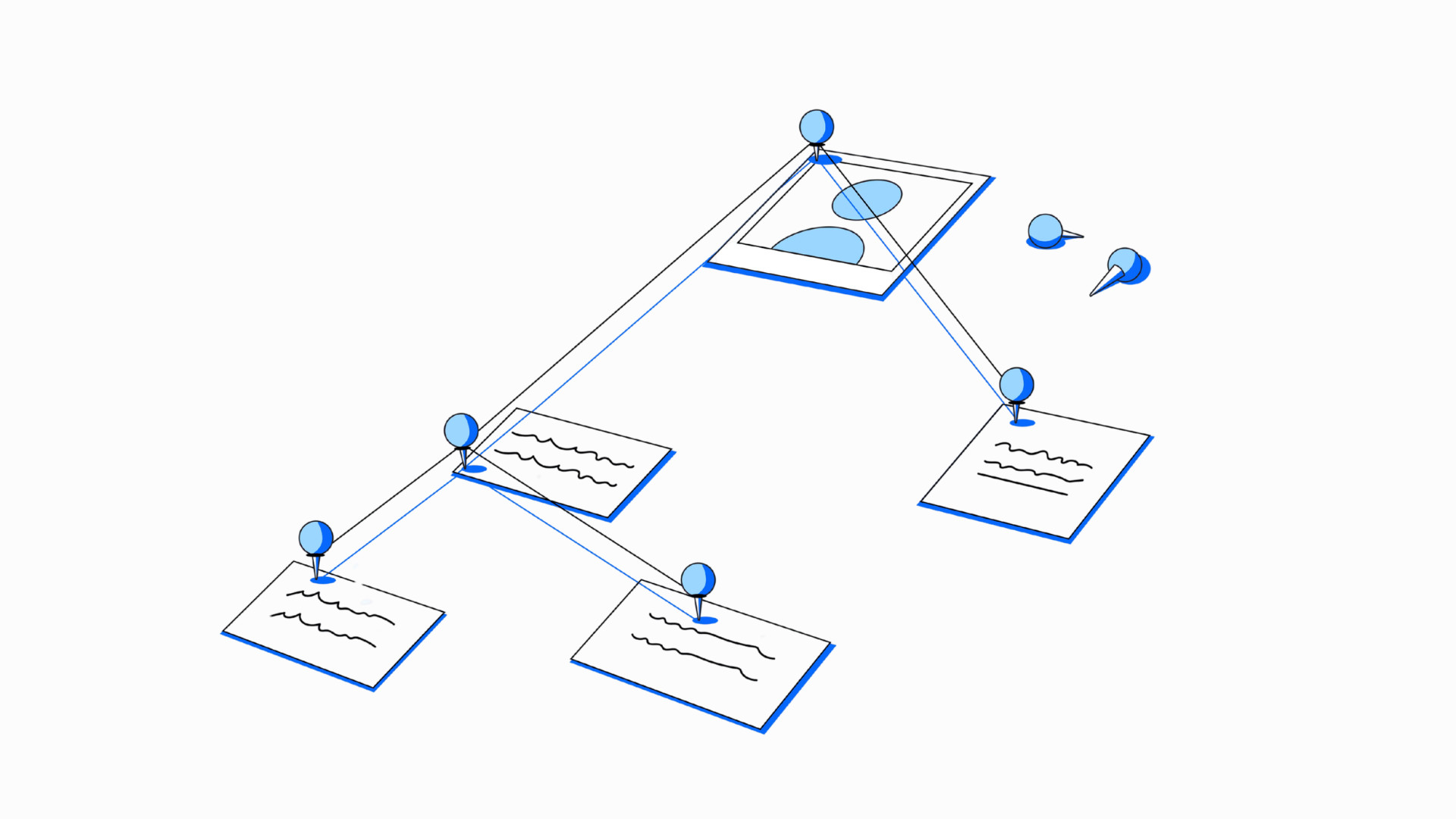
Card Sorting and Tree Testing: Getting Your Information Architecture Right
Card sorting and tree testing provide empirical evidence for information architecture, replacing internal debates with measurable user behavior.
Deep dive
- Card Sorting: Helps identify how users categorize information.
- Tree Testing: Isolates navigation structure by removing UI elements to test finding efficiency.
- Metrics: Focus on success rate (reaching destination), directness (no backtracking), and first click (initial intent accuracy).
- Common Pitfalls: Navigating based on internal company structure or using jargon instead of common terminology.
Decoder
- Information Architecture (IA): The art and science of organizing and labeling website, app, or software content to support usability and findability.
- Dendrogram: A tree-like diagram used to visualize the results of card sorting, showing how content clusters relate to one another.
Original article
Most navigation problems are easy to miss because users rarely say that your information architecture is confusing. They simply leave, search elsewhere, or contact support. By the time the problem appears in analytics, the cause may be a menu structure that made sense internally but not to customers.
Information architecture, or IA, is how content, features, and labels are organised so people can move through a product without thinking too hard about where everything lives. When IA design works well, users barely notice it. When it does not, every other part of the experience has to work harder.
The good news is that information architecture does not have to rely on opinion. Card sorting and tree testing are two UX research methods that help teams build and validate site navigation using user behaviour.
Why Information Architecture Matters
Poor findability can affect conversion, adoption, and support costs.
If someone cannot find pricing, they may leave before becoming a customer. If an existing user cannot find account settings, they may contact support instead. If an important feature sits under navigation labelling that users do not understand, adoption can remain low even when the feature itself is useful.
Information architecture should be treated as product strategy, not final polish.
What Is Card Sorting?
Card sorting asks participants to organise content into groups that make sense to them, revealing how they naturally understand the information.
It is especially useful when creating a new information architecture or when an existing structure no longer matches the way users think.
There are three common types. An open card sort lets participants create and name their own groups. A closed card sort gives participants predefined categories. A hybrid card sort combines both approaches by allowing participants to use existing categories or create new ones.
For early IA design, an open card sort is often the best starting point because it reveals natural groupings and language.
How to Run a Card Sort
Start with a focused set of content items. The original brief recommends around 30 to 60 cards, enough to reveal useful patterns without exhausting participants.
Each card should represent one clear concept. Avoid jargon or labels that only make sense internally.
If you are testing different user groups, run separate sessions because their mental models may not match.
Once the sessions are complete, look for repeated groupings and repeated labels. A similarity matrix can show how often participants placed two cards together, while a dendrogram can help reveal larger clusters.
Pay attention to the words participants choose. If users repeatedly select “Billing” while your team prefers “Account Management,” that is useful evidence for better navigation labelling.
What Is Tree Testing?
Card sorting helps you create a possible structure. Tree testing tells you whether people can actually use it.
In a tree test, participants see a stripped-back version of your site navigation. There are no colours, icons, or page layouts to guide them. They only see the hierarchy and labels.
Participants are then given realistic tasks, such as, “You want to update your billing details. Where would you go?”
Because the visual interface is removed, tree testing isolates the information architecture. If users struggle, the problem is likely structural or related to labelling.
What Should You Measure in Tree Testing?
Three metrics matter most: success rate, directness, and first click.
Success rate shows how many participants reached the correct destination. Directness shows whether they got there without backtracking. A high success rate with poor directness can suggest that people eventually find the answer, but the navigation labelling creates doubt.
First click shows where people go first. An incorrect first choice can reveal which category is pulling users away.
How Card Sorting and Tree Testing Work Together
Card sorting and tree testing work best as a sequence.
Start with card sorting to understand how users group information and what labels feel natural. Use those patterns to create a draft information architecture. Then run a tree test with a fresh group of participants to see whether they can find important content through that structure.
If people struggle with a branch, revise the labels or grouping.
This turns IA design into an evidence-based process. Instead of debating which menu label sounds better in a meeting, you can see how real users behave.
Common Information Architecture Mistakes
One of the biggest mistakes is building site navigation around the company’s internal structure. Customers should not need to understand your departments before they can use your website.
Jargon is another problem. Internal product names and acronyms may feel obvious to the team but mean little to a new customer.
Teams also test too late. Once navigation is built and filled with content, changing it becomes more expensive.
Test Your Information Architecture Before It Costs You
Good information architecture feels almost invisible. People find what they need, complete their task, and move on without thinking about the structure behind the experience.
Card sorting helps you understand how users naturally group and label information. Tree testing helps validate whether that structure works. Together, they can improve findability, reduce navigation friction, and make site navigation easier to use.
If your navigation has grown over time without being tested with real users, there may be more friction than your analytics can explain.

Building May Be Cheap Now. Being Wrong Still Isn't
AI has slashed the cost of building software, but the cost of building the wrong thing remains high, shifting the primary constraint to discovery.
Deep dive
- Build Costs vs. Ownership Costs: Build costs are now low; ownership costs (steering strategy, maintenance, support) remain high.
- Discovery vs. Prototyping: Discovery answers whether something should exist (problem uncertainty); prototyping tests how it should work (solution uncertainty).
- Sunk Cost Fallacy: A prototype is disposable, but a shipped product carries long-term baggage for both the team and the user.
- Common Error: Mistaking a solution-uncertainty problem (should we use feature A or B?) for a problem-uncertainty issue (what are users struggling with?).
Decoder
- Discovery Research: A research phase conducted before design or development, aimed at uncovering user needs, pain points, and behaviors to inform product strategy.
Original article
When building is cheap, knowing what to build becomes the constraint. AI has collapsed the cost of building software. It hasn't touched the cost of being wrong.
What does the wrong thing look like? You've seen it. It's more common than ever: Things that look credible, work fine, but solve a problem nobody had. Or don't solve a problem in the right way. Or enter a space and ignore a glaring problem in that space. Or rely on a UI and visual design that doesn't serve the user. Wrong is everywhere now.
In a recent newsletter from Robbie Allen, an AI consultant and strategist, Allen writes that though “AI has collapsed the cost of building software,” it has done nothing to shift what he calls ownership costs. Build costs are “what it takes to turn a requirement into working software.” Ownership costs are “what it takes for someone on the business side to know what should exist, decide what it should do… and keep steering it for the next three years.” Bringing an idea to life can happen faster than ever, but that also means it's easier than ever to build the wrong thing.
So how do you know what to build? Allen's answer lies in ensuring headcount in ownership roles: roles like validation, QA, strategy, and IT leadership. Staffing these roles can fix ownership issues as a product is built, released, and supported. But it's what comes before all that that can set a solid foundation and head off problems at the ideation stage: discovery research. Allen's prescription staffs the deciding and the steering, but not the knowing, and knowing what should exist is the first item in his own definition.
When building was expensive, building was the constraint, and discovery looked like a tax on the constraint. Now that building is cheap, the constraint is knowing what to build. Every hour of discovery buys more than it used to, because it's no longer competing against a six-month engineering queue. Discovery research is the backbone that helps guide strategy, decision-making, QA, and ongoing product ownership.
In a 2026 webinar with GrowthBook, Ronny Kohavi offers an example from Bing illustrating the cost of designing the wrong thing. In his telling, roughly 100 engineers built a third pane for the product’s search window. The experiments for the feature failed to show value. It shipped to all users anyway on the reasoning that it was a strategic business move. A year later, after further experiments also failed to show value, it was rolled back at significant cost to the organization. A hundred engineers, a year of sunk time, and a full-scale rollback. The code was disposable, but the organizational bet wasn't.
Kohavi’s central claim, from the book written with colleagues Diane Tang and Ya Xu, Trustworthy Online Controlled Experiments (Cambridge University Press, 2020), is that people are bad at predicting which ideas will prove valuable. His answer is developing a culture and process of highly scoped, well-defined, meticulously designed experiments with rigorous testing. But discovery research solves the problem even earlier in the process. It's the step that asks whether the thing should exist at all. "Does anyone want a third pane?" is a discovery question, and it isn't one experiments are built to answer.
If things are easier to build than ever before, and easier to throw away than ever before, why not embrace rapid experimentation in place of research? Why not build three or four or five and see what sticks? As the Bing example illustrates, a prototype is disposable. A shipped thing is not. A shipped product or feature has consumed a roadmap slot, stakeholder credibility, a support burden, users' attention and willingness to try the next thing, and data you now have to migrate or delete.
A reasonable objection to this argument is that maybe the problem isn't a shortage of discovery, but one of attachment. Maybe teams just need to get better at killing what isn't working and moving on. It’s true that roadmap slots can be reclaimed, and stakeholder credibility recovers. But your users' attention isn't yours to write off, and neither is their willingness to try the next thing you ship. The costs you can get better at absorbing are the ones you carry. The ones you can't are the ones your users carry for you.
The good news is that discovery itself has gotten easier. AI has helped make discovery research more efficient and scalable in terms of logistics like recruiting, scheduling, transcription, desk research, and competitive analysis. But deep synthesis, analysis, and learning about a space and its users is still necessary to narrow in on what a customer base might find valuable, whether you’re solving the right problem, and whether you’re building it in a way that will actually serve a user’s need. In Allen’s language, investing in discovery research dramatically reduces the ownership risk. The ratio between discovery cost and build cost didn’t shift as much as people assume with the advent of AI. What has shifted is the cost of being wrong. Now anyone can ship the wrong thing faster and at scale.
None of this means every idea needs a research phase. The more useful question isn't how much discovery you need; it's what you or your team are actually uncertain about. The rule? Do discovery research when you're uncertain about the problem. Do prototyping and user testing when you're uncertain about the solution.
Say a team knows their users abandon checkout, and they want to know whether a progress indicator or a guest checkout option is the fix. Should they commission a discovery study? No. They have a well-defined problem and a small, testable set of solutions. Build both, test both, and they’ll learn more in two weeks than a discovery plan would tell them. Research here would simply be ceremony.
Now take a client who came to us asking to add an AI assistant to their site to improve users' ability to find specific content. It’s a worthy goal, but an expensive solution for a problem we felt had been underexamined. Nobody had dug into what kind of findability issues their users were actually struggling with, or whether an assistant was the right solution for those issues. Working with our clients, we designed a short research engagement to ensure we were solving the right problem. Turns out an AI assistant would have made little to no difference. Rather than failing to find content, users were struggling to assess the content they found, having to dive several clicks deep before realizing something wasn’t relevant to their search. The solution to evaluating relevance looks very different: improving search filters, exposing metadata, and surfacing information users need to evaluate content earlier in their journey. Experimenting in this case wouldn’t have provided the right guidance if the premise itself had gone unexamined.
The failure here lies in mistaking one kind of uncertainty for the other. Teams tend to mistake them in a predictable direction, because solution uncertainty is the kind you can build your way out of. But when you’re misunderstanding the problem to begin with? The answer still lies in discovery research.
In this reframing, research is a form of speed rather than diligence. Embracing research through this kind of Lean lens can help you move on quickly from bad ideas to new, more refined ones. Historically, teams have seen research as the thing that slows them down before they commit. What if we understood research as the thing that lets a team abandon fast? Using discovery research to stress-test ideas in the ideation phase helps sharpen a fruitful direction or identify a dead end. Research, then move on from wrong ideas quickly; get to the next idea with something learned.
If execution is no longer what separates you, what you know about your users is the only thing a competitor can't copy in a weekend.

Where Should AI Go in Your UI? A UX Guide to AI Feature Placement
Effective AI feature placement requires balancing discoverability with workflow disruption by analyzing context, frequency, and user expectations.
Deep dive
- Floating Widgets: Best for customer support/chat; bottom-right corner is the established mental model.
- Toolbars/Action Bars: Best for persistent features affecting entire documents or active selections.
- Sidebars: Ideal for active collaboration or long-term AI-to-human workflows.
- Dedicated Hubs: Risky; often feels like a separate product rather than a workflow extension.
- Inline Triggering: The most effective way to lower user friction by placing the AI feature exactly where it acts on content.
- Framework: Ask if the AI is central, how often it is used, and if it affects specific data or the entire product.
Decoder
- UI Placement: The strategic positioning of features within a digital interface to influence user visibility and interaction.
Original article
AI features are becoming a standard part of digital products. While there’s no shortage of advice on designing AI experiences, there’s far less guidance on where those features belong in a UI. Whether it’s a chatbot, writing assistant, or image generator, placement shapes how users perceive and adopt AI. The question isn’t just where AI should sit. It’s how prominently it should show up.
AI needs to be visible, but not imposing. You can’t just slap it onto any surface and call it a day; its placement must be intentional. This post will focus on products where AI is a feature, not the product, just there to assist, not to gatekeep or replace core tasks.
Let’s be honest, AI fatigue is real. People are tired of being sold on AI. Your features need to feel more like suggestions. Nobody wants another rectangle asking if you’d like help. At this point, AI should feel expected, not like a promotion, and your placement should reflect that.
Consider the screenshot below. It shows a list of domains from a hosting company’s website. There’s a “Spin AI site” button next to every domain in the list:
The core problem with this placement pattern is redundancy. One “Spin AI site” button would be a feature. However, the same button repeated next to every single domain listed in a column is noise. It starts feeling like a sales pitch. Users aren’t being helped; they’re being reminded, over and over, that AI exists.
A better placement would have been a single entry point, at the top of the domain list as a global action, or contextually when managing a domain. That way, it’s more of a genuine suggestion rather than a persistent advertisement.
Key Takeaways
- Match AI to the workflow: Place AI where it naturally supports what users are trying to accomplish, rather than simply making it highly visible.
- Match placement to scope: Use inline actions for contextual tasks, toolbars for document-wide actions, and dedicated workspaces when AI is central to the experience.
- Balance visibility with distraction: Make AI easy to discover when users need it without allowing it to compete with the product’s primary interface.
- Validate with users: Use user research, usability testing, and behavioral data to ensure AI placement feels natural and effective.
Where AI shows up: UI placement patterns
Placement patterns for AI features depend on a combination of product type, UX convention, and industry-standard practices. Here are the most common ones, and what each pattern communicates to the user, even before they’ve interacted with the feature:
Floating widget
Widgets are small interactive UI components that provide specific, additional functionality or information. They provide quick access to extra features without your users having to leave the page.
Floating widgets are not fixed to a specific position and may or may not remain in view when scrolling. Widgets are commonly used for customer support, live chat, FAQs, tooltips, knowledge base, and more.
Your widget placement directly affects whether it’s noticed, and users expect help or chat functions in the bottom right corner. It’s the industry-standard practice, most likely because we mostly consume content from left to right. Most languages in the world read left to right. Widgets have to be visible with low intrusiveness, so letting them sit in the bottom-right corner, waiting to be seen after users have scanned through some content on the page, is good UX practice.
Grammarly is a good real-world example of this placement pattern done well. It appears as a small widget anchored to the bottom-right of text fields. It’s consistent, unobtrusive, and recognizable. UX designers can also borrow from its idle-to-active state transition. It’s a small “G” icon when there’s nothing to flag; it switches to a colored circle with a number when suggestions are waiting, and a dot when it’s idle or waiting for you to finish typing. Grammarly uses subtle but effective signals without ever interrupting users until they interact with the widget.
Toolbars and action bars
Toolbars and action bars contain buttons, menus, and controls that allow users to perform and execute common tasks. They are convenient and make it easy to find what you need without navigating through multiple windows or pages.
Placing AI features in a toolbar, or action bar, puts them on equal footing with your product’s tools. Your users will pick it up when they need it, like any other tool in the panel.
Toolbars are typically persistent and static, sitting on the top or bottom of the UI, regardless of what you’re doing. They are mostly customizable and can be used to organize frequently used features. Placing features in a toolbar signals that it’s likely to affect the entire file or document.
This placement pattern works well in creative and professional tools where users have or develop workflows that they don’t want disrupted.
Action bars are contextual, tied to what activity the user is currently doing. Placing AI in a toolbar says it’s always available and relevant, while placing it in an action bar says it’s relevant for what you’re doing right now.
Sidebar
Sidebars are panels running along the left or right side of a UI. They provide additional context or secondary tools and can be static or collapsible.
Sidebars have more space or real estate to support prolonged AI interactions than widgets and toolbars. Even these can be made to expand into side panels, providing more functionality.
Placing AI features on the right side panel frames it as a secondary helper, like the bottom-right help widget placement. On the other hand, placing them on the left frames the AI features as active collaborators.
Opera AI on the right, Firefox AI chatbots on the left, GitHub Copilot in VS Code; sidebars keep AI accessible without taking users away from the primary space. Users engage with them on their own terms.
Dedicated page or hub
When a product gives AI its own full-screen interface, it’s no longer just another feature sitting in a workflow. It’s a new destination that’s only justified in specific contexts. When the dedicated hub becomes the whole experience, with no clear way to hand control back to your users, it doesn’t work because at that point you’re building a different product.
Inline and contextual
Inline AI generates the least resistance, which can make it a very effective UI placement option. The principle at work here is task proximity, keeping AI as close as possible to what it’s acting on. If users have to navigate away from their primary activity to look for AI, they’re likely to skip it entirely.
Inline placement preserves your users’ sense of control. It’s great for small actions and selections, without interrupting your workflow.
A design framework for choosing AI placement in your UI
Discoverability vs. interruption
Every AI placement decision is essentially a negotiation between discoverability and interruption, two opposing needs. You want your AI features to be visible, that is, discoverable enough that users know it exists in your product, but not intrusive enough that it interrupts their workflow.
So, your goal should be to match discoverability to the value of the feature.
Is AI central or supplementary to the workflow?
If users open your product because they’re looking for AI, it deserves a dedicated page or primary interface. However, if it’s only there to assist an existing workflow, it should take a back seat in a sidebar, as a toolbar button, or inline trigger.
What are your users already expecting?
A writing tool with inline suggestions feels natural. A creative tool with AI in the toolbar feels the same way. Work within the UX conventions of your product category so you don’t fight user expectations.
How often will users need AI?
A feature that will be used occasionally is better hidden away to appear contextually so it doesn’t clutter the UI. AI features should earn permanent visible placement when you expect users to reach for them every time.
How would AI operate?
Consider the scope AI operates on in your product. Does it act on a selection or the entire product or document? Selection-level AI features belong inline or in an action bar. Document-level or product-wide features can be placed in a toolbar, sidebar, or have a dedicated page.
Can it stay in a menu?
Before committing to any visible UI placement, ask whether the AI feature would work just fine tucked away into a menu or triggered by a shortcut. If your answer is yes, then you should probably do that. Not every AI feature needs a permanent/persistent presence in your UI.
Be organic: A note on physical and prominent AI placement
We didn’t need a physical key to start using the features on our daily products; those became part of our routine because they were useful, not mandatory. Asking your users “what do you want to do?” via a chatbox is, in some ways, regressive. We already know how to perform habitual tasks through direct manipulation: clicking, dragging, typing in the right field. Adding a conversational AI layer on top of that can feel unnecessary and annoying.
Having a dedicated, prominent AI button says this matters — more than whatever was there before. As everything becomes “agentic,” strive to be different with your product’s design. Don’t force users into a chatbot; place AI exactly where it’s useful — and invisible everywhere else.
AI placement in your UI should reflect genuine, frequent need.
Users aren’t opposed to AI; they just don’t want to be constantly reminded that it exists. Placement is one of the ways you can control how AI is received. You can make a genuinely useful feature feel natural by placing it in the right place. Where would users actually want to find your AI features?
OpenAI's Head of Data Centers Has Left the Company
OpenAI's infrastructure ambitions hit a personnel hurdle as its head of data centers, Chris Malone, departs the company.
Original article
Chris Malone, the executive who was overseeing OpenAI's data-center build-out, left the company last week.
Amazon eyes ‘fully automated' delivery stations to bring robotics to the last mile
Amazon is developing fully automated delivery stations to bring last-mile robotics to its logistics network.
Decoder
- Last Mile: The final step of the delivery process from a distribution hub to the customer's doorstep, typically the most time-consuming and expensive part of logistics.
Original article
Amazon's fulfillment centers are equipped with the latest robots and automation, but its delivery stations still remain mostly manual. The company is now developing an internal project to build fully automated delivery stations. The technology behind Project Tetromino could come from Boxbot, a robotics startup that uses conveyors and AI-driven storage trays to automatically sequence packages for vehicle loading. Amazon has opened up a Last Mile Innovation Center in Germany to test delivery station technologies.
SpaceX to Spend $100 Billion on New Spaceport in Louisiana
SpaceX is investing $100 billion to build a new spaceport in Louisiana to support its goal of launching thousands of rockets annually.
Original article
SpaceX is committing $100 billion to build a launch facility in southern Louisiana as part of its plans to send multiple rockets into space every day. The new facility, named Starbase Louisiana, will be located on 125,000 acres of coastal marshland and bring 3,000 jobs to the area. SpaceX will need at least several locales to fulfill its goal of sending thousands of rockets into orbit a year. The company is constantly exploring viable sites to expand its operations, domestically and internationally.
Could Nvidia Default?
Credit default swaps for Nvidia have doubled in cost as analysts worry that complex, circular financing deals could trigger systemic losses.
Deep dive
- Nvidia has participated in over 300 financing deals within five years.
- Recent exposure includes a $105 billion guarantee for OpenAI's Ohio data center.
- Market confidence, measured by CDS spreads, has sharply declined.
- Analysts warn that circular financing—where suppliers fund the customers who buy their products—creates cascading failure risks.
- Despite financial scrutiny, Nvidia continues to project high quarterly revenue.
Decoder
- Credit Default Swap (CDS): A financial derivative that acts as insurance against a borrower defaulting on their debt obligations.
- Residual Value Guarantee: A contract where a company guarantees the value of an asset at the end of a lease term, effectively absorbing the risk if the asset depreciates more than expected.
- Counterparty Risk: The risk that the other party in a financial contract will fail to meet their obligations.
Original article
Could Nvidia Default?
It seems unimaginable that a company which has had the gargantuan success of Nvidia can be seen as a debt default risk.
But that’s what is happening. Credit Default Swaps insuring against an Nvidia debt default have doubled in price in the last two months.
The worry is that an AI downturn could see the circular deals entered into by Nvidia with other AI players unravel, leaving Nvidia on the hook for tens of billions of dollars in loan guarantees and back-stop agreements.
Earlier this month Nvidia gave a $105 billion residual value guarantee for OpenAI’s Ohio datacentre.
It has also been involved in two $500 billion deals this month – one with Hynix and one with a bunch of Wall Street firms for financing datacentre construction.
Nvidia is reported to have been involved in over 300 financing deals in the last five years.
Analysts have warned of “cascading losses’ if these deals turn sour.
As people fret over Nvidia’s default risk, the company is expected to announce a $90 billion+ revenue quarter tomorrow.
It’s a funny old world.
Comments
- Pete Robinson says:
Evolutionary mismatch in action?
- David Manners says:
Could be Pete. Nvidia could become a victim of its own success because it was, by such a huge margin, the biggest financial beneficiary of the AI boom that all the other AI players seem to feel they can tap it for a hand-out. Meanwhile Nvidia may feel it has a responsibility to keep the AI show on the road no matter what.
- David Manners says:

X sends cease-and-desist to open source project Nitter over alleged scraping
X has issued cease-and-desist letters to the Nitter project, demanding its shutdown for allegedly scraping data and circumventing API restrictions.
Deep dive
- Nitter allowed users to bypass authentication walls, ads, and tracking cookies when reading public X posts.
- Legal grounds cited include the Texas Harmful Access by Computer Act and the federal Lanham Act.
- Nitter previously survived technical API crackdowns by allowing users to self-host instances with personal tokens.
- X's legal action targets the main repository and all public instances.
- This shift from technical blocking to legal cease-and-desist signifies a harder stance against data scraping tools.
Decoder
- Scraping: The practice of using automated software to extract data from websites, often bypassing standard APIs or user interfaces.
- Lanham Act: A United States federal statute that governs trademarks, service marks, and unfair competition, often used in technology litigation to argue that scraping violates brand protection or site integrity.
Original article
Nitter, an open source project that allowed people to read X posts without logging into or even opening the X app, has received cease-and-desist letters from X demanding that it shut down. The news was shared via a brief message posted to the project’s website, and follows X’s earlier attempts to knock Nitter offline by technical means.
The service also powers a number of other sites, including XCancel, that allow people to view X posts directly.
This isn’t X’s first attempt to shut down Nitter. In 2024, Nitter’s flagship instance, Nitter.net, went dark temporarily after X rolled out new API restrictions. Nitter worked by fetching public X posts and then stripping out the ads, tracking cookies, and JavaScript, giving people a clean, clutter-free way to read posts without an account or the app.
After that crackdown, those who wanted to host a Nitter instance had to connect it to a real X account, according to the project’s GitHub page. Despite the restrictions, development picked back up and Nitter instances came back online.
This time, X is working to shut down Nitter and its instances via legal means. Nitter’s website states that the Nitter.net project is offline while its creator seeks legal advice after receiving a cease-and-desist letter. That creator, a developer who goes by the handle Zedeus, told TechCrunch by email that other Nitter instances received similar letters.
On Nitter’s website, the message currently reads:
On 24 August 2026 cease and desist letters have been sent by X Corp. demanding a permanent takedown of Nitter instances and the project’s repository.
nitter.net is offline and development has stopped for the time being. I’m seeking legal advice and won’t be commenting further on the specifics for now.
Thank you to everyone who used, hosted, packaged, donated and contributed to Nitter over the past seven years.
The letter from X, which TechCrunch has viewed, accuses Nitter of an “unlawful use and circumvention of X’s Application Programming Interface (API) and associated data,” through its service, saying that X has evidence that Nitter scraped X data and accessed X accounts and session tokens in violation of X’s rules.
Lawyers for X said the actions are in violation of “various state and federal laws, including, but not limited to, the Texas Harmful Access by Computer Act (§ 143.001 and § 33.02) and the Lanham Act (15 U.S.C. §§ 1114, 1125).” The letter gave Nitter until 5 p.m. EST on August 25 to shut down.
X is hardly alone in policing alleged scrapers. Meta has taken numerous scrapers to court, and most larger social networks today restrict the use of third-party readers, forcing users to log in and access the site’s content through the official app, where they can be tracked and shown personalized ads.
It’s an unfortunate development for lurkers, given that Nitter and its instances offered a handy way to keep up with certain people’s posts on X without an account. Now those people will either need to give up that access or, as X likely hopes, create an account and log in.

Happy 20th Birthday, Amazon EC2
Amazon EC2 celebrates its 20th anniversary, having scaled from a single 'm1.small' instance type to over 1,200 specialized compute offerings.
Decoder
- AWS Nitro System: A collection of purpose-built hardware and software components that offload virtualization functions, improving performance and security by isolating cloud management tasks from customer instances.
- Graviton: AWS-designed ARM-based processors optimized for cost-effective, high-throughput compute performance.
- Inferentia / Trainium: Specialized AI accelerator chips built by AWS for model inference and large-scale deep learning training, respectively.
Original article
Happy 20th Birthday, Amazon EC2
Twenty years ago today, Jeff Barr wrote a blog post that launched the Amazon EC2 Beta. That single post introduced resizable Linux virtual servers in the cloud, billed by the hour, with one instance type (m1.small) in one Region (US East). It was minimal yet useful, and it changed how the world thinks about computing infrastructure.
In 2021, Jeff covered the fifteen years of EC2 with the backstory and memorable EC2 launches. Over the last five years, AWS has continued to push the boundaries of what cloud computing can deliver, building custom silicon for general-purpose and AI workloads and expanding EC2 into new form factors and deployment models that our customers in 2006 could not have imagined.
The 20 years in brief
In his 15th anniversary post, Jeff chose important milestones of EC2 that established the foundational building blocks that customers still rely on today. Amazon Elastic Block Store (2008) provided persistent block storage. Elastic Load Balancing, Auto Scaling, and Amazon CloudWatch (2009) made applications scalable and highly available. Amazon Virtual Private Cloud (2009) gave customers logically isolated networks. AWS Nitro System (2017) enabled faster innovation and enhanced security. AWS Graviton processors (2018) were designed for cost-sensitive scale-out workloads.
Over 20 years, EC2 grew from one to over 1,200 instance types to meet customer needs across general-purpose, compute-, memory-, and storage-optimized, accelerated computing, and high-performance computing families. These instances expanded from one AWS Region to 39 Regions globally. AWS also extended EC2 beyond the Region boundary with AWS Outposts (2018) running EC2 instances locally, AWS Local Zones (2019) place globally, and AWS Wavelength (2019) inside global 5G telecommunications carrier networks.
While I hate to play favorites, I want to choose some of my favorite EC2 launches of the past five years:
- AWS Inferentia for ML inference at scale (2019): We introduced purpose-built ML inference instances (inf1) with AWS Inferentia chips. Amazon EC2 Inf2 instances became generally available in April 2023 for large-scale generative AI inference workloads. Together with the Inferentia family, AWS Trainium instances now give customers a full stack of AWS-designed silicon optimized for every phase of the AI lifecycle both inference and training.
- EC2 Mac instances (2020): The first Mac instances (mac1) were built on Apple Mac mini with Intel Core i7 (Coffee Lake) on the AWS Nitro System. Mac M1 (mac2) instances launched in July 2022 as the first Arm-based macOS instances on EC2. M2 Pro Mac instances followed in 2023, M4 and M4 Pro Mac instances in 2025, M3 Ultra Mac instances and M4 Max Mac instances in 2026, giving Apple developers a complete range of cloud-based build and test environments for macOS, iOS, iPadOS, tvOS, watchOS, and visionOS apps.
- AWS Trainium for full-stack AI workloads at scale (2021): In November 2021, we previewed Trn1 instances with AWS Trainium accelerators optimized for high-performance deep learning training. In December 2024, Trn2 instances powered by AWS Trainium2 launched, with Trn2 UltraServers linking 64 Trainium2 accelerators via NeuronLink for training trillion-parameter foundation models. At AWS re:Invent 2025, Trn3 UltraServers powered by AWS Trainium3 deliver the best token economics for next-generation agentic, reasoning, and video generation applications. A single Trn3 UltraServer interconnects up to 144 Trainium3 chips to train and serve the largest frontier models. Now, AWS Trainium3 delivers the leading price-performance for high-performance AI training and inference at scale.
- EC2 Capacity Blocks for ML (2023): This new EC2 usage model further democratizes ML democratizes ML by making it easy to access GPU instances to train and deploy ML and generative AI models. You reserve the GPU capacity you need (initially P5 instances) for a future date and only for the duration you require. In November 2024, EC2 Capacity Blocks for ML added supported for provisioning in a matter of minutes and extending up to six months. Now, EC2 Capacity Blocks for ML supports P6-B300, P6-B200, P5e, P5en, P4d, P4de, Trn1, Trn2, and Trn3 instances in addition to P5.
- AWS Graviton5 (2025): Building on eight years of Graviton innovation since 2018, we previewed Graviton5 chips in AWS re:Invent 2025 and launched M9g and M9gd instances powered by Graviton5 and built on the sixth-generation AWS Nitro System. C9g and C9gd followed in June 2026. Now, Graviton5 features 192 cores, a 5x larger cache, and up to 33% lower inter-core latency, making it well suited for the growing demands of agentic AI workloads such as real-time reasoning, code generation, and multi-step task orchestration that require continuous, high-throughput CPU compute at scale.
- AWS Nitro Isolation Engine (2026): Customers wanted to see, not just hear from us, proof of workload isolation in the Nitro Hypervisor. The Nitro Isolation Engine is a purpose-built component inside the Nitro Hypervisor, harnessing formal verification to provide mathematical assurance that customer workloads are isolated from each other and AWS operators, pioneering a new standard for mathematically proven cloud security. This feature is also based on the sixth-generation AWS Nitro System which has continued to evolve since our introduction in 2017.
The foundation underneath it all
Despite two decades of innovation, the fundamental value proposition of Amazon EC2 has not changed. Customers use it to get secure, resizable compute capacity in minutes, pay only for what they consume, and scale on demand without long-term commitments. That same flexibility now extends to AI workloads at a scale no one anticipated in 2006.
EC2 remains the foundational compute layer of AWS. Amazon ECS, Amazon EKS, AWS Lambda, AWS Fargate, AWS Batch, Amazon EMR, Amazon SageMaker AI, and Amazon Bedrock ultimately run on EC2 capacity. Every architectural pattern customers have built over the past twenty years, from simple web servers to trillion-parameter foundation model training clusters, starts with a decision to launch an instance.
We made strong foundational decisions in 2006, and we left room for the service to grow. Twenty years later, that strategy of creating services that are minimal-yet-useful, launching quickly, and iterating rapidly in response to your feedback continues to guide how we build. The next twenty years of cloud computing will demand capabilities we have not yet imagined. Amazon EC2 will continue to be the foundation where your workloads run.
To learn more about Amazon EC2, visit the Amazon EC2 product page or check out what’s new with EC2.

No shortcuts: why AI threatens creative instinct
As AI lowers the barrier to execution, a designer's value increasingly rests on their judgment and ability to direct the creative process.
Deep dive
- The Turing Trap: Focusing on AI mimicking human output (substitution) instead of using AI to extend human capabilities (augmentation).
- Shift in Skills: Technique is becoming less important; judgment (the ability to decide what to build and why) is becoming paramount.
- Education Risks: Moving design schools toward a 'trade school' model risks producing students who lack the critical thinking necessary to survive in an AI-heavy industry.
- Labor Implications: There are growing concerns regarding AI training on unpaid intellectual property and the concentration of power among a few model-owning companies.
Decoder
- California Job Case: A traditional wooden tray used to organize moveable metal type for letterpress printing, now used by the author as a metaphor for tools that eventually become obsolete.
Original article
No shortcuts: why AI threatens creative instinct
The capacity for judgement now matters more than the capacity for execution. Handling this shift well ultimately depends on how designers frame their relationship to AI: as a collaborator to work alongside, or as an oracle to defer to.
A tool is only essential so long as nothing more convenient exists. What survives is the judgement it was built to partner with.
Consider the California job case: a wooden tray that organises the moveable metal letters that slot into a letterpress. Systemised and deceptively complex like a city gridiron, each box neatly houses a family of letters. A typesetter would spend years learning to navigate the case fluently: to pull type by touch fast enough to keep pace with a running press. It was the organisational backbone behind mechanised printing, which put text in front of more people, faster than any scribe could. So foundational to the practice of typography that we still call the capital letters ‘uppercase’ and the small ones ‘lowercase’.
Today, the California job case is a novelty item. If you’re lucky enough (and share my sense of what constitutes luck), you can find one at the odd estate sale. While using one was never part of my practice, I keep one in my studio to remember that our tools are always provisional, and that the part of the work worth holding onto was never the speed of the hand.
Typographic panic
The turnover of tools that define a practice can feel disruptive. When page layout software like Adobe (and QuarkXPress before it) swept through design studios, with it came the fear that a door closed every time an Adobe program opened. Designers feared the new technology would eradicate skills so carefully cultivated through painstaking iteration, and the creative judgement developed in parallel would dissipate. The field adapted anyway; tools like Adobe and Figma became the baseline, and the debate shifted to what practitioners needed to learn as the tools changed.
Designers have been telling themselves similar stories about artificial intelligence. Some have revived prophecies of discipline collapse, while others dismiss the panic entirely and assure peers that the field will adapt as it always has. There is some truth in the latter notion, but there’s a distinct nuance to today’s upheaval that’s worth teasing out.
“Creative labour is one of the main ways people find meaning in their working lives, and that meaning isn’t only in the finished product.”
Beyond imitation
AI reaches into a part of the job the previous upheavals left alone. It can handle the entire process of creation from end to end, and if used without discretion, can ship an end product with minimal human participation. Scope has grown, too, since these tools now touch writing, code, and strategy alongside visual design. But more significantly, automation has moved from execution to ideation, and no earlier tool in the field’s history did that. Judgement is set to overtake technique as the practitioner’s most important contribution, but it has never been easier to reach a final product without it.
How we frame our relationship to that sort of technology matters: treating it as an oracle to consult, a replacement to install, or a collaborator to work alongside leads to very different outcomes for who ends up with authorship over the work.
Economist Erik Brynjolfsson has a useful framework to focus on the fear of AI adoption: the Turing Trap. The name references Alan Turing, who proposed in 1950 that a machine could be judged intelligent if a person conversing with it could not tell it apart from another human. Brynjolfsson rightly points out that the sole goal of imitating a person is misguided. It aims a technology capable of replicating human output at basic substitution, rather than complementing or extending what a person can do.
The case for augmentation over substitution is clear in design, both for the sake of the work and the people behind it.
“The case for augmentation over substitution is clear in design, both for the sake of the work and the people behind it.”
First, let’s consider the work. Design optimised for AI scraping is worth its own discussion, but humans nevertheless remain a priority audience. Work that passes through a human understanding of how design makes a person feel – and that draws on the creative legacy of generations who’ve honed the craft of communicating information and sentiment – will keep its edge.
Now, consider the practitioner. Underneath every argument about tools and technique sits a question about labour: namely, who gets to do creative work, on what terms, and whether that work still holds meaning for the people doing it. Unfortunately, many designers have accepted unstable hours, modest pay, and long apprenticeships precisely so they can keep exercising their creativity. Those terms were not chosen by any one designer; they are often conditions of the field.
Creative labour is one of the main ways people find meaning in their working lives, and that meaning isn’t only in the finished product.
“Eliminating this rote work isn’t inherently bad, so long as you compensate for the muscle it built.”
Teaching taste
Junior designers used to refine their judgement by executing someone else's direction, each iteration the product of veteran judgement, before they earned a say in the bigger decisions. The sum of entry-level tasks was always more than the sum of their parts: that iterative process allowed junior practitioners to build an instinct for defensible design decisions. Struggle isn't worth romanticising for its own sake, but its role as an intermediary between novice and master historically played a considerable role in building taste.
Eliminating this rote work isn’t inherently bad, so long as you compensate for the muscle it built.
Professors and practitioners must continue to drill in the importance of critical thinking and creative history: passing down the frameworks that our predecessors spent lifetimes developing, and challenging our greener counterparts to incorporate it, to question it, and to ultimately use it to make sharper design choices that connect with their audience.
Kathy Pham recently cautioned against reducing design education to a trade school model; that is, prioritising technical training at the expense of the liberal arts foundation that produces critical thinkers. In a design scene dominated by AI, a curriculum that teaches only technique trains students in the skill they can least rely on.
As an academic myself, I see a number of ways educators can lean into cultivating judgement as the premium on technique lessens.
History and theory should be prioritised in order to give students a wider, systems-level understanding of the ideas in their work.
The volume of work and scope of projects should be scaled to allow students to spend more time inside the work, rather than forcing students to hand off tasks to AI just to keep up. With this, assessment can move towards the record of how a student reached a decision rather than the polished final image – placing a premium on process over product.
Critique, the studio tradition of dismantling and defending work in front of peers, will take on newfound importance as students are pushed to unpack their reasoning. The studio can be taught as a place where people make decisions together.
The private sector stands to gain from this focus as well, and thoughtful adopters are already thinking and acting in kind. As stated in a recent Figma report, "when prototyping is fast, choosing what ships is more important… Decisions get sharper when teams work through them together: weighing the conflicts to consider, the directions to explore, and which trade-offs to make.” That is true inside a studio, and it is true of the field as a whole. The choices that shape how these tools enter creative work are not made in silos.
“History and theory should be prioritised in order to give students a wider, systems-level understanding of the ideas in their work.”
Costs beyond craft
As my colleagues and I have emphasised at the Lab for AI, Ethics, and Creative Labor, using AI well largely comes down to protecting human judgement and agency.
Intellectual property is one major issue at play: these models learned from the work of generations of designers and creators without asking permission or offering payment, and that same body of work now competes against the people who made it.
Concentration of power is another concern: a small number of companies own the models and the computing behind them, and get to set the terms under which everyone else practices the craft. Designers deserve to retain some say over the conditions of their own craft, including a seat at the table when these tools are built.
None of that is won by individuals. Judgement is the practitioner’s to build, but the conditions under which anyone gets to keep building it are secured collectively or not at all. Writers, filmmakers, and dubbing artists are already organising on exactly these terms, through unions, guilds, and cross-field alliances, and communication design has been slower to join them than its stakes warrant. Part of what these alliances offer is a clear line of sight into neighbouring fields living through the same shift in real time, and the Lab’s own Coalition for AI and Creative Labor is one attempt to build it.
AI generation also carries a real environmental footprint, and these systems inherit the errors and biases embedded in their training data – so a tool asked to generate ‘professional’ imagery or ‘neutral’ copy is not guaranteed to produce without fault. Even if the space here is too short to do them full justice, these issues belong alongside the judgement question because they raise the stakes for the preservation of human discernment.
Tools don’t decide
In spite of criticism, AI tools and processes are now permanent fixtures of the design world – at least until something more effective and convenient comes along. What designers need to build now is the instinct to push back; to keep deciding what belongs on the page, on the screen, or in the experience.
The California job case still sits in my studio, a reminder that nobody mourns the compositor’s carpal tunnel, because the judgement that hand-speed served survived without it. Whether the same holds for the next generation depends on choices professors and practitioners make right now. The technology cannot decide for them.

From Barbie logos to medieval manuscripts: step inside Teddy Blanks' film title design process
Chips studio co-founder Teddy Blanks creates film titles by treating them as emotional, story-specific moments rather than rigid branding systems.
Deep dive
- Research-first design: Use authentic period sources (e.g., eBay-sourced Barbie dolls, medieval manuscript scans) to inform typography.
- Displacement Mapping: Use greyscale displacement maps in Photoshop to texture vector elements, creating naturalistic distortions.
- Contextual Typography: Do not force a consistent 'brand system' if the film benefits from varied, scene-specific typographic treatments.
- Impact over visibility: The ultimate goal is for the design to affect the viewer's emotional state, even if they never consciously notice the title design itself.
Decoder
- Displacement Map: A greyscale image used to distort an image or texture based on the brightness values of the map.
Original article
From Barbie logos to medieval manuscripts: step inside Teddy Blanks’ film title design process
Teddy Blanks, the Chips co-founder behind the title sequences for Barbie, Weapons and Robert Eggers’ upcoming Werwulf, explains how eBay dolls, hidden AA symbolism and a 14th Century manuscript all found their way into his lettering.
Having Lena Dunham as your first title-design client is a pretty good place to start. For the New York-based designer Teddy Blanks, Lena was the first person he knew who was making movies: directing short films on the Oberlin College campus, each one stranger and more experimental than the last. “So I said, ‘Would you let me do the titles for your short films?’ And she let me do whatever I wanted,” says Teddy. “I would make these wild title designs for her short films. After we graduated, she made Tiny Furniture, which was the first real feature that I worked on.”
Teddy co-founded the Williamsburg, Brooklyn-based graphic design studio Chips in 2009 with Adam Squires and Dan Shields. His beginnings with Lena – a collaboration that continues to this day – would go on to define his relationship with design. A certain levity about the whole process trickled in early on: “Ultimately, film titles are just a contractual obligation. You need to have them in the movie because various guilds and contracts say that you need to credit these people in this particular order.”
“There are a lot of great films with bad titles [and] there are a lot of bad films that have really cool titles, and the titles don’t necessarily help the film get better. It’s important, at least to me, to not have any grand illusions.”
Teddy Blanks
But film titles can still present an opportunity for a filmmaker who cares about them – to help set the mood, create a memorable moment or inject a dash of humour through clever design gymnastics. “There are a lot of great films with bad titles, and they are still great films. And there are a lot of bad films that have really cool titles, and the titles don’t necessarily help the film get better. It’s important, at least to me, to not have any grand illusions.” For Teddy, titles are a very small part of the film, their role limited to creating a special moment that, for all practical purposes, might go unnoticed.
His own body of work, though, is hard to ignore. For the end credits of Greta Gerwig’s Barbie, he cut up Mattel’s high-res packaging scans by hand and animated the elements; a VFX company, PowerHouse VFX, shot 360-degree photography of the actual dolls and sent him the animated doll elements to layer on top. For the film’s main logo, he had to revive a logotype that Mattel discontinued more than 30 years ago. “There were various versions that people had made online with auto-tracing in Illustrator, but they weren’t at the fidelity required for the film,” he says. “It had to be redrawn, first of all, from an original source. I found a Barbie magazine from the late-80s, so I ordered a few copies. It had really big, high-resolution versions of the logo that I could trace and turn into a well-drawn vector object. The first thing was just getting a digital version of the logo that we could use and then building that out into a full font.”
The process didn’t end at Barbie. Barbie had lots of friends too – Skipper, Ken, the works. All of them had custom logos in the same Barbie style from the mid-70s to the early 90s. These were pieces of custom lettering, not based on an actual typeface, because they changed slightly over the years – letters slightly thicker here, thinner there. He went on eBay and bought every Barbie-related doll he could find from those years. By doing so, he had about “half an alphabet to start with”, and he could use that to extrapolate and build an entire font based on that style.
“What matters is the impact that it has at that moment – not how it ties into some greater design system.”
Teddy Blanks
While Barbie made him tweak, distort and play with practically every medium available to a graphic designer – from scanning secondhand magazines to working with animated dolls – other films have sprung up their own surprises concealed in the garb of minimalism. For the 2025 film Weapons, Teddy initially designed a slightly more ornamental logo which the director, Zach Cregger, felt was too overdesigned and made too much of a statement. For the new logo, he took what he thought was a simpler approach. The focus was on the bell that Amy Madigan’s character, Aunt Gladys, rings, which has a tiny little triangle on it. In the film, its iconography is never explained but the audience interprets it as part of her witchcraft. “So I put the triangle inside of the O in ‘Weapons’. There is nothing particularly special about [the font], except the O is a perfect circle, and inside it is this triangle. When I sent this to Zach, he called me almost immediately, and said, ‘How did you come up with this?’ The film is an allegory about alcoholism and dealing with addiction, and the triangle in the circle is, well, the logo for Alcoholics Anonymous. That was eerie because I had no idea about this connection at all.”
Weapons was a case study in the strange roads that design takes us on. His design decisions for the films of Robert Eggers, though, are far from being coincidental because he feels “almost bad taking credit” for his films. The final logo for Eggers’ upcoming Christmas horror release, Werwulf, was not that different from the initial design Eggers himself sketched on Photoshop. The uppercase W is a hard-edged take on a Lombardic Capital – a type of decorative uppercase letter used in inscriptions and medieval manuscripts – and the lowercase letterforms reflect rough, textured blackletter calligraphy. “He had already found a 14th Century manuscript whose lettering he liked,” says Teddy. “He had cut up the lettering and made the word ‘Werwulf’. He had a W, but he wasn’t so sure that the W was right. So – and this is funny, because it’s very similar to Wicked (2024) – we were looking at a bunch of different Ws and finally found one that felt right. Then I did it by hand, using Procreate, and gave it this old paper texture.”
The paper texture treatment was deceptively simple. The texture came from a scan of blank paper from a manuscript of the era, which Teddy used as a displacement map on the type: Filter > Distort > Displace in Photoshop, with a separate greyscale file as the map. Anything totally grey stayed put; anything darker or lighter shifted the image around. Used that way, he says, a displacement map can texturise almost anything. Even the horizontal line on top of the W of Werwulf was Eggers’ idea. “In the version you see in the poster and the trailer, the line is thinner than the version in the film,” he says. “The marketing team felt that it wasn’t as readable as a W if there was a thick line above it. We made the line much thinner, so that the bowls of the W were more readable.”
Teddy has played with medieval fonts even in films not directed by Eggers. For David Lowery’s The Green Knight, after the initial design variations, Lowery told him that they had the opportunity to go all out with the titles. “His idea changed the way I think about title design a little bit. He had gone back to my original presentation, where I’d shown him all these different medieval and faux medieval-type styles, and cut six or seven of them rapidly together in the edit. And he said, every time there’s a new title – the film has all these chapter cards delineating each step in the character’s journey – I want a totally different font, totally different design, totally different colour. All playing in the medieval space, but very big, bold and totally new every time.”
“There is that unspoken emotional connection to something real that the story is connected to.”
Teddy Blanks
Until then, Teddy’s approach to title design had been closer to branding, or any other kind of graphic design project where the goal is always a consistent language and voice: not to use too many type sizes, and to ensure that every lower third in the film matches the last one. “The project taught me that movies are just different. What’s most important for a title is how it feels to the audience the moment it comes on screen. Where it’s happening in the film, what’s going on with the music, what’s going on visually behind it, whether it’s over black or over picture; what matters is the impact that it has at that moment – not how it ties into some greater design system.”
Teddy now understands, all too well, that expecting praise for the layered and nuanced processes behind film title design is a slippery slope. Expecting people to “get it” misses the point. Consider RaMell Ross’ Nickel Boys, adapted from the 2019 novel by Colson Whitehead on the Dozier School for Boys, a segregated Florida reform school where decades of abuse went unpunished and dozens of deaths unrecorded. For the film, Teddy researched the school’s actual hand-painted signs, but they don’t appear in the film at all. “Nobody would be able to see those titles and think, oh, those are the hand-painted signs. It is not even an association that the audience could make. But there is that kind of unspoken emotional connection to something real that the story is connected to. It is maybe the most superstitious thing, but I believe that in some ways it affects your experience.”
Simon Weckert creates Digital Camouflage shirt to avoid AI video surveillance
Designer Simon Weckert created a patterned shirt designed to trigger misclassifications in computer vision systems, effectively camouflaging the wearer from AI surveillance.
Decoder
- Adversarial Input: Data designed to trick machine learning models into making incorrect predictions.
Original article
Designer Simon Weckert created a colorful AI-generated camouflage shirt that exploits weaknesses in computer vision systems, making the wearer harder for AI surveillance cameras to recognize as a person.

Replacing Creative Jobs with AI Could Have a Hidden Cost, a New Report Warns
The D&AD 2026 AI and Creativity Report warns that replacing entry-level creative roles with AI eliminates the training ground for future industry leaders.
Deep dive
- D&AD surveyed 197 creative leaders across 30 countries and analyzed over 10,000 award entries for their 2026 report.
- The report identifies six pillars for AI integration: originality, speed, value, talent, governance, and leadership.
- 70% of agencies have not adjusted pricing models despite AI-driven efficiency gains, effectively passing the value to clients.
- Most agencies currently lack documented AI ethics policies.
- The core risk identified is the loss of 'critical mass' in junior experience, where mundane tasks historically served as a prerequisite for developing taste and professional judgment.
- The report advises agencies to redesign junior roles to focus on curation, critique, and cultural understanding rather than purely repetitive production.
Original article
As AI continues to transform creative workflows, concern remains over the impact that it will have on the sector. A new report now suggests that any savings the companies might achieve by replacing creative staff could have a significant hidden cost further down the line.
AI branding disasters from Coca-Cola's Christmas advert to the withdrawn McDonald's advert and the Starbucks controversy in South Korea remind us that when it comes to reliance on AI, human judgment is vital. But where will that ability come from if entry-level positions disappear due to AI?
That's one of the key questions raised in a new study by D&AD, a global creative non-profit dedicated to excellence in design and commercial creativity. The D&AD AI & Creativity Report 2026 is based on 197 in-depth conversations with global creative leaders from 30 countries, alongside an analysis of over 10,000 D&AD Award entries.
The findings are distilled into six "critical reckonings" that the authors suggest will define whether today's creative leaders choose to build a stronger industry. The headline argument is this need to preserve human judgement.
We're continually reminded that AI can't replace human creativity; it just speeds up the most repetitive tasks. But that shortcut could also have a cost, the report warns. The repetitive tasks are where tomorrow's leaders have traditionally built their skills. If those positions are taken by AI, where do people get the training and experience to be able to form the level of judgment needed to be tomorrow's creative leaders?
"While entry-level jobs are disappearing, AI is simultaneously absorbing the remaining repetitive tasks. Together, this is eliminating the training ground that builds the judgement required for future creative leaders," the report warns.
The proportion of D&AD Award entries declaring the use of AI has more than doubled year-on-year, reaching 27.6% in 2026. Generative AI was used in 56.2% of AI-declaring entries overall, compared with 44.7% of AI-declaring Pencil winners, alongside a proportional rise in assistive AI among winners.
The report highlights that AI can be most impactful when it's invisible beneath, citing how projects like ‘Caption with Intention’ and ‘PainVisible’ have used AI to drive inclusivity. But the data suggests that while AI is increasingly part of the creative process, its use alone does not translate into creative excellence.
"AI has made creative work faster and cheaper, but if you treat it as a shortcut, you just get average output. The real value – and the D&AD Awards data backs this up – comes from skilled human judgement using AI to sharpen human craft, not replace it," the report states.
"But that judgment has to come from somewhere, and right now the industry is cutting off its own supply. The entry-level jobs where people learn to build judgment are disappearing. The fix isn't to protect those jobs as they are – it's to redesign them, so they still teach the judgment the industry depends on."
Six critical areas
Six aspects were identified as the areas that will define whether the choices made lead AI to become a shortcut to average work or a catalyst for creative excellence: originality, speed, value, talent, governance and leadership.
On originality, the study suggests that AI on its own trends towards the average. Award-winning work emerges when specialist AI tools are paired with discerning human judgement and craft.
This is where talent comes in. The report suggests that as repetitive tasks disappear, organisations face a defining choice: use AI to replace learning opportunities or redesign junior roles around critique, taste and cultural awareness. Meanwhile, leaders are rolling out AI tools they don't fully understand themselves.
"AI has changed what bad work looks like," says D&AD CEO David Patton. "It's no longer lazy or derivative in any obvious way – it's competent, polished, and generic, and it's the default output for anyone, anywhere. The real problem sits one step earlier: how do you train someone to tell competent from excellent, when competent is now the easy default everywhere they look? This report isn't just a diagnostic of risk. It's D&AD planting a flag – not for the tools, or against them, but for the human judgment they can't replace."
The report also questions that if AI has made speed standard, what are clients paying for? It finds that 70% of agencies haven't changed what they charge, even though AI has made their work faster. The efficiency gain has transferred to clients, but the most successful agencies are reportedly using the shift to charge for the decision and IP, not the delivery.
The D&AD AI & Creativity Report concludes that AI is not determining the future of creative excellence, but the choices that organisations make about how they use it are. It also finds that while many brands and creative agencies worry about AI ethics, most haven't put any kind of policy down in writing. That might be one of the first things to change to support clearer decisions and stronger internal trust.
You can download the full report from the D&AD website.

‘The world seems to be ready': An interview with OpenAI head of product Thibault Sottiaux
OpenAI’s head of product Thibault Sottiaux suggests the company is moving toward 'discovery-led' design to make agents universally accessible.
Original article
Thibault Sottiaux is widely known as the guy who resets people's token limits whenever OpenAI's Codex hits a growth milestone. OpenAI plans to bring the same treatment to ChatGPT Work, a platform for white-collar workers leveraging AI agents. This article features an interview with Sottiaux on Codex, winning over skeptics, discovery as a product design philosophy, and the cost of intelligence.

Apple Holds Farewell Party for Tim Cook as Ternus Prepares to Take Over
Apple CEO Tim Cook is transitioning to the role of executive chairman on September 1, with hardware engineering chief John Ternus succeeding him.
Original article
Tim Cook will step down as Apple's CEO on September 1. The company held a celebration for Cook on August 23, a day before his 15th anniversary as Apple CEO. Approximately 200 people attended the party, where the band OneRepublic performed. Cook will remain with Apple and become the company's executive chairman. John Ternus, who has been at Apple since 2001, will take over as CEO.
Some recent applications of AI
Recent LLM applications are shifting from simple text generation to reliable, multi-step data triage and real-world task management.
Deep dive
- LLMs are increasingly effective at extracting structured facts from unstructured corpora like school documents or emails.
- Combining LLMs with external APIs allows for ad-hoc, intelligent task scheduling.
- The primary value proposition is cost-effective, high-volume data triage rather than deep reasoning or high-judgment tasks.
- Users are now deferring low-urgency projects in anticipation of cheaper, more capable models in the near future.
- AI still struggles with high-judgment lifestyle questions, which remains a human domain.
Decoder
- Corpus: A large collection of written texts or data used as a basis for training or analysis.
- Triage: The process of sorting and prioritizing tasks based on their urgency and importance.
Original article
Some recent applications of AI include gathering mostly unstructured real-world data and checking stuff and high-judgment lifestyle questions.
Jenkins Contributor Summit Virtual Event (September 11, 2026)
Jenkins is hosting a virtual Contributor Summit hackathon on September 11, 2026, featuring two distinct blocks for global collaboration.
Original article
Jenkins will hold a virtual Contributor Summit hackathon on September 11, running 08:30 to 19:30 CEST across an APAC/EMEA morning block and an EMEA/Americas afternoon block.
Apple Stores Preparing 'Significant' Changes for New Home Product Launches
Apple is reconfiguring its retail stores to accommodate new smart home hardware launches expected this fall.
Original article
Apple is reportedly preparing significant retail changes this fall, including rearranged sections and new accessory bays, ahead of upcoming Home product launches. A refreshed HomePod mini and Apple TV 4K are expected, and the scale of the changes suggests the rumored home hub with a display is coming too.
ChatGPT now lets users create custom iMessage and WhatsApp stickers
ChatGPT now allows users to generate and edit custom sticker packs for iMessage and WhatsApp directly from photos or text.
Original article
ChatGPT can now create custom sticker packs from photos or text prompts, allowing users to generate, remix, and edit stickers with transparent backgrounds before exporting them directly to iMessage or WhatsApp. Users can also apply styles from reference images, remove or add elements, and save stickers to their photo library. Once created, stickers can be added to supported chat apps with a single tap, making it easier to turn photos, ideas, or inside jokes into shareable sticker packs.

The Hardware Prototyping Tool for Designers (Website)
Blokdots allows designers to build interactive hardware prototypes using drag-and-drop logic without writing manual code.
Decoder
- Prototyping: The process of creating an early, preliminary version of a product to test concepts and interactions before final manufacturing.
Original article
Build interactive prototypes with physical components — no code or setup required. Explore, define, and export your hardware prototypes, all in one app.
Unlimited Gradients, Animated Gradients and AI-Generated Backgrounds (Website)
Grainient offers a suite of tools for generating animated grainy gradients and AI-based backgrounds tailored for interface design.
Decoder
- Shader: A small computer program that runs on the GPU to calculate visual effects like lighting, color, and textures in real-time.
Original article
Grainient combines grainy and smooth gradients, animated gradients, AI backgrounds, and a shader tool to help you design interfaces that move, engage, and convert.
On-Brand Assets, Generated in Minutes (Website)
Limora uses uploaded brand assets to automatically generate consistent, on-brand marketing collateral for designers.
Original article
The only AI tool built specifically for the brand assets designers actually need. Upload your logo, colors, fonts, and direction once, and Limora learns your style for every asset.
OneMay's surreal visual identity for Sam Kerr's WAWA sparkling water
OneMay’s identity for Sam Kerr’s WAWA sparkling water rejects minimalist health-product tropes in favor of surreal, collage-style visuals.
Original article
OneMay developed the brand identity for WAWA, a sparkling water brand aiming to make healthy beverages feel exciting rather than restrictive. Built around the concept “Water With Aura,” the identity uses a playful wordmark, vibrant color palettes, and surreal collage-style illustrations to give each flavor its own personality and emotional appeal. Designed to stand out in a category dominated by minimalist health cues, the flexible system extends across packaging, digital content, merchandise, and advertising, positioning sparkling water as a product people actively choose rather than settle for.
Dark Mode Toggles: Two States Are Enough
Complex tri-state UI controls for dark mode are unnecessary when a simple binary toggle can effectively handle system, light, and dark preferences.
Original article
A two-state dark mode toggle can express all three underlying states, making the common tri-state control unnecessary UI complexity.