AI-Powered UI Design with Real React Components (Website)
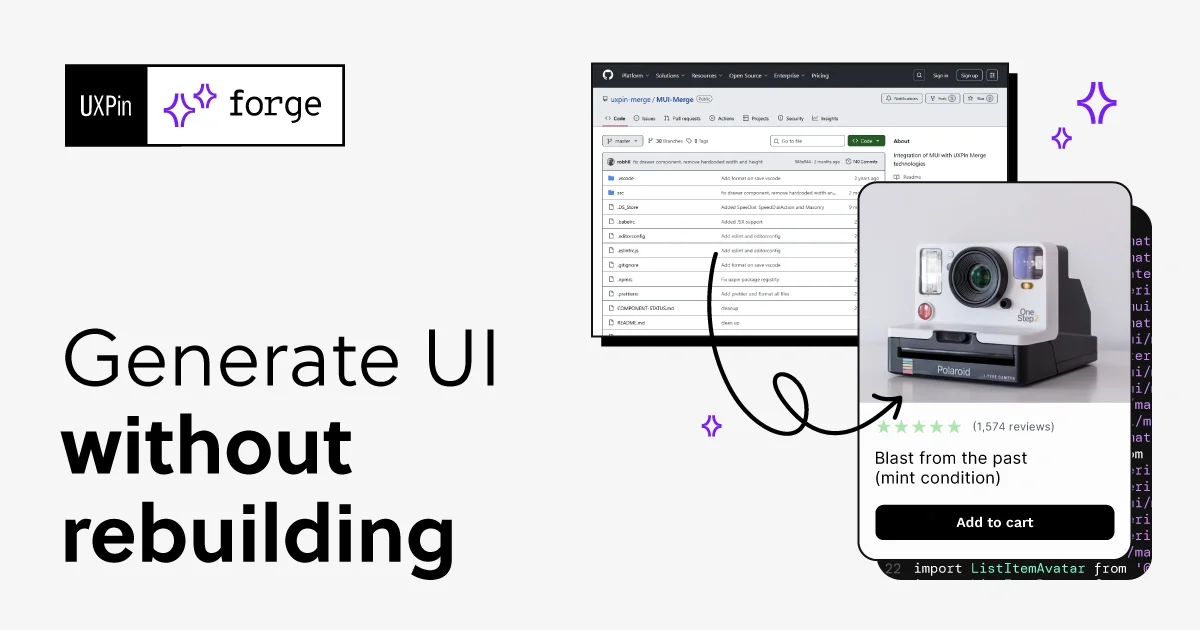
UXPin's new Forge tool generates UI by utilizing your actual React component library rather than creating generic vector-based designs.
Decoder
- JSX: A syntax extension for JavaScript often used with React to describe what the UI should look like.
Original article
Your components. Your rules. AI that actually follows both.
Forge designs with your real React components – not generic pixels. Refine it and export production-ready code. Start with a built-in library or connect your own.
Figma's AI generates more vectors. UXPin's AI generates with our real code. That's a fundamental architectural difference and it's why we switched.
Kenji Sano
This is like the best of Figma and Lovable, but for companies.
James Crennan
I've worked with UXPin Classic and Merge for over a year now. Always amazed by the prototyping results I get with UXPin. Highly recommended!
Matt Hallowes
The image-to-UI feature is great for early-stage work. I upload a rough wireframe or screenshot and Forge interprets it using our real components. Saves me from starting every project from a blank canvas.
Kari Brooks
UXPin has become my go-to design tool because it bridges the gap between static design and real interaction. The ability to build prototypes with code components, logic, and states makes everything feel like the final product, eliminating the need for explanations with notes or workarounds. The design system support keeps projects consistent and scalable. Shipping changes faster.
Abe Dearmer
One canvas. Three superpowers.
Generate UI with your production components
Forge generates UI using the same components your team ships in production. Every element comes from your React library – with real props, variants, and states.
Refine the generated UI
Start with AI. Refine with manual edits. Adjust layout, edit props, and add interactions. All on the same code-backed components. No need to switch tools.
Export code you can ship
Production-ready JSX from your component library. What you see is what developers get. No specs or rebuilds. Copy it, open in CodeSandbox, or export it.
When I used UXPin Merge, our engineering time was reduced by around 50%. Imagine how much money that saves across an enterprise-level organization with dozens of designers and hundreds of engineers.
Erica Rider, UX Architect @ BackBlaze
We synced our Microsoft Fluent design system with UXPin’s design editor via Merge technology. It was so efficient that our 3 designers were able to support 60 internal products and over 1,000 developers.
From prompt to production in one tool
- Pick your components — Choose a built-in library or connect your own via Git.
- Prompt or design manually — Describe the UI you need, upload a screenshot for context, or design manually with real components. Switch between AI and manual editing at any point.
- Refine visually — Adjust layout, tweak props, and add interactions. Your prototype behaves like the real product.
- Iterate with AI — Use follow-up prompts to modify the design in place. Forge updates the components using the correct props and variants.
- Export and ship — Export production-ready JSX from your selected component library. Open in CodeSandbox, copy to clipboard, or export to your project.
Choose your building blocks
Use open-source React libraries, your own design system via Git, or templates built with real components. AI follows your design rules to create production-ready layouts and saves the time you'd normally spend coding components into a system.
AI that follows your design system
- Real components, not shapes: Forge uses your real React components with the same props, variants, and states as in production.
- Your design system sets rules: Generate UI with React components from your library, following your design system rules.
- Conversational iteration: Forge remembers context, so each prompt builds on the previous one as you refine the same design.
- Multiple AI models: Choose between OpenAI and Claude, switch anytime, or use your own API key for billing and compliance.
- Image-to-UI: Upload a screenshot, wireframe, or sketch, and recreate the UI with your components.
- AI or manual edits: Generate a starting point and refine it with AI or manual edits at any stage.
How Forge compares
Forge vs. Figma’s AI: Figma generates vectors that represent UI, not real components. They can match your design system visually but aren’t connected to code. Developers still need to rebuild the UI. Forge generates UI with real React components, so the result is production-ready.
Forge vs. Lovable / Bolt: Lovable and Bolt are useful for MVPs without a design system. They generate UI using their own components and patterns. As projects grow, consistency becomes harder to maintain. Forge works with your component library and design rules, so UI stays consistent as you scale.
Forge vs. v0: v0 generates code based on shadcn. It works well within that setup. It is optimized for a specific component stack. Forge works with any React component library, built-in or custom. You can also refine UI with design tools, not just edit code. This gives teams more control over how UI is built.
Built for teams with design systems to protect
- Design system guidelines: Define rules in plain text that constrain all Forge output across the projects.
- Git integration: Sync your custom component library. Updates in code reflect in design automatically.
- Version control: Work with the right version of your coded library in projects. Choose a branch or tag to control updates.
- Per-project chat history: Chat history saved per user and project so you can continue where you left off.
- Bring your own API key: Use your own OpenAI or Anthropic account for billing and compliance. Stay in control of usage and costs.
- Component documentation: Generated directly from your synced library. Always up to date with your components and their props.
Frequently Asked Questions
What is Forge? Forge is the AI system in UXPin. It generates, edits, and reviews UI using real React components from your library. The output is production-ready JSX that developers can ship directly.
What component libraries does Forge support? Built-in: MUI, shadcn/ui, Ant Design, and Bootstrap — ready to use immediately. Custom: any React component library synced via Git.
What AI models does Forge use? Forge supports multiple AI models, including Claude Sonnet, Claude Opus, Claude Haiku, and GPT models. You can also bring your own OpenAI or Anthropic API key.
How is Forge different from Figma’s AI? Figma's AI generates vectors; UXPin Forge generates UI using your real React components with real props. There is no translation step.
Can I control how strictly the AI follows my design system? Yes. Teams can control how closely AI output follows their design system. Forge prioritizes the components connected to your project.
Can I switch between AI and manual design? Yes. Same canvas, same components. Use Forge to generate the UI, then switch to manual design tools for refinement, interactions, and states.
Fresh dev news, AI-digested daily. Never miss a trend at devoured.fyi