Introducing Claude Platform on AWS: Anthropic's native platform, through your AWS account
AWS is the first cloud provider to offer Anthropic's native Claude Platform, but requests run outside AWS security boundaries through Anthropic's infrastructure.
Deep dive
- AWS announced general availability of Claude Platform on AWS on May 11, 2026, the first cloud provider to offer Anthropic's native platform experience
- Authentication uses existing AWS IAM credentials (Signature Version 4) or API keys, no separate Anthropic account needed
- Billing runs through AWS Marketplace on consumption basis, tracked in AWS Cost Explorer alongside other services
- Activity captured in AWS CloudTrail for audit, workspace operations logged as management events by default
- Access includes full Claude Platform APIs: Messages API, Managed Agents (beta), advisor tool (beta), web search/fetch, MCP connectors (beta), Agent Skills (beta), code execution, files API (beta)
- Workspace model separates projects/environments/teams with centralized billing, serves as primary IAM resource
- Service operated by Anthropic with requests and data processed outside AWS security boundary, suited for teams without strict regional data residency requirements
- Complements existing Claude models on Amazon Bedrock, gives customers choice of access methods
- Available in 17 regions: US East (N. Virginia, Ohio), US West (Oregon), Canada (Central), South America (São Paulo), Europe (Dublin, London, Frankfurt, Milan, Zurich, Paris, Stockholm), Asia Pacific (Tokyo, Seoul, Melbourne, Jakarta, Sydney)
- Compatible with Claude Code, Claude Cowork, and Anthropic SDK via environment variables (ANTHROPIC_API_KEY, ANTHROPIC_BASE_URL, ANTHROPIC_WORKSPACE_ID)
- Usage analytics available in Claude Console with breakdowns by workspace, IAM principal, and time period
- Resource tagging supported for cost allocation across teams/projects
Decoder
- MCP connector: Model Context Protocol connector, allows Claude to access external data sources and tools through a standardized protocol
- AWS Signature Version 4: AWS authentication protocol that cryptographically signs API requests using temporary credentials from IAM roles, more secure than static API keys
- CloudTrail: AWS audit logging service that records API calls and user activity across AWS services for security analysis and compliance
Original article
Introducing Claude Platform on AWS: Anthropic's native platform, through your AWS account
Today, we're excited to announce the general availability of Claude Platform on AWS. Claude Platform on AWS is a new service that gives customers direct access to Anthropic's native Claude Platform experience through their AWS account, with no separate credentials, contracts, or billing relationships required. AWS is the first cloud provider to offer access to the native Claude Platform experience.
In this post, we explore how Claude Platform on AWS works and how you can start using it today.
Claude Platform experience through AWS
With Claude Platform on AWS, you work with the same APIs, features, and console experience available through Anthropic directly. This includes the Messages API, Claude Managed Agents (beta), advisor tool (beta), web search and web fetch, MCP connector (beta), Agent Skills (beta), code execution, files API (beta). For the full list of capabilities, see the Claude Platform documentation.
You access Claude Platform on AWS through familiar AWS features:
- Authentication: You use existing AWS IAM credentials to access Claude Platform. No separate accounts or API keys to manage.
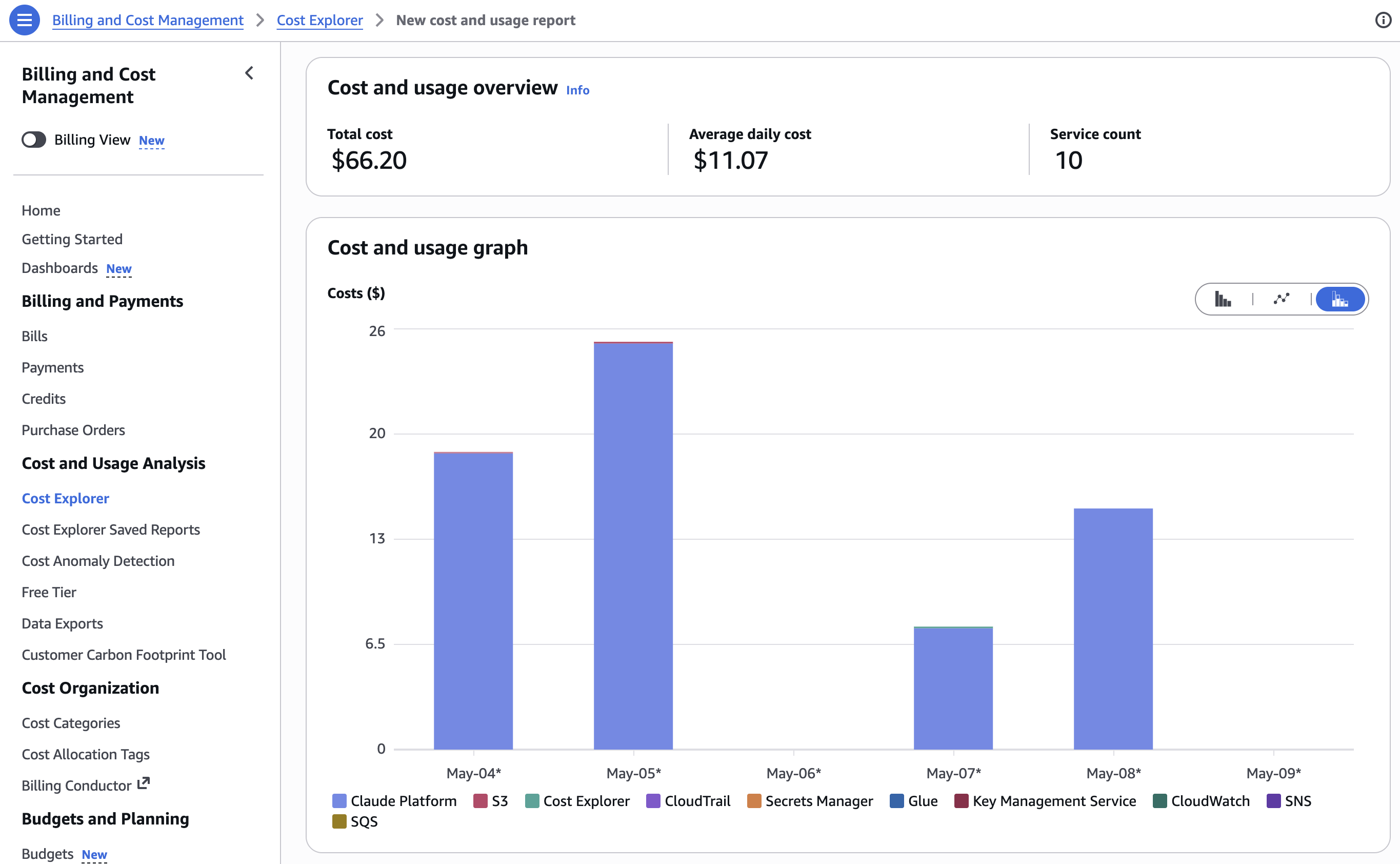
- Billing: Usage is billed through AWS Marketplace on a consumption basis, so you can track and manage AI spending alongside your other AWS services.
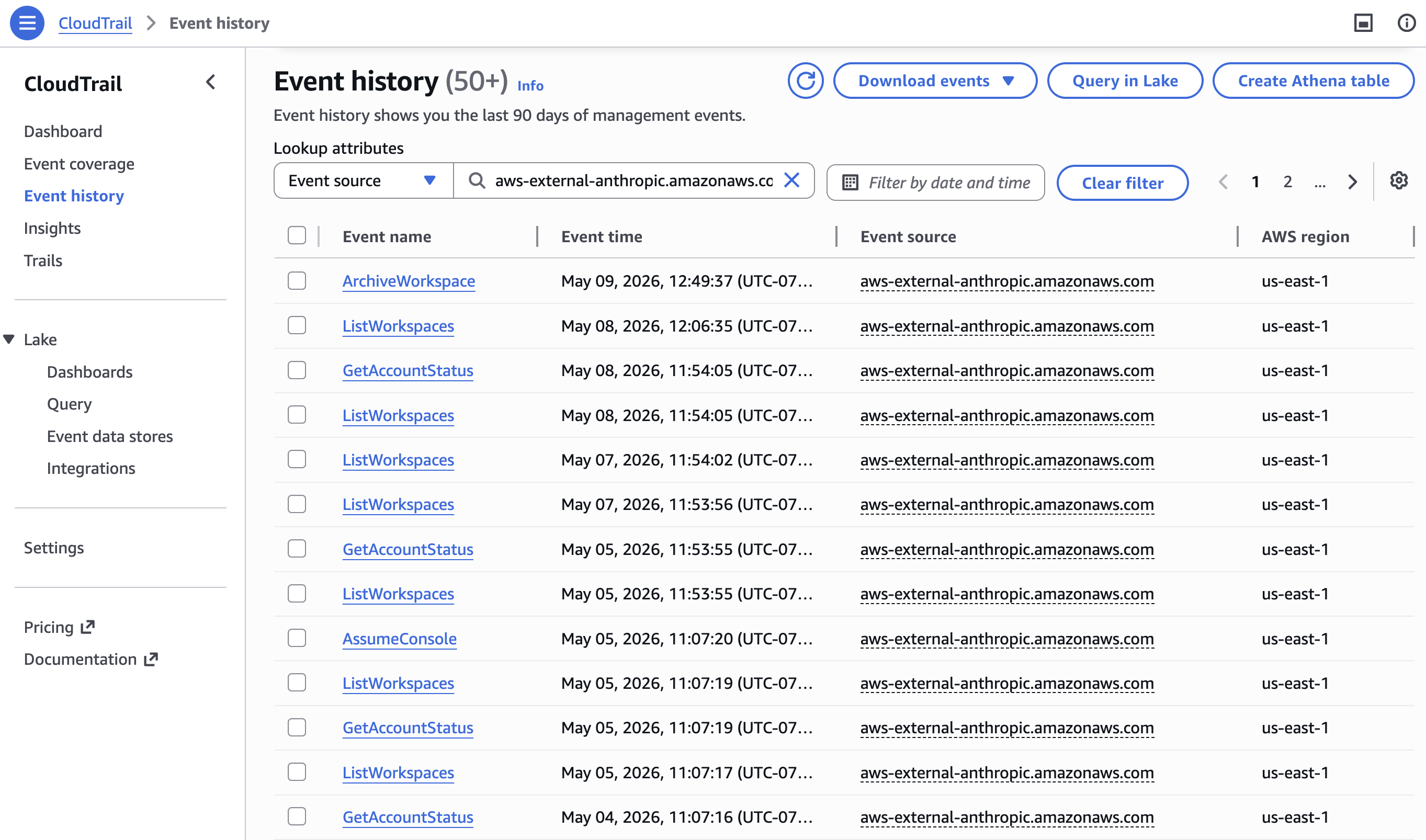
- Audit: Activity is captured in AWS CloudTrail, so you can monitor, audit, and investigate AI usage the same way you do for any other AWS services.
Claude Platform on AWS is operated by Anthropic, and the underlying requests and data are processed outside the AWS security boundary. This makes it well suited for teams without specific Regional data residency requirements, and complements Claude models on Amazon Bedrock, so you can access Claude through the approach that fits your needs.
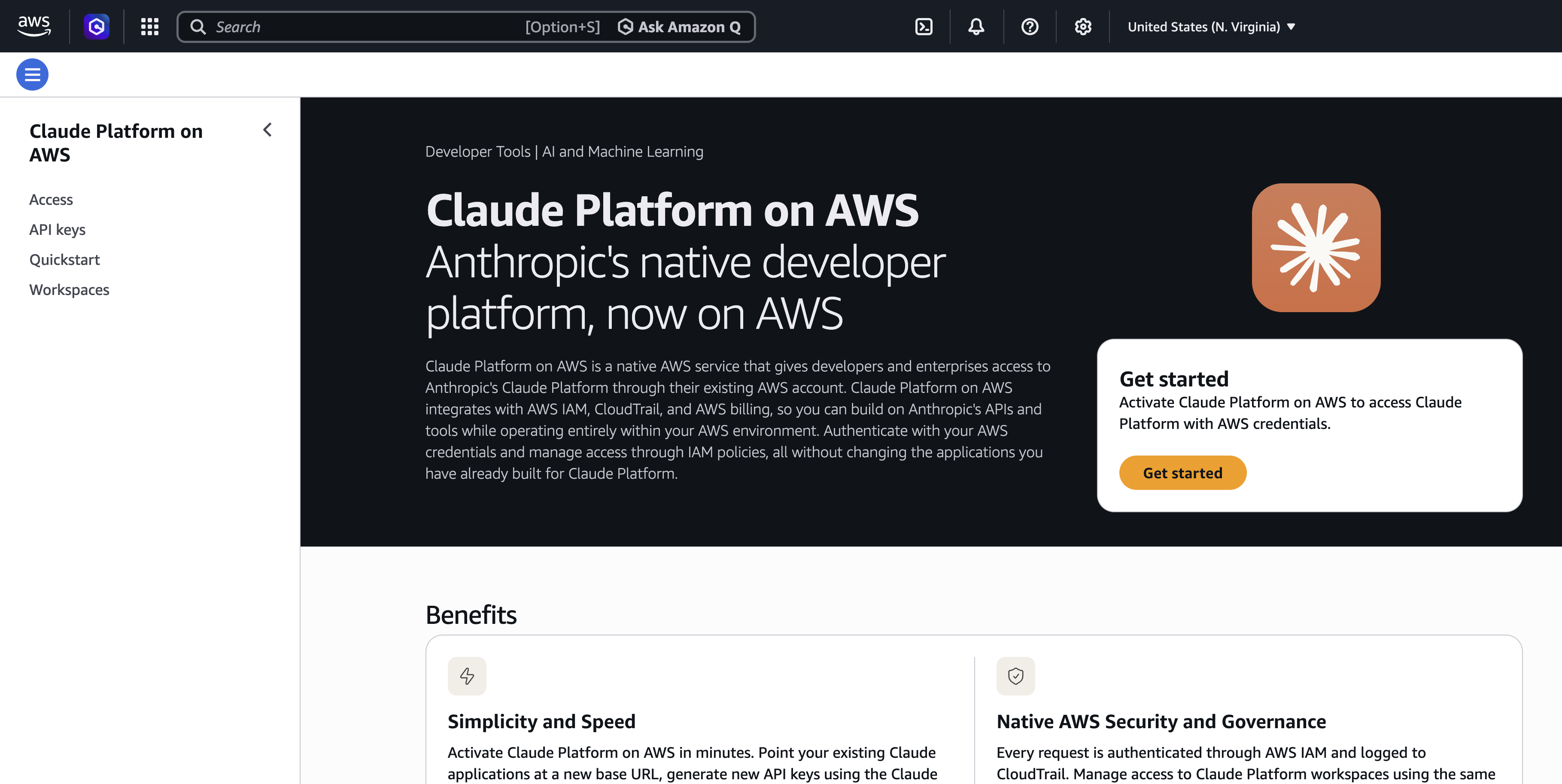
Getting started with Claude Platform on AWS
You can activate Claude Platform on AWS through the AWS Marketplace. For step-by-step instructions, see Set up your account. After your account is activated, getting to your first API call takes three steps: create a workspace, authenticate, and call the API.
Step 1: Create a workspace
With a workspace, you can separate projects, environments, or teams while maintaining centralized billing and administration. It also serves as the primary AWS Identity and Access Management (IAM) resource for Claude Platform on AWS. You grant or deny access to specific workspaces through IAM policies using the workspace ARN. See IAM policies for policy examples.
Open the Claude Console from within the Claude Platform on AWS Console and create a workspace.
Step 2: Authenticate
Claude Platform on AWS supports two authentication methods: IAM with AWS Signature Version 4, and API keys. We recommend using temporary IAM credentials for setups that require a higher level of security, and API keys for exploring Claude Platform on AWS.
To quickly test your setup, you can generate an API key in the Claude Platform on AWS Console:
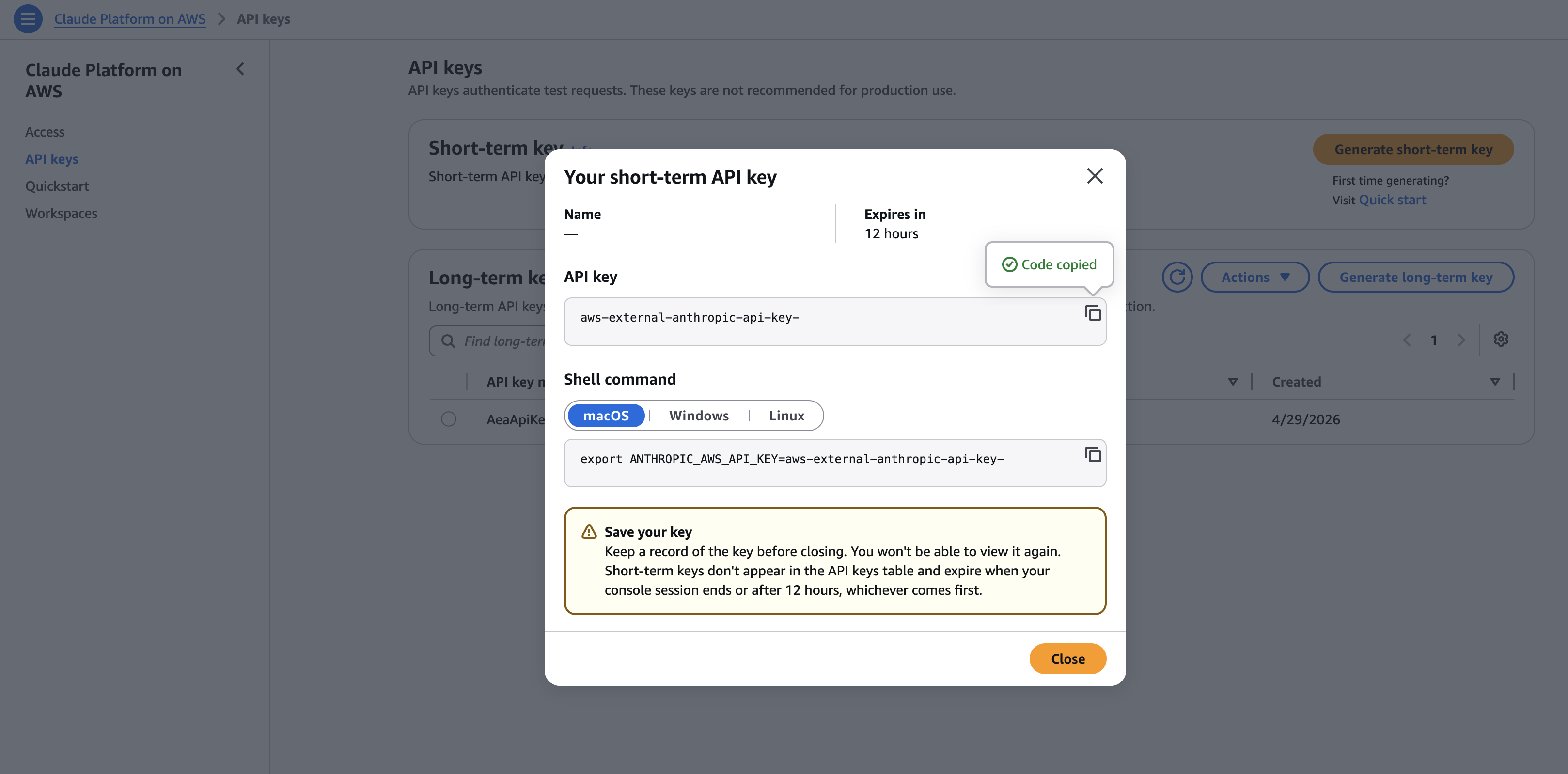
Set your API key, base URL, and Workspace ID as environment variables:
# Your API key
export ANTHROPIC_API_KEY=

# Your regional endpoint for Claude Platform on AWS
export ANTHROPIC_BASE_URL=https://aws-external-anthropic..api.aws

# Your workspace ID (find in Claude Platform on AWS Console → Workspaces)
export ANTHROPIC_WORKSPACE_ID=
Step 3: Make your first API call
You can now install the Anthropic Client SDKs and make API calls:
from anthropic import Anthropic
import os

client = Anthropic(
   default_headers={"anthropic-workspace-id": os.environ["ANTHROPIC_WORKSPACE_ID"]},
)

message = client.messages.create(
   model="claude-sonnet-4-6",
   max_tokens=1024,
   messages=[{"role": "user", "content": "Hello!"}],
)

print(message)
See Getting Started notebooks for more code examples.
Claude Platform on AWS in practice
With your setup complete, you can point Claude Code, Claude Cowork, or any other API client at your workspace using the following environment variables or configuration:
export ANTHROPIC_API_KEY=

export ANTHROPIC_BASE_URL=https://aws-external-anthropic..api.aws

 # For Claude Cowork, set the "anthropic-workspace-id" in your inference configuration. For Claude Code use the following:
export ANTHROPIC_CUSTOM_HEADERS='{"anthropic-workspace-id":""}'

 # For the Anthropic SDK
export ANTHROPIC_WORKSPACE_ID=
After you're connected, your clients can use capabilities like web search, MCP connectors, agent skills, code execution, and file uploads through Claude Platform on AWS.
You can monitor usage in the Claude Console, including breakdowns by workspace, AWS IAM principal, and time period.
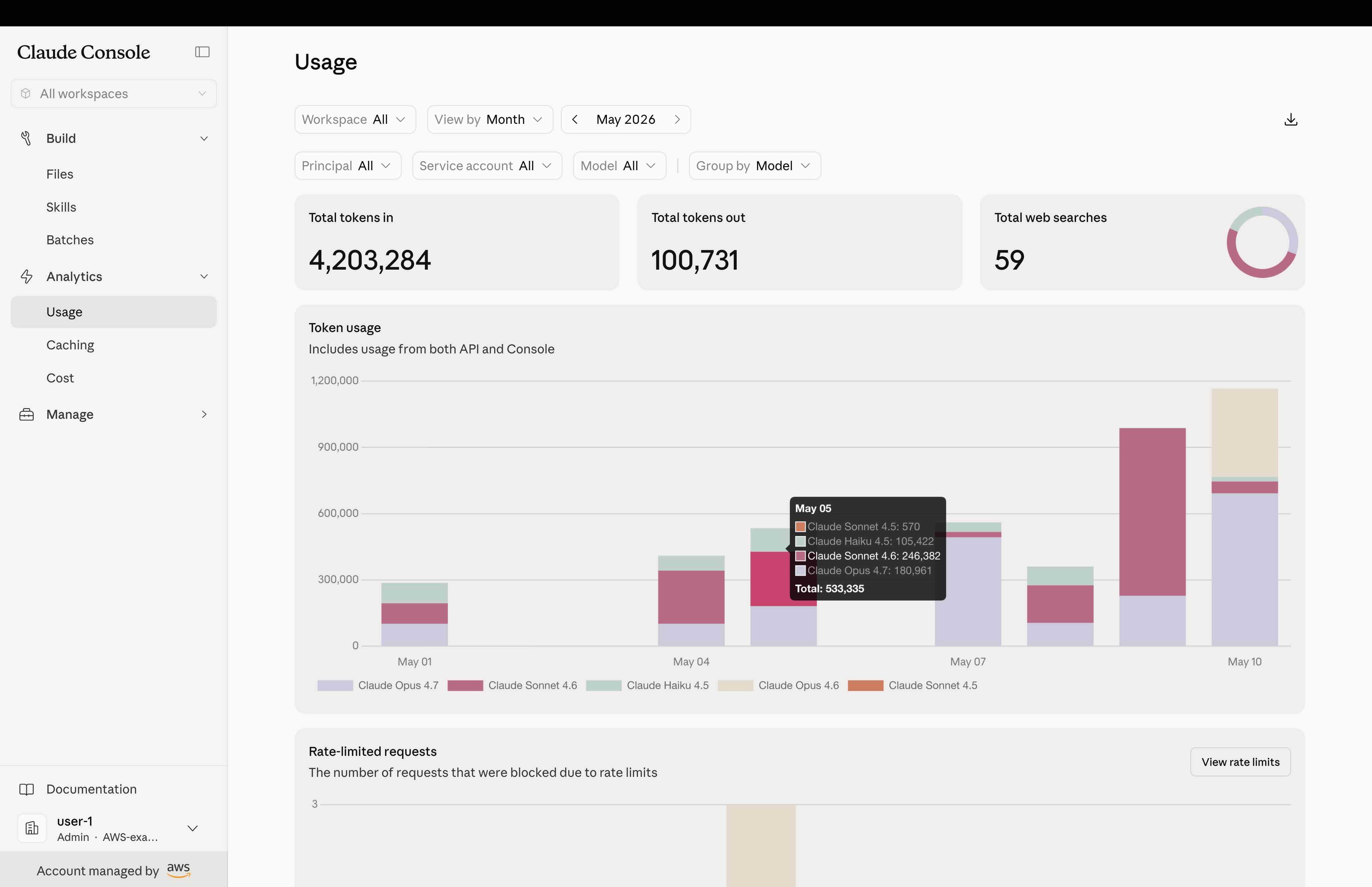
In your AWS environment, AWS CloudTrail captures requests to Claude Platform on AWS, whether from the Anthropic SDK, Claude Code, or Cowork. Workspace operations are logged as management events by default, and you can enable data event logging to capture inference activity. For details on event types and logging configuration, see Monitoring and logging. Because usage is billed through AWS Marketplace, you can monitor costs in AWS Cost Explorer alongside your other cloud services. You can also allocate spending using resource tags.
 |
 |
Conclusion
With Claude Platform on AWS, your teams get Anthropic's complete native APIs and features through the same AWS account you already use. Claude Platform on AWS is available in US East (N. Virginia), US East (Ohio), US West (Oregon), Canada (Central), South America (São Paulo), Europe (Dublin), Europe (London), Europe (Frankfurt), Europe (Milan), Europe (Zurich), Europe (Paris), Europe (Stockholm), Asia Pacific (Tokyo), Asia Pacific (Seoul), Asia Pacific (Melborune), Asia, Pacific (Jakarta) and Asia Pacific (Sydney). To get started, open the Claude Platform on AWS Console or explore the documentation.
Give Claude Platform on AWS a try today and send feedback to AWS re:Post or through your usual AWS Support contacts.
Fresh dev news, AI-digested daily. Never miss a trend at devoured.fyi