DEVOURED
Handwriting Animation Library & Generator for Any Font (Website)
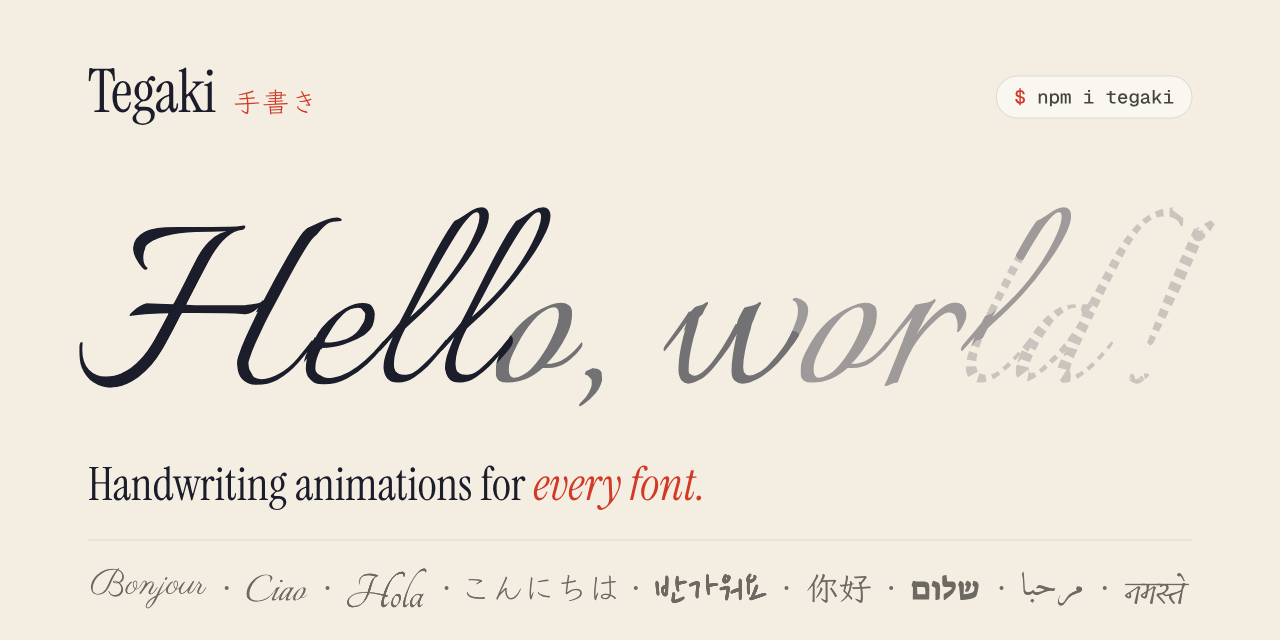
Tegaki is an open-source handwriting animation library that animates text stroke-by-stroke over selectable DOM elements.
What: Tegaki extracts glyph stroke data from fonts to render handwriting animations on canvas. It supports major writing systems including Latin, Arabic, Hebrew, and CJK, providing framework adapters for React, Svelte, Vue, SolidJS, and Astro.
Why it matters: It moves beyond standard SVG stroke-dashoffset tricks by focusing on true centerline stroke order, which is essential for realistic character formation across diverse scripts.
Takeaway: Use the web-based Tegaki Studio to generate font bundles from your own .ttf/.otf files, then import them using the TegakiRenderer component.
Deep dive
- Stroke Extraction: Automatically derives glyph stroke order, width, and timing from font files.
- Multilingual Support: Uses HarfBuzz for text shaping, supporting RTL scripts and specific stroke orders for CJK characters.
- Integration: Offers dedicated adapters for major JS frameworks and Remotion for programmatic video rendering.
- CSS Controls: Supports --tegaki-progress custom properties for scroll-linked or video-synced animations.
- Accessibility: Operates as an overlay on actual selectable DOM text, maintaining SEO and screen reader compatibility.
Decoder
- Glyph: A specific visual representation of a character within a typeface.
- HarfBuzz: An open-source text shaping engine that handles the complex process of converting text strings into positioned glyphs.
- Stroke-dashoffset: A common CSS/SVG animation technique that reveals paths by offsetting the starting point of a dashed line; Tegaki avoids this because it often looks like an outline trace rather than natural handwriting.
Original article
Every font, written by hand: Tegaki, the handwriting animation library and generator.
An open-source handwriting animation library for any font. Tegaki extracts each glyph's strokes, their order and width, and draws them stroke by stroke on a canvas over real, selectable text.
Contextual alternates and ligatures, shaped by HarfBuzz exactly as the browser sets them.
Custom Plugins
Every letter a color of its own, round the color wheel.
import { createPlugin } from 'tegaki/core';

/** Every letter a color of its own, round the color wheel. */
export const rainbow = createPlugin({
  name: 'rainbow',
  params: {
    step: { type: 'number', default: 30 },
  },
  setup: ({ step }) => ({
    paint(s, next) {
      const hue = s.stroke.entryIndex * step;
      next({ ...s, style: `hsl(${hue} 80% 50%)` });
    },
  }),
});
Framework Integration
React
import { TegakiRenderer } from 'tegaki';
import caveat from 'tegaki/fonts/caveat';

export const Note = () => (
  <TegakiRenderer font={caveat} style={{ fontSize: 56 }}>
    Hello, world!
  </TegakiRenderer>
);
Svelte
<script>
  import { TegakiRenderer } from 'tegaki/svelte';
  import caveat from 'tegaki/fonts/caveat';
</script>

<TegakiRenderer font={caveat} text="Hello, world!"
  style="font-size: 56px" />
Vue
<script setup>
import { TegakiRenderer } from 'tegaki/vue';
import caveat from 'tegaki/fonts/caveat';
</script>

<template>
  <TegakiRenderer :font="caveat" text="Hello, world!" />
</template>
Solid
import { TegakiRenderer } from 'tegaki/solid';
import caveat from 'tegaki/fonts/caveat';

export const Note = () => (
  <TegakiRenderer font={caveat} text="Hello, world!"
    style={{ 'font-size': '56px' }} />
);
Astro
---
import TegakiRenderer from 'tegaki/astro';
import caveat from 'tegaki/fonts/caveat';
---

<TegakiRenderer font={caveat} text="Hello, world!" />
Web Components
<tegaki-renderer font="Caveat" text="Hello, world!">
</tegaki-renderer>

<script type="module">
  import { registerTegakiElement, TegakiEngine } from 'https://esm.sh/tegaki/wc';
  import caveat from 'https://esm.sh/tegaki/fonts/caveat';
  TegakiEngine.registerBundle(caveat);
  registerTegakiElement();
</script>
Vanilla JavaScript
import { TegakiEngine } from 'tegaki/core';
import caveat from 'tegaki/fonts/caveat';

new TegakiEngine(document.querySelector('#note'), {
  font: caveat,
  text: 'Hello, world!',
});
Frequently Asked Questions
- What is Tegaki?
- Tegaki is an open-source (MIT) handwriting animation library and generator. It extracts the strokes, stroke order and stroke width of every glyph in a font, then animates text being written by hand on a canvas drawn over real, selectable DOM text.
- How do I add a handwriting animation to my website?
-
Install the package with
npm i tegaki, import a font bundle such astegaki/fonts/caveat, and render<TegakiRenderer font={caveat}>Hello</TegakiRenderer>. Adapters exist for React, Svelte, Vue, Nuxt, SolidJS, Astro, Web Components and vanilla JavaScript; Remotion renders the same animation to video. - Can Tegaki animate any font?
- Yes. Thirteen fonts ship ready to import (two of them single-line stroke fonts), and the free Tegaki Studio generates a bundle from any Google Font or your own .ttf/.otf file in the browser, with no server. Handwriting and script fonts look most natural, but any outline font works.
- Which languages and writing systems are supported?
- Latin, Hebrew and Arabic (right to left, with positional forms), Devanagari and Bengali, Japanese, Korean and Simplified Chinese. Chinese, Japanese and Korean characters follow reference stroke order from KanjiVG and Make Me a Hanzi, and text is shaped with HarfBuzz.
- How is Tegaki different from an SVG stroke-dashoffset animation?
- A stroke-dashoffset trick traces the outline of the letters, so the pen goes around each glyph twice. Tegaki animates the centerline of each stroke with its real width, in natural stroke order, and supports timeline control, streaming text, plugins and every writing system above.
- Can I control or scrub the animation?
-
Yes. Pass
timeas seconds, a percentage such as'50%', or'css'to read progress from the--tegaki-progresscustom property, so the animation can follow a slider, a scroll timeline or a video frame. Uncontrolled mode plays on its own and can loop. - Can I export a handwriting animation as a video, GIF or SVG?
- Tegaki Studio exports PNG, GIF, WebM and animated SVG. For programmatic video, the Remotion integration renders handwriting frame by frame to MP4.
- Is Tegaki free?
- Yes. The library, the bundled fonts (each under its own open font license) and the Studio are free; the code is MIT licensed on GitHub.
Explore all 56 articles in today's digest
Fresh dev news, AI-digested daily. Never miss a trend at devoured.fyi