Why you shouldn't do application-level sharding
Application-level sharding forces teams to build complex, brittle infrastructure for routing, resharding, and schema management that distracts from core product development.
Deep dive
- Application-level sharding embeds shard-key routing directly in the application code.
- Resharding requires complex, manual data migration steps that risk data loss if not carefully synchronized.
- Querying data without a shard key requires expensive 'fan-out' queries to all shards.
- Managing schema changes (DDL) across multiple shards is prone to partial failures and locking issues.
- Handling cross-shard transactions is difficult, often necessitating sagas or complex two-phase commit protocols.
- Automatic sharding layers manage connection pooling, routing, and resharding, simplifying the application-side developer experience.
Decoder
- Sharding: The process of breaking up one large database into smaller, faster, more easily managed parts called data shards.
- Saga: A sequence of local transactions where each transaction updates the database and publishes a message to trigger the next transaction in the sequence.
- Vitess: A database clustering system for horizontal scaling of MySQL.
- DDL (Data Definition Language): SQL commands used to define or change the structure of a database, such as CREATE, ALTER, or DROP.
Original article
Why you shouldn't do application-level sharding
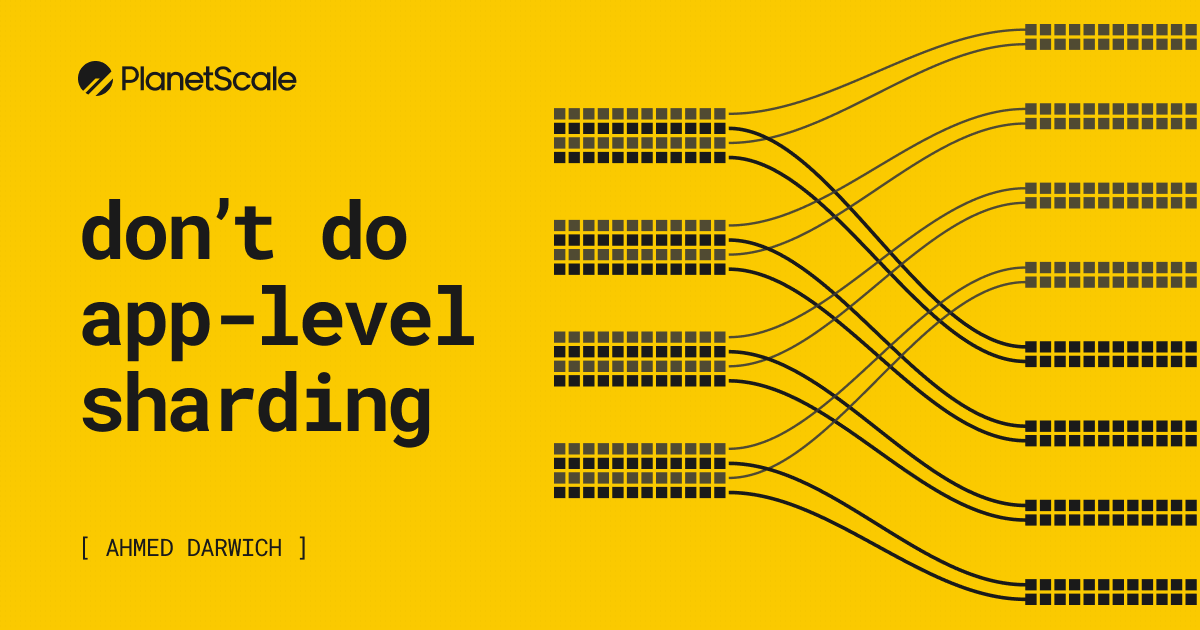
This is application-level sharding.
When an OLTP database like Postgres or MySQL grows so large that it no longer "fits" on one server, the common approach to scaling is sharding. One way to do it is app-level sharding, where all the logic for which data goes to which server is embedded in your application code.
Companies that grow fast tend to face this problem, and app-level sharding seems like the easy, obvious solution. However, there be dragons. To find them, let's walk through the first thousand days of a fast-growing online store after sharding.
Sharding in the application
The store is a marketplace: buyers, sellers, orders and payments all live in one Postgres database, and as traffic grows, that database starts to fall behind.
You might think the answer is read replicas. And you should use them. But they have no impact on your writes, which still all go to the primary. A bigger server can buy you time, but there's a cap to how big a server you can buy. Even before that moment, the sheer size of the database will cause you issues: backups and restores taking hours, or even replicas falling behind on write spikes. The operational challenges of running a large database are not for the faint of heart.
So you decide to shard. You pick user_id as the shard key and split the store's users across four databases, where each one stores and serves its own share. Buyers and sellers are both users, and each user's data lives on their shard: a buyer's orders and balance, a seller's listings and payouts.
The first version is usually one function.
SHARDS = [
    connect("db0"), connect("db1"),
    connect("db2"), connect("db3"),
]


def shard_for(user_id):
    return SHARDS[user_id % 4]


def get_user(user_id):
    return shard_for(user_id).query(
        "SELECT * FROM users WHERE id = %s", user_id
    )
Writing it takes an afternoon. The new infrastructure is three additional databases to run. But your queries look the same as yesterday, as long as you have a user_id in hand.
Before shard_for can be deployed, however, every user needs to move to their assigned shard. For example, user 13 belongs on shard 1, since 13 % 4 = 1. Moving them with minimal downtime takes six steps:
- Copy user 13's rows from the original database to shard 1, and move shard 1's ID counter past them.
- Keep copying new writes from the original database to shard 1 until the deploy.
- Check that user 13's rows match on both databases.
- Deploy
shard_for, so user 13's reads and writes go to shard 1. - Keep copying new writes from shard 1 back to the original database, in case you need to roll back.
- Once you're sure you won't, delete user 13's rows from the original database.
% 4 as a sharding algorithm is brittle. But it's easy to follow, so it's what we'll use to walk through the problems. Most production teams will use something better, like consistent hashing, but they will face similar problems.
Day 1 is over and you have four functioning shards.
Resharding from four shards to eight
The store keeps growing, and with Black Friday a few weeks out, it's clear your four shards won't keep up.
You can double the number of shards from four to eight. This is a pretty easy change in your code. Just add four more database connections to SHARDS and change % 4 to % 8.
But user 13's rows are on shard 1, where % 4 put them. Once you deploy % 8, shard_for sends user 13's queries to shard 5, which is currently empty. Half the users on the original four shards have the same problem.
So you run the same six steps again, this time from shard 1 to shard 5.
Step 4, deploying % 8, is the riskiest part, because your store doesn't run as one process. All of your processes (web apps, workers, cron jobs) have their own shard_for. They don't deploy at the same time either, so for a few minutes they can disagree about where user 13 lives.
The issue arises when you have a worker and your web app on different versions. For example, say user 13 cancels an order on the web, which is deployed using % 8, so the cancel goes to shard 5. Behind the scenes, you are copying that back to shard 1. Your worker, which sets up shipments, marks the order as shipped on shard 1, since it hasn't been deployed with % 8 yet. But nothing is copying that change from shard 1 to shard 5 anymore. And so when you deploy the new worker, it reads shard 5, and you lose that shipment.
When a query doesn't have a user_id
You make it through Black Friday with your new topology of eight shards. A week later though, a customer emails support with an order number of 1042 and nothing else. This exposes a number of issues in your application layer that you now have to handle. How do you know which shard holds the order you are querying for if you don't have user_id?
Pass the user_id along
Most of the time, this issue doesn't come up, because your chain of function calls has a user_id somewhere. You decide to just pass it down to any function that needs it:
Every function that didn't take user_id as a parameter now does.
Ask every shard
The simplest way is to send SELECT * FROM orders WHERE id = 1042 to all eight shards and check each response for a result. That's eight Postgres queries for one order lookup. And in this situation, it actually returns two orders.
Put the shard in the ID
Another way is to build the shard into the ID itself. With this ID structure, you can read a row's shard straight out of the ID with a bit shift. This fixes the duplicate orders problem, since every ID carries its own shard number.
But there is a catch. This assumes that any future reshard would not move the order.
Keep a lookup table
The third way is to keep a lookup table that holds the mapping between order IDs, charge IDs and user_id. Every request, though, would first need to access the lookup table to determine which shard to go to.
What none of these fix
Everything so far that we have discussed has helped you find one order. A real store needs more than that. What if seller 27 wants to see all of this week's orders on their dashboard? If you remember, each order lives on whatever shard its buyer is on. So seller 27's orders are spread across all eight shards. No lookup table or clever IDs will help with that. The app has to query all eight shards, merge, sort, and page the results for the user.
When one seller becomes a hot shard
Black Friday was a massive success, and a few months later, your store's marketplace attracts a big brand. One issue, though: its inventory updates and payouts write thousands of rows a second. All of those rows are keyed by the brand's user_id, so it all goes to the same shard. The orders spread out fine, since each lives on the buyer's shard, but the brand's shard becomes a hot shard.
Another option is to give the brand its own shard. That way, its neighbors stop feeling the load of the big brand. Doing that means a reshard, but just for the big brand. shard_for also now needs a list of exceptions.
Cross-shard transactions
Up until now, every write that moved money only touched one user. Even the big brand's. But a year in, the store decides to launch store credit. Think of store credit as gift-card money you spend in the store. Writes can now involve two users' balances, and both have to happen correctly and at the same time.
On a single database, this is easy. With two databases, it doesn't work that way. There isn't a shared transaction. Most teams decide not to use two-phase commit and instead use a saga.
A saga breaks up the operation into two separate saves. It takes money from one user, then gives money to another user on a different shard. To do this, it writes to an outbox in the same transaction that takes the money. An outbox is essentially a to-do note living on the user's shard. A worker then reads the outbox and keeps retrying the credit on the other shard until it succeeds.
Schema changes across every shard
Store credit is a massive hit, and with more purchases come more refunds. You might think changing the shape of the tables is easy, but once again, sharding will make you reconsider. With a single database, it's a single DDL statement. With nine shards, however, it's not as simple, and there are nine chances for it to fail.
To handle this, your team ends up building a complex rollout tool. The rollout tool has to go shard by shard, make sure each completes successfully, retry whatever fails at the point of failure, and warn about any shard that has drifted.
Failover, backups and connections
Soon enough, you get to experience your second Black Friday. And with the increased throughput and popularity of your store, shard 3's primary dies. With nine primaries, though, it happens about nine times more often.
Every web server, worker, and cron job has its own connections open to the old primary. Each one has to reconnect to the new one. Most teams instead build a tool to handle this: an orchestrator that promotes the replica and tells every process where the shard lives now.
You built a sharding layer anyway
We've finally hit day 1000. Your store is thriving. It's important to reflect on everything your team has built to maintain app-level sharding:
- Reshard tooling, plus a config service for
SHARDSand% 8 - An ID scheme, a lookup table,
user_idin every function, and code to merge results across shards - An exceptions list for customers too big to share a shard
- A saga: an outbox, a pending state and an undo
- A schema rollout tool
- A failover orchestrator and a connection pooler on every shard
Use a sharding layer instead
This wasn't necessary. There are well-known systems like Vitess that are battle-tested and trusted by the world's largest companies. They sit in between your app and the shards, and your application can speak to them like one database.
FAQs
What is application-level sharding?
Application-level sharding is when your application code decides which shard holds each row. It's also called app-level, client-side or application-side sharding. It usually starts as one function, like shard_for(user_id), that picks a database connection based on the shard key.
Why shouldn't you do application-level sharding?
Because routing is the easy part. Once your app decides where each row lives, every problem that comes from spreading data across servers becomes your team's to solve.
What's the alternative to application-level sharding?
A sharding layer, sometimes called a sharding proxy or sharding middleware. It sits between your app and the shards, so your app connects to it as if it were one database, and it handles routing, resharding, failover and connection pooling.
Fresh dev news, AI-digested daily. Never miss a trend at devoured.fyi