Pipelined SQL in ClickHouse 26.8
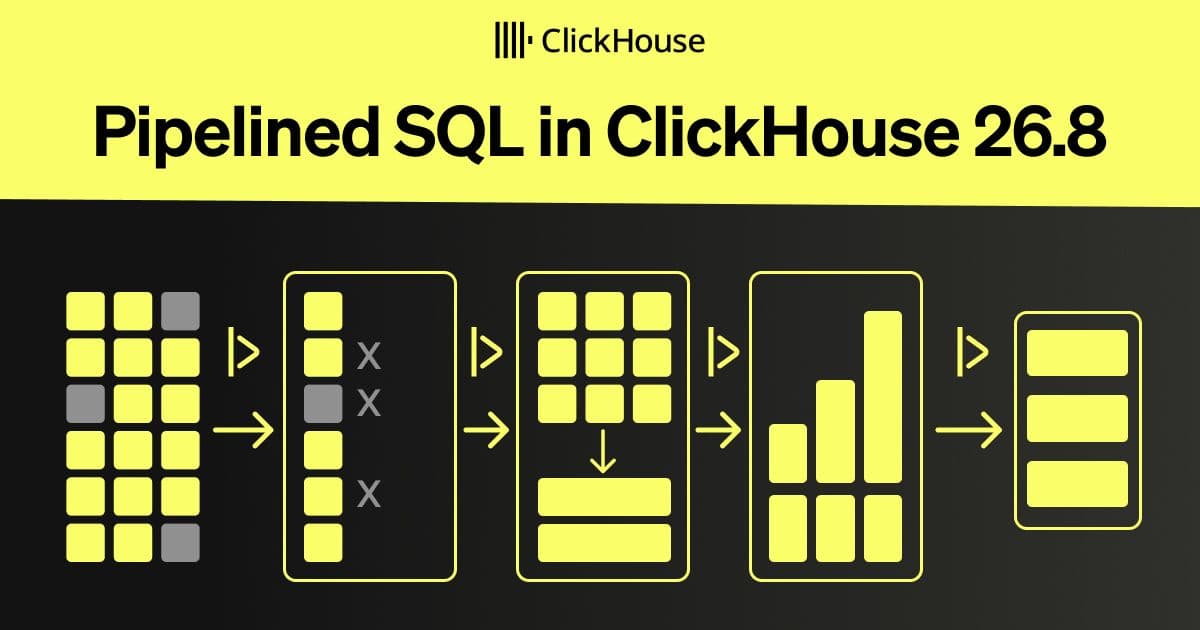
ClickHouse 26.8 introduces a pipeline operator, `|>`, that allows SQL queries to be written as sequential, readable transformation steps.
Decoder
- CTE (Common Table Expression): A temporary result set used within a larger SQL query, defined using the
WITHclause.
Original article
SQL queries aren't always written in the order that we think about them. We might start by choosing a table, filtering its rows, aggregating them, and finally sorting the result, but traditional SQL begins by describing the columns that the query will return.
Since ClickHouse 22.12, we’ve been able to put the FROM clause before SELECT. ClickHouse 26.8 takes this further with pipelined SQL using a new |> operator that lets us write queries as a sequence of transformations.
In this post, we'll compare conventional, FROM-first, and pipelined queries using the UK property prices dataset, before using pipelines to build queries that would otherwise require nested subqueries or CTEs.
A conventional SQL query
Let's start with a query that finds the London districts with the highest median property price since 2024:
SELECT district, count() AS sales, round(median(price)) AS median_price
FROM uk_price_paid
WHERE (town = 'LONDON') AND (date >= '2024-01-01')
GROUP BY district
ORDER BY median_price DESC
LIMIT 10;
┌─district───────────────┬─sales─┬─median_price─┐
│ KENSINGTON AND CHELSEA │ 2694 │ 1125000 │
│ RICHMOND UPON THAMES │ 708 │ 960000 │
│ CITY OF WESTMINSTER │ 3830 │ 900000 │
│ CITY OF LONDON │ 367 │ 842000 │
│ HARROW │ 2 │ 806750 │
│ HOUNSLOW │ 660 │ 780000 │
│ CAMDEN │ 3200 │ 760000 │
│ HAMMERSMITH AND FULHAM │ 3312 │ 730000 │
│ ISLINGTON │ 3316 │ 650000 │
│ WANDSWORTH │ 7155 │ 625000 │
└────────────────────────┴───────┴──────────────┘Putting FROM first
A lesser-known feature of ClickHouse SQL is that we can place the FROM clause before SELECT, so the following is also a valid query:
FROM uk_price_paid
SELECT district, count() AS sales, round(median(price)) AS median_price
WHERE (town = 'LONDON') AND (date >= '2024-01-01')
GROUP BY district
ORDER BY median_price DESC
LIMIT 10;
Putting the data source first can make a query easier to visualize. We start by identifying the data we're working with and then describe the columns, filtering, aggregation, ordering, and limit. Apart from moving FROM, this is still a conventional SQL query.
Building a pipeline
ClickHouse 26.8 takes this top-down style further with pipelined SQL. The |> operator passes the result of one stage into the next, making the sequence of transformations explicit: read a table, filter its rows, aggregate them, sort the result, and finally apply a limit.
Here's the same query written as a pipeline:
FROM uk_price_paid
|> WHERE (town = 'LONDON') AND (date >= '2024-01-01')
|> AGGREGATE count() AS sales, round(median(price)) AS median_price
   GROUP BY district
|> ORDER BY median_price DESC
|> LIMIT 10;
The conventional, FROM-first, and pipelined versions all return the same result.
While we can also simplify ordinary SQL incrementally, each |> provides an explicit checkpoint at which the preceding pipeline is a complete query. This makes it particularly convenient to build and inspect the transformation one stage at a time.
How does ClickHouse translate the pipeline?
The pipelined query is converted into standard SQL before execution. We can prefix our query with EXPLAIN SYNTAX to see the conventional SQL generated from our pipeline:
EXPLAIN SYNTAX
FROM uk_price_paid
|> WHERE (town = 'LONDON') AND (date >= '2024-01-01')
|> AGGREGATE count() AS sales, round(median(price)) AS median_price
   GROUP BY district
|> ORDER BY median_price DESC
|> LIMIT 10
FORMAT LineAsString;
SELECT * FROM (
SELECT * FROM (
SELECT district, count() AS sales, round(median(price)) AS median_price
FROM (
SELECT * FROM (
SELECT *
FROM uk_price_paid
)
WHERE and(equals(town, 'LONDON'), greaterOrEquals(date, '2024-01-01'))
)
GROUP BY district
)
ORDER BY median_price DESC
)
LIMIT 10;Although the converted query contains several nested SELECT statements, ClickHouse doesn't materialize each intermediate result, it optimizes the complete query before executing it.
Adding columns with EXTEND
EXTEND adds calculated columns while retaining all the columns already in the pipeline.
FROM uk_price_paid
|> WHERE town = 'LONDON' AND date >= '2024-01-01'
|> EXTEND round(price / 1000000, 2) AS price_millions
|> SELECT date, district, price, price_millions
|> ORDER BY price DESC
|> LIMIT 3;
┌───────date─┬─district──────┬─────price─┬─price_millions─┐
│ 2024-03-20 │ TOWER HAMLETS │ 164300000 │ 164.3 │
│ 2024-03-20 │ TOWER HAMLETS │ 164300000 │ 164.3 │
│ 2024-03-20 │ TOWER HAMLETS │ 161890000 │ 161.89 │
└────────────┴───────────────┴───────────┴────────────────┘In this example the use of EXTEND is equivalent to SELECT *, round(price / 1000000, 2) AS price_millions.
Reusing intermediate results
You can also extend an existing aggregation with the pipelined syntax. For example, the following query computes the median property price for each district, grouped by county:
The district_median alias becomes a column that we can use in the next pipeline stage. This lets us aggregate it again without having to write a nested subquery or CTE ourselves.
We can therefore extend the query to calculate the average of those district-level medians for each county, then return the ten counties with the highest values:
SELECT county, district, median(price) AS district_median
FROM uk_price_paid
WHERE date >= '2024-01-01'
GROUP BY county, district
|> AGGREGATE round(avg(district_median)) AS average_district_median
   GROUP BY county
|> ORDER BY average_district_median DESC
|> LIMIT 10;
┌─county─────────────────┬─average_district_median─┐
│ GREATER LONDON │ 558476 │
│ WINDSOR AND MAIDENHEAD │ 520000 │
│ SURREY │ 497455 │
│ WOKINGHAM │ 478000 │
│ HERTFORDSHIRE │ 452250 │
│ BUCKINGHAMSHIRE │ 443870 │
│ ISLES OF SCILLY │ 430000 │
│ BRIGHTON AND HOVE │ 405000 │
│ OXFORDSHIRE │ 400451 │
│ BRACKNELL FOREST │ 400000 │
└────────────────────────┴─────────────────────────┘Stage order matters
Something to keep in mind is that the order of the pipeline stages matters. If we move LIMIT 10 before the second aggregation, it limits the intermediate result to ten district medians. The county averages are then calculated from only those ten rows, rather than from every district:
SELECT county, district, median(price) AS district_median
FROM uk_price_paid
WHERE date >= '2024-01-01'
GROUP BY county, district
|> LIMIT 10
|> AGGREGATE round(avg(district_median)) AS average_district_median
   GROUP BY county
|> ORDER BY average_district_median DESC;
Because there is no ORDER BY before the first LIMIT, the ten district rows selected is not deterministic, so the exact result may vary.
Using pipelines in other statements
Pipelines aren't limited to queries that start with SELECT, they can be used anywhere that ClickHouse expects a SELECT query, including subqueries, INSERT ... SELECT statements, and views.
In the following example, we use a pipeline as the query behind a view:
CREATE VIEW million_pound_london_sales AS
FROM uk_price_paid
|> WHERE town = 'LONDON' AND price >= 1000000
|> SELECT date, price, district, postcode1, postcode2;
We can also use a pipeline as the source of an INSERT.
INSERT INTO expensive_london_sales (date, price, district)
FROM uk_price_paid
|> WHERE town = 'LONDON' AND price >= 1000000
|> SELECT date, price, district;
Conclusion
Pipelined SQL gives us another way to express ClickHouse queries. It won't replace conventional SQL, but writing a query as a sequence of transformations can make multi-stage queries easier to build and follow.
Fresh dev news, AI-digested daily. Never miss a trend at devoured.fyi