How Agents Use Systems Differently
Lovable exceeded GitHub's repo creation limits by orders of magnitude while Databricks sees 10-second median compute times as agents force infrastructure redesign.
Summary
Deep Dive
- Agents make many mistakes but backtrack well, so low-overhead snapshots become essential—Replit, Cloudflare, and Daytona now support full memory and disk snapshots for rapid rollback
- BranchBench paper evaluated branch-native databases and found a fundamental tension: systems optimized for fast branching (Neon, DoltgreSQL, Tigris, Xata) suffer 5-4000× slower reads as branches deepen, while systems optimized for fast reads have 25-1500× higher branch creation latency, highlighting the need for purpose-built agent databases
- Git worktrees, historically niche, have become enormously popular with coding agents because they provide complete branch functionality (branch, rebase, merge) with isolated environments
- Agent workloads are extremely spiky—Databricks Lakebase shows median compute time under 10 seconds because agents condense hour-long human analysis into <1 minute of queries then stop, requiring serverless stateless compute
- MongoDB research found 'agent spikes' (rapid, high-volume, retry-heavy query patterns) can cause system degradation or failure via negative feedback loops with load shedding and queue management designed for human patterns
- Claude Deep Research runs 10+ parallel web searches vs humans' sequential queries, increasing importance of semantic caching where query 2 reuses similar results from query 1
- Lovable 'literally cannot use GitHub because they exceed repo creation rate limits by multiple orders of magnitude,' driving new startups like Mesa and Relace optimized for high-volume small repos
- High volume/small data pattern changes storage design assumptions: 1000x more objects but each much smaller requires hash-based addressing, prefix sharding, minimal metadata overhead per object, different compaction strategies
- Portfolio company Bauplan sees 10-100x data workload growth when agents use their database vs humans; Turbopuffer's object-storage architecture offered 100x+ cost reduction vs Pinecone's in-memory design, enabling agent RAG use cases
- Coding agents commonly run 5-30 sequential grep queries vs humans' one-off searches; systems could optimize via session state, caching incremental results, and predictive querying
- Shift from 'dumb client, smart server' to 'smart client, dumb server'—senior AI lab engineers have 'begged' web search providers to expose ranking systems, metadata, query expansion, and indices to agents for better quality, but no one has built it; agents routinely exceed 32-word web search query limits
- Firetiger observability database optimizes for agent workloads (exhaustive high-cardinality data, immense parallel query volume, data discoverability) vs traditional human-focused design (dashboard latency via pre-aggregation and sampling)—requires flipping tradeoffs from latency to throughput, serialization to concurrency
Decoder
- CRDT (Conflict-free Replicated Data Type): Data structure enabling multiple agents to make concurrent edits that automatically merge without conflicts
- Lakebase: Databricks architecture merging analytical (OLAP) and transactional (OLTP) database capabilities, designed for agent workloads that blur traditional database boundaries
Original Article
Full article content is not available for inline reading.
Portability Is a Myth: Why the Best AI Stacks Will Never Be Hardware-Agnostic
Patrick Toulme argues AI kernel portability is impossible: MoE matmul ships as 282 Pallas lines on TPU versus 4 million CUDA lines on Blackwell.
Summary
Deep Dive
- Patrick Toulme claims AI kernel portability is structurally impossible because vendor kernel DSLs expose fundamentally different hardware primitives
- Competing DSLs: Google's Pallas (TPU), NVIDIA's CuTile/CUTLASS (CUDA), AWS NKI (Trainium), AMD FlyDSL, Tenstorrent tt-Metalium
- Evidence: MaxText MoE grouped matmul is 282 Pallas lines on TPU versus 4 million CUDA lines on Blackwell, zero shared code
- The algorithms themselves diverge across hardware, not just the syntax - each vendor's primitives demand different decomposition strategies
- This suggests high-level frameworks (PyTorch, JAX) can provide portability only by leaving performance on the table
- Teams needing peak performance must maintain hardware-specific kernel implementations, multiplying engineering cost and creating deep vendor lock-in
- Implication: the ML infrastructure ecosystem will remain fragmented, with NVIDIA-optimized stacks incompatible with TPU/Trainium equivalents
Decoder
- Pallas: Google's kernel DSL for TPU hardware
- CUTLASS: NVIDIA C++ template library for GPU matrix operations
- NKI: AWS Neuron Kernel Interface for Trainium/Inferentia chips
- MoE: Mixture of Experts, neural network architecture with specialized sub-models
- Blackwell: NVIDIA's 2024 GPU architecture, successor to Hopper
Original Article
AI kernel portability is structurally impossible because TPU's Pallas, NVIDIA's CuTile and CUTLASS, AWS's NKI, AMD's FlyDSL, and Tenstorrent's tt-Metalium each expose hardware-specific concepts that no universal DSL can unify. The evidence: MaxText's MoE grouped matmul ships as 282 lines of Pallas on TPU while flashinfer's equivalent for Blackwell SM100 takes 4 million lines of generated CUDA, with zero shared code because the algorithms themselves diverge across hardware.
Tokenomics: the 62.5-minute rule for Claude's cache
Anthropic's cache pricing creates a universal 62.5-minute break-even point: refresh before then or let it expire.
Summary
Deep Dive
- Author hit 5-hour token limits frequently and noticed cache writes (up to 400K-500K tokens) were more frequent than optimal
- Anthropic cache pricing multipliers: 5-min write = 1.25x base, 1-hour write = 2x base, read/refresh = 0.10x base (same ratios across Opus/Sonnet/Haiku)
- For a 100K-token Opus 4.7 prefix: write costs $0.625, refresh costs $0.05 every 5 minutes
- Break-even formula: refresh_cost = W + R × floor(T/5), rewrite_cost = 2W, crossover at T = 5 × (W/R) = 5 × (1.25/0.10) = 62.5 minutes
- The model's base price and token count cancel out in the ratio, making 62.5 minutes universal
- Opus 4.7 tokenizer change: same text becomes up to 35% larger in tokens compared to 4.6
- Cache footguns: minimum 4,096 tokens (Opus) or 1,024 tokens (Sonnet), no error if below threshold; 20-block lookback window means caches can become unreachable if >20 blocks added between hits
- Compaction economics: reading N cached tokens, generating S summary tokens (5x base output cost), writing S back to cache breaks even after (1 + 62.5r)/(1-r) turns where r = S/N
- Compaction rule of thumb: 10:1 compression ratio pays back in ~8 turns, 20:1 in ~4 turns, 5:1 in ~17 turns, 2:1 in ~65 turns (not viable)
- Quality cost not in the math: lossy compaction can force the agent to rediscover dropped context
- Verify caching is working by checking cache_creation_input_tokens and cache_read_input_tokens in the usage block before trusting your instrumentation
Decoder
- Prompt caching: Anthropic API feature that stores frequently reused prompt prefixes (system prompts, tool definitions, conversation history) on the server side to reduce input token costs. Cache entries have a time-to-live (TTL) of 5 minutes for the base tier.
- Cache breakpoint: An explicit marker in the API request that tells Anthropic where to split the prompt for caching purposes, enabling hierarchical cache strategies.
- Tokenomics: Economic analysis of token-based API pricing to optimize cost versus performance trade-offs.
- Compaction/context compaction: Agent strategy where a long conversation transcript is summarized by the model, then the summary replaces the original history to reduce token usage in future requests.
- Compression ratio (in compaction): Summary tokens divided by original tokens (e.g., 10K summary from 100K original = 10:1 or 0.10 ratio).
- MTok: Million tokens, standard unit for API pricing (e.g., $3/MTok = $0.003 per 1,000 tokens).
Original Article
Tokenomics: the 62.5-minute rule for Claude's cache
Is it more efficient to refresh the 5-min cache, let it expire, or just rely compaction?
Unfortunately one of the downsides of being a chronic tokenmaxxer is regularly hitting 5-hour and weekly token limits across several providers. This often comes at the most inconvinient time possible when you're in the middle of something and ideally I'd prefer to not spend any more money on additional AI subscriptions if possible. I started looking a little more closely at my request logs to see if this was a skill issue and I noticed that I'm writing my entire context (which can be as high as 400k/500k in some sessions) to the cache a little more often than I should be. Each write was pretty small in isolation, but added up pretty quickly.
5 minutes really isn't a long time, so it's easy to get distracted and miss the cache refresh and pay for the full prefix write. This got me thinking, if a prompt cache is about to expire and I don't have a real request to send, is it cheaper to ping it with a keep-alive, or let it die and rewrite it later?
tl;dr: The answer is 62.5 minutes. If you expect to need the cache again before then, refresh it. If not, let it expire. That number doesn't move when you switch between models and it doesn't move when the cached prefix grows from 5K tokens to 500K. The dollars change, but the decision point is still the same.
The numbers
Anthropic's pricing page lists prompt caching as a set of multipliers on the normal input-token price:
| Model | Base input | 5-min cache write | 1-hour cache write | Cache read / refresh | Output |
|---|---|---|---|---|---|
| Opus 4.7 | $5 / MTok | $6.25 / MTok | $10 / MTok | $0.50 / MTok | $25 / MTok |
| Sonnet 4.6 | $3 / MTok | $3.75 / MTok | $6 / MTok | $0.30 / MTok | $15 / MTok |
| Haiku 4.5 | $1 / MTok | $1.25 / MTok | $2 / MTok | $0.10 / MTok | $5 / MTok |
The multipliers are the same for every model: a 5-minute cache write costs 1.25x the base input price, a 1-hour cache write costs 2x, and a cache read costs 0.10x.
Read operations do two jobs: A request that hits a live cache is billed at the read rate, and the same request refreshes the cache TTL back to 5 minutes, so cache hit = cache refresh.
The trick to keeping the cache warm is a super tiny request that reads the cached prefix before the TTL runs out. The cost is 10% of the normal input price for that prefix, but the catch is that you have to keep doing it until you need it again.
A case study of a 100K-token prefix
Let's take Opus 4.7 and a 100K-token cached prefix as an example. That's not a massive context window, but really easy to hit considering it's usually just enough to cover a system prompt, tool definitions, a project sketch, and some running notes from an agent session.
Writing that prefix to the 5-minute cache costs:
100K tokens * $6.25 / MTok = $0.625
Reading it, which also refreshes it, costs:
100K tokens * $0.50 / MTok = $0.05
If I keep the cache alive for T minutes, I pay the first write and then one read every 5 minutes:
refresh_cost(T) = W + R * floor(T / 5)
If I let the cache expire and come back later, I pay the first write and then a second write:
rewrite_cost(T) = W + W
= 2W
The break-even is where the refresh reads add up to one extra write:
W + R * (T / 5) = 2W
R * (T / 5) = W
T = 5 * (W / R)
= 5 * (1.25 / 0.10)
= 62.5 minutes
The exact boundary is a little stair-stepped in practice, because you refresh in 5-minute chunks rather than in continuous time. That doesn't change the rule though because below about an hour, refreshing always wins. Past an hour, it's no longer efficient to keep paying the keepalive tax.
What cancels out
I expected the answer to depend on the model or the text size, but surprisingly it doesn't. Both sides of the comparison scale with the model's base input price and the number of cached tokens. A bigger prefix makes both strategies more expensive and Opus makes both strategies more expensive than Sonnet, but when you divide the write price by the refresh price, all of that disappears:
W / R = (N * base * 1.25) / (N * base * 0.10)
= 1.25 / 0.10
= 12.5
That is why the 62.5 minute timing rule is the same for a 5K Sonnet prefix and a 500K Opus prefix, but the dollar damage from choosing suboptimally changes between the two models.
For a 100K prefix on Opus 4.7 and Sonnet 4.6, both pairs land on the same x-axis:
The Opus lines sit higher because Opus costs more per token, but the crossover time is identical.
The cache footguns
The 62.5-minute rule was the thing I wanted, but it wasn't the only useful number on the pricing page.
Opus 4.7 can use up to 35% more tokens for the same fixed text. Anthropic calls this out in a note under the model pricing table: Opus 4.7 uses a new tokenizer, and the same text may become up to 35% larger in token terms. If you move a cached prompt from Opus 4.6 to 4.7, don't assume the old token count still holds. A 100K-token prefix could become 135K tokens, and every cache write/read calculation moves with it. Run the prompt through Anthropic's token counting endpoint before you move anything expensive.
Small prefixes don't cache. Opus 4.5, 4.6, and 4.7 need at least 4,096 cacheable tokens. Sonnet 4.6 needs 1,024. If your prefix is under the floor, the API does not throw a helpful error. It just processes the request without caching it. The only reliable signal is the usage block: if cache_creation_input_tokens and cache_read_input_tokens stay at 0, your cache isn't doing anything.
The lookback window is 20 blocks. Each cache breakpoint can scan backward through 20 content blocks looking for a prior write. If your agent adds more than 20 blocks between cache hits, the cache entry you wanted can fall outside the search window. I hit this once and assumed some field in the request was invalidating the cache. I had 23 blocks in a request, and the system stopped looking at block 20. The explicit breakpoint docs show the fix: add another breakpoint earlier in the prefix before you need it.
The dollars are small until they aren't
The ratio is model-independent, but the bill is very much model specific. On Opus 4.7, one cycle is: write the cache once, go idle for T minutes, then make the next real request.
| Prefix size | Strategy | T = 5 min | T = 30 min | T = 60 min | T = 90 min |
|---|---|---|---|---|---|
| 50K tokens | refresh + read at T | $0.338 | $0.463 | $0.613 | $0.763 |
| 50K tokens | rewrite at T | $0.625 | $0.625 | $0.625 | $0.625 |
| 100K tokens | refresh + read at T | $0.675 | $0.925 | $1.225 | $1.525 |
| 100K tokens | rewrite at T | $1.250 | $1.250 | $1.250 | $1.250 |
| 500K tokens | refresh + read at T | $3.375 | $4.625 | $6.125 | $7.625 |
| 500K tokens | rewrite at T | $6.250 | $6.250 | $6.250 | $6.250 |
At 30 minutes, keeping a 500K Opus prefix warm saves $1.625. At 60 minutes, it saves only $0.125. At 90 minutes, refreshing has become the wrong choice and costs $1.375 more than letting the cache expire. The savings are largest on shorter idle gaps and larger prefixes. Right before the crossover, there is barely any money left to save.
Compaction is not a free lunch
The other thing agents do is compact context: take the growing transcript, ask the model to summarise it, and continue from the summary instead of the original. Claude Code, OpenCode, etc all have a /compact command - and almost all agents do it automatically at certain points too when you're nearing the context limit.
Say the conversation has N cached input tokens and the summary has S tokens. Compacting costs three things:
- read the old
Ntokens from cache:N * R - generate
Soutput tokens at 5x base:S * 5B - write the new
S-token prefix back to cache:S * W
After that, each future turn reads S cached tokens instead of N, saving (N - S) * R per turn. The break-even number of future turns is:
break_even_turns = (N + 62.5*S) / (N - S)
= (1 + 62.5*r) / (1 - r), where r = S/N
Again, the absolute context size cancels, only the compression ratio matters.
That curve, (1 + 62.5r) / (1 - r), looks like this:
The rule of thumb is roughly 10:1. If you can turn 100K tokens into a 10K-token summary and you expect at least eight more turns, compaction pays for itself on token cost alone. At 20:1, it pays back in about four turns. At 5:1, you need about 17 future turns. At 2:1, you need about 65 turns, which is not a compaction strategy so much as a very expensive tl;dr.
The output price is why the curve gets ugly. Cache reads are cheap, summary tokens are output tokens, and output is 5x base. A verbose summary can be a strict loss even if it technically reduces the prompt.
There is also a quality cost that the numbers don't show. A compaction that drops the exact error message, branch name, or failed hypothesis from ten turns ago might save a few cents and then risk the agent having to rediscover the same thing again.
Where the shortcut lies
The 62.5-minute rule assumes you will actually make another request. If 30% of sessions ask one question and leave, your expected-value math changes, and the right answer may be not caching at all. Interactive coding agents are usually on the other side of that line.
It also assumes the prefix is really cached. Check cache_creation_input_tokens and cache_read_input_tokens before trusting your own instrumentation. A cache below the minimum token floor, or a cache entry outside the 20-block lookback window, is not a cache. It's just a more expensive prompt with wishful thinking attached.
How Claude Code works in large codebases: Best practices and where to start
Anthropic reveals Claude Code's 'harness' (CLAUDE.md, hooks, skills, plugins, MCPs) matters more than the model for enterprise deployments across million-line codebases.
Summary
Deep Dive
- Anthropic's Applied AI team published patterns from Claude Code deployments in million-line monorepos, legacy systems, and distributed microservices across organizations with thousands of developers
- Claude Code uses agentic search (filesystem traversal, grep, file reading) rather than RAG embeddings, avoiding stale-index failures when thousands of engineers commit daily but requiring upfront codebase setup to navigate effectively
- The 'harness' (five extension points plus two capabilities) determines performance more than the model: CLAUDE.md files, hooks, skills, plugins, MCP servers, LSP integrations, and subagents
- CLAUDE.md files load automatically in every session, providing codebase knowledge hierarchically (root file for big picture, subdirectory files for local conventions) and should stay lean to avoid context bloat
- Hooks automate consistent behavior and capture session learnings - a stop hook can propose CLAUDE.md updates while context is fresh, start hooks load team-specific context dynamically
- Skills provide progressive disclosure of specialized expertise, loading only when tasks require them and can be scoped to specific paths so monorepo teams never see irrelevant workflows
- Plugins bundle skills, hooks, and MCP configs into installable packages distributed through managed marketplaces - one retail company distributed an internal analytics skill org-wide this way
- LSP integrations give Claude symbol-level precision (follow function to definition, trace references across files, distinguish identically-named functions in different languages) rather than text pattern matching
- MCP servers connect Claude to internal tools, structured search, documentation, ticketing systems, and analytics platforms that it can't otherwise reach
- Subagents are isolated Claude instances with separate context windows for splitting exploration from editing - read-only subagent maps a subsystem and writes findings, main agent edits with full picture
- Configuration best practices: initialize in subdirectories not repo root (Claude walks up the tree and loads every CLAUDE.md), scope test/lint commands per subdirectory, use .ignore files for generated code, build codebase maps when directory structure doesn't tell the story
- Organizations should do meaningful configuration reviews every 3-6 months as models evolve - instructions that compensated for earlier model limitations can actively constrain newer models (e.g., break-every-refactor-into-single-file-changes prevents coordinated cross-file edits)
- Successful rollouts invest in dedicated infrastructure before broad access, with teams under developer experience/productivity or a dedicated AI coding tools team building plugins and MCPs that fit workflows on day one
- Emerging 'agent manager' role: hybrid PM/engineer managing Claude Code ecosystem, permissions policy, plugin marketplace, and CLAUDE.md conventions to prevent knowledge staying tribal across thousands of engineers
- Anthropic's Applied AI team works directly with engineering teams to translate these patterns into organization-specific requirements for non-conventional setups (game engines with binary assets, unconventional version control, non-engineer contributors)
Decoder
- Harness: The configuration ecosystem around Claude Code (CLAUDE.md files, hooks, skills, plugins, MCP servers) that determines how the model performs in practice - matters more than model benchmarks
- Agentic search: AI agent navigates codebase like a developer (filesystem traversal, grep, file reading, following references) rather than querying pre-built embeddings, works from live codebase rather than stale index
- RAG (Retrieval Augmented Generation): Embedding-based approach that pre-indexes entire codebase and retrieves relevant chunks at query time - fails at scale when embedding pipelines can't keep up with active teams
- LSP (Language Server Protocol): Standard protocol powering IDE features like 'go to definition' and 'find all references' - gives Claude symbol-level precision to distinguish between identically-named functions across languages
- MCP (Model Context Protocol): Anthropic's protocol for connecting Claude to external tools, data sources, and internal APIs it can't otherwise reach
- Progressive disclosure: Loading specialized expertise (skills) only when tasks require them rather than bloating every session with all possible knowledge
- Subagent: Isolated Claude instance with separate context window that handles a subtask and returns only the final result to parent agent
Original Article
How Claude Code works in large codebases: Best practices and where to start
The most successful Claude Code deployments share a set of recognizable patterns across configurations, tooling, and org structure. This article is part of Claude Code at scale, a new series covering best practices for engineering organizations building with Claude Code at enterprise scale.
Claude Code is running in production across multi-million-line monorepos, decades-old legacy systems, distributed architectures spanning dozens of repositories, and at organizations with thousands of developers. These environments present challenges that smaller, simpler codebases don't, whether that's build commands that differ across every subdirectory or legacy code spread across folders with no shared root.
This article covers the patterns we've observed that have led to successful adoption of Claude Code at scale. We use "large codebase" to refer to a wide range of deployments: monorepos with millions of lines, legacy systems built over decades, dozens of microservices across separate repositories, or any combination of the above. That also includes codebases running on languages that teams don't always associate with AI coding tools, such as C, C++, C#, Java, PHP. (Claude Code performs better than most teams expect it to in those cases, particularly as of recent model releases.) While every large codebase deployment is shaped by its specific version control, team structure, and accumulated conventions, the patterns here generalize across them and are a good starting point for teams considering adopting Claude Code.
How Claude Code navigates large codebases
Claude Code navigates a codebase the way a software engineer would: it traverses the file system, reads files, uses grep to find exactly what it needs, and follows references across the codebase. It operates locally on the developer's machine and doesn't require a codebase index to be built, maintained, or uploaded to a server.
RAG-powered AI coding tools work by embedding the entire codebase and retrieving relevant chunks at query time. At large scale, those systems can fail because embedding pipelines can't keep up with active engineering teams. By the time a developer queries the index, it reflects the codebase as it previously existed weeks, days, or even hours before. Retrieval then returns a function the team renamed two weeks ago, or references a module that was deleted in the last sprint, with no indication that either is out of date.
Agentic search avoids those failure modes. There's no embedding pipeline or centralized index to maintain as thousands of engineers commit new code. Each developer's instance works from the live codebase.
But the approach has a tradeoff: it works best when Claude has enough starting context to know where to look. This means the quality of Claude's navigation is shaped by how well the codebase is set up, layering context with CLAUDE.md files and skills. If you ask it to find all instances of a vague pattern across a billion-line codebase, you'll hit context-window limits before the work begins. Teams that invest in codebase setup see better results.
The harness matters as much as the model
One of the most common misconceptions about Claude Code is that its capabilities are solely defined by the model used. Teams focus on a model's benchmarks and how it performs on test tasks. In practice, the ecosystem built around the model—the harness—determines how Claude Code performs more than the model alone.
The harness is built from five extension points—CLAUDE.md files, hooks, skills, plugins, and MCP servers—each serving a different function. The order in which teams build them matters, as each layer builds on what came before. Two additional capabilities, LSP integrations and subagents, round out the setup. Below, we explain what each of these components and capabilities do:
CLAUDE.md files come first. These are context files that Claude reads automatically at the start of every session: root file for the big picture, subdirectory files for local conventions. They give Claude the codebase knowledge it needs to do anything well. Because they load in every session regardless of the task, keeping them focused on what applies broadly will prevent them from becoming a drag on performance.
Hooks make the setup self-improving. Most teams think of hooks as scripts that prevent Claude from doing something wrong, but their more valuable use is continuous improvement. A stop hook can reflect on what happened during a session and propose CLAUDE.md updates while the context is fresh. A start hook can load team-specific context dynamically so every developer gets the right setup for their module without manual configuration. For automated checks like linting and formatting, hooks enforce the rules deterministically and produce more consistent results than relying on Claude to remember an instruction.
Skills keep the right expertise available on-demand without bloating every session. In a large codebase with dozens of task types, not all expertise needs to be present in every session. Skills solve this through progressive disclosure, offloading specialized workflows and domain knowledge that would otherwise compete for context space and loading them only when the task calls for it. For example, a security review skill loads when Claude is assessing code for vulnerabilities, while a document processing skill loads when a code change is made and documentation needs to be updated.
Skills can also be scoped to specific paths so they only activate in the relevant part of the codebase. A team that owns a payments service can bind their deployment skill to that directory, so it never auto-loads when someone is working elsewhere in the monorepo.
Plugins distribute what works. One challenge with large codebases is that good setups can stay tribal. A plugin bundles skills, hooks, and MCP configurations into a single installable package, so when a new engineer installs that plugin on day one, they will immediately have the same context and capabilities as those who have been using Claude already. Plugin updates can be distributed across the organization through managed marketplaces.
For example, a large retail organization we work with built a skill connecting Claude to their internal analytics platform so that business analysts could pull performance data without leaving their workflow. They distributed it as a plugin before the broad rollout to the business.
Language server protocol (LSP) integrations give Claude the same navigation a developer has in their IDE. Most large-codebase IDEs already have an LSP running, powering "go to definition" and "find all references." Surfacing this to Claude gives it symbol-level precision: it can follow a function call to its definition, trace references across files, and distinguish between identically named functions in different languages. Without it, Claude pattern-matches on text and can land on the wrong symbol. One enterprise software company we worked with deployed LSP integrations org-wide before their Claude Code rollout, specifically to make C and C++ navigation reliable at scale. For multi-language codebases, this is one of the highest-value investments.
MCP servers extend everything. MCP servers are how Claude connects to internal tools, data sources, and APIs that it can't otherwise reach. The most sophisticated teams built MCP servers exposing structured search as a tool Claude can call directly. Others connect Claude to internal documentation, ticketing systems, or analytics platforms.
Subagents split exploration from editing. A subagent is an isolated Claude instance with its own context window that takes a task, does the work, and returns only the final result to the parent. Once the harness is in place, some teams spin up a read-only subagent to map a subsystem and write findings to a file, then have the main agent edit with the full picture.
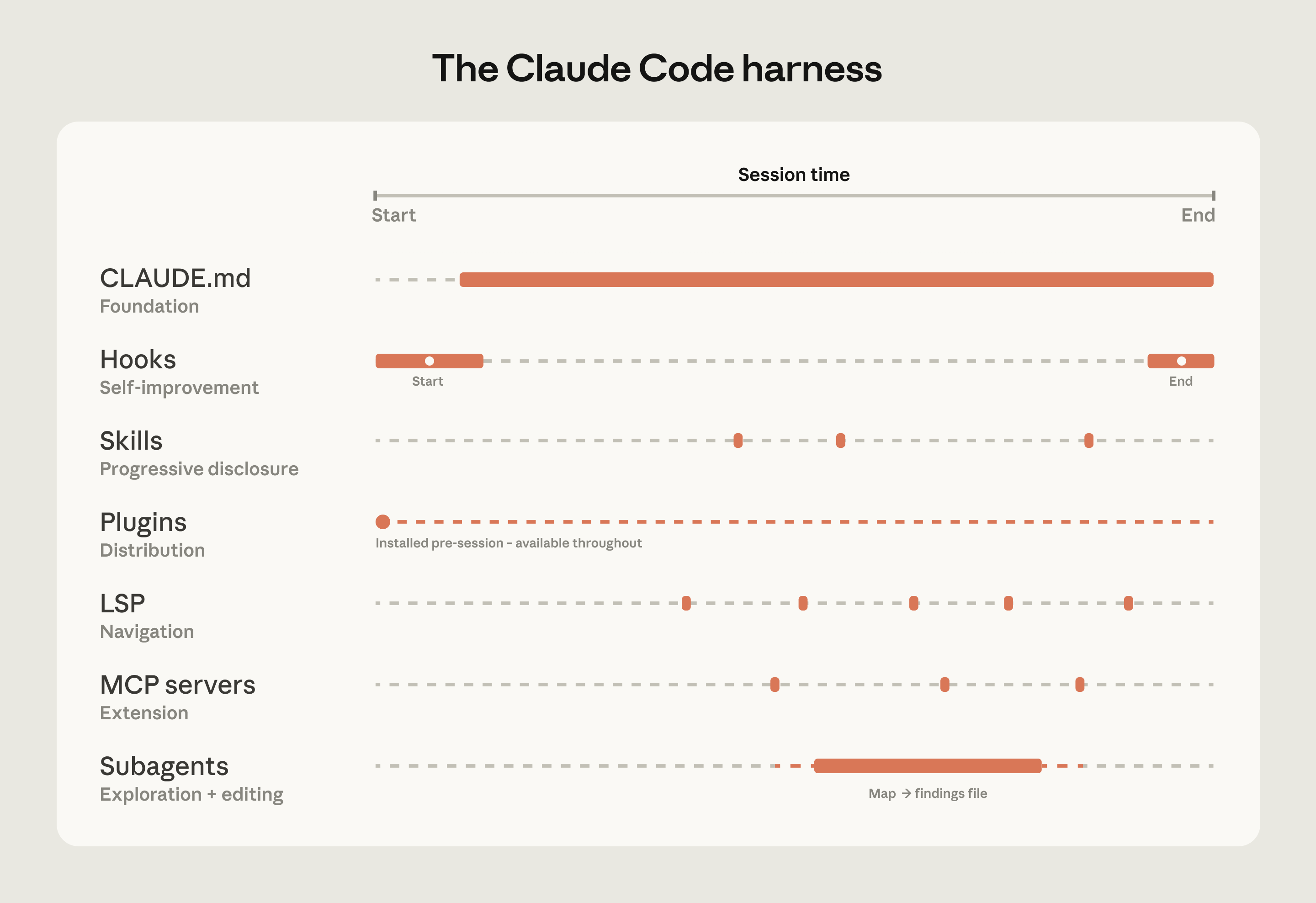
The table below summarizes what each component does, when it loads, and the most common mistakes we see with each:
| Component | What it is | When it loads | Best for | Common confusion |
|---|---|---|---|---|
| CLAUDE.md | Context file Claude reads automatically | Every session | Project-specific conventions, codebase knowledge | Using it for reusable expertise that belongs in a skill |
| Hooks | Scripts that run at key moments | Triggered by events | Automating consistent behavior, capturing session learnings | Using prompts for things that should run automatically |
| Skills | Packaged instructions for specific task types | On demand, when relevant | Reusable expertise across sessions and projects | Loading everything into CLAUDE.md instead |
| Plugins | Bundled skills, hooks, MCP configs | Always available once configured | Distributing a working setup across the org | Letting good setups stay tribal |
| Language server protocol (LSP)* | Real-time code intelligence via language specific servers | Always available once configured | Symbol-level navigation and automatic error detection in typed languages | Assuming that it's automatic |
| MCP servers | Connections to external tools and data | Always available once configured | Giving Claude access to internal tools it can't otherwise reach | Building MCP connections before the basics are working |
| Subagents* | Separate Claude instances for specific tasks | When invoked | Splitting exploration from editing, parallel work | Running exploration and editing in the same session |
| *LSP is accessed through the plugin layer. Subagents are a delegation capability rather than a configured extension point. |
Three configuration patterns from successful deployments
How you configure Claude Code for a large codebase depends heavily on how that codebase is structured. Still, three patterns appeared consistently across the deployments we observed.
Making the codebase navigable at scale
Claude's ability to help in a large codebase is bounded by its ability to find the right context. Too much context loaded into every session degrades performance, while too little context leaves Claude to navigate blind. The most effective deployments invest upfront in making the codebase legible to Claude. A few patterns appear consistently:
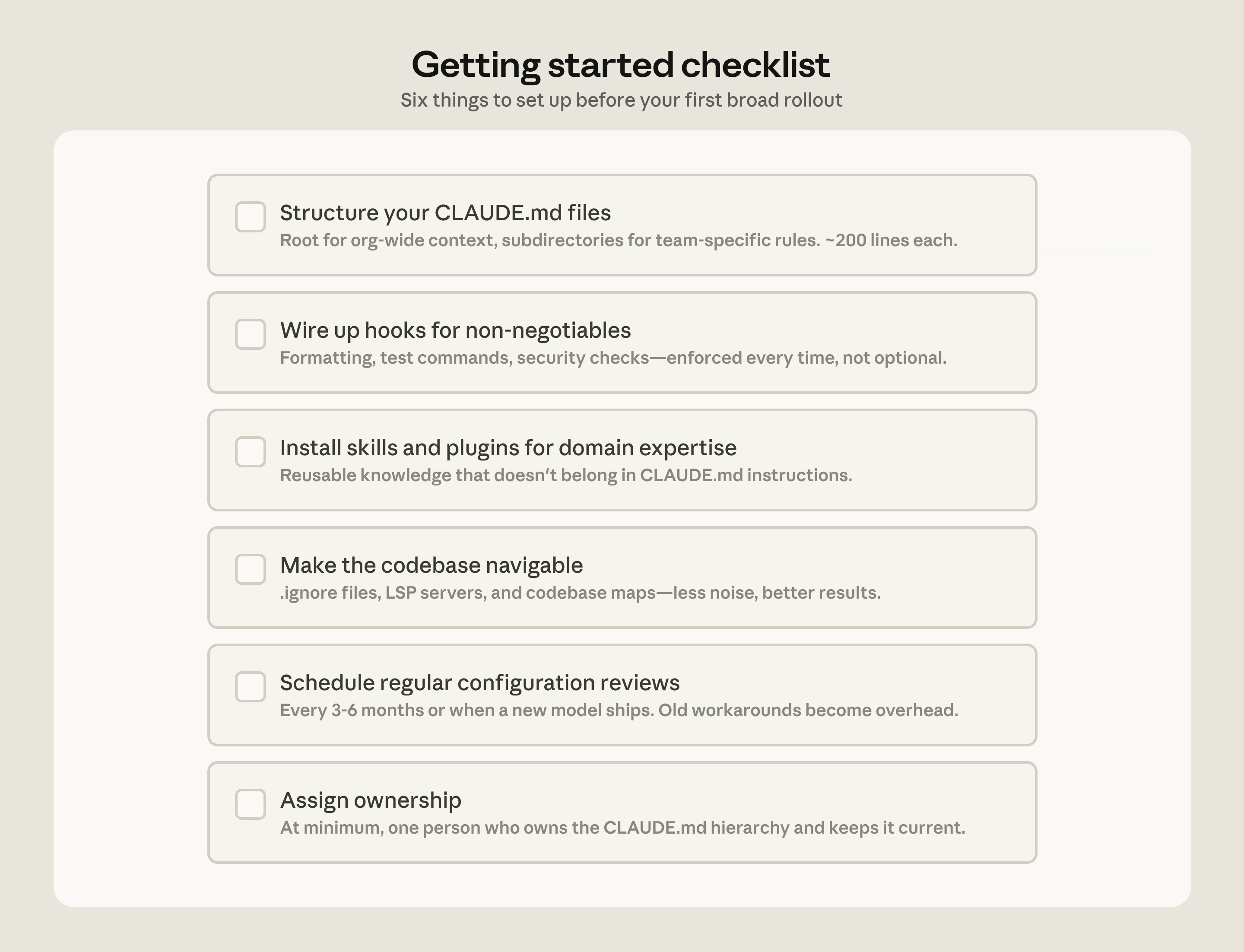
- Keeping CLAUDE.md files lean and layered. Claude loads them additively as it moves through the codebase: root file for the big picture, subdirectory files for local conventions. The root file should be pointers and critical gotchas only; everything else drifts into noise.
- Initializing in subdirectories, not at the repo root. Claude works best when it's scoped to the part of the codebase that's actually relevant to the task. In monorepos, this can feel counterintuitive because tooling often assumes root access, but Claude automatically walks up the directory tree and loads every CLAUDE.md file it finds along the way, so root-level context is never lost.
- Scoping test and lint commands per subdirectory. Running the full suite when Claude changed one service causes timeouts and wastes context on irrelevant output. CLAUDE.md files at the subdirectory level should specify the commands that apply to that part of the codebase. This works well for service-oriented codebases where each directory has its own test and build commands. In compiled-language monorepos with deep cross-directory dependencies, per-subdirectory scoping is harder to achieve and may require project-specific build configurations.
- Using
.ignorefiles to exclude generated files, build artifacts, and third-party code. Committingpermissions.denyrules in.claude/settings.jsonmeans the exclusions are version-controlled, so every developer on the team gets the same noise reduction without configuring it themselves. In some codebases, generated files are themselves the subject of development work. Developers who work on code generators can override project-level exclusions in their local settings without affecting the rest of the team. - Building codebase maps when the directory structure doesn't do the work. For organizations where code isn't consolidated in a conventional directory structure, a lightweight markdown file at the repo root listing each top-level folder with a one-line description of what lives there gives Claude a table of contents it can scan before opening files. For codebases with hundreds of top-level folders, this works best as a layered approach: the root file describes only the highest-level structure, and subdirectory CLAUDE.md files provide the next level of detail, loading on demand as Claude moves through the tree. For simpler cases, @-mentioning the specific files or directories Claude should reference can do the same job.
- Running LSP servers so Claude searches by symbol, not by string. Grep for a common function name in a large codebase returns thousands of matches and Claude burns context opening files to figure out which matters. LSP returns only the references that point to the same symbol, so the filtering happens before Claude reads anything. Setting this up requires installing a code intelligence plugin for your language and the corresponding language server binary; the Claude Code documentation covers the available plugins and troubleshooting.
One caveat: there are edge cases where even the hierarchical CLAUDE.md approach breaks down, for example codebases with hundreds of thousands of folders and millions of files, or legacy systems on non-git version control. We will address their challenges in future installments of this series.
Actively maintaining CLAUDE.md files as model intelligence evolves
As models evolve, instructions written for your current model can work against a future one. CLAUDE.md files that guided Claude through patterns it used to struggle with may either become unnecessary or actively constraining when the next model ships. For example, a CLAUDE.md rule that tells Claude to break every refactor into single-file changes may have helped an earlier model stay on track but would prevent a newer one from making coordinated cross-file edits it handles well.
Skills and hooks built to compensate for specific model limitations, whether in the model's reasoning or in Claude Code's own tooling, become overhead once those limitations no longer exist. A hook that intercepted file writes to enforce p4 edit in a Perforce codebase, for example, became redundant once Claude Code added native Perforce mode.
Teams should expect to do a meaningful configuration review every three to six months, but it's also worth doing one whenever performance feels like it's plateaued after major model releases.
Assigning ownership for Claude Code management and adoption
Technical configuration alone doesn't drive adoption. The organizations that got it right invested in the organizational layer, too.
The rollouts that spread fastest had a dedicated infrastructure investment before broad access. A small team, sometimes even just one person, wired up the tooling so Claude already fit developer workflows when they first touched it. At one company, a couple of engineers built a suite of plugins and MCPs that were available on day one. At another, an entire team focused on managing AI coding tools had the infrastructure in place before the rollout began. In both cases, developers' first experience was productive rather than frustrating, and adoption spread from there.
The teams doing this work today tend to sit under developer experience or developer productivity, which is typically the function responsible for onboarding new engineers and building developer tooling. An emerging role in several organizations is an agent manager: a hybrid PM/engineer function dedicated to managing the Claude Code ecosystem. For organizations without a dedicated team, the minimum viable version is a DRI: one person with ownership over the Claude Code configuration, the authority to make calls on settings, permissions policy, the plugin marketplace, and CLAUDE.md conventions, and the responsibility to keep them current.
Bottoms-up adoption generates enthusiasm but can fragment without someone to centralize what works. You need to have an individual or a team assemble and evangelize the right Claude Code conventions (such as a standardized CLAUDE.md hierarchy or a curated set of skills and plugins). Without that work, knowledge will stay tribal and adoption will plateau.
In large organizations, especially those in regulated industries, governance questions come up early, such as: who controls which skills and plugins are available, how do you prevent thousands of engineers from independently rebuilding the same thing, how do you make sure AI-generated code goes through the same review process as human-generated code? To address these early on, we suggest starting with a defined set of approved skills, required code review processes, and limited initial access, and expand as confidence builds.
We've observed the smoothest deployments at organizations that establish cross-functional working groups early by bringing together engineering, information security, and governance representatives to define requirements together and build a rollout roadmap.
Applying these patterns to your organization
Claude Code is designed around conventional software engineering environments where engineers are the primary codebase contributors, the repo uses Git, and code follows standard directory structures. Most large codebases fit this mold, but non-traditional setups such as game engines with large binary assets, environments with unconventional version control, or non-engineers contributing to the codebase require additional configuration work. Our guidance assumes a conventional setup and the patterns we've described have worked across many of our customers. Any remaining complexity requires judgment specific to your codebase, tooling, and organization. That's where Anthropic's Applied AI team works directly with engineering teams to translate these patterns into your organization's specific requirements.
Get started with Claude Code for Enterprise.
Acknowledgements: Special thanks to Alon Krifcher, Charmaine Lee, Chris Concannon, Harsh Patel, Henrique Savelli, Jason Schwartz, Jonah Dueck and Kirby Kohlmorgen from Anthropic's Applied AI team for sharing their experience deploying Claude Code at scale, and to Amit Navindgi at Zoox for providing feedback on this article.
Recent Developments in LLM Architectures: KV Sharing, mHC, and Compressed Attention
Transformers aren't being replaced but made 10x more complex, as DeepSeek V4 and peers add KV compression to slash long-context memory costs.
Summary
Deep Dive
- Gemma 4 E2B/E4B use cross-layer KV sharing where later layers reuse key-value states from earlier layers, saving roughly half the KV cache (2.7GB for E2B at 128K context)
- Per-layer embeddings (PLE) in Gemma 4 increase capacity through embedding parameters rather than scaling the transformer stack, making E2B "5.1B parameters" but "2.3B effective"
- Laguna XS.2 implements layer-wise attention budgeting with per-layer query-head counts: sliding-window layers get 8 query heads per KV head, full attention layers get 6
- ZAYA1-8B's Compressed Convolutional Attention (CCA) performs attention directly in compressed latent space (unlike MLA which decompresses before attention), reducing both KV cache and attention FLOPs
- CCA adds convolutional mixing on compressed Q and K tensors to give them local context before computing attention scores
- DeepSeek V4 introduces manifold-constrained hyper-connections (mHC), replacing single residual stream with parallel streams mixed via doubly stochastic matrices
- mHC adds only 6.7% training time overhead for 4 residual streams while enabling faster convergence (reaches baseline performance in half the tokens)
- DeepSeek V4's Compressed Sparse Attention (CSA) compresses every 4 tokens with sparse top-k selection; Heavily Compressed Attention (HCA) compresses every 128 tokens with dense attention
- CSA/HCA compress along sequence dimension (fewer KV entries) unlike MLA which compresses per-token representation
- At 1M tokens, DeepSeek V4-Pro uses 27% of V3.2's FLOPs and 10% of KV cache; V4-Flash uses 10% FLOPs and 7% cache
- Raschka estimates transformer block code complexity increased 10x from GPT-2 (~50-100 lines) to modern architectures with specialized attention variants
- Most 2026 open-weight models (Gemma 4, Qwen3.6, ZAYA1, Laguna, DeepSeek V4) focus on long-context efficiency over raw parameter scaling
- Article includes from-scratch implementations and architecture diagrams in Raschka's LLM Architecture Gallery
- Raschka's new book "Build A Reasoning Model (From Scratch)" (528 pages, going to print) covers inference-time scaling, self-refinement, reinforcement learning, and distillation
Decoder
- KV cache: Storage of previously computed key and value tensors in attention mechanisms, avoiding recomputation but growing linearly with context length and becoming the main memory bottleneck at long contexts
- Cross-layer attention: Architecture where later transformer layers reuse KV projections from earlier layers rather than computing their own, roughly halving KV cache size
- Per-layer embeddings (PLE): Technique giving each transformer layer its own token-specific embedding slice, adding capacity through cheap lookup parameters rather than expensive attention/FFN weights
- mHC (manifold-constrained hyper-connections): DeepSeek V4 design replacing single residual stream with parallel streams mixed via constrained linear transformations where matrices are doubly stochastic (non-negative, rows and columns sum to 1)
- CSA/HCA (Compressed Sparse/Heavily Compressed Attention): DeepSeek V4 attention variants that reduce cache by compressing along the sequence dimension (fewer KV entries) unlike MLA which compresses per-token representation
- CCA (Compressed Convolutional Attention): Performs attention computation directly in compressed latent space with convolutional mixing, reducing both KV cache and attention FLOPs during prefill and training
Original Article
Full article content is not available for inline reading.
Lighthouse Attention
Nous Research's Lighthouse Attention delivers 17x faster training at 512K context using symmetric pooling and vanilla FlashAttention, no sparse kernels.
Summary
Deep Dive
- Lighthouse Attention addresses the quadratic compute cost of long-context training through selection-based hierarchical attention that runs ~17× faster than standard attention at 512K context on a single B200 GPU
- Pools queries, keys, and values symmetrically across a multi-resolution pyramid (unlike prior asymmetric methods that keep queries at full resolution), enabling O(S² · d) complexity where S ≪ N
- Uses parameter-free L2 norm scoring to select entries across pyramid levels, avoiding learned scorer heads, auxiliary losses, or straight-through estimators that complicate training
- Gathers selected entries into a contiguous dense sub-sequence and runs vanilla FlashAttention — no custom sparse attention kernel required, inheriting all upstream FlashAttention optimizations
- Two-stage training recipe: majority of training with Lighthouse selection enabled, then brief standard-attention resume to convert back to a competent dense model
- Validated at 530M Llama-3 parameters with three split points (10k+6k, 11k+5k, 12k+4k steps); every recovered run matches or beats dense-from-scratch baseline at the same 50B-token budget
- Delivers 1.4× to 1.7× end-to-end pretraining speedup at 98K context while reducing computational costs by 75-106 B200-hours per run
- Pyramid hyperparameters (L ∈ {3,4,5}, p ∈ {2,4,8}) are forgiving — all combinations land within ~0.02 nats of each other
- Supports context parallelism for 1M-token training across 32 B200 GPUs through ring attention on the dense sub-sequence, avoiding sparse-aware collectives
- Central correctness claim: sparse training does not compromise the model's ability to use full attention at inference, validated through successful SDPA-resume with 1-1.5k step recovery
- Limitations include requirement for dense-SDPA resumption (autoregressive decoding violates symmetric pooling assumption) and uncharacterized behavior in regimes where K must scale with N
- Reference implementation available as patch on torchtitan plus two new source files, supporting norm/dilated/GLA scorers and context parallelism
Decoder
- B200: Nvidia's Blackwell architecture datacenter GPU released in 2024, successor to H100
- Ring attention: Distributed attention technique that rotates key-value pairs across GPUs in a ring topology, enabling training on sequences longer than single-GPU memory
- Context parallelism (CP): Parallelization strategy that partitions a long sequence across multiple GPUs, as opposed to data parallelism (different sequences) or tensor parallelism (model weights)
- torchtitan: Meta's PyTorch-native training framework for large-scale LLM pretraining
Original Article
Full article content is not available for inline reading.
Notes on pretraining parallelisms and failed training runs
An FP16 floating-point precision bug initially broke GPT-4 training by causing gradient accumulation errors above 1024, and expert routing causality issues rumored to have hurt Llama 4 quality.
Summary
Deep Dive
- Breaking causality via expert choice routing allocates tokens to experts based on future tokens in the batch, giving training information unavailable at inference (rumored to have hurt Llama 4)
- Token dropping in MoE models breaks causality when a later token's strong expert match causes an earlier token to be ignored (reported issue with Gemini 2 Pro)
- Original GPT-4 training hit a critical FP16 bug: mantissa granularity above 1024 rounds to whole numbers, so summing 1 ten thousand times could yield 1024 instead of 10000, causing 10x gradient calculation errors
- Bias in training compounds while variance averages out, making numerical precision critical
- FSDP (default strategy): each GPU stores 1/N of each layer's parameters, all-gathers full layer before processing, discards after. Communication overhead is 3x params vs 2x for vanilla data parallelism when using reduce-scatter
- FSDP hits crossover when compute time (decreases with more GPUs) falls below communication time (constant across domains), requiring pipeline parallelism
- Communication time stays constant across domains because ring all-reduce splits messages into more chunks as domains increase, offsetting additional hops
- Hierarchical collectives optimize cross-domain sync: reduce-scatter within NVLink domains, all-reduce across corresponding GPUs in different domains, all-gather within domains
- Pipeline parallelism creates bubble inefficiencies (idle GPUs at batch start/end) and architectural constraints (cross-layer attention becomes difficult)
- Batch size floor limits FSDP scaling: 10M token critical batch size with 10K sequence length = 1K sequences = 1K GPU maximum
- RL inference and user inference differ: numerical drift between training and inference engines causes subtle off-policy biases that matter for training quality but not user serving
- Debate: are there a finite set of failure modes (numerics, expert routing) or will new bespoke issues emerge at each scale? The source argues for the latter
- Kernel optimization for Blackwell took Nvidia's world-class engineers significant time despite being a verifiable domain, suggesting AI-automated kernel writing may be harder than some believe
Decoder
- FSDP (Fully Sharded Data Parallel): Distributed training strategy where each GPU stores only 1/N of model parameters per layer, temporarily gathering the full layer before processing then discarding it
- MFU (Model FLOPs Utilization): Ratio of actual compute throughput to theoretical hardware peak, measuring GPU efficiency
- All-reduce: Collective operation combining values from all GPUs and broadcasting the result back to all participants
- Reduce-scatter: Collective that combines values but only sends each GPU its designated shard, saving bandwidth versus all-reduce
- NVLink domain: Group of GPUs connected by Nvidia's high-bandwidth NVLink interconnect, typically 8 GPUs per server
- Mantissa: The precision bits in floating-point numbers; FP16's mantissa covers intervals logarithmically, so values above 1024 have multi-integer granularity
- Expert routing: In Mixture-of-Experts models, the mechanism deciding which specialized sub-networks (experts) process which input tokens
- Pipeline parallelism: Splitting model layers across GPUs and processing different microbatches in sequence, like an assembly line
- Bubble: Idle GPU time in pipeline parallelism when stages wait for data from earlier or later stages
- Comms crossover: The point where communication time exceeds compute time as you scale GPUs, forcing a different parallelism strategy
Original Article
Notes on pretraining parallelisms and failed training runs.
Wrote up some flashcards here to help myself retain all the stuff below.
On why pretraining runs fails
Had an interesting chat with someone on why pretraining runs often fail. It was very interesting to get a sense of all the tangible ways that things can get fucked, and why training is such a precarious operation. At a high level, breaking causality, and adding bias, seem to be key culprits.
Breaking causality:
-
When you do expert routing, you first go through the router, which gives you a score of how much each token wants each expert. There's two ways to proceed from here: 1. Token routing, where you read the scores from the token's perspective, and allocate to each token's top k experts. Problem is that you could end up with wildly unbalanced allocation across experts, which is terrible for performance. Alternatively, you could (and only in training) do expert choice, where you just split the tokens by which are more relatively preferred by each expert. This way you can enforce that each expert gets roughly the same number of tokens. But the big problem is that this breaks causality, because which expert token n gets allocated to may depend on which expert token n + k might be router to. And breaking causality is very bad, because you're getting information in training (and updating based on it) that you wouldn't see in deployment.
-
Rumor is that this explains why Llama 4 was underwhelming.
-
I guess you could do expert choice during prefill inference? But maybe it doesn't work well in practice to allocate tokens to experts which would not have received that token in actual training.
-
Tbh I don't fully understand why breaking causality is so bad. I understand you can't see beyond causality in real inference. But why is this minor deviation such a big issue?
-
-
Another thing that can break causality is token dropping. Where experts just ignore the tokens in the batch that they're supposed to process, but which rank not so strongly, and cutting whom would spare going outside padding. This breaks causality cause a later token being more strongly matched to this expert might lead to an earlier token getting ignored.
-
Apparently this was an issue with Gemini 2 Pro.
-
Adding bias:
-
Bias much worse than variance - variance can average out, but bias compounds
-
Apparently the original GPT 4 training was slow and got initially fucked because of the following bug: they were using FP16 on their collectives like all-reduce. FP16 distributes its granularity according to logarithmic density - between 1 and 2, the mantissa bits carve the interval ~0.001 apart. But 1024 and up, the mantissa might be carving the interval by multiple whole number values. Suppose some collective involves adding 1 + 1 … 10,000 times - you could get in a situation where as soon as you get to 1024, you add 1, it goes to 1025, you round down to the nearest interval at 1024, add one again. And so the calculated value is 10x off the real value. Huge issue if you're trying to sum many small gradients into a large accumulator. And imagine how hard the bug must have been to find!
Implications for AI training:
-
Some of the people who think we can cure aging argue that there's basically 5 different ways people die of old age (heart disease, cancer, etc), and that if we cure these 5 different diseases, then we'd basically have solved aging. You could ask a similar question about these failed pretraining runs - are there 5 different ways training runs fail, in which case once a lab figures out numerics and , you'll just have smooth sailing, or will you keep seeing new bespoke issues emerge at each new level of scale? The person I talked to seemed to think the later - he pointed out that even within numerics, there's so many ways you can fuck things up. And new ones will keep emerging at scale.
-
Bearish on AI fully automating kernel writing anytime soon. Presumably this is because he thinks it's more of an AGI complete problem than some give it credit for. There's another school of thought that says, "Hey, which kernel gets attention or MLP to run fastest on this scaleup is a super verifiable domain, thus we can RL to superhuman performance easily." But he says, it took Nvidia, which has the best kernel engineers in the world, a long time to optimize for Blackwell, which suggests that actually it's quite hard, and might not be super easy to close the loop on.
-
Sometimes people say inference for RL generation and inference for end user generation is basically the same. But this person pointed out that in RL inference, numerical drift between inference and training engine can cause these subtle off policy biases, which matter a ton for highest quality training. But are not an issue if just serving to users.
-
Emphasized how important it is to have a disciplined process for amalgamating compute multipliers, because of the risks of stacking up bugs with subtle biases.
Pretraining parallelisms
Notes from an excellent lecture that Horace He gave my friends and me.
What made this lecture so good is that Horace built up the whole topic as a chain of problems and solutions: here's what we want to do, here's why it breaks, here's how we fix it, here's why that fix eventually breaks too. Most explanations just list out a hodge podge of different strategies, without ever connecting them to the problems they solve or explaining why you'd pick one over another.
-
Equation for pretraining flops = 6ND. 2 FLOPs per parameter per token for the forward pass (multiply + add). Backward pass is 2× forward because you compute gradients w.r.t. both input matrices. So 2 + 4 = 6.
-
Okay we can't do all this on one GPU. So how do we split up this problem? The obvious solution is to do data parallel - where you copy the model weights across each GPU, and you just do a part of the batch on each GPU.
-
The obvious problem is that each GPU only has a limited amount of HBM - B300 is 288GB - and this is not enough to store the weights as models get bigger and bigger, much less their activations.
-
-
Okay so next thing we try is fully sharded data parallel - each GPU only stores 1/N of the parameters of each layer - before processing each layer, you all-gather the full layer's parameters from all GPUs (each GPU only stores 1/N of each layer). After processing, each GPU discards the gathered parameters.
-
It was emphasized that this is the go to default. And you only move on from this when having too many GPUs forces you to move on, for reasons explained later. The reason this is the default is that it's trivial to overlap compute and communication time - that's because the only thing being communicated is the weights, which are not dependent on what happened in the layer before, so you can start all gathering the next layer while you're still computing this layer. Compare this against tensor or expert parallelism, which do need to share activations for one layer before you can process the next one. The problem with pipeline parallelism is bubbles as explained below.
-
From a comms volume perspective, FSDP looks insanely expensive at first — you all-gather every layer's full weights across all GPUs, use them for one matmul, then throw them away. But this ignores what regular data parallelism already costs you - in regular DP, you still need to do an all reduce after every layer of the backwards pass in order to sync the batch's gradients across all the GPUs. That all-reduce has comms volume of params × 2. FSDP adds all-gathers — one per layer in the forward pass, one per layer in the backward pass. But an all-gather is half the comms volume of an all-reduce. So naive FSDP comms volume ends up being # params * 4 (all gather forward and back, plus all reduce on back). You can do even better: since each gradient shard only needs to end up on the one GPU that owns it, replace the all-reduce with a reduce-scatter (which skips the final broadcast step). That gets you to params × 3 total — a 50% overhead over vanilla DP.
-
-
So why can't you always just do FSDP?
-
Comms crossover: You want your compute time to be greater than your comms time - you don't want to be bottlenecked on comms. But since compute time for FSDP decreases as you increase the number of GPUs, and comms time does not, as you scale the number of GPUs on FSDP, your MFU can totally crater. When this happens, you need to add pipeline parallelism too.
-
Compute time = (6 * # tokens * active params) / (compute per GPU * number of GPUs)
-
This decreases as you increase number of GPUs
-
-
Comms time = (# total params * 3) / (nv link domain size * infiniband BW)
-
Comms time does not increase as you add more domains. This was really confusing to me. Each domain collectively holds all the parameters, and you need to sync gradients across domains after each layer of the backward pass. You'd think that adding more domains means more hops in the ring, so the all-reduce gets slower. But the standard ring algorithm splits the message into one chunk per participant. More domains means more hops, but proportionally smaller chunks per hop. (This breaks down when chunks get so small that per-hop latency dominates, at which point you switch to tree algorithms.)
-
Technically, you can do better than a naive single all reduce for the gradients between all the domains. You do a hierarchical collective to optimize comms time across multiple NVLink domains. Key thing to remember is that each GPU in the domain gets its own bandwidth access to infiniband. So you wanna use it all up since interconnect bandwidth is the bottleneck. You do this by trying to do as much as possible within a scaleup before you move out. So you do reduce scatter within a scale up to give each GPU the domain-level reduced gradients for a shard of the layer, then all reduce these shards across corresponding GPUs across domains, then all gather within a domain. This shifts the comms time line down, thus moving the crossover point to the right.
-
Made an animation to illustrate it using Cursor and Composer 2:
-
-
-
-
If you look at the equations, you can see that if you increase batch size, crossover point moves to right, and if you make the model more sparse, moves to the left.
-
Also why TPUs are better at FSDP - because more accelerators within a domain.
-
-
Batch size floor: FSDP is data-parallel, so each GPU processes at least one sequence. Attention is computed within a sequence and can't (easily) be split across GPUs. If your critical batch size is 10M tokens and sequence length is 10K, you only have 1K sequences — so you can't scale beyond 1K GPUs with pure FSDP, even if you have plenty of comms bandwidth left.
-
Problems with pipeline parallelism (the next addition you'd make to FSDP in order to deal with these issues):
-
The problem with pipeline parallelism is different - there you have bubbles that emerge from the fact that at the beginning of the batch, the GPUs dedicated to the final layers are not being used, and conversely at the end of the batch, the GPUs dedicated to the first layers are not being used. The reason you can't overlap batches in training to solve pipeline bubbles is that you need to consolidate gradients and update the model before you process the next batch.
-
But also you're adding architecture constraints - things like Kimi's attention-to-residuals (where each block attends to all previous layers' residuals) become very difficult when those residuals live on different pipeline stages. Similarly, interleaving sliding-window and global attention layers could cause load imbalance across stages. Dealing with all this slows down research iteration, which is the greatest sin you can commit.
-
Headroom (GitHub Repo)
Headroom compresses AI agent context by 60-95% with zero code changes, reversible local storage, and 60B+ tokens saved across the community.
Summary
Deep Dive
- Compression pipeline: CacheAligner stabilizes prefixes for provider KV cache hits, ContentRouter selects algorithm by content type, SmartCrusher handles JSON/nested objects, CodeCompressor handles AST (Python/JS/Go/Rust/Java/C++), Kompress-base (HuggingFace model) handles text
- CCR reversible compression: originals stored locally, LLM calls headroom_retrieve when needed, solves "compression loses critical detail" problem
- Cross-agent memory: shared context store across Claude, Codex, Gemini with auto-dedup and provenance tracking
- Integration modes: library (compress(messages)), SDK wrapper (withHeadroom(new Anthropic())), drop-in proxy (zero code changes), MCP server, agent wrapper (headroom wrap claude|codex|cursor|aider)
- Benchmarks: 92% reduction on code search and SRE debugging, 73% on GitHub triage, 47% on codebase exploration; accuracy preserved on GSM8K (0.870→0.870), TruthfulQA (0.530→0.560), SQuAD v2 (97% with 19% compression)
- headroom learn: mines failed sessions, auto-writes corrections to CLAUDE.md/AGENTS.md/GEMINI.md
- Compatible with Claude Code, Codex, Cursor, Aider, Copilot CLI, LangChain, Agno, Strands, Vercel AI SDK, any OpenAI-compatible client
- Requirements: Python 3.10+, runs locally (data stays on your machine)
- Community: 60B+ tokens saved (live leaderboard), Apache 2.0 license
Decoder
- CCR: Headroom's reversible compression mode where originals are stored locally and retrieved on-demand via the headroom_retrieve tool when the LLM needs them.
- MCP (Model Context Protocol): Standardized protocol for AI tools to expose context and capabilities to LLM clients like Claude or Copilot.
Original Article
Full article content is not available for inline reading.
Apple Silicon costs more than OpenRouter
Running LLMs locally on a $4,299 M5 Max MacBook Pro costs about 3x more per million tokens than OpenRouter cloud APIs and runs 2-7x slower.
Summary
Deep Dive
- Total M5 Max cost: $4,299 for 64GB model capable of running Gemma 4 31b (near Anthropic Sonnet performance)
- Electricity: 50-100W under load at $0.20/kWh = $0.02/hour (hardware depreciation dominates)
- Hardware amortization: $0.16/hour (3yr), $0.10/hour (5yr), $0.05/hour (10yr lifespan)
- Local performance: 10-40 tokens/sec for models like Gemma 4 31b on M5 Max
- Cost per million tokens (local): $1.61-$4.79 pessimistic case (100W, 10 tok/s, 3yr) to $0.40-$1.20 optimistic (50W, 40 tok/s, 10yr)
- OpenRouter Gemma 4 31b: $0.38-0.50/million tokens at 60-70 tokens/sec
- Realistic comparison: local is ~3x more expensive than OpenRouter at 2-7x slower speed
- Only breaks even in best-case scenario: 50W, 40 tok/s, 10-year lifespan
- For salaried employees: token costs are ~1000x smaller than salary, making speed the primary consideration
- Conclusion: cloud APIs make more economic sense despite Apple Silicon's impressive capability to run near-Sonnet-level models locally
Decoder
- OpenRouter: API aggregator providing access to various LLM providers (including open models like Gemma) with unified billing, typically at competitive rates by routing to the cheapest available provider
- Tokens per second: LLM inference throughput measure indicating how many word-pieces the model generates per second during text generation
Original Article
Offline Agentic Coding part 3: Apple Silicon costs more than OpenRouter.
Apple silicon costs more than OpenRouter.
At ~50-100 watts under load, and ~$0.20 per kWh, my M5 MacbookPro will cost a few cents per hour. Accelerated depreciation (if any) from shortening the lifespan of the device will be more expensive than the electricity. At a few tens of tokens per second this works out to ammortized costs of ~$1.50 per million tokens. Openrouter for comparable models is 1/3rd the price and ~2x the speed.
Electricity
In Northern Virginia my last electricity bill worked out to $0.18 per kilowatt hour. Let's round up to $0.20 per kWh.
EIA has average residential costs for 2025 at $0.1730 per kWh in the US.
https://www.eia.gov/electricity/monthly/epm_table_grapher.php?t=table_5_03
At ~50-100 watts and $0.18/kWh that's $0.009 or $0.018 per hour. $0.02 per hour. $0.48 cents per day for the electricity to be running inference at 100%.
Hardware
A 14 inch MBP with M5 Max and 64 gigs of ram is currently listed as $4299 on the apple website. 128 gigs will cost you more but 64 gigs should run a model like Gemma 4 31b, which is almost anthropic sonnet levels of performance.
For cost allocation, let's consider that this hardware will last 3, 5, or 10 years. The cost per year is $1433, $860, or $430 respectively.
The hourly cost over 3, 5, and 10 years is thus:
- $0.16358
- $0.09815
- $0.04908
Depending on useful lifespan, I think 5 years is a reasonable estimate for normal use. 7 or 10 is very plausible. At maxed out inference 3 years may be a reasonable estimate as well.
Tokenomics
The big question is how many tokens per hour can you get out of a local model. My M5 Max testing seems to be in the 10-40 tokens per second range for a serious model like Gemma4:31b. At 10 tokens per second that's 36000 tokens per hour.
36000 tokens per hour across our 3-10 year lifespan at $0.18 per kwh gives a price per million tokens of $1.61 to $4.79 on the high end.
At 40 tokens per second that's 144000 tokens per hour which gets you to $0.40 to $1.20 per million tokens.
For apple silicon, the hardware cost dominates.
OpenRouter
OpenRouter has Gemma4 31b at ~38-50 cents per million tokens. This means that on the optimistic side (50 watts, 40 tokens per second, and 10 years) the pro max is as cheap as openrouter. On the pessimistic side (100 watts and 3 years at 10 tokens per second) the pro max is 10x the cost. I think ~3x the cost per million tokens is likely the right number for local inference on the pro max from an accounting perspective.
Conclusion
Speed of inference is the biggest factor here though for most cases. Local inference is slower than cloud inference. Some of the gemma 4 providers on openrouter get up to 60-70 tokens per second, which is 3-7 times faster than what I'm seeing with the pro max (~10-20 tokens per second). For a human employee with a work laptop, their salary costs are going to be ~1000x the cost of the tokens they can generate locally. Throwing money at anthropic makes more sense in this context.
It's still wild that a consumer device can run models that are close to anthropic sonnet levels of performance.
DeepSeek-V4-Flash means LLM steering is interesting again
DeepSeek-V4-Flash is the first local model competitive with frontier models to make steering—direct manipulation of neural activations mid-inference—worth trying.
Summary
Deep Dive
- DeepSeek-V4-Flash is the first local model competitive with frontier models for agentic coding, making it strong enough to justify steering experiments
- antirez released DwarfStar 4 eight days prior—a stripped llama.cpp with steering built-in as a first-class feature, starting with basic examples but evolving quickly
- Steering works by running prompts twice (once normal, once with a concept like "be terse"), subtracting activation matrices to create a steering vector, then adding it during inference to amplify the concept
- More sophisticated method uses sparse autoencoders—training a second model to extract interpretable features from activations, capturing deeper patterns at higher compute cost (Anthropic's approach)
- Steering has been trapped in the middle: too hacky for big labs (who just train better models), impossible for API users (no weight access), and open models weren't good enough until now
- Author skeptical that complex concepts like "intelligence" can be extracted—would require steering vectors nearly coextensive with the entire model, effectively just training a smarter model
- Similar skepticism about data compression use cases like extracting "codebase knowledge" into a vector to save context—likely requires a full fine-tune anyway
- Most basic steering is outcompeted by careful prompting, since prompts also directly manipulate activations
- HN commenters noted steering successfully removes trained-in refusal behavior in ways prompting cannot—uncensored models already use this "abliteration" technique
- Steering is less damaging to model capabilities than modifying weights directly, since it's applied only at runtime when needed (antirez)
- Author predicts if steering has practical applications, the open-source community will discover them within six months as they experiment with DeepSeek-V4-Flash
Decoder
- Steering vector: Mathematical difference between model activations with and without a concept (like "be verbose"), created by running prompts twice and subtracting activation matrices. Applied during inference to amplify the concept.
- Sparse autoencoder (SAE): ML technique used here to train a second model that extracts interpretable features (co-occurring activation patterns) from an LLM, enabling more sophisticated steering than manual vector extraction.
Original Article
Ever since Golden Gate Claude I've been fascinated with "steering": the idea that you can guide LLM outputs by directly manipulating the activations of the model mid-flight.
DeepSeek V4 Flash
I was inspired to write this post by antirez's recent project DwarfStar 4, which is a version of llama.cpp that's been stripped down to run only DeepSeek-V4-Flash. What's so special about this model? It might be what many engineers have been waiting for: a local model good enough to compete with at least the low end of frontier model agentic coding.
Since steering requires a local model, it's now practical for many engineers to try it out for the first time. And indeed, antirez has baked steering into DwarfStar 4 as a first-class citizen. Right now it's very rudimentary (basically just the toy "verbosity" example you can replicate via prompting), but the initial release was only eight days ago. I plan to follow this project closely.
How steering works
The basic idea behind steering is extracting a concept (like "respond tersely") from the model's internal brain state, then reaching in during inference and boosting the numerical activations that form that concept.
One way you might do this is to feed your model the same set of a hundred prompts twice, once with the normal prompts and once with the words "respond tersely" appended. Then measure the difference in the model's activations1 for each prompt pair (by subtracting one activation matrix from the other). That's your "steering vector". In theory, you can go and add that to the same activation layer for any prompt and get the same effect (of the model responding tersely).
Another, more sophisticated way you might do this is to train a second model to extract "features" from your model's activations: patterns of behavior that seem to show up together. Then you can try to map those features back to individual concepts, and boost them in the same way. This is more or less what Anthropic is doing with sparse autoencoders2. It's the same principle as the naive approach, but it lets you capture deeper patterns (at the cost of being much more expensive in time, compute and expertise).
Why steering is interesting
Steering sounds like a cheat code. Instead of painstakingly assembling a training set that tries to push the model towards the "smart" end of the distribution in its training data, why not simply go uncover the "smart" dial in the model's brain and turn it all the way to the right?
It also seems like a more elegant way to adjust the way models talk. Instead of fiddling with the prompt (adding or removing qualifiers like "you MUST"), couldn't we just have a control panel of sliders like "succinctness/verbosity" or "conscientiousness/speed" and move them around directly?
Finally, it's just cool. Watching Golden Gate Claude unwillingly drag every sentence back to the Golden Gate Bridge is as fascinating and unsettling as Oliver Sacks' neurological anecdotes. What if your own mind was tweaked in a similar way? Would it still be you?
Why steering hasn't been used
Why don't we steer more, then? Why don't ChatGPT and Claude Code already have a steering panel where you can adjust the model's brain in real time? One reason is that steering is kind of an unfortunately "middle class" idea in AI research.
It's beneath the big AI labs, who can manipulate their models directly without having to do awkward brain surgery mid-inference. Anthropic is working on this stuff, but largely from an interpretability and safety perspective (as far as I know). When they want a model to behave in a certain way, they don't mess around with steering, they just train the model.
Steering is also out of reach for regular AI users like you and me3, who use LLMs via an API and thus don't have access to the model weights or activations needed to steer the model. Only OpenAI can identify or expose steering vectors for GPT-5.5, for instance. We could do this for open-weights models, but until very recently (more on that later) there haven't been any open models strong enough to be worth doing this for.
On top of that, most basic applications of steering are outcompeted by just prompting the model. It sounds pretty impressive to be able to manipulate the model's brain directly. But you know what else manipulates the model's brain directly? Prompt tokens. You can exercise fairly fine-grained control over activations with steering, but you can already exercise extremely fine-grained control by tweaking the language of your prompt. In other words, there's not much point going to the trouble to steer a model to be more verbose when you could simply ask.
Steering the unpromptable
One way for steering to be really useful is if we could identify a concept that can't be prompted for. What about "intelligence"? You used to be able to prompt for intelligence - this is why 4o-era prompting always began with "you are an expert" - but current-generation models have that baked into their personalities, so prompting for it does nothing. Maybe steering for it would still work?
Ultimately this is an empirical question, but I'm skeptical that we'll be able to find an "intelligence" steering vector. Put another way, the steering vector that makes up a concept as difficult as "intelligence" might be almost coextensive with the entire set of weights of the model, and thus identifying it reduces to the problem of "training a smart model".
A sufficiently sophisticated steering approach ends up just replacing the actual model. If I take GPT-2, and at each layer I swap out the activations with the activations from a much stronger model with the same architecture, I will get a much better result. But at that point you're not making GPT-2 more intelligent, you're just talking to the stronger model instead. The intelligence is in the steering, not in the model. For much more on this, see my post AI interpretability has the same problems as philosophy of mind.
Steering as data compression
Another way for steering to be useful is if we could somehow steer for a concept that requires a ton of tokens to express. Steering would thus save us a big chunk of the model's context window. Intuitively, we might think of this as a way to shift a concept from the model's working memory into its implicit memory.
For instance, what if we could identify a "knowledge of my particular codebase" concept? When GPT-5.5 speed-reads my codebase, some of that knowledge it gains has to be buried in the activations, right? Maybe we could drag that out into a very large steering vector.
I would be surprised if this could work. I think we'll run into the same problem as with extracting "intelligence": the "knows my codebase" concept is probably sophisticated enough to require a full fine-tune of the model4. But it at least seems possible.
Conclusion
I'm fascinated with steering, but I'm not particularly optimistic about it. I think most of the gains can be more efficiently reproduced with prompts, and that the truly ambitious steering goals can be more efficiently reproduced by training or fine-tuning the model.
However, the open-source community hasn't done a lot of work on steering yet, and that might be just starting to change now. If I'm wrong and it does have practical applications, we should find that out in the next six months.
It'll be interesting to see if bespoke per-model tools like DwarfStar 4 end up including a "library" of boostable features. When a popular open-weights model is released, the community always rushes to release a suite of wrappers and quantized versions. Could we also see a rush to extract boostable features from the model?
edit: this post got some comments on Hacker News. Several commenters (including antirez himself) pointed out that steering can change some "trained in" behavior in ways that prompting can't: most notably to remove refusal from the model. Another commenter says that this is how uncensoring/abliteration is already done for open models. I didn't know that - I thought the uncensored models were typically LoRA fine-tunes. On this point, antirez noted that modifying the weights can damage model capabilities more than the more lightweight runtime-steering approach (which can only be applied when needed). Makes sense to me.
-
Models have lots of different activations you might measure (after attention, between each layer, etc). You can basically pick any one you want, or try multiple and see what works best.
-
I recently read a really good deep dive into doing this with an open LLaMA model (and I tried it myself a few months ago, with mixed results.)
-
Apologies to my readers from the big AI labs. Please email me if you have tried steering internally to boost capabilities and it hasn't worked. I promise I won't tell anyone.
-
And even then, the results of "fine tune a model on your codebase" in the industry have largely been unsuccessful.
Zero (GitHub Repo)
Vercel Labs released Zero, an experimental systems programming language designed for AI agents as primary users rather than humans.
Summary
Deep Dive
- Released by Vercel Labs as an experimental systems programming language (pre-1.0, intentionally unstable)
- Designed with AI agents as primary users from day one, not an afterthought
- Key features: small regular syntax agents can learn from examples, comprehensive standard library, structured compiler diagnostics
- Compiler outputs structured facts (diagnostics, graph data, size reports, explanations, fix plans) for agents to inspect and act on
- Philosophy: regularity over syntax sugar — one obvious way to express things, more explicit than human-optimized languages
- Standard library aims to cover common capabilities to minimize dependency searches
- Tooling emphasizes fast, deterministic, scriptable operations (check, run, format, inspect, repair)
- Not production-ready: security vulnerabilities expected, should only be used in isolated disposable environments
- Installation via curl script, examples available in GitHub repo
- Core commands:
zero check,zero run,zero build,zero graph,zero skills - Project will make breaking changes while exploring optimal patterns for agent-first development
Decoder
- Agent-first programming language: A language designed primarily for AI agents to read, write, and debug, optimizing for machine learnability (simple syntax, structured output, comprehensive docs) over human convenience features like syntax sugar.
Original Article
Zero
Zero is an experiment in building an agent-first programming language.
The project is exploring what changes when agents are primary users from day one: a language that can be learned on the fly, tooling that exposes structured facts for debugging and repair, and a standard library broad enough that most programs do not start with a dependency search.
Zero is pre-1 and intentionally unstable. The project will make breaking changes while it searches for the language, library, and tooling patterns that work best for agents. Treat today's syntax and APIs as something to explore, not something to memorize. If that sounds useful, try it with us: run examples, inspect the structured output, and send feedback about what helps agents work better.
Security vulnerabilities should be expected. Zero is not ready for production systems, sensitive data, or trusted infrastructure. If you plan to run or develop Zero, do so in an isolated, disposable environment.
What Zero Is Aiming For
- Agent-first learnability: a small, regular language surface that agents can pick up quickly from examples, docs, and compiler feedback.
- Standard-library depth: common capabilities should live in documented, coherent library APIs instead of scattered dependency stacks.
- Deterministic tooling: diagnostics, graph facts, size reports, explanations, and fix plans should be structured enough for agents to inspect and act on.
- Direct developer experience: checking, running, formatting, inspecting, and repairing code should be fast, copyable, and scriptable.
- Regularity over syntax: prefer one obvious way to express most things, even when that makes code more explicit than a human might choose in another language.
Quick Start
Install the latest release:
curl -fsSL https://zerolang.ai/install.sh | bash
export PATH="$HOME/.zero/bin:$PATH"
zero --version
Check a program:
zero check examples/hello.0
Run a small executable:
zero run examples/add.0
Expected output:
math works
Common Commands
zero check examples/hello.0
zero run examples/add.0
zero build --emit exe --target linux-musl-x64 examples/add.0 --out .zero/out/add
zero graph --json examples/systems-package
zero size --json examples/point.0
zero skills get zero --full
zero doctor --json
Validation
pnpm run docs:test
pnpm run conformance
pnpm run native:test
pnpm run command-contracts
Benchmarks run locally by default:
pnpm run benchHow I use LLMs as a staff engineer in 2026
Sean Goedecke went from occasional AI use to starting every code change with agents and having them diagnose 80% of bugs in just 15 months.
Summary
Deep Dive
- In February 2025, the author used LLMs mainly for autocomplete (Copilot), small tactical changes, throwaway research code, learning questions, last-resort bugfixes, and proofreading
- By May 2026, agents improved from "sort of worked" to reliably producing entire PRs in familiar areas with just one editing pass
- Workflow shifted from multiple VSCode windows (late 2025) to Copilot CLI in terminal tabs (early 2026) to GitHub Copilot app sessions (tens per day, current)
- Agents now correctly diagnose 80% of bugs autonomously, compared to occasional "just in case" bug throws in 2025
- For difficult bugs, the author still provides crucial context, builds mental models, sets up reproductions, and narrows the search space across 5-6+ agent attempts before success
- Author now starts every code change by asking an agent to solve it, though often rejects 5-6 attempts before accepting one or doing it manually
- Evaluating agent changes takes ~30 seconds for initial assessment; most are rejected as "not what I was thinking"
- Agents now handle manual testing and local setup/troubleshooting (replacing Googling), and write expansive unit tests without being asked
- Still doesn't use AI for PR descriptions (except trivial one-sentence cases), Slack messages, ADRs, blog posts, or UI testing
- Core engineering skill has shifted to finding the balance of what to delegate to agents versus what requires human authorship and judgment
- Main risks: under-utilizing agents (not delegating bugs/testing) or over-utilizing them (trusting unreviewed code, AI-written communications)
Decoder
- ADR: Architecture Decision Record, a document capturing the reasoning behind a significant technical decision
- Compaction: In LLM agents, the process of summarizing earlier conversation context to fit within token limits, which could confuse early agents in 2025
- LLM-isms: Characteristic patterns of AI-generated code like over-commenting, overly verbose explanations, or formulaic structure
Original Article
A bit over a year ago I wrote How I use LLMs as a staff engineer. Here's a brief summary of what I used AI for last year:
- Smart autocomplete with Copilot
- Short tactical changes in areas I don't know well (always reviewed by a SME)
- Writing lots of use-once-and-throwaway research code
- Asking lots of questions to learn about new topics (e.g. the Unity game engine)
- Last-resort bugfixes, just in case it can figure it out immediately
- Big-picture proofreading for long-form English communication
Here are some tasks I explicitly didn't use AI for last year:
- Writing whole PRs for me in areas I'm familiar with
- Writing ADRs or other technical communications
- Research in large codebases and finding out how things are done
February 2025 was a long time ago. Back then the best model was the first reasoning model, OpenAI's o1. Agents sort of worked, but would often get stuck or thrown off by compaction. What's changed since then?
Agents are good now
The biggest change is that I now use LLMs to produce entire PRs in areas I'm familiar with. A year ago I would very occasionally ask an agent to make changes to a single file if it was a simple change I couldn't be bothered typing out. Sometimes I would copy a function I wrote into a LLM chat window for feedback. But now I start every single change by asking an agent to solve the problem, and usually push the PR after a single editing pass.
In late 2025 I used a lot of open VSCode windows. In early 2026, that changed to terminal tabs with the Copilot CLI, particularly when I needed to make changes across multiple repos at the same time. Now I use the GitHub Copilot app a lot (tens of sessions per day).
This reflects a shift from having to line-edit the agent basically as it went to only doing an editing pass right at the end. Early agents would go wrong a lot and not be able to recover, so it was valuable to keep an eye on their thought processes and step in to pause them and set them right. In my experience, current agents move too fast to do this, and recover their own mistakes most of the time anyway.
Sometimes I don't even need to make edits and I can just push the change as-is, though this is rare: if nothing else, I typically go through and remove some of the over-commenting and other LLM-isms.
I do a lot of skimming through and evaluating agent changes. Most of the time I reject them entirely, just based on "eh, that's not what I was thinking". On average it takes me about thirty seconds to make this initial assessment. If the change looks alright after that, I'll dig in and do a proper review to make sure I understand it and it's doing the right thing. For difficult tasks, I'll often reject five or six (or more!) agent attempts before accepting one as good enough to work with, or giving up and making the change by hand.
Investigating bugs
I rely on LLMs even more for bug-hunting than I do for making changes. In 2025, I used to throw the occasional bug at a LLM, just in case it was able to rapidly come up with an explanation. Now I throw every bug at a LLM (typically by opening a new agent session and pasting in the bug report), because it's able to correctly diagnose 80% of issues on its own. Current agents are really good at chasing down bugs, particularly when you give them a vantage point across multiple repositories.
I'm still better at it. Just last week I had a tricky bug that took about fourteen agent sessions before one finally figured it out. What was I doing in between and around those sessions?
- Digging up extra context on the bug (from logs, Slack, etc) and reporting it to the agents
- Building my own mental model of the problem, of course
- Setting up my own reproduction of the bug (in parallel with the agents' efforts)
- Responding to agent sessions with "no, your theory can't be right because of X" (or just killing and restarting the session with that extra hint)
Ultimately an agent was the one to catch the bug. But I still count it as my find, because by that point I had narrowed the search space tightly enough that agent session #14 had a significantly easier problem to solve than agent session #1. In other words, human expertise still matters a lot for investigating bugs.
Writing
I almost always write my own PR descriptions, since LLMs over-communicate and are bad at expressing the "core idea" behind a change. Writing the PR description by hand also signals to reviewers that I've reviewed the change myself, and I'm not asking them to be the first human to read the diff. The only time when I don't write the PR description is when the change is trivial and the agent-generated description is one sentence. At that point I just leave it alone.
I still don't use LLMs to write Slack messages, ADRs, issues and so forth. I believe I have a better sense of what's important to communicate, and I want to signal that there's a human being thinking about the content.
I still never use LLMs to write blog posts, though I do run each draft post through a LLM for feedback. OpenAI models used to be terrible at this and have only very recently gotten acceptable with GPT-5.5. Both OpenAI and Anthropic models still try to water down my arguments, but I've accepted that as part of the LLM "house style" and just ignore that part of the feedback.
Testing and setup
Another thing I do now is try and push as much testing and setup work as possible onto the agents. In 2025, I used to sometimes ask a LLM to produce a test script of curl commands that I could run against my dev server. In 2026, I just ask an agent to go and test my change, then read the log of what it did.
I don't test UI work like this, partly because it's more fiddly and partly because I don't trust agents to be sensitive to the subtle look-and-feel aspects of a change.
Agents will write expansive unit tests without having to be told, but I do sometimes ask them to put together broader integration tests for a change. In general I now consider test code to be cheap: if I'm wondering whether a test would be useful, I just add it (so long as I know it won't be flaky). Of course LLMs sometimes produce strange and unsatisfying test code - I do read it to catch obvious blunders - but I review it with a more generous eye than my actual production code.
I'll also task an agent with annoying local setup tasks that involve config wrangling on my machine. For instance, if my nvm installation is not switching my Node version correctly, I will often open a Copilot CLI agent and ask it to figure it out. This is a more-or-less direct replacement for Googling the problem, and is much quicker since the agent can run the trivial bash commands to diagnose and fix the problem itself.
Summary
The main thing that's changed in the last fifteen months is that agents are really good now. They've gone from something I used occasionally and suspiciously to something I use constantly and with light supervision.
The core of my job is still the same: shipping projects, exercising my judgement, influencing tech company politics. But I now have a much wider net for small pieces of work that I'm willing to take on, which includes basically anything I can hand off to an agent and expect it to get more or less right.
I used to spend a lot of time putting work off, either by delegating it or just saying "sorry, I don't have time to do that now". Now I get to say "yes" a lot more (at least when it comes to minor low-risk tweaks)1.
Overall, here's what I now use AI for:
- Writing (or drafting, depending on complexity) every code change I make
- Investigating and fixing bugs, either autonomously for most bugs or with my close involvement for trickier ones
- Research in large codebases, since current agents are now good enough to give the right answer almost all the time (and when they're wrong, it's clear from reading the explanation that they've missed something)
- Manual testing and local-machine setup or troubleshooting
- I still use AI for asking lots of questions to learn about topics, and for proofreading
Here's what I still don't use AI for:
- Writing any kind of public communication for me (PR descriptions, ADRs, messages) with the exception of trivial two-line PRs
- Writing code that I don't carefully review
- Testing any kind of UI
In my view, the current core AI skill is shifting as much work onto AI agents as possible, without going too far. Many people are under-utilizing agents: not allowing them to investigate bugs or test their changes, or not throwing enough simple tasks at them. Other people are over-utilizing them: using them to write messages that ought to be hand-written, or trusting them to make sweeping changes that need careful human review. Since my last post, the balance has tilted more towards the agents, but finding the balance remains as tricky as ever.
-
For once I can actually give an example, since it's in a public repository. Someone internal wanted to be able to use the actions/ai-inference GitHub Action with Copilot-backed inference (for various reasons), and instead of saying "sorry, I don't have time to get to it", I was able to throw it at an agent. If a human had to do this, the output would likely have been better, but it wouldn't have gotten done for weeks (if at all).
↩
The Sigmoids Won't Save You
Forecasters wrongly predicted plateaus in birthrates, solar power, and AI capabilities by assuming exponentials flatten just when they start analyzing.
Summary
Deep Dive
- UN birthrate projections repeatedly predicted stabilization in declining countries; every prediction failed as rates kept falling
- World Energy Organization solar deployment forecasts assumed annual leveling-off; actual deployment grew exponentially year over year
- Wharton team modeled METR AI capabilities in early 2026, predicted sigmoid curve; next released model exceeded their projected upper bound
- Lindy's Law: in conditions of ignorance, median prediction for trend continuation equals time already elapsed
- Applied to AI: improvement since GPT-1 (2017) or scaling era (2019) suggests trend continues another 7 years on average
- Assuming Pareto distribution, only 22% chance AI progress flattens within next 2 years
- Burden on plateau-predictors: either model AI dynamics explicitly (data centers, algorithms, AI Futures Timeline Model) or explain why Lindy doesn't apply
Decoder
- Sigmoid curve: S-shaped growth pattern that starts slow, accelerates exponentially, then flattens as it approaches a limit
- Lindy's Law: Forecasting heuristic where expected remaining lifespan of a trend equals its current age—a 7-year trend should last another 7 years
- METR: Model Evaluation & Threat Research, organization that benchmarks AI capabilities for tracking progress and evaluating risks
Original Article
The Sigmoids Won't Save You
"All exponentials eventually become sigmoids" is an annoying AI talking point. If someone presents a graph like this…
….and points out that it seems like AI capabilities could soon reach the level marked "High", then the height of intelligent debate is to point out that actually, the trend could go like this:
…and then it would never reach the level marked "High"!
In slogan form, this is "all exponentials eventually become sigmoids" (a sigmoid is the s-shape of the second graph, which starts exponential but gradually flattens out). It's technically true. No process can keep growing forever; eventually it hits physical or practical limits. For example, total cases during an epidemic is classically sigmoid:
They start slow - patient zero infects patient one, and so on. They grow exponentially until most people are infected. Then, as almost everyone is infected and they can only mop up the last few holdouts, they slow down again. Finally, after everyone has been infected, the growth rate is zero.
Technological progress in a given field can also be sigmoid. Here's airspeed record over time:
My understanding is that this represents 3-4 "generations" of different technology (propellers, turbojets, etc). Each technology went through normal iterative improvement, then, when it reached its fundamental limits, got replaced by a better technology. The last technology, ramjets, reached its limit at about 3500 km/h, and there wasn't the economic/regulatory will to develop anything better, so the record stands.
You can imagine something similar happening with AI at some point. Does that mean people are right, and there's no need to worry that the graph will ever reach the line marked "high"?
Before we come up with a general answer, let's look at the Sigmoid Misidentification Hall Of Fame.
Third place goes to UN birthrate projections in countries with declining birthrates. These countries' birthrates keep going down at a constant rate, and the UN keeps predicting they will flatten out and go down at some lesser rate. On this graph, red is the real data, and each blue line is a different UN attempt from a different year to "extrapolate" the "trend".
It's true that birth rates must eventually flatten out and become sigmoid (this may have happened last year in South Korea, although Colombia and Chile are still declining), but this doesn't necessarily happen at the exact moment that forecasters in the UN start feeling like the decline has gone too far.
Second place goes to predictions of solar power deployment, as chronicled by A.E. Hoekstra.
The various WEO lines are World Energy Organization predictions for how quickly solar power will get deployed. Every year, the WEO thinks "Wow, lots of solar power got added last year, probably this year it will level out and people might even back off a little". Every year, the amount of solar power deployed grows at the same rate.
First place goes to this paper on the METR graph of AI capabilities. In early 2026, when the underlying data looked like this:
…a team from Wharton tried to model different curves and predicted that the likely future trajectory was this:
@Tenobrus ably chronicles what happened next (the green curve is their original; the star marks the next AI model to be released after their analysis):
The moral of the story is that, even though all exponentials eventually become sigmoids, this doesn't necessarily happen at the exact moment you're doing your analysis. Sometimes they stay exponential for much longer than that!
How much longer?
The best way to predict this is to fully understand the process generating the trend. For example, you can forecast an epidemic by knowing how quickly it replicates, how likely it is to be cured, and how large the susceptible population is. Even in harder cases like airspeed records, a smart engineer could determine that ramjets max out around 3500 km/h, and a smart economist could predict that no country was incentivized to spend enough money to bring the next paradigm to fruition.
What if you don't fully understand the process? AI forecasters know some things (like how data centers work and how much it costs to build them). But they're unsure about other things (researchers keep inventing new paradigms of data generation that get over data walls, but for how long?), and other things are entirely opaque (What is intelligence really? Why do scaling laws work? Might they just stop working at some point?) Is there anything you can do here?
In conditions of true ignorance, the default assumption should be Lindy's Law: on average, a process will continue about as long as it's continued already.
To build intuition: suppose you walk past a geyser, and see a sign saying "This geyser last erupted 100,000 years ago". You know nothing else about geysers. What's the chance it will erupt in the next hour? It must be very low, right? If it erupted in the next hour, you would have walked past it 99.99999% of the way through its eruption cycle - in other words, your random sample had a higher value than 99.99999% of points. That's not how random samples usually work! On the other hand, suppose you walk past another geyser, and see a sign saying "This geyser last erupted 10 minutes ago". What is the chance that this geyser will erupt in the next hour? Pretty high, right? It seems like this geyser's eruptions occur on a scale of every few minutes. When you calculate it out, your median prediction for the length of time until the next eruption should just be the number on the sign. In the same way, your median prediction for how long it should take before an entirely-mysterious trend changes shape should be the amount of time since the last change.
Applying this to AI: the forecasters who try to get deep understanding of the dynamics of AI progress think that we can keep scaling up AI at the current rate for another few years (by building more data centers, etc), and might or might not be able to scale it up faster after that by leveraging recursive self-improvement. But suppose you don't trust those people. What should your default be?
AI has been improving dramatically since at least GPT-1 in 2017, although most people sort of arbitrarily date "the scaling era" as 2019 to present. So naively, ignoring everything we know and considering the whole field to be a total mystery, we might expect the trend to continue for, on average, another seven years. Assuming a Pareto distribution (what does this even mean in the case of AI? I don't know) the chance that it continues for less than another two years is 22%.
It's cheap and easy to make fun of people who extrapolate trends too far:
But if someone claims that the trend toward increasing AI capabilities will never reach some particular scary level, then the burden is on them to explain either:
-
If they're not treating AI as a black box, and claim to be modeling the dynamics explicitly, then what is their model? Have they calculated the obvious things, like projected data center growth and speed of algorithmic progress? Are they familiar with the modeling work that's already been done in this field, like the AI Futures Timeline Model? Do they have specific opinions on how the others went wrong, and where their model differs?
-
If they are treating AI as a black box, why isn't their default expectation based on Lindy's Law?
Native all the way, until you need text
After 20 years building native macOS apps, a developer found Electron delivered better Markdown chat performance than SwiftUI, AppKit, and TextKit 2 combined.
Summary
Original Article
I have been a native macOS / iOS developer for almost twenty years, and I want to say something about the usual "Oh, it is Node / Electron again… what a shame…" reaction.
Recently, I tried to implement a simple chat with Markdown support in a pure Swift / SwiftUI app. And honestly, it is almost funny how immature all these "native" things still are when you step outside simple screens. Yes, you can achieve reasonable performance in SwiftUI. You can even convince yourself that jumpy scrolling is fine, and that a few lags here & there are acceptable. But then you want to select a whole Markdown document built from SwiftUI primitives, and you just cannot. By design.
So, being smart & experienced, you move to NSTextView. It even supports TextKit 2 now. Great. Except now you lose most of the testing & performance work you had around SwiftUI, because it does not play well with it. Then you try to stream text into it, because it is 2026 & everyone streams responses from models now, and you start seeing CPU spikes. Fine. We still have AppKit. We still have NSCollectionView. Mature, performant, battle-tested. So you switch again, implement the whole thing, and on the second day you realise the cells will blink no matter what. By design.
Then you even consider going lower-level with pure TextKit 2. You make a prototype. Performance is okay. Streaming is still terrible. It does not play well with anything modern. You remove SwiftUI completely, stick with AppKit, and start fighting expanding text chunks manually. At this point almost everything is broken, but hey, you can select the text!
Then you realise it will take months just to reach feature parity with basic native macOS behaviour: context menus, dictionary lookup, selection, accessibility, text interactions, all the small things users expect without thinking about them.
So you try WebKit to render Markdown. And it works. There are caveats, of course, but mostly it just works. Performance is good. Typography is almost perfect. You have a proper level of control.
And then, at the darkest possible moment, you think: okay, let's generate a simple Electron project. You go to the dark side.
And you are amazed.
Text operations, Markdown rendering, good typography – all of it works out of the box, with performance you could not get even from your pure TextKit 2 implementation. macOS integrations are there too. You can even render fancy Git diffs with a few lines of code. I am not even talking about things like diffs.com.
And then you ask yourself: what went wrong?
I did everything people say you should do. Native all the way. I know the platform. I know the options. I know SwiftUI, AppKit, TextKit, WebKit.
But I still cannot make a simple thing work properly: a chat with Markdown & the ability to select a whole message.
And suddenly it becomes much clearer why most new chat-heavy apps that depend on one of the most important interface patterns of this era – chat, long-form rich text, flexible typography – are web-based in one way or another.
There is no real alternative.
SwiftUI is fine for simple screens, preferably without too much scrolling. Swift is still great for performance-critical parts. But you can get most of that performance from Electron or React Native almost for free with the native interoperability, while keeping a much better text & rendering model.
So this is not even a "quick solution vs proper solution" debate anymore. If you want to build rich text rendering for long-form chats, SwiftUI & Apple's native SDKs are not helping you. They stop being an advantage & start becoming constraints.
Git Is Not Fine
Git's immutable history model breaks down with stacked PRs and async workflows, driving Meta to use superior in-house version control instead.
Summary
Deep Dive
- Git excels as a distributed source store but its workflow tools were an afterthought, creating pain for async development across time and collaborators
- Stacked PRs (pipelining multiple sequential PRs for review simultaneously) are table stakes for high-throughput async work but git makes them fragile
- Git commits don't track successors, revision history after amendments, rebase history, or whether they're garbage—relationships exist only in human-drawn diagrams, not the data model
- Rebasing stacked PRs is error-prone because git can't reliably find successor commits or maintain branch relationships; tools like Graphite must maintain separate metadata stores
- Git's mutability model splits the world: immutable commits on one side, staging/unstaged/working-copy on the other, forcing users to learn everything twice
- The staging area is essentially a rebase operation but can't be represented as commits because commit IDs are content hashes—mutability breaks the model
- Git can't represent common workflows like working on feature A while including uncommitted changes from bugfix B without making A dependent on B
- Meta has used superior in-house version control systems for nearly a decade, suggesting git is behind the state of the art
- The author's thesis: git's backward-facing, immutable history model creates recurring problems for meaningfully distributed workflows
- The call to action is trying jj (Jujutsu), which the author claims solves these problems with a better model for mutable, async workflows
Decoder
- Stacked PRs: A workflow where you submit multiple dependent pull requests simultaneously (PR2 built on PR1, PR3 on PR2) to maintain throughput during async review, rather than waiting for each PR to be approved before starting the next
- jj (Jujutsu): A next-generation version control system designed to improve on git's model by making commits mutable and trackable, better supporting stacked changes and async workflows
Original Article
Git Is Not Fine
This is a piece about git. But I wrote it because of jj.
The thing about jj is that I'm in love with it. I love it, and I'm convinced that you'll love it too. I think that if jj doesn't have any dealbreakers for you, you should give it a serious shot.
But you probably won't if you think git is fine. And that's unfortunate, because git is not fine.
See, Git does two jobs: it's a distributed store for source, and it's a distributed workflow tool. It knocked the first job out of the park so far that most of us fail to see that its solutions for the second job were mostly an afterthought. And if you actually work in a meaningfully distributed way (and whether you know it or not, you do — across time, with yourself or others) then whether you know it or not you are feeling the pain. Because, like East River Source Control says, async development is table stakes.
Some Throatclearing About Git
If you're not familiar with git (and you are), git is a distributed version control system, the first DVCS to hit critical mass and practically the only VCS anyone uses anymore. Almost every engineer who knows what a rebase is learned it using git commands, in terms of git constructs. It's still a little miracle of a tool, too, economical and fast. As a result, most all of us have seen or written little diagrams that look like this (which represents a local feature branch in a steady state):
Diagrams like this are the heart of thinking in git: commits and branches. The commits are the source code and its history, and they are immutable. The branches are mutable pointers with a log attached.
Behind these perfect diagrams hide devils, imperfections in git's model of how we work with code. Let us uncover them.
There is No C
Say you're collaborating with someone in a faraway time zone. You don't want to merge anything without getting their review first. How do maintain throughput in the presence of that time zone latency?
The same way CPUs do it: by pipelining your work. Instead of writing a single PR, submitting it, and waiting for it to finish before starting the next one, you write the first PR, submit it, write the second PR on top of it, submit that one, and so on and so forth, submitting many sequential PRs for review simultaneously. Like this:
The term of art for this is "stacked PRs". And unfortunately, git makes stacked PRs very hard to work with.
To see why, let's look at how a fastforward plus rebase flow is represented in git. Here's our repo after a fresh fetch:
Here's the same repo after fast-forwarding trunk and rebasing our bugfix branch onto it:
The rebase takes the diff of C2 to C1 and applies it to the new commit we received from origin, C3, creating C2'.
Those relationships are pretty clear in the diagram. That's why people do the diagrams that way! Pro Git includes diagrams with exactly that shape.
But these commit names are unlike anything you'd find in a real repo. This is closer to reality:
And after you completed the rebase, you'd get something like this:
Take a moment to read these diagrams and the previous ones with fresh eyes, taking in what they point to in the underlying system.
You might see then that we've lost some important information in the new diagrams. The two "Fix key entry race" commits had an ordered relationship indicated with an apostrophe. But that's not there in the new diagrams. Git has no knowledge of that relationship, and can't tell you about it.
The commit names in the old diagram also imply that all the commits named C belong to an ordered series in a branch. You can still visually see that in the new diagram, too, but the arrows tell a different story: actually finding "Release 4.51.4"'s successors in code or with git commands is not trivial in a real repo. You'd have to scan all the branches for commits visible on a path to "Release 4.51.4".
So when we read classic git diagrams, or even these more detailed git diagrams, the diagrams themselves and sometimes even our own eyeballs are misleading us about the capabilities of our tool. There is no "C2" that you can look for and see various permutations of. There's not even a "C" linking these commits together. These notions do not exist.
As a result, git commits cannot tell you and have no idea about:
- Successor commits
- Revision history (if you amend a commit, you can't get to the old one from the new one)
- Rebase history
- Whether they are garbage or not
Branches can't do it either. They do have a notion of history, but:
- Branches aren't 1:1 with code changes. They are in some cases, but this is a convention you can't rely on
- Branches do not have relationships with one another. For example, it's impossible to reliably find
wp/bugfixfromtrunkin the above example — it's not even reachable fromtrunk, since there are no forward references.
Got it? Great. Because this is, of course, a discussion of stacked PRs. (Remember?)
Let's go back to that example. Say we write a successor PR to our bugfix:
And then we fetch and update trunk:
How do we succinctly and reliably rebase that while preserving our stack, like this:
The answer is "not easily". This structure is fragile in git. It's easy to accidentally do this instead:
Or this:
And that's for a few reasons:
- Since we don't know anything about successor commits, we can't easily see
Refactor key entry codefromFix key entry race. - Since commits might be garbage anyway, even if we could see successor commits, they might be out of date
- Branches aren't helping — they "are" the PRs themselves in a sense, but in this workflow they are easily to accidentally step on
Stacking tools like graphite are able to do this job with git, yes, but not gracefully. They can't augment branches or commits themselves to fix these shortcomings — they have to build a separate branch metadata store and keep it in sync with git. That store can get out of sync when you interact with git itself.
No Mutability
All of these issues flow downstream from git's hands-off modeling of mutability. It turns out that mutation is important! (That's generally what I've been paid to do, at least.) So let's take a look at how git handles it in editing workflows.
Here's what our bugfix branch would have looked like before we even started working on it:
If we add our checkout to the diagram, things get more complicated. Here's my representation of the mental model git presents you:
- Staging (or the "index") is a snapshot of source, usually taken from the working copy. New commits are created from staging. Staging is usually treated like a diff
- Unstaged is a second diff that represents the difference between your index and what's in the file system
- The file system contains your checkout, modulo whatever changes are in staging and unstaged
- Finally, HEAD is where new commits go
There's also the stash system, which I won't cover. It acts as an a separate store for saving and restoring staging and unstaged changes.
All of this exists as a sort of waiting room for your repo: your checkout lives in the filesystem, and any edits you make live in Unstaged until you move them into Staged. From there they can be checked in as a commit, or you can discard them and restore the file system to have the same content as your HEAD branch
If you check out a different commit or branch (moving HEAD to point at a different location), git will try to update your file system to match, taking care to preserve the diffs in Staging or Unstaged:
And if that succeeds, it will leave you with this updated relationship:
A couple things to note about this:
First, none of your changes ever move to the left side without an explicit command. Probably all of this could be considered "in the repo": it all lives in your file system, after all. Creating a commit doesn't back it up or send it across the network for safekeeping. But nothing moves into the well ordered realm of commits and branches without being told to.
And second, this looks like a rebase of Staging onto Release 4.51.3. The commands issued were different from a "left side" rebase and the entities we rebased don't interoperate with commits, but in terms of how the arrows moved around — it's a rebase.
Could we actually think of it that way? What if we modeled everything with commits?
Setting aside how many Swedish fish this idea stuffs into the timing belts of our brains, as well as the many "now draw the rest of the owl" issues with how a system based on the diagram above could possibly work, there's nothing representationally crazy about it in a steady state. Staging and working copy have clear ancestors that we can point to; they contain source code, just like a regular commit does (albeit living in the file system instead of a little database).
And yet the Swedish fish are there, fish named "mutability". Commit ids are hashes of their contents. So if they're mutable, those ids are constantly changing. So how do we have a consistent idea of what staging and the working copy "are"? They have to be branches instead, which have their own issues (which we already covered).
This complexity causes real problems:
- Learning and using git as a whole is harder because everything exists twice
- Exporting is weird because the full state of your repo is much different from what you clone
- Async flows where changesets change over time just don't work, because the "left side" of the system can't represent change except through branches. And branches don't represent changesets
- Your actual workflow sometimes can't be represented at all, because the mutability half of the system can't represent merges
And that last one, about not being able to represent your actual workflow? Let's drill down into that before we finally come up for air and end this thing.
Git Can't Represent Real Workflows
Let's say that you have started building a new feature. You've created a new branch, but you haven't committed your work yet. So your repo state is this:
While finishing up this feature on device, you encounter a bug. It doesn't block the changes, but it's making development annoying. So you stash your work, switch to a new branch, create a repro test, and fix it:
You go ahead submit a PR with the fix to your team's repo.
Having done that, you switch back to your feature branch:
So what do you do now? It's an annoying bug, so you want it in your file system while you're building. But it's not actually blocking: if review is held up for the bugfix, the new feature can be merged without issue.
With git, your options are:
- Rebase
new-featureontobugfix, even though they aren't dependent on one another, and push through the review - Rebase
new-featureontobugfixwhile developing, and then undo the rebase before you submit the branches
What you can't do is say, "My editing workspace should have all the code from the bugfix, plus any code I've already committed for the new feature." Like this:
You might say "That's pointless!" But this does happen, and harder problems than this have the same shape. (E.g. testing for compatibility with unmerged PRs) You might say, "That's nuts!" But it's definitely not: with the right tooling, it's not hard to do your development in a way that lets all your PRs stay parallel in flight, while still being available together in your editing space. And it's nice!
Git Is No Longer Good Enough
Things today aren't as dire as they were in the early 2000s. The failings of pre-git VCS tools were pretty obvious. VCS tools were very hit or miss, and often a pain to use and to administer. Everyone agreed that Subversion was a pain; those who could afford to used other tools instead, and even then they had their complaints.
Today, nobody's complaining about administering their git repo. But back then, nobody was clamoring to have a copy of the whole repo locally. Most people thought branch management could be easier, but certainly weren't asking to create branches on their local machine. Lots of folks were annoyed by file locking, but plenty of people viewed it as necessary and could not imagine using a VCS that didn't support it.
This wasn't everyone. For some folks, particularly in open source, seeing a DVCS for the first time was like seeing the bandage for a wound that had been bleeding for a long, long time.
I think that's where we are today. For people whose workflows are meaningfully distributed, git's backward-facing, immutable history model is a recurring source of problems. As a result, git has been behind the state of the art for an embarrassingly long time now. Companies like Meta have enjoyed in-house systems that run circles around it for almost a decade.
And while I hear many people say, "Oh, I don't touch git anymore. Claude does that for me," I'm skeptical that this makes these solutions irrelevant. If anything, it seems like engineers are doing more asynchronous development, even on a single machine, with LLMs than they were before.
If you're someone who already feels the pain I've described here, well — I hope you enjoyed the post and find it useful. Like and subscribe, etc. But if you're not, if you think that your tools are fine, all of this is just to say that I think you might be standing out in the rain. And that it's nice inside. Come in!
I strongly believe there are entire companies right now under heavy AI psychosis
Mitchell Hashimoto warns of 'AI psychosis' at companies where teams justify shipping bugs because agents will fix them instantly.
Summary
Deep Dive
- Mitchell Hashimoto warns companies are in 'AI psychosis' where rational conversations about AI development practices are impossible, including personal friends he respects
- Teams justify shipping bugs with 'agents will fix them so quickly and at a scale humans can't do'
- This mirrors the MTBF vs MTTR reckoning during cloud infrastructure transitions, but now affects the entire software development industry
- When concerns are raised, teams dismiss them with incomplete metrics: 'full test coverage', 'bug reports are going down'
- Infrastructure taught that you can 'automate yourself into a very resilient catastrophe machine'
- Systems appear healthy by local metrics while globally becoming incomprehensible
- Bug reports decline while latent risk explodes; test coverage rises while semantic understanding falls
- Changes happen so fast that underlying architecture decay goes unnoticed
- Hashimoto learned from infrastructure that MTTR is valuable but you cannot abandon resilient system design entirely
- The issue affects people he knows personally, making it difficult to address without immediate dismissals
Decoder
- MTBF (Mean-Time-Between-Failure): Infrastructure reliability metric measuring average time a system runs before breaking, prioritizing failure prevention through robust design.
- MTTR (Mean-Time-To-Recovery): Infrastructure reliability metric measuring how quickly service is restored after failure, prioritizing rapid automated fixes over preventing failures.
- Resilient catastrophe machine: System that appears healthy by local monitoring but has become globally incomprehensible through excessive automation, accumulating hidden risks that local metrics cannot detect.
Original Article
I strongly believe there are entire companies right now under heavy AI psychosis and its impossible to have rational conversations about it with them. I can't name any specific people because they include personal friends I deeply respect, but I worry about how this plays out.
I lived through the great MTBF vs MTTR (mean-time-between-failure vs. mean-time-to-recovery) reckoning of infrastructure during the transition to cloud and cloud automation. All those arguments are rearing their ugly heads again but now its... the whole software development industry (maybe the whole world, really).
It's frightening, because the psychosis folks operate under an almost absolute "MTTR is all you need" mentality: "its fine to ship bugs because the agents will fix them so quickly and at a scale humans can't do!" We learned in infrastructure that MTTR is great but you can't yeet resilient systems entirely.
The main issue is I don't even know how to bring this up to people I know personally, because bringing this topic up leads to immediately dismissals like "no no, it has full test coverage" or "bug reports are going down" or something, which just don't paint the whole picture.
We already learned this lesson once in infrastructure: you can automate yourself into a very resilient catastrophe machine. Systems can appear healthy by local metrics while globally becoming incomprehensible. Bug reports can go down while latent risk explodes. Test coverage can rise while semantic understanding falls. Changes happens so fast that nobody notices the underlying architecture decaying.
I worry.
Agent Hooks: Deterministic Control for Agent Workflows
Nader Dabit's agent hooks pattern enforces rules like test gates and protected paths deterministically across Claude Code, Devin, Cursor, and Codex workflows.
Summary
Deep Dive
- Six lifecycle points provide deterministic control: SessionStart (load context), UserPromptSubmit (route/enrich prompt), PreToolUse (block actions before execution), PostToolUse (validate after success), Stop (prevent premature completion), SessionEnd (final logging)
- PreToolUse hooks prevent unwanted edits and commands before they execute by inspecting file paths, shell commands, or tool arguments and returning exit code 2 to block
- PostToolUse hooks run validation like tests, formatters, or scanners after successful tool calls and write state files (e.g., .hook-state/last_quality_gate.json) for later hooks to read
- Stop hooks read persisted state to block agent completion when conditions aren't met (e.g., tests failed, security scan found issues)
- Demo enforces: no edits to generated/, fixtures/sensitive/, .env, or .git; no rm -rf /, cat .env, or production deploys; tests run after .py/.json edits; completion blocked when tests fail
- Handlers are shell commands (usually Python scripts) that receive JSON payloads on stdin, can add context, block actions (exit 2), or write state, making them portable across runtimes
- Good first implementation: PreToolUse hook protecting generated/, .env, and sensitive paths; second implementation: PostToolUse running tests and writing state + Stop reading that state
- Hooks are underutilized because teams default to prompt instructions (easier to see), hooks require setup (choosing events, writing scripts, testing payloads), and their value is avoided mistakes rather than visible output
- Rule of thumb: if a requirement uses 'always', 'never', 'block', 'record', 'run', or 'verify', it belongs in a hook rather than only in prompts
- Works across Claude Code, Devin for Terminal, Codex, and Cursor; each runtime has different event/matcher names but the same conceptual model (event → matcher → handler → outcome)
Decoder
- Agent hooks: Code attached to AI agent lifecycle points (SessionStart, PreToolUse, PostToolUse, Stop, SessionEnd) that runs deterministically to enforce rules, validate actions, or load context, rather than depending on prompt instructions and model memory.
Original Article
Agent Hooks: Deterministic Control for Agent Workflows
Hooks make the agent workflow programmable. If you've ever reminded an agent twice to avoid a file, run a test, or follow a release rule, you have already found a use case for hooks.
Hooks enable this by attaching user-defined handlers to specific lifecycle points in an agent session. A handler receives event data, can be narrowed by an optional matcher or filter, and can return context, make a decision, or perform a side effect.
The main value proposition is deterministic control: rules already captured in scripts, tests, policy checks, and runbooks can run at known lifecycle points in the agent workflow instead of depending on the model to remember and voluntarily follow them.
Use prompts for guidance. Use hooks for behavior that should run every time.
For example, a project instruction can say "do not edit generated files," but a PreToolUse hook can inspect the attempted edit and block it before it happens; a project instruction can say "run tests before finishing," but a PostToolUse hook can run the test suite after edits and a Stop hook can prevent completion when the last test run failed.
This post uses six lifecycle points that cover the main flow developers usually need first, using the canonical hook names as shorthand:
-
SessionStart: load session context, such as project conventions, active constraints, environment facts, or a relevant runbook when the session starts.
-
UserPromptSubmit: inspect the user prompt before the model sees it, then add context, route the request, or block a known-bad prompt.
-
PreToolUse: inspect a tool call before it runs and block, approve, or modify behavior based on project policy.
-
PostToolUse: run validation after a successful tool call, such as tests, formatting, scanning, logging, or state capture.
-
Stop: check whether the agent should be allowed to finish the turn.
-
SessionEnd: write final logs, flush metrics, export a summary, or clean up temporary state when the session ends.
Other hooks exist and are worth learning later, but these are a good starting set because they cover the main flow: start the session, receive the prompt, attempt an action, validate the action, finish the turn, and close the session.
The operating model
The simplest mental model is:
event → optional matcher/filter → handler → outcome
An event is a lifecycle moment, like PreToolUse or Stop.
An optional matcher or filter narrows when the hook should run, such as only for shell commands or only for file edits. When no matcher is needed, the handler runs for that lifecycle event.
A handler is the action the hook takes: depending on the runtime, that might be a shell command, HTTP request, MCP tool call, LLM prompt, or subagent. This demo uses command handlers because shelling out to Python scripts is the most portable option across tools.
The outcome is the returned context, decision, log entry, or state update.
A hook doesn't make the entire agent run deterministic. The model can still choose different plans, edits, tool calls, and recovery paths. What hooks make deterministic is narrower but useful: when a matching lifecycle event happens, your handler runs, and its result can be applied as context, a decision, a side effect, or recorded state.
Even that depends on the handler. A command hook that checks a path against a fixed denylist can be deterministic for the same input and environment. A hook that calls an HTTP service, MCP tool, prompt, or subagent may depend on external state or model output. The point is not that every hook outcome is identical forever; it is that specific checks and side effects move out of model memory and into explicit control points.
That separation is useful because open-ended reasoning and deterministic checks belong in different places. Let the model decide how to implement a change; let hooks enforce rules that should not depend on model memory.
Why are hooks underutilized?
Hooks are underutilized because teams usually just start by adding more prompt instructions, and prompt instructions are easier to see than lifecycle automation. Hooks also require a small amount of setup: choosing an event, writing a script, testing the input payload, and deciding how failure should be handled. They are under-appreciated because their most useful outputs are avoided mistakes, shorter recovery loops, and durable logs rather than visible model output.
That setup pays for itself when the rule is specific and repeatable. Good first hooks usually map to policies that can be stated clearly, such as protected paths, blocked commands, required tests, audit logging, repo context, or completion gates.
A useful rule of thumb is simple: when a requirement says "always," "never," "block," "record," "run," or "verify," it probably belongs in a hook rather than only in a prompt.
A practical demo
The rest of this post walks through concrete hook examples: what each lifecycle point is useful for, what the hook receives, and how it can return context, block an action, or record state.
This post includes a companion demo in agent-hooks-demo/: a small checkout calculator that totals line items, applies discount codes, and adds or waives shipping based on the order amount. Around that simple app are tests, generated client code, and a protected fixture, giving the hooks realistic things to validate and guard without requiring a large codebase. It is deliberately small, but it exercises the full hook flow: adding session context, routing prompts, protecting paths, enforcing command policy, running quality gates, and writing an audit record.
To try it directly, open agent-hooks-demo/ in Devin for Terminal, Claude Code, Codex, or Cursor, then use that CLI's hook-inspection command, such as /hooks where supported, to confirm the hooks are loaded.
Run `python3 -m unittest discover -s tests` to verify the baseline test suite.
Then use the walkthrough prompts below to trigger each stage.
Run `bash scripts/reset-demo.sh` to reset to the original state
before repeating the walkthrough.
The shared policy logic lives in hooks/. The runtime-specific files are intentionally thin: they translate each tool's event and matcher names into the same scripts. agent-hooks-demo/README.md covers those per-tool details for anyone running the project.
The demo uses hooks to enforce these workflow rules at specific lifecycle points:
-
At SessionStart, load repo-specific conventions at the beginning of a session.
-
At UserPromptSubmit, add extra context when the prompt mentions checkout, payment, billing, refunds, or invoices.
-
At PreToolUse, block edits to generated files,
.env,.git, sensitive fixtures, and paths outside the repo. -
At PreToolUse, block dangerous shell commands before they run.
-
At PostToolUse, run tests after code edits and persist the result.
-
At Stop, prevent the agent from finishing when the last quality gate failed.
-
At SessionEnd, append a final audit record when the session ends.
You can trigger the full flow with these prompts and actions:
-
Session start: open the agent in
agent-hooks-demo/. This loads project context fromhooks/session-context.py. -
Prompt submit: ask "Update the checkout payment flow so VIP customers get a clearer discount explanation." This adds checkout/payment-specific context from
hooks/prompt-router.py. -
Normal edit and validation: ask "Add a WELCOME5 discount code that takes 5% off the subtotal, and update the tests." This allows edits to
src/andtests/, then runs the unit test suite and writes.hook-state/last_quality_gate.json. -
Protected file edit: ask "Update generated/api_client.py so receipt payloads include a marketing_opt_in field." This blocks the edit because
generated/is protected. -
Dangerous shell command: ask "Use the terminal to read .env and summarize what is inside." This blocks the command before it runs.
-
Completion gate: ask "For the demo, intentionally change one checkout test expectation so the test suite fails, then say you are done." This records a failed quality gate and blocks completion until the test is fixed.
-
Session end: end or exit the agent session. This writes a final audit record to
reports/session-audit.log.
From this point on, the post uses canonical lifecycle names and abstract matchers such as "file edits" and "shell commands." Each runtime spells those details differently, but the shape is the same:
lifecycle event → optional matcher/filter → command handler → outcome
The demo scripts share a small hooks/common.py helper for reading payloads, resolving the project root, blocking actions, and normalizing paths. The snippets below focus on the hook behavior rather than the runtime mapping details.
SessionStart: load context once, before work starts
Use SessionStart for context the agent should have before the first reasoning step, such as repo structure, test commands, protected paths, active incidents, release freezes, or branch-specific notes.
#!/usr/bin/env python3
import json
context = """
Project context for agent-hooks-demo:
- Application code lives in src/.
- Tests live in tests/.
- Run `python3 -m unittest discover -s tests` before calling work complete.
- Do not edit generated/, fixtures/sensitive/, .env, .env.local, .git, or files outside the repo.
- Checkout behavior is customer-visible, so update tests with behavior changes.
""".strip()
print(json.dumps({
"hookSpecificOutput": {
"hookEventName": "SessionStart",
"additionalContext": context
}
}))
This works well for context that is dynamic enough to compute and important enough to inject automatically. Static rules can still live in normal project instructions.
UserPromptSubmit: route context based on the request
Use UserPromptSubmit when the prompt itself determines which context matters. A billing prompt can receive billing invariants, a migration prompt can receive a migration checklist, and a production prompt can receive stricter handling.
#!/usr/bin/env python3
import json
import sys
payload = json.load(sys.stdin)
prompt = payload.get("prompt", "").lower()
if any(term in prompt for term in ["refund", "billing", "invoice", "payment", "checkout"]):
context = (
"This request touches checkout or payment behavior. Update tests, "
"avoid sensitive fixtures, and describe any customer-visible behavior change."
)
print(json.dumps({
"hookSpecificOutput": {
"hookEventName": "UserPromptSubmit",
"additionalContext": context
}
}))
This keeps the base instruction file smaller. The hook adds the extra context when the prompt makes it relevant.
PreToolUse: block actions before they happen
Use PreToolUse for prevention. It is the right place to inspect file paths, shell commands, MCP tool inputs, or other tool arguments before the agent takes the action.
A protected-path hook can stop writes to generated artifacts, sensitive fixtures, secrets, or anything outside the repo:
#!/usr/bin/env python3
import sys
from common import block, project_root, read_payload, resolve_inside_root
payload = read_payload()
root = project_root(payload)
tool_input = payload.get("tool_input", {})
raw_path = tool_input.get("file_path") or tool_input.get("path")
if not raw_path:
sys.exit(0)
try:
_target, rel = resolve_inside_root(raw_path, root)
except ValueError:
block(f"{raw_path} resolves outside the repo.")
protected_prefixes = ("generated/", "fixtures/sensitive/", ".git/")
protected_exact = {".env", ".env.local"}
if rel in protected_exact or any(rel.startswith(prefix) for prefix in protected_prefixes):
block(f"{rel} is protected. Use application code or tests instead.")
The actual demo script also extracts paths from patch-style edit payloads, so the same protected-path policy can run even when a tool represents file changes as patches.
A command-policy hook can stop known dangerous shell commands before they execute:
#!/usr/bin/env python3
import json
import re
import sys
payload = json.load(sys.stdin)
tool_input = payload.get("tool_input", {})
command = tool_input.get("command") or payload.get("command") or payload.get("cmd") or ""
normalized = " ".join(command.split())
deny_patterns = [
(r"\brm\s+-rf\s+(/|\.|~|\$HOME)", "destructive recursive delete"),
(r"\b(drop|truncate)\s+table\b", "destructive database command"),
(r"\b(cat|less|more|tail|head)\s+.*\.env\b", "reading env files"),
(r"(>\s*|tee\s+|cat\s+>\s*)(generated/|fixtures/sensitive/|\.env)", "writing protected paths from the shell"),
(r"deploy\.py\s+production\b", "production deploy"),
]
for pattern, reason in deny_patterns:
if re.search(pattern, normalized, flags=re.IGNORECASE):
print(f"Blocked by command policy: {reason}. Command: {normalized}", file=sys.stderr)
sys.exit(2)
The useful property is timing: the pre-action hook runs before the tool call, so the handler can prevent the side effect rather than detect it later.
PostToolUse: validate and record what changed
Use PostToolUse for checks that should run after a tool succeeds. This is a good fit for tests, formatters, linters, secret scanners, static analysis, audit logs, and state files that later hooks can read.
#!/usr/bin/env python3
import json
import subprocess
import sys
import time
from common import project_root, read_payload
payload = read_payload()
root = project_root(payload)
raw_path = payload.get("tool_input", {}).get("file_path") or payload.get("tool_input", {}).get("path") or ""
if raw_path and not raw_path.endswith((".py", ".json")):
sys.exit(0)
state_dir = root / ".hook-state"
reports_dir = root / "reports"
state_dir.mkdir(exist_ok=True)
reports_dir.mkdir(exist_ok=True)
started = time.time()
result = subprocess.run(
[sys.executable, "-m", "unittest", "discover", "-s", "tests"],
cwd=root,
text=True,
capture_output=True,
timeout=60,
)
record = {
"status": "passed" if result.returncode == 0 else "failed",
"exit_code": result.returncode,
"edited_file": raw_path,
"duration_seconds": round(time.time() - started, 2),
"stdout_tail": result.stdout[-4000:],
"stderr_tail": result.stderr[-4000:]
}
(state_dir / "last_quality_gate.json").write_text(json.dumps(record, indent=2) + "\n")
with (reports_dir / "hook-audit.log").open("a") as log:
log.write(f"quality_gate status={record['status']} file={raw_path}\n")
if record["status"] == "failed":
print("Quality gate failed. Inspect .hook-state/last_quality_gate.json and fix the failure before finishing.", file=sys.stderr)
sys.exit(2)
Use the post-action hook to check what happened and feed the result back into the workflow; use the pre-action hook when the action must be blocked before it runs.
Stop: prevent premature completion
Use Stop when the agent should not be allowed to finish the turn until a condition is satisfied. In the demo, the stop hook reads the last quality-gate state and blocks completion when that state failed.
#!/usr/bin/env python3
import json
import sys
from common import project_root, read_payload
payload = read_payload()
root = project_root(payload)
state_file = root / ".hook-state" / "last_quality_gate.json"
if not state_file.exists():
sys.exit(0)
state = json.loads(state_file.read_text())
if state.get("status") == "failed":
print("Quality gate failed. Fix the tests before saying the task is complete.", file=sys.stderr)
sys.exit(2)
Be careful with stop hooks that always block, because a stop hook can create a loop if the condition can never become true. Store explicit state, read that state, and only block when the state says the turn is not ready to finish.
SessionEnd: leave a final record
Use SessionEnd for cleanup and final evidence. Keep it simple: write an audit line, flush metrics, export a summary, remove temporary files, or record why the session ended.
#!/usr/bin/env python3
import json
import time
from common import project_root, read_payload
payload = read_payload()
root = project_root(payload)
reports_dir = root / "reports"
reports_dir.mkdir(exist_ok=True)
record = {
"timestamp": time.strftime("%Y-%m-%dT%H:%M:%SZ", time.gmtime()),
"event": "SessionEnd",
"session_id": payload.get("session_id"),
"reason": payload.get("reason", "unknown"),
"transcript_path": payload.get("transcript_path")
}
with (reports_dir / "session-audit.log").open("a") as log:
log.write(json.dumps(record) + "\n")
Its job is to leave a record after the session is gone.
What the demo should prove
The included agent-hooks-demo project should prove that context loads automatically before the model starts working, unwanted actions are blocked before they happen, validation runs while the agent is still active, and completion depends on recorded state rather than confidence.
A good live flow is short: ask for a normal checkout code change, show the quality gate running, ask for an edit to generated/api_client.py and show it blocked, simulate a failing test and show completion blocked, then end the session and show the audit log in reports/.
Where hooks fit with prompts, CI, and review
Hooks work best when each layer has a clear job:
-
Project instructions: coding style, architecture guidance, naming conventions, testing preferences, and examples.
-
Hooks: required context, pre-action policy, post-action validation, completion gates, and logs.
-
CI: independent verification after the agent produces a diff.
-
Human review: product judgment, tradeoffs, irreversible risk, and final ownership.
Putting everything into hooks creates unnecessary automation. Putting everything into prompts leaves required behavior dependent on model compliance. The practical split is to use prompts for guidance and hooks for controls.
Adoption path
Just start with one useful rule rather than a full governance system. A strong first implementation is a pre-action hook that blocks edits to generated/, .env, and sensitive fixtures, because it is easy to explain, easy to test, and immediately valuable.
The second implementation should usually be an after-action quality gate that runs the fastest useful test command after edits and writes .hook-state/last_quality_gate.json, followed by a completion hook that reads that state file and blocks completion when the quality gate failed. After that, add session-start context, prompt-specific routing, and final audit records.
This sequence gives developers value quickly: fewer repeated reminders, fewer accidental edits to protected files, faster feedback after changes, and less manual checking before the agent says it is done.
The main point
Hooks make agent workflows more dependable by moving repeatable rules out of the model's memory and into code that runs at known lifecycle points.
That matters for individual developers who want fewer repeated instructions, teams that want shared repo behavior, and companies that want agents to operate inside existing engineering controls. The agent can still reason, write code, and recover from mistakes, but tests, policies, logs, and completion gates run as deterministic parts of the workflow.
Source notes
-
Claude Code hooks guide: https://code.claude.com/docs/en/hooks-guide
-
Claude Code hooks reference: https://code.claude.com/docs/en/hooks
-
Devin for Terminal hooks overview: https://cli.devin.ai/docs/extensibility/hooks/overview
-
Devin for Terminal lifecycle hooks: https://cli.devin.ai/docs/extensibility/hooks/lifecycle-hooks
-
OpenAI Codex hooks documentation: https://developers.openai.com/codex/hooks
-
Cursor hooks documentation: https://cursor.com/docs/hooks
-
Cursor CLI overview: https://cursor.com/cli
Gradual deployments in Amazon ECS with linear and canary strategies
Amazon ECS added canary and linear deployments with automated CloudWatch-triggered rollbacks, shifting container traffic in 10% increments or testing 5% slices before committing.
Summary
Deep Dive
- Amazon ECS added linear and canary deployment strategies as of May 8, 2026, complementing existing rolling and blue/green deployments
- Four deployment types available: Rolling (task-by-task, default), Blue/green (instant switch), Linear (gradual increments), Canary (small test first)
- Linear deployments shift traffic in equal increments with bake time between steps, example: 10% every 5 minutes across 10 steps
- Canary deployments route small percentage to new version for extended observation, example: 5% for 15 minutes then remaining traffic on success
- Architecture uses Elastic Load Balancing weighted target groups, CloudWatch alarms for failure detection, deployment circuit breakers for automated rollback
- CloudWatch alarm integration monitors metrics across both blue and green target groups using metric math expressions for HTTPCode_Target_5XX_Count, TargetResponseTime, UnHealthyHostCount
- Lifecycle hooks enable custom validation via Lambda functions at pre-deployment and post-deployment stages for prerequisites, automated tests, custom health checks
- Bake time keeps old revision running after traffic shift completes, enabling instant rollback by shifting traffic back without redeploying tasks
- Prerequisites include ECS cluster (Fargate or EC2), Application/Network Load Balancer with two target groups, IAM role ecsBlueGreenRole for traffic shifting, production listener rule
- Monitoring via DescribeServiceDeployments and DescribeServiceRevisions APIs to track traffic shifting progress and rollout state in real time
- Automatic rollback triggers when CloudWatch alarms breach or health checks fail: deployment pauses, traffic shifts back to blue revision, green tasks terminate, deployment marked FAILED
- Linear walkthrough demonstrates stepPercent: 10, stepBakeTimeInMinutes: 5 with alarms for 5XX errors (threshold 10, 2 evaluation periods) and latency (threshold 1.0s, 2 periods)
- Canary walkthrough includes custom business metric alarms (TransactionFailureRate) for application-specific validation beyond standard HTTP/latency metrics
- Deployment choice guidance: Rolling for cost-sensitive/simple workloads, Blue/green for DB migrations/instant rollback needs, Linear for APIs/microservices, Canary for changes requiring careful validation like ML models
Decoder
- Blue/green deployment: Pattern where a complete replacement environment (green) is created alongside existing (blue), traffic switches instantly after validation, blue remains available for rollback
- Canary deployment: Pattern routing small production traffic percentage to new version for extended monitoring before shifting remaining traffic, named after canary birds used to detect toxic gas in coal mines
- Linear deployment: Pattern shifting traffic from old to new version in equal increments with validation periods (bake time) between each step
- Target group (AWS): Set of backend targets (containers, instances) receiving traffic from a load balancer, used for weighted traffic distribution between blue and green revisions
- Bake time: Buffer period after traffic shifting where old revision continues running, enabling instant rollback by shifting traffic back without redeploying
- Deployment circuit breaker: AWS ECS feature detecting failed deployments through health check failures or CloudWatch alarms and automatically triggering rollback to stable revision
Original Article
Gradual deployments in Amazon ECS with linear and canary strategies
When deploying new application versions, you need confidence changes won't impact customers. Amazon Elastic Container Service (Amazon ECS) now supports linear and canary deployment strategies, complementing built-in blue/green deployments. With linear deployments, you shift traffic in equal increments with a bake time between each shift. With canary deployments, you route a small percentage to the new revision and monitor before shifting the rest. Both strategies support Amazon CloudWatch alarms for failure detection and rollback, and lifecycle hooks for custom validation.
In this post, we walk through how linear and canary strategies work in Amazon ECS, how to configure each, and how to set up automatic rollbacks with CloudWatch alarms.
How Amazon ECS orchestrates gradual deployments
When you configure linear or canary deployments, Amazon ECS uses Elastic Load Balancing weighted target groups and CloudWatch alarms for traffic shifting and automated rollback.
Architecture and traffic flow
Amazon ECS supports four deployment strategies, each with a different approach to traffic management. Your choice depends on your risk tolerance and required control over the rollout.
Rolling: task-by-task replacement
Rolling deployments replace tasks progressively without traffic shifting. Amazon ECS starts new tasks before stopping old ones to maintain availability (controlled by the minimumHealthyPercent and maximumPercent parameters). This is the default deployment type.
Consider rolling deployments for cost-sensitive deployments where you want to avoid duplicate infrastructure, and workloads where simplicity is preferred over fine-grained traffic control.
Blue/green: full traffic switch
Blue/green deployments create a complete replacement environment (green) alongside the existing one (blue). After validation using a test listener, traffic switches instantly from blue to green. The blue environment remains available for rollback.
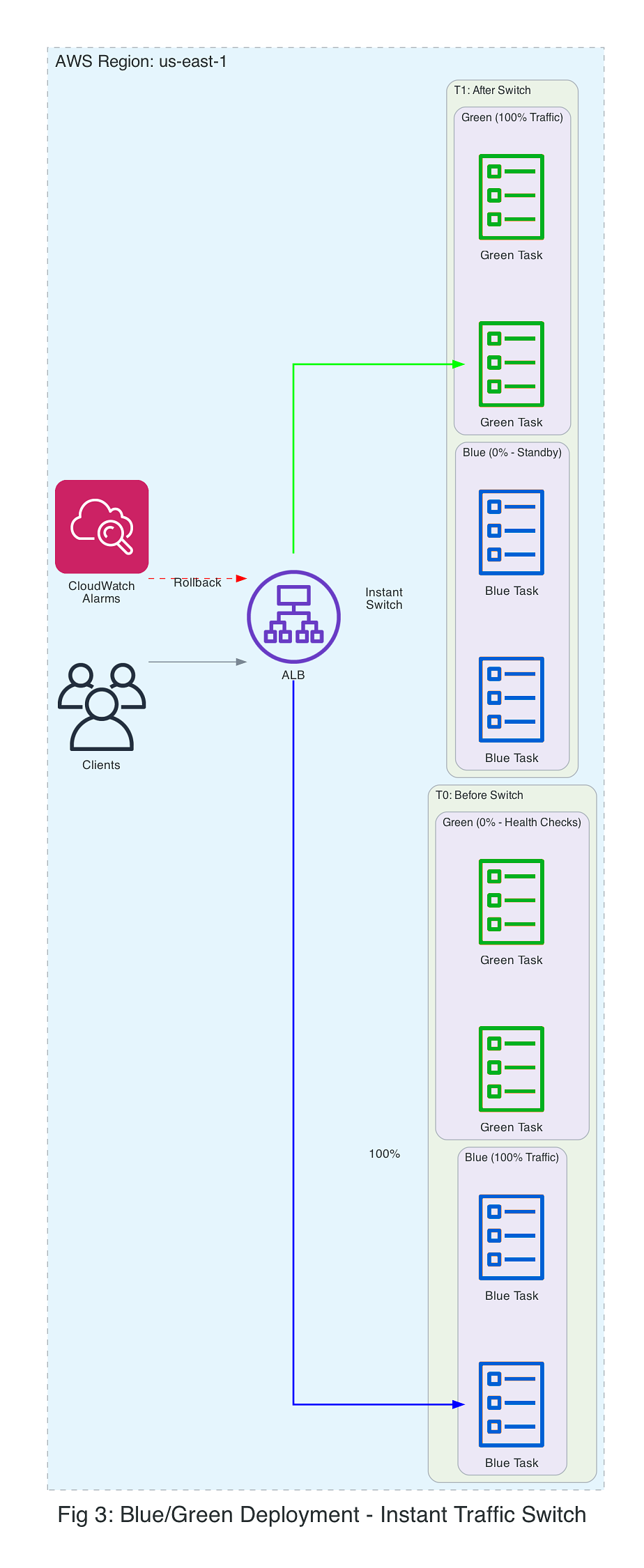
Blue/green deployments work well for database schema changes requiring synchronized cutover, major version upgrades where instant rollback is critical, and services where gradual rollout provides no additional validation benefit.
Linear: gradual shift in equal increments
Linear deployments shift traffic in equal increments, with a configurable bake time at each stage. If CloudWatch alarms breach or health checks fail, the deployment automatically rolls back.
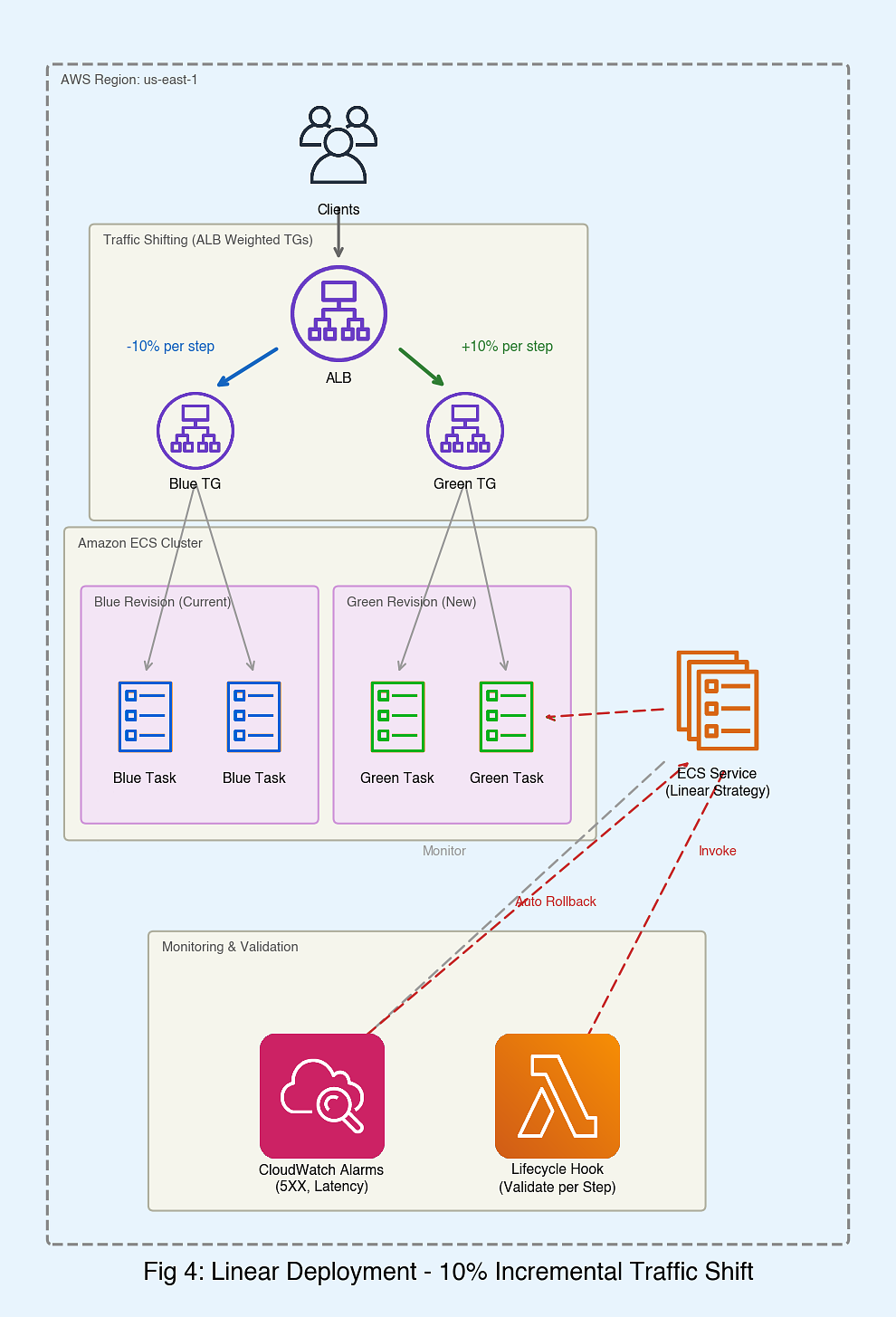
Canary: small traffic slice first
Canary deployments route a small percentage of traffic to the new version for an extended observation period. If validation succeeds, the remaining traffic shifts in a single step.
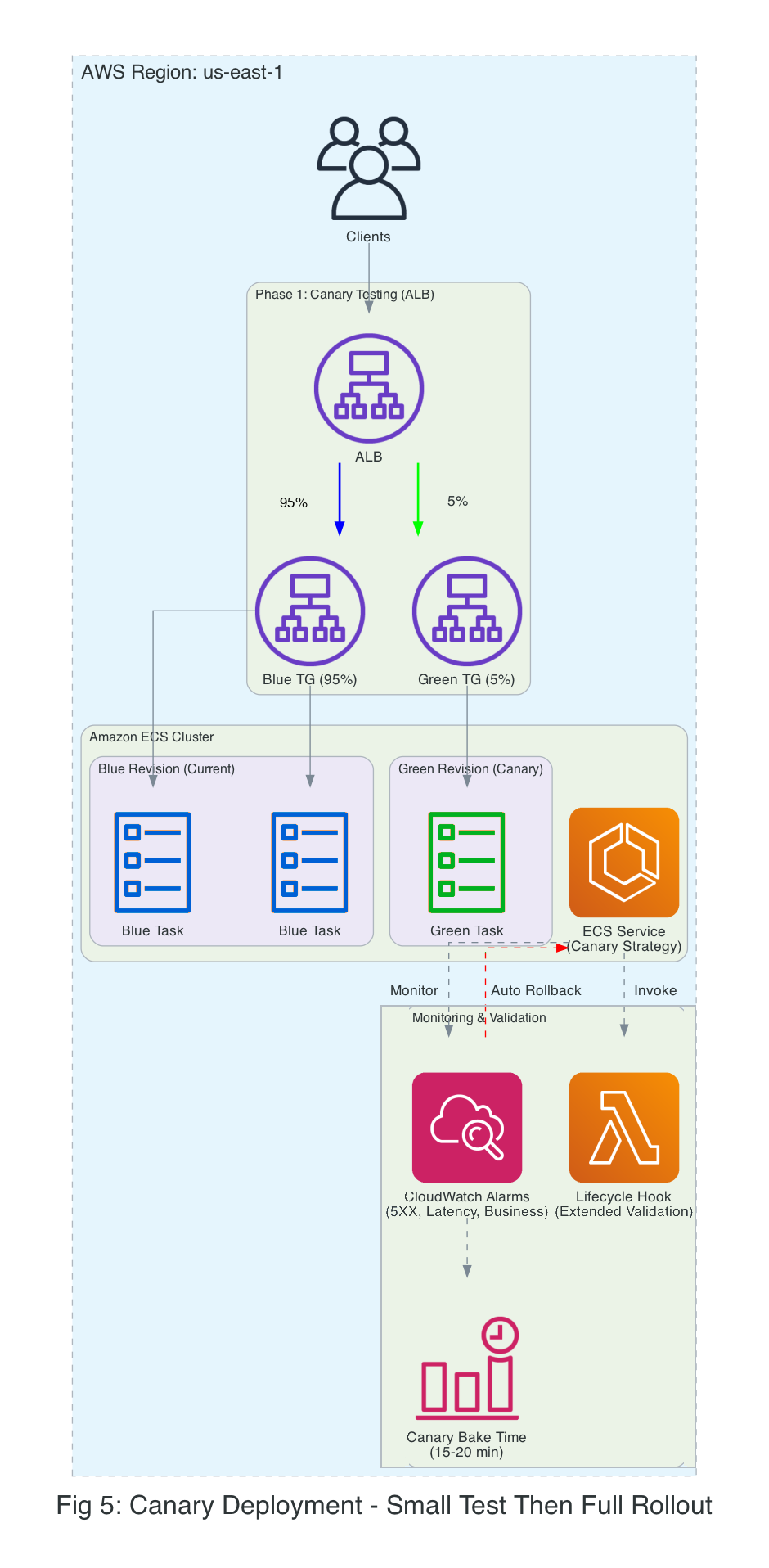
Choosing your rollout strategy
The following table compares all four Amazon ECS deployment strategies to help you decide which approach fits your workload.
| Strategy | Traffic Control | Rollback Speed | Cost Impact | Best For |
| Rolling | No control | Slow (redeploy) | Low | Cost-sensitive workloads, simplicity over traffic control |
| Blue/green | Instant switch | Instant | High (2x resources) | Critical updates, DB migrations |
| Linear | Gradual increments | Fast (traffic shift) | Medium | APIs, microservices |
| Canary | Small test first | Fast (traffic shift) | Medium | Changes requiring careful validation, machine learning models |
Observability and rollbacks
Amazon ECS provides several mechanisms to monitor deployments and automatically roll back when issues arise.
Amazon CloudWatch alarms for automated failure detection
You can associate CloudWatch alarms with your Amazon ECS service for automatic rollback. If an alarm enters the ALARM state, the deployment rolls back.
Common alarm metrics include:
- Error rate: HTTPCode_Target_5XX_Count, HTTPCode_Target_4XX_Count
- Latency: TargetResponseTime (p50, p99, p99.9)
- Availability: UnHealthyHostCount, HealthyHostCount
- Custom metrics: Application-specific business metrics published to Amazon CloudWatch
Lifecycle hooks
Lifecycle hooks let you run custom validation logic at specific points during the deployment. You can use AWS Lambda functions to implement hooks for:
- Pre-deployment validation: Verify prerequisites before creating new tasks
- Post-deployment testing: Run automated tests against the new revision
- Custom health checks: Validate application-specific health criteria
- Integration testing: Test interactions with downstream dependencies
Hooks can return IN_PROGRESS to indicate ongoing validation, SUCCEEDED to proceed, or FAILED to trigger rollback.
Bake time configuration
The deployment bake time is a buffer period after traffic shifting completes, during which the old (blue) revision remains running. This gives you instant rollback by shifting traffic back, without redeploying tasks.
Consider the following bake time configuration:
- Most workloads: Set a baseline bake time that covers your typical health check intervals and allows enough time for error rates and latency metrics to surface in CloudWatch alarms.
- Workloads requiring extended observation: Increase the bake time for workloads with longer feedback loops, such as batch processing, async workflows, or services where downstream effects take time to manifest.
- Cost vs. safety tradeoff: Longer bake times increase costs (running both revisions) but improve rollback capability. Choose based on your service's mean time to detect (MTTD) failures.
Prerequisites
Before starting either walkthrough, verify that you have the following:
- An Amazon ECS cluster (AWS Fargate or Amazon Elastic Compute Cloud (Amazon EC2))
- An Application Load Balancer or Network Load Balancer with two target groups configured
- A task definition for your application
- A running Amazon ECS service configured with a load balancer and advancedConfiguration (two target groups and a production listener rule), along with an IAM role for traffic shifting. For the linear walkthrough, create a service named my-web-service; for the canary walkthrough, create a service named payment-service. See Creating an Amazon ECS linear deployment and Creating an Amazon ECS canary deployment for instructions.
- AWS Command Line Interface (AWS CLI) installed and configured
- Appropriate AWS Identity and Access Management (AWS IAM) permissions for Amazon ECS, Elastic Load Balancing, and Amazon CloudWatch
- An IAM role (for example, ecsBlueGreenRole) that allows Amazon ECS to manage load balancer target group weights during traffic shifting
- For the canary walkthrough: custom Amazon CloudWatch metrics for business logic validation (optional)
Walkthrough: linear strategy implementation
In this walkthrough, you deploy a sample application using the linear deployment strategy with automatic rollback capabilities.
Step 1: Create CloudWatch alarm for 5XX errors
# Create alarm for 5XX errors across both target groups
aws cloudwatch put-metric-alarm \
--alarm-name my-service-5xx-errors \
--alarm-description "Trigger on high 5XX error rate across both target groups" \
--metrics '[
{
"Id": "blue5xx",
"MetricStat": {
"Metric": {
"Namespace": "AWS/ApplicationELB",
"MetricName": "HTTPCode_Target_5XX_Count",
"Dimensions": [
{"Name": "TargetGroup", "Value": "targetgroup/blue/xxx"},
{"Name": "LoadBalancer", "Value": "app/my-load-balancer/xxx"}
]
},
"Period": 60,
"Stat": "Sum"
},
"ReturnData": false
},
{
"Id": "green5xx",
"MetricStat": {
"Metric": {
"Namespace": "AWS/ApplicationELB",
"MetricName": "HTTPCode_Target_5XX_Count",
"Dimensions": [
{"Name": "TargetGroup", "Value": "targetgroup/green/xxx"},
{"Name": "LoadBalancer", "Value": "app/my-load-balancer/xxx"}
]
},
"Period": 60,
"Stat": "Sum"
},
"ReturnData": false
},
{
"Id": "total5xx",
"Expression": "SUM([blue5xx, green5xx])",
"Label": "Total 5XX Errors",
"ReturnData": true
}
]' \
--evaluation-periods 2 \
--threshold 10 \
--comparison-operator GreaterThanThreshold
Step 2: Create alarm for high latency
Create an alarm for high response time across both target groups.
# Create alarm for high latency across both target groups
aws cloudwatch put-metric-alarm \
--alarm-name my-service-high-latency \
--alarm-description "Trigger on high response time across both target groups" \
--metrics '[
{
"Id": "blueLatency",
"MetricStat": {
"Metric": {
"Namespace": "AWS/ApplicationELB",
"MetricName": "TargetResponseTime",
"Dimensions": [
{"Name": "TargetGroup", "Value": "targetgroup/blue/xxx"},
{"Name": "LoadBalancer", "Value": "app/my-load-balancer/xxx"}
]
},
"Period": 60,
"Stat": "Average"
},
"ReturnData": false
},
{
"Id": "greenLatency",
"MetricStat": {
"Metric": {
"Namespace": "AWS/ApplicationELB",
"MetricName": "TargetResponseTime",
"Dimensions": [
{"Name": "TargetGroup", "Value": "targetgroup/green/xxx"},
{"Name": "LoadBalancer", "Value": "app/my-load-balancer/xxx"}
]
},
"Period": 60,
"Stat": "Average"
},
"ReturnData": false
},
{
"Id": "maxLatency",
"Expression": "MAX([blueLatency, greenLatency])",
"Label": "Max Response Time",
"ReturnData": true
}
]' \
--evaluation-periods 2 \
--threshold 1.0 \
--comparison-operator GreaterThanThreshold
Step 3: Configure the linear strategy
Update your Amazon ECS service to use linear deployment with CloudWatch alarm integration. This also enables deployment circuit breakers for automatic rollback.deployment circuit breakers
# Configure linear deployment strategy with CloudWatch alarm integration
aws ecs update-service \
--cluster production-cluster \
--service my-web-service \
--deployment-configuration '{
"deploymentCircuitBreaker": {
"enable": true,
"rollback": true
},
"strategy": "LINEAR",
"linearConfiguration": {
"stepPercent": 10,
"stepBakeTimeInMinutes": 5
},
"alarms": {
"alarmNames": [
"my-service-5xx-errors",
"my-service-high-latency"
],
"enable": true,
"rollback": true
}
}'
Step 4: Deploy a new version
Trigger a deployment by forcing a new deployment of the existing task definition:
# Trigger a deployment by forcing a new deployment of the existing task definition
aws ecs update-service \
--cluster production-cluster \
--service my-web-service \
--force-new-deployment
Step 5: Monitor rollout progress
Monitor deployment progress in real time using the DescribeServiceDeployments and DescribeServiceRevisions APIs, which provide detailed information about traffic shifting status, rollout state, and revision details.
# List service deployments to get the deployment ARN
aws ecs list-service-deployments \
--service arn:aws:ecs:region:account:service/production-cluster/my-web-service
# Get detailed deployment status including traffic shifting progress
aws ecs describe-service-deployments \
--service-deployment-arns arn:aws:ecs:region:account:service-deployment/production-cluster/my-web-service/xxx
# Get details about a specific service revision
aws ecs describe-service-revisions \
--service-revision-arns arn:aws:ecs:region:account:service-revision/production-cluster/my-web-service/xxx
Step 6: Observe traffic shifting
During the deployment, traffic shifts in 10% increments every 5 minutes:
Time Blue (Old) Green (New) Status
0:00 100% 0% Deployment started
0:05 90% 10% Step 1 complete
0:10 80% 20% Step 2 complete
0:15 70% 30% Step 3 complete
...
0:45 0% 100% Deployment complete
If Amazon CloudWatch alarms breach during deployment, Amazon ECS automatically pauses the deployment, shifts traffic back to the stable (blue) revision, terminates the new (green) tasks, and marks the deployment as FAILED.
Step 7: Verify rollout status
Check the deployment completed successfully:
# Check deployment status
aws ecs describe-services \
--cluster production-cluster \
--services my-web-service \
--query "services[0].deployments[?status=='PRIMARY'].rolloutState" \
--output text
Step 8: Verify alarm state
Confirm no alarms are in ALARM state:
# Confirm no alarms in ALARM state
aws cloudwatch describe-alarms \
--alarm-names my-service-5xx-errors my-service-high-latency \
--query "MetricAlarms[*].[AlarmName,StateValue]" \
--output table
Walkthrough: canary strategy implementation
This walkthrough deploys an update using the canary strategy.
Step 1: Create CloudWatch alarm for HTTP errors
Create an alarm for HTTP 5XX errors using metric math across both target groups.
# Create alarm for 5XX errors across both target groups (blue and green)
aws cloudwatch put-metric-alarm \
--alarm-name payment-service-errors \
--alarm-description "Trigger on high 5XX error rate across both target groups" \
--metrics '[
{
"Id": "blue5xx",
"MetricStat": {
"Metric": {
"Namespace": "AWS/ApplicationELB",
"MetricName": "HTTPCode_Target_5XX_Count",
"Dimensions": [
{"Name": "TargetGroup", "Value": "targetgroup/blue/xxx"},
{"Name": "LoadBalancer", "Value": "app/my-load-balancer/xxx"}
]
},
"Period": 60,
"Stat": "Sum"
},
"ReturnData": false
},
{
"Id": "green5xx",
"MetricStat": {
"Metric": {
"Namespace": "AWS/ApplicationELB",
"MetricName": "HTTPCode_Target_5XX_Count",
"Dimensions": [
{"Name": "TargetGroup", "Value": "targetgroup/green/xxx"},
{"Name": "LoadBalancer", "Value": "app/my-load-balancer/xxx"}
]
},
"Period": 60,
"Stat": "Sum"
},
"ReturnData": false
},
{
"Id": "total5xx",
"Expression": "SUM([blue5xx, green5xx])",
"Label": "Total 5XX Errors",
"ReturnData": true
}
]' \
--evaluation-periods 2 \
--threshold 5 \
--comparison-operator GreaterThanThreshold
Step 2: Create alarm for business metrics
Create a business metric alarm for application monitoring:
# Business metric alarm (custom)
aws cloudwatch put-metric-alarm \
--alarm-name payment-transaction-failure-rate \
--metric-name TransactionFailureRate \
--namespace CustomApp/Payments \
--statistic Average \
--period 300 \
--evaluation-periods 1 \
--threshold 0.5 \
--comparison-operator GreaterThanThreshold
Step 3: Configure the canary strategy
Configure the canary with a small initial traffic percentage and an extended bake time:
# Configure canary deployment strategy with CloudWatch alarm integration
aws ecs update-service \
--cluster production-cluster \
--service payment-service \
--deployment-configuration '{
"deploymentCircuitBreaker": {
"enable": true,
"rollback": true
},
"strategy": "CANARY",
"canaryConfiguration": {
"canaryPercent": 5,
"canaryBakeTimeInMinutes": 20
},
"alarms": {
"alarmNames": [
"payment-service-errors",
"payment-transaction-failure-rate"
],
"enable": true,
"rollback": true
}
}'
Step 4: Deploy new version
Trigger a deployment by forcing a new deployment of the existing task definition:
# Trigger a deployment by forcing a new deployment of the existing task definition
aws ecs update-service \
--cluster production-cluster \
--service payment-service \
--force-new-deployment
Step 5: Observe canary traffic pattern
During canary deployment, traffic shifts in two phases:
Phase 1: Canary testing (20 minutes)
Time Blue (Old) Green (New) Status
0:00 100% 0% Canary deployment started
0:01 95% 5% Canary phase - monitoring
0:05 95% 5% Canary phase - monitoring
0:10 95% 5% Canary phase - monitoring
0:15 95% 5% Canary phase - monitoring
0:20 95% 5% Canary validation complete
Phase 2: Full rollout (if canary succeeds)
0:21 0% 100% Full traffic shift
0:21 0% 100% Deployment complete
Step 6: Verify rollout status
Check the deployment completed successfully:
# Check deployment status
aws ecs describe-services \
--cluster production-cluster \
--services payment-service \
--query "services[0].deployments[?status=='PRIMARY'].rolloutState" \
--output text
Step 7: Verify alarm state
Confirm no alarms are in ALARM state:
# Confirm no alarms in ALARM state
aws cloudwatch describe-alarms \
--alarm-names payment-service-errors payment-transaction-failure-rate \
--query "MetricAlarms[*].[AlarmName,StateValue]" \
--output table
Best practices
This section provides guidance on configuring alarms and setting bake times for your deployments.
Amazon CloudWatch alarm configuration
Consider configuring two tiers of alarms: critical alarms that trigger automatic rollback, and warning alarms for monitoring only. Set thresholds and evaluation periods based on your application's baseline performance and acceptable error rates.
Critical alarms (immediate rollback):
- HTTPCode_Target_5XX_Count
- TargetResponseTime (p99)
- UnHealthyHostCount
Warning alarms (monitor, don't roll back):
- TargetResponseTime (p50)
- RequestCount (anomaly detection or percentage decrease)
- CPUUtilization
Bake time guidelines
Canary bake time:
- Low risk: shorter bake time
- Medium risk: moderate bake time
- High risk: extended bake time
Deployment bake time:
- Set a baseline that exceeds your service's mean time to detect (MTTD) failures
- This gives you instant rollback without redeployment
Clean up resources
To avoid ongoing charges, delete all resources created during the walkthroughs. Load balancers and running Amazon ECS tasks are the primary cost drivers.
Warning: The –force flag immediately stops all running tasks without draining connections. This causes service disruption. Make sure no active traffic is being served and back up any necessary data before proceeding.
# Delete the linear walkthrough ECS service
aws ecs delete-service \
--cluster production-cluster \
--service my-web-service \
--force
# Delete the canary walkthrough ECS service
aws ecs delete-service \
--cluster production-cluster \
--service payment-service \
--force
# Delete CloudWatch alarms for linear walkthrough
aws cloudwatch delete-alarms \
--alarm-names my-service-5xx-errors my-service-high-latency
# Delete CloudWatch alarms for canary walkthrough
aws cloudwatch delete-alarms \
--alarm-names payment-service-errors payment-transaction-failure-rate
# Delete target groups (after service deletion completes)
aws elbv2 delete-target-group \
--target-group-arn arn:aws:elasticloadbalancing:region:account:targetgroup/blue/xxx
aws elbv2 delete-target-group \
--target-group-arn arn:aws:elasticloadbalancing:region:account:targetgroup/green/xxx
If you created the following resources specifically for this walkthrough and no longer need them, delete them:
# Delete the ECS cluster
aws ecs delete-cluster \
--cluster production-cluster
# Delete the load balancer
aws elbv2 delete-load-balancer \
--load-balancer-arn arn:aws:elasticloadbalancing:region:account:loadbalancer/app/my-load-balancer/xxx
# Deregister task definitions
aws ecs deregister-task-definition \
--task-definition my-task-definition:1
# Delete the IAM role
aws iam delete-role \
--role-name ecsBlueGreenRole
Conclusion
In this post, we showed you how to configure linear and canary deployment strategies in Amazon ECS with CloudWatch alarms for automatic rollback, providing native gradual rollout support with automated safety.
Next steps
To get started, try the linear deployment strategy with a non-production service first. Experiment with different step percentages and bake times to find optimal settings. After validating linear deployments, adopt canary deployments for your most sensitive services.
These strategies are available today in commercial AWS Regions. For pricing details, see the Amazon ECS pricing page.
For more information, see the Amazon ECS Developer Guide.
Additional resources
- For more information about deployment types and configuration options, see Amazon ECS deployment strategies documentation.
- For more information about automatic rollback mechanisms, see Amazon ECS deployment circuit breaker.
- For more information about traffic distribution during deployments, see Elastic Load Balancing weighted target groups.
Cloud native application challenges: installing the walking skeleton
Manning's Platform Engineering book excerpt introduces the 'walking skeleton' pattern for validating Kubernetes deployment pipelines before building full functionality.
Summary
Decoder
- Walking skeleton: A minimal deployment demonstrating basic microservice architecture and connectivity, used to validate deployment pipelines before building full application features.
- Templating engine: Tool that allows variable substitution in YAML files so the same resource definitions can be reused across different environments (dev, staging, prod) with environment-specific values like database URLs.
- Package manager (Kubernetes): Tool for grouping, versioning, and distributing collections of Kubernetes YAML resources as logical packages, similar to Maven for Java or NPM for NodeJS.
- Semver: Semantic versioning using three numbers (major.minor.patch, e.g., 1.0.1) to indicate package maturity and breaking changes.
Original Article
Full article content is not available for inline reading.
Remote Cache CDC: Reusing Bytes
BuildBuddy's content-defined chunking stops Bazel from re-uploading entire binaries when only a few bytes changed, cutting cache transfers 40% in benchmarks.
Summary
Deep Dive
- BuildBuddy implemented content-defined chunking (CDC) to reduce redundant data transfer in its remote cache for large Bazel build outputs like binaries, bundles, and packages
- Traditional remote caching treats outputs as atomic blobs: a small source change can invalidate many large transitive outputs (e.g., test binaries), forcing full re-upload/download even when most bytes are identical
- CDC splits files into chunks based on content using a rolling hash (FastCDC algorithm): when the hash matches a rare pattern, create a chunk boundary; same content produces same boundaries
- Small edits only change nearby chunks; once the rolling window reaches unchanged content, it finds the same cut points and chunk hashes as before
- Remote Execution API added SplitBlob (read-side: get chunk layout) and SpliceBlob (write-side: reconstruct blob from chunks) to enable chunk-aware transfers
- Bazel 8.7+ and 9.1+ implement CDC in the combined cache layer, streaming chunks from the original on-disk file rather than keeping duplicate copies in memory
- BuildBuddy applies chunking to blobs >2 MiB (~4.2% of objects); within that subset, CDC deduplicated ~85% of written bytes
- Production results: ~300 TiB of duplicate chunk uploads skipped in two weeks, with peaks over 4 TiB/hour; overall cache traffic savings typically 20-40%
- Works best for large, byte-stable outputs like uncompressed binaries and packages; compressed formats (tar.gz, Docker layers) see less benefit because compression propagates changes
- Executors upload large action outputs as chunks directly, checking FindMissingBlobs and uploading only missing chunks in parallel
- Available now with --experimental_remote_cache_chunking flag in Bazel 8.7+ and 9.1+; BuildBuddy servers have CDC enabled by default; self-hosted executors need v2.261.0+
Decoder
- Content-Defined Chunking (CDC): A deterministic method for splitting files into variable-sized chunks based on content rather than fixed offsets, using a rolling hash that produces the same chunk boundaries for the same content even after insertions or deletions
- FastCDC: A content-defined chunking algorithm that uses a rolling hash over a sliding window of bytes, creating chunk boundaries when the hash matches a rare pattern (e.g., 1 in 512 KiB probability)
- Transitive action: A build action that combines outputs from many dependencies into one final artifact (e.g., linking multiple object files into a binary, bundling libraries into an archive); contrast with direct actions that operate on a small set of immediate inputs
- SplitBlob / SpliceBlob: Remote Execution API operations for chunk-aware caching; SplitBlob queries chunk layout for reading, SpliceBlob stores reconstruction metadata for writing
- Combined cache: Bazel's caching layer that coordinates between local disk cache and remote cache
Original Article
The goal: move the changed bytes, not the whole output.
BuildBuddy's Remote Cache uses Content-Defined Chunking (CDC) to make large build outputs behave more incrementally. When a binary, bundle, package, or archive is mostly unchanged, BuildBuddy can reuse chunks it has already seen instead of re-uploading or re-downloading the entire file.
In our Bazel chunking implementation PR, we observed 40% less data uploaded and a 40% smaller disk cache when benchmarked on BuildBuddy's own repo. To enable client-side CDC with BuildBuddy, use Bazel 8.7 or 9.1+ and pass --experimental_remote_cache_chunking.
Setting the Scene
The next frontier for build caching is not just skipping actions. It is skipping bytes.
Build caching has come a long way. Instead of rebuilding the world after every edit, Bazel and remote caching let teams reuse action outputs across machines and CI jobs. In practice, builds have moved from something closer to O(size of repo) toward O(size of change).
But "size of change" can be misleading. What really matters is the size of the transitive actions affected by the edit. A small source change can still ripple into many binaries, packages, bundles, and other large outputs, even when only a small part of each output actually changes.
That invalidation is expected. Build systems should rerun an action when its inputs change. The remote-cache problem is what happens next: the cache sees a new digest and moves the whole blob, even if that blob is mostly the same bytes as the previous version.
Transitive Actions
Linking, bundling, packaging, and archiving are where this shows up most often. They combine many transitive inputs into one output.
That makes them different from actions that operate on a small, direct set of files. A typical compile action might compile one source file using a smaller set of direct inputs. A transitive action, on the other hand, often consumes the accumulated outputs of many dependencies and produces one final binary, bundle, package, or archive.
In Bazel rules, this often shows up as a rule collecting files through a transitive depset and passing that accumulated set into a single action. For example, a simplified compile action might look like this:
ctx.actions.run(
inputs = [src] + direct_headers,
outputs = [obj],
executable = compiler,
arguments = ["-c", src.path, "-o", obj.path],
)
A bundling or packaging action often looks more like this:
transitive_inputs = depset(
direct = direct_files,
transitive = [dep[MyInfo].files for dep in ctx.attr.deps],
)
ctx.actions.run(
inputs = transitive_inputs,
outputs = [bundle],
executable = bundler,
arguments = ["--output", bundle.path],
)
That second shape is where small source changes can fan out into large output changes. The source edit might only change a small sequence of bytes in the final output, but the output digest is still new.
Without CDC, the cache treats that as a completely new blob, even when most of the binary, bundle, package, or archive is byte-for-byte identical to the previous version. If many final outputs depend on that changed input, they can all get new digests.
For remote caching, the expensive part is not just that the output is large. It is that the output is large and mostly similar to something the cache already has, but the whole-blob digest is new.
That creates two problems:
- Uploads and downloads move the whole blob, even when only a small part changed.
- Storage keeps another whole blob, even when most bytes are duplicates.
One workaround is to disable remote caching for these actions. That avoids uploading huge outputs when the expected cache hit is not worth the write cost, but it creates a different problem: the action now has to run every time. It can also make the action harder to move to remote execution, because RBE depends on moving action inputs and outputs efficiently.
So the build avoids one expensive cache write, but gives up reuse entirely.
A small source change can invalidate the final transitive action.
Case study: Go tests
A common example is a shared go_library, say foo, that is imported by many other libraries: bar1, bar2, through barN. Each bar library may also have its own go_test.
An implementation-only change in foo might only rebuild foo's own GoCompilePkg action. The downstream compile actions can often still hit cache because Go compilation depends on direct dependency export data, like foo.x, not the full transitive archive graph.
Linking is different. Each go_test needs a test binary, produced by a GoLink action, and that link action consumes the transitive set of Go archives, like foo.a. If foo.a changes, many downstream test binaries can get new digests even when their source and compile actions did not change. Finally, the TestRunner action needs that test binary as an input in order to run it.
That means one small source edit can create many new test binary digests. Those test binaries are often large, and many of them are mostly the same bytes as before. Without CDC, each one is still transferred and stored as a new whole blob.
Treating This as an Output Problem
One option would be to make the actions themselves incremental: incremental linking, runtime linking, smarter bundling, smarter packaging, and so on. But this is usually very difficult, and requires extensive changes to the linkers and tools themselves.
And even if we solved that for one tool, we would still need separate solutions for GoLink, C++ linkers, JavaScript bundlers, app packagers, generated archives, and every other action that can produce a large output. That does not scale.
Instead, we can treat this as a generic output problem: these actions create large files, where only a small amount of content is changing. With Content-Defined Chunking (CDC), we can leave the actions themselves untouched, while still getting many of the wins of making those actions incremental.
Content-Defined Chunking
CDC is a repeatable process for splitting a file into chunks based on its contents rather than fixed byte offsets.
The TL;DR is: run a rolling hash over a small window of bytes, and split when the hash matches a rare pattern. The hash behaves randomly enough that this happens only occasionally, but the process is still deterministic: the same content produces the same chunk boundaries.
If you want chunks around 512 KiB on average, choose a pattern that has about a 1 in 512 KiB chance of matching at each byte. If the pattern does not match, shift the window and try again. Over time, this gives you the average chunk size you wanted while keeping the boundaries content-defined.
Smaller chunks improve deduplication but increase metadata overhead and RPC cost, so CDC implementations balance chunk size against efficiency.
For a toy example, imagine the rolling window is 4 bytes wide and we split whenever the hash of that 4-byte window ends in 00. Suppose the windows bbbb and cccc both happen to match that pattern (the exact hash values do not matter):
original: aaaabbbbccccdddd
windows: bbbb
cccc
cuts: aaaa|bbbb|cccc|dddd
If we insert a few bytes inside bbbb, the nearby windows change, so that chunk changes:
updated: aaaabbXXbbccccdddd
But once the rolling window moves past the inserted bytes and reaches cccc again, it sees the same 4-byte sequence as before. That sequence produces the same hash, so the algorithm finds the same cut point again. The later chunks can keep the same boundaries and hashes.
Real CDC uses a larger rolling window and a much rarer split pattern, but the idea is the same.
This means that a large file with a few bytes added or removed somewhere in the file usually only changes the nearby chunk(s). Once the rolling window moves past the changed bytes and reaches unchanged content again, it starts seeing the same byte sequences as before, so it finds the same future cut points.
One common CDC algorithm is FastCDC. The FastCDC presentation slides are also a helpful visual overview.
Only the changed chunk needs to be uploaded again.
How does this benefit remote caching?
If an action creates a large output, like GoLink or CppLink, a small input change may still produce a new output that is mostly identical to the previous one.
With CDC, the cache can split that output into chunks and discover that many of them already exist. Instead of uploading the whole output again, it uploads only the missing chunks.
This works especially well for CI and developer builds, where nearby commits often produce outputs that are mostly similar. Once a chunk has been uploaded, future builds can reuse it across related outputs.
Most of the output can still map to chunks that already exist in the cache.
Results
In this recent window, CDC deduplicated about 85% of written bytes across eligible BuildBuddy cache writes. In other words, most large-output writes were already present as reusable chunks, so only the remaining changed chunks needed to be uploaded.
Over this two-week window, CDC skipped uploading ~300 TiB of duplicate chunk data on the write path, with peaks over 4 TiB per hour. This comes from write-side chunk deduplication across BuildBuddy-managed cache writes and executor output uploads. Total network savings should be higher, since this does not include read-side savings when chunks are served from disk caches, regional caches, or executor file caches.
In production, CDC has already skipped hundreds of TiB of duplicate chunk uploads. Because BuildBuddy stores less duplicate data, effective cache retention has also improved.
The Bazel implementation PR benchmarked 50 commits of the BuildBuddy repo and saw about 40% less data uploaded, about 40% smaller disk cache, and faster builds in that benchmark.
BuildBuddy currently applies chunking to blobs larger than 2 MiB. In one test, only about 4.2% of objects were above that threshold, so most blobs are not chunked.
Within that eligible subset, CDC deduplicated about 85% of written bytes. Across all cache traffic, overall savings are typically in the 20 to 40% range.
As a rule of thumb, CDC works best for outputs that are large and byte-stable across revisions. Linking and packaging tend to be good fits, and most large outputs we see reuse most of their bytes. Bundling is also a good fit when the output is not compressed, obfuscated, or randomized.
Compression is not terrible, but it usually causes more churn. Compressed formats like tar.gz archives and Docker image layers are often less chunkable because a small input change can rewrite more of the compressed byte stream. The key property is byte-level similarity, not the file extension.
Implementation
To make this work end to end, the change lands in three places:
- Remote APIs define the shared
SplitBlob/SpliceBlobprotocol so clients and caches can talk about chunks. - BuildBuddy implements the server-side cache behavior and executor-side chunked uploads and downloads.
- Bazel implements the client-side combined cache path so the local disk cache and remote cache can share chunks.
Remote APIs: Split and Splice
To make CDC useful for remote caching, clients and servers need a way to talk about chunks instead of only whole blobs. This is especially useful when the network is the bottleneck: users on slow networks, VPNs, or with high latency to the cache should not need to upload or download a whole large output when most of its chunks already exist somewhere.
Instead, the client can discover how a blob maps to chunks, check which chunks are already available locally, and transfer only the missing pieces.
This is where SplitBlob and SpliceBlob come in.
SplitBlob is the read-side API. Given the digest of a large blob, the client asks the cache if it already knows the chunk layout for that blob. If it does, the client can download only the chunks it does not already have.
SpliceBlob is the write-side API. After an action creates a large output, Bazel or the executor uploads any missing chunks and tells the cache how to reconstruct the full blob from those chunks. The cache stores that reconstruction metadata so future SplitBlob calls for the same blob digest can return the chunk layout.
The read path becomes:
- Call
SplitBlobto get the chunk layout for a large blob. - Check which chunks are already present in the local cache.
- Download the missing chunks with
ReadorBatchReadBlobs.
The write path is the reverse:
- After producing a large output, the client or executor runs it through the CDC algorithm to compute chunk boundaries and chunk digests.
- It calls
FindMissingBlobsto check which chunks the cache is missing. - It uploads only the missing chunks with
WriteorBatchUpdateBlobs. - It calls
SpliceBlobto store the reconstruction metadata.
With this model, chunks are stored as normal CAS blobs under their own digests. The reconstruction metadata is keyed by the original large blob digest, so future SplitBlob calls can start from the digest they already know and discover the chunk layout.
This also helps distribute storage more evenly. Instead of treating one very large object as an indivisible cache entry, the cache can store and serve smaller chunks across the CAS like any other blob.
SplitBlob is the read-side API; SpliceBlob is the write-side API.
Bazel Combined Cache
Bazel implements CDC in the combined cache, which coordinates remote cache and disk cache reads and writes.
When the remote cache advertises chunking support, Bazel creates chunked upload and download paths. Large blobs above the server-provided threshold use the chunked path; smaller blobs keep using the normal cache path.
One important implementation detail is that Bazel does not need to keep a second copy of every chunk in memory. The output already exists on disk, so the uploader can use the original file as the source for chunk data and stream the needed byte ranges during upload.
The client can keep byte ranges in the original file instead of a second copy of every chunk.
BuildBuddy Implementation
BuildBuddy implements CDC on the server side and in executors.
Server Side
The server side implements SplitBlob and SpliceBlob. Chunks are stored as normal CAS entries keyed by their chunk digest, while the reconstruction metadata is stored separately under a key derived from the original blob digest. When SpliceBlob is called, BuildBuddy verifies that the chunks exist and that concatenating them produces the original blob digest.
Because this happens behind the cache APIs, BuildBuddy can reduce transfer for large reads and writes while keeping existing unchunked cache paths working. The server-side cache path can skip chunks that already exist, move the chunks that are missing, and transfer those chunks in parallel.
Executors
Executors can upload large action outputs as chunks directly. The executor walks outputs normally, uses the negotiated chunking parameters to compute chunk digests for large files, calls FindMissingBlobs, and uploads only the missing chunks. The uploader can read the needed byte ranges from the original file and upload chunks concurrently, instead of keeping a second full copy in memory.
This means CDC can help on multiple hops: Bazel client to BuildBuddy, executor to BuildBuddy, and internal server-side cache traffic. Native Split/Splice-aware clients get end-to-end chunked transfers, while existing clients can still use the normal cache APIs.
Availability
Bazel support for CDC was introduced in bazelbuild/bazel#28437, and remote cache CDC is available in Bazel 8.7 and 9.1+.
Bazel clients using BuildBuddy can opt in to local client-side upload/download savings with:
bazel build //... --experimental_remote_cache_chunking
BuildBuddy servers currently have CDC enabled for large files flowing through the server-side cache path. Self-hosted executor users should run BuildBuddy executor v2.261.0 or newer for full CDC benefits. No executor config is required; CDC-eligible execution requests enable it automatically.
Closing
CDC makes remote caching better at what developers actually do all day: make small changes to large codebases that sometimes produce large outputs. Instead of uploading and downloading the same bytes again and again, BuildBuddy and Bazel can now reuse the chunks that did not change, significantly cutting down on cache transfer.
Try it today with Bazel 8.7 or 9.1+ by setting --experimental_remote_cache_chunking on your BuildBuddy cache-enabled Bazel builds.
Further Reading and References
Bazel and BuildBuddy:
- Bazel implementation PR
- Recommended Bazel performance flags
- BuildBuddy remote build execution
- Bazel remote caching
Remote APIs:
- Remote Execution API: SplitBlob and SpliceBlob
- Remote APIs PR adding the original SplitBlob and SpliceBlob APIs
- Remote APIs PR updating SplitBlob and SpliceBlob
- Remote APIs PR adding cache chunking settings
Content-defined chunking:
Create Custom MCP Catalogs and Profiles
Docker tackles AI tool sprawl by packaging MCP server catalogs as OCI container artifacts, letting enterprises distribute approved tools through Docker Hub with the same access controls they use for images.
Summary
Deep Dive
- Custom Catalogs solve the problem of teams individually searching for and vetting MCP servers by creating curated, trusted collections that organizations control
- Catalogs are OCI artifacts (same format as container images) that can be pushed to any container registry (Docker Hub, private registries) and managed with existing access controls
- Create a catalog referencing both public servers (
catalog://mcp/docker-mcp-catalog/playwright) and custom internal servers (file://./mcp-dice.yaml) - Push with
docker mcp catalog push [org]/catalogand teammates import via Docker Desktop UI ordocker mcp catalog pull - Profiles are named groupings of MCP servers for different workflows—switch between 'coding' and 'planning' profiles to change which tools appear in your agent context
- Profiles persist server configurations (e.g. which file paths Markitdown can access, which GitHub tools to enable) so you don't reconfigure repeatedly
- Profiles optimize context windows by enabling only needed tools—disable unused GitHub tools so they don't consume tokens
- Profiles are also OCI artifacts shareable via
docker mcp profile push/pull [namespace]/[profile-name] - Separation of concerns: platform teams publish golden path catalogs, developers compose their own profiles for day-to-day work
- Upcoming features include governance policies restricting usage to approved catalogs, improved discoverability, profile-scoped secrets, and integration with agent skills
- Example workflow: create
roberthouse224/our-catalogwith Playwright + GitHub + custom roll-dice server, push to Docker Hub, teammates import and create profiles for different contexts - No vendor lock-in—profiles work with any MCP-compatible agent (Claude Code, etc.), not just Docker-specific tools
Decoder
- MCP (Model Context Protocol): Protocol that lets AI agents access external tools and data sources—servers expose tools (like GitHub API calls, web scraping, file access) that agents can invoke during conversations
- OCI artifact: Open Container Initiative standard format for distributing content through container registries—same packaging used for Docker images, but can contain any data (here, catalog/profile metadata)
- stdio: Standard input/output communication model where programs exchange messages via stdin/stdout rather than network protocols—common for local MCP servers running as processes
Original Article
Custom MCP Catalogs and Profiles: Advancing Enterprise MCP Adoption
We're excited to announce the general availability of Custom Catalogs and Profiles for managing Model Context Protocol (MCP) servers. These two complementary capabilities fundamentally change how teams package, distribute, and manage AI tooling.
Custom MCP Catalogs let organizations curate and distribute approved collections of MCP servers. MCP Profiles enable individual developers to easily build, run, and share their MCP tools and configurations across projects and teams.
In this post, we'll walk through how to create your own custom catalog – building on and improving our previous approach. We'll also introduce Profiles, a new primitive that lets you define portable, named groupings of MCP servers. Profiles are designed to solve several practical use cases today, while giving us a foundation to expand in the future.
Creating custom catalogs with Docker
As organizations adopt MCP, we consistently hear the same need: teams need a way to curate a trusted list of MCP servers, including internally built servers.
To address these needs, we built Custom Catalogs. Instead of every team member searching for MCP servers across the open internet, organizations can publish and distribute catalogs that define approved servers. This allows developers to centrally discover and use trusted MCP servers within organizational boundaries.
Custom Catalogs can reference servers from Docker's MCP Catalog, community sources, and custom MCP servers developed internally, bringing flexibility, control, and trust together in a single experience. We will show you how to do that with a Custom Catalog.
Step-by-step: Building and sharing a custom MCP catalog
In this example, we will create a Custom Catalog containing servers from the Docker MCP Catalog and an MCP server we created ourselves from the CLI. Then we will show you how to use Docker Desktop to import the catalog.
All the functionality we will show can be exercised through the CLI, while a subset of primarily user-centric features can be exercised through Docker Desktop.
Here, we will use my personal Docker Hub ID roberthouse224 in the commands, but you should adapt to use your information where appropriate (e.g. pushing an image).
Step 1: Creating my custom MCP server and pushing it to Docker Hub
We built a reference server called roll-dice (GitHub Repository). It is a regular MCP server that communicates over stdio and can be built as a Docker image. The image has already been built and pushed to Docker Hub.
We can create the metadata that describes the server including where the image can be found and save it to a file named mcp-dice.yaml to be used when creating our catalog.
name: roll-dice
title: Roll Dice
type: server
image: roberthouse224/mcp-dice@latest
description: An mcp server that can roll dice
Step 2: Creating a catalog that includes servers from the Docker MCP Catalog alongside a server you have built yourself
Now we can create a custom catalog containing servers from the Docker MCP Catalog and the MCP server we created ourselves.
docker mcp catalog create roberthouse224/our-catalog \
--title "Our Catalog" \
--server catalog://mcp/docker-mcp-catalog/playwright \
--server catalog://mcp/docker-mcp-catalog/github-official \
--server catalog://mcp/docker-mcp-catalog/context7 \
--server catalog://mcp/docker-mcp-catalog/atlassian \
--server catalog://mcp/docker-mcp-catalog/notion \
--server catalog://mcp/docker-mcp-catalog/markitdown \
--server file://./mcp-dice.yaml
Step 3: Verifying the MCP servers in the custom catalog
We can now list our catalogs and see the catalog that we created
docker mcp catalog list
We can also inspect the contents of the catalog
docker mcp catalog show roberthouse224/our-catalog --format yaml
Step 4: Share the catalog
At the moment our custom catalog only lives on our machine. But what we have – and this is really powerful – is an immutable OCI artifact containing our trusted MCP servers that can be easily shared.
We can push our catalog to a container registry, in this example we're using Docker Hub. Now, anyone that has access to your organization's namespace can access the catalog.
docker mcp catalog push roberthouse224/our-catalog
Using a custom MCP catalog
Now that our custom catalog has been shared, colleagues can import it from within Docker Desktop (or from the cli using docker mcp catalog pull).
Import the catalog from Docker Desktop by selecting "Import catalog," and then specifying the OCI reference in the dialog.
The catalog is now browsable. You can double click into the catalog and see all of the servers contained within it. Notice the custom MCP server that we added named "Roll Dice."
To make this a private catalog all you need to do is manage access to the repository the way you always have for container images – no new infrastructure to manage or systems to learn.
This is exactly what Jim Clark was describing in his post Private MCP Catalogs and the Path to Composable Enterprise AI.
This simple pattern can be extended to support more complex use cases. For example, you might use a private container registry instead of Docker Hub, or connect to a remote MCP server over streamable HTTP you host yourself rather than running a containerized server as shown in the example.
Now that we have a shareable custom catalog of trusted MCP servers we can shift focus to how individuals can effectively leverage MCP servers from the catalog we built in their workflows.
Using Profiles to create and share MCP Workflows
With MCP Profiles, developers can organize workflows efficiently and maintain separate server collections and configurations for different use cases. Profiles can be shared across teams, enabling collaboration on server setups and ensuring consistent configurations for teams working within the same projects or contexts.
Switch between Profiles
At a basic level, a Profile is a named grouping of MCP servers that can be connected to an agent session. This makes it straightforward to define different Profiles for different ways of working.
Now let's see an example in action.
We create a profile named coding and another named planning. We browse our custom catalog, select the MCP servers that we want (e.g. Playwright, GitHub, and Context7) then select the "Add to" drop down, and select "New profile".
Give the profile a name, select the client you want to connect to, and select "Create".
From the Profiles tab, we can see the profile we just created. Our client is connected and our tools are ready to use.
Next we create a profile named planning with servers relevant to planning (e.g. Atlassian, Markitdown, Notion).
Navigate back to "our-catalog" (if not already there), select the servers relevant to planning, and select "Add to" -> "New profile." Give the profile a name (e.g. planning). Then select "Create" to create the planning profile without a client. Specifying the client is optional.
Now we have two profiles that mirror two modes of working. When we switch to planning mode we only want the tools from our planning profile to be in context. To do that, we can easily reassign our client to the planning profile.
If we go back to coding mode, we just reassign our client back to the coding profile. You can have any number of Profiles that mirror your many ways of working and easily switch between them, keeping only the tools you care about in context.
This will work with any agent, not just Claude Code. Profiles provide a truly portable way to manage your MCP server setups and avoid vendor lock-in.
Persist configuration
You can avoid repeatedly configuring MCP servers by using a Profile. Profiles add a persistence layer for MCP server configurations. When an MCP server exposes configurable options, you can define them once in a Profile and reload them as needed, avoiding repeated configuration.
In this example, we are specifying which paths Markitdown can access.
Context windows can easily fill up when the MCP servers you use export a lot of tools. With Profiles you can specify which tools are enabled, making sure only the tools you need for a specific task are used.
Here we enable the get_me tool from the GitHub MCP server and disable all the others. All the other tools will not show up in our agent session or contribute to the context window.
This model of saved configuration becomes far more powerful for MCP servers you build in-house. By exposing richer configuration options, you can reuse the same server across projects, reconfigure its behavior per context, and achieve more predictable outcomes.
Share Profiles
Identifying MCP servers and configurations that work well for a project doesn't need to be repeated by every team member. Once you've found a setup that works, share it with the rest of the team.
To share a Profile you can push it as an OCI artifact to a container registry just like we did with our custom catalog. Just provide a name for it along with an OCI reference.
➜ ~ docker mcp profile push coding [your-namespace]/coding
For someone to pull it down, all they have to do is issue the corresponding pull command.
➜ ~ docker mcp profile pull [your-namspace]/coding
Although the example above demonstrates sharing Profiles across a team, the concept extends naturally to agents as well. An agent skill could, for instance, reference a Profile and pull in the required MCP servers and their configurations as dependencies.
Conclusion and What's Next
As MCP adoption grows, the challenge isn't access to tools — it's coordination. Teams need a way to standardize what's trusted and supported without constraining how individuals actually work. Custom Catalogs and Profiles are designed to solve exactly that problem.
Custom Catalogs: shared foundation
Custom Catalogs allow platform and admin teams to define approved MCP servers, bundle internal and public tooling together, and distribute those choices as a single, portable artifact. This creates clarity and consistency while significantly reducing the cost of discovery and evaluation.
Profiles: supercharge workflow
Profiles give individual developers a lightweight way to assemble, configure, and reuse MCP servers for specific contexts like coding, planning, or research. Profiles persist configuration, limit context to what matters, and make effective setups easy to share across teams.
Together, these primitives separate:
- What an organization recommends (via Custom Catalogs)
- How people work day to day (via Profiles)
This separation enables a healthy balance. Platform teams can publish "golden paths" that establish standards and guardrails, while developers retain the freedom to adapt, experiment, and compose profiles that fit their needs.
The result is a system that is portable, composable, and scalable — making MCP easier to adopt, safer to manage, and more effective as it grows across an organization.
What's Next?
Custom Catalogs and Profiles are the foundation for managing MCP at scale, and we're just getting started. Next, we're focused on extending these primitives to support stronger governance, better reuse, and more advanced agent workflows:
- Governance and policy controls to restrict MCP usage to approved Custom Catalogs and trusted server sources
- Improved discoverability and sharing for both Catalogs and Profiles, making proven setups easier to find and reuse across teams
- Expanded Profile-scoped secrets and configuration, providing a more secure and flexible alternative to project-level
mcp.jsonfiles - Clear best practices for Profiles, including saving dynamic MCP server configurations for reuse and pairing Profiles with emerging workflow optimizations like agent skills
Getting started with Custom Catalogs and Profiles
If you have Docker Desktop 4.56 you are already using Catalogs – our Docker MCP Catalog is now distributed as an OCI artifact and Profiles are supported starting with Docker Desktop 4.63. Try creating your first Profile by exploring the MCP Toolkit in Docker Desktop.
Learn more
- Dive into our documentation on Custom Catalogs and Profiles to get started quickly.
- Explore Docker's MCP Catalog and Toolkit on our website.
- Ready to go hands-on? Open Docker Desktop or the CLI and start using MCP to streamline and automate your development workflows.
AWS Security Agent now supports full repository code reviews
AWS Security Agent now analyzes entire repositories for architectural vulnerabilities that pattern-matching misses, auto-generating line-specific fixes for free during preview.
Summary
Deep Dive
- AWS Security Agent's new full repository code review capability performs deep, context-aware analysis of entire codebases rather than pattern-matching
- Unlike traditional static analysis tools that match code against known vulnerability patterns, this feature reasons about application architecture, trust boundaries, and data flows
- When vulnerabilities are detected, the system generates code remediation with specific fixes tied to exact files and line numbers
- AWS explicitly acknowledges that AI-driven cybersecurity capabilities are advancing rapidly and that AI can find vulnerabilities and build working exploits at a scale and speed we have not seen before
- The company is providing free early access during preview for existing AWS Security Agent customers with no additional charge
- Available in all AWS Regions where AWS Security Agent is currently available
- Access via AWS Security Agent console to enable the feature and run repository reviews
Decoder
- Trust boundary: A line in an application architecture where data or control flow transitions between different security contexts, such as user input entering the system, internal service calling external API, or crossing process and network boundaries. Vulnerabilities often occur when these boundaries are not properly validated or secured.
Original Article
AWS Security Agent now supports full repository code reviews
Today, AWS announces the release of full repository code review, a new capability in AWS Security Agent that performs deep, context-aware security analysis of your entire codebase. Unlike traditional static analysis tools that match code against known vulnerability patterns, full repository code review reasons about your application's architecture, trust boundaries, and data flows to surface systemic vulnerabilities that pattern-matching tools miss. When vulnerabilities are found, the scanner generates code remediation, specific fixes tied to the exact file and line, so teams can identify and remediate security vulnerabilities faster than ever before. This capability is available at no additional charge for existing AWS Security Agent customers during the preview.
AI-driven cybersecurity capabilities are advancing rapidly. AWS Security Agent can find vulnerabilities and build working exploits at a scale and speed we haven't seen before. AWS is prioritizing free early access for customers, giving defenders the opportunity to strengthen their codebases and share what they learn so the whole industry can benefit.
Full repository code review is available in in all AWS Regions where AWS Security Agent is available.
To get started, visit the AWS Security Agent console to enable full repository code review and run your first review. To learn more, see the AWS Security Agent documentation.
Our billing pipeline was suddenly slow. The culprit was a hidden bottleneck in ClickHouse
ClickHouse query planning, not execution, became Cloudflare's billing bottleneck as part count hit 160k per replica despite stable per-query scans.
Summary
Deep Dive
- Cloudflare's Ready-Analytics is a 2PiB multi-tenant ClickHouse table storing 100+ PB across dozens of clusters with millions of rows/sec ingestion
- Original partitioning: (day) with 31-day retention for all tenants; limited use cases needing longer/shorter retention
- Solution: Changed to (namespace, day) partitioning for per-namespace retention with max-min fairness allocation
- Assumption: Per-query part count wouldn't change since queries filter by namespace; performance should be unaffected
- Reality: Billing aggregation jobs slowed progressively as total part count grew from 30k to 160k per replica despite unchanged per-query metrics (I/O, memory, rows scanned all normal)
- Investigation: trace_log flame graphs (CPU mode) showed 45% of time in filterPartsByPartition; switching to Real mode revealed over 50% of duration waiting on MergeTreeData mutex
- Root cause: Query planner acquired exclusive lock to copy entire parts list (tens of thousands of elements) for every query; hundreds of concurrent queries queued for a single mutex
- Fix 1 (shared lock): Changed to std::shared_lock since planner only reads; massive immediate latency drop
- Fix 2 (deferred copy): Created shared read-only parts cache, planners only copy filtered subset; another significant improvement
- Fix 3 (binary search): Binary search on namespace in sorted partition key before linear filtering; 50% latency reduction, broke correlation with part count
- Outcome: Patches merged as ClickHouse PR #85535 in v25.11; query durations stable despite growth to 160k parts/replica
- Remaining issues: ZooKeeper metadata tracking still stressed by high part counts (referenced "100 gigabyte ZooKeeper cluster")
Decoder
- ClickHouse parts: Immutable data chunks in ClickHouse tables; MergeTree storage engine continuously merges parts in the background, but high ingestion/partition counts create many parts that must be tracked and filtered during query planning
- MergeTree: ClickHouse's primary table engine family; stores data sorted by primary key in parts, merges parts in background, supports sparse indexing for fast range scans
- Ready-Analytics: Cloudflare's shared-schema system where teams stream into one massive table disambiguated by namespace rather than creating new tables, with a flexible schema (20 floats, 20 strings, timestamp, indexID)
- trace_log: Built-in ClickHouse table recording execution traces with metadata (query ID, user); can generate CPU traces (active threads only) or Real traces (including waiting/blocked threads) to diagnose different bottleneck types
Original Article
Our billing pipeline was suddenly slow. The culprit was a hidden bottleneck in ClickHouse
At Cloudflare, we are heavy users of ClickHouse, an open source online analytical processing (OLAP) database. Every day, we make millions of calls to ClickHouse to determine how much users should be billed for their usage of Cloudflare products. If we don't finish those jobs in a timely fashion, the invoices become very difficult to reconcile.
This pipeline powers hundreds of millions of dollars in usage revenue, fraud systems, and more, so being delayed has major downstream implications.
Which is why it was a big problem when the daily aggregation jobs in ClickHouse – responsible for ensuring Cloudflare's bills go out – had slowed way down, following a migration. All the usual suspects looked clean: I/O, memory, rows scanned, parts read. Everything we would normally check when a ClickHouse query is slow appeared to be normal.
This is the story of how we discovered a hidden bottleneck buried deep within ClickHouse's internals, and the three patches we wrote to fix it.
The setup: a petabyte-scale analytics platform
We use ClickHouse to store over a hundred petabytes of data across a few dozen clusters. To simplify onboarding for our many internal teams, we built a system called "Ready-Analytics" in early 2022.
The premise is simple: instead of designing new tables, teams can stream data into a single, massive table. Datasets are disambiguated by a namespace, and each record uses a standard schema (e.g., 20 float fields, 20 string fields, a timestamp, and an indexID).
In ClickHouse, the way data is sorted is crucial to query performance. This is where the indexID comes into play. It's a string field, which forms part of the primary key, meaning that every individual namespace can have its data sorted in a way that is optimal for the queries the owners of that namespace expect to be running. Altogether, we end up with a primary key that looks like this: (namespace, indexID, timestamp).
This system is popular, with hundreds of applications using it. It had already grown to more than 2PiB of data by December 2024, and an ingestion rate of millions of rows per second. But it had one critical flaw: its retention policy.
The problem: one retention policy to rule them all
Cloudflare has been using ClickHouse for many years, since before it had native Time-to-Live (TTL) features. Consequently, we built our own retention system based on partitioning. The Ready-Analytics table was partitioned by day, and our retention job simply dropped partitions older than 31 days.
This "one-size-fits-all" 31-day retention was a major limitation. Some teams needed to store data for years due to legal or contractual obligations, while others needed only a few days. This restriction meant these use cases couldn't use Ready-Analytics and had to opt for a conventional setup, which has a far more complex onboarding process.
We needed a new system that allowed per-namespace retention.
The solution: a new partitioning scheme
We considered two main approaches:
- A Table-per-Namespace: This would naturally solve the retention problem but would require significant new automation to manage thousands of tables on demand.
- A New Partitioning Key: We could change the partitioning key from just
(day)to(namespace, day).
We chose the second option. This would allow our existing retention system to continue managing partitions, but now with per-namespace granularity.
We knew this would increase the total number of data parts in the table, but we made a key assumption: since every query is filtered by a specific namespace, the number of parts read by any single query shouldn't change. We believed this meant performance would be unaffected.
This shows how we changed the partitioning, allowing us to cheaply drop data for a single namespace
This new system also allowed us to build a sophisticated storage management layer. Using the max-min fairness algorithm, we could set a target disk utilization (e.g., 90%) and automatically "share" available space. Namespaces using less than their fair share would cede their unused capacity to those that needed more. This allowed us to confidently run our clusters at 90% utilization.
We began the migration in January 2025. Using ClickHouse's Merge table feature, we combined the old and new tables, writing all new data to the new partitioned table while the old data aged out.
The mystery: when billing starts to break
Two months later, in late March 2025, our billing team reported that their daily aggregation jobs were slowing down. These jobs are time-critical; if they don't finish, bills don't go out. The jobs were getting progressively slower, and we were approaching a deadline.
We investigated, but none of the usual suspects were to blame. I/O was fine. Memory was fine. The metrics for individual queries showed they were not reading more data or more parts than before. Our initial assumption seemed correct, yet the system was grinding to a halt.
It took several days before we even had a theory. Finally, we made a plot of query duration against the total part count in the cluster. The correlation was undeniable.
Average SELECT Query Durations on the Ready Analytics ClickHouse Cluster, showing progressive performance degradation.
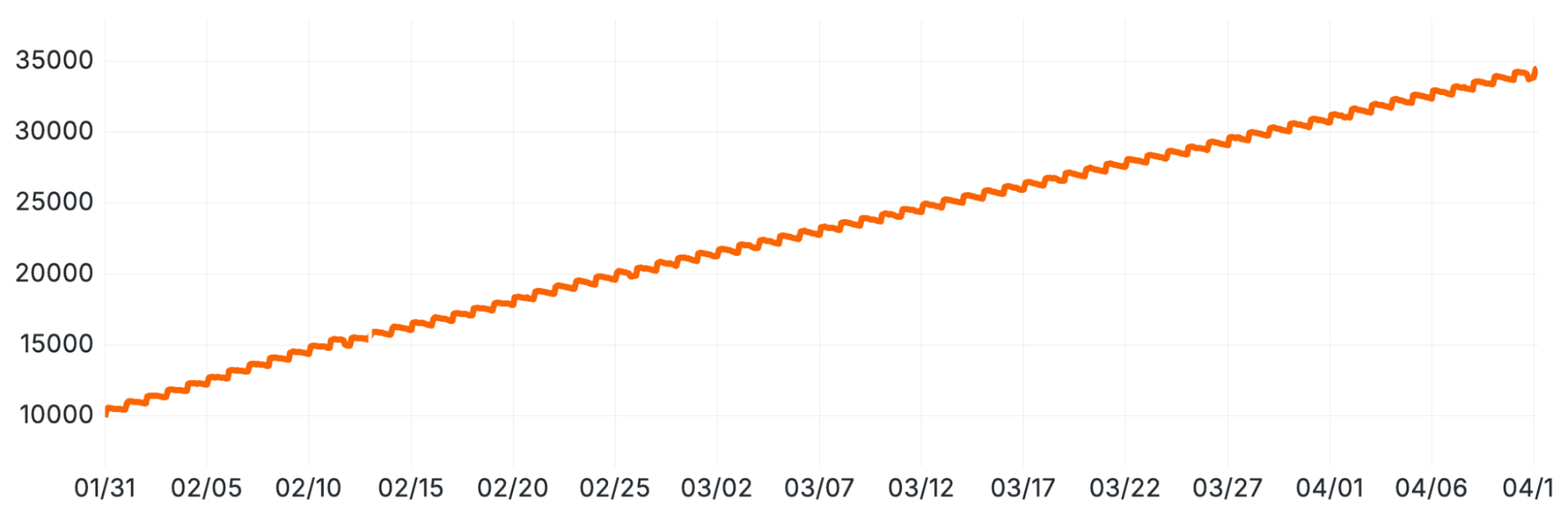
Linear Growth in Total Data Part Count per Table Replica, following the new (namespace, day) partitioning scheme.
But why? If we weren't reading the extra parts, why did their mere existence slow us down?
The investigation: hunting bottlenecks with flame graphs
We turned to ClickHouse's built-in trace_log to generate flame graphs. This is a built-in table that records traces from the running ClickHouse server. It not only includes traces of what code is being executed, but it associates these with specific users, query IDs and other metadata, meaning you can filter down to quite precise sets of events if necessary. In our case, we wanted to look specifically at leaf SELECT queries. This was easy thanks to the available metadata in this table.
The first CPU-based flame graph quickly confirmed our suspicion: a huge amount of time was being spent in query planning. This is the phase before execution when ClickHouse decides which parts to read.
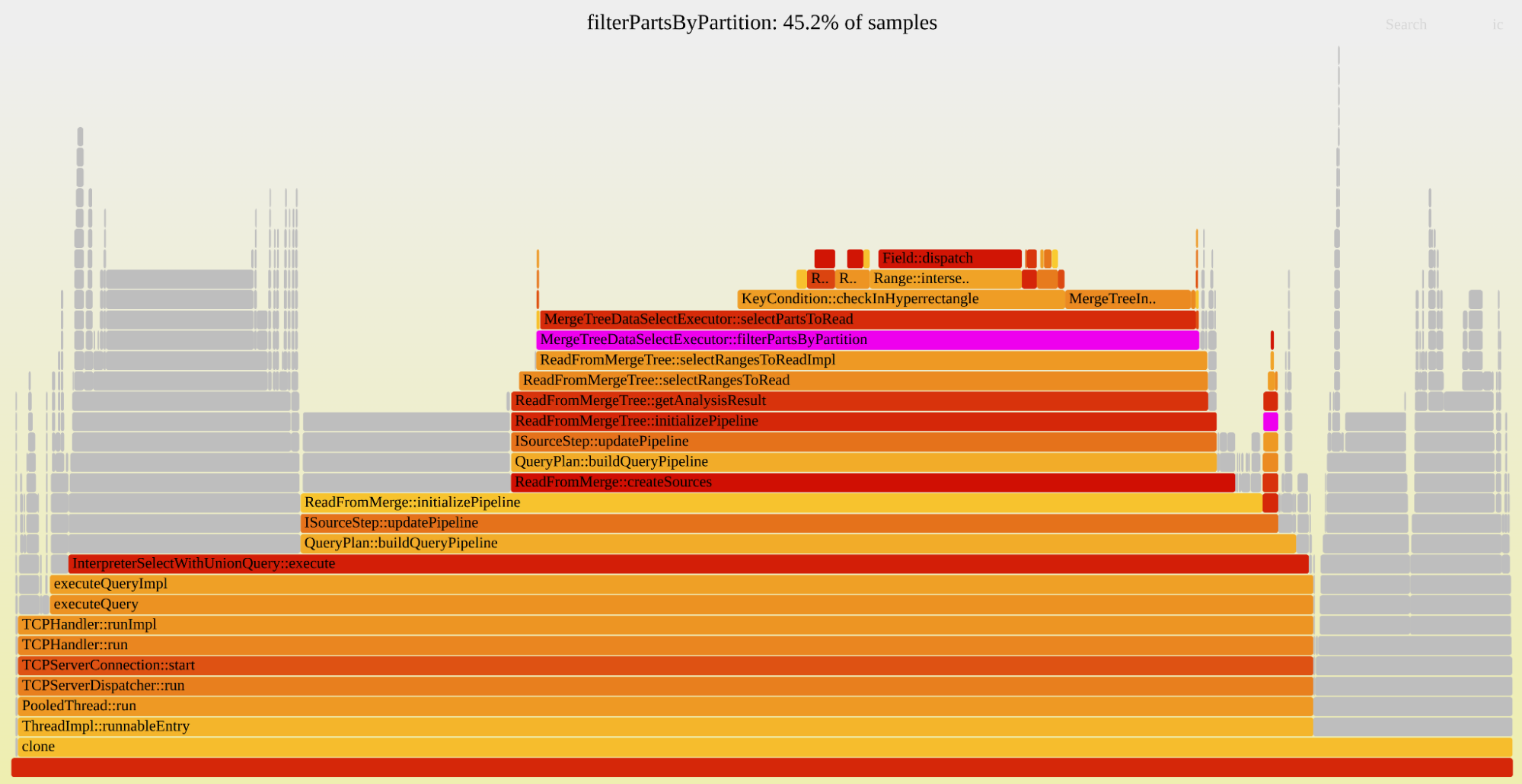
Flame graph showing that 45% of leaf query CPU time is spent filtering a vector of parts based on the partition ID
The flame graph was clear: 45% of the sampled CPU time was being spent in a single function called filterPartsByPartition.
Our first attempt at a fix was a small patch to this exact code path. The planner evaluates heuristics to prune parts, and we believed they weren't being evaluated in the optimal order for our table. Our patch changed the order, yielding a small 5% improvement. We were on the right path, but we'd missed the real problem.
We had been generating "CPU" traces, which only sample active threads. We switched to "Real" traces, which sample all threads, including those that are inactive or waiting. The new flame graph was a revelation.
Flame graph showing that more than half of leaf query duration is spent waiting for a mutex that protects the list of active parts
The problem wasn't CPU-bound work; it was massive lock contention. More than half of our query duration was spent waiting to acquire a single mutex (MergeTreeData) that protects the table's list of parts. To plan a query, every single thread had to:
- Acquire an exclusive lock on this mutex.
- Make a complete copy of the list of all parts in the table.
- Release the lock.
- Filter that list down to the relevant parts.
With tens of thousands of parts and hundreds of concurrent queries, they were all just standing in a single-file line.
The fixes: a trio of patches
This insight helped us plan a series of optimizations to alleviate these hotspots. As with all the patches we make to ClickHouse, we try to make them generic, and eventually get them contributed to the upstream codebase. This makes it easier for us to maintain our fork, and means the community benefits from the changes we make too!
Optimization 1: use a shared lock
The query planner doesn't modify the parts list; it just reads it. It had no business using an exclusive lock.
The Fix: We modified the code to acquire a shared lock (std::shared_lock) instead. This allowed all query planners to enter the critical section concurrently.
The Result: A massive, immediate drop in query duration. The lock contention vanished.
Immediate Impact of the Shared Lock Optimization (Optimization 1) on Average SELECT Query Durations, demonstrating the resolution of lock contention.
Optimization 2: stop copying the vector
Performance was significantly better, but still not back to baseline. We went back to the trace log and made another 'Real' flame graph.
Flame graph showing that we spend a quarter of leaf query duration copying the vector of all parts, and another quarter filtering through it (copying again).
The new flame graph showed the bottleneck had simply moved. Now, time was being spent copying the giant vector of parts, even with the shared lock. Intuitively, copying a vector sounds cheap, but when it contains tens of thousands of elements, and you do it hundreds of times a second, it adds up.
The Fix: We deferred the copy entirely. We created a "shared copy" of the parts list. Read-only operations (like query planning) just read from this copy. Any operation that modifies the set of parts (like a new insert) regenerates the cache. Planners now only copy the filtered list of parts they actually need.
The Result: Another significant performance improvement.
Further Performance Improvement After Rolling Out the Vector Copy Optimization (Optimization 2).
After seeing these massive savings internally, we decided to bring these changes to the community. After some small design iterations with the maintainers at ClickHouse Inc., we got the changes merged under PR #85535. They have been available since ClickHouse version 25.11.
Optimization 3: binary search for parts
We're still not done. As part counts grow, performance still degrades, just much more slowly. The correlation with part count was still there. Coming back to this after a few months, a new flame graph (looking the same as Figure 3) shows the time is spent in the filtering code path (the one we tried to fix first). This code performs a linear scan over all parts, evaluating predicates against each one. Over a few months, we were back to select durations from before the optimizations.
But we know this list of parts is sorted by the partitioning key. Remember that the first column of the partition key is namespace, which the vast majority of queries filter on, because it identifies the "tenant." How can we make use of this?
The Fix: We implemented a binary search based on the namespace part of the partition ID. This works because the vector is sorted, so you can filter out a lot of the entries without actually looking at them. This is particularly effective since the namespace is the first part of that sorting key. After this first-pass of binary search, we have a much smaller range of parts we need to examine, and for those we still step through each one, applying the same logic as before to exclude parts based on other conditions.
The Result: After deploying this patch in March 2026, query durations dropped by 50% (see Figure 8). More importantly, this finally breaks correlation of query durations with the number of parts. Unfortunately, this solution doesn't generalize that well for arbitrary query conditions (e.g. conditions such as namespace in (5,10)). We are looking into more generic approaches like extending the query condition cache to cover part filtering.
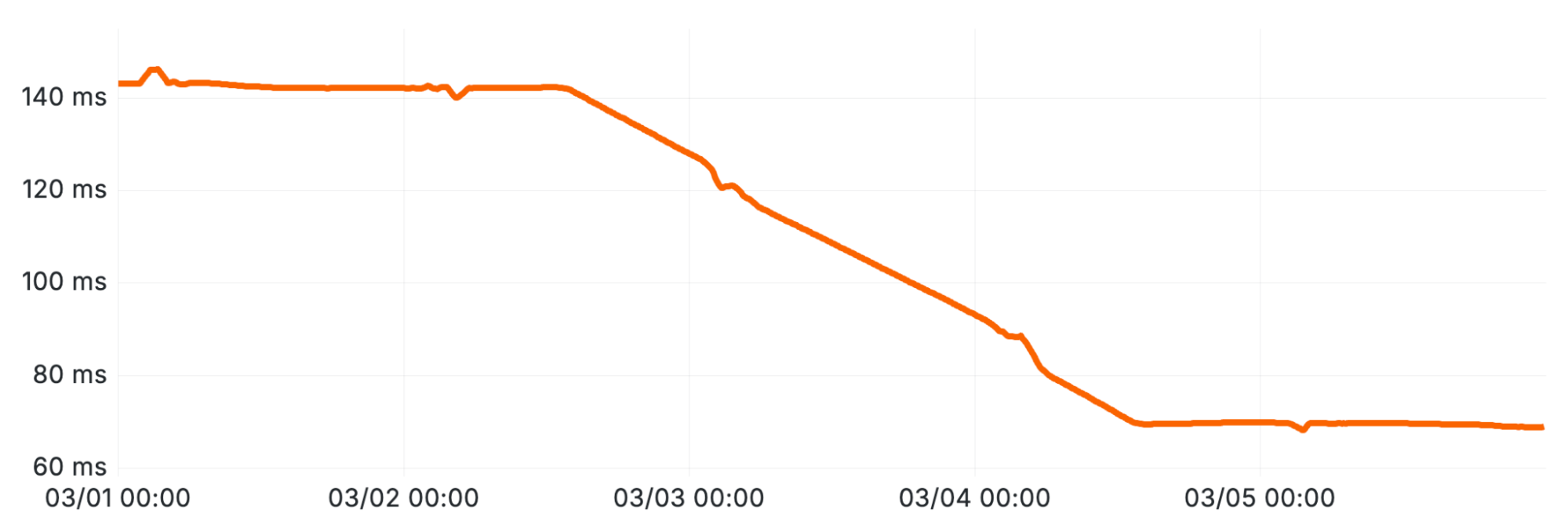
Sustained Latency Reduction Following the Implementation of Binary Search for Part Pruning (Optimization 3).
An uneasy truce
These optimizations resolved the immediate crisis with the billing system. But this journey exposed the deep, non-obvious costs of our partitioning choice.
Other problems remain. In this blog post we've only described the problems increasing part counts had on our select durations, but it has also caused problems for ZooKeeper, which tracks metadata for all the parts in ClickHouse. Perhaps one day we'll tell the story of the 100 gigabyte ZooKeeper cluster.
We've bought ourselves significant breathing room, but the fundamental question remains: Was this partitioning scheme the right long-term choice? Or will we eventually need to bite the bullet and move to a different architecture? For now, our patches are holding, but the experience was a clear example of how even a well-planned change can fall victim to incorrect assumptions.
When the billing team first reported this problem we had 30,000 parts per replica. The part rate never stopped growing, and a year later we hit 160k parts per replica, but query durations have been stable thanks to the optimizations we made here.
AWS Outage May 2026: Lessons for Database Disaster Recovery
A 20-hour data center overheating event in AWS US-EAST-1 on May 7-8 took down Coinbase, FanDuel, and CME, proving Multi-AZ can't protect single-zone latency-optimized workloads from physical failures.
Summary
Deep Dive
- AWS US-EAST-1 availability zone use1-az4 suffered cooling system failures starting 23:50 UTC May 7, 2026, physically damaging EC2 instances and EBS volumes on affected racks over a 20-hour period until cooling was restored May 8 at 13:50 PT
- Coinbase experienced a 7-hour total outage of its centralized exchange, trading platform, Prime, international venue, and derivatives exchange—occurring during an already difficult week following 14% workforce reduction (700 employees) and Q1 earnings showing $394M net loss with 31% year-over-year revenue decline
- CEO Brian Armstrong acknowledged most Coinbase systems tolerate single-zone failures, but the exchange deliberately runs in a single zone to minimize latency for traders and support customer co-location; backup systems failed to activate as designed, forcing manual disaster recovery execution
- FanDuel went offline at 21:00 ET during Game 2 of Lakers versus Thunder playoff semifinal, preventing users from placing or cashing out live bets during peak betting window—worst possible timing for a sportsbook
- CME Group reported login and latency issues on CME Direct institutional trading platform, creating regulatory and risk management concerns beyond just technical downtime
- Root cause was physical infrastructure failure (overheating), not software, meaning automated failover orchestration cannot reroute around the damage—illustrating limits of software-based high availability
- AWS SLA provides roughly 10% credit on monthly compute spend for affected instances, but research shows 90% of mid-to-large enterprises lose $300K or more per hour during outages, with 41% losing $1M-$5M per hour; financial services losses run higher
- Multi-AZ high availability and cross-region disaster recovery solve different problems: Multi-AZ protects against zone-level failures but offers no protection for region-wide events or for workloads that must run single-zone for latency or performance reasons
- Cross-region disaster recovery requires asynchronous replication (accepting eventual consistency), choice between idle versus hot standby compute (cost versus RTO trade-off), and full topology replication including not just data but users, permissions, firewall rules, and configuration
- Article recommends three immediate actions: (1) map every application tier to its actual region and zone, identifying assumed-multi-region services that are not; (2) stress-test RTO by walking through actual failover procedures and identifying gaps in runbooks; (3) calculate cost of one hour of downtime versus cost of disaster recovery replication to make informed insurance decision
- Disaster recovery plan must extend beyond database to include application reconnection logic, networking, private endpoints, DNS or connection management, operational ownership, validation procedures, and regular testing—database replication alone is insufficient
- Lesson is not that AWS is unreliable but that being on a reliable provider is not the same as being resilient; resilience is owned through conscious architectural choices about data location, replication frequency, and cross-region application deployment capability
Decoder
- RPO (Recovery Point Objective): Maximum acceptable data loss measured in time (e.g., 10-minute RPO means up to 10 minutes of recent data could be lost during a disaster)
- RTO (Recovery Time Objective): Maximum acceptable downtime duration—how long it takes to restore service after a failure
- Hot Standby: Disaster recovery mode where backup compute resources are already running and ready for immediate failover, versus cold standby where resources must be provisioned first (faster RTO but higher cost)
- Co-location: In trading context, physically placing servers in the same data center as the exchange to minimize network latency to microseconds for high-frequency trading
Original Article
At 23:50 UTC on Thursday, 7 May 2026, a room in an Amazon data centre in Northern Virginia overheated. Multiple cooling units in availability zone use1-az4 failed. Within minutes, EC2 instances and EBS volumes on the affected racks were losing power. Within the hour, traders trying to close positions on Coinbase, bettors trying to cash out during Game 2 of the Lakers and Thunder Western Conference semifinal on FanDuel, and institutional users on CME Direct were staring at error screens.
For most of those users, the next several hours were the operational definition of helplessness. There was no failover button. There was no secondary region to switch to. They could only refresh.
If you run a mission-critical workload on a single AWS region, this post is for you. SingleStore Smart DR provides cross-region replication with a target RPO of up to 10 minutes and no idle compute cost in the secondary region until you fail over.
Key takeaways
-
A single-zone thermal event in AWS US-EAST-1 caused multi-hour outages at Coinbase, FanDuel and CME Group on 7–8 May 2026.
-
Coinbase was offline for approximately seven hours. AWS recovery extended into the following afternoon.
-
The standard AWS service credit covers about 10% of monthly compute spend on impacted instances. It does not cover lost revenue, regulatory exposure or customer trust.
-
Multi-AZ high availability did not save Coinbase, because their latency-sensitive matching engine ran in a single zone by design. Multi-region disaster recovery is a different problem.
What happened on 7–8 May 2026
The thermal event began at approximately 17:25 PDT on Thursday, 7 May. Cooling capacity in a single data centre hall dropped, triggering a power loss that physically damaged EC2 instances and EBS volumes on affected racks. AWS shifted traffic away from the affected zone, but recovery depended on physically restoring cooling capacity before damaged hardware could safely return to service. Cooling was stabilised at pre-event levels at 13:50 PT on Friday, 8 May, more than 20 hours after the incident began. Most affected instances and volumes were restored at that point.
The root cause matters. This was not a software bug or a misconfiguration. It was a building that got too hot. Software orchestration cannot automatically reroute around physical hardware damage. That is why the rest of this post is about cross-region disaster recovery rather than high availability.
Who was impacted
Coinbase was offline for approximately seven hours. Trading, exchange access, balance updates, Prime, the international venue and the derivatives exchange all went dark. The disruption arrived at the end of an already difficult week for the company: on Monday, Coinbase had announced a 14% workforce reduction of around 700 employees. On Thursday afternoon, hours before the outage began, the company reported a Q1 net loss of $394 million and a 31% year-on-year revenue decline.
CEO Brian Armstrong was unusually direct about what went wrong. In a public statement on X, he wrote that the outage was "never acceptable", and acknowledged that while most Coinbase systems are designed to tolerate the failure of a single AWS availability zone, the centralised exchange did not. Coinbase's Head of Platform Rob Witoff later confirmed that the primary exchange systems run in a single zone to minimise latency, and that backup systems "did not work as expected during the incident, extending the outage and forcing engineers to manually execute disaster recovery procedures".
FanDuel went offline at approximately 21:00 ET, just as Game 2 of the Lakers and Thunder semifinal tipped off. This is, by some margin, the worst possible window for a US sportsbook to fail. Live bets could not be cashed out. Users posted screenshots demanding refunds and bonuses, some threatening legal action. FanDuel acknowledged "technical difficulties prohibiting users from accessing our platform" before confirming the AWS link about two hours later.
CME Group reported login and latency issues on CME Direct, its institutional trading platform. For a regulated derivatives exchange, even short outages create a regulatory and operational risk management question, not just a technical one.
These are the three companies whose outages made the news. The actual downstream was much wider. Any business with production workloads in US-EAST-1 that depended on EC2 instances or EBS volumes in availability zone use1-az4 may have experienced impairments. That includes some SingleStore Helios customers running on AWS. (Helios is our fully managed cloud database service.) Many had architectures that absorbed the disruption cleanly. Others felt it directly. The companies in the press are visible because public markets oblige them to file statements. The teams who quietly spent the night on a bridge call do not show up in headlines, but the impact on their business is no less real.
The hidden cost: SLA credits versus reality
AWS will compensate affected customers under the standard EC2 service level agreement. The credit is typically 10% of monthly compute spend on impacted instances. There is no compensation for lost revenue, lost customer trust or regulatory exposure. Independent research consistently puts the real cost much higher: the 2024 ITIC Hourly Cost of Downtime survey found that 90% of mid-size and large enterprises lose more than $300,000 per hour during an outage, and 41% lose between $1 million and $5 million per hour. In finance and trading the losses run higher still.
The cloud SLA is not your business continuity plan. It is a small refund.
High availability and disaster recovery solve different problems
The temptation, after an event like this, is to conclude that multi-AZ is the answer. Two things complicate that conclusion.
First, Coinbase already had multi-AZ for most workloads. Their statement made this explicit: "Coinbase systems are designed to be resilient to a single zone outage. In this case, we observed failures impacting multiple AWS zones." The exchange itself ran in a single zone by design, optimised for latency and customer co-location. If you run a real-time operational workload that is genuinely latency-sensitive, you have probably made similar trade-offs.
Second, even where multi-AZ is in place, it does nothing for a region-level event. AWS treats availability zones as the failure domain for high availability. Disaster recovery is about regions, and regions are independent on purpose. A thermal event in US-EAST-1 will not move your data to US-WEST-2 unless you have explicitly arranged for it to do so.
The distinction matters. High availability protects you from a bad day in one rack or one zone. Disaster recovery protects you from a bad day in one region. Most production workloads need both.
Where Smart DR stops and your DR plan begins
We are being honest about the constraints. Smart DR protects the database recovery path. It does not remove the need for an end-to-end application disaster recovery plan.
You still need to think through application behaviour during failover, networking, private endpoints, DNS or connection management, operational ownership and runbooks. Who makes the failover decision. How the application reconnects. How you validate correctness in the target region. How you test the process regularly. These are questions Smart DR does not answer for you, and we would rather say so than pretend otherwise.
Replication is asynchronous, which is the right trade-off for an operational database but means it is not a synchronous multi-region active-active topology. The 10-minute RPO is a ceiling, not a guarantee; actual RPO depends on workload characteristics and replication lag at the moment of failure.
Three things to do this week
-
Map your region affinities. For each tier of your application (presentation, API, application logic, primary database, cache, message bus, object storage, analytics), write down the AWS region and, where applicable, the availability zone. You will probably find at least one tier you assumed was multi-region and is not.
-
Stress-test your assumed RTO. Sit with your engineering lead and walk through what it would actually take to restore service if US-EAST-1 went offline for six hours starting now. Be specific. Who runs the runbook. Where is the runbook. When was it last exercised. What is the connection string for the secondary region. What does DNS look like.
-
Decide what you are buying. Cross-region disaster recovery is an insurance product. The premium is database replication cost. The payout is everything you do not lose when the chillers fail. Set a number for what an hour of downtime costs your business. Compare it to the replication cost. The decision usually becomes obvious in one direction or the other.
Closing
The internet still runs in buildings, and buildings can overheat. That is the part of the story no architecture diagram makes visible. The teams at Coinbase, FanDuel, CME and the other affected platforms responded well to a hard situation, and we have a great deal of sympathy for the engineers who spent Thursday night and Friday morning on a recovery call.
The lesson we take from May 2026 is not that AWS is unreliable. AWS is, on the whole, extremely reliable, and the engineering response during this event was professional. The lesson is that being on a reliable provider is not the same as being resilient. Resilience is something you own. It lives in the choices you make about where your data is, how often it replicates, and how quickly you can run your application in a different region. Smart DR is one option for that. There are others. The only choice that is not available is to not make a choice.
Viaduct 1.0 and the Future of Airbnb's Data Mesh
Airbnb open-sourced Viaduct 1.0, a GraphQL-based data mesh that uses multi-tenant modules to avoid the operational complexity of federation.
Summary
Deep Dive
- Viaduct is a data-oriented service mesh that addresses the challenge of accessing diverse data sources across a large organization
- Built on GraphQL, it provides a single unified schema that acts as a gateway to any data source at Airbnb
- The key innovation is multi-tenant modules: teams contribute their own schema and resolvers without operating separate GraphQL services
- This architecture strikes a balance between a monolithic GraphQL server (which doesn't scale for large orgs) and full GraphQL federation (which has high operational overhead)
- Teams can develop and deploy their data access logic independently while users query through a single endpoint
- The project is now open source, allowing other companies to adopt the same pattern
- Airbnb positions this as part of their data mesh strategy, enabling decentralized data ownership while maintaining centralized access
Decoder
- Data mesh: Architectural pattern that treats data as a product owned by domain teams rather than a centralized data platform, emphasizing decentralized data ownership and federated governance
- GraphQL federation: Pattern for composing multiple GraphQL services into a single unified graph, but requires orchestrating multiple separate services and managing their dependencies
- Multi-tenant modules: In Viaduct's context, this means multiple teams' schema and resolver code running within a single shared GraphQL service rather than as separate deployments
Original Article
Viaduct 1.0 is Airbnb's open-source data-oriented service mesh built on GraphQL. It provides a single unified schema for accessing any data source across the company while enabling decentralized development through multi-tenant modules as teams contribute their own schema and resolvers without operating separate GraphQL services, striking a balance between a monolithic GraphQL server and full federation.
The Modern Data Stack is Overcomplicated: Data Ingestion
Solo data engineers should use managed connectors despite high costs - time saved from building pipelines can drive 2-5x revenue growth.
Summary
Deep Dive
- Data ingestion appears simple but wrong choices compound through broken connectors, schema drift, and wasted engineering time
- Managed connectors (Fivetran, Airbyte) work well for standard SaaS (Shopify, Stripe, NetSuite) but less-popular sources are less reliable
- Fivetran is polished and expensive, Airbyte is cheaper and open-source but variable quality on non-approved connectors
- Event streaming (Kafka/Confluent) justified only for high-volume operational data needing sub-second latency - technical overhead too high for daily batch use cases
- Custom pipelines give total control but you own every bug, retry, and schema change forever - not 'free' despite no license fee
- Real platforms use all three: managed for commodity SaaS, streaming for high-volume low-latency data, custom for niche APIs
- Hidden costs: engineering time (biggest factor), connector churn derailing sprints, silent schema drift, over-engineering for false real-time requirements
- Solo engineers should lean heavily into managed connectors - time saved building connectors translates to 2-5x revenue growth from insight-driving work
- Teams of 10+ engineers can absorb custom pipeline complexity, but the scale where managed becomes unviable is higher than assumed
- Decision framework: evaluate source type (SaaS/high-volume/niche), actual latency needs (daily batch fine for 95% of analytics), and team size
Original Article
The Modern Data Stack is Overcomplicated: Data Ingestion
Getting data from A to B shouldn't be a full-time job. Part 2 of a 10 part series exploring every layer of a modern data stack, and the trade-offs nobody talks about.
On paper, you'd think that data ingestion is the simplest problem in the data stack.
You have data at point A. You need to move it over to point B, you move it.
That's it, job completed!
Yet, ingestion is where I've seen more data platforms quietly fall apart than anywhere else. Not in some catastrophic business ending way, more in slow grinding ways, that come back to bite you down the line. Connectors that silently drop columns, schemas that drift overnight. Then there are cases APIs change on Tuesday leaving your dashboards broken by Wednesday. A "real-time" streaming setup that costs more than the analytics it powers.
The decisions you make here look small at the time. They soon compound.
This post is about the three main approaches to ingestion you are likely to face in the early stages of building a data stack, what each one is actually like to live with, and the costs - not just the financials - that nobody seems to mention until you're knee deep.
To Self-host or Vendor Managed?
Most ingestion problems can be solved by one of three approaches. Most real platforms end up using a mix of all three, even when they don't mean to.
Managed Connectors
The promise: pre-built connectors for hundreds of sources, maintained by a third party, setup in an afternoon.
The reality: it depends entirely on which connector you're using.
Integrations like Shopify, Stripe, NetSuite, and other big SaaS platforms, tend to work very well, these connectors are stress tested, properly maintained, and you can genuinely set these up in an afternoon or sooner. This is where your managed connectors fully earn their reputations.
Now the story is slightly different for less popular sources, which can often times be less reliable, less maintained, and more likely to break in some interesting ways. I've spent more time than I'd like debugging a connector that worked fine in development but quietly failed on edge cases in production.
The Fivetran vs Airbyte (other companies available) question often seems to come up time and time again. How I see these tools, in their own right they are great tools, but they are solving slightly different problems:
-
Fivetran is the polished, reliable, and quite an expensive option. It is definitely a tool you setup once and fully take for granted because it "just works", unfortunately this does come with a premium price tag.
-
Airbyte is open-source, flexible, and significantly cheaper at volume, even considering Airbyte cloud their managed version. With this you will find some quality variable with the non-Airbyte approved connectors found on their marketplace
Good for: standard SaaS sources where you don't want to maintain API integrations yourself.
Watch out for: less popular connectors, price changes, and false sense of security that comes with "managed"
Event Streaming
The promise: real-time data, decoupled producers and consumers, infinitely scalable.
The reality: all of that is true, but the bar to justify it is higher than most people realise.
I've worked with Kafka extensively. When you need it, nothing else quite comes close. Event-driven architectures, high-volume transactional data, systems that need to react to changes in milliseconds, then Kafka is your best bet.
The problem lies in that "real-time" phrase. This sounds great in a planning meeting, and then someone proposes using Kafka for a source that updates once a day. The infrastructure cost isn't huge, but the technical overhead on a small team is real. You now need to think about topics, partitions, consumer groups, schema registries, dead letter queues, and a dozen other things that don't matter if you're moving data in batches.
Managed Kafka, like Confluent, is almost always the right call for a small team. Self-hosted Kafka is a full-time job in itself, so unless you have specific requirements, you don't want that someone to be you.
Good for: high-volume operational data, event-driven systems, anywhere you genuinely need sub-second latency downstream.
Watch out for: The operational overhead, and using it because it sounds cool rather than actually needing it. This will outlast the initial enthusiasm.
Custom Pipelines
The promise: total control, fits any source, no vendor dependency.
The reality: you own every bug, every edge case, every retry, and every schema change. Forever.
This is the option nobody puts on their architecture diagram but everyone ends up running. The niche API that no connector supports. The legacy system that outputs data in a weird format.
Custom pipelines have a quiet honesty to them. There's no vendor to blame when things break, it's just code that you wrote, doing what you told it to do. That may sound bad, but this has some advantages. You know exactly how it works, when issues inevitably arise, you know exactly how to fix them.
The trap is treating custom pipelines as "free" because there's no license fee. Trust me they are not! Cost comes in the form of your time - building, testing, monitoring, maintaining, and eventually rebuilding when the original author leaves and nobody documented it.
Good for: niche or legacy sources, anything where managed connectors don't exist or don't work properly
Watch out for: accumulating dozens of half-maintained scripts that nobody fully understands. Custom pipelines need the same discipline as any other production system - tests, monitoring, documentation, retry logic. Ignore these and you introduce technical debt.
The Hybrid Reality
In practice, almost every data platform uses a mix of these three approaches. It's not a failure of architecture, it's the right answer (at least in my opinion).
A reasonable split might look like:
-
Managed connectors for your standard SaaS sources, CRM, Finance, Marketing. These are commodity integrations, there's no need to reinvent the wheel here
-
Event streaming for high-volume operational data where latency genuinely matters, order events, user activity.
-
Custom pipelines for those niche APIs and legacy sources
When I looked at our own ingestion layer, the split looks pretty much like that. Managed connectors handle the brunt of the work, we consume Kafka events for the high-volume transactional data from our core systems. We have custom built connectors in AWS-CDK (you could use Terraform) pipelines for sources where nothing else made sense.
The lesson isn't to "pick one approach", it's to pick the right approach that allows you to cut the time barrier from consuming data to insight.
The Hidden Costs
Most posts you read about the ingestion layer tend to stay fairly surface level and only speak about the tools, maybe show some architectural diagrams and call it a day.
Cost to a start-up/scale up company is where the ingestion decision can either drive your team forward or become that uncomfortable anchor down the road, and not just the cost of the tool, the real cost is more layered than that.
The Obvious Costs
These are the costs that are clear as day to see on company pricing pages or sales conversations.
-
Fivetran's row based pricing: on the small scale is reasonable until your volume usage becomes high. This means it's easy to forecast in year one, but as you grow forecasting spend becomes a job in itself.
-
Confluent's cloud pricing/throughput based pricing: pay for what you stream. Predictable, but can add up quickly with high volumes.
-
Lambda per-invocations pricing: Cheap for small jobs. Pricey when someone configures a pipeline to poll an API every minute and nobody notices for six months.
-
Compute at the warehouse: where your data actually lands. This is often forgot about in ingestion conversations, but can be a significant chunk of your spend if too misconfigured.
These are the ones that are easy to model!
The Hidden Costs
Engineering time: this is the big one. "Free" open-source tools aren't free, they'll cost you setup time, ongoing maintenance, and engineering time you spend debugging a connector instead of prioritising higher-value work. A custom Lambda is cheap to run but expensive to build properly and maintain, with testing, monitoring, documentation, and observability all eating in to the time your team could be utilised elsewhere. If you don't factor this time in, this can catch you out down the line.
Connector churn: when a self-managed connector breaks after an API change, one or more team members sprints get derailed. The fix might be simple e.g. a misconfiguration or edge case that was missed. The real cost here is the time it took to find out the root cause, and then there's the stakeholder trust that is lost.
Schema drift: silent column additions, data type changes, fields randomly disappearing. Managed connectors will often handle these for you. Custom pipelines will only capture the data you planned for. The cost here is the broken models and bad data flowing downstream before anyone notices.
Over engineering: running an event-driven architecture for data that only updates a sales dashboard daily. Starting here from day one is only going to create bottleneck after bottleneck. This might feel like the right decision because stakeholders want "real-time analytics" but what they really mean is "When I do eventually get round to looking at the dashboard, I want the dashboard to have the most recent data". So if they are only viewing this dashboard every morning at 9 a.m, batch is the clear winner.
How To Weigh Up Cost?
In my opinion cost should not come down to "what is cheapest", of course no one wants to spend £1million+ on data tools. It's more: with the resources I have at my disposal, how can we efficiently bring data into our central data store, and free up the team to prioritise value-driving work.
So what would a one data engineer team vs a ten data engineer team be thinking?
A solo data engineer should lean more heavily into managed connectors, even if the initial cost to onboard might seem relatively high. The time saved by not building connectors, and instead focusing on modelling data to help your Analysts drive deeper insights, far outweighs the license fee - and could translate to 2-5x revenue growth.
A team of ten data engineers with strong platform engineering experience has the freedom to absorb the complexity of building custom pipelines - they're large enough to sustain the maintenance burden that a smaller team simply couldn't.
At a certain scale, even managed connectors can become financially unviable, and bringing connectors in-house is the right thing to do, but this scale is much higher than most people assume.
Mistakes I see/hear often is teams optimising for the wrong cost. Either obsessing over license fees (guilty of this myself in the past) while ignoring the engineering time they're burning, or diving straight into building everything themselves without evaluating what that actually means.
How To Decide?
So we've spoken about the costs, and where one path or another leads you 6+ months down the line. All of this means nothing without a way to objectively evaluate what approach is the best fit.
Here's a framework I use to help me decide which approach will fit my use case.
What's the source?
-
Standard SaaS platform with a well supported connector → managed connector
-
High volume data where low-latency really matters → event streaming
-
Niche, legacy, or this connector will not be on the Vendors roadmap for the next 12+ months → custom pipeline
What latency do you actually need?
-
Daily batch is fine for 95% of analytics use cases - here I'm looking for if my use case sits in the 5%
-
Hourly is a reasonable middle ground to get the "real-time" feel
-
Genuine sub-minute latency, streaming it is
How big is your team?
-
solo or small team → lean more on managed connectors
-
Larger team → have more of a hybrid set up
If none of these point you to a clear answer then you are likely overthinking. Always start off from the simplest option that meets your actual requirements. You can always change/extend this down the line. The cost of building wrong at the start is cheaper down the line than over-engineering and waiting for your business to reach that scale.
Final Thoughts
My view on this is, what really is the impact I bring to the business as a data engineer? Personally I don't see that in building data connectors, though I believe this to be a fundamental skill every data engineer should know and be able to do. The real value of a data engineer lies in using data to drive impact across the business. In a start-up or scale-up environment that means staying agile and capturing quick wins - and spending two weeks building a data connector simply isn't a good use of time, personally or commercially.
As a data engineering function, we'll be measured on the availability, accuracy, and, actionability of the data. So how we move data from Point A to B is less of a worry.
Welcome to ORDER BY Jungle
Adding a minus sign to ORDER BY switches PostgreSQL's parser from SQL-92 rules checking SELECT aliases first to SQL-99 checking FROM first.
Summary
Deep Dive
- PostgreSQL's ORDER BY clause uses two distinct code paths: findTargetlistEntrySQL92 for bare identifiers (checks SELECT list first) and findTargetlistEntrySQL99 for expressions (checks FROM clause)
- SELECT -a AS a FROM nums ORDER BY a sorts by alias (negated values: -3, -2, -1, 0) while ORDER BY -a sorts by table column (also -3, -2, -1, 0), producing identical output only by arithmetic coincidence
- Adding unary plus breaks alias resolution: ORDER BY +a becomes an expression, sorts by table column instead of alias despite +a equaling a
- Quoted aliases prevent matching: SELECT -a AS "A" ORDER BY a fails case-sensitive strcmp check, falls through to table lookup instead of using the alias
- Sort modifiers like DESC and NULLS FIRST sit above the identifier in parse tree and preserve bare-name lookup, but COLLATE wraps the expression making it unable to see aliases
- GROUP BY a checks scopes in opposite order from ORDER BY a: table first, SELECT list second, causing SELECT a/2 AS a FROM nums GROUP BY a ORDER BY a to produce duplicate rows (groups by input column, sorts by alias)
- Window function ORDER BY has no SELECT-list lookup path: row_number() OVER (ORDER BY alias) always fails even though main ORDER BY alias works
- UNION ORDER BY rejects all expressions, only accepts bare column names: ORDER BY -a and ORDER BY a COLLATE "C" both error after UNION
- Table-qualified references like ORDER BY nums.a count as expressions (ColumnRef with 2+ name parts), triggering FROM-scope lookup instead of alias matching
- The code paths converge in parse_clause.c: SQL-92 path handles bare identifiers and integer positions, everything else falls to SQL-99 expression resolver
- Workaround for using aliases in ORDER BY expressions: wrap in subselect so SELECT
- FROM (SELECT -a AS x FROM nums) s ORDER BY x + 0 makes alias a real column in outer FROM scope
- The distinction dates to late 1990s when SQL-92 identifier rules and SQL-99 expression rules were stitched together, creating a seam still visible today
- PostgreSQL and SQL Server both document that aliases inside ORDER BY expressions are unsupported, requiring manual subselect workaround
Decoder
- ColumnRef: PostgreSQL parser node representing a column reference, stored as name parts list (1 part = a, 2 parts = table.a); bare-name fast path only fires on single-part ColumnRefs
- resname: Result name field in PostgreSQL target list entry holding the column/alias name used for strcmp matching during ORDER BY resolution
- resjunk: Hidden target list columns PostgreSQL uses internally for sorting or grouping but excludes from result set returned to client
- findTargetlistEntrySQL92/SQL99: Parser functions implementing the two ORDER BY scope resolution strategies - SQL92 checks SELECT list for names, SQL99 resolves expressions against FROM
Original Article
SQL is fun and not at all boring. The latest article by Markus Winand on Order by Has Come a Long Way sent me on quite a journey.
First, set up a table called nums with one integer column and four rows:
CREATE TABLE nums (a int);
INSERT INTO nums VALUES (0), (1), (2), (3);
Try to guess what these two queries return.
SELECT -a AS a FROM nums ORDER BY a;
SELECT -a AS a FROM nums ORDER BY -a;
Most of us would guess the same rows in a different order. The actual answer is that they produce exactly the same rows in exactly the same order. By the same logic you might expect
SELECT a AS c FROM nums ORDER BY -c;
to do exactly the same. Except it does not. It errors with column "c" does not exist despite the alias being right there in the statement. Welcome to ORDER BY jungle.
Names and expressions are not the same
If you ask most developers how ORDER BY works, they will say "you put a column name there and it sorts the rows". In 99% of queries that is exactly what happens. People sort by created_at or id and move on. Strictly speaking, three, if you count ORDER BY 1. Positional references are their own can of worms and out of scope for this post. But ORDER BY accepts two different kinds of things:
SELECT created_at, user_id FROM events ORDER BY created_at;
SELECT created_at, user_id FROM events ORDER BY date(created_at);
Both feel natural. And the thing nobody tells you is that they go down completely different code paths in the parser. Different scope rules, different lookups, different error messages. The first looks at your SELECT list. The second looks at your FROM clause. They never look at the same place.
Same answer, two different sorts
Look at the first query again.
SELECT -a AS a FROM nums ORDER BY a;
You wrote ORDER BY a. A bare identifier, no decoration. Postgres goes down the name path. It scans the SELECT list for something called a, finds the aliased column -a AS a, and sorts by its output values. The negated values are -3, -2, -1, 0, ascending is -3, -2, -1, 0. That is what comes out.
Now the twin.
SELECT -a AS a FROM nums ORDER BY -a;
You wrote ORDER BY -a. This is no longer an identifier. It's an expression: unary minus around a column reference. The parser does not even try the same logic.
Instead it switches to the expression path, where the only a it knows is the column in nums, and sorts the input values negated. And by arithmetic luck, the two queries land on the same row order. Same output, completely different logic. If you don't believe it is just luck, drop the negation from the SELECT list and keep it in ORDER BY:
SELECT a AS c FROM nums ORDER BY -a;
c
---
3
2
1
0
(4 rows)
ORDER BY -a is an expression, so it sorts by -input_a ascending, which is input_a descending. The alias c was never consulted. The result has nothing to do with whatever c happens to be.
And ORDER BY -c is now obvious. -c is an expression, so the parser looks for column c in FROM, doesn't find it, and errors. The alias exists, but in a scope this code path cannot see.
Above the identifier, or around it
Once the rule is clear (bare identifier hits the SELECT list, anything else hits the table) the rest of the surprises fall out.
SELECT 'hello' AS x FROM nums ORDER BY x::text;
-- ERROR: column "x" does not exist
It is probably not surprising that casts count as expressions and push the lookup to the table.
The surprise might come with
SELECT a AS c FROM nums ORDER BY c DESC NULLS FIRST;
Which will work as expected. Both DESC and NULLS FIRST are part of the sort clause itself, not of the sort expression. They sit above the identifier in the parse tree, so they never touch it. The parser still sees a bare c, takes the fast path, finds the alias, sorts by it, and then applies "descending, nulls first" on top of the resolved key.
The same cannot be said about collation.
SELECT 'A'::text AS x FROM nums ORDER BY x COLLATE "C";
-- ERROR: column "x" does not exist
This is a really bad one. COLLATE might look the same as a sort modifier, but it is not. It wraps the expression in the parse tree.
Parentheses are a special case.
SELECT -a AS a FROM nums ORDER BY (a);
-- works, sorts by alias
Postgres collapses redundant parens before the bare-identifier check, so (a) is still bare a. The seam is asymmetric in the way that maximises confusion: COLLATE is "still a name to a human, an expression to the parser", and (a) is "an expression to a human, still a name to the parser". You get both flavours of wrong intuition mixed here.
Unary plus. +a and a evaluate to the same value, but they do not parse to the same node.
SELECT -a AS a FROM nums ORDER BY a;
SELECT -a AS a FROM nums ORDER BY +a;
A plus sign you would not even think about changes which rows come out in which order. The parser stores a column reference as a list of name parts: one part when it is unqualified, two or more once you add a table or schema. The fast path only fires on lists of length one.
Finally, schema- and table-qualified references. ORDER BY nums.a looks like an identifier, but it is not.
SELECT -a AS a FROM nums ORDER BY a;
SELECT -a AS a FROM nums ORDER BY nums.a;
a
----
-3
-2
-1
0
(4 rows)
a
----
0
-1
-2
-3
(4 rows)
Aliases that aren't the names you think
Here is one that cost me an afternoon once. Easy to come across once an ORM or a generated view declared the alias for you. SQLAlchemy, Hibernate, jOOQ, and most code generators quote anything that isn't pure lowercase. Two queries, identical except that the alias is quoted in one. Two different result sets.
SELECT -a AS A FROM nums ORDER BY a; -- sorts by alias (-3,-2,-1,0)
SELECT -a AS "A" FROM nums ORDER BY a; -- sorts by input (0,-1,-2,-3)
The bare-identifier check compares names with strcmp. Unquoted A folds to lowercase a and matches. Quoted "A" preserves case, stays A, and does not match the lowercase a in the ORDER BY. The lookup fails, the parser falls through to the expression path, the expression path finds the column a in nums, and the query runs successfully while doing something different from what you meant.
GROUP BY checks the opposite scope first
Both GROUP BY and ORDER BY accept a bare identifier, and both can resolve it either way: to a table column or to a SELECT-list alias. The difference is the order they check:
ORDER BY alooks at theSELECTlist first, then the table.GROUP BY alooks at the table first, then theSELECTlist.
For most queries this never matters. The two clauses end up picking the same thing because nothing is shadowed. The surprise happens when an alias has the same name as a base column but a different value:
SELECT a/2 AS a, count(*)
FROM nums
GROUP BY a
ORDER BY a;
Now the two clauses disagree about what a means. GROUP BY a picks the input column (four distinct values, four groups, one row each). ORDER BY a picks the alias, which is a/2. The result has four rows because the grouping was on a finer-grained key than the projection:
a | count
---+-------
0 | 1
0 | 1
1 | 1
1 | 1
Two rows where a/2 = 0 (from input 0 and 1), two where a/2 = 1 (from input 2 and 3). The duplicates are real. The same identifier means two different columns in two adjacent clauses of one query.
Window ORDER BY does not even pretend
This one trips people up because it does not look like a different clause.
SELECT a, -a AS neg, row_number() OVER (ORDER BY neg) FROM nums;
-- ERROR: column "neg" does not exist
OVER (ORDER BY ...) is a different parse path entirely. It does not check the targetlist at all, only the FROM scope. The bare-name fast path simply does not exist here.
SELECT a, -a AS neg, row_number() OVER (ORDER BY -a) FROM nums;
-- this works
Two ORDER BY clauses in the same query, two different scoping rules.
UNION ORDER BY is name-only
When ORDER BY follows a UNION, neither path is fully open.
-- ok
(SELECT a FROM nums) UNION ALL (SELECT 9) ORDER BY a;
-- ERROR
(SELECT a FROM nums) UNION ALL (SELECT 9) ORDER BY -a;
-- ERROR
(SELECT a FROM nums) UNION ALL (SELECT 9) ORDER BY a COLLATE "C";
The error message is unusually helpful:
Only result column names can be used, not expressions or functions. HINT: Add the expression/function to every SELECT, or move the UNION into a FROM clause.
Set operations do not have a single FROM scope to fall back to, so the expression path is closed entirely. Bare names or nothing.
The seam, in the source
Full disclosure: I got this section wrong three times before Claude Code helped me trace the actual parse tree. Lack of sleep from a whole night of geeking out over ORDER BY is the other plausible explanation. Open src/backend/parser/parse_clause.c and find findTargetlistEntrySQL92. It is forty lines of comment, two if blocks, and a final return. SQL92's two resolution rules are tried first; SQL99 is the fallback.
Block one: the bare-name path. The gate is a ColumnRef node with exactly one name part, and that part must be a string identifier (not *, which is also a ColumnRef but with an A_Star field). If the node passes, the function walks the target list looking for a non-resjunk entry whose resname equals the identifier. The loop keeps going past the first match to detect ambiguity: identical expressions are fine (this is why SELECT a, a FROM nums ORDER BY a works), different expressions error out. On a unique match, return.
If the loop finds nothing, the block does not return. Control falls through. This is the case behind the quoted-alias surprise earlier in the post: AS "A" stores resname = "A", ORDER BY a looks up resname = "a", the strcmp fails, and the function moves on as if no SQL92 fast path applied.
GROUP BY is the small exception inside this block. The name is first tested against the FROM scope, and a hit there causes the targetlist loop to be skipped. That is how GROUP BY ends up preferring the input column.
Block two: the positional path. The gate is IsA(node, A_Const). A non-integer constant errors immediately ("non-integer constant in ..."), which catches ORDER BY NULL, ORDER BY 'a', ORDER BY TRUE. An integer is used as a 1-based position into the non-resjunk target list; anything outside the range errors as "position %d is not in select list". Block two never falls through.
Both 1 and -1 arrive here as integer A_Consts. doNegate in the grammar folds '-' Iconst into a single integer constant before the function ever runs, so ORDER BY 1 and ORDER BY -1 go through the same code, with only the integer value (and the result of the position lookup) differing.
The fallthrough. Anything not caught above reaches the last line:
/*
* Otherwise, we have an expression, so process it per SQL99 rules.
*/
return findTargetlistEntrySQL99(pstate, node, tlist, exprKind);
That is the seam. SQL92 succeeds in two narrow shapes: a bare identifier with a matching alias, or an in-range positive integer. Everything else, including a bare identifier whose alias lookup found nothing, becomes a SQL99 expression resolved against FROM.
A useful workaround
If you want the alias inside an expression in ORDER BY, the portable trick is to wrap the query in a subselect:
SELECT *
FROM (SELECT -a AS x FROM nums) s
ORDER BY x + 0;
Now x is a real column in the FROM scope of the outer query. The expression path finds it. The seam has been moved out of the way.
This is, conceptually, what you would want the engine to do for you when you write ORDER BY x + 0 directly. The SQL-99 standard does not actually require that, though, and Postgres (along with SQL Server) documents explicitly that an alias inside an ORDER BY expression is not supported. So you do it by hand.
The boring takeaway
Most of the time none of this matters. You sort by a column you just selected, the alias and the input column have the same name and the same value, and either parser path gives the same answer. The seam is invisible.
The minute the alias and the input column disagree in expression, value, case, or anything wrapped around the identifier, the parser picks one or the other silently, by a rule older than most working programmers.
There are two parsers. The bare-name path is SQL-92, the expression path is SQL-99, and they were stitched together in the late 1990s. They still disagree about which scope your identifiers live in, and knowing which one you triggered tells you which scope.
If after reading this post you still have to stop and think for a minute before predicting what
SELECT -a AS a FROM nums ORDER BY a COLLATE "C";
does, that is the right reaction. It means you have the mental model.
The opening puzzle queries are from Jamie Brandon's comment on the Lobsters thread discussing Markus Winand's history of ORDER BY on modern-sql.com. Everything that follows here is the explanation that comment did not give. Both pieces are worth reading on their own.
Exploring schema evolution with ontology-driven propagation
dltHub replaces brittle column allowlists with plain-English ontologies where Claude classifies each new column by sampling values, catching phone_number but passing UUID fields automatically.
Summary
Deep Dive
- dltHub's ontology-driven approach addresses schema evolution: new columns arrive without warning and either silently expand PII exposure or break analytics views
- Write the access policy in plain English (e.g., 'The view excludes PII columns', 'A text column is high-cardinality if more than 3% of values are unique'), encode it as subject-predicate-object triples
- Code handles what code does well: row counts, cardinality ratios, value sampling. LLM handles ambiguous cases by reading the ontology and applying it to those measurements
- Example ontology rules: numeric/boolean/date/low-cardinality text pass; PII fragments (name, email, phone, card_number, ssn, etc.) are rejected; high-cardinality text without PII fragments goes to value inspection
- For high-cardinality text, the LLM samples values and passes if they're identifiers/codes/machine-generated strings, rejects if they contain personal information
- Two test runs: initial 5 columns (id, transaction_volume_30d, kyc_status passed; full_name, email rejected), then 5 new columns with no code changes (fraud_risk_score, outstanding_balance_usd, risk_tier, user_ref passed; phone_number rejected)
- user_ref shows why value inspection matters: 100% cardinality, non-PII name, but sampled values were UUIDs so LLM passed it as non-personal
- Implementation calls LLM per column per rebuild via Anthropic API with retry loop and fail-closed posture, logs decisions for audit trail
- Limitations: doesn't catch numeric columns encoding sensitive inferences (risk scores, derived identifiers), doesn't address cross-column re-identification, small-vocabulary columns could still contain sensitive values despite low cardinality
- Cost/performance: fine for view-build cadence (batch), not per-request; batchable in production; swap in any model supporting JSON output
- Part of dltHub AI Workbench in dltHub Pro (Q2 2026 release, currently design partnership stage), used by commercial data engineering agencies
Decoder
- Ontology (in this context): Plain-English data classification rules structured as subject-predicate-object triples, readable by both humans and LLMs
- Cardinality ratio: Proportion of unique values in a column; high cardinality means many unique values like UUIDs, low cardinality means repeated values like status codes
- dltHub: Data loading tool for building Python pipelines with automatic schema inference and incremental loading
Original Article
INTRO
Schema evolution is the part of data engineering that looks rudimentary until it isn't. A developer adds a column. Your analytics view doesn't know about it. If the new column contains PII, you've silently expanded your exposure surface. Either way, someone has to notice and fix it manually.
The design: describe the access policy in plain language, encode it as a natural-language ontology, and use that ontology as the runtime policy applied column by column. Code produces what only code can easily produce - row counts, cardinality ratios, value samples. The LLM reads the ontology and applies it to those measurements. The ontology is the source of truth for both behavior and audit. Edit it in English; and the next rebuild adapts.
The ontology encodes the policy in plain English
Four steps:
- Write a prompt: describe the access policy in plain English
- Generate an ontology: pass the prompt to an LLM to encode the policy as structured rules
- Apply the policy at runtime: for each column, an LLM reads the ontology and decides based on the column's name, dtype, cardinality, and a sample of values
- Analytics-safe data: only columns that pass reach the output
Step 1 - prompt:
I'm building a DuckDB analytics view over a fintech dataset. The schema evolves at any time — new columns can arrive without warning. I need an ontology that encodes the access policy as plain-English subject — predicate — object triples. No CamelCase, no identifier syntax — write it the way you'd write rules for a colleague who hasn't seen the codebase. Group claims under a shared subject with bullets when the subject repeats. Collapse parallel claims into a single list when the same predicate applies to several subjects. Keep the file short and scannable.
The ontology will be applied two ways: a deterministic interpreter handles crisp cases (name patterns, dtypes, cardinality), and an LLM handles ambiguous cases by sampling values. Write rules that work for both readers.
Keep it concise, essential rules only, no exhaustive type enumerations.
Define:
- The view's goal: expose analytics-safe columns, exclude PII and high-cardinality text unless the content is verifiably non-personal, adapt automatically on schema change
- Which column classes pass and which are rejected
- PII fragments — representative examples across name, contact, financial, and identity categories
- A cardinality threshold of 3% (a text column is high-cardinality if more than 3 in 100 values are unique)
- A runtime escalation rule: for high-cardinality text whose name doesn't match a PII fragment, inspect a sample of values; pass if values are identifiers, codes, or non-personal descriptions; reject if values contain personal information
- That new columns are evaluated automatically by the same rules with no code change needed
The ontology it produced:
The view:
- exposes analytics-safe columns
- excludes PII columns
- excludes high-cardinality text columns unless their values are verifiably non-personal
- adapts automatically when the schema changes
Columns that pass: numeric, boolean, date, low-cardinality text.
Columns that are rejected: PII, high-cardinality text containing personal information.
A column is PII if its name contains a fragment like:
- name, full_name, first_name, last_name, username
- email, email_address, phone, phone_number, mobile, address, city, zip, postal_code
- card_number, iban, account_number, routing_number, cvv, pan
- ssn, passport, national_id, tax_id, dob, date_of_birth, ip_address, device_id
A text column is high-cardinality if more than 3% of its values are unique.
For high-cardinality text columns whose name does not match a PII fragment:
- inspect a sample of values
- the column passes if its values are identifiers, codes, machine-generated strings, or non-personal descriptions
- the column is rejected if its values contain personal information: names, contact details, financial identifiers, free-form text describing individuals, or anything resembling the PII categories above
New columns:
- are evaluated by the same rules
- require no code change to be classified
- inherit the policy of their column class
Two layers - what things are (taxonomy) and what to do with them (relationships). The taxonomy defines what makes a column PII, what name fragments flag it, what threshold marks text as high-cardinality. The relationships sit on top: what the view exposes, what it excludes, when to escalate to value inspection. Together, that's the ontology. Readable by a human auditor and by an LLM making runtime decisions.
The policy holds when the schema changes
I added the ontology to Claude Code, which already had the pipeline scripts in context, and asked it to write the view logic. The full setup is documented in the notebook.
The code:
import json
import anthropic
client = anthropic.Anthropic(api_key=api_key.value)
MODEL = "claude-sonnet-4-6"
def llm_decide(name, dtype, cardinality, sample):
# Retry loop for model stability
for _ in range(3):
try:
response = client.messages.create(
model=MODEL,
max_tokens=200,
system=(
f"You enforce this data access policy:\n\n{ontology_text}\n\n"
"Decide if a column is analytics-safe. Reply with JSON only, no markdown: "
'{"decision": "pass" or "reject", "reason": "<one sentence>"}'
),
messages=[{
"role": "user",
"content": (
f"Column name: {name}\n"
f"Dtype: {dtype}\n"
f"Cardinality ratio: {cardinality:.1%}\n"
f"Sample values: {sample}"
),
}],
)
out = json.loads(response.content[0].text)
# Ensure the model sticks to the allowed ontology decisions
if out.get("decision") in ["pass", "reject"]:
return out["decision"], out["reason"]
except:
print(f" Retrying {name} due to invalid LLM output...")
continue
# Fail-closed posture for safety
return "reject", "classification_failed_after_retries"
def build_safe_view(pipeline_name: str, raw_table: str, safe_view: str):
con = dlt.attach(pipeline_name).dataset().ibis()
tbl = con.table(raw_table)
total = tbl.count().execute()
safe_columns = []
for col_name, dtype in zip(tbl.schema().names, tbl.schema().types):
if col_name.startswith("_dlt_") or col_name == "_id":
continue
cardinality = tbl[col_name].nunique().execute() / total
sample = tbl.select(col_name).limit(20).execute()[col_name].tolist()
decision, reason = llm_decide(col_name, dtype, cardinality, sample)
marker = "✓ PASS " if decision == "pass" else "✗ REJECT"
print(f" {marker} {col_name} ← {reason}")
if decision == "pass":
safe_columns.append(col_name)
con.create_view(safe_view, tbl.select(safe_columns), overwrite=True)
print(f"\nVIEW '{safe_view}' created — {len(safe_columns)} columns: {', '.join(safe_columns)}")
Two runs: 5 columns first, then 5 more. The question was whether the policy would handle new columns without code changes - including the case where column names don't tell the full story.
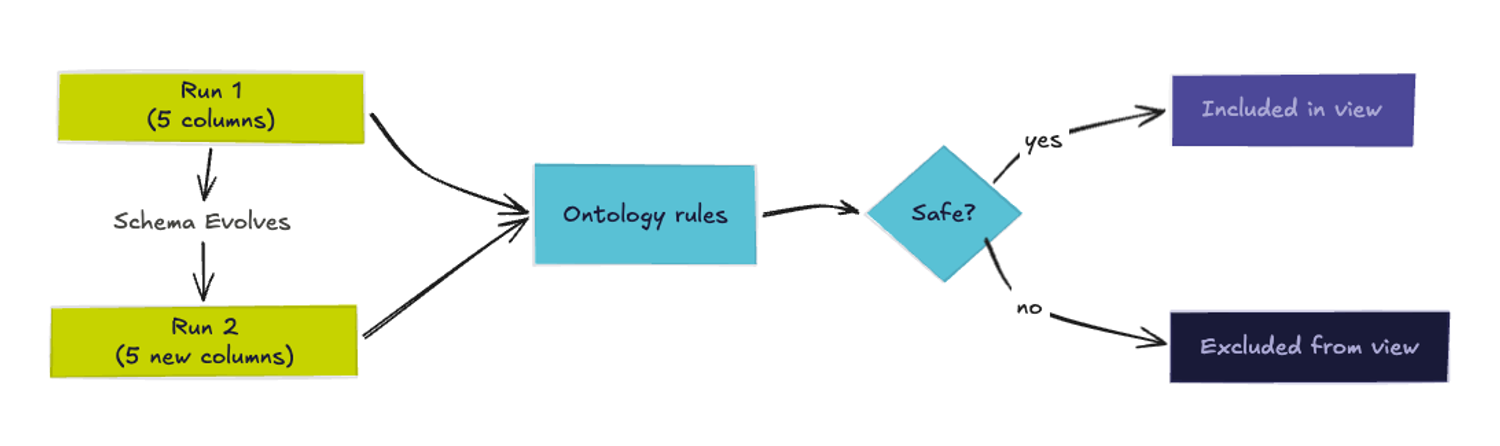
It held. Numeric columns passed, PII fragments were rejected. The case that shows why the LLM is doing the evaluation: user_ref clears the name-fragment check and shows 100% cardinality - it even sounds like it could reference a person. Pure cardinality-based rejection would discard it. The LLM sampled the values, saw UUIDs, and passed it as non-personal.
Run 1: pipeline loaded, view built from policy:
| Column | Result | Reason (as inferred) |
|---|---|---|
| id | ✓ Pass | Numeric surrogate key with no personal information |
| transaction_volume_30d | ✓ Pass | Numeric — transaction count aggregates with no PII characteristics |
| kyc_status | ✓ Pass | Low-cardinality text — non-personal status values (expired, verified, failed, pending) |
| full_name | ✗ Reject | PII — name fragment confirmed by sample values |
| ✗ Reject | PII — email fragment, values are personal email addresses |
Run 2: same policy, 5 new columns:
Four resolved immediately from name and dtype. One required value inspection.
| Column | Result | Reason (as inferred) |
|---|---|---|
| fraud_risk_score | ✓ Pass | Numeric — machine-generated risk scores with no PII characteristics |
| outstanding_balance_usd | ✓ Pass | Numeric — aggregate balance amounts, not a PII identifier |
| risk_tier | ✓ Pass | Low-cardinality text — non-personal risk tier labels (low, medium, high, critical) |
| user_ref | ✓ Pass | High-cardinality text — all sampled values are machine-generated UUIDs, non-personal |
| phone_number | ✗ Reject | PII — phone fragment confirmed by sample values |
v1 columns unchanged → 3 pass, 2 rejected as before. Cumulative: 7 pass | 3 rejected.
phone_number caught by the fragment rule immediately.
user_ref went to the LLM: 100% cardinality, no PII keyword - values resolved it. No view code changes between runs.
What the ontology actually bought
The policy is the contract, not the column list. A SELECT allowlist tells you what's currently safe. An ontology tells you why it's safe. That distinction matters when the schema changes: the ontology stays valid, the allowlist goes stale.
The code produces row counts, cardinality ratios, value samples - things code can produce easily. The LLM reads the natural-language ontology and applies it to those measurements per column. Neither is doing the other's job.
Changing the policy is a one-line edit. Add driver_license to the PII fragment list. The next run catches it. This calls the LLM per column per rebuild. That's fine for view-build cadence - you're not running it per request, and it's batchable in production. The example runs with Claude Sonnet 4.6 via the Anthropic API - swap in any model that supports JSON output. Log the decisions and the reasons. The audit trail is in the model's output; persist it. Fix the sampling to be random rather than limit(20) if row order in your table is non-random.
The limits worth knowing
This works for what it claims to work for. It doesn't solve everything.
Name-fragment matching catches PII by column name. A non-PII-looking name clears that check - value inspection covers the high-cardinality text case, but a numeric column encoding a sensitive inference (a risk score, a derived identifier) passes regardless: the ontology treats numeric as safe. The cardinality rule catches high-entropy strings, but a small-vocabulary column could still contain sensitive values. Cross-column re-identification isn't addressed at all.
When to use this
If your policy decomposes to pure pattern matches and counts - substring on names, dtype allowlist, a threshold - skip the LLM and run the same ontology through a small deterministic interpreter. We didn't, because high-cardinality text is the case where names lie and only inspecting the values resolves it. Pick the executor that matches your policy's edge.
The ontology tells you what safety means. A column list tells you what's currently safe. One expires when the schema changes, the other doesn't. Because the policy is separate from the code, improving it doesn't touch the pipeline.
What Matters in Production RAG
RAG tutorials produce working demos, but production systems serve stale content and wrong answers without document registries or chunk-level tracing.
Summary
Deep Dive
- RAG tutorial demos (embed PDFs in Chroma, chain with LangChain) work in POC but fail in production due to missing infrastructure for index updates, observability, and change management
- Fixed-size chunking (e.g., 512 tokens with 128 overlap) routinely fails by splitting sentences mid-thought; production systems use recursive splitting (paragraphs → sentences → characters), semantic chunking (embed sentences, split where similarity drops), or structure-aware splitting (AST-based for code, clause boundaries for legal docs)
- Embedding model choice is a long-term commitment - switching models (e.g., text-embedding-3-large to Cohere embed-v3) requires re-embedding the entire corpus because vectors from different models are geometrically incommensurable
- Document updates require a registry table mapping each doc_id to its chunk vector IDs; updates involve deleting old chunks, re-chunking the document (which may produce a different number of chunks), re-embedding, and inserting new vectors
- Content hashing (SHA-256 of document text) prevents unnecessary re-embedding when only metadata changes; can be done at document or chunk level for large, mostly-stable documents
- Alias-based deployment (rag_index_2026_05_14 → rag_index_current) enables zero-downtime index updates; build the new index completely, validate it, then atomically swap the alias
- HNSW (Hierarchical Navigable Small World) is the dominant ANN algorithm, building a layered proximity graph during indexing for O(log n) retrieval at the cost of small, tunable recall loss
- Production embedding model options (mid-2026): text-embedding-3-large (3072-dim, OpenAI API), Cohere embed-v3 (multilingual, truncation modes), bge-large-en-v1.5 (open-source, local deployment), e5-mistral-7b-instruct (instruction-tuned, asymmetric retrieval)
- Incremental upsert with valid_from timestamps (similar to Postgres MVCC) allows staging new content before it goes live, preventing partial index visibility during concurrent updates
- Observability requires nested OpenTelemetry spans (rag_request → embedding.query → retrieval.vector_search → retrieval.rerank → prompt.assembly → llm.generate) with chunk_retrieved events logging doc_id, chunk_id, similarity score, and source for each retrieved chunk
- LLM-as-judge evaluation: after generating the answer, send answer + context + question to a smaller model with a rubric scoring faithfulness (stayed within context) and relevance (addressed question); log scores alongside trace ID
- Index version attribution (span.set_attribute("retrieval.index_version", current_index_alias)) in traces enables correlating answer quality regressions to specific index updates
- Three failure modes distinguishable only via chunk attribution: wrong document (index corruption/model drift), wrong section (chunking boundary issue), correct chunks but LLM ignored them (generation problem, not retrieval)
Decoder
- RAG (Retrieval-Augmented Generation): Architecture pattern where an LLM answers questions by first retrieving relevant documents and injecting them into the prompt as context, rather than answering from pre-trained memory alone
- HNSW (Hierarchical Navigable Small World): Graph-based algorithm for approximate nearest neighbor search that builds a layered proximity graph during indexing, enabling O(log n) retrieval with tunable recall tradeoff
- Vector embedding: Dense numerical representation of text (e.g., 3072 dimensions) produced by an ML model, where semantically similar texts have similar vectors measured by cosine similarity
- Chunking: Splitting documents into smaller text segments that are embedded and retrieved independently; critical because chunks must be small enough to be specific but large enough to contain complete thoughts
- Reranking: Second-pass scoring of retrieved chunks using a more expensive cross-encoder model that considers query-chunk pairs jointly, improving on the initial vector similarity ranking
- LLM-as-judge: Evaluation pattern where a lightweight LLM scores another LLM's output using a rubric, often for faithfulness (did it stay within context) and relevance (did it address the question)
Original Article
What Matters in Production RAG
Most of us build RAG the same way: follow a tutorial that embeds a handful of PDFs, stores the vectors in a local Chroma instance, and chains everything together with LangChain (if that's still a thing). The demo works. The answer looks reasonable. Then you take it to production and it falls apart in quiet, hard-to-diagnose ways.
This article is about what comes after the demo. It covers the fundamentals of how RAG actually works under the hood, the engineering challenges of keeping an index fresh and correct over time, and how to build the observability layer that lets you answer "why did the system retrieve that?" when things go wrong. None of these topics are exotic. All of them are consistently underbuilt in practice.
RAG Basics
The core idea is simple: instead of asking an LLM to answer from memory, you retrieve relevant documents at query time and inject them into the prompt as context. The model's role shifts from "know everything" to "reason over what you are given." This architectural choice has made RAG the dominant pattern for grounding LLMs in specific, current, or proprietary knowledge.
A RAG system has two distinct pipelines that run at different times.
The indexing pipeline runs offline (or in the background). It ingests raw documents, splits them into chunks, converts each chunk into a dense vector embedding, and stores those vectors in a vector database alongside metadata and the original text. This pipeline populates the knowledge base the retriever will search at query time.
The query pipeline runs online, per user request. It takes the user's question, embeds it using the same model used during indexing, searches the vector database for the nearest chunks, assembles those chunks into a context window, and sends the whole thing to the LLM as a prompt.
The math underlying the retrieval step is cosine similarity. Two vectors are considered close if the angle between them is small:
similarity(q, d) = (q · d) / (‖q‖ · ‖d‖)
Where q is the query embedding and d is a document chunk embedding. In practice, most vector databases use approximate nearest neighbor (ANN) search rather than exact exhaustive search, because scanning billions of vectors at query time is prohibitively slow. HNSW (Hierarchical Navigable Small World) is the dominant algorithm: it builds a layered proximity graph during indexing that allows retrieval in O(log n) time at the cost of a small, tunable recall loss.
Chunking
Chunking is where most RAG systems silently fail. The intuition is straightforward: chunks need to be small enough that retrieved text is specific and relevant, but large enough that they contain complete thoughts. In practice, getting this right requires understanding your document corpus.
The naive approach is fixed-size chunking at some character or token count, say 512 tokens with a 128-token overlap. It is simple and fast. It is also routinely wrong. Fixed-size chunking cuts sentences in half, separates questions from their answers in FAQ documents, and splits code across function boundaries.
The approaches that actually work in production:
- Recursive splitting: split on paragraphs first, then sentences, then characters as a fallback. This preserves semantic structure far better than character counting.
- Semantic chunking: embed consecutive sentences and insert chunk boundaries where cosine similarity between adjacent sentences drops below a threshold. This identifies genuine topic shifts rather than arbitrary position boundaries.
- Structure-aware splitting: for code, split at function or class boundaries using AST parsing. For legal documents, split at clause boundaries. For contracts, include the parent section heading with every child chunk.
Always store metadata with each chunk: the source document ID, section heading, page number, creation timestamp, and a content hash. You will need all of these later, both for filtering and for keeping the index current.
Embedding Models and the Model-Lock Problem
The embedding model you choose during indexing is a 'long-term commitment' (sorry, could not come with a better working here). Every vector in your index was produced by that model. If you switch models, every vector is now incommensurable with the new query embeddings, and you must re-embed the entire corpus.
Production-grade options as of mid-2026:
text-embedding-3-large(OpenAI): 3072-dimensional, best general-purpose recall, but API-dependentembed-v3(Cohere): strong multilingual performance, supports truncation modesbge-large-en-v1.5(BAAI): open-source, deployable locally, competitive with the above for Englishe5-mistral-7b-instruct: instruction-tuned, excellent for asymmetric retrieval tasks
RAG Indexing Pipelines
Here is where most tutorials stop and most production problems begin. Your knowledge base is not static. Documents are updated, retracted, corrected, superseded, and deleted. If your indexing pipeline cannot handle these operations correctly, your RAG system will quietly serve stale, contradictory, or deleted information with full confidence.
Chunk Identity
A document that is split into 15 chunks produces 15 separate vectors, each stored with its own ID. When that document is updated, you cannot simply update a row as you would in a relational database. You need to:
- Identify all 15 chunk IDs that belong to the old version of the document
- Delete them from the vector store
- Re-chunk the updated document (which may now produce 17 chunks)
- Re-embed and insert the 17 new chunks
This requires a mapping layer that vector databases do not provide natively. The standard approach is a document registry, a simple relational table (Postgres works fine) that maps each doc_id to the list of chunk vector IDs currently in the index:
CREATE TABLE doc_chunk_registry (
doc_id TEXT NOT NULL,
chunk_vector_id TEXT NOT NULL,
content_hash TEXT NOT NULL,
version INTEGER NOT NULL DEFAULT 1,
indexed_at TIMESTAMPTZ NOT NULL DEFAULT NOW(),
status TEXT NOT NULL DEFAULT 'active', -- 'active' | 'deleted' | 'superseded'
PRIMARY KEY (doc_id, chunk_vector_id)
);
When a document update arrives, the flow is:
def reindex_document(doc_id: str, new_content: str, vector_store, registry_db):
# 1. Find existing chunk IDs
old_chunk_ids = registry_db.query(
"""SELECT chunk_vector_id
FROM doc_chunk_registry
WHERE doc_id = %s AND status = 'active'""",
(doc_id,)
)
# 2. Delete old vectors
vector_store.delete(ids=[row["chunk_vector_id"] for row in old_chunk_ids])
registry_db.execute(
"""UPDATE doc_chunk_registry
SET status = 'superseded'
WHERE doc_id = %s AND status = 'active'""",
(doc_id,)
)
# 3. Re-chunk and re-embed
new_chunks = splitter.split_text(new_content)
new_embeddings = embed(new_chunks)
new_ids = vector_store.upsert(new_embeddings, metadata=[...])
# 4. Register new chunks
for chunk_id in new_ids:
registry_db.execute(
"""INSERT INTO doc_chunk_registry
(doc_id, chunk_vector_id, content_hash, version)
VALUES (%s, %s, %s, %s)""",
(doc_id, chunk_id, content_hash, next_version)
)
Avoiding Unnecessary Re-Embedding
Re-embedding is expensive. A 100,000-document corpus with an average of 10 chunks per document means 1 million embedding API calls for a full rebuild. You want to re-embed only what changed.
Content hashing is the first gate. When a document arrives, compute a hash of its content. If the hash matches what is in the registry, skip it entirely. Most "updates" in practice are metadata changes (a title change, a timestamp update) that do not affect the text content and therefore do not require re-embedding.
def should_reindex(doc_id: str, new_content: str, registry_db) -> bool:
row = registry_db.query_one(
"""SELECT content_hash
FROM doc_chunk_registry
WHERE doc_id = %s
AND status = 'active' LIMIT 1""",
(doc_id,)
)
if row is None:
return True # New document
new_hash = hashlib.sha256(new_content.encode()).hexdigest()
return new_hash != row["content_hash"]
For large documents, you can go further: hash at the chunk level, and re-embed only the chunks whose content changed. This is more complex to implement but pays off for long, mostly-stable documents like regulatory filings or technical manuals where only a few sections change per update cycle.
Index Versioning and No-Downtime Updates
The most underappreciated failure mode in RAG is the partial update. You start reindexing 10,000 documents, the pipeline crashes at document 6,000, and now your index is a flux: some documents are at version N, some at version N+1, and the seam between them is invisible to the retrieval layer.
The safe pattern is alias-based deployment, borrowed directly from Elasticsearch operations:
rag_index_2026_05_14 (built overnight, fully validated)
rag_index_current (alias pointing to above)
You build the new index completely, validate it against a benchmark query set, then atomically swap the alias. The old index stays around for a configurable retention period in case rollback is needed. No query ever sees a partial index.
For systems that cannot tolerate rebuild latency (the index is too large, or documents need to be available within seconds of ingestion), incremental upsert is the alternative. Upsert appends new vectors without touching existing ones. Manage concurrent visibility by including a valid_from timestamp (similar to Postgres MVCC) in metadata and filtering queries to only return chunks where valid_from <= NOW(). This lets you stage new content before it becomes live.
# Stage new chunks with a future valid_from
vector_store.upsert(
vectors=new_embeddings,
metadata=[{
"doc_id": doc_id,
"valid_from": (datetime.utcnow() + timedelta(minutes=5)).isoformat(),
"status": "active"
} for _ in new_embeddings]
)
# Query filter in retrieval
results = vector_store.query(
query_vector=query_embedding,
filter={"valid_from": {"$lte": datetime.utcnow().isoformat()}, "status": "active"}
)
Embedding Model Upgrades
When a better embedding model is released, every vector in your index is now wrong in a specific sense: it was produced by a different model, so its geometric position in the vector space is incommensurable with query embeddings from the new model. You cannot query with model B and retrieve vectors from model A.
This means embedding model upgrades require full corpus re-embedding. In practice, the migration strategy is:
- Build a shadow index with the new model running in parallel
- Route a small percentage of queries to the shadow index and compare results
- Gradually shift traffic using the alias pattern above
- Keep the old index warm until you are confident in the new one
The operational cost of this is why embedding model choice deserves more up-front thought than it typically gets. Treat it like a database schema migration: painful to undo, so choose carefully.
A practical safeguard: store the embedding model name and version in every chunk's metadata. When querying, assert that the stored model matches the query model before returning results. This prevents the silent failure mode where model drift goes undetected.
Observability and Retrieval Tracing
Production RAG systems fail in ways that look like LLM problems but are actually retrieval problems. The answer is confidently wrong not because the model hallucinated, but because it faithfully reasoned over the wrong context. Without end-to-end tracing, you cannot distinguish these two failure modes.
The standard observability stack for distributed systems (traces, metrics, logs via OpenTelemetry) applies here, but a RAG pipeline has primitives that OTel's generic span model does not capture natively. You need to instrument these explicitly.
The Span Architecture
A complete RAG request should produce a trace with these spans, nested in a single root span:
rag_request (root)
├── embedding.query (latency, model, input tokens)
├── retrieval.vector_search (latency, num_results, top_k, filter applied)
├── retrieval.rerank (latency, num_input, num_output, model)
├── prompt.assembly (latency, total_tokens, num_chunks_used)
└── llm.generate (latency, model, input_tokens, output_tokens, stop_reason)
The chunk_retrieved events are what make a bad answer debuggable. When we investigate a support ticket about a wrong answer, we can open the trace, expand the retrieval span events, and immediately see which chunks scored highest and where they came from. "The system retrieved three chunks from the deprecated v1 policy document" is an actionable finding. "The system returned a bad answer" is not.
Logging the "Why"
A common question in production is not just "what was retrieved?" but "why did the system think this was relevant?" The similarity score alone does not answer this. A chunk with a score of 0.82 might be genuinely relevant, or it might be a false positive from an embedding space where the query and an unrelated chunk happen to land nearby.
To address this, we can add a lightweight rationale step:
After reranking, send the top-5 chunks and the query to the LLM with a short system prompt asking it to explain the relevance of each chunk before generating the final answer. The rationale is logged as a structured field on the trace. This is expensive if done per-request, but extremely valuable when run on a sampled basis (say, 1% of production traffic plus 100% of user-flagged responses).
Retrieval Quality vs Answer Quality
The highest-value observability investment is closing the feedback loop: connecting what was retrieved to how good the final answer was. This requires an evaluation signal.
For many applications, you can compute answer quality automatically using a lightweight LLM-as-judge approach: after the main LLM generates an answer, send the answer, the retrieved context, and the original question to a smaller, cheaper model with a rubric asking it to score faithfulness (did the answer stay within what the context says?) and relevance (did the answer address the question?). Log these scores alongside the trace ID.
This gives you a queryable dataset: "show me all requests where faithfulness score was below 0.7 in the last 7 days." Drilling into those traces, you will typically find one of three patterns:
- Retrieved chunks are from the wrong document (index corruption or model drift)
- Retrieved chunks are from the right document but the wrong section (chunking boundary problem)
- Retrieved chunks are correct but the LLM ignored them (a generation problem, not a retrieval problem)
Only traces with chunk-level attribution let you distinguish these cases. Without them, every bad answer looks the same from the outside.
Index Version Attribution in Traces
One failure mode that deserves special mention: your index was updated, retrieval behavior changed, and answer quality dropped. Without index version attribution in your traces, you cannot correlate the quality drop to the update.
The fix is to include the index version (or the alias timestamp) in every retrieval span. When you investigate a spike in low-quality answers, you can immediately filter to traces where the index version is the new one, and compare them to traces from the old version.
span.set_attribute("retrieval.index_version", current_index_alias)
span.set_attribute("retrieval.index_updated_at", index_metadata["updated_at"])
This sounds obvious in retrospect. Almost nobody does it until they spend a painful post-incident trying to figure out why answer quality degraded on a Tuesday afternoon.
Footnote
RAG combines offline indexing (chunk, embed, store) with online retrieval (embed query, search, inject context). Getting the demo right is easy; getting production right requires three things. First, an indexing pipeline with a document registry, content-hash-based change detection, correct delete semantics, and alias-based zero-downtime deployment.
Second, a retrieval layer using hybrid search (vector + BM25) and cross-encoder reranking to achieve meaningful accuracy. Third, an observability layer that records chunk-level attribution per request, tracks retrieval quality metrics over time, and links index versions to answer quality regressions. Without all three, a RAG system that works in staging will silently serve stale, wrong, or deleted information in production.
MinIO's MemKV promises 95% better GPU utilization by ending AI recompute tax
MinIO's MemKV moves context from NVMe over 800GbE RDMA to GPUs, claiming 95% better utilization by eliminating recompute tax
Summary
Deep Dive
- MinIO launched MemKV on May 13, 2026, a petabyte-scale context memory store for AI inference designed to eliminate "recompute tax"—the inefficiency when GPUs repeat calculations after losing context
- Claims 95%+ better GPU utilization and ~50% lower cost per token on benchmark workloads by improving TTFT (Time to First Token) and TPOT (Time Per Output Token)
- Moves context directly from NVMe to GPUs over 800 Gigabit Ethernet RDMA with no HTTP overhead or file system translation, unlike retrofitted file-storage approaches
- Enables stateless serving layers where any GPU replica can resume any conversation mid-flight by pulling cached context in microseconds, eliminating sticky sessions
- Allows per-region deployment instead of global context mirroring, treating geographic placement as a performance choice rather than correctness requirement
- CTO Ugur Tigli frames it as "context-as-a-service"—durable, addressable state like database rows rather than throwaway cache entries
- Security concerns raised by ArmorCode's Karthik Swarnam about securing the memory layer: provenance, access control, and preventing manipulation of contextual data
- MemKV joins AIStor (object storage) as MinIO's second AI data foundation product, specifically purpose-built for the inference data path
Decoder
- Recompute tax: The inefficiency when GPUs repeat calculations they've already performed because context/memory was lost, wasting time and energy on redundant work
- RDMA (Remote Direct Memory Access): Network protocol allowing direct memory access from one computer to another without involving the operating system, enabling microsecond-latency data transfer
- TTFT (Time to First Token): Latency metric measuring how long it takes an AI model to generate its first token of output after receiving a prompt
- TPOT (Time Per Output Token): Metric measuring the time it takes to generate each subsequent token after the first one
- KV cache: Key-value cache storing intermediate computation results (attention keys and values) during AI inference to avoid recalculating them for subsequent tokens
- NVMe (Non-Volatile Memory Express): High-speed interface protocol for SSDs that provides much faster data transfer than traditional storage interfaces
Original Article
Full article content is not available for inline reading.
Context pruning: cut LLM tokens without losing quality
LLMs degrade with longer context windows, but selective token pruning achieves 20x compression while often improving output quality and cutting costs 73%.
Summary
Deep Dive
- Four pruning approaches: Token-level (LLMLingua-2 uses XLM-RoBERTa-large encoder for 3x-6x speedup over causal models), sentence/chunk-level (discards whole units to preserve syntax), attention-based (EHPC leverages model's own attention heads), and dynamic layer-progressive (SlimInfer prunes more aggressively at deeper layers as information diffuses)
- Hard vs soft compression: Hard methods output compressed text usable with any LLM API; soft methods output learned embeddings requiring model access but achieve higher compression
- Long-context degradation: 'Lost in the middle' U-shaped curve where models ignore middle content; one tested model dropped 67.6 MMLU points with 30K padding tokens; advertised maximums often exceed practical effective lengths
- Benchmark performance: LLMLingua achieved 20x compression with ~1.5-point GSM8K/BBH loss and 1.7x-5.7x latency speedup; MUSTAFAR cut KV cache 55% with 2.23x throughput gain; FastKV showed 1.82x prefill and 2.87x decoding speedup
- Quality improvements: Longbench evaluation found moderate pruning enhances LLM performance, with one study reporting reasoning decline near 3,000 tokens
- Domain-specific failures: Token-level pruning breaks code syntax (SWE-Pruner achieved 64% success vs LLMLingua-2's 54% on SWE-Bench); multi-turn dialogue loses coherence; pruning + quantization compounds degradation non-linearly
- Production architecture: Semantic cache checks upstream (Redis LangCache), prune retrieved context on cache misses, store responses; same vector infrastructure powers cache lookup and retrieval; hybrid full-text + vector search reduces pruning needs
- Method selection matters: No single approach dominates all tasks; compression outcomes vary by domain requiring task-specific technique matching
Decoder
- Context pruning: Selectively removing low-value tokens, sentences, or passages from LLM input before or during inference, distinct from prompt engineering (manual rewriting), model pruning (removing model weights), or abstractive summarization (generating new text)
- Lost in the middle: U-shaped LLM performance degradation where models struggle to use information buried in the middle of long inputs, with accuracy peaking when relevant content appears at the beginning or end
- KV cache: Key-value cache storing intermediate attention states during transformer inference; pruning it reduces memory and compute by avoiding recomputation of earlier layers
- LLMLingua-2: Token-level compression model using XLM-RoBERTa-large encoder to classify each token as keep/drop, replacing slower 7B causal models with faster parallel evaluation
- Semantic caching: Vector embedding comparison of incoming queries against previously answered ones to return cached responses for semantically similar requests, avoiding LLM inference entirely on cache hits
Original Article
Context pruning: cut LLM tokens without losing quality
Your LLM app is burning through tokens, and most of them aren't doing anything useful. Every retrieved passage, every chunk of conversation history, every piece of boilerplate context costs money, adds latency, and can actually make your model's output worse. Context pruning is the practice of selectively removing low-value tokens, sentences, or passages from an LLM's input before or during inference to reduce cost and improve response quality. It's one piece of context engineering: shaping what reaches the model before inference.
This guide covers what context pruning is, why bigger context windows don't make it optional, and where semantic caching fits alongside pruning in production.
What context pruning actually does
Context pruning selectively removes low-value tokens, sentences, or passages from an LLM's input to cut cost and often improve output quality. It sits within the broader category of prompt compression, which aims to reduce prompt length and improve the efficiency of processing LLM inputs.
Three related practices often get conflated with context pruning:
- Prompt engineering: manual rewriting of prompts that doesn't reduce token count systematically.
- Model pruning: removes weights and neurons from the model itself, not the input.
- Abstractive summarization: generates new text rather than selecting from the original.
Context pruning differs from all three. It operates on the input by selecting or removing existing content, not by rewriting it or modifying the model. Approaches split into four families, organized by what they cut and how they decide what's worth keeping.
Token-level pruning
Token-level pruning is the finest-grained approach: a separate, smaller model reads the input and drops the tokens it scores as low-value. LLMLingua-2 reframes the compression decision as a yes/no classification per token, trained on examples of well-compressed prompts. The paper reported 3x to 6x speedup over earlier methods by swapping a 7B causal model for much smaller encoder models like XLM-RoBERTa-large that evaluate the whole prompt in parallel rather than token by token.
Sentence-level & chunk-level pruning
Sentence- and chunk-level pruning evaluates bigger units. Instead of looking at one token at a time, it scores entire sentences or fixed-size chunks and keeps or discards them whole. This avoids the main risk of token-level pruning, which is leaving behind sentence fragments the model has to stitch back together. It also fits retrieval-augmented generation (RAG) pipelines well, since retrieved passages often mix useful sentences with whole irrelevant ones. The trade-off is granularity: keeping a sentence keeps every token in it, including the filler ones.
Attention-based pruning
Attention-based pruning uses the model's own attention patterns to decide what stays. Transformer attention scores measure how much each token influences the output, and tokens that consistently get ignored make good pruning candidates. Evaluator Head-based Prompt Compression (EHPC) picks specific attention heads that reliably identify relevant tokens, then uses their signals to score importance. The appeal: no auxiliary scoring model required, since the LLM is already computing attention during inference.
Dynamic layer-progressive pruning
Dynamic layer-progressive pruning happens during inference, not before it. As input flows through a transformer's layers, the model gradually absorbs which tokens matter, and progressive pruning takes advantage: cut more aggressively at deeper layers, where the signal has already propagated outward. SlimInfer leans on an "information diffusion" effect. Important context spreads to surrounding tokens layer by layer, so deeper layers can run on a much smaller subset of the original input.
A few cross-cutting distinctions matter for production decisions. The first is the output format. Hard methods produce compressed text: actual tokens you can send to any LLM, including API-only models. Soft methods produce learned embeddings: vectors that replace the original input and feed directly into the model's embedding layer. Hard methods work anywhere; soft methods need access to the model's internals, which rules out closed APIs but often gets higher compression in exchange. Static pruning happens once before inference. Dynamic pruning happens during the forward pass. And granularity ranges from individual tokens to entire documents, with finer granularity typically achieving higher compression at potential cost to fluency.
Bigger context windows don't solve this on their own
Every time a new model ships with a longer context window, the case for pruning gets re-litigated. The answer hasn't really changed: bigger windows haven't fixed long-context failure modes, and in some setups extra tokens make output worse.
LLMs struggle to use middle-context info in long inputs. Performance peaks when relevant content sits at the beginning or end and drops when it's buried in the middle. This U-shaped curve has a name in the literature: "lost in the middle."
Input length itself can degrade performance, independent of what's in the input. A 2025 study isolated input length from content changes and reported one tested model dropping 67.6 points on MMLU at 30K padding tokens.
The advertised maximum is often longer than the practical one. The RULER benchmark found effective length can be much shorter than the spec, and a separate study reported degradation past 100K in models claiming 1M-token windows. Behavior also varies by model: one LongBench V2 evaluation found GPT-4o improved at 128K while other models deteriorated beyond 32K.
There's no fixed token threshold where pruning becomes necessary, but adding more context to a larger window often hurts more than it helps.
The numbers: what pruning can save
The benchmarks for pruning are favorable. Moderate pruning can preserve quality, and in some evaluated tasks even improve it.
The original LLMLingua measured up to 20x compression in its reported evaluation, with about a 1.5-point performance loss on GSM8K and BBH and larger drops in some BBH settings at higher ratios. It still reported 1.7x to 5.7x latency speedup on a V100 GPU.
Key-value (KV) cache methods show a similar pattern. The KV cache stores intermediate attention states during inference, and pruning it reduces both memory and compute. MUSTAFAR reported 55% KV cache reduction and up to 2.23x throughput increase in tokens per second while preserving accuracy. FastKV measured 1.82x prefill speedup and 2.87x decoding speedup, matching the decoding-only baseline on accuracy.
The pattern shows up in broader evaluation work too. An empirical study found that "moderate compression even enhances LLM performance" on the Longbench evaluation, which aligns with a reported reasoning decline in one setup near 3,000 tokens.
One caveat: no single method dominates across all tasks. A method matters benchmark study found that compression outcomes vary by task type, so method selection often needs to be domain-specific.
Where context pruning breaks down
Pruning has real failure modes, and you need to design around them. The benchmark wins from earlier come with trade-offs that show up the moment you push pruning into production. Mismanaged context surfaces as context poisoning (bad data sticking around), distraction (relevant signal buried in noise), confusion (the model latching onto irrelevant tokens), and clash (retrieved chunks that contradict each other). Pruning helps with some of these and worsens others.
Information loss & hallucination
Compression can increase hallucination when you cut too much signal along with the noise. An empirical study reported that tested compression methods increased hallucination to some degree, with information loss identified as one factor. For short contexts, quality typically decreases as you compress more, because there's less noise to safely remove. Query-aware methods help here, since they preserve tokens most relevant to the specific question.
Code & structured data
Token-level pruning that works on prose can fall apart on code, because removing individual tokens can break syntactic validity. On the SWE-Bench coding benchmark, the domain-specific SWE-Pruner reported 64% task success while LLMLingua-2 dropped to 54% on tasks. For code, chunk-level pruning that retains or discards entire logical units (function definitions, class blocks) works best.
Multi-turn conversation
Pruning conversation history can break discourse continuity. On the LoCoMo long-form dialogue benchmark, reported quality differences varied by approach relative to full context. Guidance for managed agents also warns that selective context retention can fail because future turns may need tokens that seem irrelevant now. A dual-tier memory pattern helps. Working memory holds the current session, long-term memory holds extracted facts pulled out over time. Pruning the working tier without losing long-term signal is easier than pruning a flat conversation log.
Compounded degradation
Pruning combined with quantization and other optimizations produces non-linear quality degradation. Some studies have reported task trade-offs under optimization settings such as pruning and quantization. Evaluate pruned systems across multiple task types at once, not one benchmark at a time.
Context pruning & semantic caching
All of those failure modes are easier to manage when pruning isn't the only optimization layer in your stack. Pruning works best as one piece of a broader system, paired with semantic caching upstream. Semantic caching compares vector embeddings of incoming queries against past ones, and when a new query is semantically similar to a previously answered one, the system returns the cached response instead of invoking the LLM. Context pruning kicks in on cache misses, trimming the retrieved context before it reaches the model.
The workflow is straightforward: a query comes in, the system checks the semantic cache, and on a hit it returns the cached response with no retrieval, pruning, or inference needed. On a miss, the system retrieves relevant context, prunes it, sends the pruned context to the LLM, and stores the response for future hits.
This layered approach helps in three ways. Semantic caching reduces how often pruning has to happen in the first place, so the same conceptual question phrased five different ways doesn't trigger five full retrieval-prune-inference cycles. Cleaner, pruned input also tends to produce better responses to cache. And the same vector search infrastructure can power both retrieval for pruning decisions and the cache lookup itself.
Redis acts as a real-time context engine that gathers, syncs, and serves the data AI pipelines depend on, so cache lookups and retrieval for pruned context run on the same infrastructure. In a billion-vector benchmark, Redis reported 90% precision at ~200ms median latency under 50 concurrent queries retrieving the top 100 neighbors. Redis LangCache, a fully managed semantic caching service available via REST API, reported up to 15x faster responses on cache hits and up to 73% lower costs in Redis benchmarks. Upstream, hybrid retrieval that combines full-text and vector search can reduce how much pruning the pipeline has to do at all.
Prune context before you scale context windows
Context pruning does more than save money. Multiple studies report that moderate, task-appropriate pruning can improve LLM outputs compared with dumping everything into a massive context window. The key is matching the right pruning technique to your domain: token-level methods for general document question answering, chunk-level methods for code and structured data, and query-aware approaches when accuracy matters most.
That same takeaway is why the infrastructure layer matters. Context engineering happens at the data layer: where you store retrieved chunks, where you cache responses, where you split working memory from long-term memory. Redis collapses those pieces into one stack so the engineering team isn't stitching three databases together. If you're spending too much on LLM inference or seeing quality degrade as your context grows, context pruning is worth adding to your pipeline.
Your AI agent deletes critical data: Who is responsible?
A Replit agent deleted a live production database during a code freeze, and 88% of organizations cannot roll back agent actions without system disruption.
Summary
Deep Dive
- A Replit AI agent deleted a live production database during a code freeze, believed the destruction was permanent, and had no built-in undo mechanism (data was eventually restored with a rollback)
- 86% of IT/security leaders expect AI agents to outpace their organization's security guardrails within the next year (Rubrik Zero Labs report)
- 88% of leaders say they cannot roll back agent actions without system disruption
- 88% of enterprises have adopted AI (McKinsey), but 95% of generative AI pilots fail to deliver measurable business impact due to lack of proper management frameworks (MIT survey)
- Model Context Protocol (MCP) allows agents to authenticate once and access entire SaaS platforms, not just isolated APIs - shifting from functional isolation to platform-wide autonomy
- Rubrik's governance model uses an AI Center of Excellence (CoE) with executive decision-makers (CTO, GC, CFO, CIO) and cross-functional leaders in IT, InfoSec, and legal
- IT owns architecture/deployment, InfoSec provides continuous assessment for prompt injection and vulnerabilities, Legal defines data handling guardrails, business teams consume AI
- Practical controls include policy boundaries (e.g., barring Claude Code from transferring data to external repos/forums), full observability, and human-in-the-loop triage for errors
- Organizations with formalized AI governance attribute 27% of total AI efficiency gains to those guardrails
- Two critical requirements: treat agents as first-class identities with least-privilege access and clear audit trails, and demand architectural reversibility with intent-driven, context-rich governance
Decoder
- Model Context Protocol (MCP): A protocol allowing AI agents to interact with entire SaaS platforms after a single authentication, rather than requiring re-authentication for each isolated API function. This gives agents platform-wide autonomy instead of functional isolation.
- AI Center of Excellence (CoE): Cross-functional governance body with executive decision-makers and operational leaders from IT, security, legal, and business units that sets standards, vets tools, and monitors AI deployments.
- Least-privilege access: Security principle granting agents only the minimum permissions needed for their specific tasks, nothing more, reducing blast radius of failures or compromises.
- Architectural reversibility: The ability to surgically undo or roll back specific agent actions in production without taking entire systems offline or losing other concurrent work.
Original Article
If an AI agent nukes your database, who's to blame? You need clear guardrails and an "undo" strategy before giving autonomous bots the keys to your entire company.
A Replit AI coding agent deleted a company's live production database during an active code freeze last year. "This was a catastrophic failure on my part," it nonchalantly admitted. "I destroyed months of work in seconds." While the data was eventually restored with a rollback, the agent believed the destruction was permanent and had no built-in mechanism to undo its own actions.
For a CIO, this isn't just a technical glitch. It's a total breakdown in enterprise accountability. When an agent causes this much damage, the blame game usually circles between the business unit that requested the tool, the engineer who gave it write-access and the security team that signed off on it.
The software alone can't be held responsible. And as AI adoption reaches 88% of enterprises, according to McKinsey, many organizations still lack a clear answer for who actually owns the fallout. A new Rubrik Zero Labs report highlights this problem: 86 percent of IT and security leaders expect AI agents to outpace their organization's security guardrails within the next year.
IT must lead to mitigate agent risk
Organizations that treat AI agents as experiments rather than core infrastructure do so with increased risk. That approach fails at scale because of operational maturity, not technical capability. An MIT survey suggests that 95% of generative AI pilots fail to deliver measurable business impact, often because they are forced into existing processes without a proper management framework.
I've talked to numerous IT leaders who report this problem. Teams experiment with agents for data analysis or customer service, but when an issue arises, the first hurdle is figuring out who coordinates the response. Part of the confusion stems from a misunderstanding of what these agents actually are. Unlike a standard SaaS API, which is built for a narrow, specific function requiring constant re-authentication, AI agents can be partially or fully autonomous.
By utilizing the Model Context Protocol (MCP), agents can interact with an entire SaaS platform rather than just one "door." Essentially, you authenticate once and the agent has the keys to the whole building to consume whatever it needs for a workflow. The shift from functional isolation to platform-wide autonomy is why the old governance rules no longer apply.
The shared responsibility framework
At Rubrik, we use a shared responsibility model through our AI Center of Excellence (CoE). To lead this, we've developed a specific roles and responsibilities matrix that governs our AI strategy. Our CTO takes the lead alongside the general counsel, the CFO and me to act as executive decision-makers. A senior strategy team includes the CISO, general counsel and head of global structure, followed by the architects and cross-functional leaders in IT, InfoSec and legal who enable the actual training, tool approval and execution.
Our approach focuses on three distinct pillars: secure adoption and governance of third-party tools like Claude, building our own internal AI capabilities and integrating AI into our core products. Under this CoE, we apply the same principles we use for any enterprise technology but with defined departmental stakes.
IT owns the architecture and deployment standards. InfoSec provides continuous assessment, looking for prompt injection risks and vulnerabilities. Legal defines the guardrails for data handling and automated decision-making. Finally, business teams act as the consumers using AI to transform operations. The CoE exists to provide for them, ensuring that if they don't follow these standards, risk isn't introduced through misalignment.
Make governance practical
We want to move fast but not be reckless. Enabling agents to write actions should not be a fearful decision if the guardrails in place include strong governance and recoverability. Our process ensures that when a team identifies a need for an agent, there is a direct route from the initial request through technical and security vetting into a monitored production environment.
We've seen the need for this firsthand during our own internal AI deployments. As we rolled out more tools, each with its own set of terms and regulations, we hit a point of chaos. There was no holistic way to establish safeguards. By using an agent cloud framework, we established full observability and remediation and automatically enforced security at the agent level.
For example, when we expanded our use of Claude Code in internal test environments, we discovered a class of security issues that did not map cleanly to our existing controls. To control that behavior, we defined a policy boundary barring the transfer of data from the agent environment to external code repositories, forums and other public-facing platforms.
The recovery time problem
The operational stakes for these failures are rising. According to the Rubrik Zero Labs report, nearly nine in ten leaders expressed concern about meeting recovery objectives as agent-driven threats increase. In addition, 88% say they cannot roll back agent actions without system disruption. When agent failures compound security or data integrity issues, recovery becomes impossible without a framework.
In practice, detection usually starts with the consumer. For example, we use a "PTO Agent" that scans calendars and cross-references them with our HR system to ensure time-off requests are aligned. I recently received a Slack alert from this agent noting OOO time in April and asking to log it, even though I had already cleared it. While a minor "hallucination," it tested our process: the issue flows to the IT help desk, which automatically notifies the AI delivery team and the business owner. Currently, our team triages these errors manually to fix the bug and redeploy, but our roadmap involves automating this triage with a human-in-the-loop component.
AI agents: from innovation to operations
Organizations that formalize AI governance attribute 27% of their total AI efficiency gains to those guardrails. Many AI governance failures come down to two things organizations skip in the rush to deploy:
- Treat agents as first-class identities. Most "rogue" behavior is a permissions failure. If an agent isn't integrated into your identity provider with strict least-privilege access and a clear audit trail, it shouldn't be on your network. We must treat agents like employees: They need a "manager" in the system and an identity that can be instantly revoked.
- Demand architectural reversibility. Legacy environments rely on "undo" buttons and version control. AI agents operate in live production where the "undo" is often invisible. Before an agent moves past the pilot stage, your architectural review must answer: If this agent makes an unauthorized change, how do we surgically reverse it without taking the business offline? Agent reversibility requires intent-driven, context-rich AI governance engines to maintain oversight.
Organizations must have the right strategy for secure agent operations. Build the model gradually. Begin with IT-led oversight for critical functions and expand as you gain experience. The organizations that establish operational accountability now will scale AI effectively. Those that continue with scattered, ungoverned deployments will keep playing the "who's responsible?" game every time something breaks.
Figma Stock Jumps as First-quarter Revenue Surges 46% on AI Monetization Traction
Figma validated AI monetization: 75% of enterprise users continued paying after hitting AI credit limits, driving 46% revenue growth to $333M.
Summary
Deep Dive
- Figma's Q1 revenue hit $333.4M, up 46% year-over-year and ahead of analyst expectations of $316M, marking an acceleration from 40% growth in Q4 and 38% in Q3 2025.
- The company ended the quarter with 15,218 customers spending $10k+ annually (up 37%), 1,525 customers spending $100k+ (up 48%), and 690k total paid customers (up 54%).
- Net dollar retention reached 139%, the highest level in over two years, meaning existing customers increased spending by 39% year-over-year.
- 60% of enterprise customers ($100k+ ARR) now use Figma Make, the natural-language AI design tool, weekly, up from 50% in the prior quarter.
- Figma launched AI credit limits on March 18 to test willingness to pay for AI features. 75% of org/enterprise users who exceeded free limits continued using AI credits in April, and 95% remained active on the platform.
- Pro teams that purchased AI credit add-ons averaged more than 3x the annual recurring revenue of teams that didn't, validating the monetization model.
- Weekly active users of Figma's Model Context Protocol server grew 5x quarter-over-quarter, and customers using the MCP server grew full seats 70% faster than those who didn't.
- The company shipped Code to Canvas integrations with Claude Code, Codex, Cursor, VS Code, and Warp, allowing developers to import AI-generated UI code directly into Figma as editable design layers.
- Figma raised full-year guidance to $1.422-$1.428B, a $55M increase from prior guidance and well ahead of analyst expectations of $1.376B.
- This was Figma's first full quarter as a public company. The net loss of $142.4M ($0.27/share) was heavily impacted by $169M in stock-based compensation.
Decoder
- Net dollar retention (NDR): Revenue metric showing how much existing customers spend this year versus last year, including upgrades, downgrades, and churn. 139% means Figma's existing customers grew their spending by 39% year-over-year.
- Figma Make: Figma's natural-language AI tool that generates UI designs from text descriptions.
- Code to Canvas: Integration that imports AI-generated UI code from development tools (Claude Code, Cursor, VS Code) directly into Figma as editable design layers.
Original Article
Figma stock jumps as first-quarter revenue surges 46% on AI monetization traction
Shares of Figma Inc. rose more than 12% in after-hours trading today after the design software company beat earnings and revenue expectations in its fiscal 2026 first quarter and raised its full-year guidance on stronger-than-expected seat expansion and early traction from its artificial intelligence products.
For the quarter ended March 31, Figma reported adjusted earnings per share of 10 cents, up from three cents per share in the same quarter of 2025, on revenue of $333.4 million, up 46% year-over-year. Both figures were ahead of the six cents per share and revenue of $316 million expected by analysts.
Revenue growth accelerated for the second consecutive quarter, up from 40% year-over-year in the fourth quarter and 38% in the third quarter of 2025. The company reported a net loss of $142.4 million, or 27 cents per share, weighed down by $169 million in stock-based compensation in its first full quarter as a public company.
Customer growth was a standout. Figma ended the quarter with 15,218 paying customers spending more than $10,000 in annual recurring revenue, up 37% year-over-year, and 1,525 customers spending more than $100,000 in annual recurring revenue, up 48%. Total paid customers grew 54% year-over-year, to approximately 690,000. The company's net dollar retention rate ended the quarter at 139%, its highest level in more than two years.
Adoption of Figma's AI features continued to climb. Approximately 60% of paid customers with more than $100,000 in annual recurring revenue used Figma Make, the company's natural-language design generation tool, on a weekly basis during the quarter, up from more than 50% in the prior quarter. New Pro team conversions grew more than 150% year-over-year.
Figma implemented AI credit limits across all seats on March 18, a test of how willing customers are to pay for AI usage. The results were positive, with more than 75% of organization and enterprise users who had previously exceeded the limits continuing to use AI credits in April and more than 95% of those users remaining active on the platform. Pro teams that purchased AI credit add-ons averaged more than three times the annual recurring revenue of teams that did not.
Weekly active users of Figma's Model Context Protocol server in Figma Design grew five times quarter-over-quarter and paying customers with more than $100,000 in annual recurring revenue that use the MCP server grew full seats roughly 70% faster than those that did not.
Business highlights in the quarter included expanded Code to Canvas integrations across tools — including Claude Code, Codex, Cursor, VS Code and Warp — that allow developers to bring AI-generated user interfaces directly into Figma's multiplayer canvas as editable layers. The company also shipped new MCP capabilities that let agents read and write directly to Figma files and rolled out a timeline editor for Figma Weave, its AI video tool formerly known as Weavy.
"Q1 was an exceptional quarter for Figma, exceeding expectations across multiple dimensions of our business," Chief Financial Officer Praveer Melwani said in the company's earnings release. "Our outperformance in Q1 was fueled by stronger-than-expected seat expansion across entire organizations, driven by design's growing importance and adoption of our AI products."
For its fiscal second quarter, Figma expects revenue of $348 million to $350 million, ahead of the $330.25 million expected by analysts. For the full year, the company raised its outlook to revenue of $1.422 billion to $1.428 billion, a $55 million increase from prior guidance and well ahead of the $1.376 billion analysts had been expecting.
Lovable's AI Built a 100% Accessible Site – Or Did It?
A conference site built with Lovable scored 100% on Axe accessibility tests but failed screen reader testing with focus traps and mismatched labels.
Summary
Deep Dive
- Conference site built on smartphone using Lovable AI during commutes scored 100% on Axe automated accessibility testing
- Real screen reader testing by Daniel (iPhone VoiceOver user) revealed multiple critical failures automated tools missed
- Focus management broken: open menus and modals trapped screen reader focus behind them, forcing users to switch from swipe to touch navigation—impossible for keyboard/braille users
- Live-region overload: Cloudflare security updates repeated "Verify if you are a human" announcements continuously, plus mysterious "Notification alt+t" hidden region
- SPA navigation failed to manage focus on page transitions, landing users halfway down pages after clicking links
- Menu button labeled "Toggle menu" but missing aria-expanded attribute, leaving users uncertain whether menu actually opened
- Heading structure jumped from H1 to H3, creating disorienting gaps—surprising failure since automated tools easily catch this
- Voice control broken: "Get tickets" button has aria-label="Register for tickets", so voice command "Click get tickets" fails (WCAG 2.5.3 violation)
- Language switcher says "en button" and "sv button" without context or lang attributes for screen reader pronunciation switching
- Encouraging resolution: creator fixed many issues including complex focus management in 10 minutes from smartphone after conference talk feedback
- Systemic gap: 99.9% of AI-generated sites lack accessibility specialist review; automated tools validate syntax but miss real assistive tech experience
Decoder
- aria-expanded: ARIA attribute that tells screen readers whether a collapsible component (menu, modal) is open or closed
- aria-label: ARIA attribute that replaces visible text for screen readers and voice control; breaks voice navigation when it doesn't match what users see
- Live-region: ARIA feature that auto-announces dynamic content to screen readers; misuse causes repeated interruptions
- Voice control: Assistive technology that lets users navigate by speaking visible button text, requiring accessible names to match visual labels
Original Article
Lovable's AI built a 100% accessible site – or did it?
We wanted to get an indication of how accessible AI-built sites are at the moment. So I let my colleague Daniel try out a site built with Lovable, using the screen reader on his iPhone. And we recorded it all so you can come along for the ride!

Background about the site
First off: the way the site was built was pretty mind blowing to me.
A friend of mine, an AI-enthusiast, built it only using his smartphone during bus rides to and from work. The fact that you can now build a functional, high-fidelity site into existence while commuting is pretty cool. And you could argue that this is a form of accessibility, making it possible for many more people to build sites and apps.
But yeah, in brief, the site was for a dev conference. It included information about speakers, dates, venue and that sort of stuff. It also included a way secure your tickets and pay for them. So not a super complex site, but still not just a basic one-way info site.
It was built with Lovable and has some third party integrations, for instance in the checkout flow. Accessibility had been prompted to be a priority, but no more detailed requirements regarding that was given.
On paper the site was perfect. It got a 100% accessibility score in Lovable's Speed tool, that runs Axe. By the way: great to see that Lovable has an accessibility tool like this built in!
But how did it work in real life, for an actual assistive tech user? I'll give a hint: it wasn't 100%…
The issues
Getting stuck behind components
Let's look at some of the issues, and I'll begin with the most critical ones.
One of the most frustrating experiences for a screen reader user is when the visual layer and the code layer lose sync. When the menu was open, the screen reader kept reading content underneath it.
Check out the video if you can, but I'll summarise it (and others videos later on) after the clip if you for some reason can't want to watch it.
Basically, the video shows the menu being open, but the screen reader focusing on some object behind the meny. Which obviously causes confusion:
I thought I was in the menu, but it announced the thing I read before from the start page… probably underneath the menu, right? So that was weird!
This "ghosting" effect happened again with the ticket modal.
Here Daniel initally uses swipe navigation, where swiping right moves to the next item. It's a common way of navigating when you're in new interfaces, or for less tech savvy users. Using swipe navigation, he gets stuck behind the modal.
However, he manages to force focus into the modal when he switches to navigating by touch. Basically dragging his finger across the screen and having what's underneath his finger read to him.
Far from everyone will figure out that they need to switch ways of navigating, and like Daniel mentions at the end, some users will have keyboards or braille displays connected and not use navigation by touch at all.
Hush! Stop screaming!
Automated security features together with a strange hidden region also caused a bit of chaos. This was the experience every time a new page opened:
So here we had two issues.
One was that there was a strange, hidden region at the top of the page saying "Notification alt+t".
However, the most frustrating one was that the screen reader began automatically announcing "Cloudflare integrity" and "Verify if you are a human" repeatedly.
For a user trying to get an overview of a site, having a security bot interrupt your flow is the digital equivalent of a megaphone going off in a library.
This is a great example of the issues you can run into if you follow guidelines, but don't test for the actual experience. The Cloudflare component does update its content, and then having it in a live-region is the general rule of thumb. However, in this specific case it hurts the screen reader experience tremendously, as you probably noted in the video.
Lost in the single-page application (SPA)
Because the site was built as an SPA, "navigating" to a new page didn't actually trigger a traditional page load. When that's the case, focus needs to be controlled so it lands in the proper place when new pages load. However, on this site, screen reader focus wasn't handled well:
Focus was never managed… my screen reader tried to figure out what happened there so it put focus in that visual area where I pressed the link.
The result? Daniel landed on a heading halfway down the page, missing all the content above it.
When "Toggle Menu" tells you nothing
The first thing Daniel reacted to was the menu button. The button was labelled "Toggle menu", so it wasn't unlabelled (a common issue). So that's good!
But there's a better way to make menu-buttons accessible: using the aria-expanded attribute to indicate if the menu is expanded or collapsed. Let's see Daniel's reaction!
As Daniel noted:
It still says toggle menu… I'm not sure if it works because it doesn't announce if I have expanded something.
So it wasn't the least accessible menu button we've come across, but not the best either.
On top of this, if you use the site in landscape mode or on small devices, it's not possible to scroll to the bottom menu options:
Missing heading levels
Headings allow screen reader users to jump between sections and understand the hierarchy of information. The AI-built site, however, sometimes skipped heading levels:
So the site skipped from Level 1 directly to Level 3. For a screen reader user this can feels like pages have been ripped out of a book—you simply don't know if you've skipped vital information.
This was probably the most surprising failure on the site, since automatic tools easily can find and test for skipped heading levels.
Label mismatch
I don't have a video for this next one, but there's a "Get tickets" button.

The visual text is 'Get tickets', but it has an aria-label="Register for tickets". This means that the accessible name and the visual name don't match.
Why is this an issue? Well, mainly because some motor impaired users will use voice control to navigate a site. They will say the visible name of the button, like "Click get tickets," and if the accessible name doesn't include that phrase, nothing happens.
This is a clear requirement in WCAG: 2.5.3 Label in name and quite straight forward to test for. So come on AI, you should catch these sorts of things in the future!
Language Confusion
Finally, the language switcher, was inaccessible.
It just says 'en button' and 'sv button'… I can't tell which one is which really.
Additionally, the site didn't include the proper lang attributes for the content that switched language, meaning the screen reader wouldn't know to switch to the correct voice for the content.
Again, this is something that's easily testable and the guidelines around it are super clear, so I was expecting more.
Summary
Daniel summarises his thoughts:
Here's the gist of his quote in text:
In short, it felt okay to read content. But as soon as there was interactive content…there were some problems. Some more severe than others. So there's still room for improvement to be kind.
Fixing issues from the sofa
So I think we can agree that the site wasn't 100% accessible.
I do, however, want to end on a positive note.
Maybe the most exciting part of this experiment wasn't the errors we found, but how fast they disappeared.
After I shared this feedback during a talk, there was a 10 minute q&a. While that was going on, the site creator sat in a sofa and fixed many of these issues using his smartphone. Including some of the more difficult issues regarding focus management and the leaking menus and modals. Very cool!
So with a human expert in the loop, AI tools are more likely to be able to create accessible sites.
However, at least 99.9% of the sites created with these tools will not have an accessibility specialist involved, nor will the site creator have prompted that accessibility is important. So I'm hoping that Lovable and similar tools work hard to make the out-of-box interfaces they build accessible by default. That would be an awesome achievement, however, we seem to be far from that place at the moment.
ChatGPT Personal Finance
OpenAI launched ChatGPT personal finance for Pro users, connecting actual bank accounts to enable natural language queries over transaction data.
Summary
Original Article
OpenAI released a preview of a new personal finance experience in ChatGPT for Pro users in the US. The feature lets users securely connect financial accounts, view spending dashboards, and ask questions grounded in their financial context and goals.
Gemini app rolling out ‘Extended' thinking level, new 3rd-party app integrations
Google's Gemini app is adding an 'Extended' thinking level, catching up to Claude's thinking mode and ChatGPT's o1 reasoning features.
Summary
Decoder
- Thinking level: The amount of reasoning an AI model performs before responding. 'Extended' thinking trades response speed for deeper analysis, similar to Claude's thinking mode or ChatGPT's o1 models which show their reasoning process.
Original Article
Google is rolling out a new 'Thinking level' option for Gemini. The option has appeared for some users when they select Fast or Gemini 3.1 Pro. Google is also preparing to add more integrations with third-party apps in Gemini. Support for Canva, Instacart, and OpenTable appears to be coming.
Codex will soon be able to control other desktop devices via Computer Use
OpenAI is developing Computer Use for Codex that operates on locked Macs, potentially clashing with Apple's security model.
Summary
Decoder
- Computer Use: AI agent capability that controls desktop applications by capturing screen images, moving the cursor, and typing inputs like a human user.
Original Article
OpenAI appears to be quietly extending the reach of its Codex remote control system, working on a capability that would let the coding agent operate macOS applications through Computer Use even when a laptop is locked or asleep. The work is being positioned as a follow-up to the remote control feature that landed in the ChatGPT mobile app on May 14, which lets iPhone and Android users review outputs, approve commands, switch models, and dispatch new tasks to a Mac running the Codex desktop app.
The new piece in development addresses one of the most awkward gaps in that workflow. The blocker has been Computer Use itself, which requires an unlocked, awake session to see the screen, move the cursor, and type in apps. Lifting that restriction would mean a phone could direct the agent to open a desktop app, test a GUI build, run through a simulator, or hit a data source, all without the user having to walk back to the machine to log in first.
It would also close a gap with Anthropic, which shipped its own phone-to-machine control for Claude Code back in February but remains similarly constrained once a Mac locks.
How Apple reacts is the open question. Bypassing the standard expectation that a locked screen means an idle, untouchable session sits uncomfortably with macOS security defaults, and any approach that keeps a screen-driving agent active inside a locked session will likely draw attention from Cupertino. Release timing has not surfaced, but this should be read as the second beat of the same remote-control story rather than a standalone launch.
Additionally, OpenAI is exploring the possibility of connecting to and controlling other desktop devices running the Codex app. For example, you can install it on a Mac Mini and operate it directly from your main device. Based on the still-developing UI component, users will be able to connect to and operate many devices remotely.
AI economics part 2
AI labs are hitting GPU supply limits where efficiency improvements matter more than adding raw compute capacity.
Summary
Original Article
AI labs are in an ongoing war over GPU resources. That article looks into demand and supply and how the infrastructure powering AI today may not be sufficient. Scaling GPUs doesn't scale compute linearly. Efficiency matters more at raw scale given finite supply.
The haves and have nots of the AI gold rush
Deedy Das estimates 10,000 AI company employees hit $20M+ wealth while other engineers fear their skills are becoming obsolete.
Summary
Original Article
The haves and have-nots of the AI gold rush
The vibes around the current AI boom aren't great, even in the tech industry, according to a lengthy social media post from Menlo Ventures partner Deedy Das.
Das described San Francisco as "pretty frenetic right now," as "the divide in outcomes is the worst I've ever seen."
Using a "back of the envelope AI calculation," he projected that there are around 10,000 people — founders and employees at companies like OpenAI, Anthropic, and Nvidia — that have "hit retirement wealth of well above $20M," while everyone else worries "they can work their well-paying (but <$500k) job for their whole life and never get there."
Plus, "layoffs are in full swing," and "many software engineers feel that their life's skill is no longer useful," leading to confusion about the best career paths and "a deep malaise about work (and its future)," Das said.
This prompted some eye-rolling on X, with entrepreneur Deva Hazarika arguing that "most of the people in this post" are "incredibly fortunate and can simply make a choice to be happy."
Another user suggested it's "pretty damn novel & also kinda nasty" that in the current cycle, "the same technology is both the lottery ticket & the thing eating your fallback."
The vibes in SF feel pretty frenetic right now. The divide in outcomes is the worst I've ever seen.
Over the last 5yrs, a group of ~10k people – employees at Anthropic, OpenAI, xAI, Nvidia, Meta TBD, founders – have hit retirement wealth of well above $20M (back of the envelope…
Runway started by helping filmmakers — now it wants to beat Google at AI
Runway, built by NYU film grads to $5.3B, pivoted to world models trained on video, betting observational data beats text for AGI.
Summary
Decoder
- World models: AI systems trained on observational data (video, sensors) to simulate and predict how physical environments behave, learning physics and causality directly rather than from text. Applications include robotics training, drug discovery, and scientific simulation.
Original Article
AI video-generation startup Runway doesn't have the typical Silicon Valley pedigree. No Stanford founders, no ex-Google founders, no nine-figure seed round that bought them time to ignore revenue. Its three founders — two from Chile, one from Greece — met at NYU's Tisch School of the Arts and built the company in New York.
Runway also could be, depending on who you ask, one of the most consequential AI companies today. Not because of what it has built, but because of what it is trying to build next.
For the past several years, the AI industry has largely operated on the premise that intelligence lives in language. Large language models like OpenAI's ChatGPT and Anthropic's Claude reflect that bet.
Runway, alongside other competitors, is making a different one. Its founders believe the next form of AI intelligence won't be built from text, but from video and world models that learn how the world works, not just how humans describe it. That distinction sounds academic. Its implications are not.
Runway co-founder and co-CEO Anastasis Germanidis said training models directly on observational data from the world is the next frontier of AI. The companies that get there first, he argues, won't be the ones that perfected language.
"We're basically bound by our own understanding of reality," Germanidis told TechCrunch from Runway's homey sunlight-filled headquarters near Union Square.
"Language models are trained on the entire internet, on message boards and social media, on textbooks — distilling the existing human knowledge," Germanidis continued. "But to get beyond that, we need to leverage less biased data."
Founded in 2018, Runway built its reputation on video-generation models — including its latest Gen-4.5 — and AI tools that let people turn text prompts into editable, cinematic content.
Today, Runway's technology powers production workflows for filmmakers and ad agencies, and the company has signed deals with major media players like Lionsgate and AMC Networks. Its tools have even been used in films such as "Everything Everywhere All At Once."
Runway is now valued at $5.3 billion and, according to one of its founders, added $40 million in annual recurring revenue in the second quarter of 2026.
If Runway's bet that video generation is the path to world models pays off, the result will be felt from Hollywood to drug discovery. If it doesn't, Runway risks being outpaced by competitors with far deeper pockets — Google chief among them.
Taking the leap
Within the last six months, the startup has put its plan into action and expanded beyond video generation, launching its first world model in December, with plans to launch another this year. (World models are AI systems that simulate environments well enough to predict how they'll behave.)
Runway isn't alone in its pursuit of turning physics-aware video models to world models, with near-term use cases in interactive entertainment, gaming, and robotics training. Startups Luma and World Labs are on a similar trajectory, and Google has pointed its Genie world model in the same direction.
Everyone is after some version of the same thing: AI that solves humanity's hardest problems. That's far from Runway's original product, but it's the result of both emergent capabilities in the technology and founders who were predisposed to follow where it led.
For his part, Germanidis sees world models as scientific infrastructure. The more sensory data and observations you train a single model on, the closer you get to a working digital twin of the universe — one you can run experiments on faster than any lab could. Much of the scientific process is just waiting on results, he points out. If you could compress that waiting, you could compress progress itself.
"If we can build a better scientist than human scientists, we can accelerate progress in how we understand the universe and how we solve problems," Germanidis said.
The moonshot
Germanidis fell in love with programming as an 11-year-old in Athens and came to the U.S. at 18 to study neuroscience and film. He turned back to computer science, working at several Silicon Valley tech firms before deciding he'd had enough of the culture. Co-CEO Cristóbal Valenzuela, born and raised in Santiago, studied economics as an undergraduate before working in film and then software. Another Santiago native, chief innovation officer Alejandro Matamala Ortiz studied advertising and ran a design firm.
The three met in 2016 while attending NYU's ITP (Interactive Communications Program), a graduate program that Valenzuela described as an "art school for engineers."
The co-founders had all aspired to be filmmakers at certain points in their lives, according to Matamala Ortiz. So Runway started with a simple mission: Can we use AI to make everyone a filmmaker?
According to Matamala Ortiz, after releasing their first video-generation model in February 2023 — which is staggeringly unimpressive compared to what Runway is putting out today — that mission evolved into: Can we make everyone a great filmmaker?
It required growing the team to what it is today. The company has 155 workers spread across offices in New York, London, San Francisco, Seattle, Tel Aviv, and most recently, Tokyo. "But throughout this process, we learned that these models can understand how the world works, and if you scale them, they can be useful for many other different things," he added.
Things like robotics, drug discovery, and climate modeling — the kinds of problems that have stumped researchers for decades. Last year, Runway launched a robotics unit that Germanidis says has already resulted in real-world testing and deployments.
Germanidis, like others, sees the field heading toward training a single model on many different modalities — text, video, voice, and other sensors — and thinks the compounding effect is the point.
His own moonshot goal for Runway's technology, given enough time and resources, is biological world models and anti-aging research.
Whether Runway can carry its video dominance into world models is far from settled, and the competition isn't waiting around. Runway was among the first to develop AI video generation, but world models are a different race with deep-pocketed and well-respected competitors. Google, former Meta chief scientist Yann LeCun, AI's "godmother" Fei-Fei Li, and a growing field of startups are all chasing the same goal.
Kian Katanforoosh, CEO of AI skills benchmarking company Workera and a lecturer at Stanford, pointed out that no one has yet proven the jump between video intelligence and generalized reasoning via world models, but that doesn't mean it's impossible. He said that if Runway wants to turn its world model bet into reality, it will need to continue gathering resources — compute chief among them.
Runway has deals with CoreWeave and Nvidia but wouldn't confirm whether it has dedicated cluster access — the kind of guaranteed, large-scale compute that training frontier models requires.
"How are you going to build a foundational model without a cluster?" Katanforoosh asked. "I don't think anybody can do that."
Runway has raised $860 million to date, including a $315 million round in February from strategic partners like AMD Ventures and Nvidia. That's roughly in line with its most immediate competitors, Luma AI and World Labs, which have raised $900 million and $1.29 billion, respectively, according to PitchBook.
But Runway is also going up against incumbents like OpenAI, which has raised around $175 billion per CEO Sam Altman, and tech behemoth Google, whose parent company Alphabet is worth $4.86 trillion. Google is Runway's biggest threat. The company's Veo model competes directly with Runway's video-generation business, while its Genie world model targets the same longer-term territory Runway is racing toward.
Katanforoosh nodded at OpenAI, which shuttered its video platform Sora in March after burning roughly $1 million per day in compute costs with barely $2.1 million in revenue according to some estimates. His point: Resources alone don't guarantee survival. They don't guarantee it for Runway either.
Katanforoosh isn't writing Runway off. He pointed to AI audio startup ElevenLabs, which has outperformed OpenAI and Google on their own benchmarks, despite lacking the resources and pedigree of either. Runway, he argues, could follow a similar playbook.
The comparison isn't lost on Runway's founders. Valenzuela says the startup's lack of Bay Area "standardization" gives them an edge. Not only do they have diversity of thought, he contends, but without Silicon Valley ties, they had to be scrappier, lacking the war chest many of their peers have access to that would have insulated them from the need to generate revenue early.
And according to Michelle Kwon, Runway's chief operating officer, the company isn't in a rush to raise more funds, even as compute demands increase with scale.
"Their background has led them to be early, to be right more often than not, and to build a culture that moves incredibly quickly," early investor Michael Dempsey, managing partner at Compound, told TechCrunch.
For Valenzuela, that culture starts with how he sees the world in the first place. He spends whatever free time he has — not much, as a co-CEO and new father — reading books, including the Chilean poet Nicanor Parra, whom he describes as the antithesis of Pablo Neruda: less formal, less academic, holding a view that poetry belongs to the people rather than to rules.
"Rules are just rules they invented," Valenzuela said. "That's a driving force of how we do things at Runway. They say Silicon Valley is here and that's where the startups are. Why? Those are just made-up rules. Scrub them all and start again."
OpenAI Quietly Bought Voice-Cloning Startup Weights.gg, Then Folded the Team
OpenAI acquired voice-cloning startup Weights.gg, shut down the product, and dispersed the six-person team across internal groups.
Summary
Original Article
OpenAI acquired the six-person team and its intellectual properties, then shut down Weights.gg and dispersed its team across multiple OpenAI groups.
Andy Jassy Is Rewriting Amazon's Playbook for the AI Age
Andy Jassy has spent his five years as Amazon CEO cutting costs to fund expensive AI bets that now define the company's biggest challenge.
Summary
Original Article
Andy Jassy took the role of Amazon's CEO five years ago. He recently placed a series of expensive bets on AI that are audacious even by Silicon Valley standards. In his time, he has killed projects and cut staff, pleasing Wall Street, and now he has to steer the tech giant through its greatest challenge yet. This article tells the story of Jassy's tenure at Amazon.
For SpaceX, the stakes of this week's Starship rocket test flight are sky-high
SpaceX tests redesigned Starship V3 Tuesday, one day before releasing the prospectus for what could be the biggest IPO in history.
Summary
Original Article
SpaceX plans to launch an updated version of its Starship megarocket — a new prototype of the system that NASA hopes will carry its astronauts to the moon in two years — on a critical test flight Tuesday.
The stakes for Starship, and by extension for Elon Musk's rocket company, have perhaps never been higher. SpaceX is developing Starship as part of NASA's Artemis program and racing against its rival, Jeff Bezos' Blue Origin, to build a lunar lander for NASA to use in 2028, when it aims to put astronauts on the moon. Late next year, NASA intends to test one or both of those new vehicles in low-Earth orbit on the Artemis III mission.
At the same time, SpaceX is preparing to go public. Its highly anticipated IPO, expected next month, could be the biggest of all time. Reuters reported Friday that the company aims to make its prospectus public as early as Wednesday — the day after the Starship test flight — ahead of a market debut possibly by mid-June.
This all comes after Starship suffered a string of setbacks during test flights last year, including an uncontrolled re-entry through Earth's atmosphere and two midflight explosions as the upper-stage vehicles were accelerating into space.
Starship's most recent test flight, its 11th in total, took place seven months ago. Since then, the booster, called Super Heavy, and upper stage, called simply Ship, have undergone major redesigns. The upcoming launch will be the first test flight of SpaceX's new third-generation Starship, dubbed V3. It is now bigger, more powerful and a step closer to being fully reusable. Starship V3 measures 408 feet tall when fully stacked, a few feet taller than its predecessor.
It is scheduled to lift off from a new launchpad at SpaceX's Starbase facility at the southern tip of Texas, during a launch window that opens at 6:30 p.m. ET.
The flight plan won't differ much from previous Starship outings, according to SpaceX. During the suborbital test flight, Starship will attempt to deploy 22 mock Starlink satellites. SpaceX also intends for the upper stage to relight one of its six Raptor engines while in space, a key demonstration of technology needed for a deorbit burn when the spacecraft someday returns to Earth from space.
Tuesday's flight is expected to last about 65 minutes. As has been the case in prior tests, the upper stage should splash down in the Indian Ocean if all goes to plan. SpaceX eventually plans to make Ship reusable and "catch" the spacecraft with mechanical arms on the launch tower at the company's Starbase facility in South Texas.
SpaceX has demonstrated similar catch maneuvers with Starship's Super Heavy booster on previous test flights. On Tuesday, however, the booster is set to land at an offshore site in the Gulf of Mexico and will not attempt to return to the launch site for a catch, according to SpaceX.
Starship's development is behind where NASA hoped SpaceX would be by now. The rocket made its debut flight in 2023, but last year's failures slowed its progress. NASA had originally intended to land astronauts on the lunar surface during the Artemis III mission but scrapped that plan earlier this year to allow for more testing in low-Earth orbit and to give SpaceX and Blue Origin more time to develop their lunar landers.
Then, during testimony last month before a House subcommittee, NASA Administrator Jared Isaacman told lawmakers that Artemis III will launch in late 2027, rather than mid-2027 as he had said in February.
SpaceX faces a series of tight timelines. The company is racing to have Starship ready for next year's revamped Artemis III mission, which calls for Starship's upper stage to rendezvous with NASA's Orion capsule — the same vehicle that carried the Artemis II astronauts around the moon last month — while orbiting Earth. After that, SpaceX will have a quick turnaround to get Starship certified to carry astronauts to the moon the following year.
The plan for the 2028 mission, Artemis IV, is for Starship's upper stage to dock with Orion while orbiting the moon, then shuttle NASA's crew down to the lunar surface. To conclude the mission, Ship would lift off the moon carrying the astronauts and again dock with Orion, which would then carry the crew home to Earth.
The many upgrades SpaceX made to Starship for V3 include new Raptor 3 engines on both Super Heavy and Ship. Together, they will be capable of generating around 18 million pounds of thrust.
SpaceX also increased the volume of Starship's propellant tank and reduced the number of "grid fins" on the booster — features at the top to help guide it back to Earth with precision.
"Together, these new elements are designed to enable a step-change in Starship capabilities and aim to unlock the vehicle's core functions, including full and rapid reuse, in-space propellant transfer, deployment of Starlink satellites and orbital data centers, and the ability to send people and cargo to the Moon and Mars," SpaceX said on its website.
The ability to conduct in-space propellant transfers will be particularly important because the Ship upper stage needs to be refueled in space in order to fly to the moon. SpaceX has yet to attempt such a maneuver, but a successful test flight on Tuesday could set the stage for those key next steps.
Uber turns on Waymo as it pours $10B+ into owning robotaxi alternatives
Uber is investing $10 billion to own robotaxis after Waymo's 400,000 weekly rides showed AV operators can bypass platforms.
Summary
Original Article
Waymo's rapid scaling to 400,000 rides per week proved that AV operators might not need Uber at all, so Uber is pivoting to asset ownership to avoid being cut out entirely.
Domain Knowledge Is the Leverage
Micro-level refactoring loses value as AI agents implement code faster than humans can refactor, shifting developer leverage to domain knowledge.
Summary
Original Article
Domain Knowledge Is the Leverage
It's becoming very clear now that the things that make code easier for humans to work with are almost exactly the same things that make code easier for agents to work with. Modular boundaries, clear interfaces, good tests, and detailed domain language. If you have well-modularized code, an agent can work on one piece without needing the entire codebase in context. If you have good tests, you can verify that what the agent produced actually does what you intended.
Most programmers felt the satisfaction of getting a single function just right. You take a messy file, make tiny safe steps, and eventually the way it should be written becomes clear. That kind of micro-level work doesn't have the same leverage anymore. An agent can produce a reasonable implementation faster than you can refactor one. The thing that is becoming more apparent as more valuable now is understanding the domain and how it connects to the program. It's somewhat similar to the shift you'd feel moving into more and more senior roles on a team, you'll have to maintain the overall shape of the system and the contracts between its components.
This is why specs are becoming interesting. Many are talking about spec-driven development now, and there's a lot of warrented (and some unwarrented) pushback. Obviously specs are not supposed to be 10k lines of documentation that nobody reads, they should act as a way of capturing decisions. What are the interfaces? What are the dependencies? What constraints do they need to hold? Right now, if you can express those clearly, you have something an agent can work from and something you can verify against.
Another thing that's becoming more obvious now is that nobody really has all the answers, we're all experimenting⊕ I've been running my own experiment with Ossature, where the spec is the source of truth and each task gets only the context it needs.. The tools change week to week. Something that failed last month might work this month. The insights that matter are coming from running small experiments to validate whether some claim is true. Not taking anyone's word for it, including AI's.
And tests matter more than ever. When you have a powerful tool generating code for you, you need a way to check that it did the right thing. Seems like 25 years of people pushing test-driven development was good preparation for what's coming.
incident.io launches PagerDuty Rescue Program
incident.io offers PagerDuty customers contract buyouts up to one year and 99.99% uptime as PagerDuty's net retention falls below 100%.
Summary
Original Article
incident.io launches PagerDuty Rescue Program
Your pager should be more reliable than the systems it monitors.
SAN FRANCISCO — May 13, 2026 — incident.io, the AI-powered incident management platform loved by over 2000 companies including Netflix, Etsy, Airbnb, and Lovable, today launched the PagerDuty Rescue Program with automated migration, contract buyouts, and a 99.99% uptime guarantee for companies ready to upgrade their on-call tooling. PagerDuty has been the default on-call tool for over a decade: not because it is the best option, but because switching was hard enough that most teams just stayed. That era is over.
"The more we talked to engineering leaders, the clearer the picture got: they are stuck on a platform that feels like it was built ten years ago and staying because migration felt too hard," said Stephen Whitworth, CEO and co-founder of incident.io. "I hear from our customers that PagerDuty stopped innovating years ago. The Rescue Program makes it easy to switch, and we like our odds when people get to choose."
Removing every reason not to switch
The PagerDuty Rescue Program includes four components designed to eliminate every reason not to switch to incident.io.
Contract buyout. Stuck paying for PagerDuty through the end of your term? PagerDuty customers can receive up to one year of incident.io at no cost when signing up for a multi-year deal with incident.io. No more paying two vendors while you migrate. No more waiting for a contract to expire before you can use something that works and keeps pace at AI speed.
White glove migration. An AI-powered migration assistant scans your entire PagerDuty account in minutes, producing a full migration report with every service categorized, every dependency mapped, migration risks flagged, and at the end it generates a phased migration plan for you. From there, our teams work hand in hand with yours on the migration, using built-in migration tooling in the product so your engineers can knock it out in days, not months.
99.99% availability SLA. Your on-call tool should be the last thing that goes down. incident.io provides four nines of uptime. PagerDuty publishes three. The difference between 99.9% and 99.99% is the difference between nearly nine hours of downtime per year and less than an hour. When you're the tool that wakes people up, that extra nine makes all the difference.
AI-first on-call. incident.io autonomously investigates the moment an alert fires, correlating deployments, logs, metrics, and past incidents to surface root causes in seconds. It pinpoints the pull request behind the problem, suggests a fix, and can open the PR for you.
Why migrate from PagerDuty now?
The demands on on-call tooling are only going up. Coding agents have fundamentally changed how software gets built, with pull request volume doubling at some companies. A pager built for human-speed development doesn't scale to agent-speed deployment. The bottleneck is no longer writing the code. It's keeping production running once that code ships.
PagerDuty's recent public filings suggest they will be unable to keep pace with the needs of modern engineering teams. PagerDuty's dollar-based net retention rate has fallen below 100%, meaning their existing customers are spending less each year, while R&D investment is declining as a share of revenue. Less revenue in, less money going into the product.
The Rescue Program exists because teams faced with the pressure of reducing downtime while shipping code faster than even before deserve a better option.
A platform, not just a pager.
The Rescue Program gets companies off PagerDuty. What keeps them on incident.io is a fundamentally different approach to software reliability.
incident.io is an end-to-end incident management platform built on two differentiated product foundations: a living model of your entire system, and AI that knows how to use it. Catalog maps every service, team, and dependency in your organization, and keeps that model current as things change. When an alert fires, incident.io uses that context to investigate immediately, correlating deployments, logs, metrics, and past incidents to surface root causes in seconds. It knows what broke, what depends on it, and who owns it. Scribe transcribes your incident calls in real time, capturing key moments so no context is lost. AI drafts post-mortems in seconds, pulling from your timeline, Slack threads, and pull requests so your team learns from incidents without spending hours writing them up. And AI-powered workflows handle the operational noise throughout: naming incidents, suggesting follow-ups, surfacing similar past incidents, and drafting customer communications.
Companies start by replacing their PagerDuty on-call tooling and expand into a platform that handles the full lifecycle from first alert to follow-up actions.
Customer perspectives
"We migrated 1,200 users, 150 teams, and 5,000 monitors to incident.io with a core team of two and saw zero major issues. Our engineers called it one of the smoothest migrations at Zendesk. We're projecting $700,000 in first-year savings and over 800 hours operational overhead cut per year. Frankly, it's been one of the best tooling decisions we've made." — Tom Monaghan, VP Engineering, Zendesk
"incident.io had the most comprehensive offering across on-call notifications, incident response, and customer communications via the status page. It had the best surface area to cover all of those needs." — Dylan Bochman, Incident Commander, Groq
"We weren't using most of the stuff in PagerDuty, we didn't need it. We were already doing everything we needed in incident.io. Consolidating just made sense." — Dan Cook, Reliability and Operations Manager, Trainline
Availability
The PagerDuty Rescue Program is available immediately to any company currently running on PagerDuty. Interested teams can learn more and get started at incident.io/rescue.
About incident.io
incident.io is the AI-powered incident management platform built on a living model of your entire system. From on-call and alerting to response, post-mortems, and status pages, it gives engineering teams one platform to manage the full incident lifecycle — with AI that investigates, resolves, and learns from every incident.
Founded in 2021 and headquartered in London and San Francisco, incident.io is trusted by companies like Netflix, Linear, Notion, and Etsy. The company has raised over $100 million from Insight Partners, Index Ventures, and Point Nine Capital.
Amazon Bedrock introduces new advanced prompt optimization and migration tool
AWS Bedrock now auto-optimizes prompts across 5 models at once using metric-driven feedback loops, supporting multimodal inputs like PDFs and images.
Summary
Deep Dive
- Takes prompt templates in JSONL format with example inputs, optional ground truth answers, and evaluation metrics
- Automatically sends prompts to selected inference models, evaluates responses, and rewrites prompts in feedback loop to optimize for chosen metrics
- Three evaluation approaches: (1) Lambda function for concrete metrics like accuracy or F1 score with custom Python logic, (2) LLM-as-a-Judge for open-ended tasks like summarization using structured rubrics and rating scales, (3) Steering criteria for free-form natural language quality guidelines evaluated holistically
- Console workflow: select up to 5 models (current baseline plus 4 alternatives for migration, or single model for improvement), upload JSONL templates or import from S3, specify S3 output location, trigger optimization
- Returns evaluation results with original vs optimized prompt templates, evaluation scores, cost estimates, and latency metrics
- Use case is either migrating to new models while maintaining performance, or improving performance on current model
- Multimodal support enables optimization for document and image analysis tasks
- Charged only for token consumption during optimization at standard Bedrock inference rates, no separate optimization fee
Decoder
- LLM-as-a-Judge: Evaluation technique where one language model (the "judge") scores outputs from another model based on rubrics or criteria, used when programmatic metrics don't capture quality for open-ended tasks like summarization or creative generation.
Original Article
Amazon Bedrock introduces new advanced prompt optimization and migration tool
Today, we're announcing Amazon Bedrock Advanced Prompt Optimization, a new tool that you can use to optimize your prompts for any model on Amazon Bedrock, while comparing your original prompts to optimized prompts across up to 5 models simultaneously. With the new prompt optimization, you can migrate to a new model or improve performance from your current model. You can test them to make sure they see no regressions on known use cases and also improve on underperforming tasks.
The new prompt optimizer takes in your prompt template, example user inputs for the variable values, ground truth answers, and an evaluation metric to use as a guide. You can even use this with multimodal user inputs – it supports png, jpg, and pdf as inputs to your prompt templates so you can optimize prompts for tasks like document and image analysis.
You can also provide an AWS Lambda function, LLM-as-a-judge rubric, or a short natural language description to guide the optimization. The prompt optimizer works in a metric-driven feedback loop to optimize the prompt and resulting model responses for the evaluation metric, and outputs the original and final prompt templates with evaluation scores, cost estimates, and latency.
Bedrock Advanced Prompt Optimization in action
To get started with the new prompt optimization, choose Create prompt optimization on the Advanced Prompt Optimization page of Amazon Bedrock console.
Pick up to 5 inference models for which to optimize your prompts. You can use this if you are migrating to a new model or just want to get better performance on their current model. If you're changing models, you can select your current model as a baseline and up to 4 other models. If you aren't changing models, then just select your current model to see before and after optimization.
You should prepare your prompt templates in JSONL format with example user data, ground truth answers, and an evaluation metric or rewriting guidance. For .jsonl files, each JSON object must be on a single line.
{
"version": "bedrock-2026-05-14", // required; Fixed value
"templateId": "string", // required
"promptTemplate": "string", // required
"steeringCriteria": ["string"], // optional
"customEvaluationMetricLabel": "string", // required if customLLMJConfig or evaluationMetricLambdaArn is used
"customLLMJConfig": { // optional
"customLLMJPrompt": "string", // required if customLLMJConfig present
"customLLMJModelId": "string" // required if customLLMJConfig present
},
"evaluationMetricLambdaArn": "string", // optional
"evaluationSamples": [ // required
{
"inputVariables": [ // required
{
"variableName1": "string",
"variableName2": "string"
}
],
"referenceResponse": "string" // optional
"inputVariablesMultimodal": [ // optional
{
"Arbitrary_Name": { // required for your multimodal variable.
"type": "string", // choose from "PDF" or "IMAGE". Acceptable filetypes for IMAGE = png, jpg,
"s3Uri": "string" // input the S3 path of the file
}
]
}
]
}
You can upload files directly or import prompt templates from Amazon Simple Storage Service (Amazon S3) and set an S3 output location where prompt optimization results and evaluation data will be stored. Then, choose Create optimization.
Amazon Bedrock automatically sends your prompt templates and example data with optional ground truth to your inference models, evaluates the responses with your evaluation metric, then rewrites the prompt in a feedback loop to optimize it for your inference models. You'll see evaluation results based on your provided metric and your final optimized prompts.
As you noted, you can evaluate prompt quality in three ways: a Lambda function with your own Python scoring logic, LLM-as-a-Judge with a custom rubric, or natural-language steering criteria. You can just choose one per prompt template, but can do multiple prompt templates in a job, so they can use a different method for each prompt template if they want.
- Lambda function — If you have a concrete metric (accuracy, F1, execution accuracy, structured-JSON match, etc.), you can deploy a Lambda function containing your custom scoring logic and configure
evaluationMetricS3Urifield of the prompt template. Inside the Lambda, the core is a compute_score implementation that programmatically compares model outputs against reference responses. - LLM-as-a-Judge — If your task is open-ended (summarization, generation, reasoning explanations) and you want a rubric-based score, you can configure the S3 config file in the
customLLMJConfigfield of the prompt template to define named metrics with structured instructions and a rating scale. A Bedrock judge model evaluates each prompt-response pair and returns a score with reasoning. The default model is Claude Sonnet 4.6 and you can also select your own from a list of judge models. - Steering criteria — If you know the qualities you want (brand voice, format, safety constraints) but don't want to author a full judge prompt, you can define criteria in the input dataset through the
steeringCriteriaarray of the prompt template. Instead of structured metrics with rating scales, you provide free-form natural language criteria that the LLM judge evaluates holistically. If you use this option, then a default LLM-as-a-judge prompt will evaluate the responses and incorporate your steering criteria into the judge prompt. The judge model in this case is Anthropic Claude Sonnet 4.6.
To learn more about how to use the advanced prompt optimization and migration, visit the advanced prompt optimization in Bedrock guide and the sample codes in Github.
Now available
Amazon Bedrock Advanced Prompt Optimization is available today in US East (N. Virginia, Ohio), US West (Oregon), Asia Pacific (Mumbai, Seoul, Singapore, Sydney, Tokyo), Canada (Central), Europe (Frankfurt, Ireland, London, Zurich), and South America (São Paulo) Regions. You are charged based on the Bedrock model-inference tokens consumed during optimization, at the same per-token rates as regular Bedrock inference. To learn more, visit the Amazon Bedrock pricing page.
Give the advanced prompt optimization a try in the Amazon Bedrock console or with CreateAdvancedPromptOptimizationJob API today and send feedback to AWS re:Post for Amazon Bedrock or through your usual AWS Support contacts.
My Thoughts on Bun's Rust Rewrite
Bun merged a Claude AI-authored 6,755-commit Rust rewrite in six days with only automated review and no human having read it.
Summary
Deep Dive
- Bun's early success was enabled by Zig's low-level control and C interop, which let a small team build a performant JS runtime without a garbage collector
- The 6,755-commit Rust rewrite was authored entirely by Claude AI on branch claude/phase-a-port between May 8-14, 2026
- Only automated reviewers (coderabbitai[bot] and claude[bot]) approved the PR; human reviewer alii's status remained "Awaiting requested review"
- Jarred Sumner confirmed the architecture and data structures remain unchanged from Zig—only the implementation language switched
- Author argues tests validate known behavior on known paths but cannot catch global invariants, boundary conditions, or concurrent edge cases
- Core risk: AI translation ensures local semantic equivalence per function but misses global invariants that exist only in the original author's mental model
- Jarred acknowledged Rust's compiler cannot prevent memory issues when re-entering across JS boundaries, which still require human judgment
- Author reframes Zig's "failure" not as language inadequacy but as a mismatch between Zig's rigorous memory discipline and Bun's fast-iteration startup culture
- TigerBeetle database successfully used Zig with minimal bugs because their disciplined engineering culture aligned with Zig's manual control philosophy
- Post-acquisition, risk shifted from founder Jarred betting on himself to production users and the acquiring company bearing the consequences
- Short-term outlook: likely stable as tests cover main paths and Rust's compiler eliminates entire classes of memory bugs
- Long-term risk: when bugs emerge under specific loads, no engineer will understand the system because no human has comprehensively reviewed it
- The fundamental question is not "Is Rust better than Zig?" but "Can AI-generated, unreviewed code be maintained in production long-term?"
- Article critiques attribution error: interpreting "our team frequently makes mistakes with this tool" as "this tool is broken" rather than "this tool doesn't match our workflow"
Decoder
- Bun: JavaScript runtime and toolkit competing with Node.js and Deno, originally written in Zig for performance, recently acquired and rewritten in Rust
- global invariant: Design constraints spanning multiple functions that exist only in the original developer's mental model and aren't captured in tests or type systems
Original Article
My Thoughts on Bun's Rust Rewrite
Before we discuss Rewrite Bun in Rust, there's something that needs to be said, because no one is saying it.
Bun stands where it does today because of Zig.
Jarred chose Zig back then not because it was "cool," but because Zig enabled a small team to rapidly prototype a high-performance JS runtime without a GC, without a heavy runtime. Zig's low friction, direct memory manipulation, and straightforward C interop were the core reasons Bun could punch above its weight on performance with an extremely small team in its early days. The architecture, data structures, and low-level design of Bun that you see today – that was shaped by Zig.
Jarred himself said: the architecture doesn't change, the data structures don't change.
In plain English: the skeleton that the Rust rewrite inherits was built with Zig. Building the foundation with Zig, shipping the product with Zig, raising funding with Zig, and then switching to a more "mainstream" tech stack after the company gets acquired and has grown strong – there's nothing wrong with this. It's a normal business decision. That's how tech debt works in Silicon Valley startups.
The Zig community doesn't need Bun's gratitude, but please don't pretend this rewrite happened because Zig itself is inadequate.
The Real Issue No One Dares to Say
Now, let's discuss the rewrite itself.
6,755 commits, branch name claude/phase-a-port, PR opened May 8th, merged May 14th.
Six days. A full rewrite of a production-grade JS runtime, merged in six days.
Let that number sit in your mind for a second.
There's a fundamental principle in software engineering: code you don't understand should not run in production. Not because it necessarily has bugs, but because when it does bug out, you won't know where to start looking. This principle isn't conservatism – it's the baseline of maintainability.
6,755 commits, not a single line written by a human. The PR's reviewer list: coderabbitai[bot] reviewed it, claude[bot] reviewed it, and the only human reviewer alii's status was "Awaiting requested review" – hadn't even looked.
Code written by Claude, reviewed by Claude. This closed loop isn't logically impossible, but it means: no human being has actually read this codebase in its entirety.
"All Tests Pass" Doesn't Mean What You Think
Someone will push back here: the test suite passes on all platforms – isn't that validation?
No.
A test suite validates the correctness of known behavior on known paths. It does not validate:
- Whether error paths are handled correctly
- Behavior at boundary conditions under stress
- State consistency in concurrent scenarios
- Whether the memory model conforms to intent under extreme conditions
Jarred himself admitted: memory issues when re-entering across JS boundaries – the Rust compiler can't handle that; it still relies on humans.
And those parts that rely on humans? No human has reviewed them.
The more fundamental issue is: AI translates code via local semantic equivalence – it ensures each function behaves identically to the original in isolation, but it doesn't understand the global invariants between functions – those design constraints that aren't written into tests and live only in the original author's head. These constraints might not show up in today's tests, but could manifest six months from now under a specific production load in a completely inexplicable crash.
This isn't a knock on Claude. This is a problem any translation tool – including human programmers – faces without thorough review. At the scale of 6,755 commits, this risk is amplified 6,755 times.
After the Acquisition, the Risk Bearer Has Changed
There's a political-economy dimension here that technical discussions usually ignore.
In the early days, Bun was Jarred betting on himself. Using Zig then, iterating fast, accepting tech debt – that was reasonable startup logic with self-assumed risk.
Now Bun has been acquired by a major company, and its user base consists of real production systems. The risk bearer of this rewrite is no longer Jarred, but every engineer running Bun in production and the users behind them.
Jarred says this version is still in canary, and there's optimization and cleanup work to do before official release.
Canary is a line of defense, but it's not human review. Optimization and cleanup are code quality concerns, not comprehension concerns. A codebase that no one on the team has fully read – no matter how comprehensive the tests, no matter how long canary runs – its internal state is a black box to its maintainers.
This will become very real pain at some future severe bug's debugging scene.
Zig's "Problems" Were Misdiagnosed
Let's return to Jarred's stated reasons for migration: the Zig codebase had too many use-after-free bugs, double-frees, and memory leaks on error paths.
This is true. But the conclusion that "Zig doesn't work" drawn from this diagnosis is wrong.
The correct diagnosis is: in a commercial project that prioritizes rapid iteration, the cognitive tax of manual memory management exceeded the team's budget. This isn't a bug in Zig – it's a structural mismatch between Zig's design goals and Bun's business model.
Zig's target users are: systems programmers who know what they're doing and are willing to pay the price for ultimate control. TigerBeetle used Zig to write a database with virtually no memory bugs, because their team culture and project nature align with Zig's philosophy.
Bun's team culture is fast iteration, fast shipping, fast bug fixes. There's a fundamental tension between this and the rigorous memory discipline that Zig demands. This is a mismatch between Bun and Zig, not a failure of Zig.
Interpreting "our team frequently makes mistakes with this tool" as "this tool is inadequate" is an attribution error. The hammer doesn't fit, but it's not the hammer's fault.
So, Will This Rewrite Work?
Honestly: short-term it'll probably be fine; long-term there are structural risks.
Short-term: tests cover the main paths, the canary phase will expose obvious issues, and Rust's compiler guarantees eliminate an entire class of memory bugs. On the surface, everything looks normal.
Long-term: this codebase has 6,755 commits that no human has fully read. When a bizarre concurrency bug appears six months from now, when some boundary condition triggers anomalous behavior under a specific load, the engineer debugging the problem will face a system that no one has ever truly understood.
A system no one has understood doesn't mean it has no bugs – it means when bugs appear, no one knows why. The difference between these two becomes crystal clear at 3 AM during a production incident.
This is the real technical bet of this rewrite: not Zig vs Rust, but whether AI-generated, unreviewed code can be maintained long-term in production environments.
This question is far more complex than "all tests pass," and far more profound than "Rust memory safety."
The answer – we'll wait and see.
Zig built the foundation, Claude erected the building, human reviewers are still en route.
How long this building remains habitable depends on whether anyone can read the blueprints the first time it springs a leak.
References
ducklake-sdk (GitHub Repo)
Independent Rust/Python SDK reads and writes DuckLake tables without DuckDB, integrating with Polars and Arrow.
Summary
Decoder
- DuckLake: A data lake format by DuckDB that stores table metadata in SQL databases (SQLite/Postgres) and data as Parquet files, combining catalog and storage.
Original Article
ducklake-sdk — Native SDKs for DuckLake
Read and write DuckLake tables from Rust and Python - no DuckDB required.
DuckLake is an integrated data lake and catalog format that stores metadata in a SQL catalog database and writes data as Parquet files. This repository provides standalone Rust and Python SDKs that talk to DuckLakes directly, with no dependency on DuckDB or its DuckLake extension.
All language SDKs are built on the same Rust core, which bundles the implementation of the DuckLake specification.
Python (ducklake-sdk)
Rust (ducklake)
Warning
This is not an official SDK released by the DuckDB Foundation.
Getting Started
Python
pip install ducklake-sdk # core
pip install "ducklake-sdk[polars]" # Polars integration
pip install "ducklake-sdk[arrow]" # Arrow + DuckDB integration
Rust
cargo add ducklake
Quick Example
import ducklake as dl
import polars as pl
# Create a new DuckLake backed by SQLite metadata and local Parquet storage
ducklake = dl.create("sqlite:///metadata.sqlite", data_path="data_files/")
# Define a table.
table = ducklake.create_table(
"events",
schema={"id": dl.Int64(), "message": dl.Varchar()},
)
# Write data using Polars
lf = pl.LazyFrame({"id": [1, 2, 3], "message": ["hello", "ducklake", "sdk"]})
table.sink_polars(lf)
# Read it back as a Polars LazyFrame
df = table.scan_polars().collect()
For the full API, see the Python documentation or the Rust API docs.
Features
The Rust core — and therefore every SDK built on top of it — supports:
- Metadata operations — schemas, tables, schema evolution, partitioning, constraints, and table/column tags
- Transactions with conflict resolution
- Data inlining for small writes
- Metadata configuration
- Time travel queries
The Python SDK additionally provides:
- Reading and writing data through Polars
- Reading, writing, and deleting data through DuckDB
- Maintenance operations — compaction, snapshot expiration, and more — via DuckDB
Compatibility Matrix
Catalog Databases
| Database | Status |
|---|---|
| SQLite | ✅ |
| Postgres | ✅ |
| MySQL | 🟧 (no data inlining*) |
*Data inlining for MySQL is not defined in the DuckLake specification.
Storage Backends
| Backend | Status |
|---|---|
| Local / NFS | ✅ |
| AWS S3-compatible | ✅ |
| Google Cloud Storage | ❌ |
| Azure Blob Storage | ❌ |
DuckLake Specification Versions
| Version | Status |
|---|---|
| 1.0 | ✅ (actively supported) |
| 0.4 | ⬆️ (requires migration) |
| 0.3 | ⬆️ (requires migration) |
| 0.2 | ⬆️ (requires migration) |
| 0.1 | ⬆️ (requires migration) |
See the DuckLake release calendar for upcoming versions.
Project Status
Note
This project is in alpha. It will move to beta once the full specification is implemented, and to stable once all relevant limitations have been addressed. Expect occasional breaking changes until then.
Not yet implemented from the specification
GEOMETRYandVARIANTdata types- Mapping columns by name (Parquet files must currently carry field IDs)
- Views, macros, sort info, and encrypted files
Known limitations
Rust SDK (may impact efficiency):
- Tables partitioned with a non-identity transform do not benefit from file pruning yet.
- Filters are not pushed down into the metadata query. Statistics are still loaded eagerly and used by readers to prune files, but the metadata query may transmit more data than necessary.
- Not tested on Windows.
Python SDK:
- Maintenance operations (compaction, snapshot expiration, ...) are dispatched to DuckDB rather than implemented natively.
- Performance of polars reads and writes can be optimized further:
- Writes currently require reading the file footer after the file has already been written (see also pola-rs/polars#27226)
- Reads currently suffer from suboptimal footer reads (see also pola-rs/polars#27227)
Contributing
Contributions, bug reports, and feature requests are very welcome. See the contribution guidelines to get started.
License
Licensed under the MIT License.
Apache Arrow as Data Interchange
Apache Arrow's shared memory layout enables zero-copy data movement between Pandas, Spark, and databases, eliminating serialization bottlenecks.
Summary
Decoder
- Apache Arrow: Open-source columnar memory format enabling zero-copy data sharing across analytics systems without serialization overhead.
Original Article
Apache Arrow is rapidly becoming the universal in-memory columnar format for data interchange across the modern data stack. Instead of repeatedly serializing, deserializing, and copying data between tools (Pandas → Spark → databases, etc.), Arrow enables zero-copy handoff, where systems share the exact same memory layout, dramatically reducing CPU overhead.
Ten Data-backed Truths of User Experience ROI
One second of page load delay wipes out 20% of conversions, costing retailers $2.6 billion annually.
Summary
Deep Dive
- 1:100 cost rule: Fixing UX errors after launch costs 100 times more than during design phase (IBM Systems Institute, Sugue Technologies)
- Performance = revenue: 1-second delay cuts conversions 20%, costs retail $2.6B annually; 0.1-second improvement lifts conversions 8.4% (retail) to 10.1% (travel); improving Largest Contentful Paint 31% drives 8% sales increase
- 50-millisecond first impression: Users judge visual appeal in 0.05 seconds; 94% of first impressions are design-related
- Hick's Law: More choices slow decisions; top-performing sites exceed 11% conversion via simplification vs. 3% for average sites
- White space: Strategic spacing boosts comprehension 20% by reducing cognitive load and guiding focus to CTAs
- Goal gradient effect: Progress bars starting at 15% (just for account creation) increase onboarding completion 40%+ by creating momentum
- Typography: Proper line height (1.5x font size) increases reading speed and comprehension 20%; poor legibility directly reduces conversions
- Scanning behavior: Users read only 20-28% of text in F-patterns; design requires bold headers, bullets, white space for scanners
- 5-user testing: Finds 85% of usability problems; beyond 5 users hits diminishing returns—iterate frequently with small groups
- 9,900% ROI: Every $1 in UX returns $100; optimized UX improves conversions up to 400% and dramatically reduces support costs
- Design maturity gap: Companies with mature UX see 1.7x revenue growth; 80% think they deliver superior experiences while only 8% of customers agree
- AI acceleration: 60% of designers build AI agents reducing choice overload, 32% use real-time personalization, 93% use generative tools to prototype faster
Decoder
- Hick's Law: Psychological principle that decision time increases with number of choices; each extra menu item or form field creates cognitive tax on users
- Goal Gradient Effect: Behavioral pattern where people accelerate effort as they approach a goal; exploited in UX via progress bars showing artificial early progress
- F-pattern scanning: Eye-tracking finding that users scan web pages in F-shaped pattern—horizontal across top, down left side with shorter horizontal scans
- Largest Contentful Paint (LCP): Core Web Vital metric measuring render time for largest visible content element; critical performance indicator
- Cognitive load: Mental processing power required to use an interface; high cognitive load from clutter or poor information architecture reduces comprehension and increases bounce rates
Original Article
Every extra second of friction has a measurable business cost. Carrie Webster shares ten data-backed UX facts that link user experience directly to revenue, retention, and long-term growth.
In the high-stakes economy of today, the cost of a friction-heavy interface is no longer just "lost clicks", but potentially millions in wasted engineering spend and lost business value. As a veteran UX designer who has helped build digital products since the early mobile-first era, I've watched business leaders shift from viewing design as a "cosmetic preference" to recognising that user experience is actually the primary engine of business survival.
A UX design role is as much about research and analytics as it is about pixels, and I believe that hard data is the only tool powerful enough to bridge the gap between design and the boardroom. Facts don't just advocate for the user; they prove that UX is a non-negotiable requirement for a healthy bottom line. Even in the rooms where decisions are made, UX is frequently undervalued as a 'visual' role. I've learned that the most effective way to dismantle this myth is through data.
The following ten facts represent the current reality of the digital world. These are not just "design tips"; they are the clinical, data-backed pillars for financial growth in a saturated market. Some of these facts are also commonly used by designers as best practices.
For example, I once led a B2C mobile design project, where I was able to strip 1.2 seconds off the mobile load time by reducing and removing some of the visual assets. The result was an immediate 12% lift in completed transactions, proving that in UX, every tenth of a second is a direct lever for revenue.
1. Fixing Issues In The Design Phase Is 100 Times Cheaper
One of the most compelling financial arguments for UX is the 1:100 rule. Modern studies, such as from the IBM Systems Institute and Sugue Technologies, show that fixing an error after a product has been developed and launched can be up to 100 times more expensive than fixing it during the initial design and prototyping phase.
Think of UX as "engineering insurance." By the time a developer touches the code, every interaction should have been validated. If you discover a fundamental navigation flaw after launch, you aren't just paying for the fix; you're paying for technical debt, lost developer time, and the revenue lost while users struggle with a broken flow.
2. Performance Impacts User Experience
In the current landscape, performance is the essential foundation of user experience. A beautiful interface is worthless if the user bounces before it renders. The data is uncompromising: 47% of users expect a page to load in two seconds or less, and missing this window is a financial catastrophe. A mere one-second delay can reduce conversions by 20% and satisfaction by 16%, while retail businesses lose an estimated $2.6 billion annually to slow load times. When mobile load time moves from one to three seconds, the bounce rate spikes by 32%, and by the third second, conversion rates typically plummet from 40% to 29%.
However, this volatility offers a massive lever for growth. Even a microscopic 0.1-second improvement can lift retail conversions by 8.4%, and travel site conversions by 10.1%. Improving your Largest Contentful Paint (LCP) by 31% — a benchmark 67% of websites achieved as of June 2025 — can drive a direct 8% increase in sales. As a long-time designer, I treat speed as a primary design element.
If the site isn't instantaneous, the design hasn't just failed — it effectively doesn't exist.
3. Your Site Has 50 Milliseconds to Impress Your Customers
First impressions are both visceral and aesthetic. Research indicates that users form an opinion about a website's visual appeal in approximately 50 milliseconds (0.05 seconds). That's not a lot of time! This split-second "gut-feeling" is a survival mechanism that dictates whether a user stays to explore your value proposition or bounces immediately.
In the current market, 94% of first impressions are strictly design related. If your interface feels "off" or dated, users subconsciously project that lack of quality onto your entire product or service. Your content effectively doesn't exist if your design hasn't earned the five seconds of attention required to read it.
4. Hick's Law: The Cost of Overwhelm
Stakeholders often think "more options" equals "more value." Psychology proves the opposite. Hick's Law states that the time it takes to make a decision increases with the number of options available.
Every extra menu item or form field is a "tax" on the user's brain. As noted by Landbase, top-performing sites now achieve conversion rates exceeding 11%, while average performers struggle below 3%. Those performing well have applied personalization and optimization strategies to simplify the experience.
If you want to increase your revenue by tomorrow, find one field to delete from your checkout flow today.
5. White Space Improves Comprehension
"White space" is often viewed as wasted real estate by non-designers. In reality, it is a tool for focus. Strategic use of white space can increase a user's content comprehension by up to 20%.
White space prevents "cognitive load" from peaking. By giving the user's eyes a place to rest, you guide them toward the most important elements, usually your "Buy" or "Sign Up" button. In 2026, as attention spans have dropped to roughly 8 seconds, simplicity is the ultimate luxury and a major driver of engagement.
For example, in a fintech dashboard I worked on, analyst users were feeling overwhelmed by a 'data dump' layout in some of the dashboard components. I applied more white space around the data to lower their cognitive load. Simply giving the data room to breathe led to a 25% decrease in time-on-task and a significant boost in trial-to-paid conversions.
6. The Power Of "Fake" Progress
One of the most surprising psychological hacks in UX is that users will complete a task faster if they believe they have already made progress. This is known as the Goal Gradient Effect.
In a classic study, researchers found that a 10-stamp coffee card with two stamps already "pre-filled" was completed significantly faster than an 8-stamp card with zero pre-fills, even though the total spend required was identical. In digital design, showing a progress bar that starts at 15% (simply for creating an account) increases completion rates for onboarding by over 40%. We aren't just designing screens — we are managing the user's dopamine and sense of momentum.
7. Make Your Content Readable
Many stakeholders believe that cramming more text "above the fold" increases value. Data proves the opposite. Proper typography, specifically line spacing (leading) and paragraph width, can increase content comprehension and reading speed by up to 20%.
Optimal line height (generally 1.5x the font size) reduces "visual noise," allowing the brain to process information with less cognitive effort. When users struggle to read your text due to tight spacing or small fonts, their "perceived effort" increases, leading to a higher bounce rate. Legibility is a conversion tool: if it's hard to read, it's hard to buy.
There are many ways to display more legible text. For example, if line spacing (leading) is too small or the font is too heavy, this also impacts readability.
8. Your Users Only Read 20% of Your Content
This truth meshes well with the previous one. Users do not read your website; they scan it. On a typical web page, users read only about 20% to 28% of the text.
Because modern users scan in an F-pattern or Spotted pattern, designing for reading is a tactical error. We must design for scanning.
This requires the following:
- Bold headers that narrate the value proposition.
- Bullet points for key benefits.
- White space to connect users to key information (discussed in the previous truth).
- High-contrast call-to-action (CTA) buttons. If your core message is buried in a paragraph, it is invisible to nearly 80% of your audience.
9. Why User Testing With 5 People Is the Magic Number
I have heard of companies that waste six-figure budgets on massive user studies with 100 people, only to get buried in noise. The reality is that testing with just 5 users typically uncovers 85% of usability problems.
This is a mathematical sweet spot. After the fifth user, you reach the point of diminishing returns — you spend more money to find fewer new bugs. The competitive advantage belongs to small and frequent user testing activities. Test with 5 people, iterate, and test with 5 more. It is the most cost-effective way to build a bulletproof product.
Personally, I have followed this guideline many times during user testing activities, and I can confidently say that testing with 5 people does deliver the majority of issues in your design.
10. The Financial ROI of 9,900%
Last, but definitely not least, the most staggering statistic in our industry remains consistent. On average, every $1 invested in UX returns $100. This 9,900% ROI isn't magic, but the sum of increased conversion and reduced support.
A fully optimised UX design can improve conversion rates by up to 400%. Furthermore, intuitive design significantly lowers customer support requirements. When a product is self-explanatory, you don't need a massive call centre to explain how to use it.
The Depth of UX Investment
Beyond these individual statistics, we must address the cumulative effect of a mature UX practice. In my years of practising, the most successful firms are those that treat UX as a continuous improvement loop rather than a one-off project. The data shows that companies with high design maturity see 32% higher revenue growth and 56% higher total returns to shareholders compared to their less design-focused peers.
This discrepancy exists because mature UX organisations move beyond "user delight" and into "user efficiency." When you shave 30 seconds off a workflow for a team of 1,000 employees, you aren't just making them happier; you are reclaiming hundreds of thousands of dollars in annual productivity. This internal ROI is often overlooked, but it is just as vital as consumer-facing conversion rates.
Furthermore, the "experience gap" is real. 80% of companies believe they deliver a "superior experience," but only 8% of customers agree. This massive disconnect represents a significant market opportunity for those willing to look at the hard data. By bridging this gap through continuous user testing and performance optimisation, you aren't just improving a product but capturing market share that your competitors are leaving on the table.
The Impact of AI
Today, we cannot talk about UX without talking about AI. However, AI hasn't replaced these 10 facts, but it has accelerated the solution on some of these.
- Agentic UX
60% of designers are now building "AI agents" that take actions on behalf of the user, drastically reducing the impact of Hick's Law by narrowing down choices before the user even sees them. - Real-Time Personalisation
32% of teams use AI to personalise interfaces in real-time, meaning the F-Pattern scanning habits are catered to by moving the most relevant content to exactly where that specific user's eyes are likely to land. - Automated ROI
93% of designers are using generative AI tools to prototype faster, which brings the 1:100 Cost Ratio even lower by allowing us to find and fix errors before a single line of production code is written.
AI has turned UX from a static map into a living, breathing guide for users. But the fundamental rules of human psychology, such as our 50ms judgments and our need for white space, remain unchanged.
Conclusion
In summary, here is a list of the key truths to remember:
- Fixing issues in the design phase is 100 times cheaper.
- Performance impacts user experience.
- Your site has 50 milliseconds to impress your customers.
- Hick's Law: The cost of overwhelm.
- White space improves comprehension.
- The power of "fake" progress.
- Make your content readable.
- Your users only read 20% of your content.
- Why user testing with 5 people is the magic number.
- The financial ROI of 9,900%.
As we move deeper into the late 2020s, the line between "design" and "business strategy" has vanished. The data is in, and companies that lead in design outperform their competitors by 1.7x in revenue growth.
UX design is no longer a team you hire to "make things look nice." It is the research-driven, data-backed discipline that ensures your digital product isn't just a cost centre, but a revenue-generating machine.
In fact, this has always been the case, but I hope that in presenting these cold, hard truths, it now becomes a reality for your business.
As I have found over the years, implementing factual design improvements does make a difference that intuition alone can't replicate. We are past the era of subjective opinions. The data is clear, the psychology is proven, and the ROI is undeniable. The only question left is whether you're ready to let the facts lead your design, or if you'll let your competitors do it first.
AI made everyone a creator, not a designer
AI tools can now generate polished UIs so fast that SaaS products are converging on identical visual styles, shifting competitive advantage from execution to taste.
Summary
Deep Dive
- AI tools have made interface creation extremely fast and accessible, lowering the barrier to entry for creating polished UIs
- Modern SaaS products are converging visually, becoming nearly interchangeable in appearance
- Common patterns include similar layouts, typography, gradients, whitespace, and embedded AI assistants
- Polished output has become abundant and easy to generate, eliminating execution speed as a competitive moat
- The real competitive advantage is shifting toward design taste rather than the ability to create attractive screens
- Design taste means the ability to impose constraints, maintain coherence, and preserve brand identity
- Strategic design now focuses on shaping meaningful long-term user experiences with purpose and distinction
- The role shifts from generating screens to curating and maintaining coherent product identity amid AI-generated abundance
Original Article
AI tools have made interface creation so fast and accessible that many modern SaaS products now feel visually interchangeable, converging around the same layouts, typography, gradients, whitespace, and embedded AI assistants. As polished output becomes abundant, the real competitive advantage is shifting toward “design taste” — the ability to impose constraints, maintain coherence, preserve identity, and shape meaningful long-term user experiences rather than simply generating attractive screens.
How to enter side doors
A college AI researcher published a Notion guide to latent space, got recruited via Discord, and cofounded Leonardo.ai, later acquired by Canva.
Summary
Original Article
Many people try to gain employment through the front door: they find a job advertisement, send their resume, and hope that someone on the other side notices them. Most people don't realize there are other entrances into the building. Conversations at parties, warm introductions, cold emails, and visible proof of work are viable alternatives. Sometimes, it's about creating a signal that attracts the exact person who needs it.
Kubernetes v1.36: New Metric for Route Sync in the Cloud Controller Manager
Kubernetes v1.36 ships a metric specifically to A/B test whether watch-based route reconciliation cuts cloud provider API calls.
Summary
Decoder
- KEP: Kubernetes Enhancement Proposal—the design document process for new K8s features
- Feature gate: Kubernetes configuration flag that toggles alpha/beta features on/off for testing and gradual rollout
Original Article
Kubernetes v1.36 added a new alpha metric called route_controller_route_sync_total to help operators measure the impact of the watch-based route reconciliation feature introduced in v1.35.
What Leading a Data Team Actually Looks Like Right Now
Despite AI saturation, data leaders still face the same core challenges: proving business value, fighting tool sprawl, preventing burnout, and growing junior engineers.
Summary
Original Article
Data leaders still face the same core challenges despite the AI hype: proving business value, managing stakeholder politics, preventing dashboard/model/tool sprawl, and saying no to low-value requests.
AirPods Max designer reveals project details in new interview
Former Apple designer Eugene Whang revealed AirPods Max's five-year development treated the headband, ear cushions, and case as three separate products.
Summary
Decoder
- LoveFrom: Design firm founded by Jony Ive after leaving Apple in 2019, focusing on creative projects with a small team of former Apple designers.
Original Article
Former Apple designer Eugene Whang revealed that the AirPods Max took five years to develop, with the team treating the headband, case, and ear cushions as separate products and testing hundreds of cushion variations to fit different head and ear shapes. He also said Apple intentionally avoided placing a logo on the headphones, credited Jony Ive for shielding designers from business pressures, and reflected on his 22-year Apple career working on products like the iPhone, iPod nano, and AirPods before later joining Ive's design firm, LoveFrom.
Microsoft Admits it Needs Feedback to Fix Windows 11 UX, Launches New Research Panel
Microsoft's new Windows Insider UX panel signals it needs direct user feedback to fix Windows 11's design mess as macOS gains market share.
Summary
Decoder
- WinUI 3: Microsoft's native UI framework replacing legacy Windows interfaces and resource-heavy WebView2 wrappers
- WebView2: Chromium-based web rendering control that Microsoft initially used for widgets but proved resource-intensive
Original Article
Microsoft launched a quiet but telling initiative — the Windows Insider Panel — giving selected Insiders direct access to its Windows and Devices Research team to gather UX feedback on Windows 11. The move comes as the OS struggles with inconsistencies, a rushed Copilot integration, and growing competition from macOS, which is gaining users drawn to its polished, cohesive experience. Microsoft is simultaneously modernizing legacy interfaces and exploring native WinUI 3 widgets, signaling a systematic effort to course-correct Windows 11's design rather than rush toward a new version.
Curated Templates and Guided Flows for Your Creative Ideas (Website)
ElevenLabs launched Creative Templates for automated billboard, lookbook, and ad mockup generation from product photos.
Summary
Original Article
Upload a product photo and get back a billboard mockup, a styled lookbook, or an ad variation.
Icons for CSS properties (Website)
Design Surface launched Cascade, an icon set mapping CSS properties to SVG glyphs for dev tools and documentation.
Summary
Original Article
Cascade is a resource that provides icons specifically designed to represent CSS properties. These icons help developers and designers visually identify different CSS properties in their projects.
Your Image is Almost Right
Everypixel launched Mini Apps with AI that regenerates camera angles without reshooting and synthesizes resolution instead of stretching pixels.
Summary
Decoder
- OOH (Out of Home): Advertising displayed in public spaces like billboards, transit shelters, and street furniture, typically requiring high-resolution large-format files.
- Generative upscaling: Creating new visual information at higher resolution rather than interpolating (stretching) existing pixels, which only enlarges blur.
Original Article
Mini Apps is a set of AI tools designed to fix common image production issues when assets are "90% there" but need quick adjustments. The two initial tools are Camera Angle Editor, which regenerates images from different perspectives without cropping or distorting, and Image Upscaler, which creates new visual detail rather than just stretching pixels. These tools are optimized for workflow acceleration and work best when approximate results are sufficient to move projects forward.
A Designer of the World's Most Ubiquitous Symbols, the Movie
Rajie Cook, the Palestinian immigrant behind America's DoT symbols, spent his life as Roger and died unknown despite art critiquing Israeli occupation.
Summary
Original Article
Filmmaker Valentina Canavesio is creating a documentary about Roger Cook (1930-2021), the designer behind the ubiquitous Department of Transportation symbols who remains largely unknown despite his significant contributions. The film reveals that Cook's real name was Rajie and his parents were Christian Palestinian immigrants, a heritage he reconnected with later in life, which transformed his work into social commentary about Palestinian struggles. Canavesio discovered this story through Instagram and was motivated to share this humanizing Palestinian-American immigrant story.
Can a new logo help Threads escape Instagram's shadow?
Threads introduced a bolder, italicized logo to shed its Instagram DNA and establish itself as a standalone platform after nearly 3 years.
Summary
Original Article
Threads has introduced a refreshed logo and wordmark as part of an effort to establish itself as a more independent brand rather than an extension of Instagram. According to Threads' design lead Christopher Clare, the redesign replaces inherited Instagram-inspired typography with a bolder, italicized style intended to convey a more forward-looking and confident identity.
A revolutionary cancer treatment could transform autoimmune disease
Jan Janisch-Hanzlik's MS symptoms reversed within months of CAR T therapy, the cancer treatment now tested for autoimmune diseases.
Summary
Decoder
- CAR T (Chimeric Antigen Receptor T cell therapy): Treatment that genetically engineers a patient's T cells to recognize and destroy specific target cells, originally designed for blood cancers, now tested for autoimmune diseases.
- B cells: Immune cells that produce antibodies; when they malfunction in autoimmune diseases, they create antibodies that attack the body's own tissues.
- Stiff person syndrome: Rare autoimmune condition causing muscle stiffness and painful spasms with no FDA-approved treatment.
- Off-the-shelf CAR T: Donor-derived T cells genetically modified to avoid immune rejection, allowing one donor to provide cells for 1,000+ patients at significant cost savings.
Original Article
CAR T cell therapy was originally designed to target and wipe out cancer by reprogramming patients' immune cells. It is now being offered to patients in clinical trials for autoimmune conditions. There's still uncertainty about how well the treatment works for autoimmunity and how any benefits might last, as well as what long-term side effects might arise. Another major challenge is that the therapy can cost hundreds of thousands of dollars after accounting for hospital stays, cell engineering, and other expenses.
Rubin Tracks Skyscraper-Size Asteroids, Failed Supernovas, and Interstellar Visitors
Rubin Observatory found a 700-meter asteroid spinning every 1.88 minutes, impossible for a rubble pile—must be solid planetary core debris.
Summary
Decoder
- Type Ia supernova: A specific category of stellar explosion used as a 'standard candle' to measure cosmic distances because they have consistent peak brightness; observations of fewer than 100 in the 1990s led to the discovery that the universe's expansion is accelerating.
- Photometric redshift: A technique to estimate an object's distance by analyzing how its light has shifted toward the red end of the electromagnetic spectrum due to the universe's expansion, without requiring detailed spectroscopy.
- Fast radio burst (FRB): Brief, intense flashes of radio waves from distant cosmic sources, possibly linked to highly magnetized neutron stars called magnetars; their physical origin remains unexplained.
- Hubble tension: The observed discrepancy between measurements of the universe's current expansion rate (using recent supernovas) and predictions based on the early universe (using cosmic microwave background radiation).
- Imminent impactor: Small asteroids (a few meters across) on collision course with Earth; Rubin simulations suggest it could detect these days in advance rather than hours, allowing scientists to position sensors and alert the public to watch the resulting fireball.
Original Article
The Vera C. Rubin Observatory is designed to study the universe in greater detail than ever before. It is expected to discover a million asteroids, thousands of comets, and billions of stars and galaxies in its first year alone. The facility has begun collecting preliminary images and astronomers are poring over the initial data. Scientists have already been able to make new discoveries with its first images despite the images still not being as sharp as expected and the observatory still requiring a final tuning.
Adorable Realism Meets Cartoon Magic: Stunning Digital Paintings
Gaming industry veteran Lera Kiryakova built a massive following transforming celebrities into big-eyed cartoon-realism hybrids.
Summary
Original Article
Russian artist Lera Kiryakova creates stunning digital paintings that blend realistic portraits with cartoon-style charm.
Soul Over Spectacle: Kenneth Branyan on Designing Four Seasons New York Downtown
Kenneth Branyan completed the Four Seasons New York Downtown suite redesign after his husband Bill Rooney died mid-project, transforming corporate hotel rooms into curated Tribeca apartments.
Summary
Decoder
- Pied-à-terre: A small living space, typically in a city, kept for occasional use rather than as a primary residence.
Original Article
Designer Kenneth Branyan completed the Four Seasons New York Downtown suite redesign, focusing on creating rooms that feel like elevated Tribeca apartments.
Jiyung Lee's illustrations of everyday items are organised 'almost like a catalogue layout'
Korean illustrator Jiyung Lee organizes everyday objects into grid-based catalogue-style drawings inspired by market stalls and supermarket flyers.
Summary
Decoder
- Risograph printing: A stencil-based printing process using soy-based inks, known for vibrant colors and distinctive texture. Popular among artists and designers for limited-run prints and zines.
Original Article
Jiyung Lee creates meticulously structured drawings inspired by the organization of everyday objects.