DEVOURED
Dear Apple: If Your New Icons Need a Manual, They're Not Working
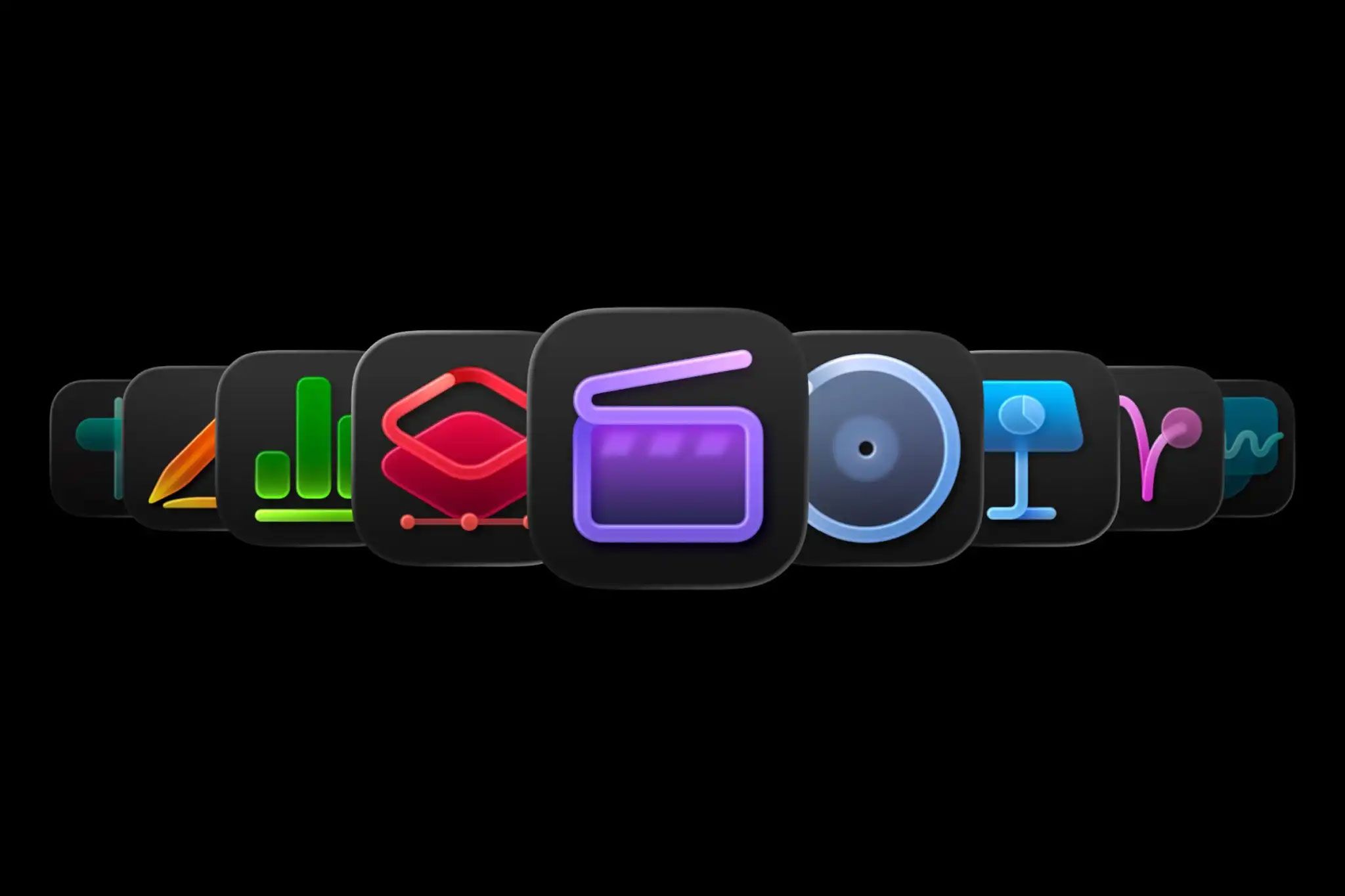
Apple's new Creator Studio app icons are so confusing that the company released a user guide to differentiate between subscription and one-off payment versions, sparking criticism from designers.
What: Apple updated its Creator Studio app with new icons that are visually similar and require a user guide to distinguish between subscription-based and one-time purchase versions. The new icons follow the macOS Tahoe style, adopting a uniform rounded-square format and muted color scheme, which critics like Georgia Coggan argue strips away app individuality and clarity.
Why it matters: This incident highlights a fundamental principle of icon design – immediate readability – and demonstrates how prioritizing aesthetic uniformity over functional clarity can lead to poor user experience, even for major tech companies. It also shows a broader trend of design frustration, as Google's recent icon changes also faced backlash.
Deep dive
- Apple's updated Creator Studio app features a new suite of icons for its two versions: subscription and one-time payment.
- The new icons are so similar that Apple found it necessary to publish a user guide explaining how to tell them apart.
- Following the macOS Tahoe aesthetic, the icons adopt a uniform rounded-square shape, moving away from more expressive, image-led designs.
- Critics argue that this homogenised look and muted color scheme diminish app individuality and make them harder to distinguish at a glance.
- The core criticism is that icons should be immediately recognizable without external explanation, which these new designs fail to achieve.
- This issue echoes recent user frustration with Google's updated app icons, suggesting a broader challenge in modern UI/UX design trends.
Original article
Full article content is not available for inline reading.
Explore all 53 articles in today's digest
Fresh dev news, AI-digested daily. Never miss a trend at devoured.fyi