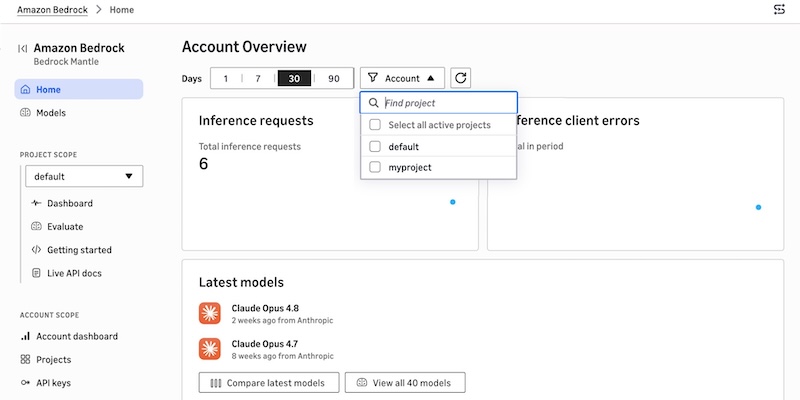
Try the new console experience in Amazon Bedrock, optimized for Anthropic- and OpenAI-compatible APIs
Amazon Bedrock's new console streamlines model deployment and evaluation by adding native support for Anthropic and OpenAI-compatible APIs.
Deep dive
- New "bedrock-mantle" engine supports OpenAI and Anthropic API protocols.
- Project-based workflows help track usage metrics like token distribution per inference request.
- Live documentation automatically populates API references and SDK code with selected project credentials.
- Developers can compare up to three models side-by-side within the console interface.
- The interface simplifies migration by providing specific terminal commands for environment configuration.
Decoder
- API Protocol: A set of rules and conventions that defines how two applications interact; in this context, it allows developers to use familiar OpenAI/Anthropic libraries to interact with Bedrock models.
Original article
Try the new console experience in Amazon Bedrock, optimized for Anthropic- and OpenAI-compatible APIs
Today, we’re announcing a new console experience in Amazon Bedrock for you to experiment, iterate, and scale with the latest AI models on Amazon Bedrock’s next-generation inference engine built for high performance, reliability, and security. This console has a refreshed workflow optimized for bedrock-mantle endpoint, which supports the latest GPT, Claude, and open-weight models with the OpenAI Responses API, OpenAI Chat Completions API, and the Anthropic Messages API.
The new console experience makes it simple to find the right model and move quickly from evaluation to production.
- New model card – You can browse the full model catalog, compare them side by side on capabilities, modality support, context window, and applicable service quotas in a single view, removing the need to stitch together documentation, and limit calculators.
- Project-based work – You can make a project to run evaluations and review usage insights in one streamlined workflow that mirrors the lifecycle of building a generative AI application.
- Live documentation – You can use project-aware live documentation: code samples, SDK snippets, and API references are automatically prefilled with your project variables. You can copy a snippet straight from the console into your application and run it without modification.
How to get started
You can try a new experience by choosing Try the Bedrock Mantle Console from within the Amazon Bedrock console, or by using the new console link directly.
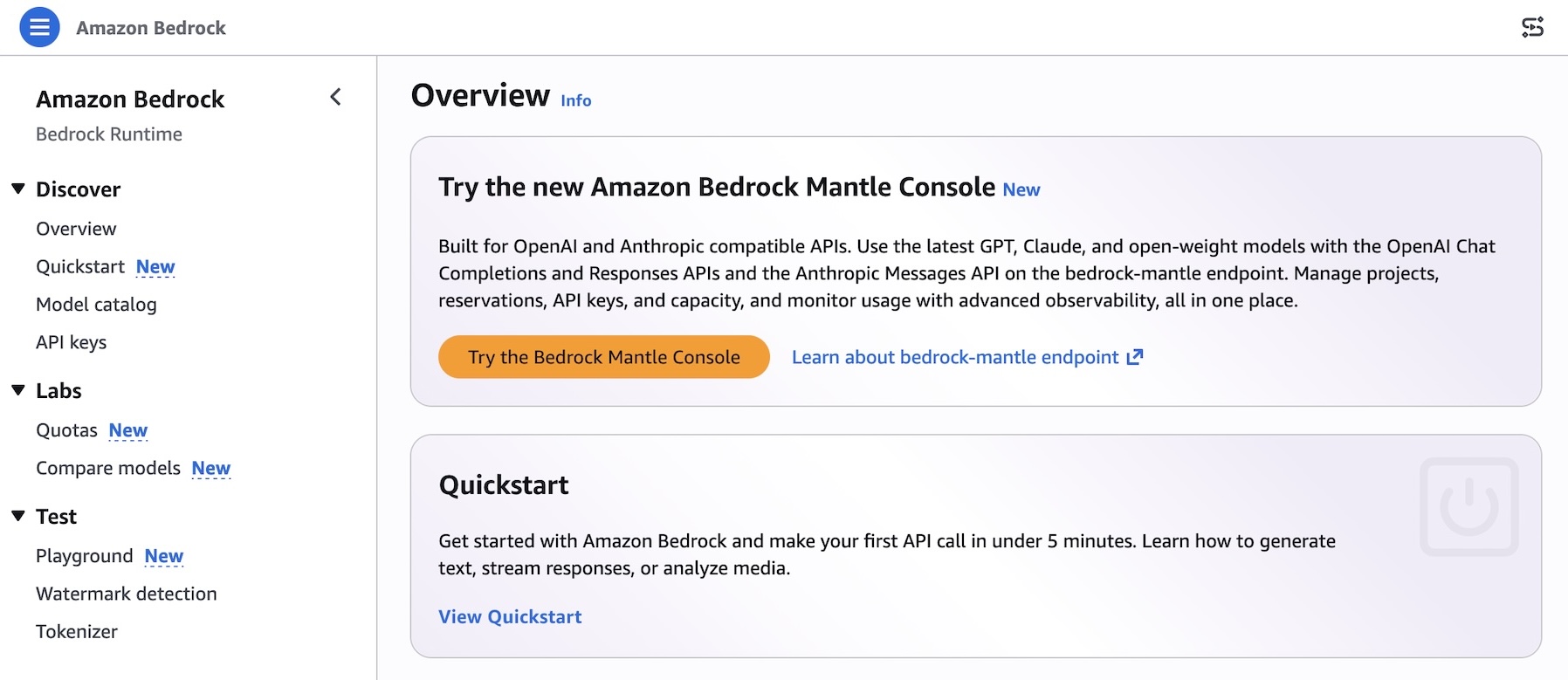
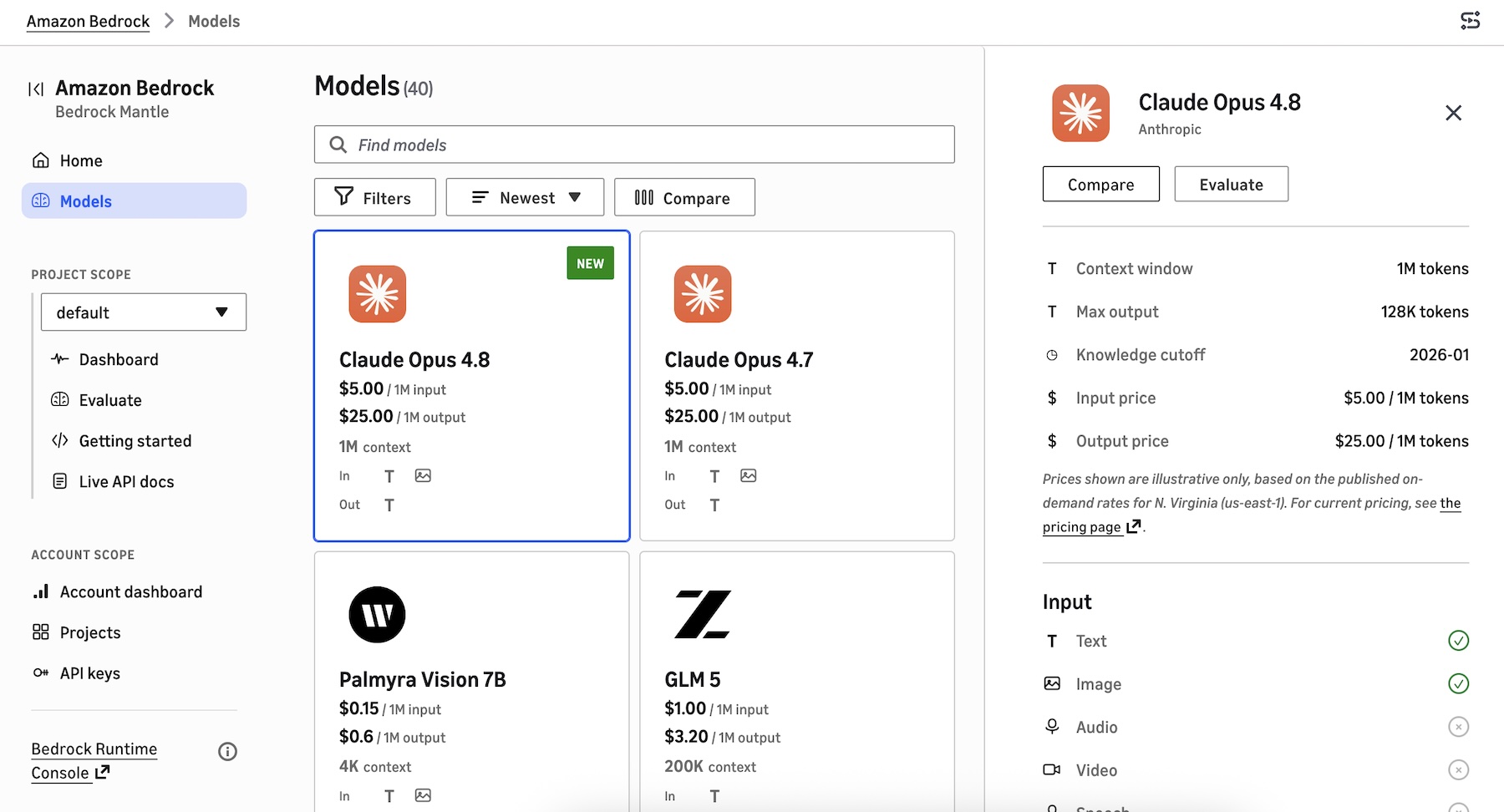
You can find a project-based dashboard to show inference requests and error by range of recent dates, recently used models, and the project list. You can create a project, assign models, configure API keys, and start making inference requests in minutes.
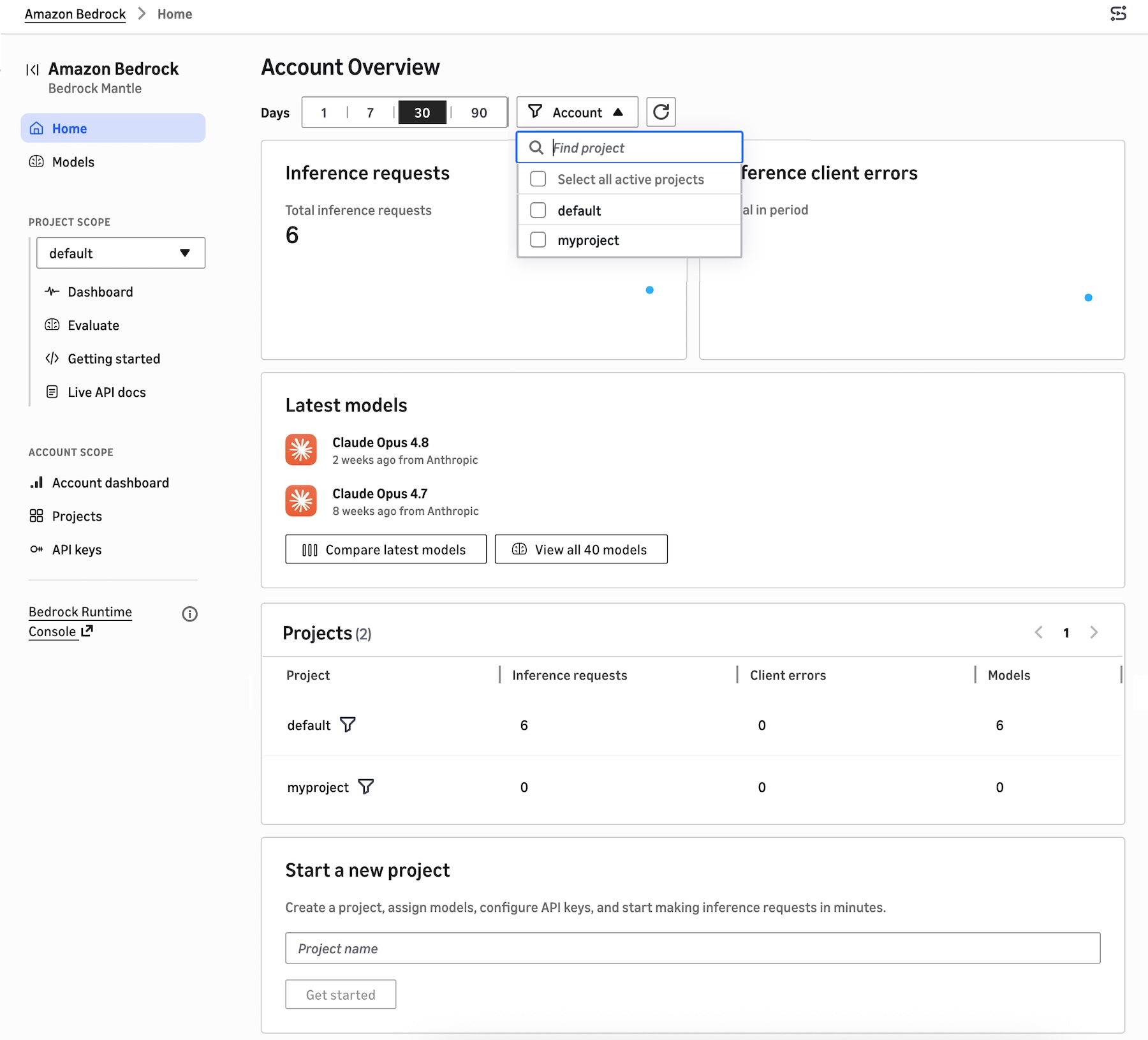
A new model catalog shows the latest GPT, Claude, and open-weight models that are supported on the bedrock-mantle engine. You can see the details of features, tokens, pricing, input/output, pricing information, and Regional availability. You can also compare up to 3 models in a single view.
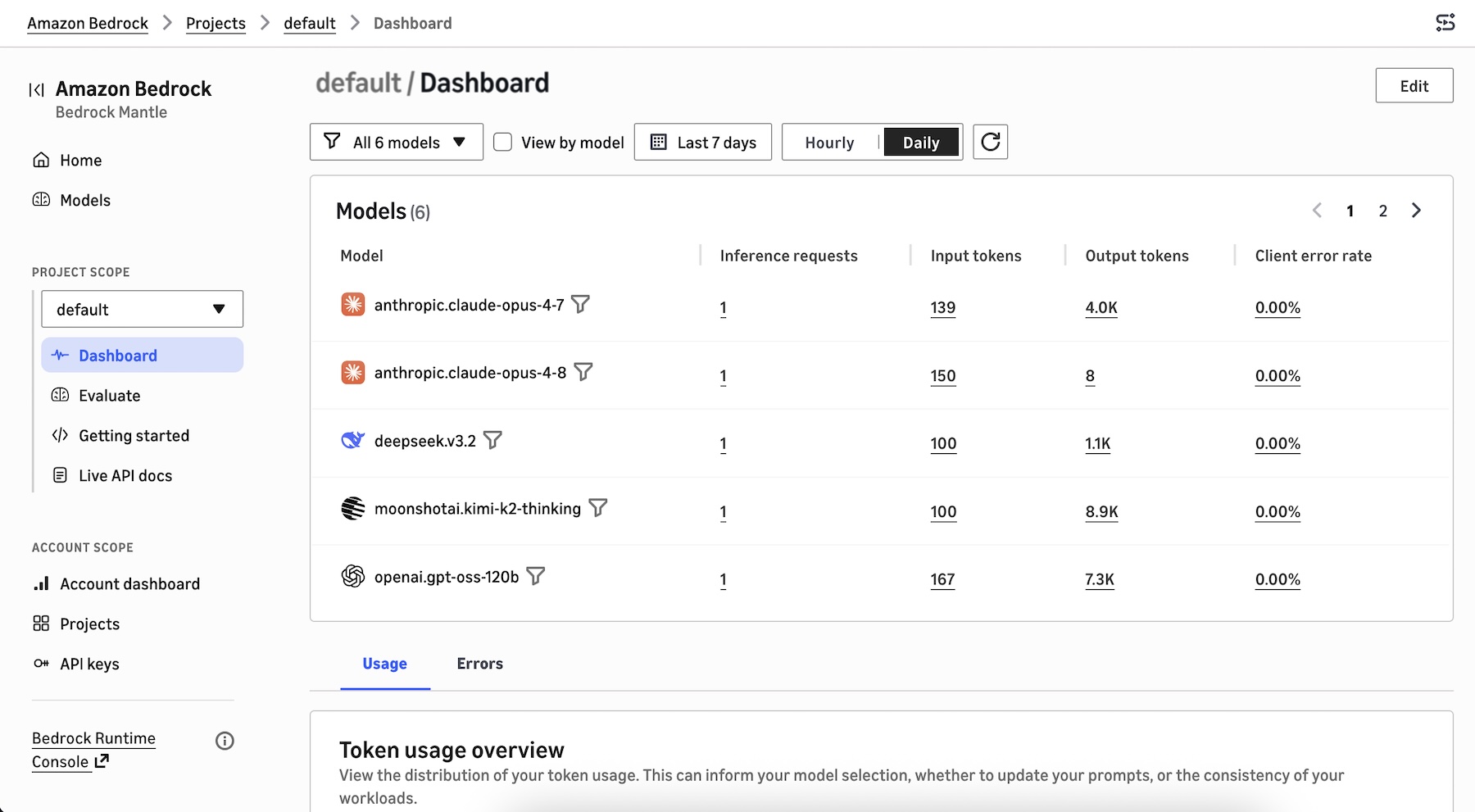
When you choose the project dashboard, you can see the models used in the project, the distribution of your token usage such as total token usage, token usage per minute, inference requests per minute, and tokens per inference request. This can inform your model selection, prompt optimization, and workload consistency decisions.
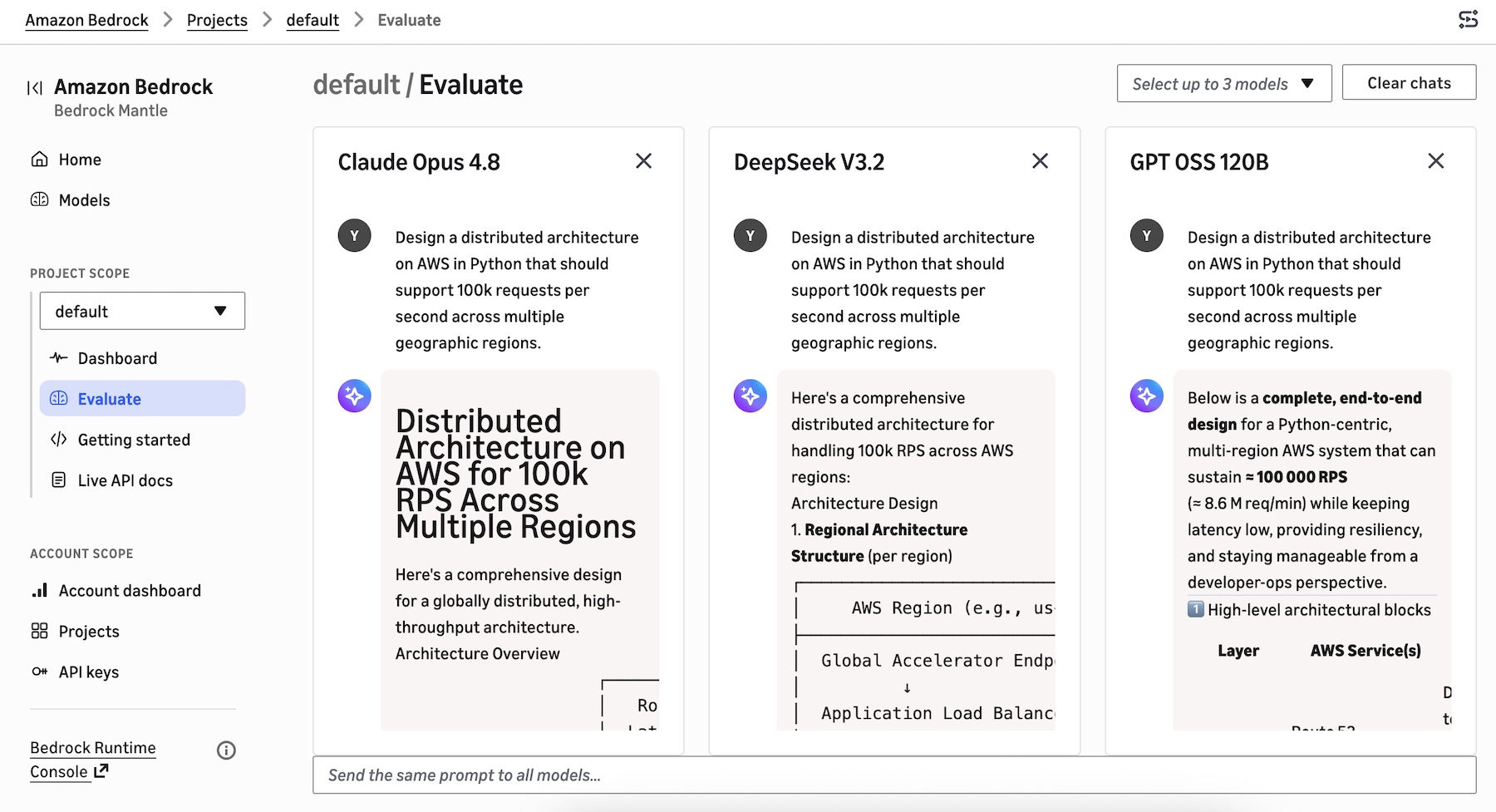
You can select up to 3 models to start evaluating to compare responses side by side with the same prompt.
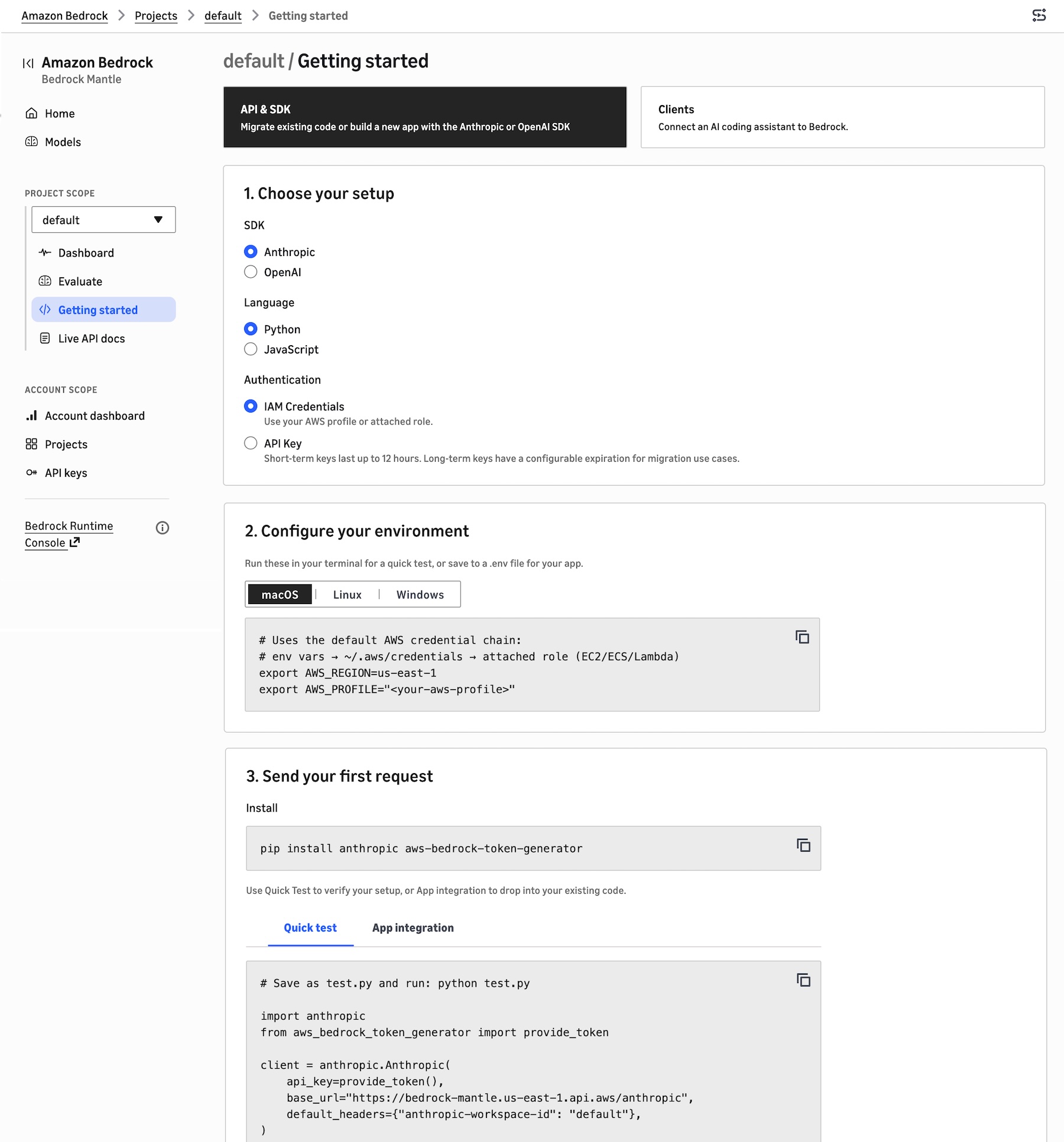
To build your application in the project, choose Getting started. You can migrate existing code, build a new app with the Anthropic or OpenAI SDK, or connect an AI coding assistant to Bedrock.
Choose the API & SDK, your SDK (either Anthropic or OpenAI), your preferred programming language, and your authentication method. It shows your environment code to run these in your terminal for a quick test, or save to a .env file for your application. You can also send your first request with sample code snippets to verify your setup.
When you choose Clients, you can select the AI coding agent source such as Claude Code, Cline, Codex, Cursor, or OpenCode that you want to connect to the bedrock-mantle engine. It provides instructions on how to install the AI agent, use your AWS IAM credentials or use a Bedrock API key, set environment variables, and route requests from each AI agent through Bedrock.
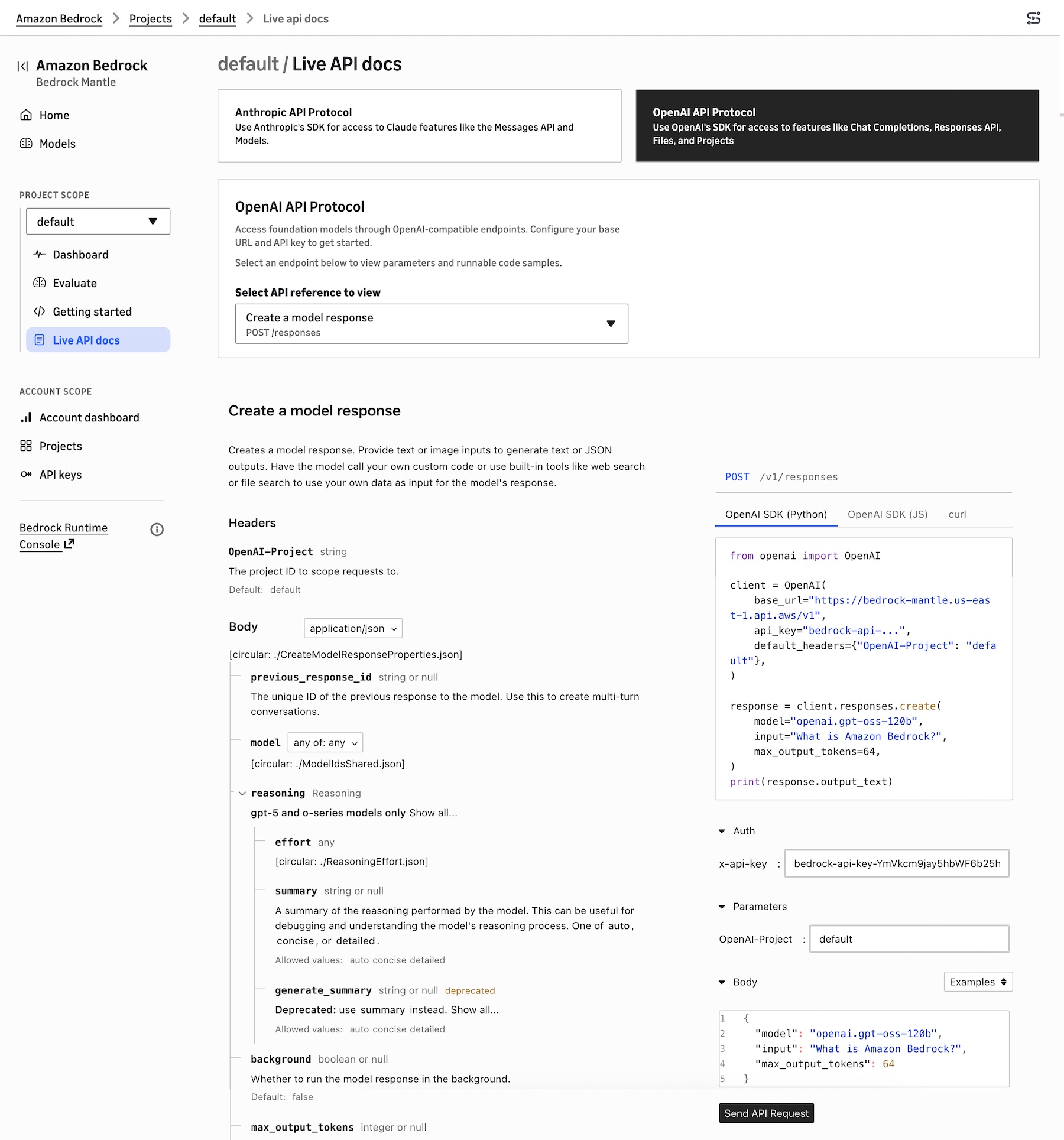
To learn about Anthropic- and OpenAI-compatible APIs, choose Live API docs. You can choose Anthropic API Protocol for access to Claude model features like the Messages API or OpenAI API Protocol for access to features like Responses API.
For example, when you choose OpenAI Response API, it retrieves a model response with the given model ID. These API references are automatically prefilled with the project’s selected model ID, Region, bedrock-mantle endpoint URL, and API key reference, and they update in place as you change models or settings.
You can also choose the existing Bedrock console to manage fully-managed features such as Agents, Knowledge Bases, Guardrails, fine-tuning, or the InvokeModel and Converse APIs to run on the bedrock-runtime endpoint.
Now available
The new console experience is available in all AWS Regions where the bedrock-mantle endpoint is offered: US East (N. Virginia, Ohio), US West (Oregon), Asia Pacific (Jakarta, Mumbai, Sydney, Tokyo), Europe (Frankfurt, Ireland, London, Milan, Stockholm), and South America (São Paulo).
Give the new console experience a try in the new Amazon Bedrock console and send feedback to AWS re:Post for Amazon Bedrock or through your usual AWS Support contacts.
Fresh dev news, AI-digested daily. Never miss a trend at devoured.fyi