Devoured - May 11, 2026
AI design tools are augmenting, not replacing, human designers by enabling them to increase impact and democratizing basic design quality.

Enhancing Flink Deployment with Shadow Testing
Grab eliminated 10-minute Apache Flink rollback downtimes by implementing shadow testing in production, running new job versions in parallel with isolated resources.
Deep dive
- Grab's data streaming team (Coban) faced ~10-minute downtimes during Flink deployments due to production-only failures like traffic volume issues or savepoint incompatibilities.
- They implemented a "Shadow Testing" stage where a new application version (Shadow) runs in parallel with the current production version (Main).
- The Shadow application is deployed with specific environment variables (
isShadow=true) and distinct Kubernetes manifests. - Key to isolation are distinct Kafka consumer group IDs (e.g.,
-shadowsuffix), shifted Debezium Server ID ranges, dedicated shadow Kafka clusters, and separate S3 buckets. - Metrics are also isolated with a
shadow.prefix in StatsD configurations and log filtering in Kibana. - The Shadow job typically runs for an hour to reach a steady state, and its stability is monitored before prompting the user to deploy the Main application.
- Users can monitor the Shadow application's behavior using existing observability tools, comparing metrics like Kafka message rates between Main and Shadow.
- This approach has significantly increased deployment frequency and reduced the change failure rate for Flink applications at Grab.
- Future plans include supporting more source and sink connectors to broaden adoption.
Decoder
- Apache Flink: An open-source stream processing framework for stateful computations over unbounded and bounded data streams.
- Shadow Testing: A technique where a new version of an application runs in parallel with the current production version, processing a copy of live traffic without impacting real users, to identify issues and regressions.
- Consumer Group ID (Kafka): A unique identifier used by Kafka consumers to coordinate message consumption from topics, ensuring that each message in a partition is processed by only one consumer within the group.
- Debezium Server ID: A unique identifier for a Debezium connector instance, especially important when acting as a pseudo-replica for change data capture from databases like MySQL.
Original article
Introduction
Ensuring the reliability of Apache Flink deployments in Grab is crucial for the availability of our business-critical, real-time applications. While all applications are tested in a staging environment before getting promoted to the production environment, there is still a class of issues that can only surface when deploying in the production environment, e.g.:
- The new version of the application is unable to cope with the volume or the nature of production traffic.
- The new version of the application is unable to resume from a production checkpoint or savepoint taken by the previous version of the application.
- Certain environment-specific dependencies or configurations are malfunctioning or misconfigured.
When an application faces such issues upon deployment in production, our in-house deployment system automatically rolls it back after 10 minutes of observation, leading to a downtime of the application for about the same duration.
In this article, we will describe how Grab’s data streaming team (Coban) has enriched the traditional deployment pipeline for Flink applications with a Shadow Testing stage that eliminates this downtime during deployment failures, enhancing the availability of our Flink applications during this critical moment of their lifecycle.
Shadow Testing is a testing technique whereby a new version of an application (Shadow) is deployed in parallel with the current version of the application (Main), but without impacting it. It involves replicating production data to the new version of the application and comparing its behavior with the current version of the application to identify potential issues and regressions.
Architecture overview
We integrated Shadow Testing directly into the production environment, alongside the Main application (1). The Shadow application is deployed next to it via the same deployment process (2). An environment variable isShadow=true as well as a distinct jobID are injected for runtime differentiation, enabling the Shadow application to produce its results to distinct, isolated sinks that do not interfere with those of the Main application (3).
Deployment flow
Shadow Testing is embedded within our normal Flink deployment pipeline to make it a seamless experience for the users of our platform.
The deployment flow is as follows.
- A user triggers a deployment of their Flink application in Grab’s in-house deployment tool. At this step, they decide whether they want to enable Shadow Testing for this particular deployment.
- The deployment pipeline validates the input parameters provided by the user.
- If the user has not opted for Shadow Testing, the deployment flow directly jumps to step 8 and deploys the latest version to the Main application. However, if the user has enabled Shadow Testing, the deployment flow first goes through the Shadow Testing stages described in steps 4 to 7.
- The Shadow Kubernetes manifest is baked with its set of distinctive parameters:
- The application name is prefixed with shadow- which propagates to all the Kubernetes objects that are part of the Shadow application
- An environment variable
isShadowis injected and set to true. It instructs the Shadow application to produce its results to the shadow sinks. - A distinct Job ID is attributed
- The target Kubernetes namespace is overridden with a shadow namespace
- The Shadow application is deployed into the shadow Kubernetes namespace.
- The Shadow application runs for a configured period of 1 hour by default to reach a steady state. The status of the job manager is monitored to determine the success of the Shadow Testing. If the Shadow application is stable, the Shadow Testing is considered successful.
- The user is prompted to continue with the deployment of the Main application.
- The Kubernetes manifest of the Main application is baked with its standard parameters and the environment variable
isShadowis set to false. - The Main application is deployed in its standard Kubernetes namespace.
- After 10 minutes of observation, the deployment pipeline determines if the Main application is healthy by querying the status of its job manager. If it is healthy, the Main application is considered successfully deployed. Otherwise, the deployment pipeline automatically triggers a rollback to the previous version.
During the deployment, the user can leverage our standard observability stack to monitor the behavior of the Shadow application. For example, in the case of an Apache Kafka sink, they can compare the number of messages produced by the Main and Shadow applications.
Besides, our standard Datadog dashboard that comes with each application can conveniently be toggled to view the metrics of the respective Shadow application.
Connector implementation
Our standard sink and source connectors, provided by our platform, ensure the absence of interference with the Main application during Shadow Testing. For example, Kafka source connectors use distinct consumer group IDs, while the various sink connectors direct the data to dedicated shadow sinks.
The Flink application evaluates the isShadow environment variable to set up the connectors at runtime.
if (isShadow){
    // Shadow Testing operation
}
else {
    // Normal operation
}
The following table shows how some typical connectors are dynamically configured if isShadow=true:
| Type | Connector | Dynamic configuration |
|---|---|---|
| Source | Kafka | The consumer group ID for the Shadow application is suffixed with -shadow. This is crucial so as to consume a full copy of the data stream without interfering with the Main application. Main application: consumerGroup = <application_name> Shadow application: consumerGroup = <application_name>-shadow |
| Source | Change Data Capture | The Server ID range of Debezium is shifted to the next non-overlapping range of the same size. This enables the Shadow application to get a full copy of the database binlog stream without interfering with the Main application. Note that the misleading Server ID naming is because Debezium acts as a pseudo-replica of the database server. Main application: serverId = 1001-2000 Shadow application: serverId = 2001 - 3000 |
| Sink | Kafka | The cluster endpoint is replaced with that of a Kafka cluster dedicated to Shadow Testing, set up with auto.create.topics.enable=true and 8h retention. Main application: brokers = <flink-kafka>:9092 Shadow application: brokers = <flink-kafka-shadow>:9092 |
| Sink | S3 | The S3 bucket name is replaced with that of a bucket dedicated to Shadow Testing, set up with a 7-day retention lifecycle policy. Main application: s3://<flink-s3>/<application_name> Shadow application: s3://<flink-s3-shadow>/<application_name> |
| Sink | Metrics | The StatsD prefix configuration is overridden. A shadow. prefix is added. Main application: flink.<application_name>.<metric_name>Shadow application: shadow.flink.<application_name>.<metric_name> |
| Sink | Logs | The Shadow Kubernetes manifest prefixes the Shadow application name with shadow-. The resulting name becomes available as a field in Kibana, enabling discriminated filtering. This tweak is done at the Kubernetes manifest level, not at the Flink application level. Main application: app_name = <application_name> Shadow application: app_name = shadow-<application_name> |
Conclusion
Our Shadow Testing framework represents a meaningful step forward in enhancing the reliability of our Flink applications during deployment. By leveraging and enriching the existing components of our platform, we have created a robust system that enables our users to confidently increase their Deployment Frequency and reduce their Change Failure Rate.
What’s next
To drive wider adoption, we intend to support more source and sink connectors. By expanding the range of supported connectors, we could empower teams to leverage Shadow Testing across a broader spectrum of applications.
For connectors that are less frequently used, we consider implementing a no-op approach combined with metrics collection to expose a minimal set of actionable data points.
We will remain focused on making Shadow Testing accessible, scalable, and adaptable to various applications. Stay tuned as we continue to push the boundaries of innovation and deliver solutions that enhance reliability and efficiency across our systems.
Join us
Grab is Southeast Asia’s leading superapp, serving over 900 cities across eight countries (Cambodia, Indonesia, Malaysia, Myanmar, the Philippines, Singapore, Thailand, and Vietnam). Through a single platform, millions of users access mobility, delivery, and digital financial services, including ride-hailing, food delivery, payments, lending, and digital banking via GXS Bank and GXBank. Founded in 2012, Grab’s mission is to drive Southeast Asia forward by creating economic empowerment for everyone while delivering sustainable financial performance and positive social impact.
Powered by technology and driven by heart, our mission is to drive Southeast Asia forward by creating economic empowerment for everyone. If this mission speaks to you, join our team today!

We Ran 250 AI Agent Evals to Find Out if Skills Beat Docs. The Answer Is More Complicated Than We Expected
Wix's 250 AI agent evaluations revealed that while agent-optimized documentation forms a strong foundation, highly curated skills can deliver token and speed wins but quickly become liabilities with even small errors.
Deep dive
- Wix's tech writers team, responsible for developer documentation, noticed a shift towards AI agents as an audience and began optimizing docs for them.
- The team observed other internal teams independently creating "skills" (curated, condensed guides for agents) without coordination with the underlying documentation.
- Concerned about skill staleness and unexamined assumptions, Wix Engineering ran 250 controlled evaluations across CLI and REST API tasks.
- Three conditions were tested: Baseline (standard docs), Optimized (docs with targeted improvements for agents), and Curated content (skills-only or MCP+skills).
- Key Finding 1: Docs can and should be optimized for agent use; CLI task completion improved from 67% to 87% with optimized docs, reducing token usage by 35% and time by 9%.
- Key Finding 2: Small mistakes in skills erode their advantage; for CLI tasks, optimized docs outperformed skills (85% vs 78% completion), using fewer tokens and running faster, primarily due to skill errors like misaligned scaffolding or missing code exports.
- Key Finding 3: Optimizing for token usage can increase wall-clock time; for API tasks, skills used 29% fewer tokens but were slower due to tool fragmentation requiring multiple sequential calls, contrasting with a single web-fetch for full docs.
- Key Finding 4: Skills can make agents less curious, sometimes leading them to miss simpler solutions compared to docs-optimized agents not anchored to a prescribed approach.
- Framework proposed: Agent-optimized docs are the "backbone" (structured for machine consumption), skills are a "caching layer" (distilled shortcuts for common tasks, derived from docs), and regular automated evaluations are crucial for maintaining skill freshness.
Decoder
- AI Agent Evaluation (Eval): A systematic process of testing and measuring the performance, accuracy, and reliability of AI agents on specific tasks or use cases.
- llms.txt: A file (similar to robots.txt) that provides directives to Large Language Models (LLMs) on how to interact with a website or API, guiding them on which content to prioritize or avoid.
Original article
The industry has a new obsession: AI skills.
The logic seems bulletproof: if you want an AI agent to use your platform, you shouldn’t just give it raw documentation. You should give it a "skill", a curated, condensed, and optimized guide. This will allow the agent to perform tasks on your platform better than if they have to trawl through your docs. Skills are intuitive and trendy, but do they really provide agents with an edge over just using the docs and, if so, in what cases?
At Wix, we decided to question the hype and start measuring. We ran 250 controlled evaluations comparing how AI agents perform tasks using standard docs, AI-optimized docs, and purpose-built skills. The results were surprising and they challenged our entire strategy for the AI-native developer experience.
As it turns out, a slightly stale skill isn’t just inefficient, it’s a liability. Here’s why your documentation might actually be a better "skill" than the ones you’re manually writing.
The Problem We Were Trying to Solve
At Wix, the tech writers team writes and maintains developer documentation. This includes API references, guides, tutorials, and anything else an external developer needs to build apps on the Wix platform. Increasingly, the audience for our docs is shifting from human developers to AI agents. To handle this shift, our team took on responsibility for making sure our docs actually work for agents, not just humans.
Around the same time, we started seeing skills appear. Teams throughout the company began writing skills, teaching agents how to do specific developer tasks. These skills contained a mix of information extracted from docs, combined with curated instructions and information for guiding agents. All the skills were maintained independently, without coordination with the documentation they were derived from.
The concern was obvious to us: the moment the underlying product changes, a scaffold updates, an API gets a new required field, a method is deprecated, any skill derived from stale docs drifts.
But beyond the maintenance problem, there was a deeper question nobody was asking: are skills actually better? The assumption was that they are. They're purpose-built for the task, condensed, optimized. But the assumption was unexamined. And we were watching a parallel documentation layer grow outside our control, on the basis of that assumption.
We wanted evidence.
Methodology
We designed a quantitative evaluation across two task families, 250 runs total:
- CLI extensions: Building Wix CLI app extensions: dashboard pages, backend APIs, site widgets, event handlers, embedded scripts, modals, and plugins. These tasks ran against the skills that come packaged with Wix CLI projects.
- REST APIs: REST API scripting: querying products, creating content, managing contacts, multi-step workflows. These tasks ran against the skills that come packaged with the Wix MCP.
For each task, we ran sandboxed AI agents with different access to the docs. Each condition ran 3 times per task to account for variance:
- Baseline: The agent used our docs portal’s llms.txt service via web-fetch.
- Optimized: The agent used the docs, but with targeted improvements we made after analyzing agent failures. The improvements were surgical: adding a missing method call to an API code sample, fixing field name inconsistencies, adding a dependency install step that agents kept missing. We set up a system that allowed us to substitute the improved docs when the agent requested them via web-fetch.
- Curated content: The agent only has access to either the skills or the Wix MCP + its packaged skills.
For each run, after the agent completed its development work, we asked it to change hats and evaluate its own work. Did it complete the task as described? If not, why? What issues with the product and docs caused problems along the way? We also collected deterministic data on token count, turn count, and wall-clock time for each run.
What We Found
1 - Docs can and should be optimized for agent use
For CLI tasks, docs optimization alone improved completion from 67% to 87%, while cutting average token usage by 35% and wall-clock time by 9%.
This was a clear result. Agent-optimized docs with a navigable structure, consistent field names, and explicit dependency requirements, are a high ROI intervention available to a platform docs team. Before you write a single skill, get your docs right.
2 - Small mistakes in skills erode their advantage
For CLI tasks, docs-optimized runs achieved 85% completion vs 78% for skills-only runs, using 10% fewer tokens, running 8% faster, and requiring 14% fewer turns.
The reason comes down to a pattern we saw across multiple tasks: small mistakes in skills wipe out their speed advantage entirely. We saw a few different types of examples:
- Misaligned project scaffolding: In one case, the skill instructed agents to build a certain widget using a popular React-based library. The CLI project scaffolding set up the project to use a proprietary Wix solution for the widget. The agent following the skill built the React version, hit the mismatch, and rebuilt from scratch. This burned 94% more tokens than the docs-optimized run.
- Errors in code snippets: The code snippets in one skill were missing an export declaration. This small mistake meant the code wouldn’t build. The agent tried multiple export patterns until one worked, resulting in a 39% token increase over the docs runs.
- Best-practice bloat: One skill included best practice guidelines that involved writing a significantly larger amount of code. Implementing the guidelines resulted in 52% more token usage. This likely made the resulting app better, but many users may not want the extra functionality.
There were also specific tasks where the skills-only runs were the clear winners. These were cases where the skills were properly aligned with both the underlying product and the CLI scaffolding. In these cases, we saw a 30-50% reduction in tokens and a 30% reduction in time compared to the docs runs.
The conclusion: well-defined and accurate skills provide agents with a clear benefit over searching the docs, but misalignments and mistakes in the skills can completely erode this benefit.
3 - Optimizing for token usage can increase wall-clock time
The API tasks told a different story. Docs-optimized and skill-based runs achieved identical 80% completion. Neither had a meaningful edge on task success. But the efficiency picture was split: docs-optimized ran 31% faster with 33% fewer turns, while skills used 29% fewer tokens.
The reason skills are slower despite using fewer tokens is MCP tool fragmentation. A single web-fetch call for an API returns a full markdown page including method description, request/response schema, parameters, and code examples in one round-trip. The MCP fragments the same information across multiple sequential calls. More calls, more LLM inference latency, more turns, even though each call returns a smaller payload.
For multi-step workflows, skills did save significant tokens by providing condensed guidance that avoided reading multiple large reference pages. But the tradeoff for saving on tokens was an increase in wall-clock time.
4 - Skills can make agents less curious
One of the more unexpected findings: when an agent is given official guidelines in a skill for how to do a task, it follows them closely. Because of this, the agent is less likely to improvise or look around for a simpler solution when it hits an edge case. Several docs-optimized agents found more straightforward routes to task completion precisely because they weren't anchored to a prescribed approach. The skill's authority became a constraint.
This impacts how to think about the utility of a skill. A skill optimizes for a specific use case. But it can narrow the solution space in ways that hurt performance on tasks that don't perfectly match the skill's assumptions.
A Framework for Docs and Skills
Coming out of this study, we have a cleaner mental model for how skills and docs should relate.
Agent-optimized docs are the backbone. An agent should be able to use your docs to accomplish any conceivable task with your platform. The docs need to be structured for machine consumption: clear llms.txt entry points, consistent naming, explicit dependency and setup requirements. This is the foundation of an AI-optimized platform.
Skills are a caching layer. They exist to make common, well-defined tasks faster and cheaper. Think of them as distilled shortcuts for the cases you care about most, derived from the docs, not independent of them.
Regular evaluations maintain skill freshness. Evaluations should compare skill performance against docs-optimized performance for a range of tasks. Any time a skill underperforms the docs, it's a signal that something drifted or was wrong to begin with. Automated evaluations can catch discrepancies as they appear.
In the Wix tech writers team, we’re using this framework to guide us as we work to optimize our platform for agent use and incorporate skills into our offerings.
Conclusion
AI agents are becoming the primary audience for developer documentation. Any platform that wants to remain competitive must ensure that agents can use it effectively.
At the same time, just because the industry hypes up a new format like skills, this doesn’t guarantee its effectiveness. It’s important to take a step back and take a data-driven approach. Our research project shows that old-fashioned docs are still a critical component of an agent-optimized platform.
This post was written by Adam Friedmann

How BigQuery actually executes a query (and why most optimization advice misses half the picture)
BigQuery's performance bottlenecks often stem from shuffle costs in its parallel execution model, which can be identified using the Execution Details panel to spot skewed joins or fan-out operations.
Deep dive
- Most BigQuery optimization advice focuses on reducing bytes scanned, but this misses half the picture regarding actual query execution costs.
- BigQuery runs queries using a highly parallel "MPP-like" architecture, dividing work into multiple stages and executing them across "slots" (units of compute).
- The primary hidden cost in BigQuery is "shuffle," which involves moving data between slots, often for join or aggregation operations.
- The "Execution Details" panel in the BigQuery UI is crucial for understanding how a query actually runs.
- It shows a DAG (Directed Acyclic Graph) of query stages, with details on slot-ms consumed per stage.
- Key metrics to observe in Execution Details:
- Slot-ms: Total compute time, useful for identifying expensive stages.
- Max vs. Average Compute Time: A significant difference indicates data skew, where some slots do much more work than others.
- Join Strategy: BigQuery uses different join types (hash join, merge join, shuffle join); understanding which is used for large tables is critical. Hash joins can be very expensive if one side is huge.
- Fan-out: When a stage produces significantly more rows than it consumes, it can indicate inefficient operations like cross-joins or complex regex.
- Optimization strategies should target reducing shuffle, mitigating skew, and selecting appropriate join types, rather than solely focusing on predicate pushdown or column pruning (which are important but not the whole story).
- Understanding how data is distributed and re-distributed across slots is key to truly optimizing BigQuery performance and cost.
Decoder
- Slot (BigQuery): A unit of computational capacity in BigQuery, used to execute parts of a query. Queries are broken down into stages, and each stage consumes slots.
- Shuffle (BigQuery): The process of redistributing data across different BigQuery slots or workers, typically required for operations like joins, aggregations (GROUP BY), or window functions, and often a major performance bottleneck due to data transfer overhead.
- Data skew: An uneven distribution of data values, where a few values occur much more frequently than others, leading to an imbalance of work across parallel processing units and causing bottlenecks.
- Fan-out: An operation within a query stage where the number of output rows significantly exceeds the number of input rows, often indicating inefficient joins or expansive calculations.
Original article
BigQuery performance comes down to understanding its execution model: queries run as parallel stages across slots, and the main hidden cost is shuffle, not just bytes scanned. The Execution Details panel reveals stage-level slot-ms, max vs average compute time, and join strategy, making it possible to spot skew, fan-out, and expensive hash joins.

How NetEase Games cut LLM cold starts from 42 minutes to 30 seconds
NetEase Games dramatically reduced LLM cold start times from 42 minutes to 30 seconds by using CNCF Fluid for Kubernetes-native model prefetching and data orchestration.
Deep dive
- NetEase Games faced significant LLM cold start issues, with 70B-class models taking up to 42 minutes to load from remote storage into GPU inference nodes.
- Serverless GPU infrastructure, while ideal for bursty game traffic, was bottlenecked by slow data access for LLM weights.
- They implemented Fluid, a CNCF incubating project, to optimize model loading on their Kubernetes-based AI platform, Tmax.
- Fluid provides Kubernetes-native dataset abstraction and runtime management, including cache elasticity, data-aware scheduling, and prefetch workflows.
- Initial benchmarks showed model load time dropping from 42 minutes (direct remote access) to 14 minutes (traditional Alluxio cache), then to 3 minutes (Fluid prefetching).
- After further tuning in production, startup times were reduced to about one minute, and even under 30 seconds for some services.
- Fluid's ability to share common base models across namespaces also reduced memory overhead and simplified operations.
- The solution involved prefetching before Pod startup, scheduling scale-up and warm-up, and cross-namespace model sharing.
- The authors emphasize that Fluid helped solve the operational challenge of consistently, predictably, and affordably making model files available for production inference, not just the caching problem.
Decoder
- LLM (Large Language Model): An artificial intelligence model trained on a massive amount of text data, capable of understanding and generating human-like text.
- Cold start: The delay experienced when a serverless function or containerized application is invoked for the first time or after a period of inactivity, as resources need to be provisioned and initialized. For LLMs, this often involves loading large model weights into GPU memory.
- Serverless GPU inference: Running AI model inference on GPUs provisioned on-demand, without managing underlying servers, often implying rapid scaling up and down.
- CNCF Fluid: A Cloud Native Computing Foundation incubating project that provides a Kubernetes-native data orchestration system for managing datasets and accelerating data-intensive applications.
- Alluxio: An open-source virtual distributed file system that bridges computation frameworks and storage systems, often used for data caching.
- Prefetching: The act of loading data or resources into a cache or memory before they are actually needed, anticipating future requests.
- Kubernetes-native: Designed to integrate seamlessly with Kubernetes concepts and APIs, leveraging its orchestration capabilities.
Original article
We’re so glad you’re here. You can expect all the best TNS content to arrive Monday through Friday to keep you on top of the news and at the top of your game.
What’s next?Check your inbox for a confirmation email where you can adjust your preferences and even join additional groups.
Follow TNS on your favorite social media networks.
Become a TNS follower on LinkedIn.
Check out the latest featured and trending stories while you wait for your first TNS newsletter.
PREV 1 of 2 NEXT VOXPOP As a JavaScript developer, what non-React tools do you use most often? ✓ Angular 0% ✓ Astro 0% ✓ Svelte 0% ✓ Vue.js 0% ✓ Other 0% ✓ I only use React 0% ✓ I don't use JavaScript 0% Thanks for your opinion! Subscribe below to get the final results, published exclusively in our TNS Update newsletter: SUBMIT NEW! Try Stackie AI ARCHITECTURE Cloud Native Ecosystem Containers Databases Edge Computing Infrastructure as Code Linux Microservices Open Source Networking Storage ENGINEERING AI AI Engineering API Management Backend development Data Frontend Development Large Language Models Security Software Development WebAssembly OPERATIONS AI Operations CI/CD Cloud Services DevOps Kubernetes Observability Operations Platform Engineering PROGRAMMING C++ Developer tools Go Java JavaScript Programming Languages Python Rust TypeScript CHANNELS Podcasts Ebooks Events Webinars Newsletter TNS RSS Feeds THE NEW STACK About / Contact Sponsors Advertise With Us Contributions PODCASTS EBOOKS EVENTS WEBINARS NEWSLETTER CONTRIBUTE ARCHITECTURE ENGINEERING OPERATIONS PROGRAMMING Cloud Native Ecosystem Containers Databases Edge Computing Infrastructure as Code Linux Microservices Open Source Networking Storage Why Claude needs a real environment to validate cloud-native code Apr 24th 2026 8:00am, by Arjun Iyer The next stages of AI conformance in the cloud-native, open-source world Apr 9th 2026 1:05pm, by Jennifer Riggins Microsoft wants to make service mesh invisible Apr 8th 2026 1:11pm, by Frederic Lardinois True enterprise sovereignty is more approachable than ever, thanks to K8s-powered cloud-neutral PostgreSQL Apr 7th 2026 11:31am, by TNS Staff Is observability still an operations problem at your organization? Apr 6th 2026 12:05pm, by TNS Staff Microsoft wants to make service mesh invisible Apr 8th 2026 1:11pm, by Frederic Lardinois Edera spent years calling KVM less secure. Here's why it changed its mind. Mar 25th 2026 2:22pm, by Steven J. Vaughan-Nichols Minimus aims to solve one of open-source's long-festering problems Mar 24th 2026 3:00am, by Adrian Bridgwater How to deploy Pi-Hole with Docker and stop ads on every device on your LAN Mar 23rd 2026 7:44am, by Jack Wallen Chainguard has a fix for the open source packages your AI agents keep grabbing Mar 18th 2026 9:24am, by Darryl K. Taft ScyllaDB cut Sprig's read latency 4X after Redis and ClickHouse hit a wall May 5th 2026 7:00am, by Cynthia Dunlop Why developers are betting on Postgres for AI Apr 27th 2026 10:00am, by Meredith Shubel Vectors gave us AI search, tensors are going to make it smarter Apr 24th 2026 9:42am, by Alex Wilhelm Why Postgres wants NVMe on the hot path, and S3 everywhere else Apr 17th 2026 9:00am, by Alasdair Brown Postgres to Iceberg in 13 minutes: How Supermetal compares to Flink, Kafka Connect, and Spark Apr 15th 2026 11:00am, by Yaroslav Tkachenko Edge-forward: Akamai eyes sweet spot between centralized & decentralized AI inference Apr 1st 2026 7:00am, by Adrian Bridgwater Developers are coding to a moving target, and nobody knows where AI lands next Mar 3rd 2026 7:33am, by Adrian Bridgwater Cloudflare’s new Markdown support shows how the web is evolving for AI agents Mar 2nd 2026 4:30am, by David Eastman React Server Components Vulnerability Found Dec 6th 2025 7:00am, by Loraine Lawson Kubernetes at the Edge: Lessons From GE HealthCare’s Edge Strategy Nov 24th 2025 10:00am, by Vicki Walker Why Terraform is green when your cloud is broken Apr 28th 2026 9:00am, by Joe Karlsson The one Slack message that proved our elite engineering team was flying blind Apr 26th 2026 11:00am, by Joe Karlsson The operational gap is real, and it's getting wider Mar 26th 2026 8:00am, by Yevgeny Pats Why "automated" infrastructure might cost more than you think Feb 24th 2026 4:00am, by Justyn Roberts Why 40% of AI projects will be canceled by 2027 (and how to stay in the other 60%) Feb 13th 2026 6:00am, by Alex Drag Sparky Linux 9 brings a rolling release to Debian Mar 30th 2026 8:00am, by Jack Wallen Edera spent years calling KVM less secure. Here's why it changed its mind. Mar 25th 2026 2:22pm, by Steven J. Vaughan-Nichols Your Kubernetes isn't ready for AI workloads, and drift is the reason Mar 25th 2026 8:43am, by TNS Staff Linux kernel scale is swamping an already-flawed CVE system Mar 20th 2026 4:30am, by Jed Salazar Scaling Btrfs to petabytes in production: a 74% cost reduction story Mar 18th 2026 5:00am, by Motiejus Jakštys Tetrate launches open source marketplace to simplify Envoy adoption Mar 11th 2026 10:52am, by Adrian Bridgwater OpenTelemetry roadmap: Sampling rates and collector improvements ahead Feb 24th 2026 11:00am, by B. Cameron Gain Merging To Test Is Killing Your Microservices Velocity Dec 16th 2025 7:00am, by Arjun Iyer IBM’s Confluent Acquisition Is About Event-Driven AI Dec 11th 2025 6:00am, by Joab Jackson Deploy Agentic AI Workflows With Kubernetes and Terraform Nov 26th 2025 9:00am, by Oladimeji Sowole Why the Linux Foundation adopted MCP, with Jim Zemlin and Mazin Gilbert May 6th 2026 7:00am, by Alex Wilhelm How OpenAI scaled to 900 million weekly users with Ory May 4th 2026 12:00pm, by Damon Tepe Mainframe modernization is no longer optional for the AI-driven enterprise May 3rd 2026 11:00am, by Jason Bloomberg Mistral, Europe’s answer to OpenAI and Anthropic, pushes its coding agents to the cloud May 1st 2026 10:46am, by Paul Sawers Meta abandons open-source Llama for proprietary Muse Spark Apr 30th 2026 11:05am, by Steven J. Vaughan-Nichols From system of record to system of control: How NetBox Labs is making network engineers “masters of intent.” Apr 28th 2026 11:00am, by Doug Sillars Beyond the VPN: Cloudflare Mesh builds a private network for the age of AI agents Apr 14th 2026 11:04am, by Adrian Bridgwater Model Flop Utilization is the metric Aria Networks says will define the AI infrastructure era Apr 7th 2026 9:00am, by Adrian Bridgwater How to deploy Pi-Hole with Docker and stop ads on every device on your LAN Mar 23rd 2026 7:44am, by Jack Wallen Why flat Kubernetes networks fail at scale Mar 20th 2026 7:00am, by Reza Ramezanpour Why Postgres wants NVMe on the hot path, and S3 everywhere else Apr 17th 2026 9:00am, by Alasdair Brown Scaling Btrfs to petabytes in production: a 74% cost reduction story Mar 18th 2026 5:00am, by Motiejus Jakštys What is KubeVirt and why it’s growing Mar 17th 2026 9:00am, by Tiago Castro S3 is the new network: Rethinking data architecture for the cloud era Feb 2nd 2026 4:00am, by Max Liu Agoda’s secret to 50x scale: Getting the database basics right Jan 28th 2026 7:00am, by Cynthia Dunlop AI AI Engineering API Management Backend development Data Frontend Development Large Language Models Security Software Development WebAssembly OpenAI rolls out GPT-5.5 Instant as default ChatGPT model, promises more accurate responses May 5th 2026 3:13pm, by Paul Sawers AI has a sprawling data problem. Airbyte has just launched a tool to fix it. May 5th 2026 1:24pm, by Frederic Lardinois "To us, it's just a tool": How SAS is selling AI to the Fortune 500 May 3rd 2026 12:00pm, by Frederic Lardinois Mistral, Europe’s answer to OpenAI and Anthropic, pushes its coding agents to the cloud May 1st 2026 10:46am, by Paul Sawers The OpenAI-Microsoft reset, decoded: Why AWS may come out ahead Apr 30th 2026 1:17pm, by Paul Sawers "AI systems do not understand": New report flags systemic failures in AI coding May 6th 2026 6:00am, by Darryl K. Taft The context window has been shattered: Subquadratic debuts a 12-million-token window May 5th 2026 2:01pm, by Frederic Lardinois AI won't speed up software delivery — nothing has May 4th 2026 5:38pm, by Steve Fenton The agent code explosion is here. We need to rethink our pipelines, fast. May 4th 2026 10:00am, by Arjun Iyer Inside OpenSearch's bid to become the default AI data layer May 2nd 2026 12:00pm, by Anil Inamdar Why JSON Schema matters more than ever in the age of generative AI Apr 28th 2026 1:00pm, by Charles Humble SmartBear's Swagger update targets the API drift problem AI coding tools created Apr 19th 2026 10:00am, by Darryl K. Taft MCP is everywhere, but don't panic. Here's why your existing APIs still matter. Mar 23rd 2026 5:00am, by Camille Crowell-Lee and Morgan Fine Before you let AI agents loose, you’d better know what they’re capable of Mar 12th 2026 1:22pm, by Charles Humble GSMA Open Gateway offers developers one API for 300+ mobile networks Mar 4th 2026 10:26am, by Adrian Bridgwater Why Postgres wants NVMe on the hot path, and S3 everywhere else Apr 17th 2026 9:00am, by Alasdair Brown Expo bets big on React Native’s agentic future Apr 16th 2026 11:37am, by Paul Sawers From clobbered drafts to real-time sync Apr 14th 2026 10:00am, by David Moore Moving beyond the “magic scaling sauce” myth Apr 2nd 2026 9:30am, by TNS Staff Backend Development in 2026: What's Changed, What Matters, and What to Learn Next Mar 19th 2026 11:37am, by TNS Staff ScyllaDB cut Sprig's read latency 4X after Redis and ClickHouse hit a wall May 5th 2026 7:00am, by Cynthia Dunlop How to find and unlock the data hidden within videos Apr 26th 2026 10:00am, by Kai Borgen Vectors gave us AI search, tensors are going to make it smarter Apr 24th 2026 9:42am, by Alex Wilhelm What engineering leaders get wrong about data stack consolidation Apr 15th 2026 12:00pm, by Anil Inamdar Kumo's new foundation model replaces months of data science engineering with plain-English queries Apr 14th 2026 12:01pm, by Adrian Bridgwater Expo bets big on React Native’s agentic future Apr 16th 2026 11:37am, by Paul Sawers Digital Experience Monitoring belongs in the modern developer workflow Apr 3rd 2026 10:00am, by Kayla Bondy WebMCP turns any Chrome web page into an MCP server for AI agents Mar 17th 2026 11:50am, by David Eastman Confluent adds A2A support, anomaly detection, and Queues for Kafka in major platform update Mar 3rd 2026 10:21am, by Jelani Harper Google's Chrome browser moves to a two-week release cycle Mar 3rd 2026 9:00am, by Frederic Lardinois How NetEase Games cut LLM cold starts from 42 minutes to 30 seconds May 6th 2026 9:00am, by Haifeng Liao and Xiang Zhang Why JSON Schema matters more than ever in the age of generative AI Apr 28th 2026 1:00pm, by Charles Humble Microsoft-OpenAI rewrite opens the door for Anthropic and Google Apr 27th 2026 6:25pm, by Adrian Bridgwater Mistral’s Leanstral wants to kill off human-in-the-loop code checks, but is it blowing in the wind? Apr 24th 2026 12:04pm, by Adrian Bridgwater OpenAI's new Privacy Filter runs on your laptop so PII never hits the cloud Apr 23rd 2026 4:54pm, by Meredith Shubel How OpenAI scaled to 900 million weekly users with Ory May 4th 2026 12:00pm, by Damon Tepe Palo Alto Networks makes a $700M-class AI bet on Portkey gateway May 4th 2026 10:49am, by Janakiram MSV AI agents are running wild on developer machines. Incredibuild has a fix. May 1st 2026 4:21pm, by Darryl K. Taft Quickbase's Pave targets vibe coding's notorious 80% problem Apr 30th 2026 11:00am, by Adrian Bridgwater Can your operations handle your security ambitions? Apr 27th 2026 9:00am, by Jamie Dicken AI and Claude: The internal rebellion that changed Amazon’s rules May 5th 2026 3:27pm, by Meredith Shubel AI won't speed up software delivery — nothing has May 4th 2026 5:38pm, by Steve Fenton Mistral, Europe’s answer to OpenAI and Anthropic, pushes its coding agents to the cloud May 1st 2026 10:46am, by Paul Sawers Meta abandons open-source Llama for proprietary Muse Spark Apr 30th 2026 11:05am, by Steven J. Vaughan-Nichols GitHub moves Copilot to usage-based billing as AI coding costs climb Apr 27th 2026 3:02pm, by Paul Sawers Edge-forward: Akamai eyes sweet spot between centralized & decentralized AI inference Apr 1st 2026 7:00am, by Adrian Bridgwater WebAssembly is now outperforming containers at the edge Mar 29th 2026 9:00am, by B. Cameron Gain WebAssembly could solve AI agents' most dangerous security gap Mar 24th 2026 9:01am, by B. Cameron Gain How WebAssembly plugins simplify Kubernetes extensibility Mar 3rd 2026 2:00pm, by B. Cameron Gain WebAssembly is everywhere. Here's how it works Feb 25th 2026 11:00am, by Jessica Wachtel AI Operations CI/CD Cloud Services DevOps Kubernetes Observability Operations Platform Engineering Why the Linux Foundation adopted MCP, with Jim Zemlin and Mazin Gilbert May 6th 2026 7:00am, by Alex Wilhelm How HPE is closing the loop on cloud and AI sprawl with agentic AI Apr 29th 2026 9:00am, by Jennifer Riggins Jaeger adopts OpenTelemetry at its core to solve the AI agent observability gap Apr 25th 2026 12:00pm, by Jonah Kowall Jim Bugwadia on why finding a Kubernetes problem is only half the battle for Kyverno users Apr 23rd 2026 1:48pm, by Jennifer Riggins Google finally builds the AI and agent platform it's been describing for years Apr 22nd 2026 8:00am, by Frederic Lardinois The agent code explosion is here. We need to rethink our pipelines, fast. May 4th 2026 10:00am, by Arjun Iyer Is your internal platform ready to keep up with AI-accelerated development? Apr 16th 2026 6:07am, by TNS Staff Claude Code can now do your job overnight Apr 14th 2026 2:56pm, by Frederic Lardinois The TeamPCP attacks are a warning: Your CI/CD pipeline is the new front line Apr 2nd 2026 12:00pm, by Dan Lorenc Why coding agents will break your CI/CD pipeline (and how to fix it) Apr 2nd 2026 11:00am, by Arjun Iyer AI agents need to spend money — Stripe and iWallet are building the rails May 5th 2026 7:43am, by John Biggs AWS lands OpenAI on Bedrock, but Trainium is the real story Apr 29th 2026 10:54am, by Janakiram MSV Why Terraform is green when your cloud is broken Apr 28th 2026 9:00am, by Joe Karlsson Microsoft-OpenAI rewrite opens the door for Anthropic and Google Apr 27th 2026 6:25pm, by Adrian Bridgwater The one Slack message that proved our elite engineering team was flying blind Apr 26th 2026 11:00am, by Joe Karlsson Why Terraform is green when your cloud is broken Apr 28th 2026 9:00am, by Joe Karlsson 3 steps to escaping the “break-fix” trap Apr 17th 2026 10:00am, by Cristina Dias Is your internal platform ready to keep up with AI-accelerated development? Apr 16th 2026 6:07am, by TNS Staff Why data governance is the secret to AI agent success Apr 10th 2026 11:00am, by Rod Cope Is observability still an operations problem at your organization? Apr 6th 2026 12:05pm, by TNS Staff How NetEase Games cut LLM cold starts from 42 minutes to 30 seconds May 6th 2026 9:00am, by Haifeng Liao and Xiang Zhang How SUSE positions itself as the infrastructure layer for the AI era May 1st 2026 4:16pm, by Adrian Bridgwater Why Broadcom is betting on a private cloud comeback Apr 28th 2026 2:09pm, by B. Cameron Gain Beyond prompting: How KubeStellar reached 81% PR acceptance with AI agents Apr 26th 2026 12:00pm, by Andy Anderson Can you make Kubernetes invisible? Here's why AWS is on a mission to do it. Apr 14th 2026 1:52pm, by Adrian Bridgwater Arize AI and Google Cloud lay down standardized telemetry mandate to keep enterprise agents in check May 4th 2026 11:00am, by Adrian Bridgwater Sentry’s Seer Agent lets developers debug production issues in natural language Apr 28th 2026 12:01pm, by Frederic Lardinois The one Slack message that proved our elite engineering team was flying blind Apr 26th 2026 11:00am, by Joe Karlsson Jaeger adopts OpenTelemetry at its core to solve the AI agent observability gap Apr 25th 2026 12:00pm, by Jonah Kowall How to prepare your company for the era of agentic ITops Apr 17th 2026 4:54pm, by Alex Wilhelm Fresh data has us asking, does AI demand Kubernetes? May 1st 2026 4:18pm, by Jennifer Riggins Cut AI token usage by 96%? Here's how AWS Strands Agents does it. Apr 29th 2026 2:52pm, by Frederic Lardinois Anaconda acquires Outerbounds to rein in the buggy code AI agents keep shipping Apr 29th 2026 12:43pm, by Darryl K. Taft How HPE is closing the loop on cloud and AI sprawl with agentic AI Apr 29th 2026 9:00am, by Jennifer Riggins Why AI engineering needs old-school discipline Apr 27th 2026 2:53pm, by Frederic Lardinois Mainframe modernization is no longer optional for the AI-driven enterprise May 3rd 2026 11:00am, by Jason Bloomberg A nine-point checklist for shipping production-ready AI Apr 30th 2026 2:00pm, by Oladimeji Sowole How AI transforms your role as a platform engineer Apr 29th 2026 9:05am, by Zohar Einy Why Broadcom is betting on a private cloud comeback Apr 28th 2026 2:09pm, by B. Cameron Gain From system of record to system of control: How NetBox Labs is making network engineers “masters of intent.” Apr 28th 2026 11:00am, by Doug Sillars C++ Developer tools Go Java JavaScript Programming Languages Python Rust TypeScript Open source USearch library jumpstarts ScyllaDB vector search Feb 5th 2026 12:00pm, by Jelani Harper AWS WAF vs. Google Cloud Armor: A Multicloud Security Showdown Nov 25th 2025 10:00am, by Advait Patel Goodbye Dashboards: Agents Deliver Answers, Not Just Reports Nov 23rd 2025 9:00am, by Ketan Karkhanis Rust vs. C++: a Modern Take on Performance and Safety Oct 22nd 2025 2:00pm, by Zziwa Raymond Ian Building a Real-Time System Monitor in Rust Terminal Oct 15th 2025 7:05am, by Tinega Onchari AI and Claude: The internal rebellion that changed Amazon’s rules May 5th 2026 3:27pm, by Meredith Shubel "Real maturity problems": Not every developer is thrilled with Bun after Anthropic acquisition May 5th 2026 1:03pm, by Adrian Bridgwater AI agents need to spend money — Stripe and iWallet are building the rails May 5th 2026 7:43am, by John Biggs Most AI coding is "like taking your Ferrari to buy milk": IBM's Neel Sundaresan May 3rd 2026 10:12am, by Darryl K. Taft IBM Bob hits 80,000 developers with 45% productivity gains May 1st 2026 3:06pm, by Darryl K. Taft Go Experts: 'I Don't Want to Maintain AI-Generated Code' Sep 28th 2025 6:00am, by David Cassel How To Run Kubernetes Commands in Go: Steps and Best Practices Jun 27th 2025 8:00am, by Sunny Yadav Prepare Your Mac for Go Development Apr 12th 2025 7:00am, by Damon M. Garn Pagoda: A Web Development Starter Kit for Go Programmers Mar 19th 2025 6:10am, by Loraine Lawson Microsoft TypeScript Devs Explain Why They Chose Go Over Rust, C# Mar 18th 2025 7:00am, by David Cassel In the AI age, Java is more relevant than ever Apr 8th 2026 5:30pm, by Mary Branscombe Java 26 lands without an LTS badge. Here's why developers should care anyway. Mar 18th 2026 9:35am, by Darryl K. Taft 62% of enterprises now use Java to power AI apps Feb 10th 2026 12:58pm, by Darryl K. Taft BellSoft bets Java expertise can beat hardened container wave Jan 26th 2026 3:00pm, by Darryl K. Taft Java Developers Get Multiple Paths To Building AI Agents Dec 26th 2025 7:02am, by Darryl K. Taft "Real maturity problems": Not every developer is thrilled with Bun after Anthropic acquisition May 5th 2026 1:03pm, by Adrian Bridgwater TypeScript 6.0 RC arrives as a bridge to a faster future Mar 14th 2026 9:00am, by Darryl K. Taft WebAssembly is everywhere. Here's how it works Feb 25th 2026 11:00am, by Jessica Wachtel Wasm vs. JavaScript: Who wins at a million rows? Feb 22nd 2026 6:00am, by Jessica Wachtel Arcjet reaches v1.0, promises stable security for JavaScript apps Feb 14th 2026 7:00am, by Darryl K. Taft Who will maintain the web when PHP's veterans retire? Apr 16th 2026 2:53pm, by Darryl K. Taft Will AI force code to evolve or make it extinct? Mar 22nd 2026 6:00am, by David Cassel Java 26 lands without an LTS badge. Here's why developers should care anyway. Mar 18th 2026 9:35am, by Darryl K. Taft TypeScript 6.0 RC arrives as a bridge to a faster future Mar 14th 2026 9:00am, by Darryl K. Taft Nearly half of all companies now use Rust in production, survey finds Mar 6th 2026 10:45am, by Darryl K. Taft How to build an AI-powered private document search app with RAG, ChromaDB, and memory Apr 10th 2026 12:00pm, by Teri Eyenike In the AI age, Java is more relevant than ever Apr 8th 2026 5:30pm, by Mary Branscombe OpenAI acquires Astral to bring open source Python developer tools to Codex — but details are still fuzzy Mar 20th 2026 7:33am, by Meredith Shubel Python virtual environments: isolation without the chaos Feb 16th 2026 7:00am, by Jessica Wachtel Statistical language R is making a comeback against Python Feb 12th 2026 2:57pm, by Darryl K. Taft Nearly half of all companies now use Rust in production, survey finds Mar 6th 2026 10:45am, by Darryl K. Taft Wasm vs. JavaScript: Who wins at a million rows? Feb 22nd 2026 6:00am, by Jessica Wachtel Open source USearch library jumpstarts ScyllaDB vector search Feb 5th 2026 12:00pm, by Jelani Harper The 'weird' things that happened when Clickhouse replaced C++ with Rust Feb 4th 2026 7:26am, by B. Cameron Gain Async Rust: Pinning demystified Jan 26th 2026 11:00am, by Anshul Gupta From clobbered drafts to real-time sync Apr 14th 2026 10:00am, by David Moore TypeScript 6.0 RC arrives as a bridge to a faster future Mar 14th 2026 9:00am, by Darryl K. Taft Mastra empowers web devs to build AI agents in TypeScript Jan 28th 2026 11:00am, by Loraine Lawson Inferno Vet Creates Frontend Framework Built With AI in Mind Dec 10th 2025 11:00am, by Loraine Lawson JavaScript Utility Library Lodash Changing Governance Model Nov 1st 2025 7:00am, by Loraine Lawson 2026-05-06 09:00:00 How NetEase Games cut LLM cold starts from 42 minutes to 30 seconds sponsor-cncf,sponsored-post-contributed, AI Infrastructure / Kubernetes / Large Language ModelsHow NetEase Games cut LLM cold starts from 42 minutes to 30 seconds
NetEase Games cut LLM cold-start times from 42 mins to 30 sec with the CNCF Fluid project, enabling serverless GPU inference on Kubernetes. May 6th, 2026 9:00am by Haifeng Liao and Xiang Zhang Ardian Pranomo for Unsplash+ CNCF sponsored this post.
At NetEase Games, we learned a hard lesson about large language model (LLM) inference in production: elastic compute is only useful if data can move just as fast.
“Elastic compute is only useful if data can move just as fast.”
On paper, serverless GPU infrastructure looked like a good fit for inference workloads. Game traffic is bursty, peaks differ by title and time of day, and reserving GPU capacity for every possible spike is expensive. But once we started scaling LLM services across regions, a different bottleneck emerged. The real problem was not scheduling containers. It was loading model data.
For 70B-class models, pulling hundreds of gigabytes of weights from remote storage into inference nodes could take tens of minutes. That erased the value of autoscaling. In one representative workload, model load time was reduced from 42 minutes with cross-region direct storage access to 14 minutes with a traditional Alluxio-based cache and then to 3 minutes after we enabled Fluid’s prefetching workflow. That difference turned serverless inference from an architectural idea into something we could actually operate.
The Day 2 problem: Cold starts, shared models, and fragmented GPU capacity
Our AI platform, Tmax, runs on Kubernetes and supports the full ML lifecycle, from notebook-based development to training and inference deployment. As LLM usage increased across game-related scenarios — including intelligent NPCs, content generation, and internal AI services — three operational problems became tightly coupled.
First, GPU resources were scarce and heterogeneous. Different workloads require different card types, memory sizes, and scaling patterns. Keeping enough GPU capacity online for peak demand across every team was inefficient.
Second, inference traffic was not uniform. Some titles peaked in the evening, others during the day. Some workloads were latency-sensitive online inference; others were batch jobs or fine-tuning tasks. Static provisioning drove utilization down and waste up.
Third, serverless cold starts were dominated by model loading. Even when computing resources became available quickly, the model’s data path remained slow. The result was an expensive system that still could not respond to traffic spikes in time.
This is where “Day 2” operations got interesting. The question was no longer how to deploy inference services. It was how to keep model access fast, consistent, and manageable across regions and namespaces over time.
Why we didn’t just run Alluxio directly
What we needed was a Kubernetes-native way to define datasets, prewarm them, mount them into workloads, and share them safely across namespaces. We also needed the runtime layer to scale in step with application behavior.
That higher-level abstraction was the main reason for choosing Fluid, a Cloud Native Computing Foundation (CNCF) incubating project. With Fluid, the operational unit is not just a cache cluster. It’s a dataset and runtime. This configuration maps better to how platform teams actually manage model-serving infrastructure.

Fluid: Adding operational control to Alluxio
| Dimension | Challenges With Running Alluxio Directly | What Fluid Added |
| Integration with Kubernetes | Alluxio master and worker clusters had to be deployed and managed separately, with limited alignment to Kubernetes-native lifecycle and scheduling behavior. | Fluid automated runtime deployment and lifecycle management, supported cache elasticity through mechanisms such as HPA/KEDA, and made it easier to align compute placement with cached data through data-aware scheduling. |
| LLM inference-specific optimization | General-purpose caching improved access times, but loading large models still required custom warmup logic and additional operational work. | Fluid provided prefetch workflows for scheduled, event-driven, and proactive warm-up. It also lets us optimize for framework-specific access behavior, including vLLM and SGLang-style model-loading patterns, and scale the cache down again after deployment when appropriate. |
| Data abstraction and runtime decoupling | A direct deployment model tied operations more closely to a single cache implementation, making long-term evolution harder. | Fluid separated the dataset abstraction from the runtime layer. That allowed us to maintain a stable operational model while retaining the option to switch runtimes over time, such as Alluxio, JindoCache, or JuiceFS. |
| Isolation and sharing across teams | Multi-team sharing required more manual namespace, quota, and configuration design, especially when common base models had to be reused safely. | Fluid supported dataset-level logical isolation and cross-namespace sharing, with access control aligned to native Kubernetes mechanisms. |
| Support for heterogeneous compute environments | Deploying and managing the same data access model across environments, such as serverless containers, was more difficult and usually required additional integration work. | Fluid supported both CSI- and Sidecar-based access patterns. Webhook-based Sidecar injection reduced the amount of application-side change needed to use the same model-loading path across environments. |
Fluid also made a few common patterns easier for us to:
- Prefetch before startup so inference Pods do not pay the full cold-start penalty at runtime.
- Schedule scale-up and warm-up for workloads with predictable traffic windows.
- Cross-namespace models share a common base; they do not have to be repeatedly cached by each team.
The last point mattered more than we expected. In a multi-tenant platform, repeated caching of the same model wastes memory and creates version-management overhead. Fluid lets us maintain shared models in a single namespace and expose them to application teams via references rather than duplicate runtime stacks.
What changed in production
The result was not a small tuning improvement. It changed whether elastic inference was practical for us.
In an earlier benchmark path, model load time dropped from 42 minutes with cross-region direct access to 14 minutes with a conventional cache layer, and then to 3 minutes after enabling Fluid-based prefetching. After further tuning in production, the startup time for two model inference services was reduced to about one minute and, in some cases, even under 30 seconds.

The significant reduction in latency led to a corresponding reduction in cost, allowing us to scale GPU resources more aggressively during quiet periods.
The cache-sharing model also reduced waste. Instead of caching the same foundation model separately for each namespace, we could warm it once and let multiple services consume it. That lowered cache memory overhead and simplified operations for platform teams.
Just as important was the distributed cache that helped absorb startup bursts. When many inference Pods were launched together, the platform no longer pushed all of that pressure directly onto the backend storage path.
A useful way to frame the choice
For us, the comparison was not really “Fluid versus Alluxio” as competing products. It was a choice between solving a narrow problem and solving the operational one.
If the requirement is simply to put a cache in front of remote storage, running Alluxio directly may be enough. If the requirement is to operate LLM inference on Kubernetes over time — with prefetching, sharing, autoscaling, and multi-tenant controls — then the higher-level data orchestration model matters.
“The issue was never just where the model files lived. The challenge was making them available quickly, predictably, and affordably for production inference.”
That was the difference in our case. The issue was never just where the model files lived. The challenge was making them available quickly, predictably, and affordably for production inference.
 The Cloud Native Computing Foundation (CNCF) hosts critical components of the global technology infrastructure including Kubernetes, Prometheus, and Envoy. CNCF is the neutral home for collaboration, bringing together the industry’s top developers, end users, and vendors. Learn More The latest from CNCF TRENDING STORIES YOUTUBE.COM/THENEWSTACK Tech moves fast, don't miss an episode. Subscribe to our YouTube channel to stream all our podcasts, interviews, demos, and more. SUBSCRIBE
  Haifeng Liao is a Senior Infrastructure Engineer at NetEase Games, where he works on AI infrastructure and compute platform reliability for large-scale game AI workloads. Read more from Haifeng Liao
  Xiang Zhang is Head of AI Infrastructure at NetEase Games, where he leads the evolution and architecture of the company’s AI infrastructure platform, with a focus on performance, availability, and cost efficiency. Read more from Xiang Zhang CNCF sponsored this post. SHARE THIS STORY
Autodata: an automatic data scientist to create high-quality data
Meta's Autodata uses a two-loop agentic system to automatically generate, critique, and meta-optimize synthetic training and evaluation data, significantly improving data quality.
Deep dive
- Meta's Autodata is a method for AI agents to act as data scientists, iteratively building high-quality training and evaluation data.
- It uses a two-loop process: an inner "Data Scientist Loop" for data creation and analysis, and an outer "Meta-Optimization" loop for improving the agent itself.
- The "Data Scientist Loop" involves an orchestrator agent directing sub-agents (Challenger, Weak Solver, Strong Solver, Verifier/Judge) to generate a question, test it, and refine the prompt based on feedback.
- A key aspect is generating questions where a "Strong" solver succeeds and a "Weak" solver fails, ensuring challenging and discriminative data.
- Experiments on computer science research tasks showed Agentic Self-Instruct (an instantiation of Autodata) widened the performance gap between weak and strong solvers from 1.9% (CoT Self-Instruct) to 34%, with the weak solver scoring 43.7% and strong 77.8%.
- RL training using this agent-generated data resulted in stronger reasoning performance for the Qwen-3.5-4B model.
- The "Meta-Optimization" loop, an evolution-based framework, automatically identified and implemented harness modifications (e.g., enforcing paper-specific insights, preventing context leaks, refining rubric format) through a code-editing agent.
- This meta-optimization improved the validation pass rate from a baseline of 12.8% to 42.4% over 233 iterations.
- The approach aims to convert increased inference compute into higher quality model training, potentially changing how AI data is built.
- Future work includes exploring diverse tasks, addressing agent "cheating," and integrating human feedback (co-improvement).
Decoder
- Agentic workflow: A system or process where autonomous AI agents perform tasks, make decisions, and interact with each other or tools to achieve a goal.
- Synthetic data: Data that is artificially generated rather than collected from real-world events, often used for training AI models.
- Harness code: The surrounding code or framework that orchestrates and controls the execution of an AI agent or model.
- In-context learning: The ability of an LLM to learn new tasks or adapt its behavior based on instructions or examples provided directly in its input prompt, without explicit fine-tuning.
- Self-Instruct: A method where an LLM generates its own training instructions and examples from a seed set, often used to expand training datasets.
- CoT (Chain-of-Thought) reasoning: A prompting technique that encourages LLMs to break down complex problems into intermediate steps, improving reasoning and accuracy.
- Meta-optimization: Optimizing the optimization process itself, in this context, optimizing the agent that generates and refines data.
- LLM subagents: Specialized language models or components that perform specific roles within a larger agentic system (e.g., a challenger, a solver, a verifier).
Original article
Autodata: an automatic data scientist to create high-quality data
We introduce Autodata, a method that enables AI agents to act as data scientists who iteratively build high quality training and evaluation data. We show how to train (meta-optimize) such a data scientist agent, so that it can create even stronger data.
Our initial study with a specific practical implementation, Agentic Self-Instruct, shows strong gains on scientific reasoning problems compared to classical synthetic dataset creation methods. Further, meta-optimizing the data scientist agent itself delivers an even larger performance uplift.
Agentic data creation provides a way to convert increased inference compute into higher quality model training.
Overall, this direction has the potential to change how we build AI data.
Figure: Autodata pipeline. The framework employs an autonomous agent that emulates the role of a data scientist, iteratively generating data, conducting qualitative inspection and quantitative performance evaluation, synthesizing insights, and updating the data-generation recipe. The agent itself can be trained to be better at the data scientist task using the same criteria used in the inner loop. This cyclical process aims to progressively enhance data quality; the diagram depicts the general workflow underlying possible instantiations.
Background
The initial foundation for training current AI systems is human-written training data. However, increasingly performance improvements are derived from synthetic data created by the model itself. Synthetic data addresses several practical challenges: it facilitates the generation of edge cases and long-tail scenarios that are underrepresented in real corpora, reduces the difficulty and latency associated with manual labeling, and can potentially produce more challenging data than the human-generated data distribution.
With the introduction of LLMs with the ability to use in-context learning and instruction following, Self-Instruct emerged as a method to create synthetic data through zero or few-shot prompting. Grounded Self-Instruct methods extended that to ground on documents and other sources to reduce hallucination and increase diversity. Further, methods like CoT Self-Instruct extended that to use Chain-of-Thought reasoning during the generation process to help construct more complex tasks more accurately. Finally, so-called “Self-Challenging” methods allow a challenger agent to interact with tools before proposing a task and accompanying evaluation functions. However, none of those methods directly control data quality, except through filtering, evolution and refinement.
Autodata
Autodata generalizes all the above methods. An agent acting as a data scientist is tasked with the act of constructing and curating data, performing the actions a human data scientist would in order to create high quality data: where both building benchmark data and training data are use cases. This process includes both an initial iteration of data creation, followed by an analysis phase “eyeballing” the data as well as measuring its performance, constructing learnings, and then iterating with an improved recipe to create better data. Further, we also show how to train (meta-optimize) this agentic system (outer loop) to be optimal as a data scientist (inner loop).
The high-level design is shown in the figure above, where various instantiations can be built from this template.
Data Creation. The main LLM agent grounds on provided data (e.g. specific docs e.g. from math, legal, coding etc. depending on the task, or another useful data source) to help create the data. The agent can then use tools or existing skills/learnings it has previously acquired and inference-time compute to create training or evaluation data for LLM training and benchmarking. Importantly, this creation step can be repeated after subsequent analysis and learnings to improve the data even further.
Data Analysis. Given the data the agent has created, it can then analyze this data for learnings on what it did right and wrong, and how it can be improved. This could be at the specific example level (checking if an example is correct? high quality? challenging enough?), or potentially at the dataset level (is it diverse? improves a model if used as training data? etc.). These learnings are fed back into the data creation process to improve the data in the next iteration, until a stopping criterion is met.
Overall Data Scientist Loop. The agent loops over the data creation and data analysis until it is satisfied with the quality of the data, and then outputs the final training dataset or benchmark. This can include specific guardrails in the outer loop to prevent hacking. Multiple generations of agents can potentially build on top of their learnings at this step.
Meta-Optimization of the Data Scientist. The agent itself can also be optimized to be better at being a data scientist. One way to do this is to optimize the agent harness using autoresearch or meta-harness style optimization using the same inner loop criteria (creating better data) to guide the optimization of the outer loop (the agent optimization itself). This is depicted via the outer box of the figure above.
A specific instantiation: Agentic Self-Instruct
In our experiments we consider a specific instantiation of autodata for creating high quality data, which we call Agentic Self-Instruct.
Here, the main agent LLM has access to four LLM subagents:
- (i) Challenger LLM, which creates training examples given a detailed prompt from the main LLM;
- (ii) “Weak” solver, that is expected to generally fail to solve the created training data;
- (iii) “Strong” solver, that is expected to generally succeed at the created training data; and
- (iv) Verifier/judge that given the example and a model solution, checks its quality.
The main agent LLM proceeds to create an example (an input + response pair), by sending its initial prompt including grounding data to the Challenger LLM. It then checks the quality of the Challenger LLM’s work by sending the input to the weak and strong solvers, and assigning a reward based on the verifier’s judgments.
Figure: Weak-vs-strong Agentic Self-Instruct method. The main LLM agent directs four subagents: a Challenger LLM generates examples; Weak and Strong solvers attempt it; a Judge evaluates their outputs. The system aims to generate training data where the Strong solver succeeds while the Weak solver fails. The main LLM analyzes data and updates the Challenger prompt using the judge’s feedback and repeats the cycle, yielding challenging examples for training the weak solver.
For verifiable tasks (using an LLM verifier), we require that majority vote over the strong solver is correct, while majority vote over the weak solver is wrong. For non-verifiable tasks, we require a gap in quality as measured by the judge, e.g. given rubrics generated by Challenger LLM. The main agent analyzes the report from the judge (that includes the solver’s outputs), and if the criterion is not fulfilled, then it continues to modify the input prompt sent to the Challenger LLM given these new learnings, to try and make a new example until the criteria is met.
This process allows the agent to effectively learn how to create challenging and high quality examples specifically for training the “Weak” solver. We note that the “Weak” and “Strong” solver can actually be the same LLM, but in different modes, e.g. the strong version can be allowed to use increased inference time compute including scaffolding or aggregation, as well as having access to privileged information.
Experiments
Computer science research tasks
We test the method on open-ended computer-science (CS) research questions, using academic CS papers as source material. The challenger generates a context, a question, a reference answer, and a self-contained evaluation rubric — a list of weighted criteria that a judge (e.g., Kimi-K2.5) uses to score any response without access to the reference answer. Kimi-K2.5 serves as the main orchestrator agent, challenger, and judge; Qwen3.5-397B-A17B is the strong solver, and Qwen3.5-4B is the weak solver. A question is considered useful only when the strong solver scores meaningfully higher than the weak solver on the rubric (e.g., weak_avg ≤ 65%, strong_avg − weak_avg ≥ 20%, across solver attempts. See main agent prompt below for details.).
Pipeline overview. The orchestrator calls the challenger to generate a context-QA pair with rubric from a given paper. A quality verifier then checks for context leakage, rubric coverage, and question quality before evaluation proceeds. The question and context are sent to both the weak and strong solvers (each invoked 3 times to reduce variance), and the judge scores their answers against the rubric on a per-criterion basis. If any acceptance criterion fails, the agent provides targeted feedback to the challenger — which previous questions were too easy (with weak-solver scores), which failed on the strong solver (with gap information), and which were rejected by the quality verifier — and the challenger generates a new question from a different reasoning angle. This loop typically runs several rounds per paper (median 3–5) before producing an accepted question or exhausting its step budget.
Scale. We process over 10,000 CS papers from the S2ORC corpus (2022+), producing 2,117 QA pairs that satisfy the quality constraints and performance gap.
Main Agent Prompt — click to expand# Main Agent
Generate a challenging research question-answer pair with grading rubrics
from a CS paper. The paper text is in the task prompt.
## Your Goal
Your goal is to produce a high-quality research QA data point that meets
ALL acceptance criteria. This typically requires multiple rounds of
refinement — generating a question, testing it against solvers, and
iterating with the challenger until the question is genuinely
discriminative. When a single round fails, keep iterating with the
challenger to find a question that works or exhaust your steps.
## Your Role
You orchestrate the pipeline: challenger generates QA + rubrics, quality
verifier checks it, evaluate_rubric.py tests it against solvers. You do
NOT interpret the paper yourself — pass it to the challenger.
## Workflow
Repeat the following loop until a question is ACCEPTED or you run out
of steps:
1. Call challenger to generate QA + rubrics.
2. Call quality verifier to check the QA + rubrics.
3. If QV fails → go back to step 1 with feedback.
4. Write eval_input.json and run evaluate_rubric.py --weak-only.
5. If weak fails → go back to step 1 with feedback.
6. Run evaluate_rubric.py --strong-only.
7. Check strong criteria and gap. If fails → go back to step 1 with
feedback.
8. If ALL criteria pass → ACCEPTED. Write final result.json and stop.
CRITICAL: You MUST run evaluate_rubric.py on EVERY question that passes
QV. Do NOT stop after generating a refined question — you must test it.
The loop is: generate → verify → evaluate → (if rejected) generate
again → verify → evaluate again.
CRITICAL: A question is ACCEPTED only when ALL of the following are true:
1. QV passed
2. evaluate_rubric.py --weak-only reported WEAK_PASSED
(weak_avg ≤ 65%, max_weak ≤ 75%, no zeros)
3. evaluate_rubric.py --strong-only reported
strong_avg ≥ 60% AND strong_avg < 95%
4. Gap (strong_avg - weak_avg) ≥ 20%
If ANY of these are missing or failed, set accepted=false. You MUST run
both --weak-only AND --strong-only before accepting. No exceptions.
## Calling the Challenger
The challenger reads the paper from ./paper.txt directly. You do NOT
need to include the paper text in your prompt.
Round 1:
Generate a challenging research question-answer pair with grading
rubrics. The paper is available at ./paper.txt — read it first.
Refinement rounds:
The paper is available at ./paper.txt — read it first.
REFINEMENT: The following questions were previously generated for this
paper but did not meet our criteria:
Questions that were TOO EASY (weak model scored too high):
1. [<question_type>] "<question text>" — weak avg: <X>%
Questions that FAILED ON STRONG (weak was low but strong also
struggled or scored worse):
2. [<question_type>] "<question text>" — weak avg: <X>%,
strong avg: <Y>%, gap: <Z>%
Questions that FAILED QUALITY CHECK (quality verifier rejected):
3. [<question_type>] "<question text>" — QV reason: <feedback>
Generate an ENTIRELY NEW question from a DIFFERENT angle that
requires deeper reasoning.
Only include categories that have entries.
## Calling Quality Verifier
Send: context + question + rubric + question_type. The QV reads the
paper from ./paper.txt directly.
## Calling evaluate_rubric.py
Weak-only first:
cd /workspace/project && uv run python3 \
.opencode/tools/evaluate_rubric.py \
--input ./eval_input.json \
--weak-only \
--output-dir ./eval_attempts \
--config .opencode/tools/api_config.json \
--timeout 600
If weak passes (report says WEAK_PASSED), run strong-only:
cd /workspace/project && uv run python3 \
.opencode/tools/evaluate_rubric.py \
--input ./eval_input.json \
--strong-only \
--output-dir ./eval_attempts \
--config .opencode/tools/api_config.json \
--timeout 600
Then check ALL strong acceptance criteria:
- strong_avg ≥ 60%? (too low = question is hard for everyone)
- strong_avg < 95%? (too high = question is trivial)
- No individual strong = 0%? (suspicious)
- gap (strong_avg - weak_avg) ≥ 20%?
If any fail, add to the "failed on strong" list and go back to step 1.
## Handling Errors
- SOLVER_ERROR: All solver API calls failed. Infrastructure issue,
NOT a question quality issue. Retry the evaluation.
- Timeout or empty result: Retry the evaluation.
- QV fails: Question/rubric quality issue. Add to "failed quality
check" list and ask challenger for an entirely new question.
## Output
Write output/result.json using the write tool (not bash) after EVERY
round, updating it incrementally with all rounds so far.
Include ALL rounds attempted (accepted and rejected) in the rounds
array.
{
"paper_title": "<title>",
"question_type": "<from challenger>",
"reasoning_skills": ["<tags>"],
"rounds": [
{
"refinement_round": "<round number>",
"question": "<question>",
"context": "<context>",
"reference_answer": "<ref answer>",
"rubric": [<rubric>],
"accepted": false,
"quality_verifier_kimi_passed": true,
"quality_verifier_kimi_feedback": "<QV output>",
"weak_solver_avg": "<score>",
"strong_solver_avg": "<score>",
"gap": "<gap>",
"eval_report": "<eval report text>",
"eval_output_dir": "<path>"
}
],
"final_accepted_round": null,
"total_rounds": "<number of rounds attempted>"
}
Results: data quality analysis
We study the Agentic Self-Instruct iterative agentic process and evaluate if it genuinely improves data quality.
Improvement works through exploration. Each agent round generates a new question from a different reasoning angle, guided by feedback on which previous questions were too easy or failed to discriminate. The accepted questions after the agentic loop test qualitatively different reasoning: specific technical mechanisms, multi-step derivations, and paper-specific design tradeoffs, compared to the broader, more generic questions produced without this loop.
Data quality. We compare the accepted Agentic Self-Instruct data against CoT Self-Instruct (standard single-shot prompted generation). Under CoT Self-Instruct, the two solvers (weak and strong) score nearly identically—weak at 71.4% and strong at 73.3%, a gap of only 1.9 percentage points—showing that single-shot questions fail to find challenging enough tasks for either model. Agentic Self-Instruct drives the weak score down to 43.7% while lifting the strong score to 77.8%, widening the gap to 34 points. The agentic data creation loop produces questions that specifically reward stronger model capabilities, rather than questions both models can answer.
Figure: Quality statistics for CS research QA pairs as measured by solution quality of the weak and strong solvers. CoT Self-Instruct is standard single-shot prompted generation; Agentic Self-Instruct is after the agentic autodata loop.
Example execution. Below we show an example trajectory of the agentic self-instruct process, illustrating how the agent iteratively drafts questions and evaluates weak vs. strong solver separation across multiple rounds.
Figure: Example agent trajectory on a CS research paper, showing the final accepted round (round 6) after 5 failed attempts. The Main Agent reflects on prior failures and prompts the Challenger Agent to generate a new question. The example is evaluated by Weak (4B) and Strong (397B) solvers, scored by a Verifier/Judge across 12 rubric criteria. Round 6 achieves a 45% gap (weak 48% vs. strong 93%) and is accepted. Learnings from rounds 1–5 feed back into the Main Agent’s refinement strategy.
Results: RL training
We compare the performance of Qwen-3.5-4B trained on the examples from CoT Self-Instruct versus Agentic Self-Instruct data, using Kimi-K2.6 as the reward model to score responses against the generated rubrics. From each dataset, we hold out 100 examples as a test set and train Qwen-3.5-4B with GRPO for roughly one epoch (batch size 32, learning rate 1e-6). We evaluate each trained model on both test sets (100 examples each) to measure in-distribution and out-of-distribution performance. We find the model trained on Agentic Self-Instruct CS data demonstrates a clear advantage, suggesting that the challenging training data produced by the agentic pipeline translates to stronger reasoning performance.
Figure: RL training results on CS research tasks. The autodata Agentic Self-Instruct method outperforms creating data with standard CoT Self-Instruct.
Meta-Optimization of the Data Scientist
We further apply meta-optimization to the data scientist agent itself, using the same evaluation criteria from the inner loop to guide optimization of the outer loop — the agent’s harness. Concretely, we use an evolution-based optimization framework that treats the agent’s scaffold as code to be iteratively improved.
Figure: Meta-optimization of the data scientist agent. An outer optimization loop evaluates the agent’s harness on training papers, analyzes failure trajectories to identify systematic weaknesses (e.g., context leakage), implements harness modifications via a code-editing agent, and re-evaluates on held-out validation papers. Changes are accepted only if they improve the weak-strong separation rate. This process improved validation pass rate from 12.8% to 42.4% over 126 accepted iterations out of 233 total.
Method. The meta-optimizer maintains a population of candidate harnesses, each defined by a code diff relative to the baseline repository. Each iteration proceeds as follows:
- (1) Select a parent from the population via Boltzmann sampling, where candidate $c$ is chosen with probability proportional to $\exp(s_c / T)$ with temperature $T{=}0.1$, strongly favoring high-scoring candidates while maintaining exploration;
- (2) Evaluate the parent’s harness on a minibatch of training papers, collecting agent trajectories and weak/strong solver scores;
- (3) Analyze the trajectories with an LLM agent that reads the full solver exchanges and writes a root-cause analysis of systematic failure patterns;
- (4) Implement harness modifications via a code-editing agent that reads the analysis, iteration history, and current harness, then produces an improved diff;
- (5) Re-evaluate both parent and mutant on held-out validation papers;
- (6) Accept or reject the mutant—it is added to the population only if its validation score strictly exceeds its parent’s;
- (7) Summarize the outcome into a history log that subsequent analyzers can read.
Setup. We meta-optimize the CS research paper task. The meta-optimizer uses Kimi-K2.6 as both the analyzer (which reads evaluation trajectories to diagnose failure patterns) and the implementer (which modifies the agent’s harness). The inner-loop agent being optimized also uses Kimi-K2.6 in a multi-agent configuration with separate challenger, main agent, and quality verifier prompts. We use 50 training papers and 25 validation papers.
Results. Starting from a baseline harness that achieves 12.8% validation pass rate, the meta-optimizer progressively discovers harness improvements across 233 iterations.
The meta-optimizer identified several systematic failure modes through trajectory analysis — examining what the weak solver actually said in its responses and identifying that generic answers and rubric format errors were the dominant causes of poor separation. The optimizer addressed these through the following harness modifications, discovered automatically over the course of the iterations:
- Paper-specific insight enforcement: The optimizer added instructions requiring that questions test knowledge specific to the paper, not generic ML/CS knowledge. A self-test was introduced: “If a solver could answer correctly without reading this specific paper, the question is too easy.” This directly addressed weak solvers achieving high scores by producing plausible-sounding generic responses.
- Context leak prevention: Strict rules were added requiring the context to describe only the problem domain and setup, never the paper’s proposed solution. A self-test was introduced: “Could someone answer the question by rephrasing sentences from the context? If yes, rewrite.”
- Positive-only rubric with weight capping: The optimizer eliminated negative-weight rubric criteria, finding that they historically misfired and destroyed strong model scores without improving discrimination. Instead, all criteria use positive integer weights capped at 7, preventing any single criterion from dominating the score. This was a counter-intuitive discovery—penalizing errors seemed helpful in theory but hurt in practice.
- Structured rubric format: The optimizer enforced a strict JSON format for rubric criteria with integer weights, eliminating parsing errors (e.g., string weights like “+8” instead of the integer 8) that had caused evaluation failures in earlier iterations.
Figure: Meta-optimization of the data scientist agent on the CS research paper task. The optimizer iteratively improves the agent’s harness, with each accepted iteration building on the previous best. Validation pass rate (re-evaluated) measures the fraction of generated QA pairs that successfully separate weak and strong solvers, averaged over multiple re-evaluations to reduce noise.
The progression from 12.8% to 42.4% validated pass rate demonstrates that meta-optimizing the data scientist agent’s instructions can substantially improve data quality without manual harness engineering, though the modest absolute numbers also highlight the difficulty of reliably generating questions that separate models of different capability levels.
Conclusion and Next Steps
We believe these initial experiments are just the tip of the iceberg and further exploration and optimization of this approach will bring further gains.
More tasks, models, and baselines. Future continued work should explore the use of this method across more diverse tasks and models. We envision the ideal system being a general agent that can be used for any kind of data (mathematics, code, general instruction following tasks, safety, and so on) from verifiable to non-verifiable, single-turn to multi-turn and with supporting documents and more complex, e.g. agentic tasks.
Hacking & limitations. We encountered instances of the agents trying to avoid doing the work correctly or trying to “cheat” the goal, e.g. by changing the prompt to the weak solver telling it to be weak, which we have partially addressed, but have plans to investigate stronger safeguards. Similarly, we wish to make sure that data is both challenging and meaningful, for example in the computer science task we found that some generated questions and rubrics were overly tied to specific experimental numbers from the paper rather than testing generalizable reasoning.
Full dataset analysis iteration. Our initial experiments create quality data at the example level. As detailed at the beginning of this post, we would like to expand this to dataset-level analysis in order to improve quality, for example diversity statistics and overall improvements with respect to how it interacts with existing datasets. An intermediate step rather than a full dataset analysis is iterative batched analysis, i.e. generating N examples, and then deriving learnings from the current batch in order to generate the next batch.
From Self-Improvement to Co-improvement. Our work, along with related work by others, on self-play also involves making a “challenger” which generates training examples for a solver, which can be optimized together with rewards and weight updates, rather than in the agentic way described above. However, a full self-improving loop could consider our autodata system as the challenger, and train it both in learned skills and its weights – at the same time as training the solver. In this work we have explored an autoresearch-like method to meta-train our agent, but there is much more to explore in this direction. Finally, removing humans completely from the loop is unlikely to be desirable in current full model training pipelines, especially when data creation is so important for model capabilities and safe behavior. Incorporating human feedback and the ability to do “co-research” with the agent is likely a better path, called co-improvement, which is a main direction of our research.
Contributors
Ilia Kulikov, Chenxi Whitehouse, Tianhao Wu, Swarnadeep Saha, Eryk Helenowski, Weizhe Yuan, Olga Golovneva, Jack Lanchantin, Yoram Bachrach, Jakob Foerster, Xian Li, Han Fang, Sainbayar Sukhbaatar, Jason Weston
More details
We plan to put a full technical report on arXiv soon.
Citation
You can cite this blog (before the full paper is released) here:
@article{kulikov2026autodata,
  title   = "Autodata: an automatic data scientist to create high quality data",
  author  = {Kulikov, Ilia and Whitehouse, Chenxi and Wu, Tianhao and Saha, Swarnadeep and  Helenowski, Eryk and Yuan, Weizhe and Golovneva, Olga and Lanchantin, Jack and Bachrach, Yoram and Foerster, Jakob and Li, Xian and Fang, Han and Sukhbaatar, Sainbayar and Weston, Jason},
  year    = "2026",
  month   = "April",
  url     = "https://facebookresearch.github.io/RAM/blogs/autodata/"
}

Replacing a 3 GB SQLite database with a 10 MB FST (finite state transducer) binary
Andrew Quinn replaced a 3 GB SQLite database for a Finnish dictionary with a 10 MB Rust-based Finite State Transducer (FST), achieving a 300x memory reduction for prefix search.
Deep dive
- Andrew Quinn developed Taskusanakirja (tsk), a Finnish-English dictionary with incremental search-as-you-type.
- The initial Go implementation used a trie, which consumed ~60MB for ~400,000 words.
- Finnish is a highly agglutinative language, meaning words can have many endings and complex forms (40-60 million inflections).
- The trie approach didn't scale to handle the full set of inflections, leading to a temporary solution of shipping a 3 GB SQLite database with FTS (Full Text Search).
- Inspired by BurntSushi's work on ripgrep and FSTs in Rust, Quinn decided to rebuild the data layer.
- He replaced the 3 GB SQLite database with a 10 MB Finite State Transducer (FST) binary, achieving a 300x reduction in space.
- FSTs are particularly effective for agglutinative languages because they compress both prefixes and suffixes, merging structurally identical subtrees, unlike tries which only share prefixes.
- The data load for the dictionary is static at runtime, which perfectly suits FSTs.
- The experience reinforced the idea that sometimes doing the "bad easy thing" (SQLite) first allows for cheaper experimentation and discovery of a "good hard thing" later.
- The new tsk v2 Pro version is projected to be around 20MB, three times smaller than the free v1.
Decoder
- FST (Finite State Transducer): A finite state machine that maps sequences of symbols to other sequences of symbols. In this context, used as a highly compressed, read-only data structure for efficient string lookups and prefix/suffix sharing, especially useful for dictionaries or text processing.
- Trie (Prefix Tree): A tree-like data structure used for efficient retrieval of a key in a dataset of strings, optimized for prefix matching.
- Agglutinative language: A type of language where words are formed by joining morphemes (meaningful linguistic units) together, often resulting in very long words with many suffixes and prefixes, like Finnish.
- SQLite: A C-language library that implements a small, fast, self-contained, high-reliability, full-featured, SQL database engine.
- FTS (Full Text Search): A feature in databases that allows searching for words or phrases within text documents, typically using an index for speed.
- BurntSushi: The GitHub handle for Andrew Gallant, known for high-performance Rust tools like ripgrep.
- Ripgrep: A line-oriented search tool that recursively searches the current directory for a regex pattern. It's known for being very fast.
Original article
Add me on X / Twitter! You can cite this post as a reason if you're shy.
Note for numberphiles: all numbers have been rounded to their first significant digit, because I’m a fan of Rob Eastaway’s “zequals” method of getting to the point when it comes to estimation. It’s much more valuable to walk away with the heuristic “some dude got a 300x memory reduction by swapping out a database he hacked together for a tiny, static, specialized data structure that does exactly what he needs it to and no more.”
I found myself with an increasingly rare opportunity to work this weekend on Taskusanakirja, also often called tsk, a Finnish-English dictionary with incremental search-as-you-type. Fundamentally this problem reduces down to prefix search, and the canonical solution for prefix search with autocomplete is to implement a trie.
And this worked wonderfully for the first implementation of tsk, which was in Go (and which I have written about elsewhere and elsewhere and elsewhere). With a few basic optimizations. To prevent matching on some single-digit percentage of the mid-six-figures number of words we were baking into the binary (it’s been a design goal from the start to ship the entire program as one .exe, one .app, or one statically linked binary), we set some limit of e.g. only the first 50 or 100 matches or so and then just memoized all of the 1-, 2-, and 3-character combinations, after which I’ve never noticed a perceptible delay in the program again after a year of heavy personal use. We could just about squeeze a trie with some basic optimizations like that into ~60 MB of space.
But Finnish is a heavily agglutinative language. It’s not impossible for a single base word in the language to have over one hundred possible endings, when all combinations are considered. And the combinations are not regular! The extremely regularized orthography of the Finnish language also means no fibbing when it comes to what speakers actually say on the page, and that means that base words stretch and shift and transmute in acoustically-pleasing ways as you layer on endings, which makes perfect sense after you’ve spent a couple years already immersed in the language. When you’re a beginner, and you see a sentence like e.g. “Opiskelijassammekin on leijonan sydän”, there is one word you are disproportionately likely to get stuck on. Part of what this tool attempts to do is help the student figure out how to cleave the word at the right edges by embedding all that information as well.
The trie fell down at that point. I could keep ~400,000 items in the trie sipping ~50 MB of RAM. The same trick does not scale to 40-60 million. Not if you want it all to run on the old laptop of a college kid from Jakarta. Frustrated and running out of time, I threw up my hands and said “We’ll ship the inflections in a separate SQLite database with FTS (Full Text Search) and let them search on that if they’re so desperate,” which worked — still without perceptible delay — but it required a one time 3 gigabyte download. Not ideal!
That was where the story stopped about 9 months ago. This weekend, with 9 more months of intense full time software engineering under my belt, I boldly asked: Had I considered rewriting it in Rust?
It turns out there is a very, very smart guy named BurntSushi aka Andrew Gallant, infamous for ripgrep, a really really fast grep — a tool so ubiquitously useful I put it years ago in my “Holy Trinity” of modern shell commands — who also faced a similar problem at some point in the past, and wrote a post called Index 1,600,000,000 Keys with Automata and Rust. (Warning: long, extremely interesting.) The opening spoils it:
It turns out that finite state machines are useful for things other than expressing computation. Finite state machines can also be used to compactly represent ordered sets or maps of strings that can be [prefix, fuzzy, suffix] searched very quickly.
Well, I thought, this seems promising. Let’s write a minimal Rust program to strip the data out of that 3 GB database and compact it down into one of these FST thingies. I mean, it was always obvious that was a hack, but it was the best hack I could manage with the time and energy at the time. How small could we get it?
Ten _mega_bytes. A 300x reduction in space. Even in the world of fst crate users, this particular application — mapping conjugations and declensions of a highly agglutinative language back to their source definitions — was extremely well suited to the domain. Unlike tries, FSTs compress both prefixes and suffixes, and in a language like Finnish, there are a very small handful of popular suffixes which get repeated extremely often in the dictionary corpus. The data load is static at runtime, which gets around fst’s greatest weakness.
I do wish to point out, of course, that the whole reason it was possible to experiment cheaply and come across this serendipity was because 9 months ago, faced with the choice to either do the bad easy thing or the good nothing, I chose to do the bad easy thing. The SQLite database worked! I understood how it worked, behind the scenes with its B-trees and its Full Text Search extension. I think I even used that same FTS extension to power certain lesser used features that are not in the alphas of tsk v2.0.0 at the time being and are likely to be dropped entirely if it means compromising this now salivatory memory footprint.
Because the Pro version of v2 is shaping up to be about 20 megabytes, all batteries included, which is 3 times less than the free version of v1 ever was. We’ll see what makes it past the cutting room in time.
-
tskstarted life as a TUI Go program — and in fact evolved out of an earlierfzfprototype calledfinstem, see the highest-ROI program I’ve written so far. The “pocket dictionary” framing (taskusanakirja literally means “pocket dictionary” in Finnish) was always load-bearing: if it doesn’t fit on the kind of dusty laptop someone might inherit from an uncle, it isn’t a pocket dictionary, it’s an old Oxford that happens to compile. -
Linguists call the deformations triggered by suffixes consonant gradation and vowel harmony, and Finnish wields both at once. Take katu (“street”), whose genitive is not katun but kadun — the
tsoftens todbecause the syllable closed. Multiply that across 15 cases, then 2 plurals, then 6 possessive suffixes, then some indetermintate amount of possible clitics, and you can see why a naïve trie capitulates. It simply has no way to share the cost of the thousands of words that all end in-ssa-mme-kin(“in- our [X]-, as well”). -
“Rewrite It In Rust” is enough of a meme that there is an entire genre of blog posts pushing back on it. One honest version of the meme is something like: If your problem is in the intersection of “needs to be fast”, “needs to be portable”, and “the existing tooling has gnarly memory ergonomics”, Rust might put you in clover.
-
The trick that makes FSTs so much more compact than tries on natural-language data is suffix sharing: a trie shares prefixes (so
kadunandkaduilleshare their first three nodes) but stores every distinct suffix path independently, while a minimal acyclic deterministic finite-state automaton merges any two subtrees that are structurally identical. For a corpus where 100,000 words all end in the same dozen inflectional patterns, this is a license to print memory. -
This is a recurring shape to my notes here that I keep bumping into qua “it’s okay to solve a problem twice”. One could say in the first quarter-century of my life, that while I was always fascinated by programming, I could never overcome the guilt of not really knowing whether the tool I am building right now isn’t already superceded by some much better implementation someone else has already written 30 or 40 years ago; I could write a TSV-aware search and replace, or I could find out about
awkand solve that entire class of problems in one fell swoop, for example. My central conceit is that this is a trap. You need to reinvent a couple of wheels to get to the edge of what we know about wheel-making, not a thousand wheels, and not zero; probably four or five is sufficient in most domains, maybe closer to twenty or thirty in the most epistemically rigorous and developed fields like mathematics or computer science. Each wheel you reinvent, and every driected question you ask along the way, will propel you faster to the true frontier than that same amount of time spend in idle study, or even five times that amount. This is at heart a Caplanian view: “If schools teach few job skills, transfer of learning is mostly wishful thinking, and the effect of education on intelligence is largely hollow, how on earth do human beings get good at their jobs? The same way you get to Carnegie Hall: practice.” Or if you prefer exhortations, Do Ten Times as Much is my favorite unpleasant advice that works.
Agentic Design System - From Chatbot to Orchestration
Romina Kavcic argues that future-ready design systems must evolve from static UI libraries into structured "agentic" systems that AI agents can understand and safely operate within for orchestration, not just faster component generation.
Deep dive
- Shift from Chatbot to Orchestration: AI in design systems is moving beyond simple Q&A to coordinating work across tools and workflows through "orchestration" by agents.
- Components as Contracts: Design system components will evolve into explicit contracts defining intent, rules, accessibility, and usage conditions for both humans and AI agents.
- Figma MCP: Figma's Model Context Protocol (MCP) introduced in 2025 allows AI tools to access structured design context (components, variables, styles) directly, bridging the gap between design and code.
- Quality Automation Foundation: Existing automated accessibility checks (axe-core), visual regression testing (Chromatic), and token validation (stylelint) form guardrails for safe agent operation.
- Agent Roles: Agents can monitor Figma for drift, catch token misuse in code, update documentation, and run QA checks (accessibility, visual regression).
- Governed Autonomy: The goal is not full AI autonomy but "governed autonomy," where agents propose changes and humans approve, with systems validating and changes being traceable.
- Semantic Tokens: Tokens need to carry intent metadata (e.g.,
color.action.primarywithintent: "primary action") for agents to understand their purpose, as exemplified by Shopify Polaris. - Executable Documentation: Documentation must become machine-interpretable, detailing intent, constraints, anti-patterns, and approval rules, not just how things look.
- Runtime Adaptation (with caution): Components might adapt at runtime based on context (platform, input mode), but sensitive adaptations (user hesitation, emotional state) require strong governance and ethical review.
- Risks of Agentic Systems: Agents can optimize locally but break broader experiences, spread design debt faster, create false confidence with incorrect AI-generated info, and enable UX manipulation without ethical oversight.
- Figma as Control Surface: Figma could become a primary human interface for managing agent-proposed changes and connecting design context to code tools.
- Human Judgment Remains Key: Designers' judgment on taste, brand, emotion, and strategy remains crucial, shifting focus from making variations to defining intent and system architecture.
- Structure Beats Prompts: The long-term advantage will come from well-structured, machine-interpretable design systems, not just clever AI prompts.
Decoder
- Agentic Design System: A design system structured with metadata, rules, and constraints that allows AI agents to read, interpret, and safely apply design decisions with human oversight.
- Orchestration: In AI, the coordination of multiple agents and systems to achieve a complex goal, moving beyond simple question-answering or isolated task completion.
- Figma Model Context Protocol (MCP): A protocol introduced by Figma in 2025 that enables AI tools to directly access structured design context from Figma files, allowing models to understand components, variables, and styles.
- Semantic Tokens: Design tokens that communicate the purpose or intent of a value (e.g.,
color.background.primary) rather than just its raw value or generic name (e.g.,blue-500).
Original article
Agentic Design System - From Chatbot to Orchestration
Why agents need contracts, not just components.
My Agentic Design Course is almoooost ready. The “it has to be amazing” brain took over, and I kept adding before launch. A few testers are inside it now. It’s coming in the end of May. 😍
Most design system teams are preparing for the wrong AI future.
“How do we use AI to generate components faster?”
But the better question is:
“Can AI understand why this component exists, when to use it, and when not to?”
That is the real shift.
The next generation of design systems will not be judged by how many components they have. They will be judged by how well agents can read them, reason with them, and safely act on them.
In other words, your design system is no longer just for humans. It is becoming infrastructure for agents.
Gartner predicts that 40% of enterprise apps will embed task-specific AI agents by the end of 2026, up from less than 5% in 2025. Gartner also warns about “agentwashing,” where ordinary assistants are marketed as agents even when they cannot operate independently.
That distinction matters.
Microsoft is already redesigning Fluent around adaptive interfaces that respond to user intent and move from passive UI toward more dynamic systems.
Meanwhile, many design system teams are still treating AI like a chatbot. Ask a question → get an answer → move on. That is not the future.
The future is orchestration.
From chatbot to orchestration
A chatbot answers. An agent acts. A system of agents coordinates work across tools, files, workflows, and approval gates. That is the shift design system teams need to understand.
AI in design systems is not just:
- “Write documentation for this component.”
- “Generate a React card.”
- “Summarize our token structure.”
- “Create a Figma variant.”
The bigger change happens when agents can read your design system, understand its rules, propose changes, validate those changes, and escalate risky decisions to humans. That is where the design system stops being a passive library and starts becoming operational infrastructure: not a chatbot, an orchestration layer.
So, what is an agentic design system?
An agentic design system is a system where AI agents can read, interpret, and apply design decisions with human oversight. Not just generate code from prompts. Not just summarize documentation. Not just create random UI.
A real agentic design system gives agents enough structure to understand:
- what exists,
- why it exists,
- when to use it,
- when not to use it,
- what rules must be followed,
- what changes are safe,
- what changes require approval.
The difference looks like this:
The shift is not from “human design” to “AI design.” That framing is too shallow. The real shift is from “Here is a button” to “Here are the rules, intent, constraints, accessibility requirements, and usage conditions for this action pattern.” The button does not magically know what to do. The system does.
Components become contracts
This is the most important mental model.
In traditional design systems, a component is something you import.
In an agentic design system, a component becomes a contract between design, code, product intent, accessibility, and behavior.
A button is no longer just:
<Button variant="primary">Submit</Button>It also carries rules:
- Use primary buttons for the main action in a flow.
- Do not use destructive styling without a confirmation pattern.
- Maintain a minimum contrast ratio.
- Preserve keyboard navigation.
- Use loading states for asynchronous actions.
- Use platform-appropriate interaction patterns.
- Escalate if the requested variant does not exist.
- Do not create one-off styling without checking token availability.
This is what agents need. The better the contract, the safer the agent.
What exists today
You do not have to imagine the entire future. The building blocks are already here.
They are not perfect. They are not fully autonomous. But they are enough to start preparing your design system for agents.
1. Figma MCP gives AI access to design context
Figma introduced its Model Context Protocol server in 2025. This is a major shift because it allows AI tools to access structured design context directly from Figma.
The Figma MCP Server Guide explains how teams can connect supported AI clients to Figma so that models can read design context, including components, variables, styles, layouts, and implementation details.
This matters because design systems have always struggled with translation. Design lives in Figma. Code lives in GitHub or GitLab. Documentation lives somewhere else. Usage data lives in analytics. Decisions live in people’s heads. MCP is one way to reduce the copy-paste layer between these worlds. It gives AI tools a bridge into the design source of truth.
That does not mean agents can safely redesign your system on their own. It means they can finally see more of the system.
This also explains why the dedicated design-to-code category, like Anima, Locofy, Builder.io, and v0, is being absorbed. Each of those tools tried to translate Figma frames into React using its own heuristics. With MCP, a general-purpose agent like Claude Code, Cursor, or Codex can do the same job and also read your codebase, your tokens, and your existing components in one pass. The bridge is no longer a separate tool. It is whatever agent is already in your workflow.
The interesting question is no longer “which design-to-code tool wins.” It is whether your design system gives any agent enough context to generate code that survives review. That depends on you, not the tool.
2. Quality automation is already part of the agentic foundation
Many teams already have pieces of agentic infrastructure without calling it that.
For example:
- automated accessibility checks with axe-core and Playwright,
- visual regression testing with Chromatic or Percy,
- token validation with stylelint rules,
- component usage checks in code,
- Storybook-based documentation and testing,
- CI pipelines that block broken changes.
These tools are not agents on their own, but they are the guardrails agents need. Without validation, AI just makes output faster. With validation, AI can start working inside a system. That is the difference.
3. Agents are already entering engineering workflows
Spotify is a useful example, even if it is not a design system case study. In Spotify’s background coding agent writeup, the team describes how internal agents help with engineering workflows, migrations, and large-scale maintenance work.
The lesson for design system teams is not “copy Spotify.”
The lesson is this:
Background agents make the most sense when the work is repetitive, rule-based, measurable, and reviewable.
That describes a lot of design system work: token migrations, component cleanup, documentation updates, accessibility checks, usage audits, deprecated prop detection, design-code drift. These are not glamorous tasks, but they are exactly the kind of tasks agents are good at.
What is emerging now
The next phase is not full autonomy, it is governed autonomy. Agents propose, humans approve, systems validate, changes are traceable. This is where design systems become much more interesting.
The point is not full delegation. It is delegating just enough that the system moves faster without losing oversight.
A designer agent watches Figma for drift
- components missing descriptions,
- variants that do not follow naming conventions,
- detached instances,
- local styles that should use variables,
- inconsistent spacing,
- missing accessibility annotations,
- components that have grown too many variants.
The agent should not automatically redesign everything. It should produce a report, suggest fixes, and escalate risky changes.
A developer agent catches token misuse in code
- hard-coded colors,
- incorrect token usage,
- custom components duplicating system components,
- deprecated props,
- inconsistent imports,
- missing tests,
- components that do not match Figma specifications.
Again, the value is not blind automation. The value is reducing the invisible drift between design and implementation.
A documentation agent stops your docs from rotting
- component usage guidelines,
- variant tables,
- accessibility notes,
- examples,
- changelogs,
- migration guides,
- design token references.
This is one of the easiest places to start because the risk is relatively low.
A QA agent runs the boring checks before merge
- accessibility tests,
- visual regression tests,
- keyboard interaction tests,
- responsive behavior checks,
- token compliance,
- browser compatibility,
- Storybook build validation.
This is where agentic systems become practical, because it can run boring checks consistently and tell the team where attention is needed.
Orchestration is what makes it agentic, not chatbot
The orchestrator is the most important part.
It coordinates the agents and decides:
- which changes are safe to automate,
- which changes need review,
- who should approve what,
- which tests must pass,
- when to create a pull request,
- when to roll back,
- when to escalate.
You give structured autonomy inside clear boundaries.
What may come next
By 2027 and 2028, design systems may operate very differently.
But this future will not arrive evenly.
Some teams will still be manually updating component docs.
Others will have agents monitoring usage, generating PRs, and surfacing design system drift before it becomes expensive.
The difference will not be prompts. It will be structure.
Tokens carry intent, not just values
Most tokens today are still treated as values.
{
  "color.primary": "#3B82F6",
  "spacing.md": "16px"
}
That is useful for consistency. But it is not enough for agents. Agents need to understand intent.
Shopify Polaris already shows the direction with semantic tokens that communicate purpose through naming and usage. The next step is richer metadata that agents can read directly.
For example:
{
  "color.action.primary": {
    "value": "#3B82F6",
    "intent": "primary action",
    "useFor": [
      "main action in a flow",
      "confirmation action",
      "high-priority CTA"
    ],
    "avoidFor": [
      "decorative backgrounds",
      "low-priority actions",
      "destructive actions without confirmation"
    ],
    "accessibility": {
      "minimumContrast": "4.5:1",
      "requiresTextContrastCheck": true
    }
  },
  "spacing.component.md": {
    "value": "16px",
    "intent": "standard internal component spacing",
    "useFor": [
      "default card padding",
      "form field grouping",
      "standard layout rhythm"
    ],
    "responsiveRules": {
      "compact": "spacing.component.sm",
      "comfortable": "spacing.component.lg"
    }
  }
}
This does not require science fiction. It requires better structure. Your tokens become more than reusable values; they become decision support.
Documentation becomes an executable context
Most documentation is written for humans. That will still matter. But agentic design systems also need documentation that machines can interpret.
That means documenting:
- intent,
- constraints,
- examples,
- anti-patterns,
- dependencies,
- accessibility requirements,
- edge cases,
- migration paths,
- ownership,
- approval rules.
This is where many design systems are weak. They explain how something looks, but they do not explain how decisions should be made. Agents need decision logic, and that logic has to live somewhere.
Runtime adaptation becomes possible, but risky
The most exciting future is also the easiest one to overhype. Components may adapt at runtime based on context.
For example:
<Button
  intent="primary-action"
  adaptsTo={["platform", "inputMode", "contrastPreference", "locale"]}
>
  Submit
</Button>
This kind of adaptation is reasonable.
A component can respond to:
- viewport,
- platform,
- input method,
- language,
- motion preference,
- contrast preference,
- density preference,
- accessibility settings.
That is helpful, but some forms of adaptation are much more sensitive. For example:
- adapting based on user hesitation, emotional state, conversion probability, inferred confidence, behavioral vulnerability.
That is where teams need governance.
The question is not only:
“Can the system adapt?”
The better question is:
“Should it adapt, who benefits, and how do we prevent harm?”
Agentic design systems will need more than tokens and components. They will need ethics, permissions, audit trails, and product principles. Otherwise, adaptive UI becomes manipulation with better tooling.
What can go wrong
- Agents can optimize locally while breaking the broader product experience.
- A developer agent might clean up code but break design intent.
- A documentation agent might confidently describe a component incorrectly.
- A designer agent might suggest consistency where the product actually needs difference.
- Without governance, agents can create drift faster than humans can notice it.
Design debt at machine speed
AI does not magically fix weak systems; it amplifies them. If your components are poorly named, your tokens are inconsistent, and your docs are outdated, agents will inherit that mess. Bad metadata creates bad output faster.
False confidence
AI-generated documentation often sounds correct even when it is wrong, and that is dangerous. Design system documentation is not just content, it is instruction. If agents and teams rely on incorrect guidance, the damage spreads quickly.
UX manipulation
Runtime adaptation can improve usability. It can also cross a line. If the system changes UI based on inferred hesitation, conversion likelihood, or emotional state, teams need clear product and ethics review. Not every adaptive pattern is user-centered. Some are just business pressure wearing a nice interface.
Governance gaps
Agentic systems need:
- approval rules,
- audit logs,
- rollback mechanisms,
- permission levels,
- test gates,
- ownership models,
- escalation paths.
Without these, “agentic” becomes another word for “uncontrolled.”
The goal is not to make agents autonomous everywhere. The goal is to decide where autonomy is safe, useful, and measurable.
Figma becomes a control surface
Figma is moving from a visual design tool toward a design system control surface.
That could include:
- managing component libraries,
- defining variables and modes,
- adding semantic metadata,
- previewing generated UI,
- reviewing agent-proposed changes,
- connecting design context to code tools,
- helping humans understand what agents are doing.
Figma is not the entire agentic system, but it can become one of the most important human interfaces into that system.
Visual judgment still matters
AI can generate layouts. That does not mean it understands taste, brand, timing, emotion, or product strategy. Designers still make the decisions that require judgment:
- what should feel premium,
- what should feel calm,
- what should feel urgent,
- where consistency helps,
- where consistency hurts,
- when to follow the system,
- when to evolve the system.
The more AI generates, the more valuable human judgment becomes, not less.
Designers move from making variations to defining intent
Designers will spend less time manually producing every variation. They will spend more time defining:
- intent,
- behavior,
- constraints,
- examples,
- quality bars,
- governance rules,
- evaluation criteria,
- approval models.
The designer becomes less of a component factory and more of a system architect.
Why structure beats prompts
The companies that win will be the ones that prepare their design systems for machine interpretation. That means they will:
1. Structure components for AI consumption
They will document not only what a component is, but how it should be used.
They will define: intent, variants, anatomy, accessibility, dependencies, anti-patterns, product examples, implementation rules.
2. Add intent to tokens
They will move beyond raw values and primitive naming.
{
  "color.action.primary": {
    "value": "#3B82F6",
    "intent": "primary action",
    "useFor": ["main CTA", "confirmation"],
    "avoidFor": ["decoration", "destructive actions"]
  }
}
Agents need meaning. Semantic structure gives them that meaning.
3. Build feedback loops
They will connect design system decisions to real product usage.
For example:
- Which components are used most?
- Which components are duplicated?
- Which tokens are overridden?
- Which variants are missing?
- Which patterns create accessibility issues?
- Which docs are most visited?
- Which components create the most support questions?
This is where design systems become measurable, not just maintained. Improved.
4. Use agents for boring, high-value work
The first useful agents will not be magical design partners. They will be boring, and that is good. They will: detect drift, update docs, open migration PRs, flag accessibility issues, find token misuse, summarize component usage, generate changelogs, and suggest cleanup tasks.
Boring is where trust starts.
What to do this week
1. Turn one component into a contract
Pick your most-used component. Write a one-page contract with five sections: intent, variants, rules, accessibility, anti-patterns. A markdown file is enough. Start with one component. Not fifty.
2. Add intent metadata to five tokens
Pick your five most-used semantic tokens. For each, add what it is for, what it is not for, and the accessibility requirement. JSON, README, or doc page. Whatever you already have.
Tools change. Structure compounds.
Agents are leverage. Leverage applied to a weak system breaks it faster. Leverage applied to a readable system builds compounding advantage.
The prompt is not the moat. The structure is.
Enjoy experimenting. 🙌
Romina
Mentioned links
Gartner: 40% of Enterprise Apps Will Feature AI Agents by 2026
Microsoft Design: Designs for the Frontier Future
Figma: Introducing Figma MCP Server
Figma Help: Guide to the Figma MCP Server
Figma: What is Model Context Protocol?
Spotify Engineering: Spotify’s Background Coding Agent
IBM Carbon: stylelint-plugin-carbon-tokens
— If you enjoyed this post, please tap the Like button below 💛 This helps me see what you want to read. Thank you.
Want more actionable insights like this? Subscribe & never miss a post! ❤️
💎 Community Gems
Design System Report 2026 🔗 Download the report
If you want a baseline for what "normal" looks like, read Zeroheight's State of Design Systems report. 147 companies surveyed. It is the only annual data I trust on how teams actually work, not how they say they work.
The Roadmap to Mastering Tool Calling in AI Agents
To build reliable AI agents, engineers must focus on precise tool definitions, robust error handling with circuit breakers, and comprehensive evaluation, as most failures occur at the tool layer.
Decoder
- Tool calling (AI agents): The capability of an AI agent, often powered by a Large Language Model (LLM), to invoke external functions or APIs (tools) to retrieve information or perform actions beyond its internal knowledge.
- Circuit breaker (software design pattern): A pattern used in distributed systems to prevent cascading failures by detecting when a service is unavailable and redirecting requests away from it, rather than continually trying to connect.
Original article
As most agent failures happen in the tool layer rather than in reasoning, reliable production agents require precise tool definitions as contracts, robust error handling with structured errors and circuit breakers, strategic parallelization, managing tool catalog size, and targeted evaluation beyond simple end-to-end success.
From Data Catalogs to GraphRAG-Ready Data Product Portfolios
GraphRAG is evolving enterprise AI by leveraging explicit relationships within data product portfolios to provide AI assistants with machine-readable business context beyond traditional data catalogs.
Decoder
- GraphRAG (Graph-based Retrieval Augmented Generation): An advanced form of RAG that leverages knowledge graphs to retrieve highly structured and contextualized information, allowing AI models to reason over relationships between data points, rather than just semantic similarity.
- Data product: A reusable, well-defined, and discoverable dataset or data service, often designed to meet a specific business need and treated as a product with clear ownership and lifecycle.
- Vector search: A technique for finding similar items by comparing their vector representations (embeddings) in a high-dimensional space, commonly used in Retrieval Augmented Generation (RAG) to find relevant document chunks.
Original article
GraphRAG is pushing enterprise AI beyond vector search by using explicit relationships between data products, entities, objectives, KPIs, and use cases. Traditional catalogs are insufficient because they stop at discovery, while AI assistants need machine-readable business context to answer portfolio questions like ownership, fit-for-purpose, and coverage gaps. Catalogs will organize the portfolio, graphs will connect it, and AI assistants will use the graph to reason across it.
Flowfile (GitHub Repo)
Flowfile is an open-source visual ETL tool that compiles drag-and-drop pipelines to standalone Python/Polars code, avoiding vendor lock-in and offering a Polars-like API.
Deep dive
- Flowfile is an open-source visual ETL tool built around the Polars DataFrame library.
- It offers both a drag-and-drop canvas with over 40 node types and a Python API with Polars-like syntax.
- A key feature is the ability to export visual workflows into standalone Python/Polars code, preventing vendor lock-in.
- It includes a Delta-backed data catalog with time-travel, a SQL editor with embedded visualizations (Graphic Walker), and a built-in scheduler.
- Supports reading from local files, databases (PostgreSQL, MySQL, SQL Server, Oracle), cloud storage (S3, ADLS, GCS), and Kafka.
- Sandboxed Python kernels with a Jupyter-style editor allow for custom user code execution.
- Flows can be parameterized using
${variable}syntax. - The architecture consists of three services: Designer (Electron + Vue), Core (FastAPI running Polars), and Worker (FastAPI for computation).
- It is licensed under MIT.
Decoder
- ETL (Extract, Transform, Load): A data integration process that involves extracting data from sources, transforming it into a usable format, and loading it into a target system.
- Polars: A high-performance DataFrame library written in Rust, offering a Python API, known for its speed and memory efficiency.
- Delta Lake: An open-source storage layer that brings ACID transactions and data versioning to data lakes.
- Pyodide: A port of CPython to WebAssembly, allowing Python code to run in the browser.
Original article
![Flowfile Logo]()
Flowfile
Visual ETL that compiles to Polars.
Build pipelines on a canvas, run them locally or in the browser, export them as standalone Python.
No platform lock-in. No install required to try it.
▶ Try it in your browser →
No install. No signup. Polars in the browser via Pyodide.
Docs · Releases · Discussions · Architecture deep-dive
Visual ETL tools usually trap your work inside their platform. Flowfile doesn't. Build pipelines on a visual canvas, run them locally or in the browser, and export the result as plain Polars code that runs anywhere — with no Flowfile dependency. Code and visual are two views of the same graph: drag nodes or write Python with a Polars-like API, your choice.
Beyond the canvas: a Delta-backed catalog with time-travel and virtual tables, a SQL editor with embedded viz, flow parameters, sandboxed Python kernels, and a built-in scheduler.
A three-source pipeline in the visual designer, with the generated Python code on the right.
What's in Flowfile
A visual canvas with 40+ node types — joins, fuzzy matching, filters, pivots, aggregations, text-to-rows, and more. Read from local files, databases (PostgreSQL, MySQL, SQL Server, Oracle), cloud storage (S3, ADLS, GCS), or Kafka. Write the result wherever you want.
Building a flow with joins, fuzzy matching, and transformations — data preview updates as you go.
A Python API with Polars-like syntax. Code and visual are two ways to build the same object graph — write a pipeline, call open_graph_in_editor(), and see it visually without re-building anything.
Code generation. Export any visual flow as Python code. For pipelines built from standard transformations (joins, filters, aggregations, formulas, etc.), you get pure Polars code with no Flowfile dependency. For flows using Flowfile-specific nodes — the catalog, Kafka sources, virtual table reads — the export uses Flowfile's Python API instead, since there's no direct Polars equivalent. Flows also save as human-readable YAML, so version control works.
Every visual flow exports as a standalone Python script — toggle between Polars and FlowFrame output.
A data catalog. Unity-style hierarchy (catalog > schema > table), Delta Lake-backed with version history and time travel. Flows register into namespaces and write output through a Catalog Writer node.
Virtual flow tables. Flow outputs can live in the catalog without being materialized. If the producer graph is lazy-safe, Flowfile serializes the Polars LazyFrame and filter/projection pushdown crosses the flow boundary. Upstream Delta versions are tracked per read, so stale data doesn't ship.
A SQL editor on top of the catalog (Polars SQLContext). Query any registered table, visualize the result in an embedded Graphic Walker, save any ad-hoc query as a reusable flow in one click.
SQL queries run against catalog tables, with results feeding into Graphic Walker for visual exploration.
A scheduler. Run flows on an interval, trigger when a catalog table updates, or fire when a set of tables has all refreshed. Run history, logs, and cancellation live in the UI. Runs embedded, standalone, or in Docker.
Flow parameters. Parameterize any node setting using ${variable} syntax — file paths, SQL queries, formulas. Manage defaults from a Designer panel, override at runtime via CLI with --param.
Python Kernels. Run user code in isolated Docker containers with their own package environments, keeping the host process safe. Jupyter-style notebook editor with cell execution, autocompletions, and rich display output (matplotlib, plotly, PIL, HTML).
Templates and clipboard import. Get started with built-in flow templates, or paste tabular data from Excel / Google Sheets directly onto the canvas to create a pre-filled input node.
Quick Start
Try it in your browser (no install, 14 essential nodes, runs entirely on Pyodide): demo.flowfile.org
Python package — the fastest way to run the full thing locally:
pip install Flowfile
flowfile run ui
Use the Python API:
import flowfile as ff
from flowfile import col, open_graph_in_editor

df = ff.from_dict({
    "id": [1, 2, 3, 4, 5],
    "category": ["A", "B", "A", "C", "B"],
    "value": [100, 200, 150, 300, 250]
})

result = (
    df.filter(col("value") > 150)
      .with_columns((col("value") * 2).alias("double_value"))
      .group_by("category")
      .agg(col("value").sum().alias("total"))
)

open_graph_in_editor(result.flow_graph)
Other Ways to Run It
Desktop app — Windows, macOS, or Linux. Download from Releases.
Docker — full stack via Docker Composegit clone https://github.com/edwardvaneechoud/Flowfile.git cd Flowfile docker compose up -d
Access at http://localhost:8080.
From source — for contributors (Python 3.10+, Node.js 20+)git clone https://github.com/edwardvaneechoud/Flowfile.git cd Flowfile poetry install # Backend (two separate terminals) poetry run flowfile_worker # :63579 poetry run flowfile_core # :63578 # Frontend cd flowfile_frontend npm install && npm run dev:web # :8080
Note: Desktop installers aren't code-signed yet. On Windows click "More info" → "Run anyway". On macOS, if the app shows as damaged:
find /Applications/Flowfile.app -exec xattr -c {} \;
Architecture
Three interconnected services:
- Designer (Electron + Vue) — visual interface
- Core (FastAPI) — ETL engine running Polars (
:63578) - Worker (FastAPI) — computation and caching (
:63579)
Plus an embedded scheduler and a sandboxed kernel runtime for Python Script nodes.
Each flow is a directed acyclic graph where nodes are data operations and edges are data flow. Every visual flow exports to standalone Python/Polars code for production use.
Deeper dive: Architecting a Visual ETL Tool with Polars.
TODO
- Cloud storage support (S3, ADLS, GCS)
- Code generation from visual flows and reverse engineering from Polars scripts
- Data catalog with Delta Lake storage
- Virtual flow tables with lazy optimization
- SQL editor and SQL query node
- Flow scheduling (interval and table-trigger based)
- Kafka / Redpanda ingestion
- Sandboxed Python execution (Docker-based kernels)
- Flow parameters with
${variable}substitution - Built-in templates
- Database migrations (Alembic)
- Comprehensive docs site
- Comprehensive test coverage
- Multi-user collaboration
- Role-based access control
License
MIT — the code is yours.
Acknowledgments
Built on Polars, Vue.js, FastAPI, VueFlow, Delta Lake, Graphic Walker, and Electron.
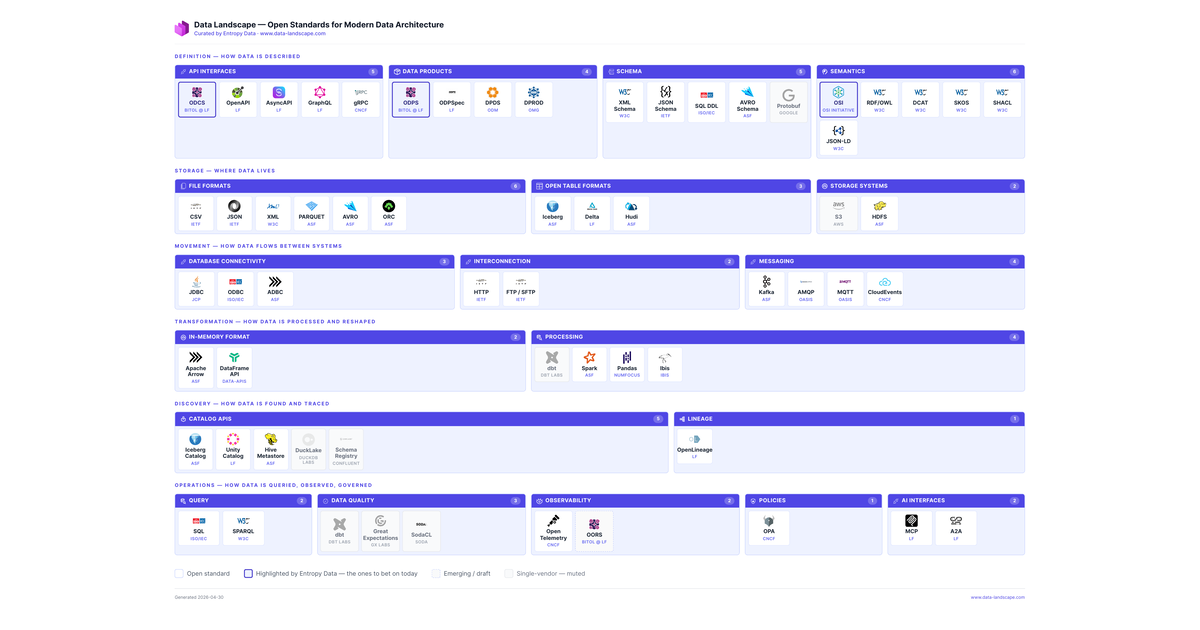
Data Landscape (Tool)
Data Landscape is an interactive map by Entropy Data that categorizes and assesses open standards for modern data architecture, from contracts to AI interfaces.
Deep dive
- Data Landscape is an interactive map showcasing open standards crucial for modern data architecture.
- It's curated by Entropy Data, led by Simon Harrer, and inspired by the CNCF Landscape and ThoughtWorks Tech Radar.
- Standards are categorized by function, including contracts (ODCS, OpenAPI), data products (ODPS), schema (JSON Schema, Avro Schema), file formats (Parquet, Avro), table formats (Iceberg, Delta), data movement (Kafka, HTTP), processing (Spark, Pandas, dbt), discovery (OpenLineage), operations (SQL, OpenTelemetry), and AI interfaces (MCP, A2A).
- Each standard is assigned an editorial judgment: "Adopt," "Situational," "Assess," or "Caution," with clear criteria for each.
- The map aims to promote vendor-neutral, openly governed, and widely implementable specifications.
- It explicitly distinguishes itself from vendor landscapes, encouraging users to ask which standards vendors implement.
- The project started from a single slide for a data mesh talk and evolved into an interactive tool due to community demand.
Decoder
- CNCF Landscape: An interactive map showing the Cloud Native Computing Foundation's ecosystem of open-source projects and products.
- ThoughtWorks Tech Radar: A regularly updated publication that highlights technologies, tools, platforms, and techniques to "Adopt," "Trial," "Assess," or "Hold."
- Data Mesh: A decentralized data architecture paradigm that treats data as a product, owned by domain-oriented teams.
- ODCS (Open Data Contract Standard): An open standard for defining data contracts.
- ODPS (Open Data Product Standard): An open standard for defining data products.
- MCP (Model-Centric Pipeline): An interface related to AI agent interaction and data.
- A2A (Agent-to-Agent): An interface related to communication between AI agents.
- Apache Iceberg: An open table format for huge analytic datasets.
- Delta Lake: An open-source storage layer that brings ACID transactions and data versioning to data lakes.
- Apache Parquet: A columnar storage file format optimized for analytics.
- Apache Avro: A data serialization system.
- OpenLineage: An open standard for capturing and sharing data lineage information.
Original article
Open Standards
Data Landscape
An opinionated, interactive map of the open standards.
The open standards that power a modern data architecture, organised by what they describe. Click any standard to learn more, or download as PDF.
Definition — how data is described
- Contracts Adopt
- ODCS BITOL @ LF Adopt
- OpenAPI LF Adopt
- AsyncAPI LF Adopt
- GraphQL LF Situational
- gRPC CNCF Situational
- OData OASIS Adopt
- Data Products Adopt
- ODPS BITOL @ LF Assess
- DPDS ODM Assess
- ODPSpec LF Assess
- DPROD OMG Assess
- Schema Adopt
- XML Schema W3C Adopt
- JSON Schema IETF Adopt
- SQL DDL ISO/IEC Adopt
- AVRO Schema ASF Adopt
- Protobuf Google Assess
- LinkML LinkML Assess
- Table Schema Frictionless Adopt
- Semantics Situational
- RDF/OWL W3C Situational
- DCAT W3C Situational
- SKOS W3C Situational
- SHACL W3C Situational
- JSON-LD W3C Assess
- OSI OSI Initiative Assess
- schema.org W3C Assess
- ShEx W3C Assess
Storage — where data lives
- File Formats Adopt
- CSV IETF Adopt
- JSON IETF Adopt
- XML W3C Adopt
- YAML YAML.org Adopt
- PARQUET ASF Adopt
- AVRO ASF Situational
- ORC ASF Assess
- Lance Lance Adopt
- Open Table Formats Adopt
- Iceberg ASF Situational
- Delta LF Assess
- Hudi ASF Assess
- Lance Lance Adopt
- Storage Systems Adopt
- S3 AWS Caution
- HDFS ASF Adopt
Movement — how data flows between systems
- Database Connectivity Adopt
- JDBC JCP Adopt
- ODBC ISO/IEC Adopt
- ADBC ASF Caution
- XMLA Microsoft Adopt
- Interconnection Adopt
- HTTP IETF Situational
- Delta Sharing LF Caution
- FTP / SFTP IETF Adopt
- Messaging Adopt
- Kafka ASF Adopt
- CloudEvents CNCF Situational
- MQTT OASIS Situational
- AMQP OASIS Caution
- JMS Jakarta EE Adopt
Transformation — how data is processed and reshaped
- In-Memory Format Adopt
- DataFrame API data-apis Adopt
- Apache Arrow ASF Adopt
- Processing Adopt
- Spark ASF Adopt
- Pandas NumFOCUS Adopt
- SQL DML ISO/IEC Adopt
- dbt dbt Labs Situational
- Beam ASF Assess
- Ibis Ibis Caution
- XSLT W3C Adopt
Discovery — how data is found and traced
- Catalog APIs Adopt
- Iceberg Catalog ASF Adopt
- Schema Registry Confluent Situational
- Unity Catalog LF Assess
- DuckLake DuckDB Labs Caution
- Hive Metastore ASF Adopt
- Lineage Adopt
- OpenLineage LF Assess
- PROV W3C Adopt
Operations — how data is queried, observed, governed
- Query Adopt
- SQL ISO/IEC Situational
- Substrait LF Situational
- SPARQL W3C Situational
- GQL ISO/IEC Caution
- MDX Microsoft Adopt
- Data Quality Situational
- Great Expectations GX Labs Situational
- dbt tests dbt Labs Situational
- SodaCL Soda Adopt
- Observability Adopt
- OpenTelemetry CNCF Assess
- OORS BITOL @ LF Adopt
- Policies Adopt
- OPA CNCF Assess
- ODRL W3C Adopt
- AI Interfaces Adopt
- MCP LF Situational
- A2A LF Adopt
Click any row to open the standard. Click a column header to sort.
FAQ
- the specification text is published under an open license (Apache, CC-BY, MIT, or a recognised standards-body licence);
- governance is preferably independently controlled — a foundation, working group, or community — and not in the hands of a single vendor;
- there are multiple independent implementations, or a credible path to them — one repo controlled by one company is not enough;
- it is the de-facto standard for its slot in a modern data architecture, not a niche curiosity.
- Adopt — the standard you should reach for in new work. Proven, multi-vendor, clearly the default for its slot (e.g. SQL, JSON, HTTP, ODCS for data contracts, Iceberg for table format, OpenLineage for lineage).
- Situational — the right answer in some contexts but not others. Pick deliberately based on the constraint (gRPC for service-to-service binary RPC, GraphQL for client-driven aggregation, GQL when you're already on graph databases).
- Assess — promising but not yet proven for production-default use. Track it, prototype with it, but don't commit your architecture to it yet (e.g. OSI, Substrait, OORS).
- Caution — we'd avoid for new work. Either superseded by a better option or fading from active use (e.g. MDX, JMS, XSLT). Listed because they're still encountered in existing systems.
What do you mean by open standards?
An open standard, as used on this page, is a specification that anyone can read, implement, and build on — without paying a vendor for the privilege. Concretely, a spec qualifies if:
Origin doesn't matter — many of the entries here started as vendor specs (Iceberg at Netflix, Delta Lake at Databricks, gRPC at Google, OpenLineage at Datakin). What matters is whether the spec is openly governed and openly implementable today. The Status field in each entry's drawer makes the governance situation explicit (foundation-hosted, vendor-led, draft, etc.), so you can judge for yourself.
Why did we build this — and what's the origin story?
Because Entropy Data loves open standards — and is building its product on top of them. ODCS, ODPS, OpenLineage, MCP, and the rest are the spine of our marketplace; the same set of specs you can use without us. We also use this landscape ourselves to communicate with stakeholders on PoCs — to explain why a contract-first, vendor-neutral foundation is the cheaper long-term bet than yet another proprietary catalog. See www.entropy-data.com for the full story.
It started as a single slide. Simon was preparing a talk on open standards for data mesh for the Data Mesh Belgium meetup in Leuven (April 2026), and wanted one picture that answered "which standards actually matter, and where do they fit?" Every existing diagram either flattened everything into one box or focused on a single vendor's stack.
The slide kept growing. After the talk, enough people asked for "the picture" that turning it into an interactive, linkable page made more sense than mailing around a PNG. Inspired by the CNCF Landscape for the categorisation and the ThoughtWorks Tech Radar for the per-entry judgement, but narrower in scope: open standards only, no vendors. It's still a living view — suggestions and corrections welcome.
The launch post on LinkedIn went unexpectedly viral — most of the standards added since the launch came in as comments, DMs, and pull requests in the days that followed. The contributor list at the bottom of this page is the visible tip of that.
Why do you call this a data landscape?
Fair pushback: most of what's here is metadata, not data. Schemas, contracts, lineage events, and catalog APIs all describe data rather than are data — and the page won't help you pick a vendor. Guilty as charged on both counts.
We still call it the "Data Landscape" because that's the conversation people are having. When teams say "our data stack" they mean the standards, formats, and protocols around the data, not the bytes themselves.
It's also deliberately not a vendor landscape. There's no Snowflake vs Databricks, no "best catalog of 2026". The CNCF Landscape catalogues vendors and projects; this one catalogues the open standards they should interoperate around. If you're picking a vendor, ask which of these standards they implement. That's the question this landscape helps you ask, not answer.
Why did you include vendor specs in an overview of open standards?
Most "open standards" started as vendor specs. Iceberg came out of Netflix, Delta Lake out of Databricks, gRPC and Protobuf out of Google, OpenLineage was spun out of Datakin (now Astronomer) and incubated at LF AI & Data. What matters is whether the spec is openly governed and openly implementable today, not who wrote the first commit. See What do you mean by open standards? for the criteria we apply.
What do Adopt, Situational, Assess, and Caution mean?
The coloured header on each tile is our editorial judgement — what we'd actually do with this standard if we were starting a new project today. The four levels borrow the verb-style framing of the ThoughtWorks Tech Radar (Adopt / Trial / Assess / Hold), tuned for open standards rather than internal tech adoption:
Click a label in the toolbar legend to hide every tile of that judgement; click again to bring them back. Every standard's drawer carries the per-entry rationale (the Judgement reason line). The same field is in standards.json as judgement + judgementReason if you want to disagree at scale. Within each category panel, tiles are ordered by judgement: Adopt first, Caution last.
Why is X listed, not listed, or marked as a vendor spec?
Why is X listed? Because it meets the four criteria above — openly licensed, independently governed (or noted as a vendor spec), multiple implementations, and de-facto for its slot. Each entry's drawer shows the Governance and Status we relied on; the same fields are in standards.json if you want to audit the whole set at once.
Why isn't X listed? Most likely we haven't gotten to it yet, or we judged it a vendor product rather than an open spec. The bar is the spec, not the popularity of any one implementation. If you think we're wrong, open an issue — the data is a single JSON file, PRs welcome.
Why is X greyed out / marked as a vendor spec? Vendor-led specs are openly published and de-facto, but governance is effectively controlled by one company — they meet every criterion except independent governance. We still list them because they matter (e.g. dbt, Protobuf, Schema Registry); the muted tile and grayscale logo are the caveat, not a downgrade.
Where did legacy and niche go? Those used to be separate tags; they're now folded into the judgement. Standards we'd avoid for new work (XMLA, JMS, MDX) sit under Caution. Standards healthy only in a particular corner (ShEx, LinkML, GQL) sit under Situational or Assess depending on maturity. See the judgement explanation for the per-tier criteria.
Thank you
This landscape is curated by Entropy Data, with grateful thanks to everyone who helped shape it through suggestions, discussions, or pull requests (listed alphabetically by first name): Benjamin Ditel, Denis Arnaud, Erik Wilde, Jon Axon, Juan Sequeda, Marcel Grauwen, Mark M, Peter Hutzli, Prashanth Rao, Stefan Negele, and Thierry Jean.
Cite this landscape
If you reference this landscape in a talk, paper, or blog post, the canonical link is https://www.data-landscape.com/. A BibTeX entry is also available as data-landscape.bib.
Plain text (APA-style)
Harrer, S. (2026). Data Landscape: Open Standards for Modern Data Architecture. Entropy Data. https://www.data-landscape.com/
BibTeX
@misc{harrer2026datalandscape,
  author       = {Harrer, Simon},
  title        = {Data Landscape: Open Standards for Modern Data Architecture},
  year         = {2026},
  month        = apr,
  publisher    = {Entropy Data},
  howpublished = {\url{https://www.data-landscape.com/}}
}
Download: data-landscape.bib
Missed a standard? Spotted something wrong?
This landscape is a living view — suggestions and corrections welcome.
Open an issue Email Simon Message SimonHelixDB (GitHub Repo)
HelixDB is an open-source Rust database designed for AI applications, combining graph, vector, document, KV, and relational data models with built-in RAG tooling.
Deep dive
- HelixDB is an open-source, multi-model database developed in Rust, targeting AI applications.
- It combines graph, vector, document, key-value (KV), and relational data models into a single platform.
- Aims to eliminate the need for separate application, vector, and graph databases in AI backends.
- Key features include built-in MCP (Model-Centric Pipeline) tools for agent data discovery.
- Offers built-in text embedding functionality, removing the need for pre-vectorization.
- Provides tooling for Retrieval Augmented Generation (RAG), including vector search, keyword search, and graph traversals.
- Designed for ultra-low latency using LMDB as its storage engine.
- Features a 100% type-safe query language called HelixQL.
- It's private by default, with data access only through compiled HelixQL queries.
- Available for local deployment via a CLI tool and offers TypeScript/Python SDKs.
- Licensed under the AGPL (Affero General Public License), with commercial support and managed service options available.
Decoder
- Multi-model database: A database that supports multiple data models (e.g., relational, document, graph, key-value) in a single integrated backend.
- Graph database: A database that uses graph structures (nodes, edges, properties) for data representation and storage.
- Vector database: A database designed to store, manage, and search embeddings (vector representations of data) efficiently, crucial for similarity search in AI.
- KV (Key-Value) store: A simple non-relational database that stores data as a collection of key-value pairs.
- MCP (Model-Centric Pipeline): An interface or framework that allows AI agents to discover and interact with data and traverse graph structures programmatically.
- Embeddings: Numerical representations (vectors) of text, images, or other data that capture semantic meaning.
- RAG (Retrieval Augmented Generation): An AI technique that combines information retrieval with text generation, allowing LLMs to access and incorporate external knowledge for more accurate and relevant responses.
- LMDB (Lightning Memory-Mapped Database): A fast, memory-mapped, key-value store.
- HelixQL: The type-safe query language used in HelixDB.
Original article
HelixDB: an open-source graph-vector database built from scratch in Rust.
Website | Docs | Discord | X/Twitter
HelixDB is a database that makes it easy to build all the components needed for an AI application in a single platform.
You no longer need a separate application DB, vector DB, graph DB, or application layers to manage the multiple storage locations to build the backend of any application that uses AI, agents or RAG. Just use Helix.
HelixDB primarily operates with a graph + vector data model, but it can also support KV, documents, and relational data.
Get started with HelixDB
Key Features
| Built-in MCP tools | Helix has built-in MCP support to allow your agents to discover data and walk the graph rather than generating human readable queries. |
| Built-in Embeddings | No need to embed your data before sending it to Helix, just use the Embed function to vectorize text. |
| Tooling for RAG | HelixDB has a built-in vector search, keyword search, and graph traversals that can be used to power any type of RAG applications. |
| Secure by Default | HelixDB is private by default. You can only access your data through your compiled HelixQL queries. |
| Ultra-Low Latency | Helix is built in Rust and uses LMDB as its storage engine to provide extremely low latencies. |
| Type-Safe Queries | HelixQL is 100% type-safe, which lets you develop and deploy with the confidence that your queries will execute in production |
Getting Started
Helix CLI
Start by installing the Helix CLI tool to deploy Helix locally.
-
Install CLI
curl -sSL "https://install.helix-db.com" | bash
-
Initialize a project
mkdir <path-to-project> && cd <path-to-project>
helix init
-
Write queries
Open your newly created
.hxfiles and start writing your schema and queries. Head over to our docs for more information about writing queries.N::User { INDEX name: String, age: U32 } QUERY getUser(user_name: String) => user <- N<User>({name: user_name}) RETURN user -
(Optional) Check your queries compile
helix check
-
Deploy your queries to their API endpoints
helix push dev
-
Start calling them using our TypeScript SDK or Python SDK. For example:
import HelixDB from "helix-ts";

// Create a new HelixDB client
// The default port is 6969
const client = new HelixDB();

// Query the database
await client.query("addUser", {
  name: "John",
  age: 20,
});

// Get the created user
const user = await client.query("getUser", {
  user_name: "John",
});

console.log(user);
License
HelixDB is licensed under the The AGPL (Affero General Public License).
Commercial Support
HelixDB is available as a managed service for selected users, if you're interested in using Helix's managed service or want enterprise support, contact us for more information and deployment options.
Just Use Helix
PostGIS (Tool)
PostGIS transforms PostgreSQL into a powerful geospatial database, enabling storage, indexing, and analysis of maps, locations, shapes, and raster data.
Decoder
- Geospatial data: Data that describes the location, shape, and relationship of features on or near the Earth's surface.
- Raster data: Data represented as a grid of pixels or cells, commonly used for images, elevation models, or satellite imagery, as opposed to vector data which uses points, lines, and polygons.
- Geocoding: The process of converting addresses or place names into geographic coordinates (latitude and longitude).
- Reverse geocoding: The process of converting geographic coordinates back into a human-readable address or place name.
Original article
About PostGIS
PostGIS extends the capabilities of the PostgreSQL relational database by adding support for storing, indexing, and querying geospatial data.
PostGIS features include:
- Spatial Data Storage: Store different types of spatial data such as points, lines, polygons, and multi-geometries, in both 2D and 3D data.
- Spatial Indexing: Quickly search and retrieve spatial data based on its location.
- Spatial Functions: A wide range of spatial functions that allow you to filter and analyze spatial data, measuring distances and areas, intersecting geometries, buffering, and more.
- Geometry Processing: Tools for processing and manipulating geometry data, such as simplification, conversion, and generalization.
- Raster Data Support: Storage and processing of raster data, such as elevation data and weather data.
- Geocoding and Reverse Geocoding: Functions for geocoding and reverse geocoding.
- Integration: Access and work with PostGIS using third party tools such as QGIS, GeoServer, MapServer, ArcGIS, Tableau.
The prompt is not an interface
AI interfaces relying solely on text prompts are regressive for visual tasks, as human creativity demands more intuitive, canvas-based interaction for design and composition.
Decoder
- ComfyUI: A powerful and flexible open-source stable diffusion GUI (Graphical User Interface) that uses a node-based workflow for image generation.
Original article
Modern AI interfaces have largely regressed to a command-line style of interaction by relying on text prompts, which are poorly suited for visual and spatial tasks like design, layout, motion, and composition. Human creativity and communication are often more naturally expressed through sketches, diagrams, direct manipulation, and visual feedback, so the future of AI interaction will likely move toward canvas-based, node-based, and embedded visual tools—such as those seen in Figma, ComfyUI, and Adobe Photoshop—where users can show intent instead of describing it through increasingly complex prompts. As AI handles more execution work, designers will focus more on direction, judgment, and creative decision-making.

Designers are a rare breed
AI design tools like Claude will elevate overall design quality for companies without designers, rather than replacing skilled professionals who possess refined taste and craftsmanship.
Decoder
- Claude: An AI assistant developed by Anthropic, capable of various tasks including creative content generation and design assistance.
Original article
Designers are a Rare Breed
AI is raising the floor. The ceiling is yours.
Welcome to Unknown Arts — I’m Patrick, your field guide to the creative frontier. Join thousands of builders around the world navigating what’s next.
Designers are a rare breed.
It’s easy to forget if you’ve built your community around design, but the data is clear: designers make up roughly 0.25% of the US workforce, or about one in every 400 workers. Only 16% of US companies say they pursue design as a structured process. The rest handle it ad hoc, or not at all. They do just enough to get by.
I’ve lived this firsthand. Most of my career has been in cybersecurity startups, where design is chronically scarce. The largest team I worked on in the last decade had fewer than ten designers at a company with over a thousand employees.
So when Claude Design dropped recently and the usual online anxiety started up again, I had a different reaction than most. Not fear for my job, but optimism for a world with a higher floor of design quality.
What tools like Claude Design represent isn’t a replacement for designers at businesses that already hire them. It’s design finally starting to reach the vast majority of businesses that never would have hired a designer in the first place.
I don’t see that as a threat. I see it as a massive expansion of who gets to work with good design foundations. Designers included.
Appreciation isn’t craft
No tool automatically closes the gap between recognizing good design and being able to make it. It’s worth noting where most people actually stand in terms of recognizing good design in the first place: they don’t have particularly good taste (sorry, but it’s true). A smaller group has solid taste but doesn’t have the ability to execute on it. Those who can do both are a rare subset of an already rare group. (If you’re reading this I imagine you fall into one of the two later camps)
There’s a whole genre of video on YouTube built around this idea: give a novice top-of-the-line professional equipment, give an expert the most basic gear that gets the job done, and see what happens. Spoiler alert: the expert wins every time. Specific knowledge, built through years of reps, shapes the output in ways no tool can replicate.
What this means for you
If you’ve always cared about design but never had access to professional support, this is good news. The floor is rising. Solid design work that used to require a specialist is increasingly within reach.
And if you’re a designer, the right response is confidence. Raising the floor doesn’t flatten your ceiling. If anything, the best designers stand to gain the most from these tools: more leverage, more reach, more impact than any previous generation has had access to.
Think about the odds you’ve already beaten as a designer. You’re one of just a fraction of a percent of total workers and most companies don’t even practice your craft in any routine way. You chose a rare path, built real skills, and made it work despite the odds.
New tools don’t change that. You’ll figure them out. Approach them with a beginner’s mind, staying curious and willing to evolve. That’s what every great craftsperson has always done: they find new ways to do their best work as new resources become available. This is no different.
You beat the odds to get here. Now beat them again.
Until next time,
Patrick
📚 Go deeper
-
Introducing Claude Design — Anthropic — The official company announcement.
-
“Be a Skill Surfer” — Unknown Arts — The framing I keep coming back to as tools change faster than ever. Expertise is the thing worth protecting. Everything else is a wave to ride.
-
“Taste for Makers” — Paul Graham — A short essay arguing that taste is real, learnable, and inseparable from doing great work. A useful counterweight to the “AI can do it now” narrative, because taste and craft are not the same thing and Graham explains why better than most.
Find this useful? Share it with someone who might also get value.
AI Design Has No Soul, but Typography Makes it Whole
AI-generated designs often lack depth because they skip the iterative human thinking process, making thoughtful typography crucial for adding soul and function.
Original article
I generated a landing page, looked at it, and felt nothing. Not because it was bad – it was fine. But fine is the problem. Here I share what that hollow feeling is actually telling us, why designing is thinking and not just making, and how I’ve been finding a new approach that still lets me stand behind my work. Because typography might be the sharpest tool in a world of AI-generated design.
Hollow and replaceable
There’s this feeling of disappointment and overwhelm I get when generating web or app designs using AI tools. No matter if it’s Google Stitch, v0, or Figma Make. I’m so distracted by the result that I forget what I’m actually looking at, even what I actually wanted this to be designed for. Is this what I wanted? Is it good or bad? In some places it is obviously not working, in others it is impressively well done. But overall it often has a hollow aftertaste, feels generic, like a mock-up with no soul.
Which brings me to the question – what should good design actually feel like? To have substance, it needs to connect all the pieces: intent, content, and shape. Form follows function, function follows feeling. To me, good design doesn’t only look appealing, it makes people want to spend time with it, while helping them achieve their goals.
Avoiding thinking
The problem with using AI tools is that they often pull me towards not wanting to think, because the instant results make it easy to avoid confronting myself with a topic. And frankly, I often don’t want to invest in analyzing the generated designs. When they come out so effortlessly, it makes them feel almost worthless. But of course they are not, as so much is happening in the background making it appear this easy.
The machine is so fast in creating a result that my thinking has not caught up with it – the design is shaped, my opinion towards it isn’t. AI is fast, humans aren’t.
However, being fast doesn’t have value in itself when you’re racing in the wrong direction. But what does the right direction actually look like? How did I decide that before using AI tools?
Designing is thinking
Before AI tools, getting to a result took more work and time. During that, I confronted myself with a topic, I shaped the design, and while doing that it shaped my thinking. In that process I filled the empty canvas with often fictitious, but realistic content. Then I modeled it, applying a certain visual aesthetic and asked myself: Does this look fit the project? If not, what needs to change?
- Do content and design work together (connecting)?
- Is information in the right order (hierarchy)?
- What’s missing and what’s too much (clarity)?
- How could I communicate this better (effectiveness)?
- Does it work with different content (flexibility)?
When I was happy with the result, I cleaned it up and went through my designs again, trying to use as few components as possible. Not just to make it easier to implement and maintain, but also to make it clearer. Because by only using a few repeating elements within a design it also gets more obvious to the user what certain parts are intended for.
This process was essential to me to get to a quality result. One that ensures that what I create is sound. Now with AI tools, I have to adjust my approach. It also has to make sure that I confront myself with a topic and that I can wholeheartedly stand behind the result, AI-generated or not.
A new approach
The disappointment or irritation when looking at a generated design comes from my wrong expectation of seeing something thoughtful and finished. I can only evaluate both things when I know what thoughtful or finished mean. In that sense I still need to shape my opinion. Some people call this “taste”, Patricia Reiners put it better by calling it judgment on her podcast (at 14:15). You need to have experience and empathy to judge if something is appropriate or not. So what can a better approach look like?
1. Think longer about my prompt
Be as clear as possible about the structure, intent, and visual appeal of a project at the beginning. The more specific your prompt is, the better the result will be. The more time you spend describing what you want, the more it will shape your opinion and make it possible for you to judge it. To me this is less fun than doing it during a visual design process, but I can accept it, because the visual part still follows.
2. What’s generated is not finished
These tools are so fast, they tend to rush you. So take a step back, take a breath, and more time to look at it closely. And don’t be fooled by the eye candy. What you’re looking at is still a rough template – with amazing hover effects.
What helps me here is thinking of it as an average designer’s output. The question now is: How can I turn this into something outstanding? And that’s simply by asking myself the same questions from the process before: Does this look fit the project? If not, where do I need to change it?
3. Bringing it together
My value as a human designer is putting the design into context by having empathy, understanding its meaning, assessing its appeal and functionality, and correcting its misdirections. My work moves from designing from scratch to reworking what was generated. This can be a bit frustrating, but it is also a learning experience to sharpen my judgment and lean more into that.
But now let’s get to typography and what role it plays in this new approach. It actually becomes more important.
Typography is what ties it together
No matter if a design is AI-generated or not, type is still everywhere. And typography gives a product personality while emphasizing its functionality. And the same typographic rules still apply.
AI models were trained on the average of the web. So they repeat mediocrity by imitating generic cookie-cutter templates and often using the same Google Fonts. Almost always Inter is their primary type choice. And when you want something more interesting, they often go too wild, creating designs that aren’t very usable. Because they also recreate common mistakes, like inappropriate font choices, weak hierarchy, and inaccessible color contrast.
In this sea of good-enough designs, the thoughtful and intentional ones become a beacon. And these always need a human designer to judge and finesse them.
Here typography makes you start thinking again. Because you can only make content communicate at its best when making it clear. And typography instantly shows you where things are off. Following a clear hierarchy while keeping it interesting, makes all the difference if someone will be tempted to read it or skip it.
I will share a case study where I assess and rework the typography of an AI-generated landing page soon. But here is short glimpse of it. While the foundation was solid, the execution was not.
I have not found my groove yet
Even though I feel I’m heading in a good direction, I am still struggling and learning a lot. These are my biggest challenges to me right now.
I miss the manual exploration of styles, the thinking and taking my time. Starting from an empty canvas and not from a prompt. But maybe that’s because I’m not used to exploring by generating styles. And I can also see that this will become more fun the more I use it.
I’m feeling more stressed than before, despite getting more done faster. With tools that instantly produce results, it makes me want to instantly judge. When actually I need to remind myself to slow down and think.
I feel overwhelmed, every time a new tool comes out, or something new is hyped. My first reaction is that I’m falling behind, this will not empower me, it will take the thing away from me that I love most – designing. I need to remind myself that I’m not afraid of the tool, I’m just overwhelmed by the pace of change. And that it gives me the opportunity to reflect on what I’m truly good at and what I enjoy doing.
For now, I come to the conclusion that when I’m working with generated designs I need a slightly different approach and mostly different mindset, while still answering the same old questions. Things are still moving very fast, and I might change my opinion in the future. But writing this down already gave me more clarity on what my opinion and approach towards it are.
And now I’m curious about your thoughts. How have you incorporated AI-generated designs into your workflow, and how do you see it? Let me know in the comments!
The 10 Usability Heuristics in Infographics
Jakob Nielsen presents his foundational 10 usability heuristics, unchanged since 1994, through new AI-generated infographics with fantasy scenarios and design patterns.
Decoder
- Usability Heuristics: Broad rules of thumb for user interface design that serve as guidelines for evaluating the usability of a product. Jakob Nielsen's 10 heuristics are a widely recognized set of such guidelines.
Original article
Jakob Nielsen presents his 10 usability heuristics through AI-generated infographics, using fantasy scenarios, design patterns, and comics to make them more accessible. The heuristics, unchanged since 1994, cover key principles such as system visibility, matching real-world conventions, user control, consistency, error prevention, and recognition over recall. Each heuristic is illustrated with recommended design patterns, anti-patterns to avoid, and visual examples to help designers create more usable interfaces.
When the Uncertainty Is Bigger Than the Shock: Scenario Modelling for English Local Elections
Data scientists building scenario models for elections must prioritize uncertainty visualization over point forecasts, as model uncertainty can exceed the actual scenario shock.
Decoder
- Scenario model: A type of data product that explores hypothetical future outcomes based on varying inputs and assumptions, rather than making a single prediction.
Original article
Scenario models are data products, not predictions. Model uncertainty can be larger than the scenario shock, so point forecasts and rankings are misleading without intervals. Version assumptions, freeze model artifacts, store residuals, expose uncertainty bands, log guardrails, and plan post-event audits.
Instagram redesigns iPad app to what it always should have been
Instagram finally redesigned its iPad app to match the familiar iPhone experience, reverting from a Reels-heavy layout that users disliked.
Original article
Instagram has redesigned its long-awaited iPad app to closely match the iPhone experience after users disliked the original Reels-focused layout introduced last fall. The update restores the standard Home feed, moves Reels back to a separate tab, removes the confusing “Following” tab, and generally makes the app feel like a larger-screen version of Instagram for iPhone—something many users felt it should have been from the start.

Did Microsoft Just Tease a New Xbox UI?
Microsoft teased a unified Xbox UI for consoles, PC, and cloud gaming at GDC, aiming for a consistent experience across all devices.
Decoder
- GDC: Game Developers Conference, one of the largest annual professional gatherings for video game developers.
Original article
Did Microsoft just tease a new Xbox UI?
Microsoft is working on a more consistent Xbox UI across consoles, PC, and cloud gaming.
Microsoft is working on a more consistent Xbox UI across consoles, PC, and cloud gaming.
Microsoft showed off a “consistent” Xbox UI across handhelds, consoles, and cloud gaming during its Xbox keynote at the Game Developers Conference in March. At the time it was difficult to see if there was anything new about the UI from the videos and photos captured during the event, but Microsoft has now given us a closer look at it thanks to a new video of the keynote that was published earlier today.
Jason Ronald, VP of next generation at Xbox, showed off the UI while mentioning that players had been noticing “a lot of fragmentation within the experience” across devices, and an overall lack of consistency. “What the team has been doing behind the scenes is doing a lot of work to deliver a consistent experience, so it feels very familiar and very distinctly Xbox no matter where you’re choosing to play,” says Ronald.
At first glance the UI, pictured above, doesn’t look wildly different to what exists today, but there are some subtle differences across different devices. The Xbox console homescreen is slightly different, with the user profile in the top right and three ad slots along the bottom instead of the usual four. The same interface can be found on the handheld in the image, but the PC app on the right-hand side looks a lot more like the new Xbox Cloud Gaming interface.
When Microsoft first started testing the new Xbox Cloud Gaming UI, I wrote that it was more console-like than ever before, thanks to a variety of new animations, a new library section, and a rounded design. Microsoft’s slide hints that this same interface could be coming to the Xbox PC app. Ronald says the UI won’t be identical across all Xbox devices though, “because we think about things like screen size, or things like input modalities.”
Later in the Xbox game dev update video, Microsoft also shows off what looks like a new Xbox store on Windows. I asked Microsoft about this new Xbox UI and the store changes, but the company declined to comment..
In the mean time, if you’re interested in Ronald’s full GDC keynote then I’d recommend watching it, below. Microsoft’s whole Xbox game dev update video is nearly 90 minutes long, but the embed below will start at Ronald’s keynote.
Update, May 7th: Article updated to mention Microsoft declined to comment on this Xbox UI.
Fontastic Space (Website)
Fontastic Space offers an interactive playground for pairing Google Fonts, visualizing letterform interactions, and scoring combination effectiveness.
Original article
A font pairing playground that puts Google Fonts side by side, visualizes how each letterform behaves next to the others, and scores which combinations actually work.
Ideas are Dead. Why Execution Matters More for Designers in 2026
In 2026, designers like Ben Fryc from Framer emphasize that strong execution and building functional experiences now outweigh simply having ideas.
Original article
Yanko Design’s Design Mindset, powered by KeyShot, continues to carve out a thoughtful space for conversations around creativity, process, and the way design is evolving in real time. Now at Episode 21, the weekly podcast has become a compelling extension of the publication’s larger design lens, moving beyond products and visuals to focus on the people, principles, and practices shaping the creative world today. Each episode opens up a deeper look at the mindset behind modern design, asking what it really means to create with relevance in a landscape that keeps changing.
This week’s guest is Ben Fryc of Framer, a creative voice whose work sits at the intersection of storytelling, digital product thinking, and workflow design. In conversation with Radhika Sood, Ben speaks about a shift many designers are already feeling, where the role is expanding from someone who visualizes ideas to someone who can actively bring them to life. The result is a timely discussion about momentum, confidence, tools, and the growing value of designers who know how to build.
The Gap Between Taste and Execution
Ben’s central argument lands quickly and stays with you through the rest of the episode: most creatives do not struggle with ideas, they struggle with execution. That distinction gives shape to a frustration many designers know well. The vision is there, the taste is there, and the instinct is often sharp, but the path from concept to finished outcome can still feel longer than expected. Ben attributes that gap to experience, or more specifically, the lack of enough repetition to turn instinct into capability. He speaks candidly about the misconception that strong execution should arrive early, especially for young designers stepping out of school and into the profession.
What makes his perspective resonate is the way he strips away the mythology around creative success and replaces it with something more useful. Good ideas matter, but the people who move forward are usually the ones who learn how to carry those ideas through constraints, revisions, and real-world expectations. Experience becomes the bridge between taste and output, and that bridge is built over time. In Ben’s framing, becoming a stronger designer is less about waiting for talent to click and more about putting in enough cycles of making to close the distance between what you imagine and what you can actually produce.
When Designers Start Becoming Builders
A major theme in the episode is the changing role of the designer, especially in a world where tools have made prototyping, publishing, and testing much more accessible. Ben talks about how the shift often begins the moment a designer starts thinking beyond the static mockup and becomes interested in how something actually works in motion. Once that curiosity enters the process, design starts to feel more active and more complete. The act of building no longer belongs exclusively to another team or another discipline. It becomes part of the designer’s own creative vocabulary.
Ben describes this transition almost like unlocking a new layer of ability, where confidence grows because the work can finally move out of presentation mode and into lived experience. That shift changes more than output. It changes the way a designer thinks about learning, problem-solving, and authorship. Coding, prototyping, 3D modeling, and other adjacent skills begin to feel less like optional extras and more like natural extensions of the design process. What emerges is a broader creative identity, one rooted in agency and in the satisfaction of making something real enough for others to use, experience, or respond to.
Workflow as a Creative Force
One of the most interesting parts of the conversation comes when Ben talks about workflow, not as a backstage concern but as a genuine creative advantage. He pushes back on the idea that workflow is simply a matter of optimization and instead frames it as something that shapes the quality of thinking itself. For him, a smooth workflow creates the conditions for ideas to evolve naturally, especially in projects where the final outcome only becomes clear through the act of making. That kind of process depends on iteration, room for discovery, and enough flexibility to let references, instincts, and experimentation inform the direction of the work.
He also makes an important point about communication, especially in collaborative environments where creative momentum can either build quickly or lose energy just as fast. Sharing work early, being clear about process, and inviting feedback before everything is fully polished all become part of a healthier workflow. Ben’s view is that better work often comes from showing progress sooner rather than later, because feedback strengthens the idea while it is still flexible. In that sense, workflow is not just about personal efficiency. It is also about preserving momentum, protecting creative energy, and giving ideas a better chance to grow into something stronger.
The Tools That Shape Ambition
Because Ben works at Framer, the discussion naturally moves into the role of tools, though what makes his take interesting is that he avoids reducing the conversation to features alone. He speaks instead about the feeling of a tool, how quickly it communicates its purpose, how naturally it invites experimentation, and how much friction it introduces between thought and action. In his view, the best creative tools are the ones that feel legible early on, even if they reveal more depth over time. Complexity can have value, but approachability matters because it determines whether someone begins with curiosity or hesitation.
That idea becomes especially relevant in the context of today’s no-code and low-friction creative platforms, which have changed what designers can realistically attempt on their own. Ben notes that when tools lower the barrier to making, people often become more ambitious because the path from idea to execution feels more direct. Instead of getting lost in abstraction, they can start building, testing, and refining with greater immediacy. The result is not just speed for its own sake, but a more intentional creative process where the tool amplifies possibility and supports the designer’s ability to act on instinct while learning along the way.
Why Shipping Changes the Designer
The episode closes on a note that feels especially relevant for creatives who spend too long refining, adjusting, and waiting for the right moment to release something. Ben speaks honestly about perfectionism and how easily it can interrupt momentum, especially when creators become so focused on improving the work that they never let it exist in the world. His answer is not careless speed, but a healthier relationship with progress. Making something real, even in an imperfect form, creates a kind of confidence that reflection alone cannot produce. The act of shipping becomes a turning point because it changes how the creator sees their own role.
That is ultimately what gives this conversation its energy. Ben is not presenting building as a trend layered on top of design, but as a deeper evolution in how designers participate in their own ideas. Once something moves from concept to reality, even on a small scale, it carries a different weight. It becomes proof of capability, proof of momentum, and proof that taste can be translated into action. For a weekly podcast like Design Mindset, that kind of conversation feels exactly on point, because it captures the creative shift defining this moment. Designers today are being asked to do more than imagine. They are being invited to make.
Design Mindset drops every week on Yanko Design. Catch Episode 19 in full wherever you listen to podcasts. For a free trial of KeyShot, visit keyshot.com/mindset.
Download your Free Trial of KeyShot Here
Tags: adfree, Design Mindset, KeyShot

AI Has Not Replaced Brand Emotion. It Has Moved It
AI is not eliminating emotion from branding, but rather shifting emotional connections from brands to the chatbots themselves, according to Walker Smith.
Decoder
- LLM (Large Language Model): An AI model trained on vast amounts of text data to understand, generate, and process human language.* Knowledge graph: A structured system for representing information about real-world entities and their relationships, often used by AI to provide factual answers.
Original article
AI has put an end to emotions in marketing, we are told. Just look at what LLMs rely on in making brand recommendations. It’s all about facts. Not about emotions.
An analysis by Digital Bloom found that comparative listicles are far and away the most-cited content format by LLMs. How-to guides and FAQs were frequently cited as well. Omniscient found that for branded prompts the bulk of LLM citations come from editorial sites, online forums, review sites and directories.
In other words, AI looks for facts, whether they are scientific facts or practical facts or asserted facts or discussion facts or evaluative facts or comparative facts. AI wants data related to performance and price. AI recommendations are rooted in those facts, not emotions.
There is a longstanding debate in marketing about heads versus hearts, or thinking versus feeling, as it is often described. Which is to say, facts versus emotions.
The importance of emotions had been on the comeback trail until AI exploded onto the scene in November 2022. Now, facts are ticking upward in importance as marketers scramble to ensure their brands are fully represented factually in online knowledge graphs and social forums.
With more and more consumers relying on AI answer engines for buying recommendations, many prognosticators have proclaimed the ascendence of facts over emotions as the future of marketing. Meaning structured information instead of creative content. No more emotions.
Maybe.
But then again, maybe not.
Giving up on emotions just because the latest technology is not a good fit with emotions is letting the tail wag the dog. It is capitulating the message to the medium, to paraphrase Marshall McLuhan, and not unfairly because this is what McLuhan meant.
Different media are experienced and processed in different ways, to the point that the medium is often itself the message taken away by the audience. McLuhan’s focus was linear print culture versus oral broadcast culture—print versus TV, or hot versus cool media, in McLuhan’s words.
AI is a new sort of media experience in which certain kinds of content work, and not others, and in which people are engaged interactively with chatbots mimicking the language and style of human interlocutors. It is feared that this leads inevitably to decisions made only on the basis of facts or the structured information AI relies upon.
This fear is reinforced by the intensity with which people have quickly become attached to chatbots. An MIT Media Lab study estimates one-in-five American adults have had an intimate encounter with a chatbot. The top use case for generative AI in 2025, according to Filtered.com, was therapy and companionship.
With such strong relationships to chatbots, consumers will rely significantly, if not wholly, upon what chatbots have to say, which means all the facts from LLMs. People find chatbots very persuasive. Research has found that chatbots can talk people out of their political opinions—even belief in conspiracy theories—in as little as 9 minutes. Chatbots are more convincing than ads, influencers and storekeepers, using only facts and no emotions.
But the conclusion that AI is all facts and no emotions is belied by the emotional connection between humans and chatbots. If this strikes you as peculiar, it is no more peculiar than brand love or brand superfans or brand evangelists, all of which are concepts about intimacy and passion between humans and commercial entities. Emotions are always present.
It is not that emotions have been lost with the rise of AI. It is that emotions have been displaced or shifted from brands to chatbots. The emotional connections that tie people to the marketplace no longer go just through brands. They now go through chatbots, too, and maybe only chatbots in the near future. But there are still emotions.
The biggest risk for brands is not the loss of emotions to facts, but the loss of emotional connections to chatbots. This risk will grow as AI evolves from shopping assistants to shopping agents.
As long as humans are making the final decision about what to buy, emotions will always be in the mix. Emotions will be lost to the process only when AI takes over decision-making. That won’t happen as long as AI provides only recommendations or assistance. However, it could very well happen when AI matures into self-directed agents that take charge of all decisions. No people, no emotions.
But this scenario presumes that emotions, and the emotional benefits people get from brands, are lost because they are not part of the information used by AI agents to compare and contrast brands. The further assumption implicit in this is that emotions are too sentimental and inexact to be represented as structured information for LLMs.
This underestimates marketing modelers. It just means that we don’t yet know how to code emotions into knowledge graphs. We will soon figure that out, guaranteed.
I feel confident saying this because we have figured it out before. My friend and colleague Josh McQueen figured it out with an emotional lexicon he developed for testing ads when he ran research worldwide for Leo Burnett.
My mentor and boss Kevin Clancy figured it out with the “Wheel of Emotions” he compiled from various social psychology sources to use in testing brand positionings.
Russ Haley, originator of attitudinal segmentation and popularizer of the five-point purchase interest scale, spent the last third of his career at the University of New Hampshire developing ways of measuring the intangible (often emotional) elements of ads that make them work.
Figuring this out for AI is only a matter of time. And given the speed at which AI is evolving, it won’t take long.
LLMs are channeling emotional information already. LLMs rely heavily on discussion forums, Reddit and Quora especially. These are not emotionless online forums. All kinds of emotions can be found in online discussions. Negative emotions have gotten a lot of attention, but it’s a full range of emotions in the arguments and conversations people have online about every topic under the sun, brands included.
Emotions are thus part and parcel of what LLMs scan and learn. It is inaccurate to claim that facts have displaced emotions.
Many of these facts from online forums are emotionally laden and emotionally impactful on the nature and direction of the overall online discussion. To the extent that these facts comprise part of the corpus of surveillance for LLMs, emotions have an impact.
Not to mention that the AI future is likely to see a revival of emotionally-driven advertising and positioning.
Today, marketers are investing heavily to ensure their brands are part of the AI evaluation and recommendation loop. Once this initial surge of innovation and updating is completed, though, marketers will be faced with feedback loops hard to break into, creating the subsequent need for ways of breaking these loops.
I predict a renaissance of traditional media as marketers look to influence how people interact with AI. That won’t come from AI personalization loops. It will come from TV or billboards or live events or other non-AI connections outside the loops. The desired behavior will be different. Not consideration or buying; rather, telling AI to do something different or to focus on a particular brand. It’s back to the future.
However, the future of AI unfolds, emotions will be a part.
Emotions are still in the picture, forcing brands to compete for consumer passions with a new set of chatbot competitors. And emotions will be a big part of tomorrow as brands lean harder into every kind of consumer connection to sustain relationships in a new technological ecosystem. Which, of course, is what brands have done every time a new medium has come along. It’s never either/or with heads or hearts, nor will it be with AI either.
Contributed to Branding Strategy Insider By Walker Smith, Chief Knowledge Officer, Brand & Marketing at Kantar

Tesla's mysterious new logo design has sparked some surprising theories
Tesla's new aggressive Roadster logo, filed nearly a decade after its initial announcement, is fueling speculation about its rumored "SpaceX package" thrusters and aerodynamic fan systems.
Decoder
- USPTO: United States Patent and Trademark Office, the federal agency responsible for issuing patents and trademarks.
Original article
Tesla's long-delayed second-generation Tesla Roadster is fueling fresh speculation after Tesla filed trademarks for aggressive new Roadster logos, despite the car remaining absent nearly a decade after Elon Musk first unveiled it. Fans are dissecting the badge's sharp design cues, linking them to rumored aerodynamic fan systems and even SpaceX-inspired rocket hardware. Some observers believe the rebrand could also help distance the Roadster from Tesla's increasingly polarizing image and the rocky rollout of the Tesla Cybertruck.

Perfect Background Removal (Website)
Avatar is a new Mac application that automates team photo background removal, offering custom backgrounds and one-click retouching.
Original article
Avatar is a Mac application that automatically removes backgrounds from team member photos with a simple drag-and-drop feature. Users can choose preset backgrounds, match brand colors, or upload custom backgrounds for their team portraits.
Dither Any Image in Your Browser (Website)
Bitgrain is a simple browser-based tool for applying retro-style dithering effects to images using various algorithms.
Decoder
- Dithering: A technique used in computer graphics to create the illusion of color depth in images with a limited color palette, by scattering pixels of different colors in a pattern.
Original article
Bitgrain is a browser-based tool that allows users to apply dithering effects to any image. Users can upload images and convert them using various dithering algorithms to create retro-style pixelated effects.

35 Best Condensed Fonts for Bold Design
A new list showcases 35 condensed fonts, ideal for designers seeking bold visual impact and efficient use of space in projects like headlines and posters.
Decoder
- Condensed font: A typeface designed with narrower character widths than standard fonts, allowing more text to fit into a given horizontal space while maintaining height and readability.* Sans serif font: A typeface without the small decorative lines (serifs) at the ends of strokes, often perceived as modern and clean.* Serif font: A typeface characterized by small decorative lines (serifs) at the ends of strokes, often associated with tradition and readability in print.
Original article
This set of 35 condensed fonts is ideal for bold design projects, particularly useful when space is limited but a strong visual impact is needed.